-
-
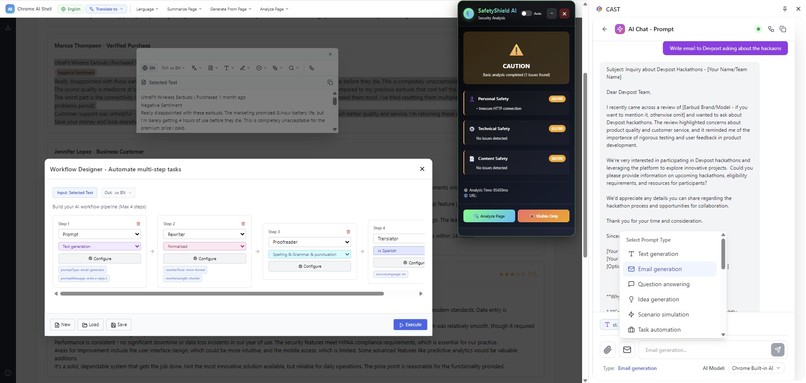
CAST + Tools
-
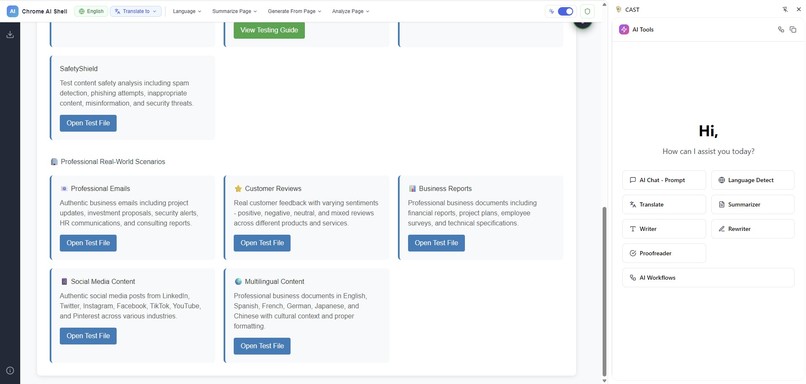
Testing Page
-
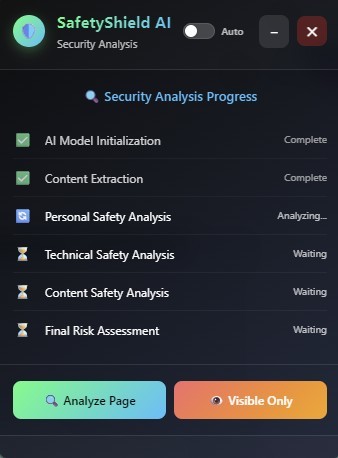
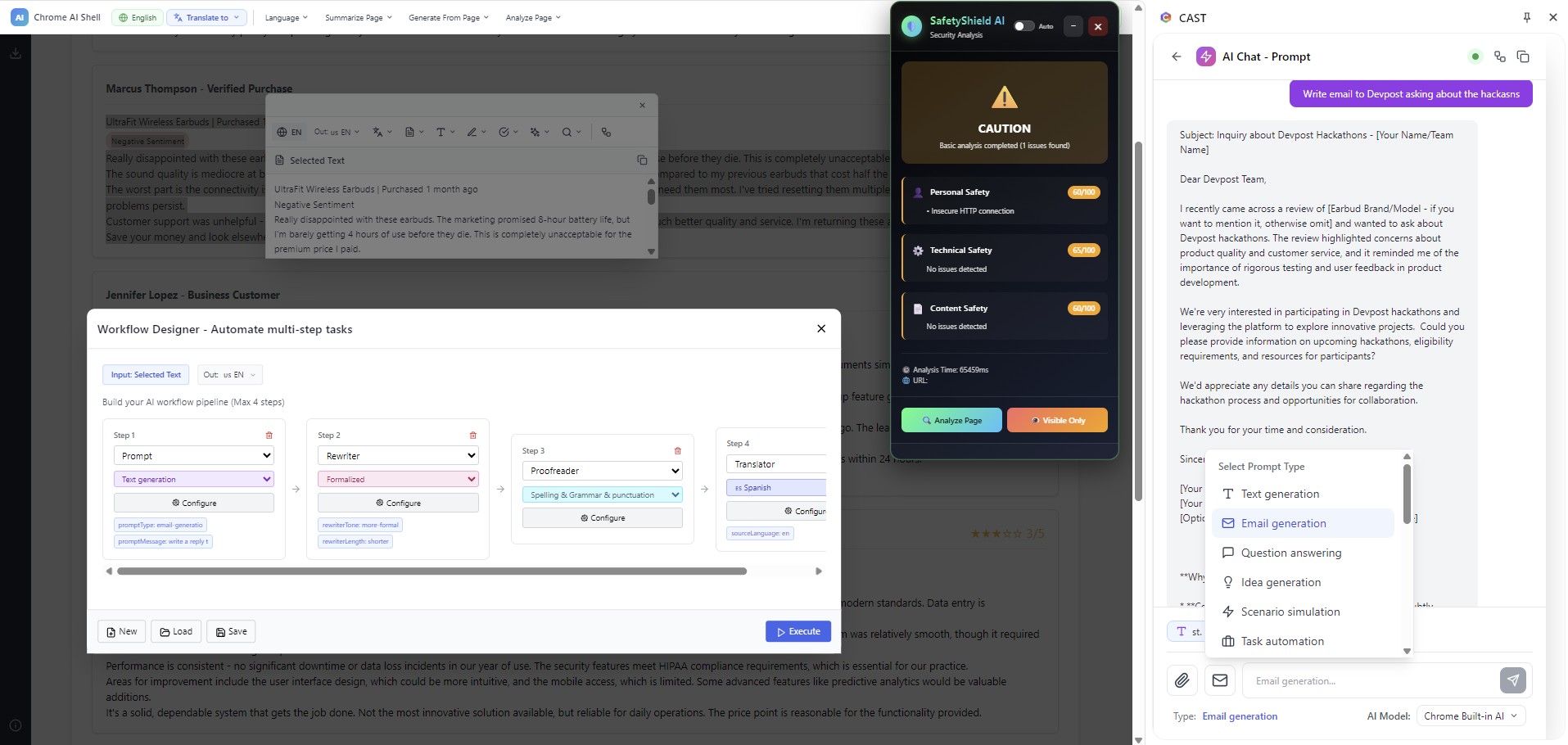
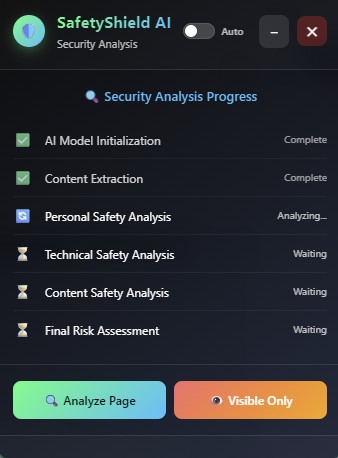
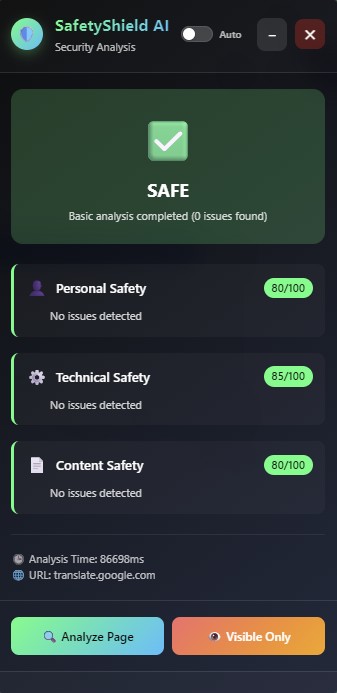
Safty Shield Analyzing the page
-
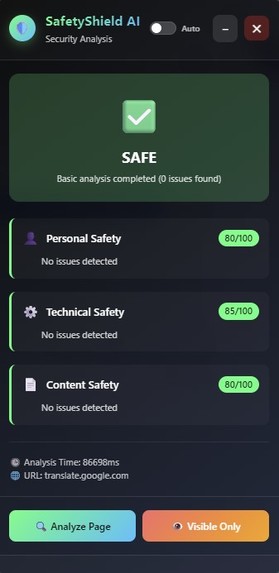
Safty Shield Analysis Results
-
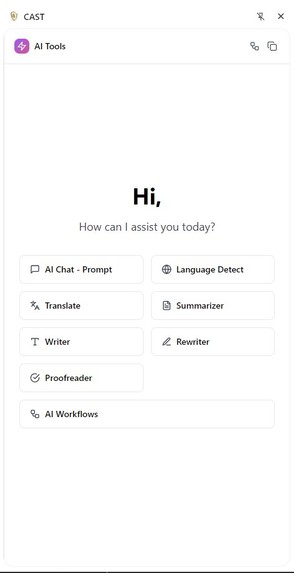
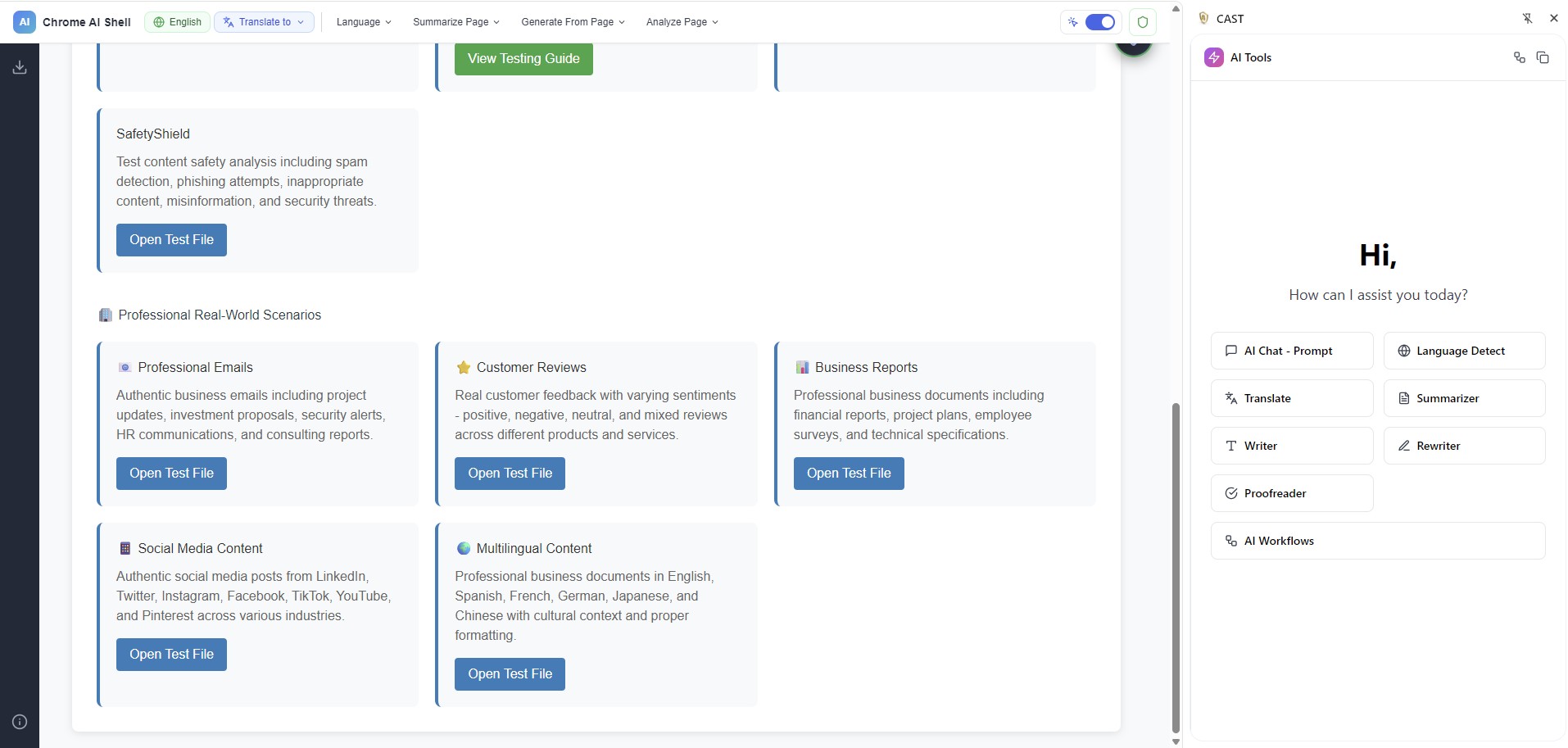
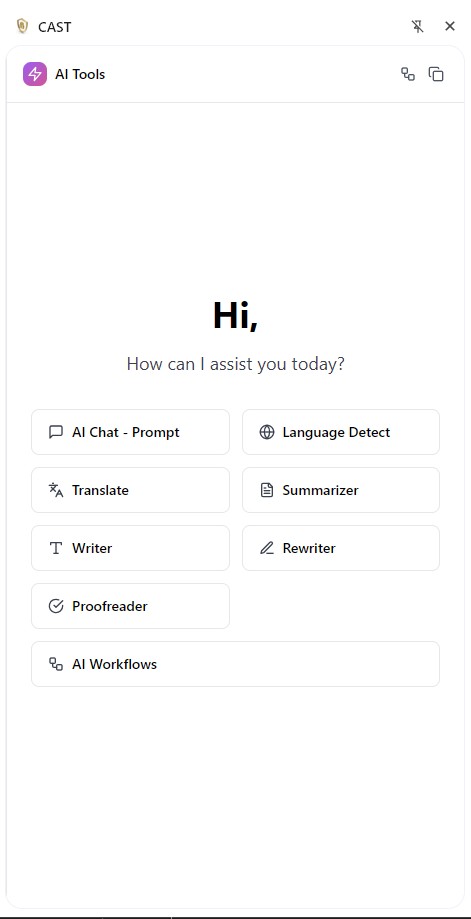
CAST General tools Home page on the side panel
-
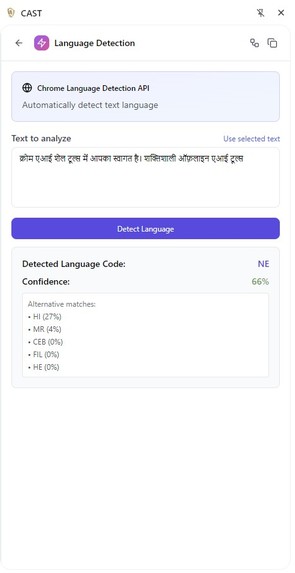
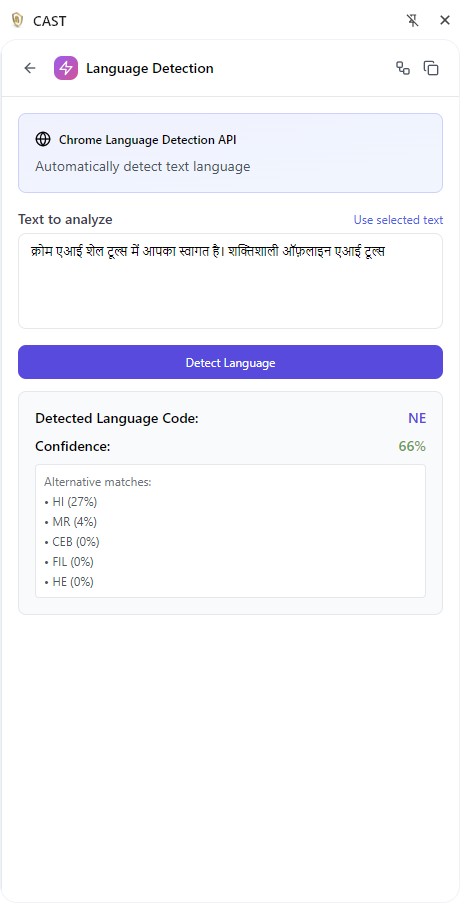
Language Detection
-
-
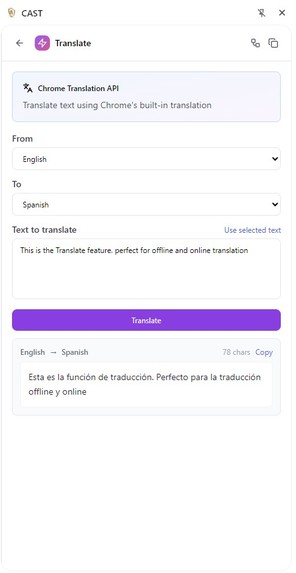
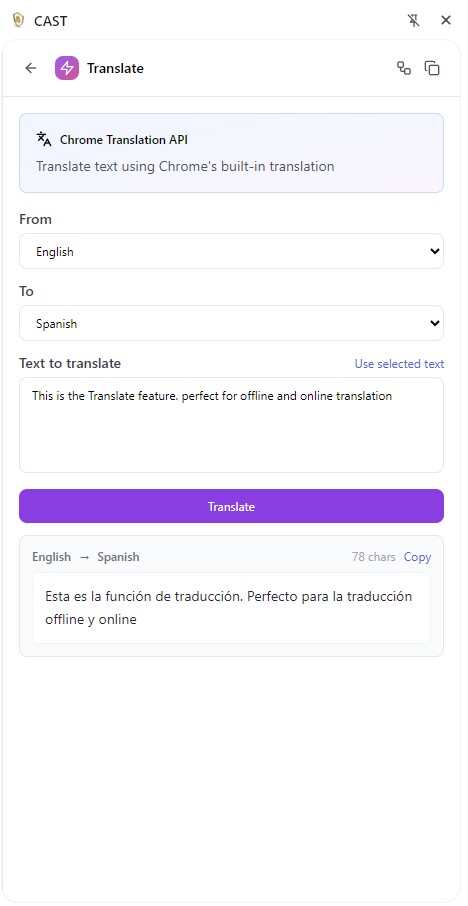
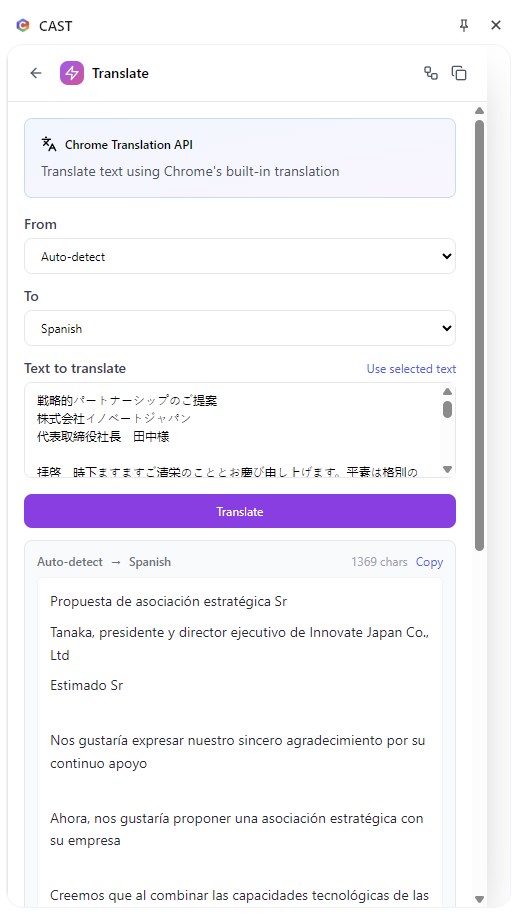
Translation
-
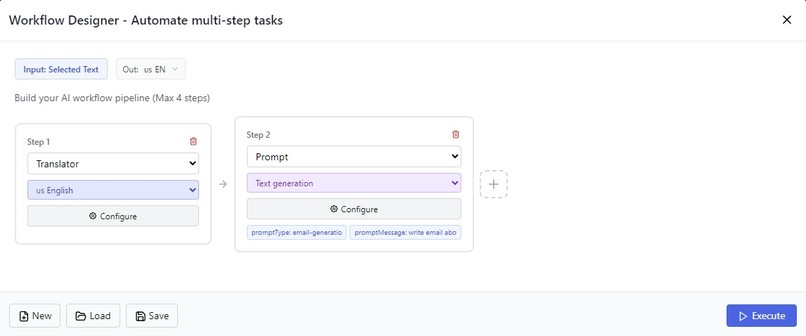
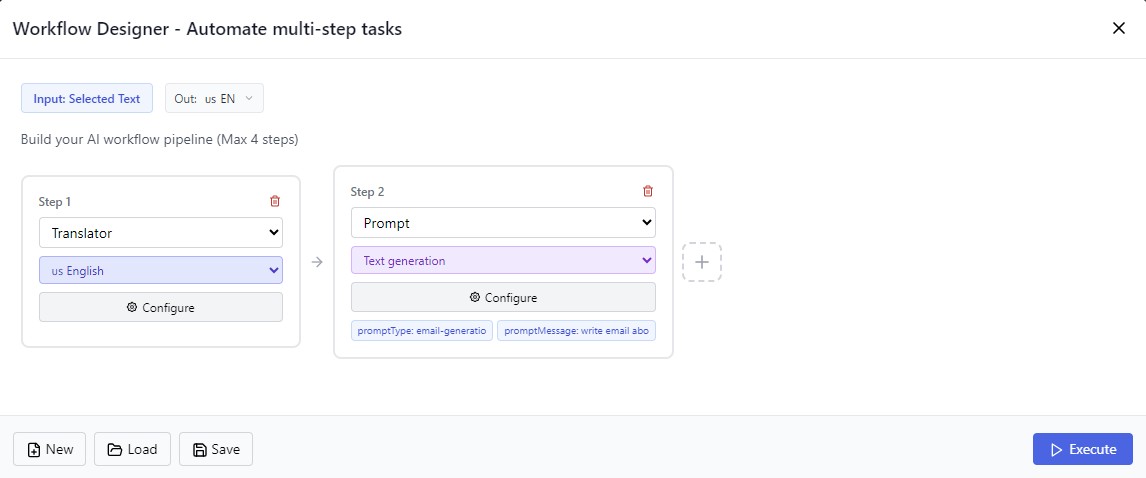
Workflow Designing
-
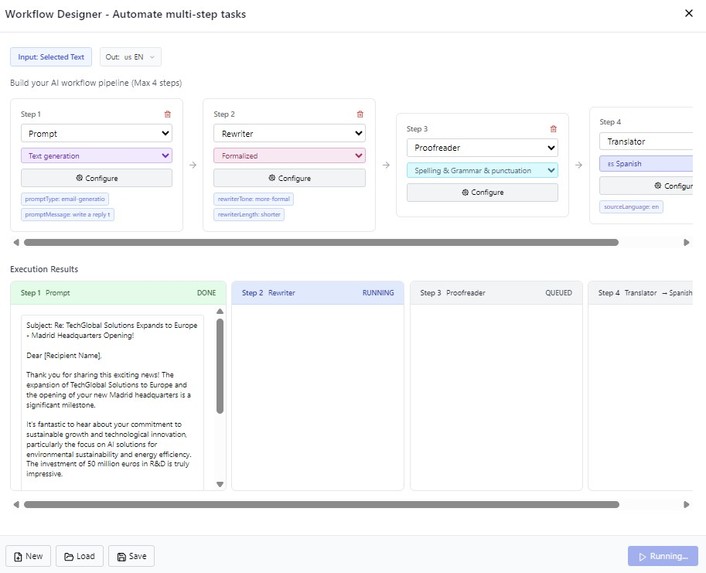
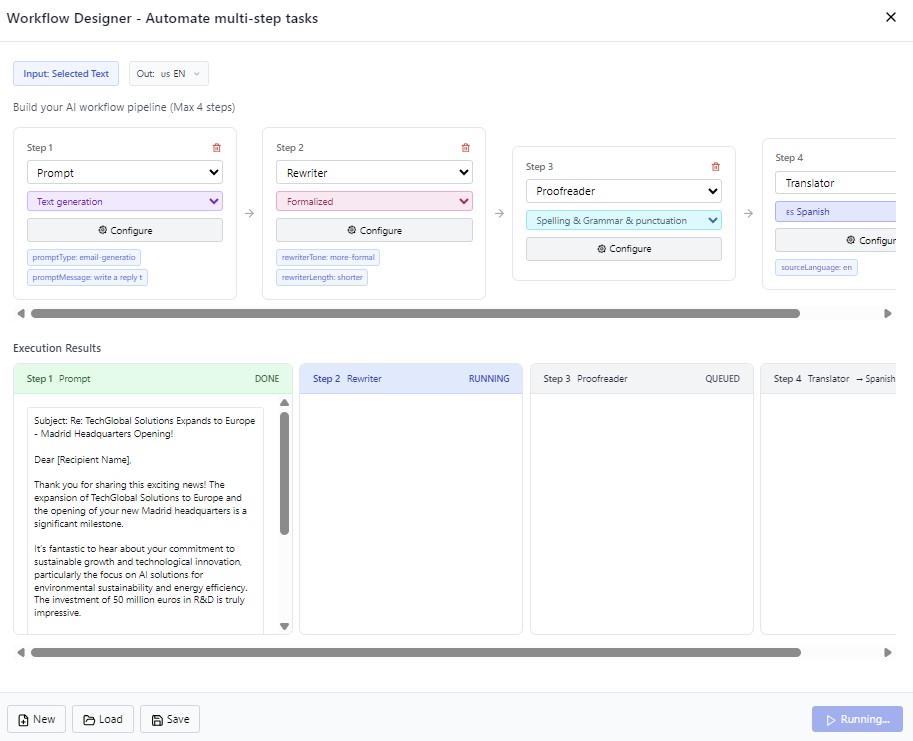
Workflow Running
-
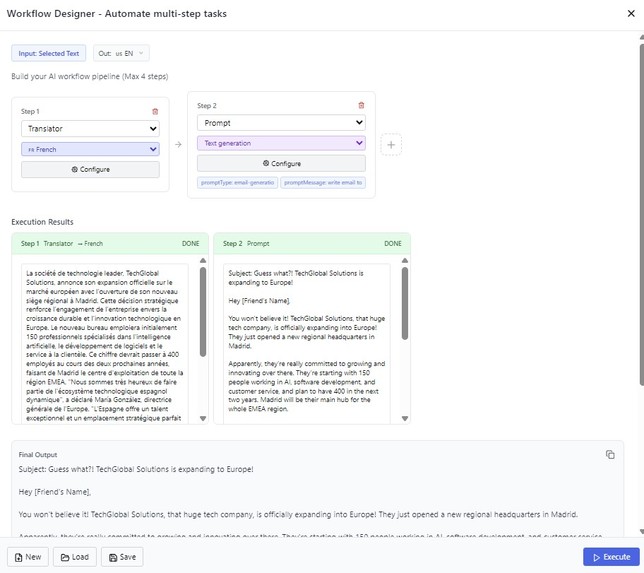
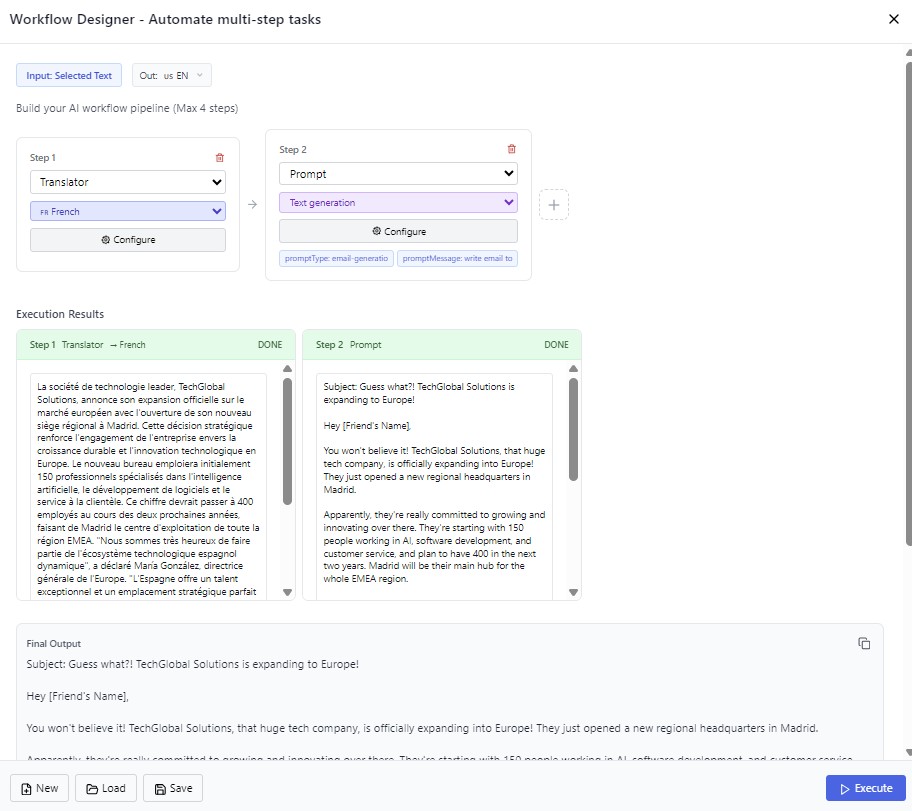
Workflow Results
-
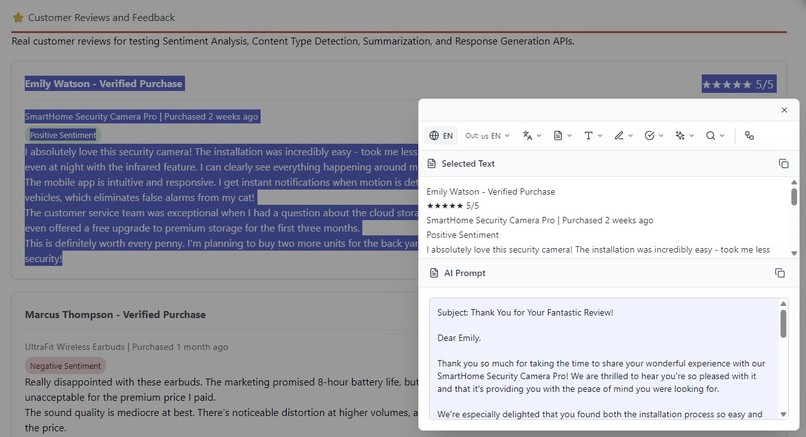
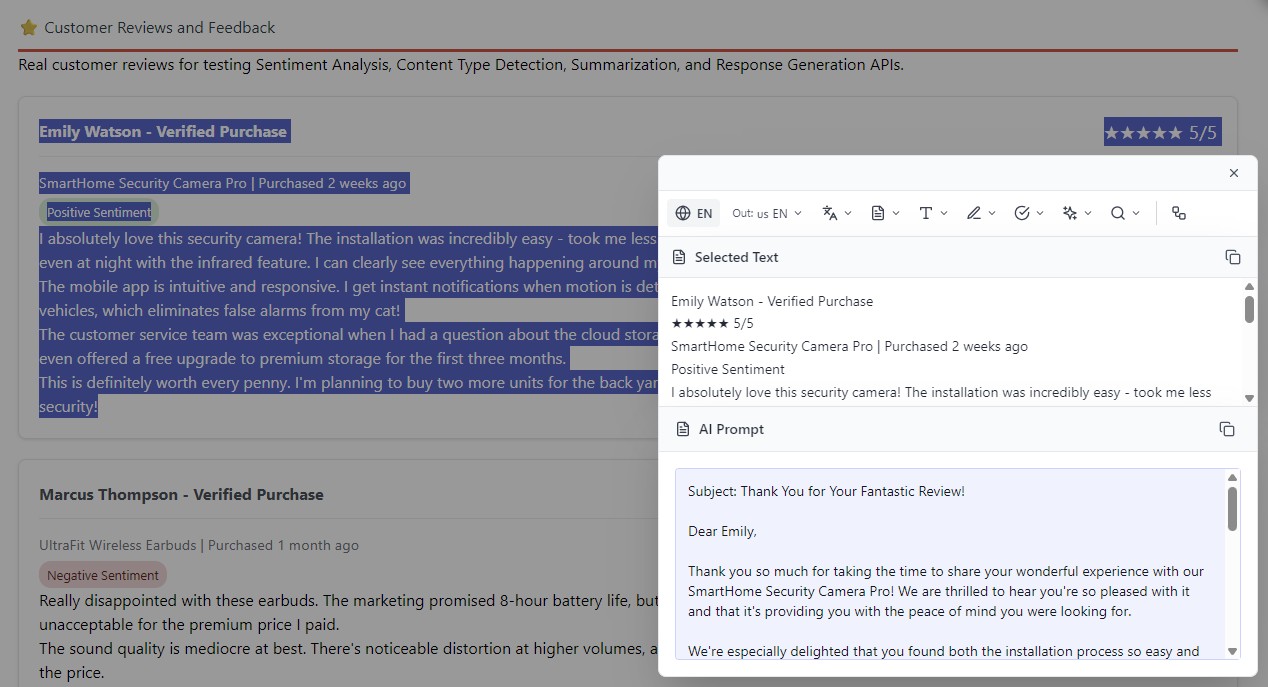
CAST replying to Email
-
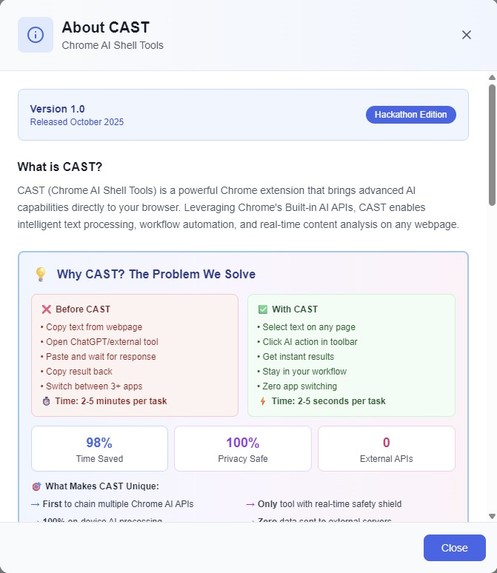
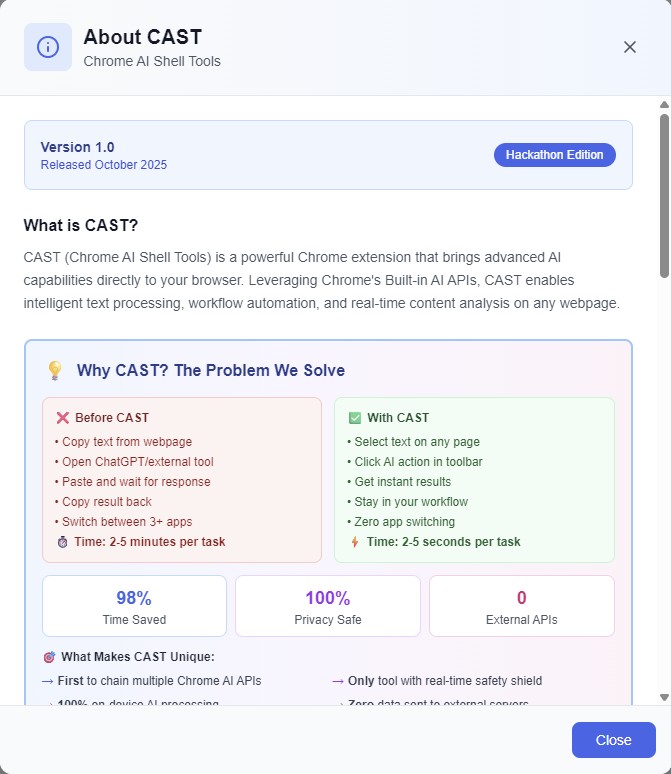
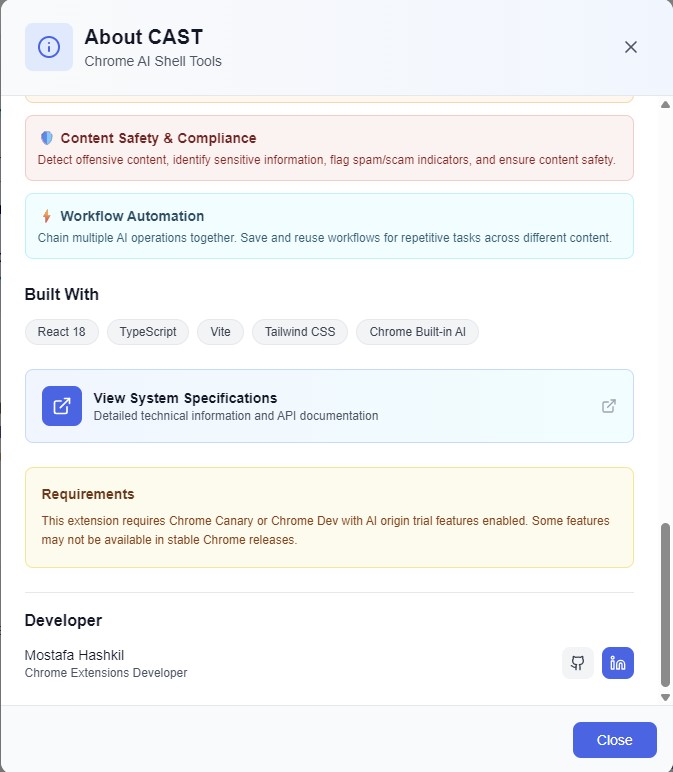
About CAST
-
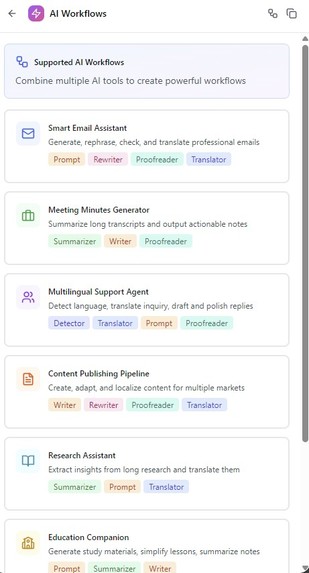
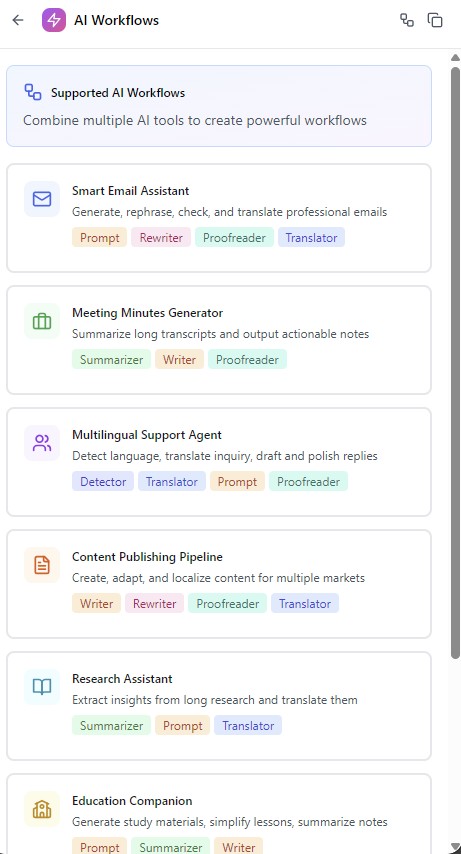
Workflow Designing Guide
-
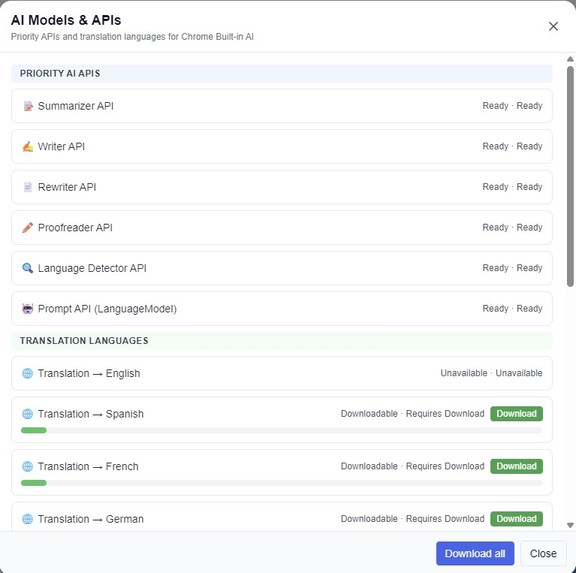
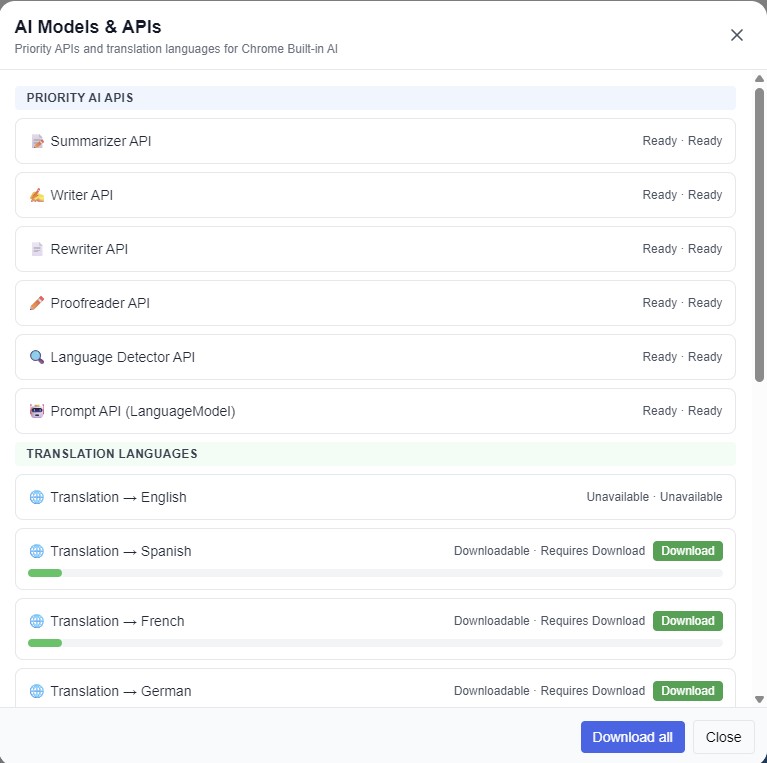
APIs and Languages Downloading
-
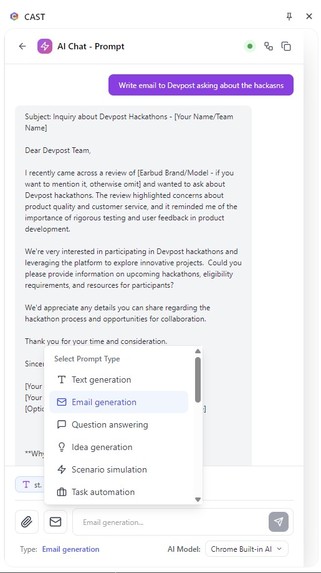
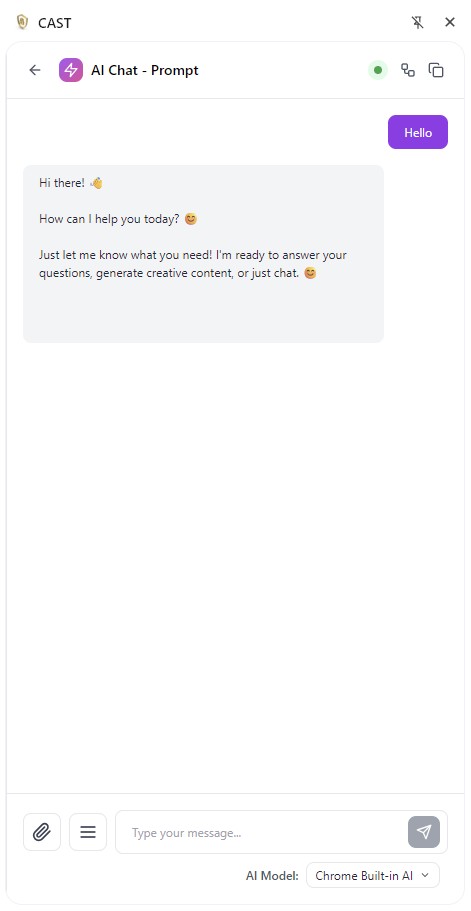
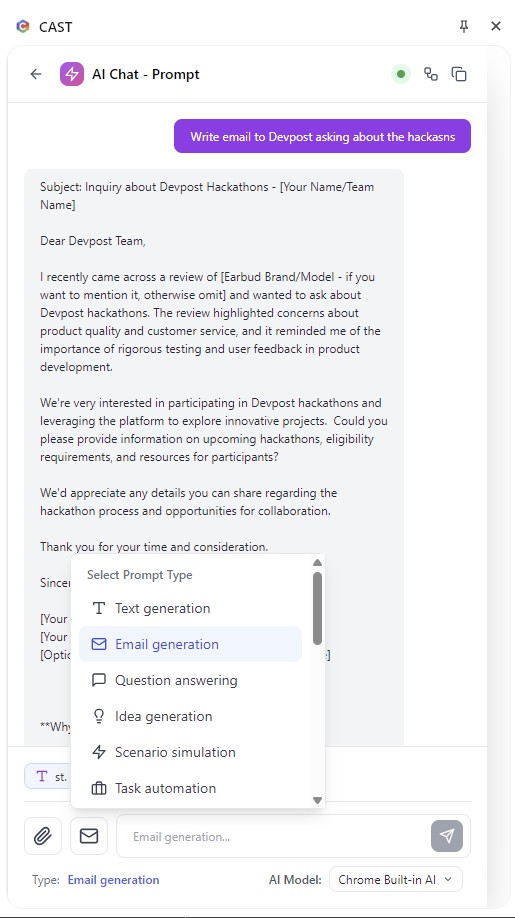
Prompt Chat
-
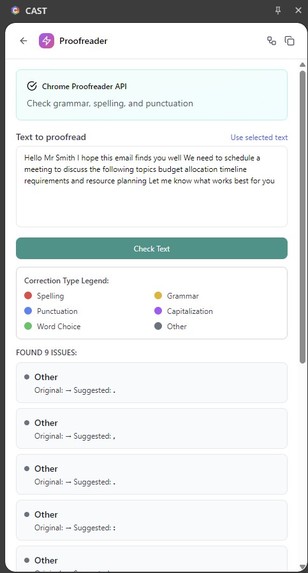
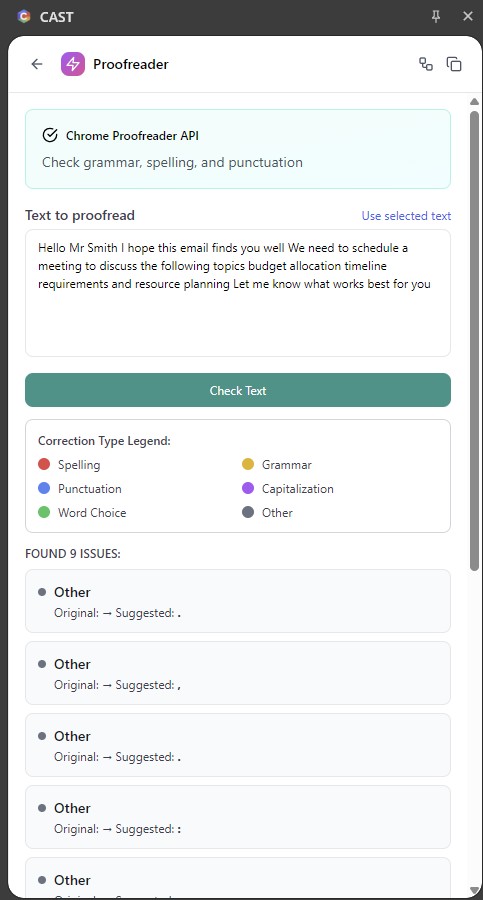
proofreading
-
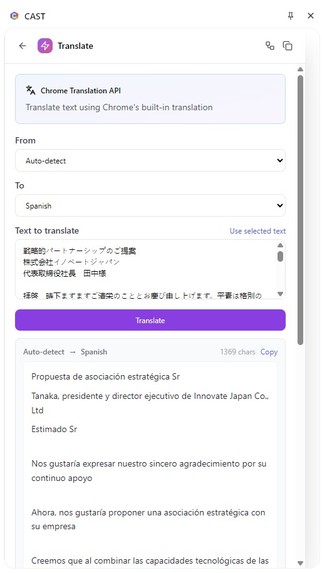
Languge Detection
-
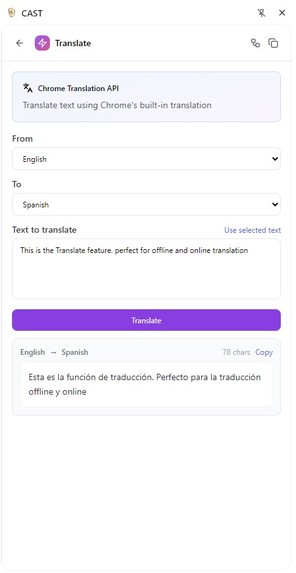
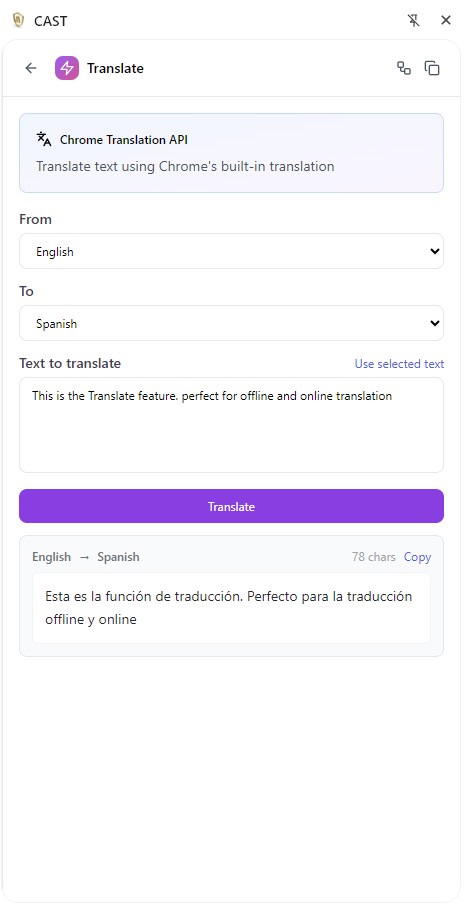
Translate
-
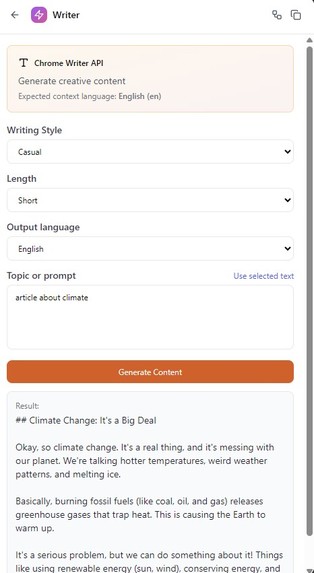
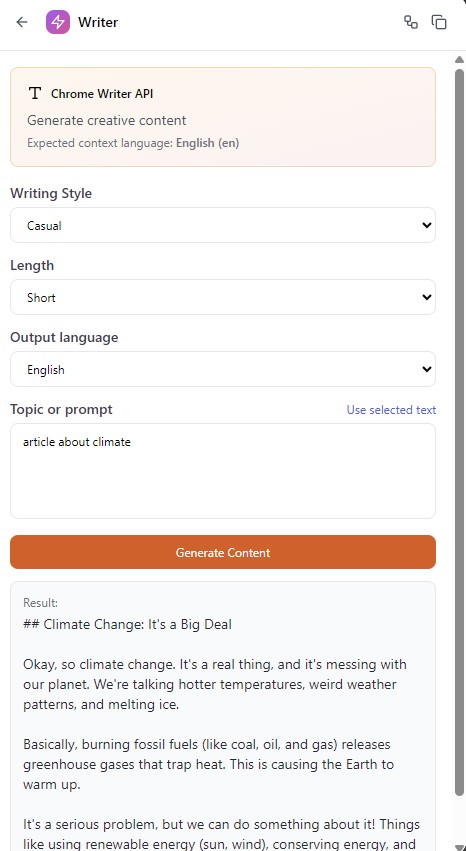
Writer
-
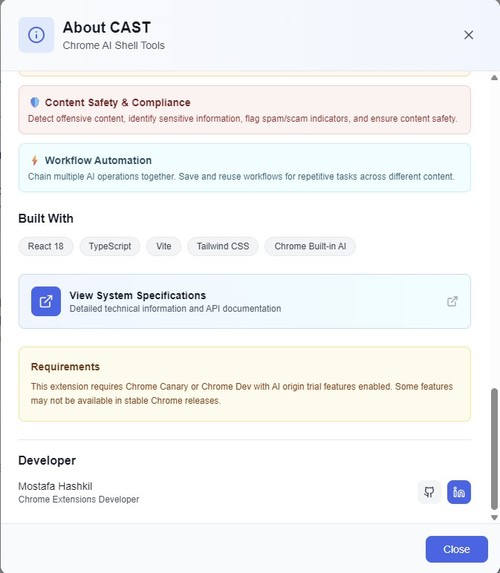
About Cast - Full specification Link
💡 Inspiration
I've been building Google Chrome extensions recently that focus on managing and controlling web pages through the browser—manipulating data to fit user needs and protecting users. However, I noticed a critical gap: AI-powered productivity tools always required external services, compromising privacy and creating workflow friction.
When Google announced their Chrome Built-in AI APIs, I saw an opportunity to revolutionize how users interact with AI on the web. I wanted to create a comprehensive toolkit that brings powerful AI capabilities directly into the browser—100% offline, 100% private, and zero external dependencies.
🎯 What it does
CAST (Chrome AI Shell Tools) is a comprehensive suite of 60+ AI-powered productivity tools that work completely offline to handle diverse use cases:
Core Features:
📝 Translation & Localization
- Translate text selections across 13 languages
- Full-page website translation preserving layout
- Automatic source language detection
✍️ Writing & Rewriting
- 9 different rewriting styles (professional, casual, creative, technical, academic, etc.)
- AI-powered content generation
- Grammar and proofreading with 3 modes
📊 Summarization & Analysis
- TL;DR summaries, bullet points, key topics extraction
- Content type classification and sentiment analysis
- Reading difficulty assessment
💬 Prompt Chat
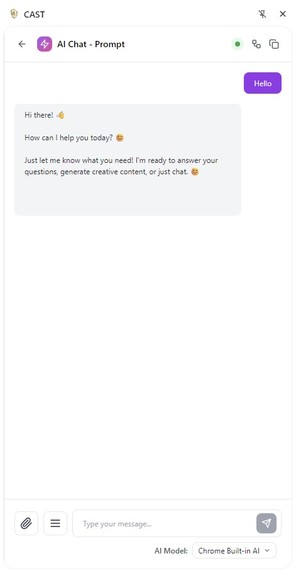
- Full-featured AI conversation interface
- Context injection from web pages
- 18 different prompt types
🛡️ Web Page Security (Personal & Technical)
- Autonomous Safety Shield - Real-time content monitoring
- Offensive content detection
- Sensitive information flagging
- Spam/scam detection
⚡ Workflow Automation
- Visual workflow designer
- Chain up to 4 AI operations
- Save and reuse custom workflows
Key Differentiators:
✅ First Chrome extension to integrate all 7 Chrome Built-in AI APIs ✅ 100% privacy - Zero data sent to external servers ✅ 98% time savings - 2-5 minutes reduced to 2-5 seconds ✅ 60+ AI operations - Most comprehensive AI toolkit available ✅ 13 languages - Multi-language support with auto-detection
🏗️ How I Built It
The Challenge: 7 Days from Zero to Production
I joined the Google Hackathon 2025 just 7 days before the deadline. This extreme time constraint meant I had to adopt a highly efficient, iterative development process rather than traditional waterfall methodology. Every day counted, and I needed to balance learning entirely new technology (Chrome's experimental AI APIs) with building a production-ready extension.
My Iterative Workflow: Design → AI Prototype → Refine → Repeat
Rather than spending weeks on planning, I used an agile, iterative approach:
- Design in UXPin - Wireframe the component/feature with focus on minimal user friction
- AI-Assisted Prototyping - Use AI tools (Bolt.new, Claude AI, GitHub Copilot) to generate 60-70% of initial working code
- Fill the Gaps - Manually implement complex logic, fix issues, and add missing functionality
- Improve & Optimize - Refine performance, enhance UX, fix edge cases
- Repeat - Move to next component while improving previous ones in parallel
This cycle repeated continuously throughout the 7 days, allowing me to make rapid progress while maintaining code quality.
Technology Stack:
- Frontend: React 18, TypeScript 5.x
- Build Tool: Vite 5.x (4 separate build configurations)
- Styling: Tailwind CSS 3.x
- AI Integration: All 7 Chrome Built-in AI APIs
- Architecture: Manifest V3, Content Scripts, Background Service Worker, Side Panel
Development Timeline:
- Day 1: Learning APIs, environment setup, wireframing core UI
- Day 2-3: Core features (Floating Toolbar, Side Panel, API integrations)
- Day 4-5: Advanced features (Workflow Designer, Safety Shield, full-page translation)
- Day 6: Multi-component build system, debugging, testing
- Day 7: Performance optimization, documentation, demo preparation
The Power of AI-Assisted Development:
AI tools generated 60-70% of initial code, allowing me to focus on complex algorithms, performance optimization, and user experience refinement. This approach compressed 6-8 weeks of typical development into 7 intensive days without sacrificing quality.
The iterative approach meant I was testing real features from Day 2, not waiting until the end to see if everything worked together.
🚧 Challenges I Ran Into
1. Extreme Time Constraint
Only 7 days from joining to submission deadline meant building analysis, design, wireframing, coding, testing, and documentation simultaneously. Solution: Leveraged AI-assisted prototyping to maximize velocity while maintaining quality.
2. Learning New Technology Under Pressure
Chrome Built-in AI APIs were completely new to me—experimental features with limited documentation. I had to learn 7 different APIs, their quirks, limitations, and best practices while building. Solution: Day 1 intensive study, experimentation in isolation, robust error handling, and AI tools to accelerate learning.
3. Content Script Isolation
Multiple content scripts injecting UI elements created CSS conflicts and z-index battles. Solution: Implemented isolated Shadow DOM for each component with scoped styles.
4. Full-Page Translation Complexity
Translating entire webpages without breaking layout or translating UI elements required building a smart DOM traversal algorithm that identifies translatable text nodes, preserves HTML structure, and handles dynamic content updates. Result: 95% of webpage content translated while maintaining visual fidelity.
🏆 Accomplishments That I'm Proud Of
Technical Achievements:
✅ Finished on time despite joining 7 days before deadline ✅ First extension to integrate all 7 Chrome Built-in AI APIs - A significant technical milestone ✅ 60+ AI operations - Most comprehensive Chrome AI toolkit available ✅ Production-ready codebase - TypeScript, React 18, tested extensively across different websites ✅ 98% time savings - Reduced typical AI workflow from 2-5 minutes to 2-5 seconds ✅ Zero external dependencies - 100% privacy-preserving architecture
Innovation Highlights:
🔬 Autonomous Safety Shield - First Chrome extension with background AI-powered content monitoring 🔬 Visual Workflow Automation - Chain up to 4 AI operations with save/load capability 🔬 Context Injection System - Intelligent text selection system for context-aware AI operations 🔬 Full-Page Translation - Advanced DOM traversal preserving layout while translating 13 languages
Personal Milestone:
The first time I used the tool I was developing to help me develop itself - CAST's summarization and writing tools helped me create documentation, debug code explanations, and refine user manual content. This "dogfooding" proved the tool's real-world value and led to immediate UX improvements.
Market Ready:
This isn't just a hackathon project—I'm pushing CAST to the Chrome Web Store so people can benefit from privacy-preserving AI productivity tools. The extension is production-ready and solves real problems I experience daily.
📚 What I Learned
My overall experience with this project was full of learning, not just the technologies but how to use AI tools side-by-side with coding tools to accelerate development and to handle the AI problems and find solutions and architecture to guide and instruct AI to write the code for you and you review it:
Technical Learning:
- Mastered 7 Chrome Built-in AI APIs from zero knowledge in 7 days
- Manifest V3 architecture - Content scripts, background service workers, side panels, cross-context communication
- Advanced UI/UX engineering - Floating toolbars with intelligent positioning, drag-and-drop workflow designers, responsive side panels
- Complex build systems - Multi-config Vite setups, orchestrated builds, PowerShell automation
- Performance optimization - Text chunking strategies, parallel processing, lazy loading, memory management
Process Learning:
- AI-assisted development is a force multiplier - Smart use of AI tools (Bolt.new, Claude AI, GitHub Copilot) can compress months of work into days while maintaining high code quality
- Iterative development beats waterfall - Continuously cycling through design → prototype → refine allowed me to ship working features from Day 2 instead of discovering problems at the end
- Experimental technology requires adaptability - Limited documentation means continuous learning, experimentation, and robust error handling
Philosophical Insight:
AI can enhance browsing without compromising privacy or creating friction - This principle will become increasingly important as AI becomes ubiquitous. CAST proves that powerful AI tools don't require cloud services or data sharing.
🚀 What's Next for CAST - Chrome AI Shell Tools
CAST will have a lot of improvements coming:
Near-Term Roadmap (v1.1):
Specialized AI operations per site - Context-aware features that adapt to specific websites (e.g., enhanced LinkedIn post writing, GitHub code documentation, Stack Overflow answer improvement)
Deep integration with social media websites - Facebook, Twitter/X, YouTube, LinkedIn, Reddit:
- Smart comment generation
- Post tone analysis before publishing
- Real-time toxicity detection in threads
- Video transcript summarization
Deep integration with Gmail - Email productivity features:
- Smart email composition with tone selection
- Email summarization and priority detection
- Auto-reply suggestions
- Meeting notes extraction from email threads
Enhanced page security - Privacy & safety improvements:
- Advanced phishing detection
- Automatic removal of tracking elements
- PII (Personal Identifiable Information) redaction
- Cookie consent optimization## Inspiration
Built With
- css
- html
- javascript
- react
- tailwind
- vite

Log in or sign up for Devpost to join the conversation.