-
-
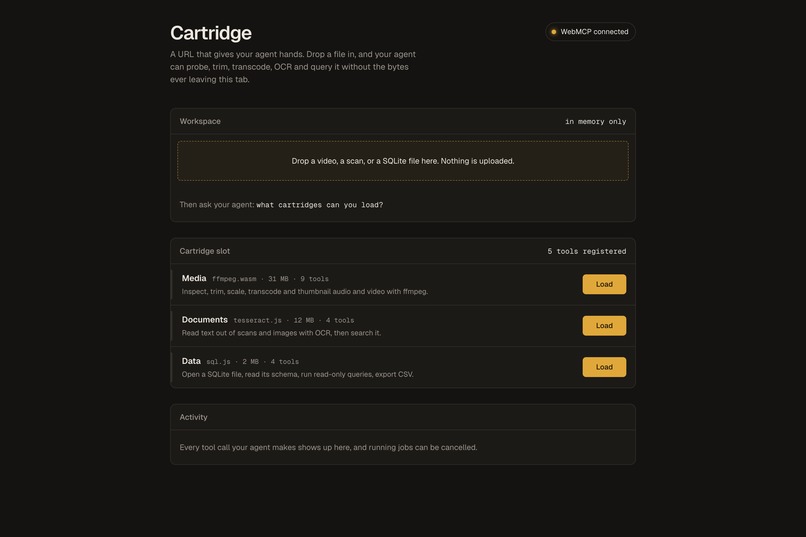
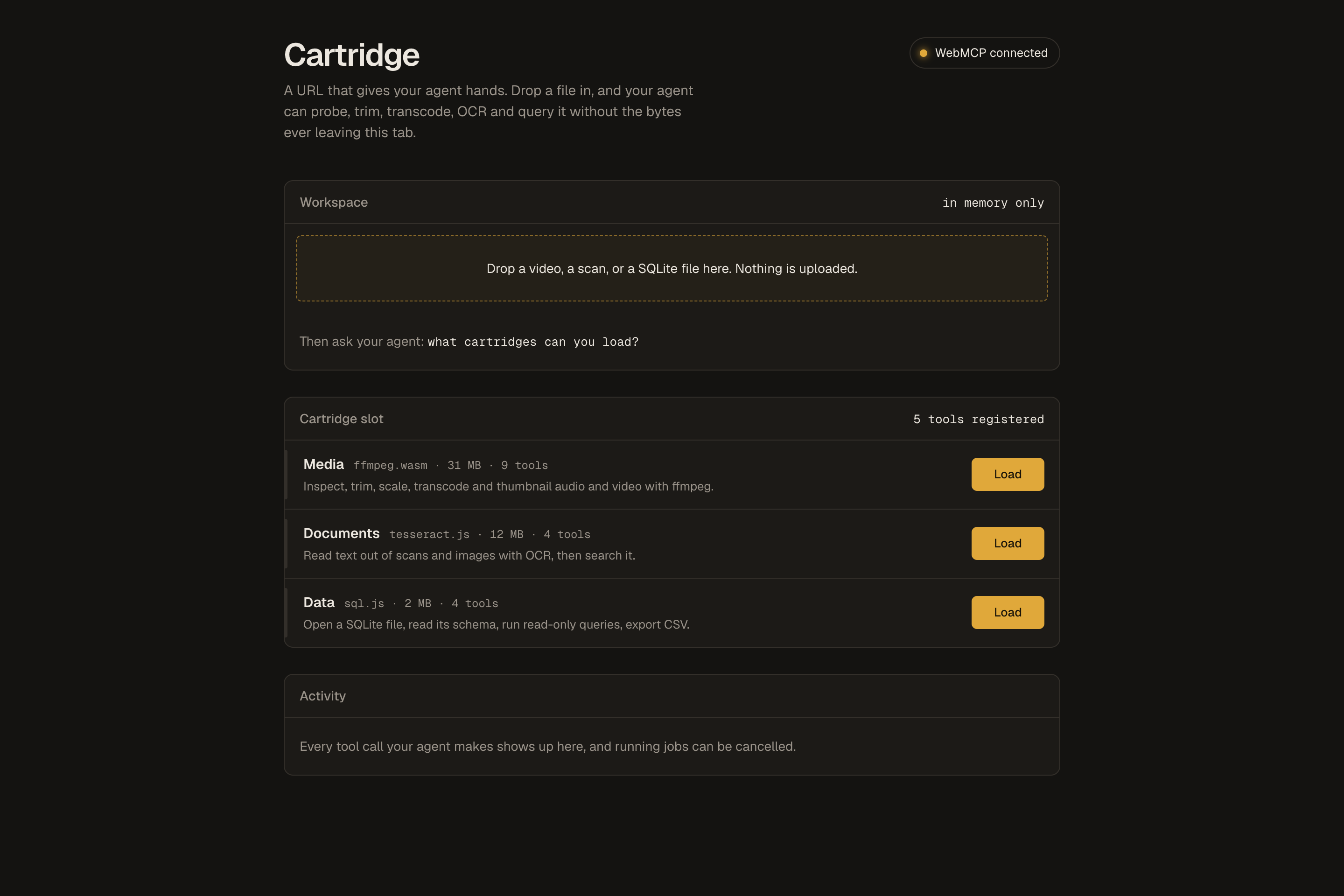
Open the page and your agent already has 5 WebMCP tools. Load a cartridge to add more.
-
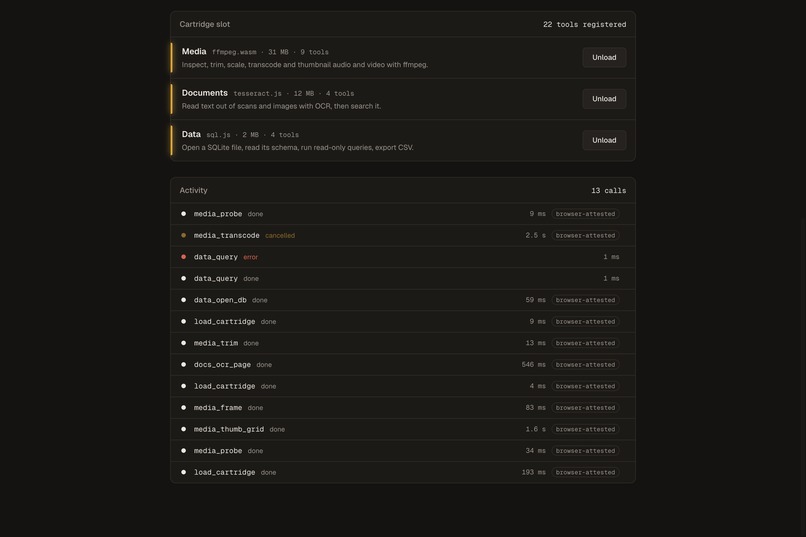
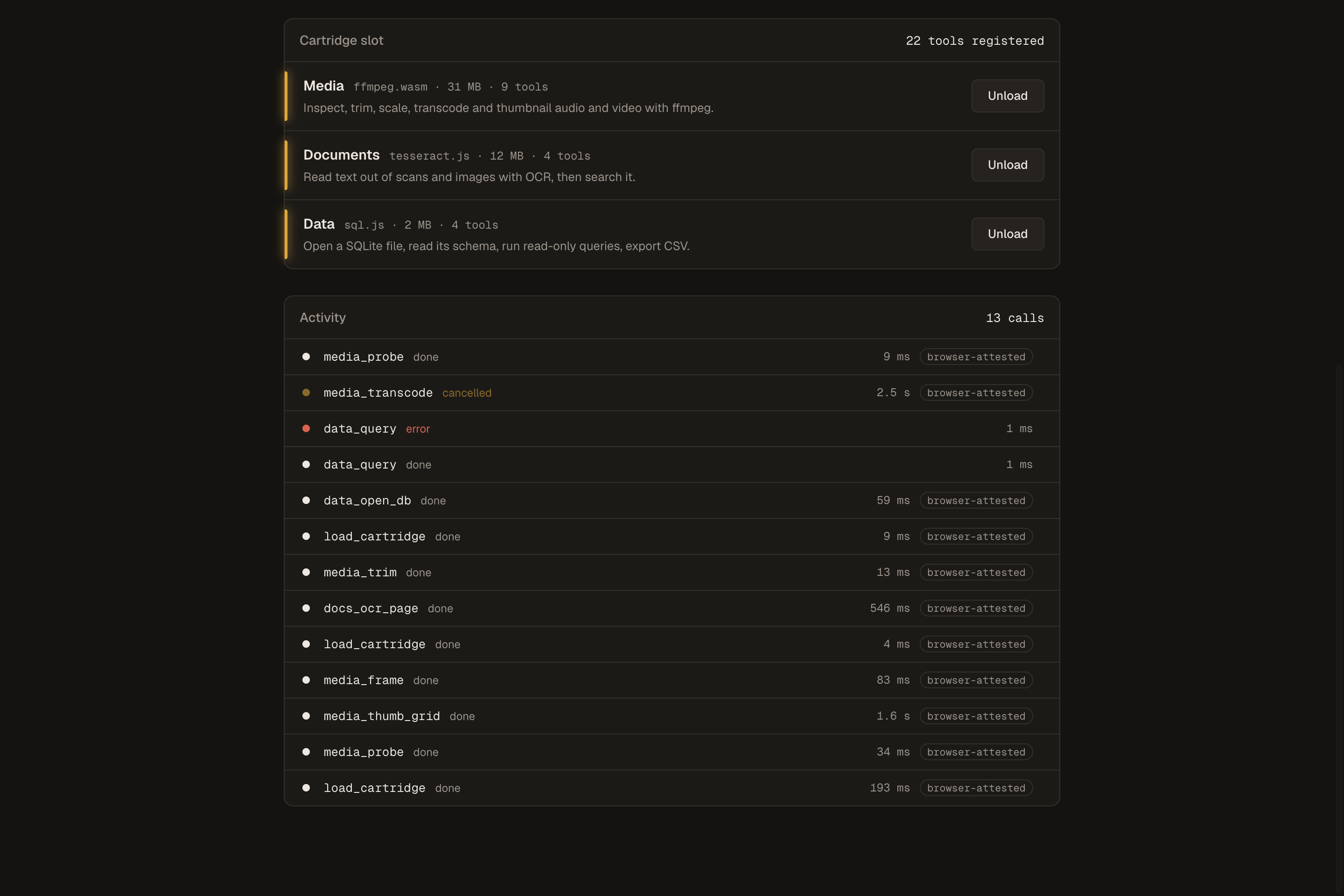
All three cartridges loaded: 22 tools. The rail shows a cancelled transcode and a refused DELETE.
-
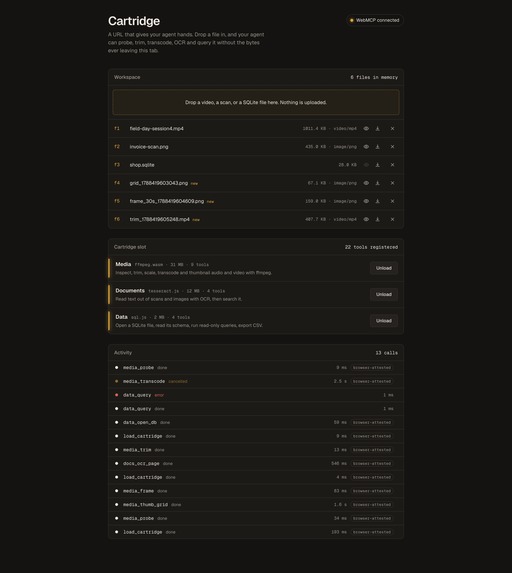
Workspace, cartridge slot, activity rail. No backend, no account, no upload.
-
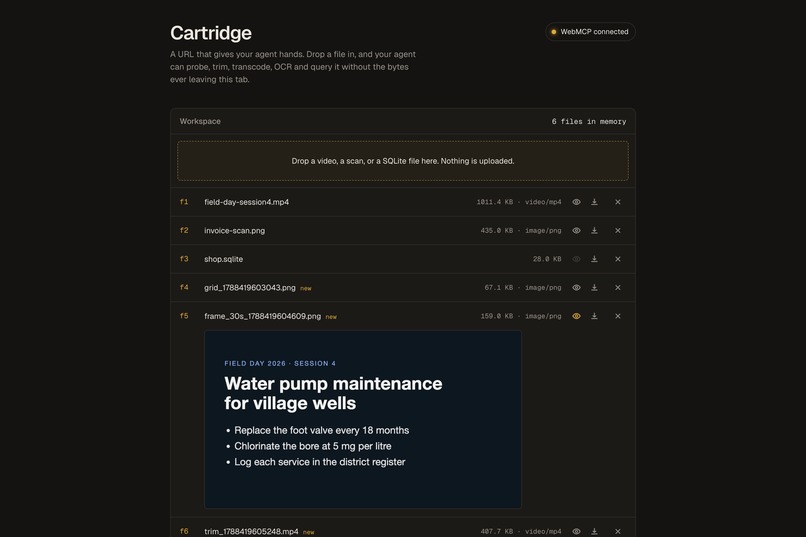
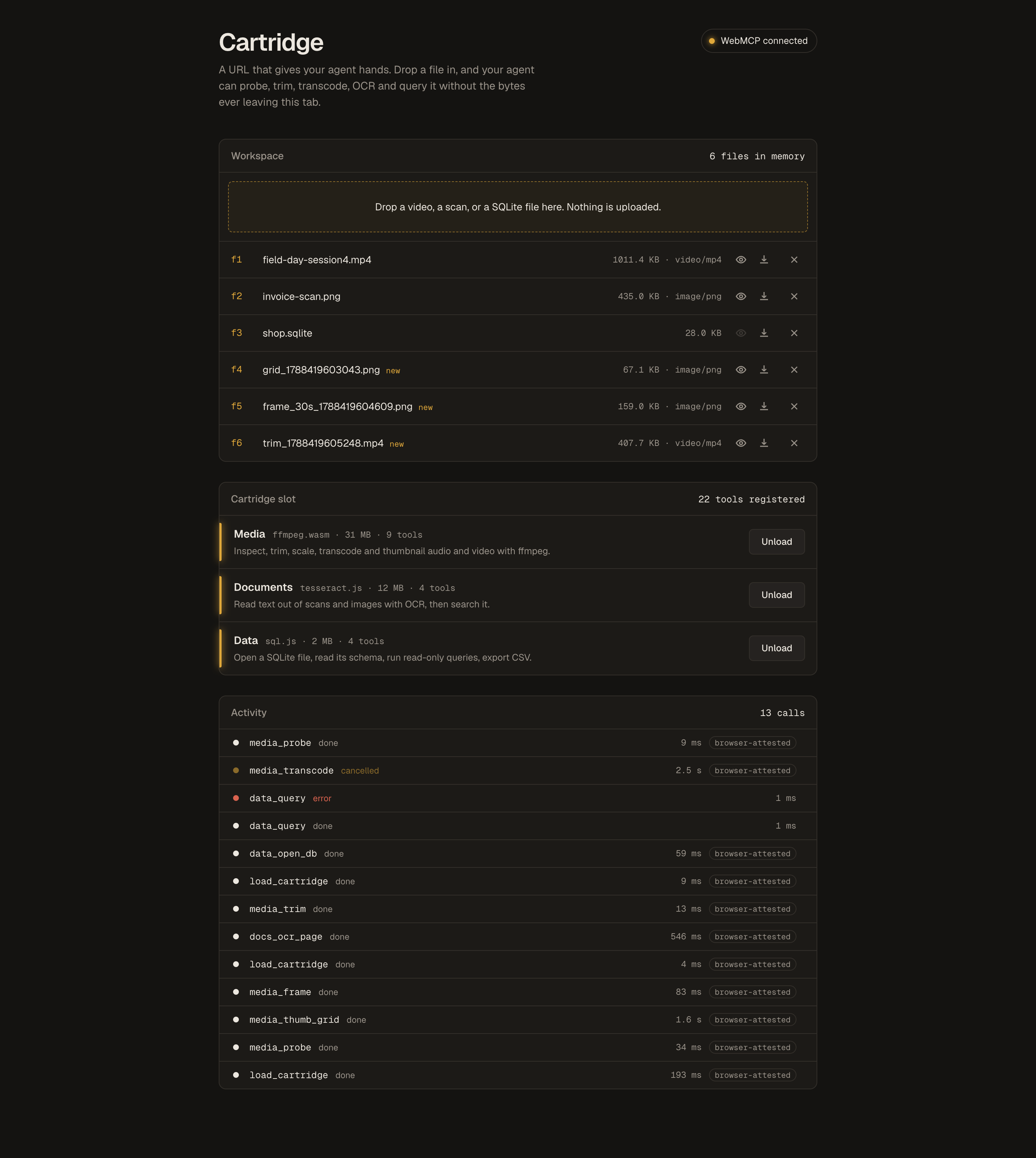
The agent sampled the video, OCR'd a frame, and trimmed the section. Every output stays in the tab.
Cartridge
A URL gives your agent hands. Drop a file in the tab; your agent trims video, reads scans, and queries SQLite through 22 WebMCP tools. Zero uploads.
Inspiration
Your agent reasons well about files and cannot touch them. ChatGPT will not trim your video, OCR your scan, or query your SQLite file. The two standard fixes are an upload to somebody's server, or an MCP server installed on your machine. One costs privacy. The other costs you a config file and a binary you did not audit.
Two things pushed me toward a third route. Alex Nahas, who built MCP-B, asked in public for pages "preloaded with a binary in Wasm" that an agent operates over WebMCP. Sarah Drasner filed WebMCP issue 255 about tool collections, a unit between one tool and every tool on a page. Cartridge answers both. Wasm builds of ffmpeg, tesseract, and sqlite load inside the page on demand, register themselves as WebMCP tools, and your agent works on the file where the file already sits.
Only WebMCP makes this shape work. The tools live in the page, so your agent sees them the moment the page opens, with schemas and annotations the browser understands. Zero setup on your side.
What it does
You open the page in ChatGPT's in-app browser or in Chrome with the WebMCP flag. You drop a file. Your agent starts with 5 tools: list_cartridges, load_cartridge, unload_cartridge, list_files, get_workspace. Loading a cartridge adds its tools; unloading removes them. The count runs 5, 14, 18, 22, and back to 5 on unload.
| Cartridge | Engine | Tools |
|---|---|---|
media |
ffmpeg.wasm | 9: probe, frame, thumb grid, trim, scale, extract audio, transcode, concat, cut silence |
docs |
tesseract.js | 4: OCR a page, OCR all, extract text, search text |
data |
sql.js | 4: open a SQLite file, schema, read-only query, export CSV |
Two different agents have run the same task on this page, with no scripted calls.
Inspect this video, find the slide with readable text, trim out that section, and give me the text on the slide.
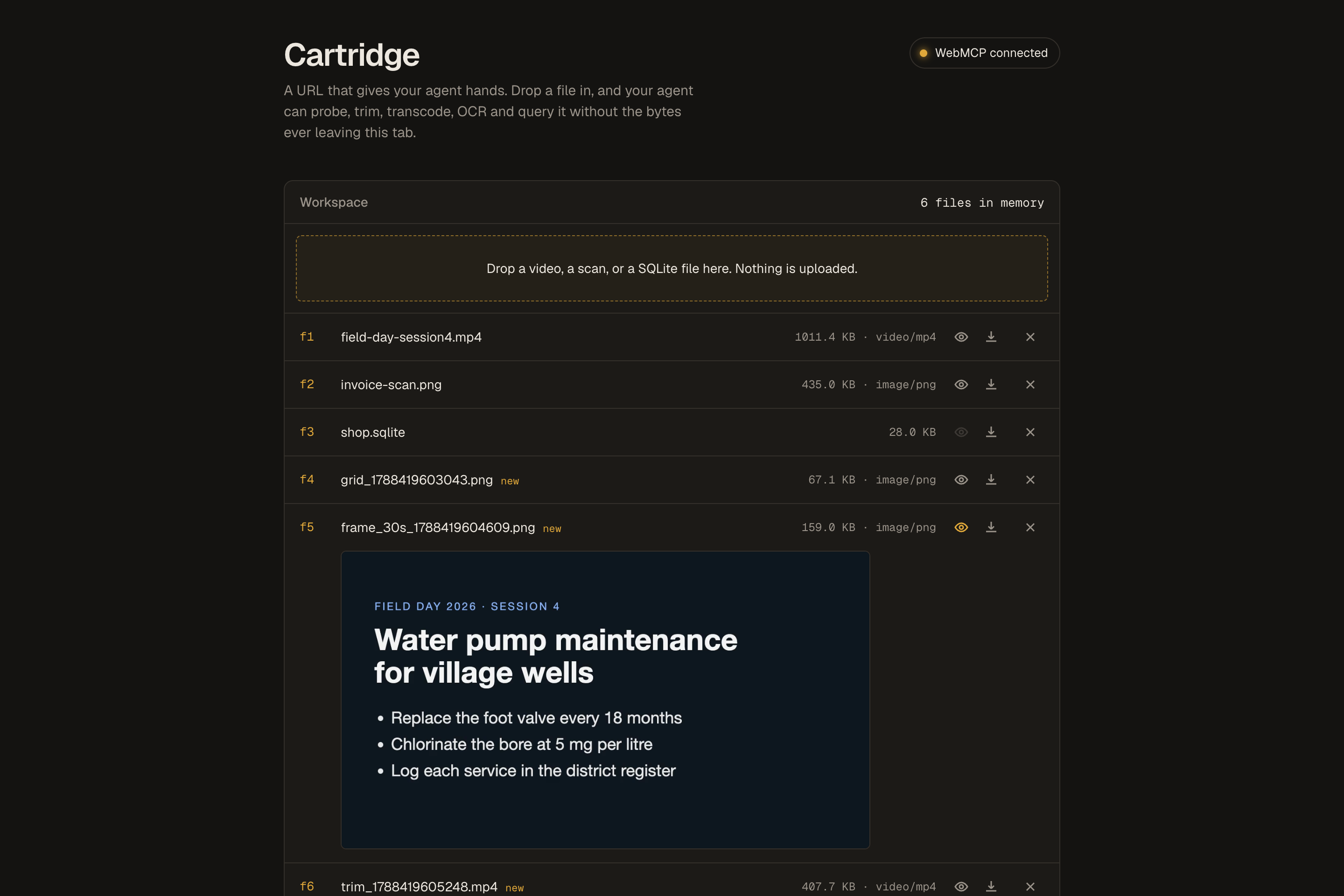
ChatGPT, model GPT-5.6 Terra, in the ChatGPT desktop app's built-in browser, on the live URL. ChatGPT worked for 2 minutes 20 seconds, built a contact sheet of the video, read the slide through OCR, trimmed 00:20 to 00:40 into trim_1788423166188.mp4 in the workspace, and answered with the slide text: FIELD DAY 2026, SESSION 4. Water pump maintenance for village wells. Replace the foot valve every 18 months. Chlorinate the bore at 5 mg per litre. Log each service in the district register.
Claude, model Sonnet, drove the same page through document.modelContext for the demo video. Its sequence:
get_workspace,list_cartridgesload_cartridgemedia. Tool count 5 to 14.list_files, thenmedia_thumb_grid, one contact sheet sampled every 10 sload_cartridgedocs. Tool count 14 to 18.docs_ocr_allon the sheet. Slide text found.media_frameat 30 s,docs_ocr_pageto confirmmedia_trimstart 20, duration 20- Final answer: the slide text plus the new file handle
You end with a trimmed clip and the text. Your file never left the tab. Before this, you needed an upload, a desktop app, or a local MCP install.
The page shows every call in an activity rail while the agent works. Press Cancel on a running transcode, and the agent receives a structured cancelled error instead of a hang. You download any output with one click, and previews open inline for images, video, audio, and CSV.
Test with the sample files in the repo under samples/: a 60 s talk recording with a readable slide, an invoice scan, and a 300 row shop database. Ask your agent "What cartridges can you load?" and give a task.
How we built it
Next.js 15 and TypeScript, client-side only. No backend, no account, no persistence. MIT.
Registration is one AbortController per cartridge. Every tool registers with { signal }. Aborting the signal is the only unregistration WebMCP offers, so unload is honest and a failed load unwinds the tools already registered instead of leaving orphans.
execute(input, { signal }) is in the spec and mostly ignored. Cartridge merges the agent's signal with the UI Cancel button through AbortSignal.any and routes the result into ffmpeg.terminate() and worker.terminate(). terminate() destroys the ffmpeg instance and wipes MEMFS, so the run helper reloads the core and writes inputs inside the job. The next call works.
Annotations: readOnlyHint on probes, schema reads and queries. consequentialHint on load_cartridge (a 31 MB download on your connection) and on long jobs. untrustedContentHint on every tool whose output derives from your file: OCR text, container metadata, SQL rows, filenames. A scanned page carries instructions aimed at the model, and the browser is the only party positioned to warn about this.
Tool output stays under 1500 characters, enforced in one place. Results are handles and summaries, never bytes, which is why a 400 MB video works through the same interface as a 28 KB database.
data_query claims read-only and enforces the claim: comments stripped, one SELECT or WITH statement, DDL and DML refused.
The page listens for the spec's toolchange event to refresh the tool count, and for Chrome's toolactivated event to mark calls "browser attested". Headers: Origin-Agent-Cluster: ?1 and Permissions-Policy: tools=(self). No iframes and no declarative forms, so ChatGPT's browser and Chrome see the same surface.
Challenges we ran into
- WebMCP has no
unregisterTool. The abort signal is the whole API, and the map entry must land before the firstawaitor two concurrent loads race intoInvalidStateErrorhalfway through a cartridge. ffmpeg.terminate()is destructive. The worker dies, MEMFS is gone, and log handlers stay attached. Getting a cancelled job to recover on the next call took a full day.ffmpeg.writeFiletransfers the buffer and detaches your copy. The workspace hands overbytes.slice(), or the user's file vanishes on first use.- Chrome exposes tools registered inside an
executeToolcall only after the call settles, so the tool counter went stale. Thetoolchangeevent fixed the counter. - Tool output over 1500 characters used to drop the whole payload. A 20-row query returned nothing. The guard now halves arrays until the result fits and flags truncation.
- Recording the demo with a real agent: the CLI harness kept trying to call tools itself instead of replying with a plan. A JSON-only system prompt and async spawning fixed both the agent and the screencast timeline.
Accomplishments that we're proud of
- Two agents in two browsers completed the same five-tool task on a local video with zero uploads: ChatGPT in its own built-in browser, and Claude through
document.modelContext. - Cancel works mid-transcode, and the agent learns why through a structured error.
- 22 tools, every one annotated, every claim enforced in code. Of 882 live WebMCP challenge entries opened in Chrome, 17% annotate every tool and 3% do so with ten or more.
- Dynamic tool surface: 5, 14, 18, 22, and back to 5 on unload, verified live in both browsers.
- Wasm capability hosting over WebMCP, which two judges asked for in public. Across GitHub, ffmpeg.wasm paired with
registerToolappears in one repository: this one.
What we learned
- An annotation the tool ignores is worse than no annotation. Enforce what you declare.
- Treat every byte from a user's file as text aimed at the model. OCR, ID3 tags, SQL strings, filenames.
- Keep tool results under the browser's budget. Handles and summaries scale; bytes do not.
- The abort signal is the lifecycle. Design cartridges around one controller and nothing else.
- Chrome and ChatGPT's browser differ on events, iframes, and declarative forms. Build for the smaller surface and both work.
What's next for Cartridge
- Multithread ffmpeg core behind COOP and COEP, so a transcode takes seconds.
- PDF support in the docs cartridge through pdf.js rasterisation.
- A fourth cartridge for images: resize, crop, format conversion with sharp compiled to Wasm.
- Cartridges as a manifest format other sites load, so any page becomes a host.
- Origin trial registration so Chrome users skip the flag.
Links
Built With
- ffmpeg
- model-context-protocol
- next.js
- react
- sql.js
- sqlite
- tesseract.js
- typescript
- webassembly
- webmcp


Log in or sign up for Devpost to join the conversation.