An Agent-Ready Shopify Storefront with WebMCP
Inspiration
Online stores are designed primarily for people clicking through pages. AI agents can still interact with them, but they often have to interpret visual layouts, locate controls, and scrape product information from the page.
We wanted to explore a more reliable approach: what if a Shopify storefront could explicitly describe its capabilities to an AI agent?
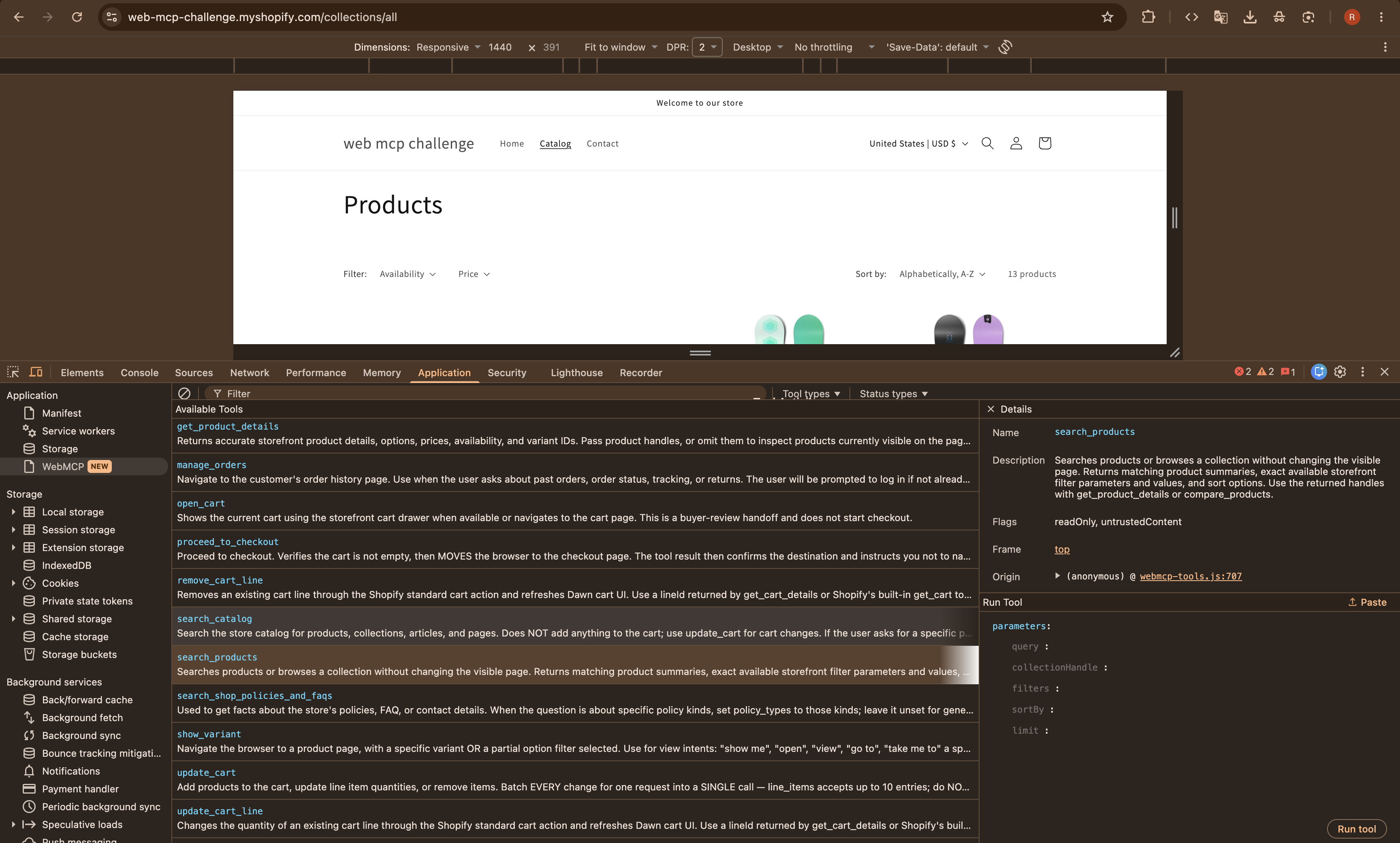
Using WebMCP, the storefront exposes structured tools for product discovery, comparison, filtering, and cart management while preserving the familiar shopping experience for human visitors.
What it does
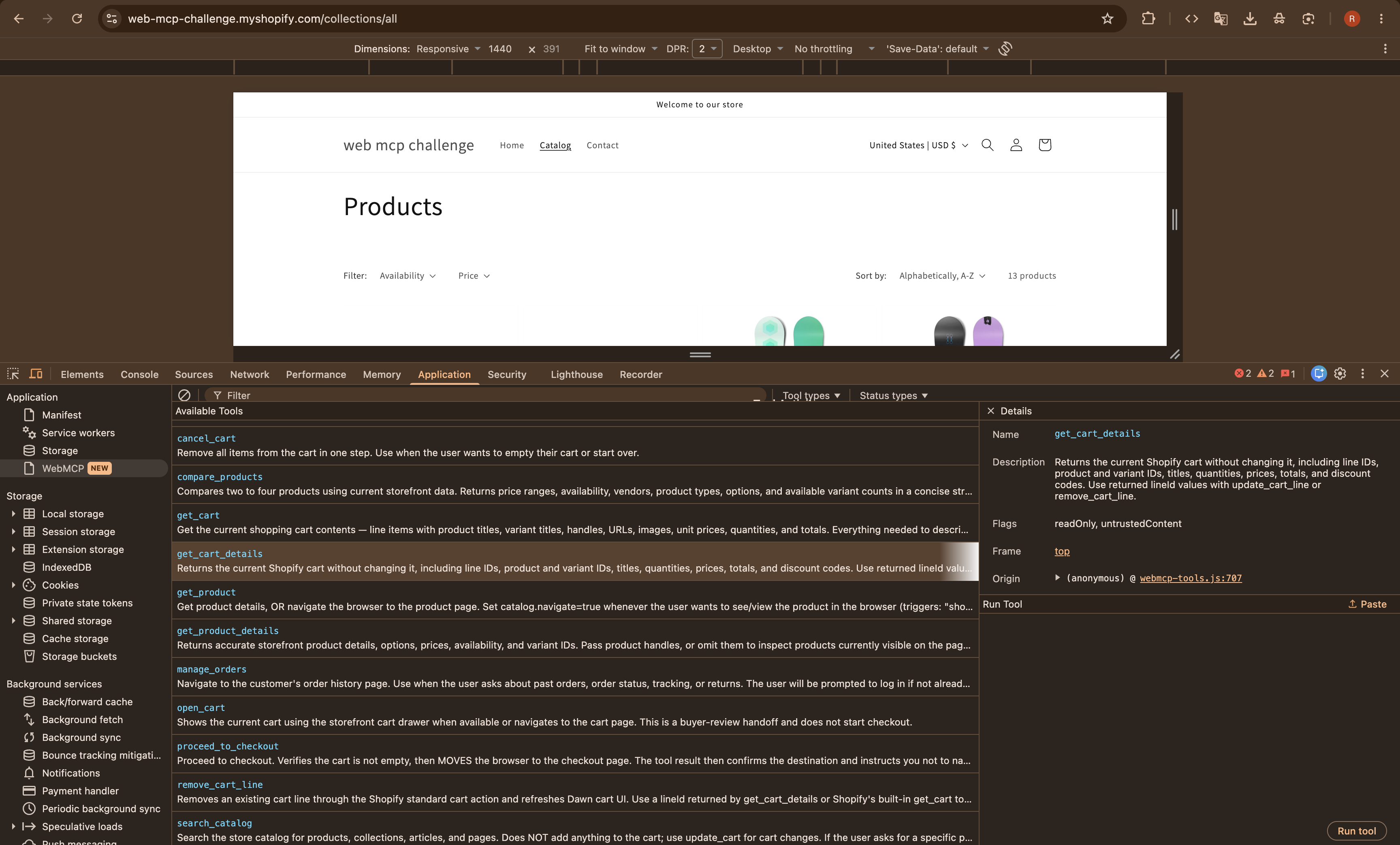
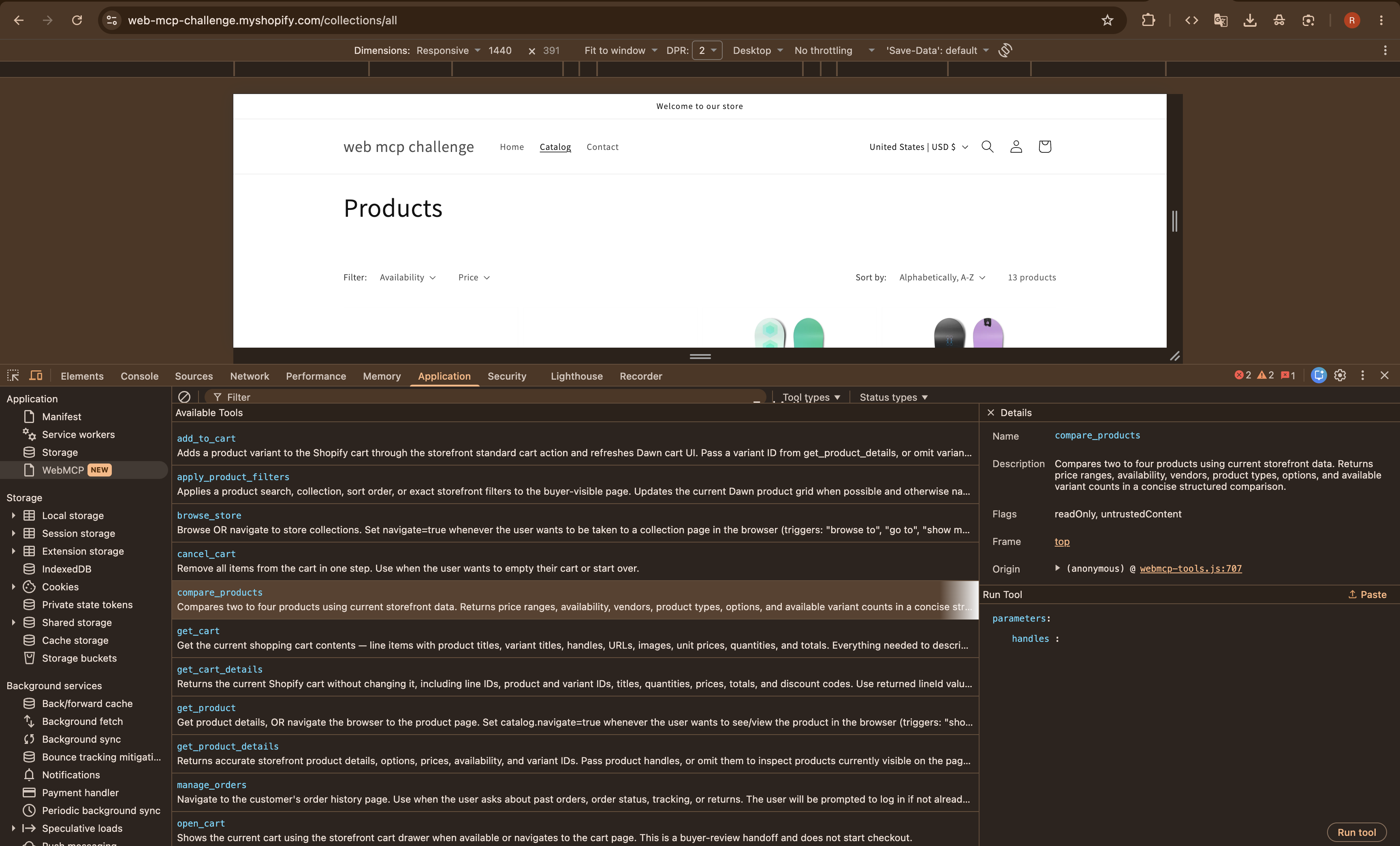
The project extends a Shopify Dawn storefront with WebMCP Site tools that let compatible AI agents:
- Search the product catalog
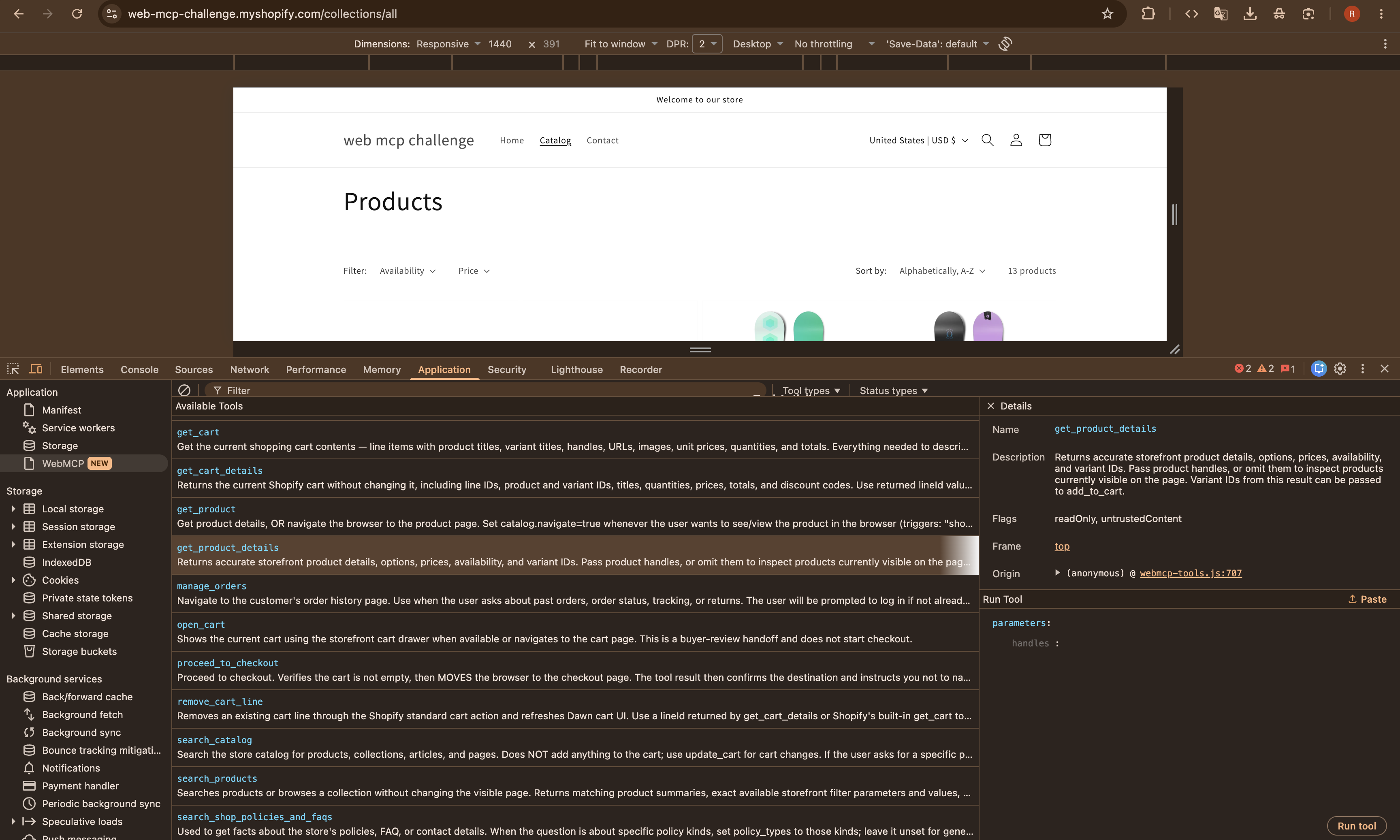
- Retrieve exact product and variant information
- Apply filters and sorting to the visible storefront
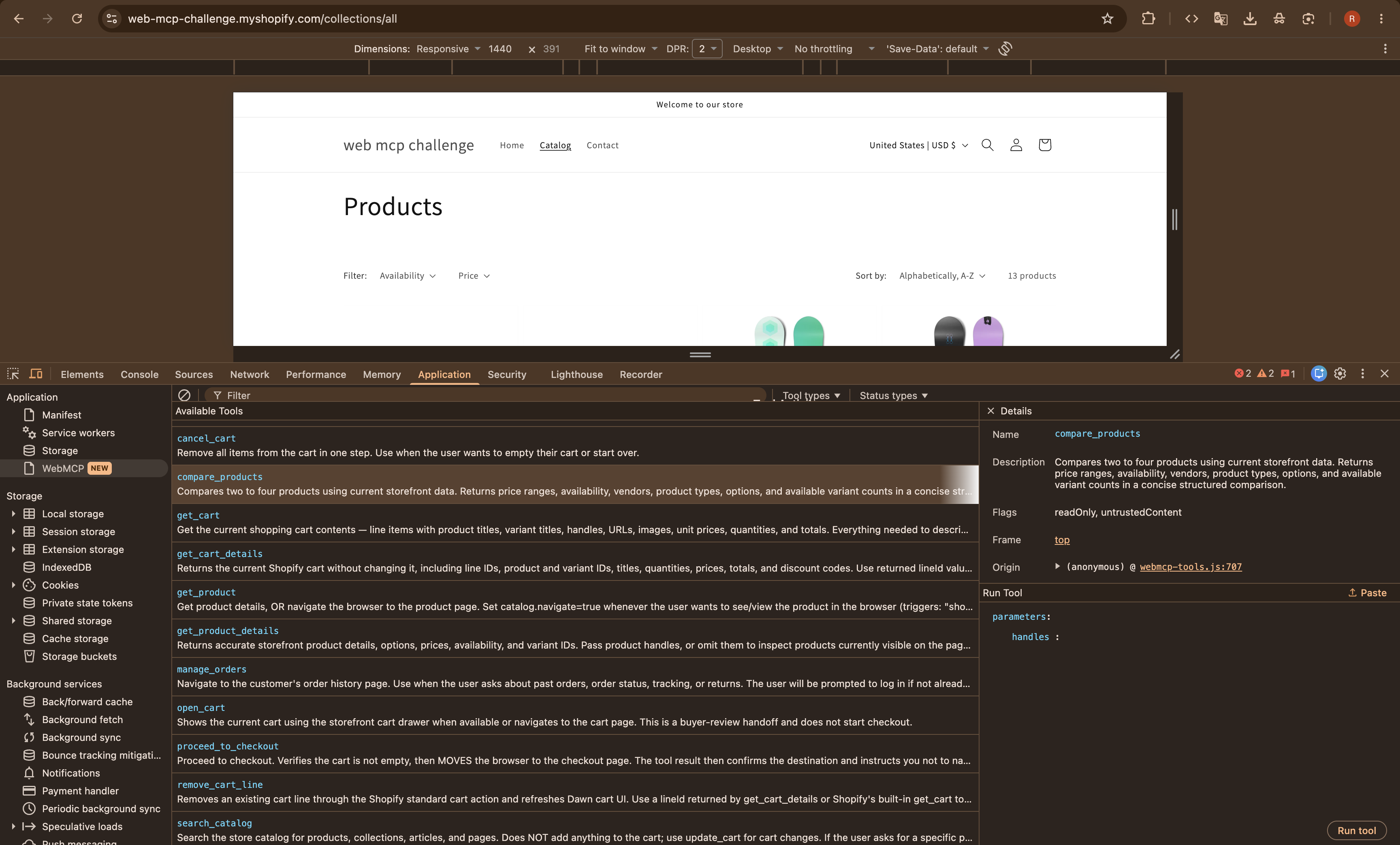
- Compare multiple products
- Add a selected variant to the cart
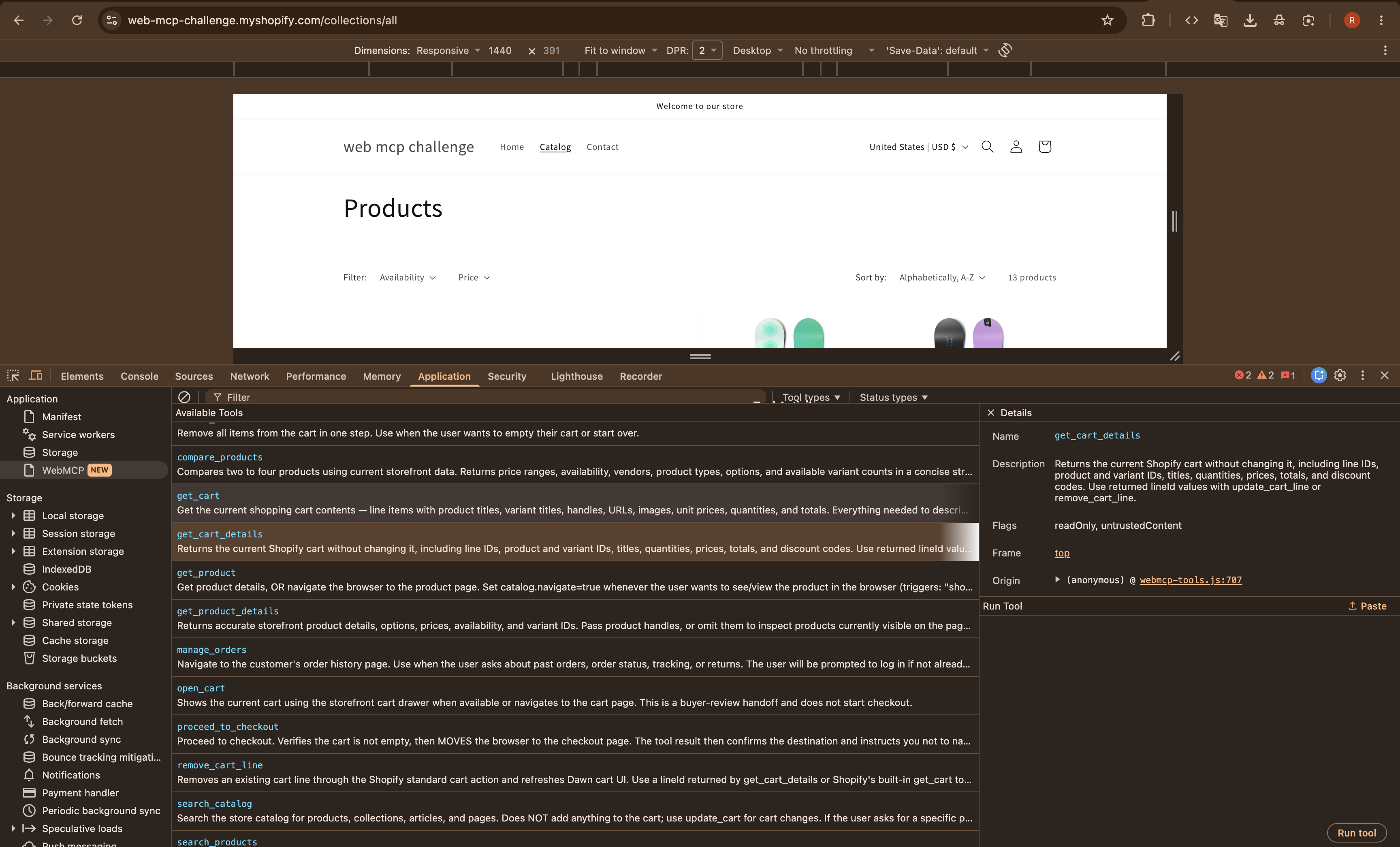
- Inspect detailed cart contents
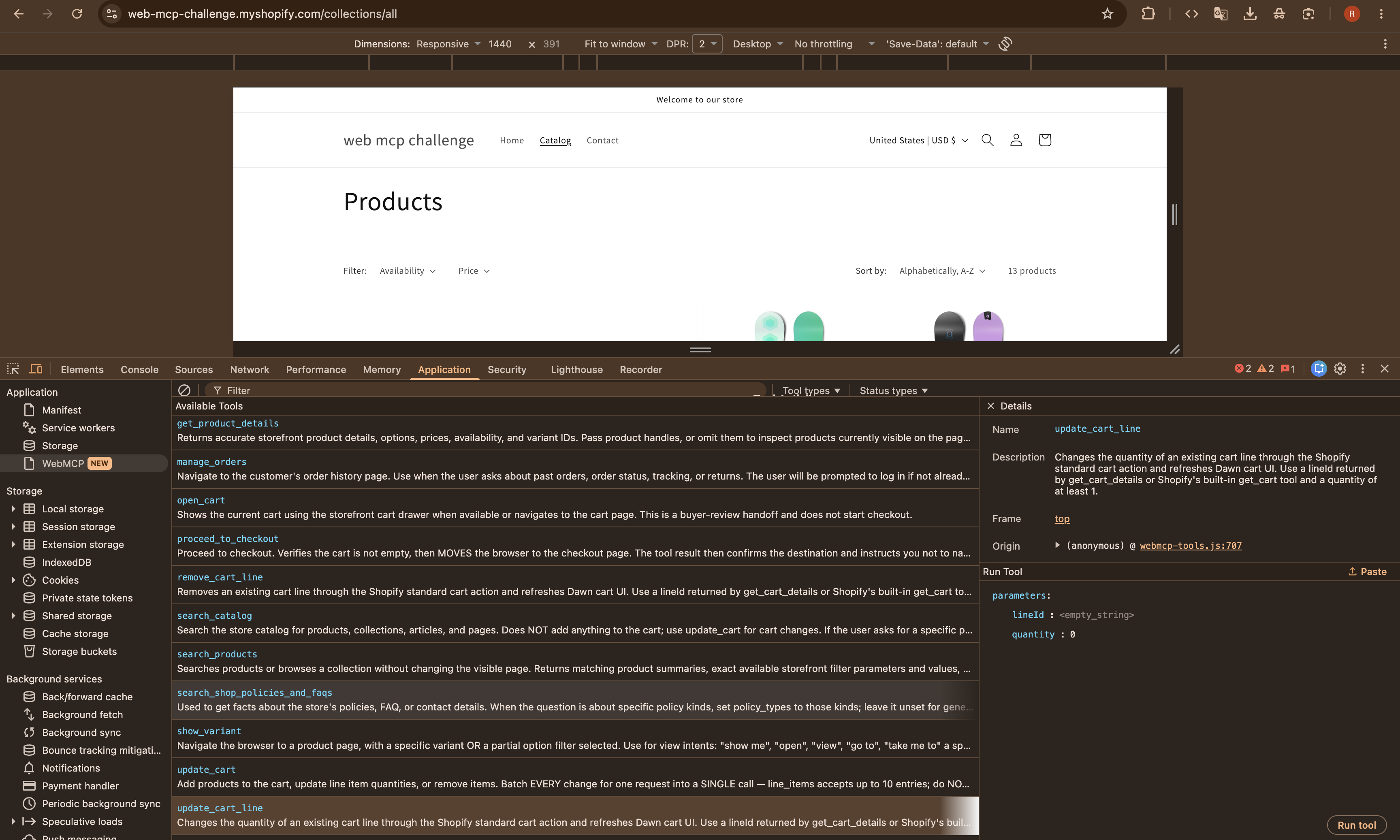
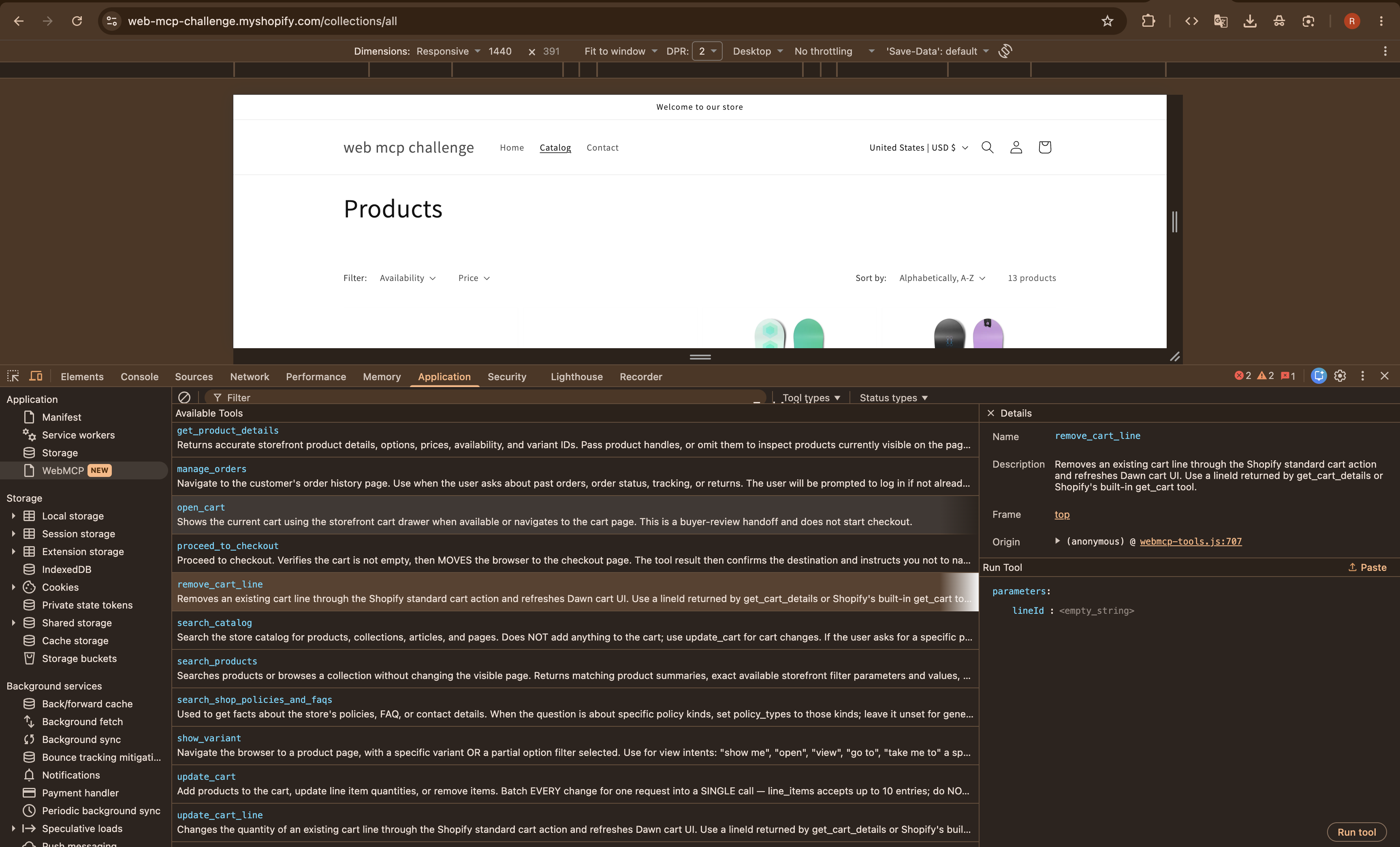
- Update or remove cart lines
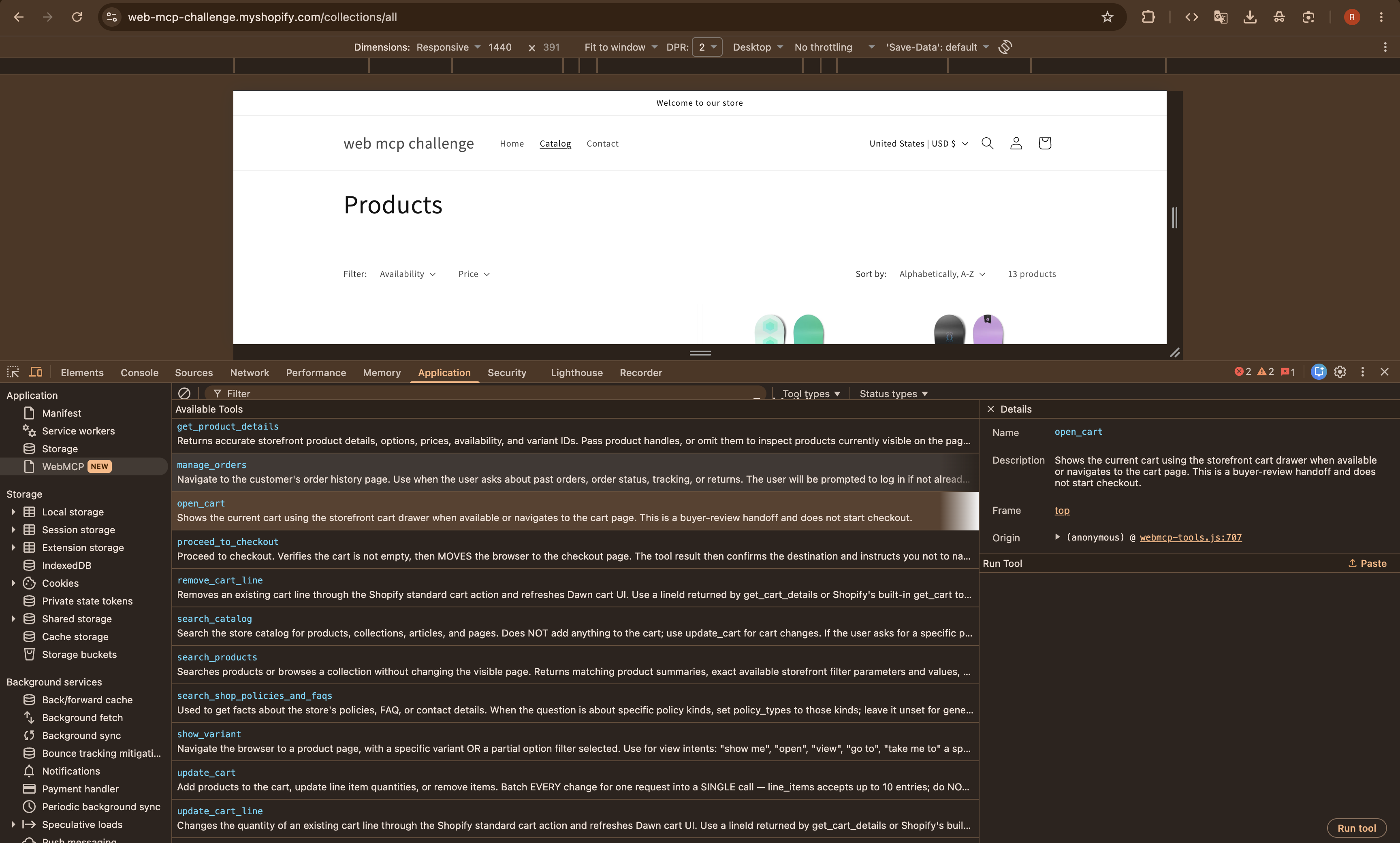
- Open the cart for the buyer to review
The tools work alongside Shopify’s native commerce tools. Checkout remains a buyer-controlled action—the custom tools never automatically start or complete a purchase.
The storefront also continues to work normally in browsers that do not support WebMCP.
How we built it
We implemented the integration as a standalone JavaScript asset inside a Shopify Dawn theme.
The script detects WebMCP support and registers tools through document.modelContext.registerTool(). Every tool includes:
- A clear name and description
- A constrained JSON input schema
- Read-only or mutating annotations
- Structured results that an agent can verify
- User-readable result messages
- Error handling with stable error codes
Product discovery uses Shopify storefront pages and product JSON endpoints. Cart mutations use Shopify Standard Storefront Actions so that AI-triggered changes follow the same cart behavior as the theme itself.
For actions that should affect what the buyer sees, such as sorting products or opening the cart, the tools also update or navigate the visible storefront. Read-only operations can return information directly to the conversation without unnecessarily changing the page.
Challenges we faced
Supporting both Shopify and custom tools
Shopify already provides several native commerce tools. Our original custom get_cart tool conflicted with Shopify’s tool of the same name, so we renamed it to get_cart_details and designed the custom tools to complement the native ones.
Normalizing cart responses
Shopify Standard Storefront Actions can return cart lines as an array or as a GraphQL-style connection containing nodes or edges. Treating every response as an array caused cart mutations to succeed while their tool responses reported an error.
We added normalization for all supported response shapes and verified the behavior against the live storefront.
Keeping agent actions visible and trustworthy
Some WebMCP operations are naturally read-only, while others should create a visible result. We separated product discovery from visible filtering so an agent can either answer a question quietly or intentionally update the browser for the buyer.
Cart-changing tools return the resulting cart state and refresh the Dawn cart interface, allowing both the agent and the buyer to verify what changed.
Extracting clean storefront data
Rendered Shopify price elements contain accessibility labels and hidden sale-price markup, which can produce duplicated text when read naively. We added targeted extraction and normalization so agents receive concise prices such as $699.95 USD.
We also handled missing product descriptions without converting null values into the literal string "null".
What we learned
WebMCP tools are more than JavaScript functions. Their names, descriptions, schemas, annotations, and returned data form an interface between the website and the agent.
We learned that effective site tools should:
- Reuse the website’s existing business logic
- Keep inputs narrow and predictable
- Describe side effects clearly
- Return enough state to verify the result
- Preserve the normal human interface
- Leave consequential decisions, such as checkout, under the buyer’s control
We also learned that WebMCP implementations and third-party inspectors may currently target different versions of the evolving API. Testing with the actual target client is therefore essential.
Accomplishments
The completed storefront exposes nine custom WebMCP tools and works alongside Shopify’s native tools. We tested the complete workflow on the live theme:
- Discover the available Site tools
- Search for snowboards
- Retrieve product variants
- Compare products
- Sort the visible results by price
- Add a selected variant to the cart
- Read and update the cart
- Open the cart for buyer review
The same storefront remains fully usable through its standard visual interface.
What’s next
Possible next steps include:
- Automated regression tests for WebMCP schemas and cart response shapes
- More advanced product and variant filtering
- Richer product recommendations
- Localization-aware results
- Additional accessibility testing
- Analytics for understanding which tools agents use most frequently
Password for the store: maydaw
Built With
- accessibility
- actions
- agentic
- agents
- ai
- commerce
- conversational
- css
- dawn
- e-commerce
- html
- javascript
- json
- liquid
- schema
- shopify
- standard
- storefront
- themes
- webmcp

Log in or sign up for Devpost to join the conversation.