Inspiration
Paying for something is the easy part. The work is everything before it: working out what specs you actually need, comparing suppliers, checking that 100 T-shirts fit inside a $500 budget, then finally checking out. We have all done this across a dozen browser tabs. We wanted one place where you just say what you need, in normal words, and get a clear answer you can approve and pay for.
What it does
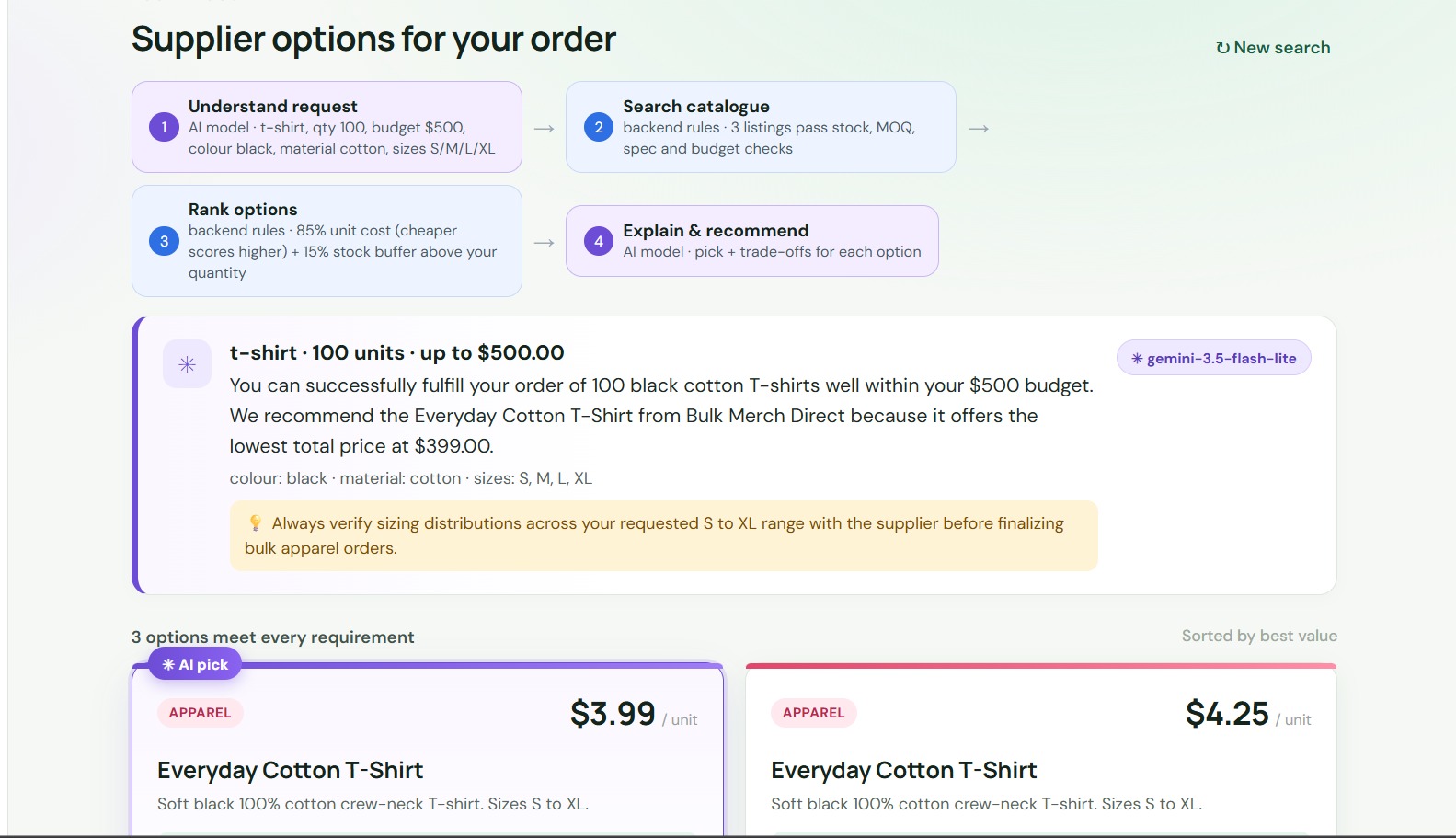
CartGenii has two modes. For me is for personal shopping, like "a laptop under $900 with 16 GB RAM". For my business is for bulk buying, like "100 black cotton T-shirts in sizes S to XL under $500". Here is what happens when you type a request:
- The AI turns your words into a structured brief. If something important is missing, like the quantity on a business order, it asks one short follow-up question instead of guessing.
- Our backend rules search the catalogue and check specs, stock, minimum order quantity and budget.
- If nothing fits, we show the closest alternatives and say exactly what each one misses, for example "Over budget by $349.00".
- The options are ranked with fixed, documented weights. Then the AI explains why each one fits, names one AI pick, points out the trade-off and gives a short buying tip.
- You review the exact items and the total, tick an approval box, and pay with PayPal. An order only shows as paid once our server has verified the payment.
Every search shows an agent trace where each step is labelled "AI model" or "backend rules", so you can see what the AI did and what plain code did. Each product card also has small bars for budget used, match score and stock level.
How we built it
- Backend: Python and FastAPI, with SQLite for orders and payments. It also serves the frontend.
- Frontend: plain HTML, CSS and JavaScript, plus the PayPal JS SDK buttons.
- AI: Google Gemini through an OpenAI-compatible API. It only handles language, meaning understanding the request and explaining the options. It never supplies product IDs, prices, stock, totals or payment status. Every ID it returns is checked against what the backend found, and anything unknown is thrown away.
- Ranking: individual orders use 60% price and 40% spec headroom. Business orders use 85% unit cost and 15% stock buffer.
- PayPal: Orders v2 REST API in the Sandbox. The server creates the order from a draft it priced itself, the buyer approves with the JS SDK buttons, and then the server captures the payment and checks the status, amount, currency and our order reference before marking anything paid.
- Hosting: Render, set up with a render.yaml Blueprint.
Challenges we ran into
The AI side gave us the most trouble. Some Gemini models were closed to new users and returned 404, the newest ones sometimes returned 503 "high demand", and a few answered so slowly that requests timed out. We added automatic model discovery, a fallback list of models, a cap on how long a request can wait, and a short cooldown so the page never just hangs. If every model fails, the app still works using backend rules.
The second challenge was payments. A buyer approving a payment does not mean the money moved, so we capture and verify every payment on the server, and we handle the case where a capture already happened.
Accomplishments that we're proud of
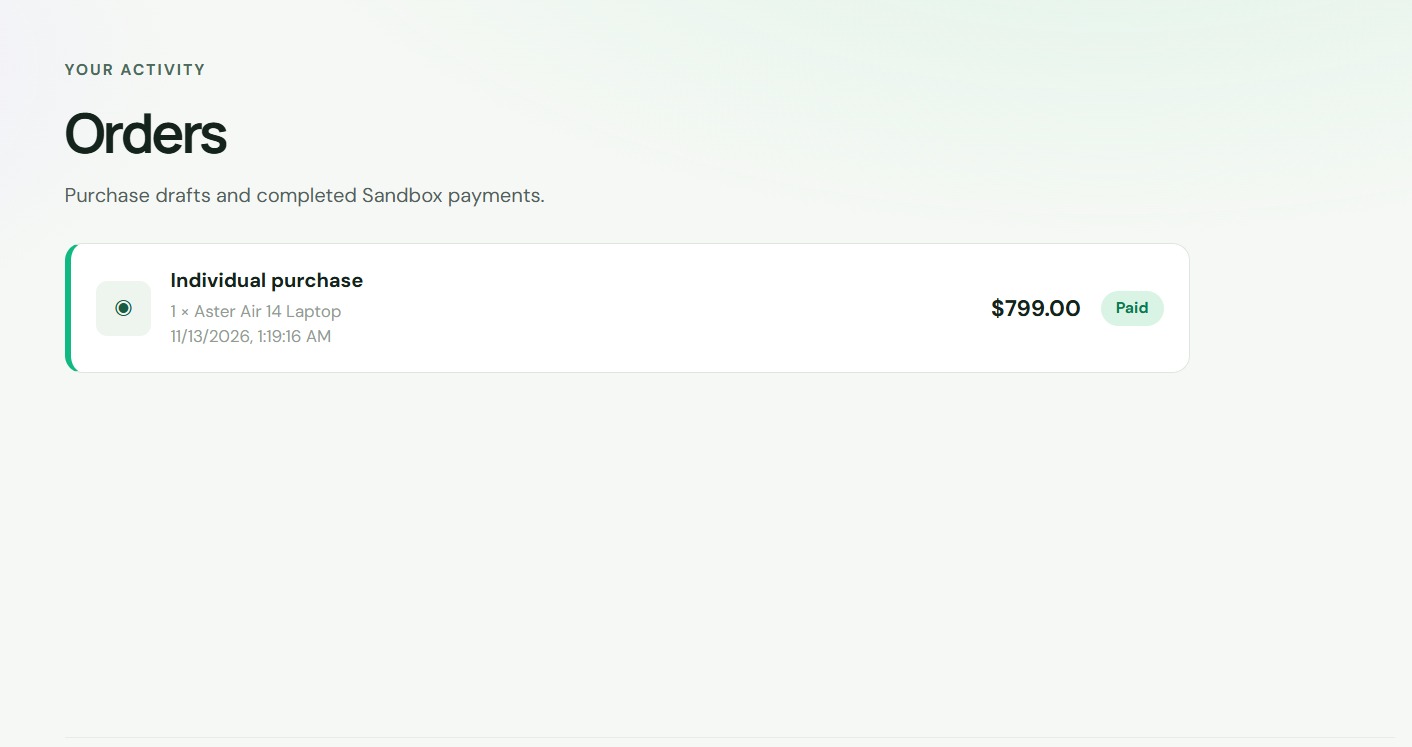
- A full working flow in the PayPal Sandbox: a plain-language request, a verified payment, and a paid order in the history.
- The agent trace that shows what the AI did and what rules did.
- Asking a clarifying question and showing closest alternatives, so the user never gets an empty page or an invented answer.
What we learned
Let the AI do what it is good at, which is language, and keep every fact that matters in code you can test. Prices, stock, totals and payment status all stay in code. That made the app much easier to trust.
What's next for CartGenii
- Real supplier and inventory feeds instead of demo data.
- Multi-item carts and approval steps for teams.
- Supplier payouts and split payments with PayPal.
- Accounts, saved briefs and re-ordering.
