-
-
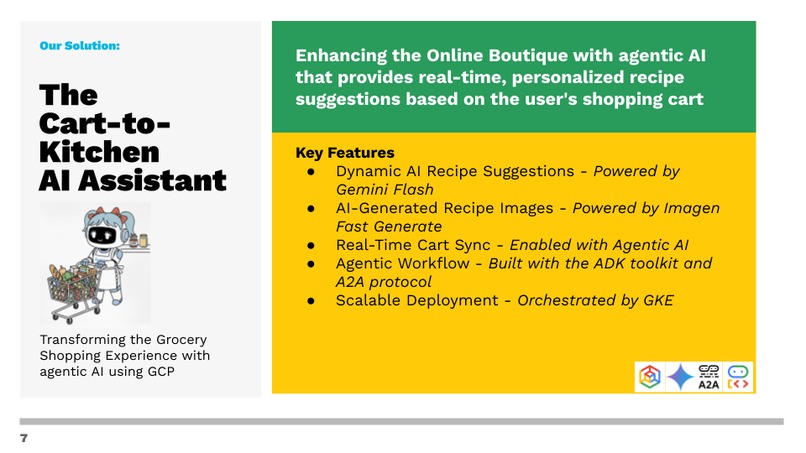
Introducing the Cart-To-Kitchen AI Assistant!
-
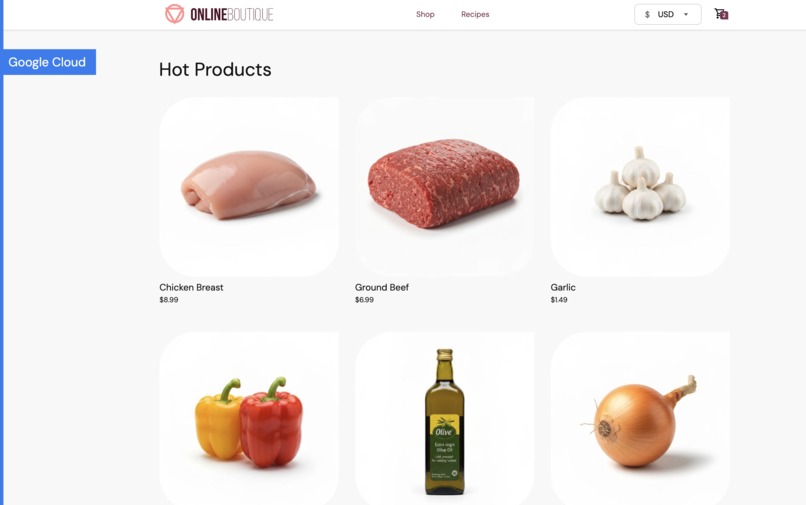
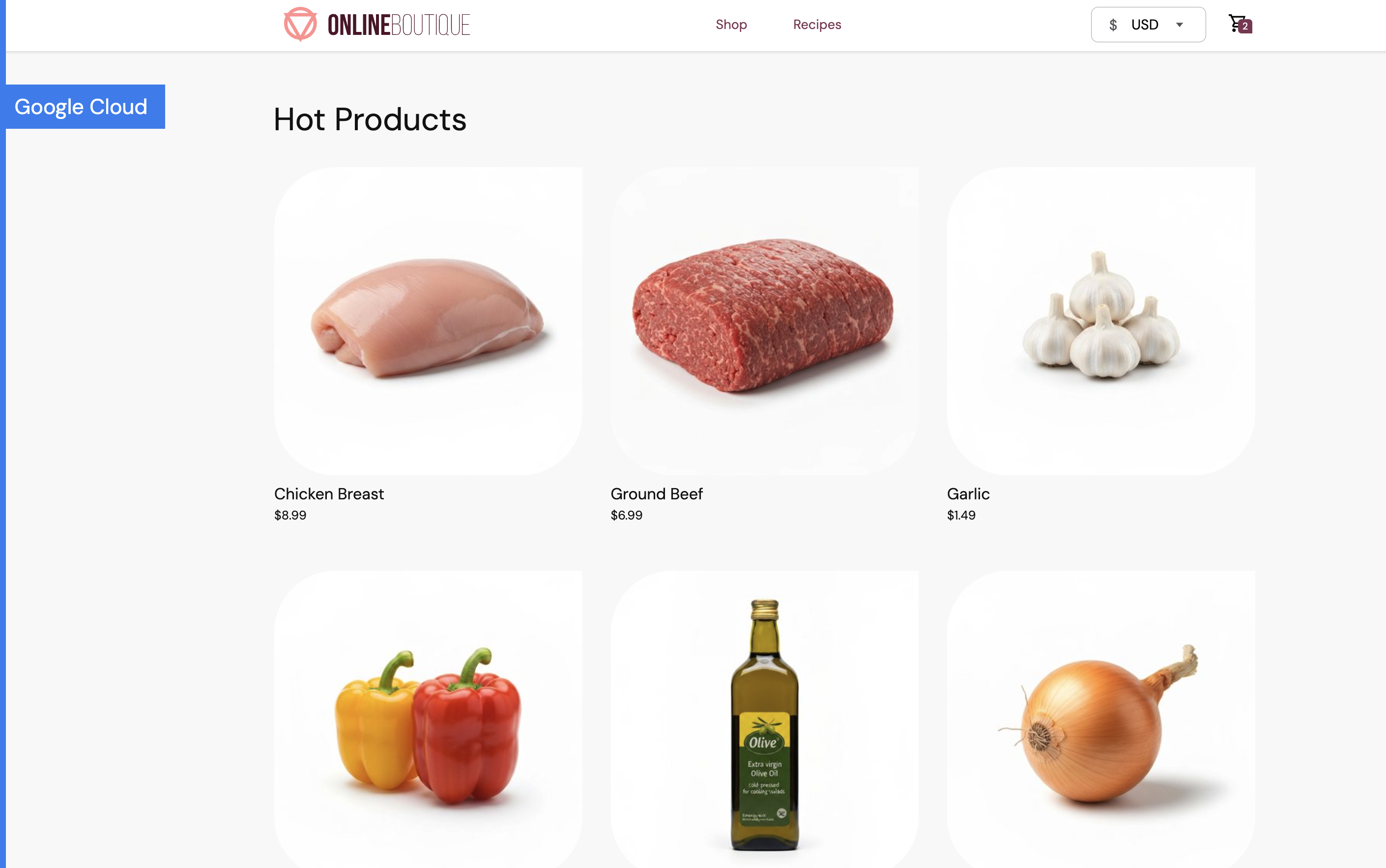
Main Page - grocery online shopping app
-
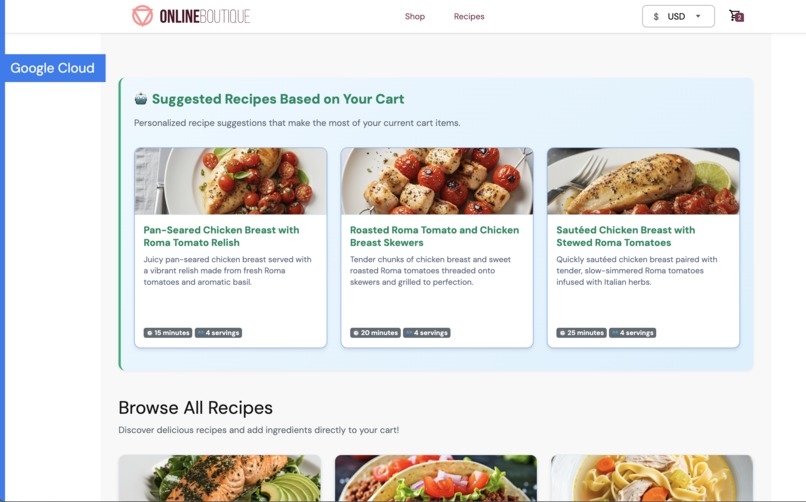
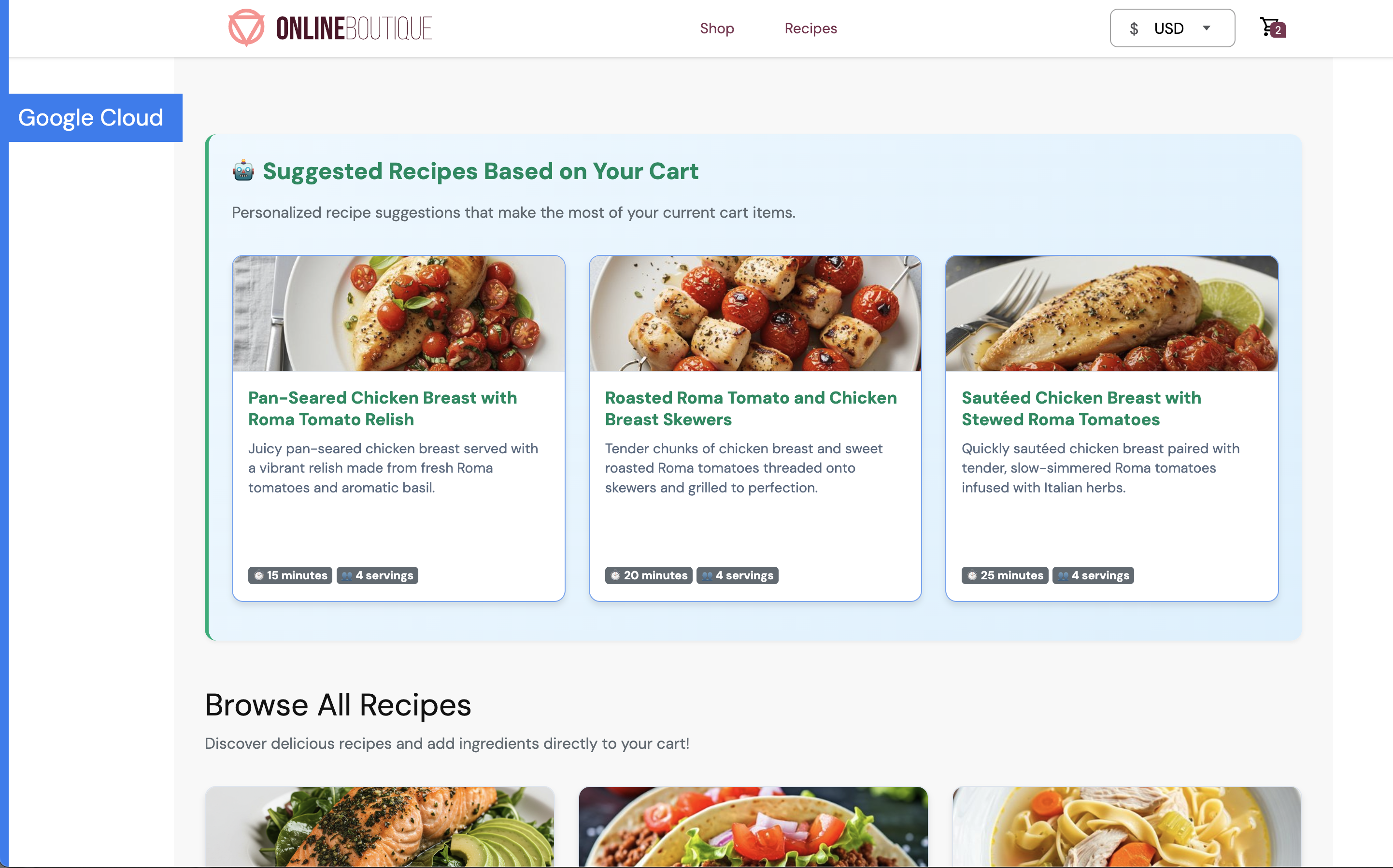
Recipes Page - Gemini suggested recipes based on cart items/ingredients
-
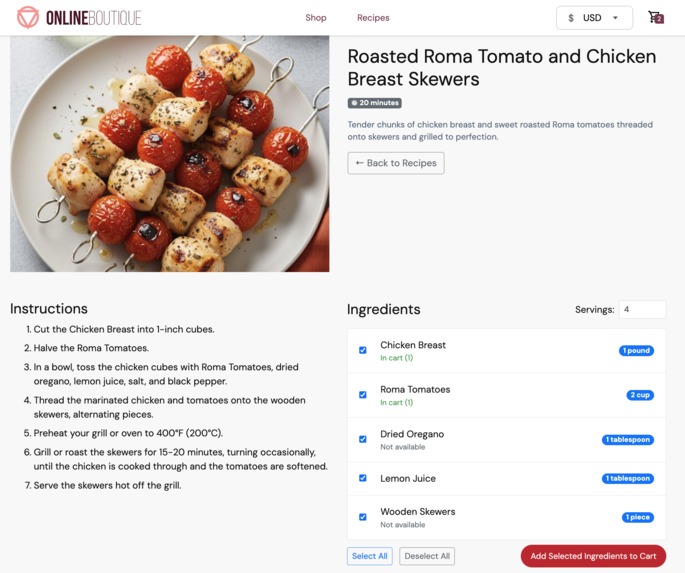
Detailed Recipe Page - recipe with instructions and ingredients. Has option to update servings and bulk add ingredients to cart
-
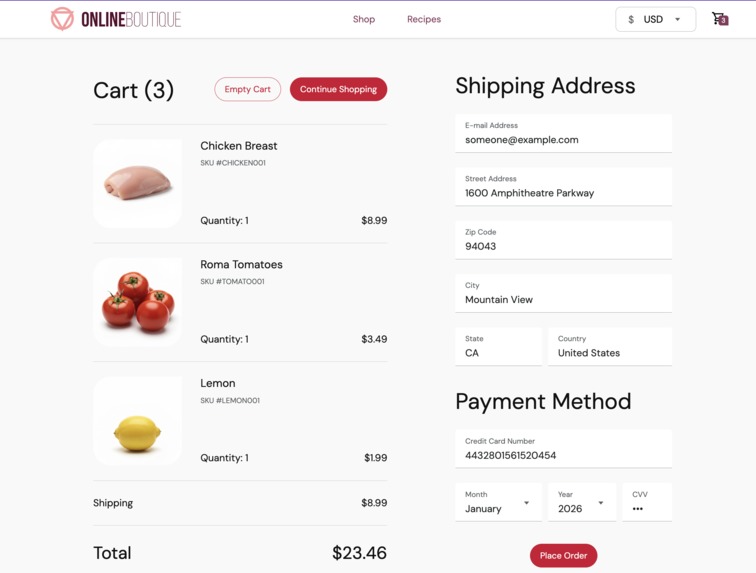
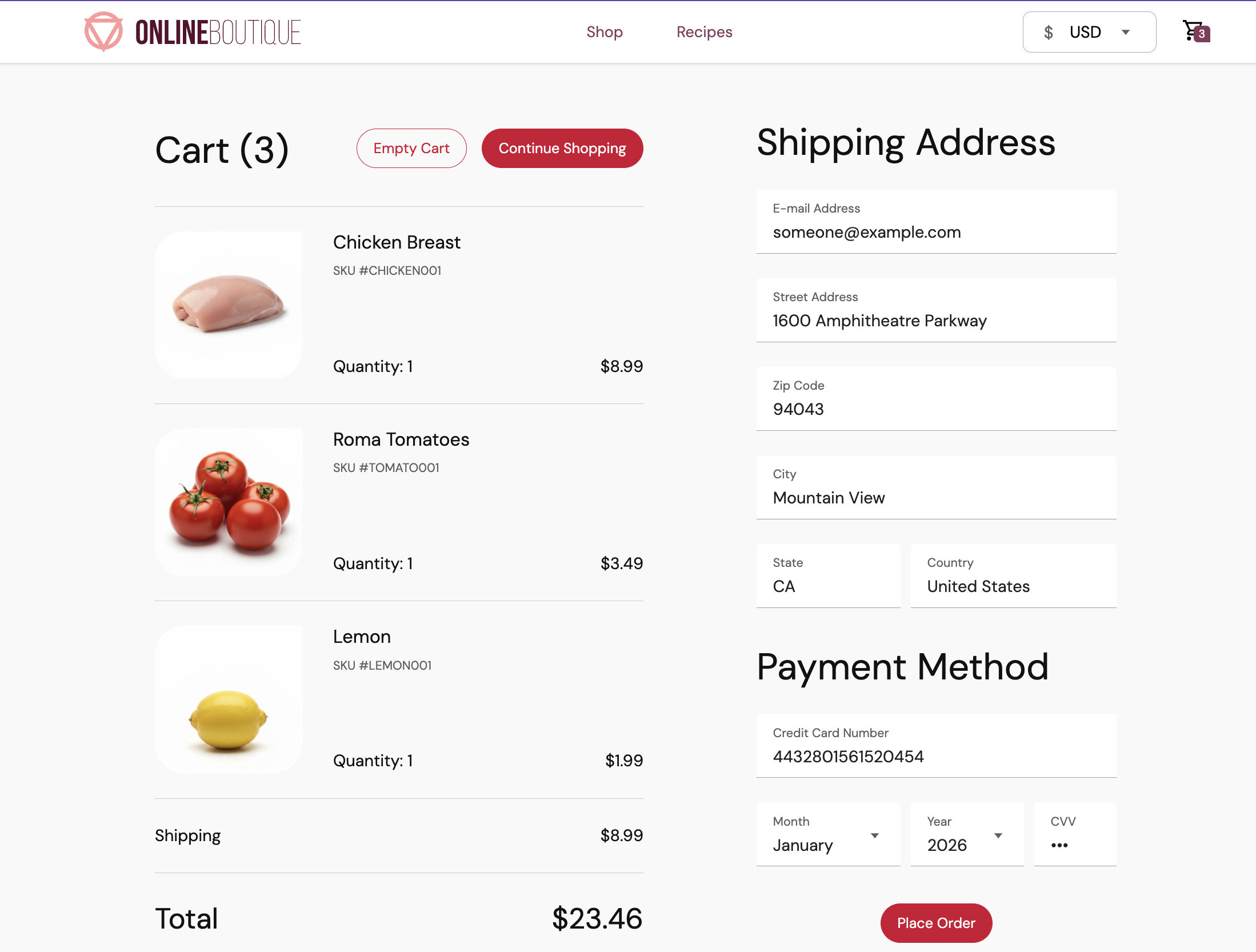
Checkout Page - Your cart is filled based on ingredients from recipes!
-
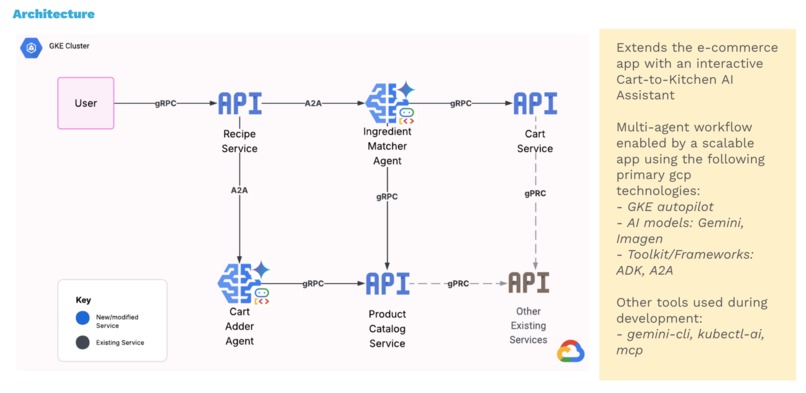
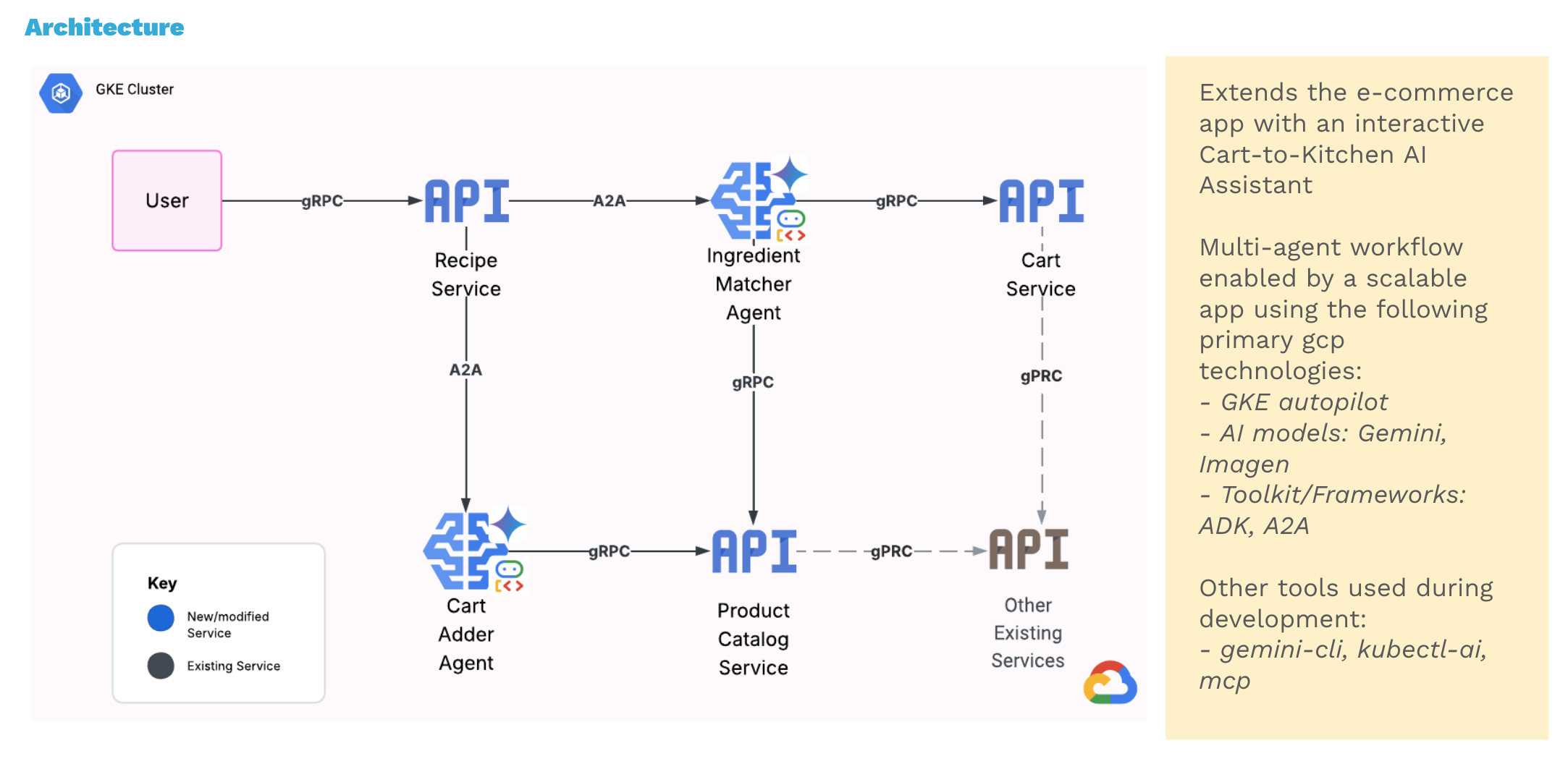
Architecture Diagram
-
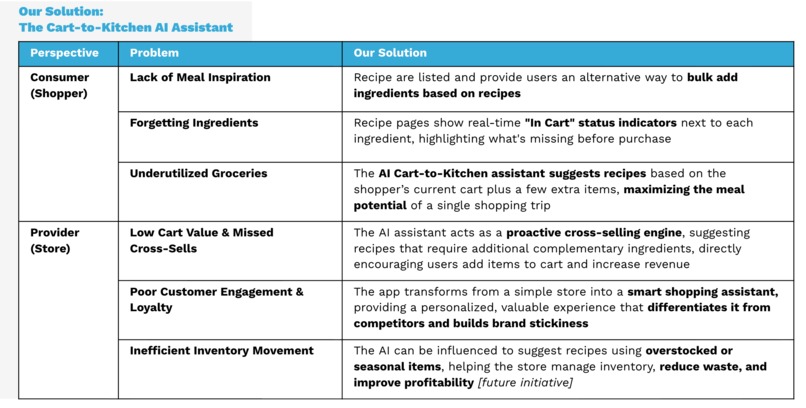
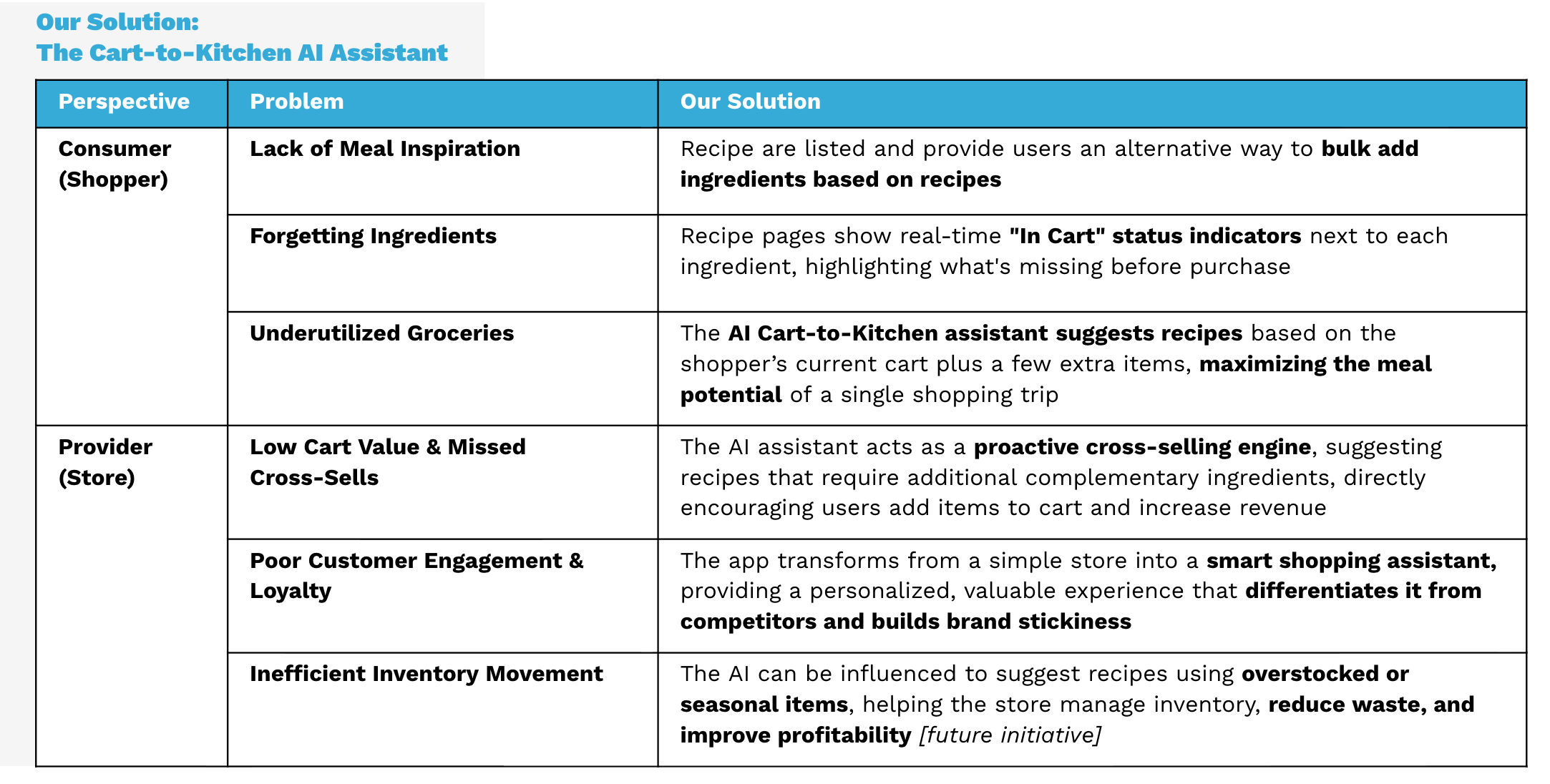
Problem/Solution Summary

Inspiration
The idea of this project sparked from my personal struggles with meal planning and grocery shopping while my parents are visiting from out of town for a month. I found myself with little recipe ideas to feed a larger crowd and was often forgetting to purchase crucial ingredients during shopping trips. So I thought, wouldn't it be great to have an grocery shopping app that can integrate with the recipe/meal planning process?
What it does
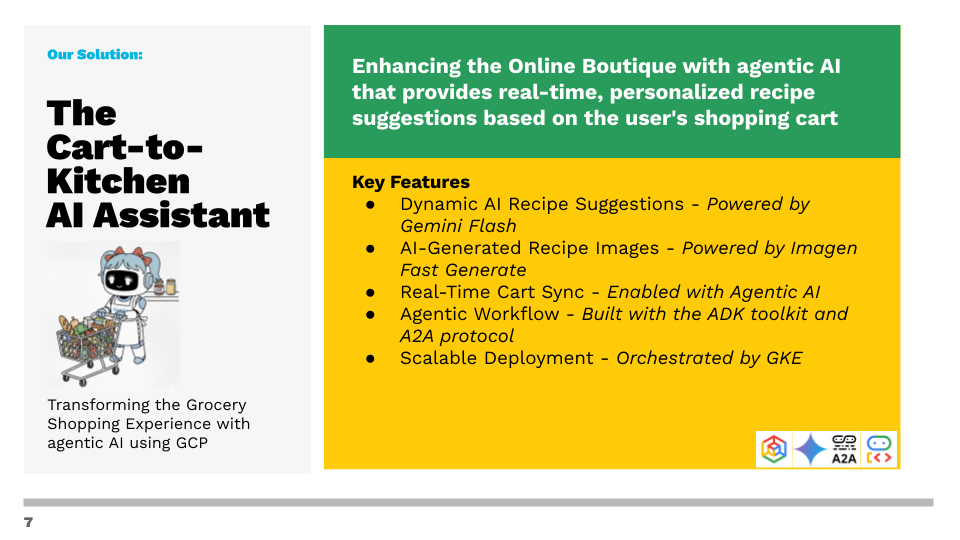
The Cart-to-Kitchen AI Shopping Assistant transforms an e-commerce app into a proactive, intelligent assistant. As a user adds items to their cart, the assistant suggests recipes they can make, complete with a list of any missing ingredients. This helps shoppers find meal inspiration, remember crucial items, and maximize the utility of their purchases.
How I built it
The solution is a multi-agent workflow deployed on GKE Autopilot. It is built based on the existing online-boutique application by adding an additional Recipe Service which acts as an orchestrator for two AI agents: Recipe Generator agent, and Cart Adder agent.
The Recipe Generator agent generates dynamic recipes based on cart items using Gemini for recipe description and instructions creation, and Imagen for recipe image creation.
The Cart Adder agent extracts the ingredients from the instructions, and matches against the inventory from the Product Catalog service, and adds matched ingredients to cart. It performs fuzzy matching to reconcile similar product/ingredient names, handles plurality etc.
The agent to agent communication and orchestration uses the A2A protocol and is built using ADK to enable real time communication between services and AI.
Other tools used include Terraform for GKE cluster automation and development tools like gemini-cli, kubectl-ai, and mcp server for dev doc lookups. These automation and developer tools sped up the development process as I am the sole creator.
Challenges I ran into
A key challenge was achieving close to real-time synchronization between the AI agents and the shopping cart. To provide relevant recipe suggestions, the agent needed to be aware of each cart update and then integrate with the gemini flash model for text based recipe creation and the Imagen model for recipe image generation. By leveraging the A2A protocol and the ADK toolkit, I was able to integrate the AI models with my two agents and synchronize with the shopping cart.
Another challenge was reducing the AI's recipe and image generation time, which initially took over 30 seconds. By experimenting with various Gemini and Imagen models, and leveraging techniques like parallel processing and progressive loading, image compression, and optimized AI prompting, I successfully cut the time by more than 65%, with the initial loading of recipe text from Gemini displaying in under ~5 seconds. The most significant improvement came from optimizing the image generation process, and I was genuinely impressed by how fast these models produce high-quality content.
Because I was extending an existing microservices project, I had to understand and work within its pre-existing architecture, which used gRPC for communication. I made minimal changes to the core services, integrating my new features while maintaining the existing structure.
Finally, as a solo developer, I had to balance my time between building a functional MVP and creating a polished presentation. During development, tools like Skaffold and helm chart were essential for managing hot changes, allowing me to make small tweaks to the user experience and performance without a time-consuming redeploy.
Accomplishments I am proud of
- Successfully created a new microservice with two agents using A2A and ADK, and integrated with an application existing in GKE as a solo developer
- Improved recipe and image generation time by 65%+, from 30+ seconds overall down to ~5 seconds for the initial loading of AI generated recipe text. This was achieved through a combination of using the flash/fast-generate model variant, implementing parallel processing, progressive loading, image compression, recipe caching and optimized AI prompting.
- Automated as much as I could by using Infrastructure as Code (Terraform) and implemented a devops workflow using Skaffold to develop locally as well as deploy to GKE
- Tackled a real problem for both myself as the consumer (with meal planning and forgotten items) and the store provider (increased cart value and customer loyalty).
What I learned
- This was an incredibly valuable hands-on experience with Agentic AI development on GCP. I learned that newer, lighter models like Imagen's fast-generate and Gemini's flash-lite offer significantly faster results while still maintaining high quality.
- Integrating these models into a multi-agent solution using the A2A and ADK frameworks was powerful and provided me a deeper understanding of agentic development. Deploying the entire application to GKE Autopilot was a smooth process via Terraform and Skaffold. Thanks to containers, I'm relieved to find what works on my machine also works on the cloud! Phew.
What's next for cart-to-kitchen-gke-ai-assistant
- New Functionality: The next step is to upgrade the Cart-to-Kitchen AI Shopping Assistant to also tackle inventory management. The assistant could be configured to send alerts when an ingredient is low or out of stock, and prioritize recipes to use overstocked or seasonal items, helping grocery stores reduce food waste and improve profitability. This would transform the app from a shopping assistant into a powerful tool for optimizing store operations.
- Improved Performance: Explore different ways to further reduce the AI suggested recipe (text and image) process to under 5 seconds for better user experience.


Log in or sign up for Devpost to join the conversation.