-
-
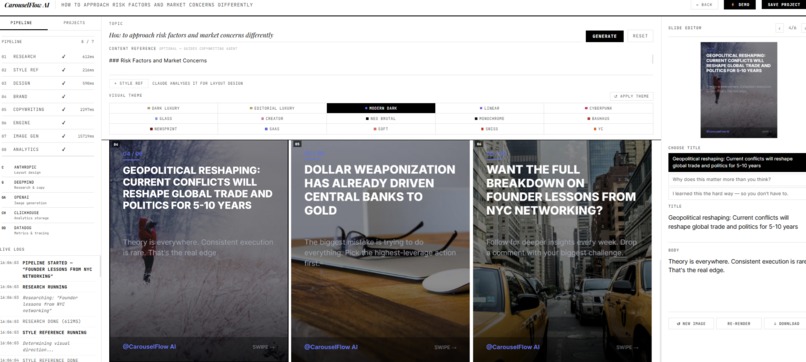
demo
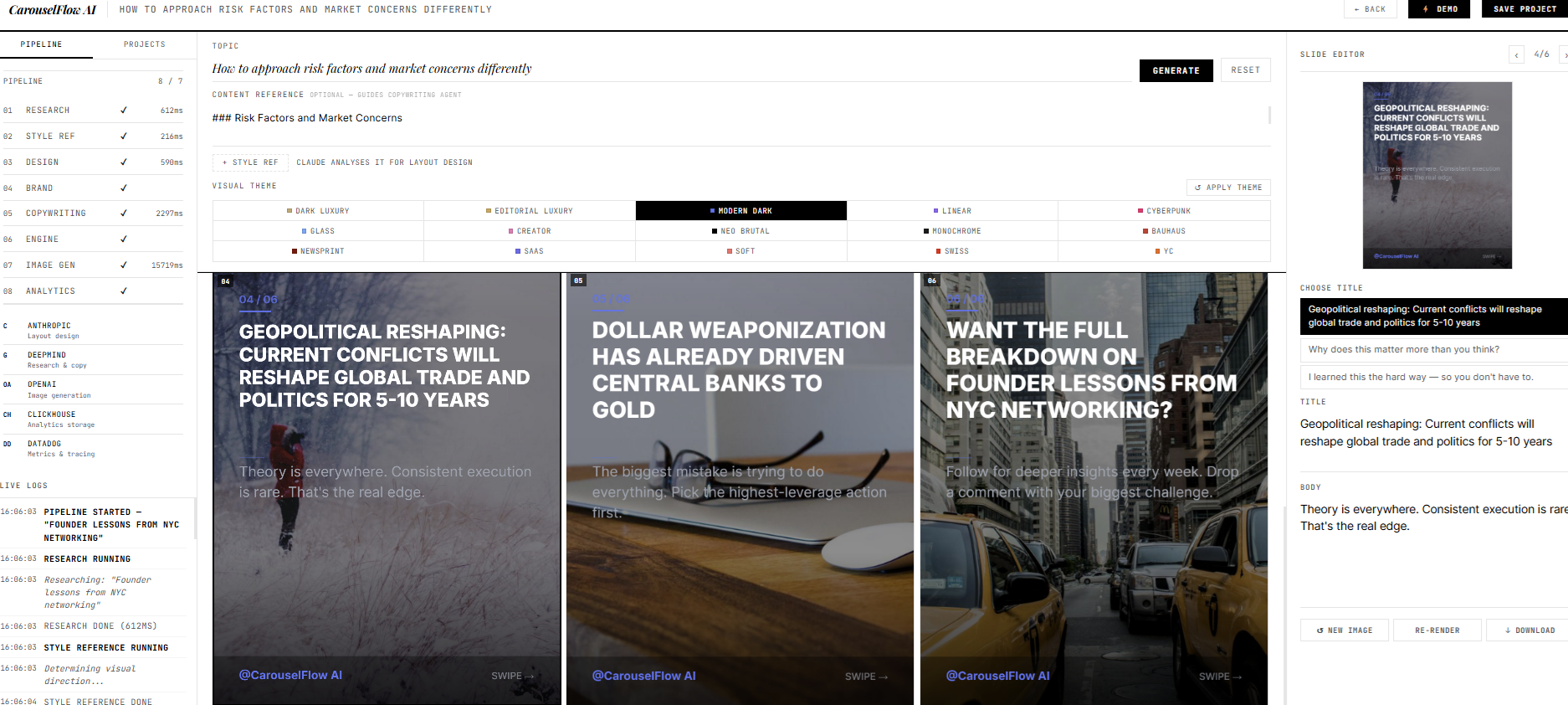
CarouselFlow AI — Project Story Inspiration It started with a recurring frustration.
Every week, I'd walk out of a strategy session or finish reading a dense research paper — full of insights worth sharing — and then spend the next two hours trying to turn those ideas into a LinkedIn carousel. Writing, reformatting, designing in Canva, rewriting the copy to sound like me, adding the hook, adding the CTA. By the time I was done, I'd spent more time on the packaging than I had on the thinking.
I knew I wasn't alone. Coaches, consultants, and industry experts face the same bottleneck: their knowledge is their product, but most of it never reaches their audience — not because it isn't valuable, but because the content pipeline is broken.
I wanted to build something that eliminated that gap entirely. Not a template tool. Not a chatbot you have to prompt 20 times. A real pipeline that takes your raw notes and handles everything — research framing, visual design, brand voice, slide copy, image generation — the same way a professional content team would, but in sixty seconds.
What I Learned Building CarouselFlow AI taught me more about multi-agent system design than any course ever could.
The biggest lesson: agents need to talk to each other, not just to the user. Early versions had each agent working in isolation — the copywriter didn't know what the design agent had decided, so the tone never matched the visual mood. Once I wired the output of each agent forward as context to the next, everything clicked. The carousel started feeling coherent rather than assembled.
I also learned how much user experience matters in AI products. Streaming agent events via SSE so users could watch the pipeline fire in real time wasn't just a visual trick — it built trust. People understood why it took 30 seconds instead of feeling like the app was stuck.
And on the technical side: ClickHouse is genuinely fast for event logging at this scale. Every agent run, every slide generation, every error — all written as analytics events. Querying them for the chat interface was near-instant even with thousands of rows.
How I Built It The architecture is a seven-agent pipeline running on Node.js with Express, streaming all output via Server-Sent Events:
Research Agent — reads the topic and user's content notes, extracts facts, hooks, and a narrative angle using Google Gemini Style Reference Agent — analyses any uploaded reference image and identifies the visual mood Design Agent — powered by Claude (Anthropic), translates mood into a concrete palette, typography, and layout spec Brand Agent — sets voice, tone, and copywriting rules specific to the topic Copywriting Agent — writes all slide copy with three title variants per slide, informed by every upstream agent Carousel Engine — assembles the final slide data and persists it to ClickHouse Image Generation Agent — fetches thematic images using a deterministic content hash so the same content always produces the same photo, then renders each slide as a 1080×1350 PNG directly in the browser via the Canvas API The entire frontend is a single HTML file with vanilla JavaScript — no framework, no build step. The Canvas renderer handles layout, typography, and image compositing entirely in-browser.
For the sponsor integrations: Gemini powers all four content agents via its OpenAI-compatible endpoint, ClickHouse stores every agent event and generated slide for analytics, and Datadog receives DogStatsD metrics on agent duration, token usage, and error rates.
Challenges The context propagation problem was the hardest to solve. When a user pastes content notes, that context needs to flow through every agent — but each agent has a different prompt structure. I had to design a consistent way to inject user content without overwhelming the agent's system prompt or diluting its specialisation. The solution was a clean separation: system prompts define behaviour, user messages carry content.
Demo mode that actually works. Since the project needed to run without any API keys, I couldn't just return placeholder strings. I built a full mock engine in gemini.js that parses the actual user input — extracting the topic, reading the content notes, generating realistic slide copy and research data that reflects what the user typed. It meant anyone could clone the repo and see a real, meaningful output immediately.
LocalStorage quota exceeded silently. Saving six 1080×1350 canvas PNGs as base64 data URIs pushes well past the 5MB browser limit. The app would appear to save but silently fail. The fix was to never persist rendered images — only the raw slide data — and re-render from scratch on load. Obvious in hindsight, painful to debug.
The dropdown timing bug. The topic suggestion dropdown would close before a click registered because the input's onblur fired first and hid the list. Replacing onclick with onmousedown on the dropdown items solved it — mousedown fires before blur, so the click is captured before the input loses focus.
Every one of these felt like a wall at the time. Every one of them taught me something I'll carry into the next build.
Built With
- events
- html5
- javascript
- node.js
- python
- server-sent

