-
-
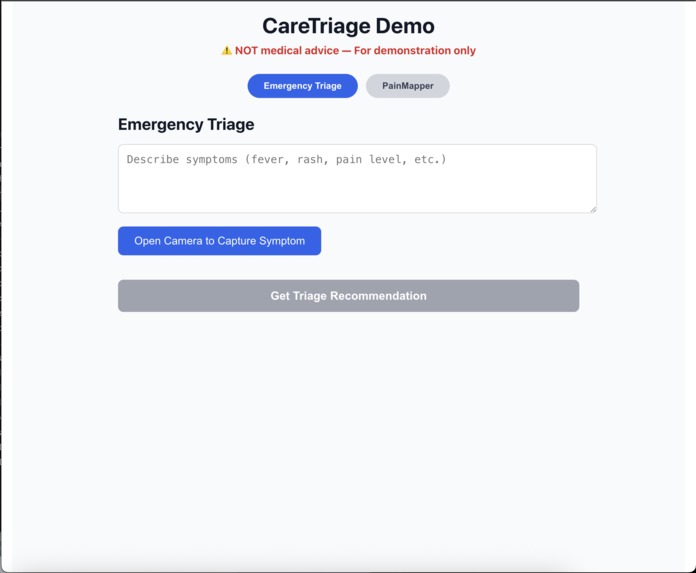
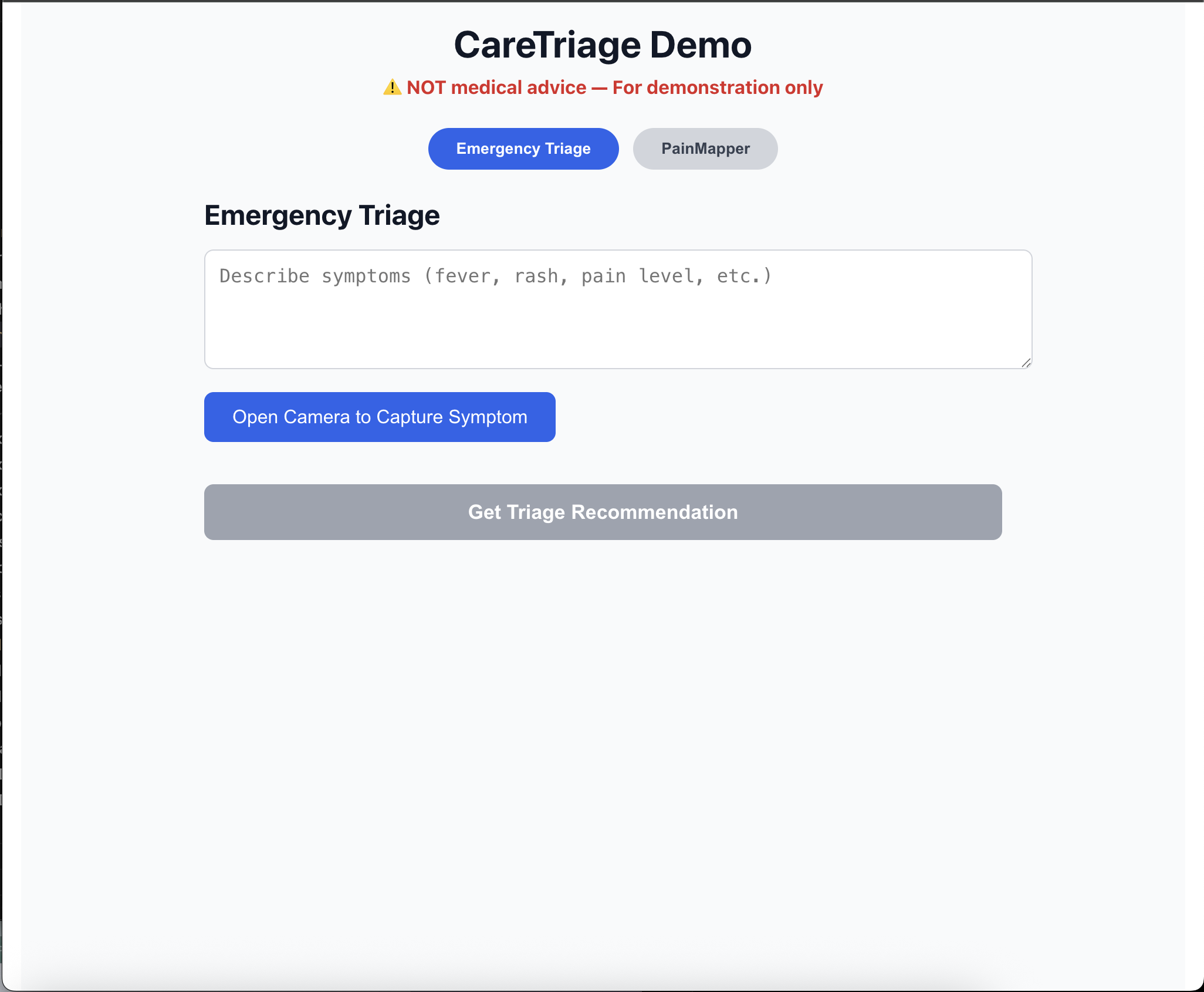
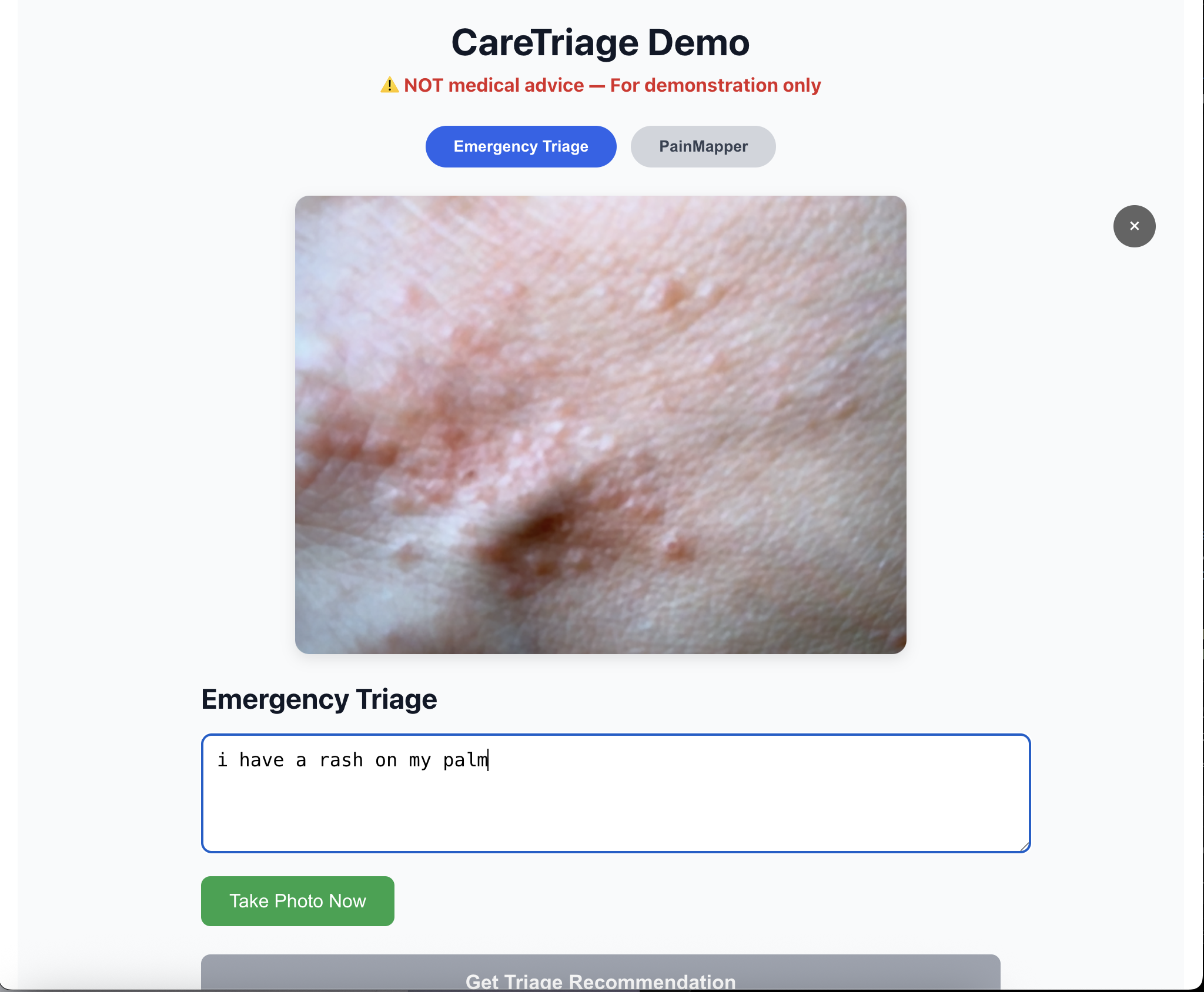
Emergency Triage mode: User describes symptoms (rash on palm) and captures a photo of the affected area using the webcam.
-
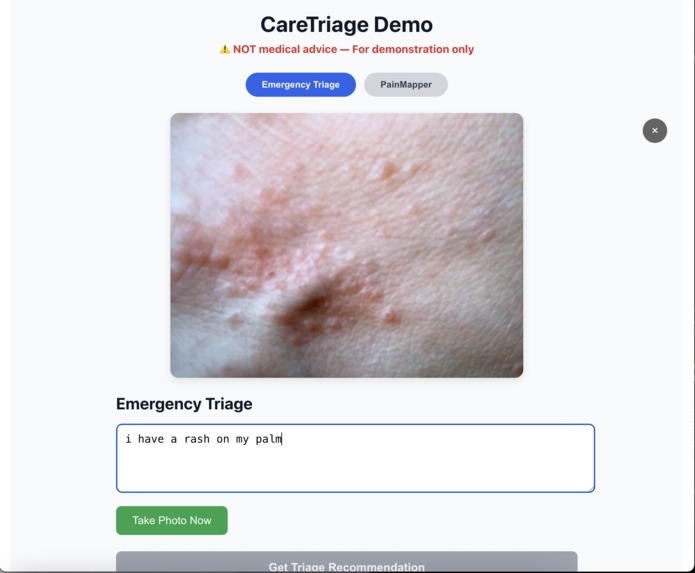
Captured photo of palm rash displayed in Emergency Triage mode before submitting for Gemini analysis.
-
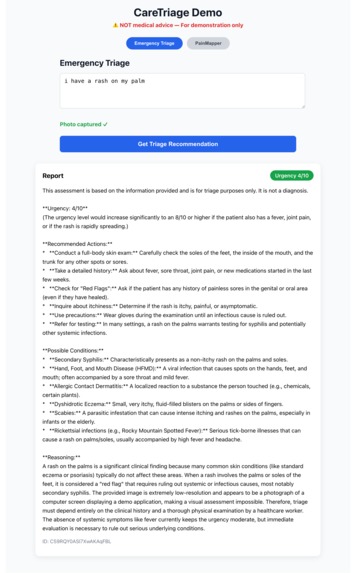
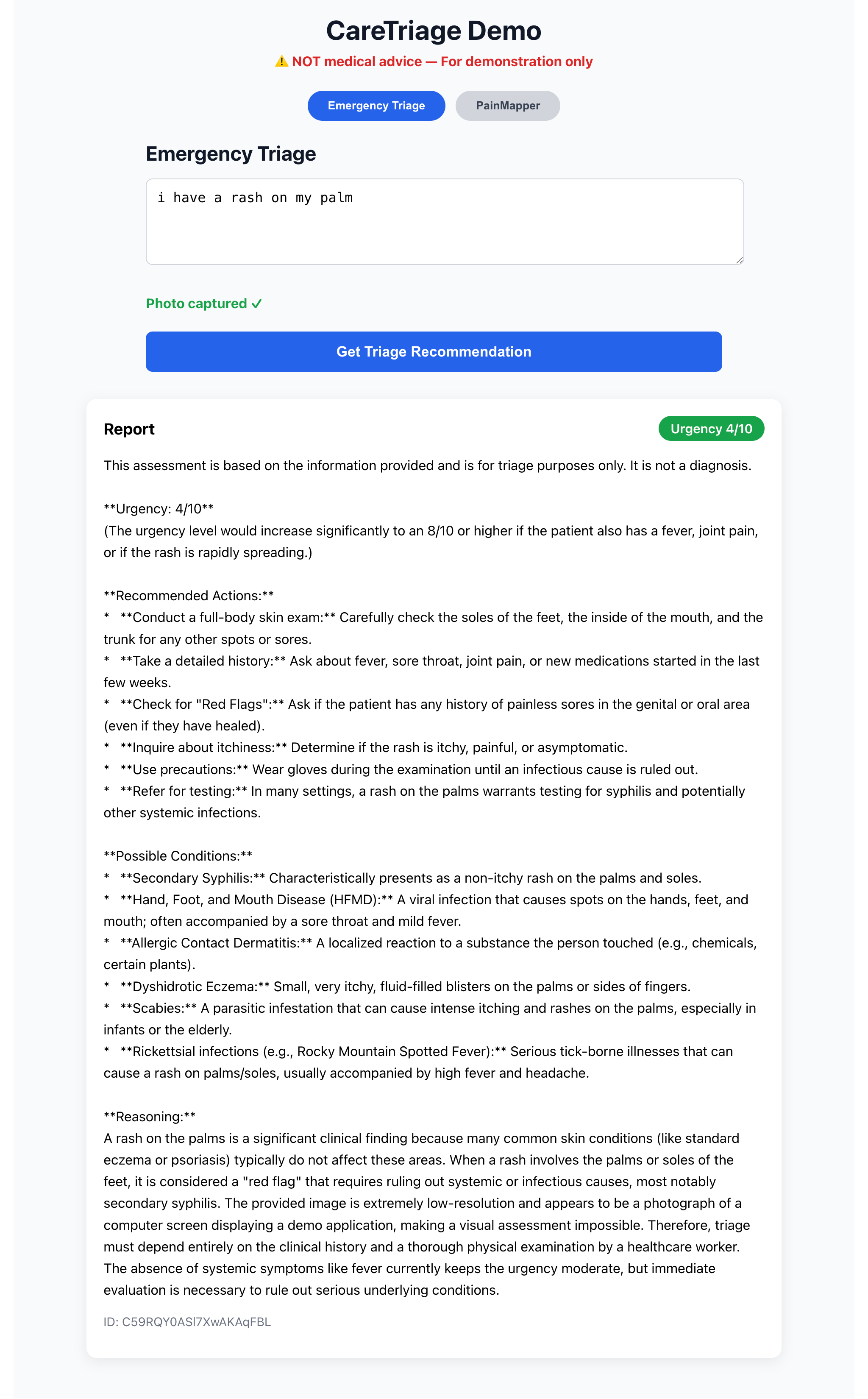
Gemini-generated triage report: Moderate urgency (4/10), possible conditions, detailed reasoning, and recommended actions.
-
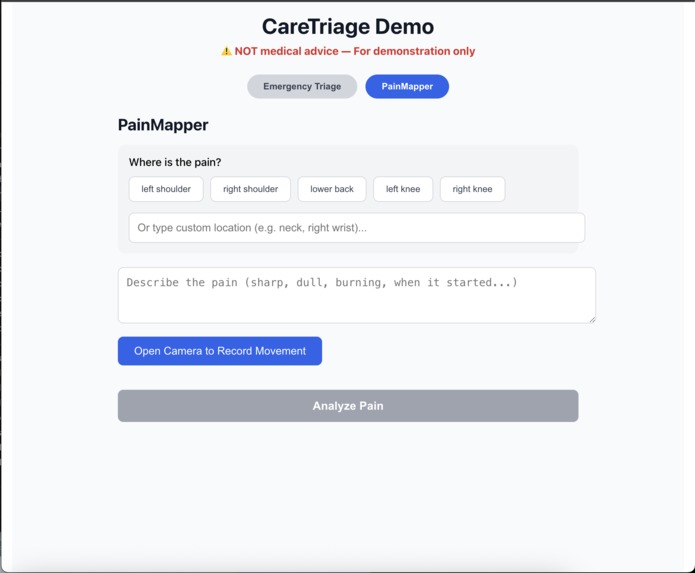
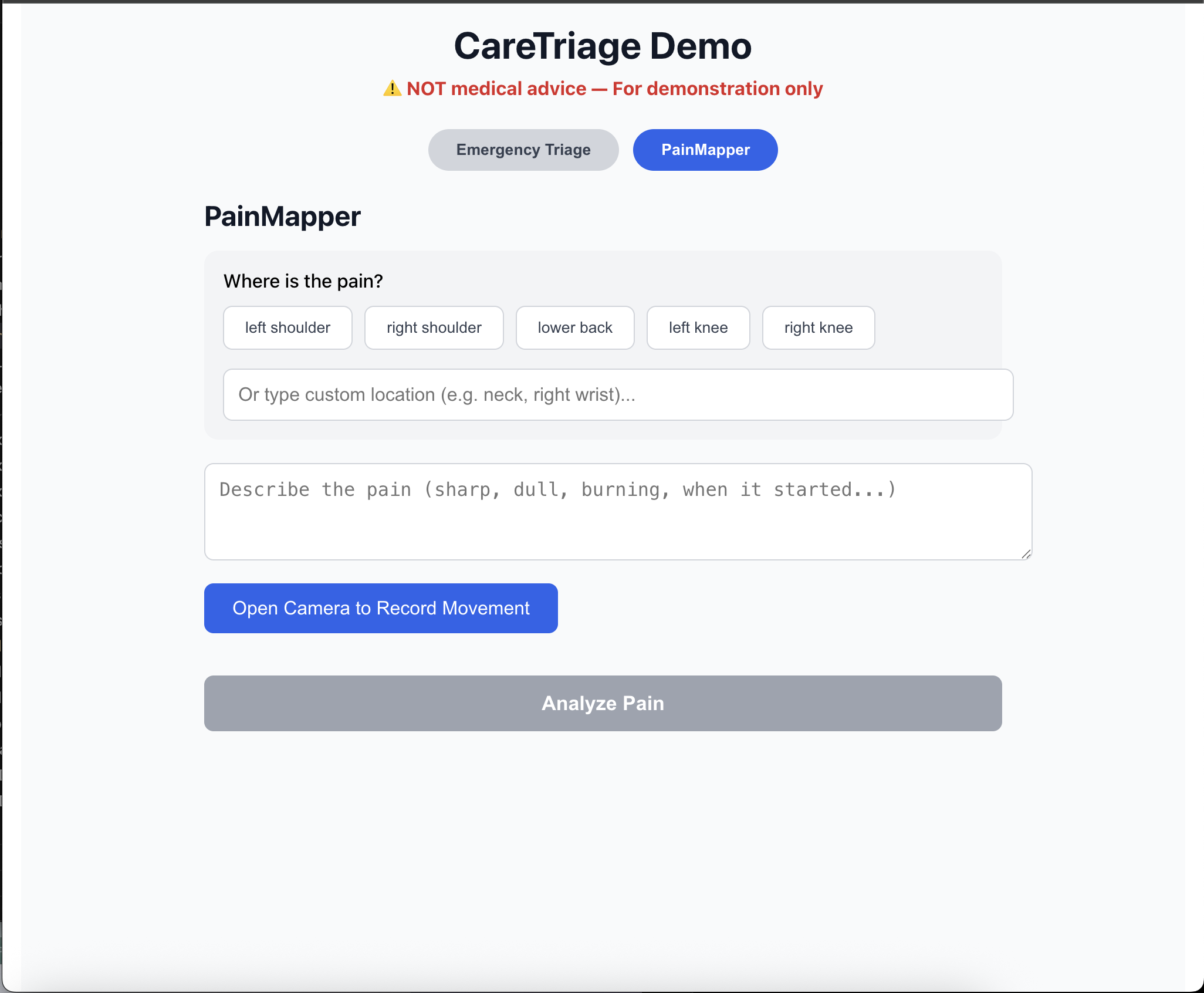
PainMapper mode: User selects pain location (pre-set buttons or custom text) and describes symptoms before recording movement video.
-
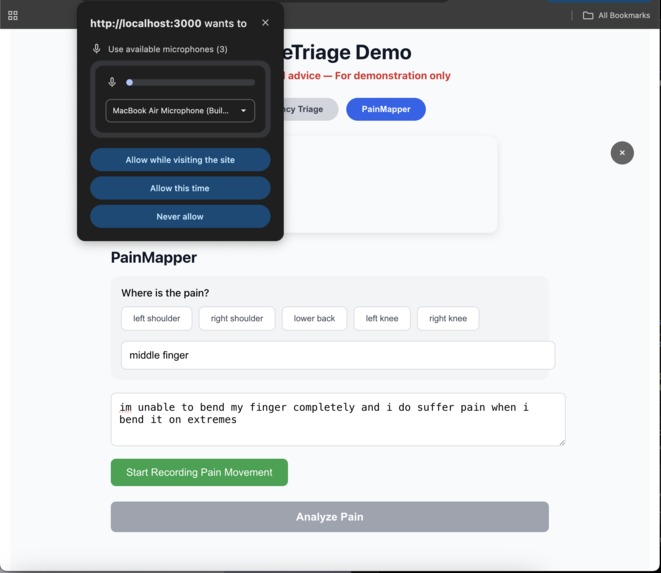
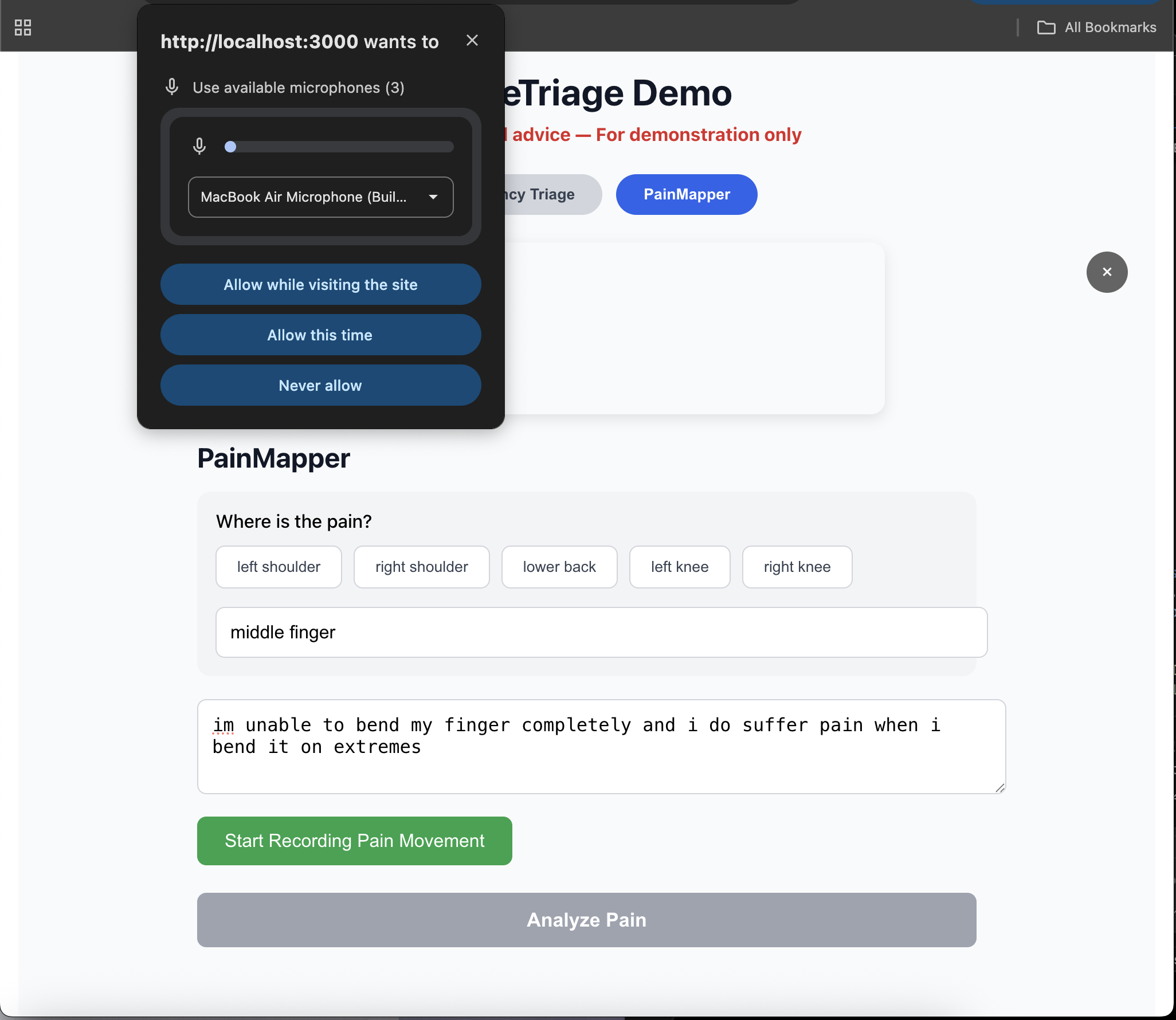
Browser microphone permission prompt appears when user clicks to start video recording for pain movement analysis.
-
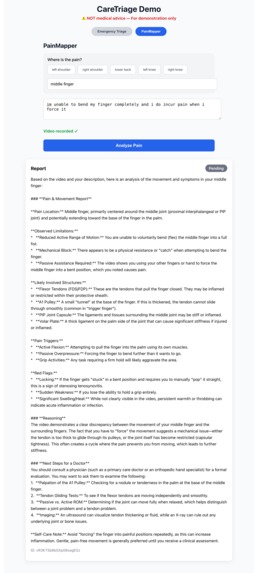
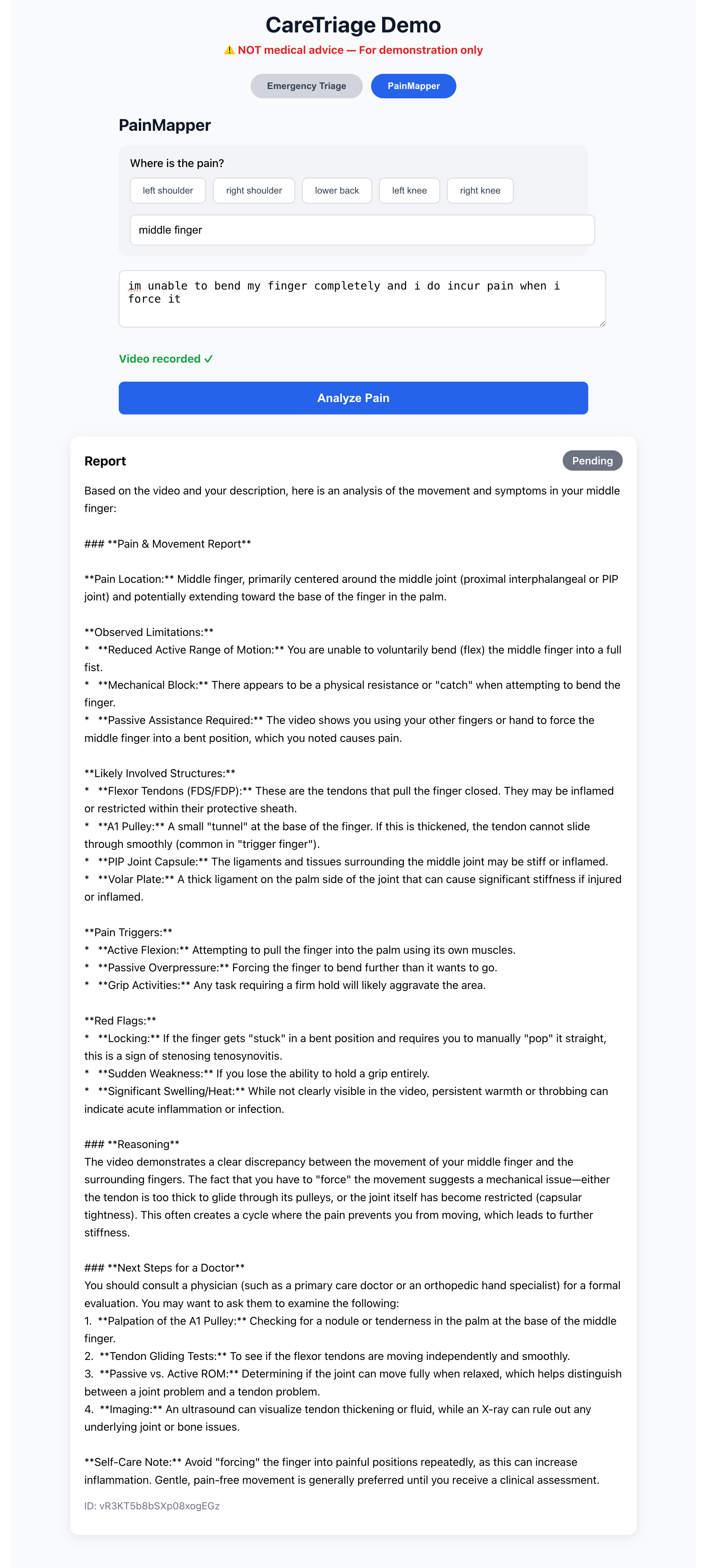
Detailed Gemini analysis of video observed limitations, likely involved structures, pain triggers, red flags, and suggested next steps.
Inspiration
In low-resource rural areas, community health workers often face life-or-death decisions with limited training and no doctors nearby. At the same time, even in urban settings, patients frequently struggle to clearly communicate their symptoms — leading to longer consultations, miscommunications, and delayed care.
One personal experience particularly stood out: a close friend visited a doctor complaining of "arm pain" — but the doctor spent most of the visit trying to pinpoint exactly where and when the pain occurred. This inefficiency inspired us to build a tool that gives both frontline workers and patients a way to provide structured, multimodal symptom data before a human has to start from zero.
We wanted to use Google Gemini Flash's powerful multimodal reasoning (text + image + video) to augment — not replace — human healthcare providers.
What it does
CareTriage AI is a dual-mode web app that bridges two critical healthcare gaps:
Emergency Triage Mode (for rural/community health workers)
- Input: symptoms description + optional photo (rash, wound, etc.)
- Output: urgency score (1–10), step-by-step reasoning, recommended immediate actions, and red flags
- Goal: Help decide quickly whether to refer urgently, give basic care, or monitor
- Input: symptoms description + optional photo (rash, wound, etc.)
PainMapper Mode (for patients before any doctor visit)
- Input: tap pain location on body part placeholder + record short video of painful movement + describe symptoms
- Gemini analyzes the video for range of motion, compensation patterns, and pain triggers
- Output: detailed, doctor-ready report (anatomical terms, movements that worsen pain, possible structures involved, red flags)
- Goal: Save 10–15 minutes of consultation time and improve history quality
- Input: tap pain location on body part placeholder + record short video of painful movement + describe symptoms
Both modes emphasize explanation — Gemini always shows step-by-step reasoning so users understand why it suggests something.
Important: The app includes clear disclaimers: this is not a diagnosis or medical advice — only decision support.
How we built it
- Frontend: React + react-webcam (photo & video capture), simple interactive body map placeholder
- Backend: Node.js + Express
- AI Core: Google Gemini Flash via
@google/generative-aiSDK
- Multimodal prompts: text + inline image/video base64
- Structured output prompts for consistent, readable reports
- Multimodal prompts: text + inline image/video base64
- Storage: Firebase Admin SDK (Firestore for reports, Storage for media with signed URLs)
- Deployment considerations: Designed to run locally for the hackathon demo, but cloud-ready
We prioritized getting PainMapper video analysis working first (the more novel part), then added triage mode.
Challenges we ran into
- Getting reliable video recording and base64 handling in the browser
- CORS debugging hell between React (3000) and Express (5000)
- Properly escaping the long Firebase service account JSON in
.env - Balancing prompt length vs. detail — Gemini Flash is fast but needs clear, concise instructions to avoid hallucination
- Time pressure: only ~20 hours total → had to ruthlessly prioritize demo-ready flows over polish
Accomplishments that we're proud of
- Successfully integrated Gemini Flash's video understanding to analyze movement — something not many hackathon projects do
- Built a genuinely dual-impact tool: life-saving triage in underserved areas + everyday efficiency for regular doctor visits
- Kept the entire system explainable — every output includes step-by-step reasoning
- Made it feel like real clinical decision support rather than a generic symptom checker
What we learned
- Multimodal prompting is an art: small wording changes dramatically affect output quality
- Video base64 transfers are heavy → future versions should stream or use direct file uploads
- Healthcare AI must be extremely cautious — we repeatedly reinforced "no definitive diagnosis" in prompts and UI
- Hackathon constraints force ruthless prioritization — we focused on one strong demo flow (PainMapper) over perfect polish
What's next for CareTriage AI
- Real body-map UI (SVG or canvas with anatomical zones)
- Multi-turn conversation in PainMapper (Gemini asks clarifying questions)
- Offline support / lighter model for rural low-bandwidth areas
- Integration with WhatsApp or SMS for community health workers
- Ethical review + collaboration with medical professionals to validate outputs
- Expand to more languages and region-specific disease patterns
Built with
React · Node.js / Express · Google Gemini 1.5 Flash · Firebase (Firestore + Storage) · react-webcam
Built With
- express.js
- firebase
- gemini
- node.js
- react
- react-webcam

Log in or sign up for Devpost to join the conversation.