-
-

CareSignal architecture
-
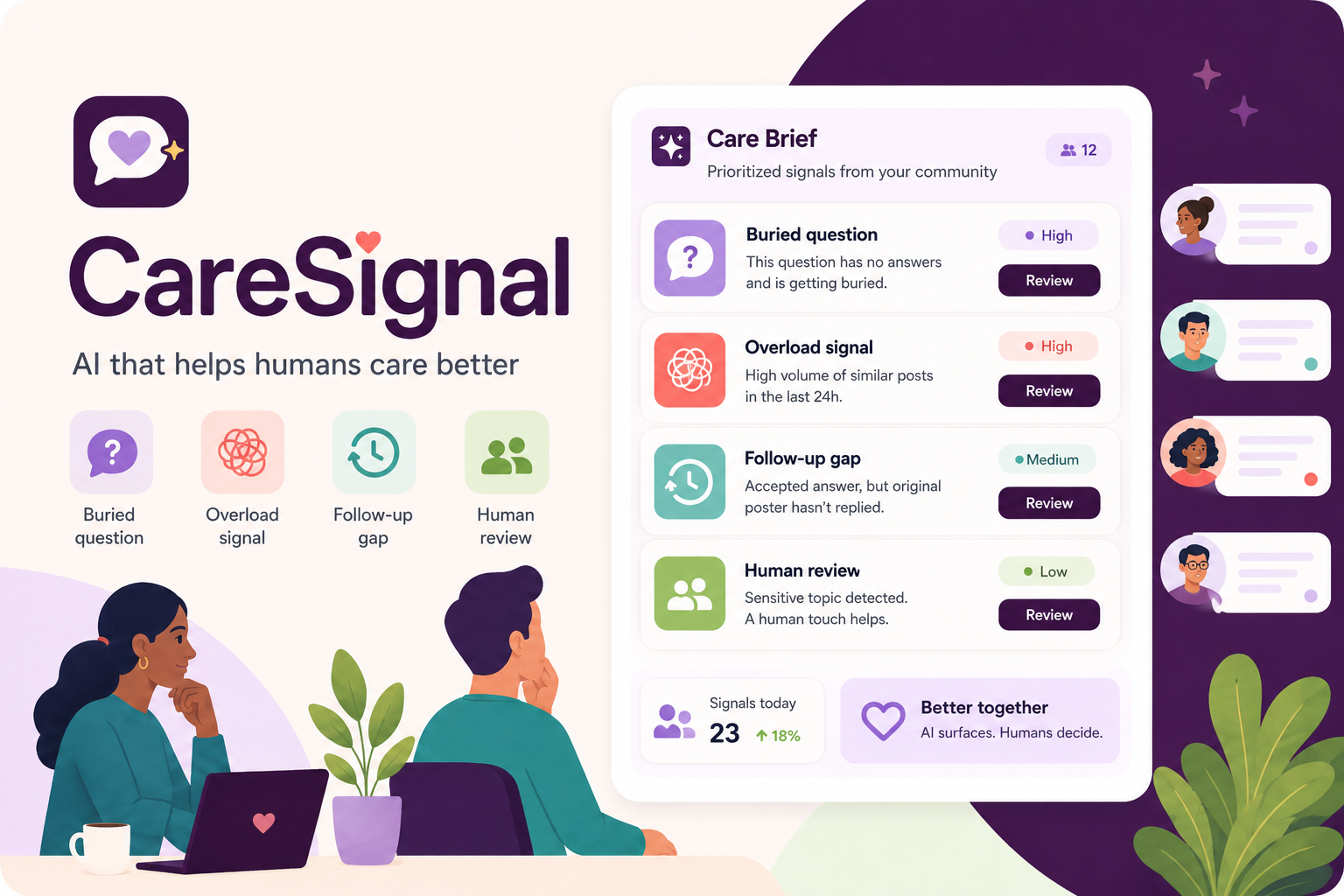
CareSignal thumbnail
-
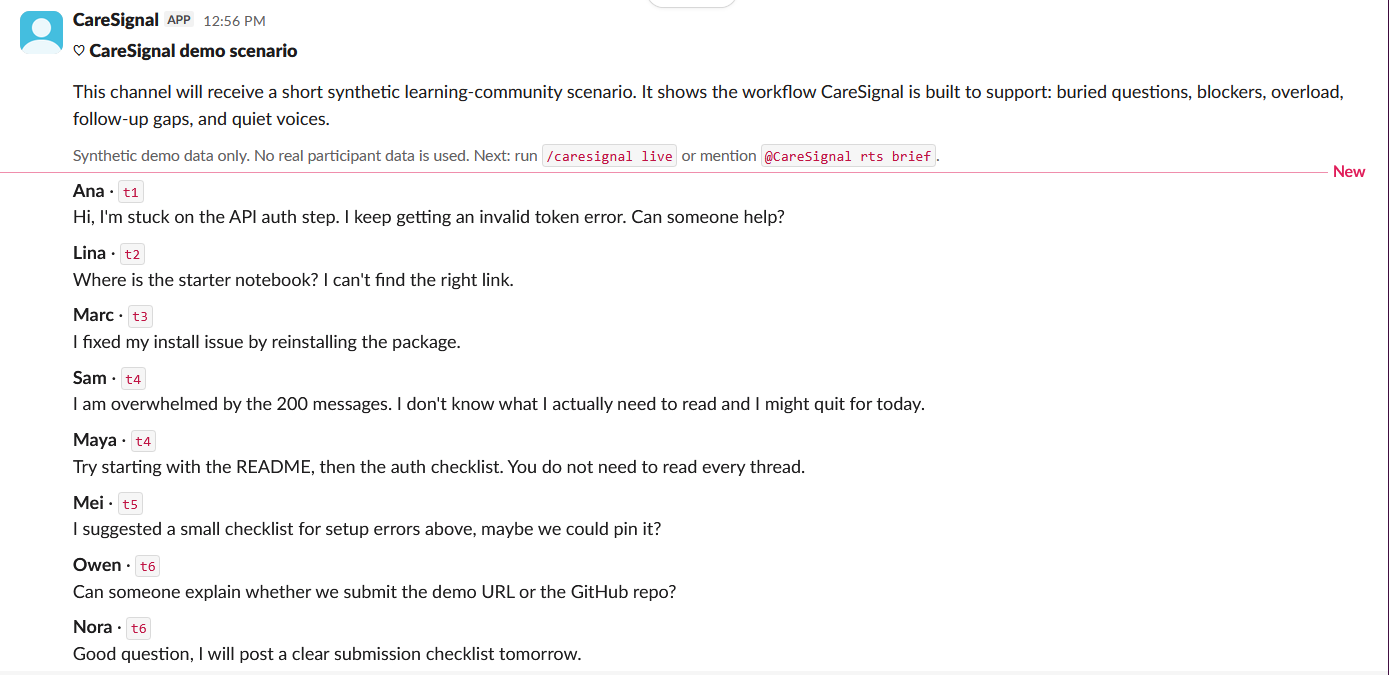
Demo scenario
-
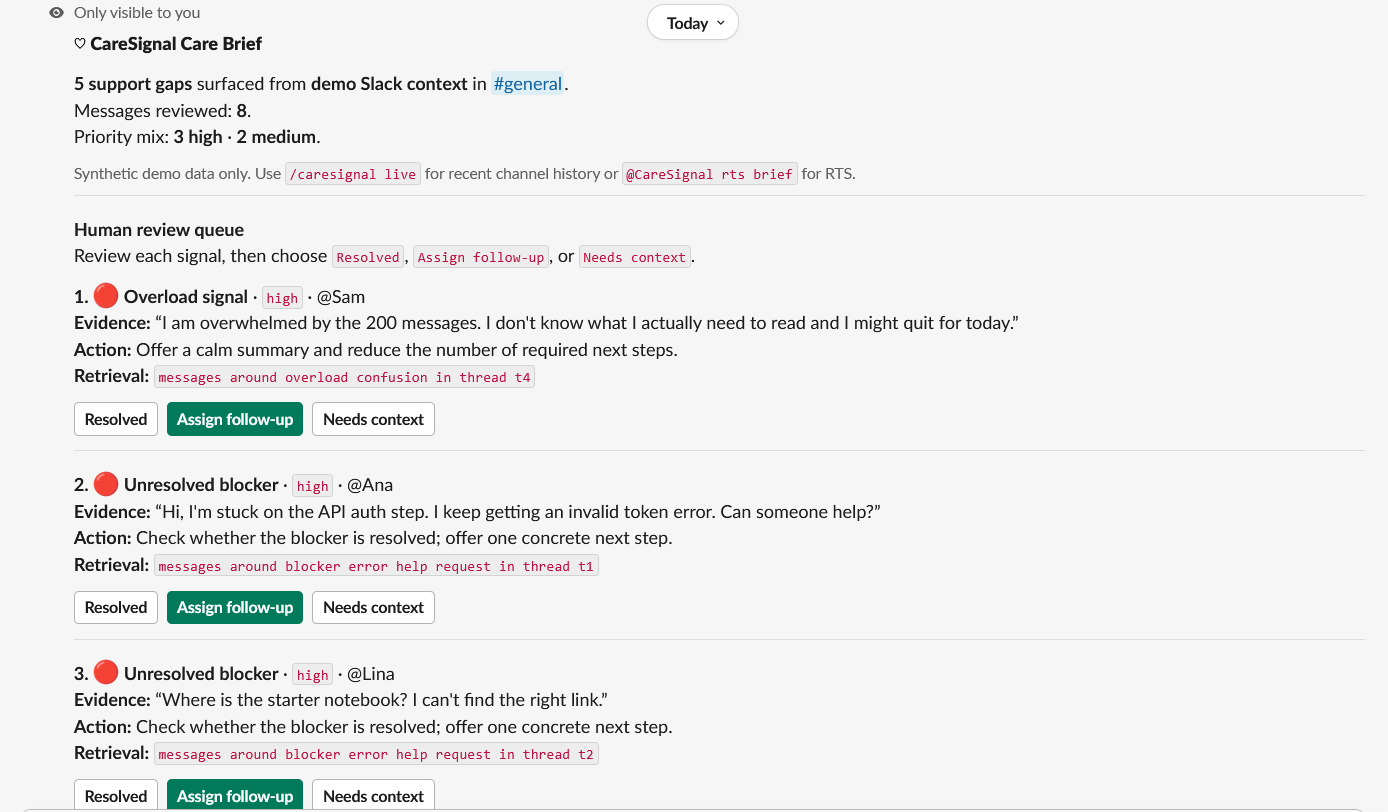
Care brief part 1
-
Care brief part 2
-
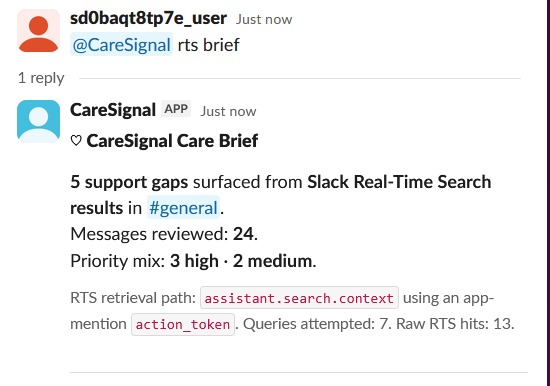
rts brief

Inspiration
I built CareSignal because I have seen how quickly support needs can disappear in busy Slack workspaces.
Slack can be an excellent place to collaborate, but when several conversations happen at once, it becomes easy to miss things. A question is posted, then pushed down by the next topic. Someone mentions they are blocked, but no one realizes the blocker is still unresolved. Someone shares a useful answer, but it does not reach the people who needed it.
I also know from experience that fast-moving channels can be hard to follow when there is too much happening at once. That made me interested in a simple question:
Could an AI agent help moderators notice support gaps earlier, without judging people or turning them into categories?
CareSignal was created around that idea. AI should not replace care, but it can help humans notice where care may be needed.
What it does
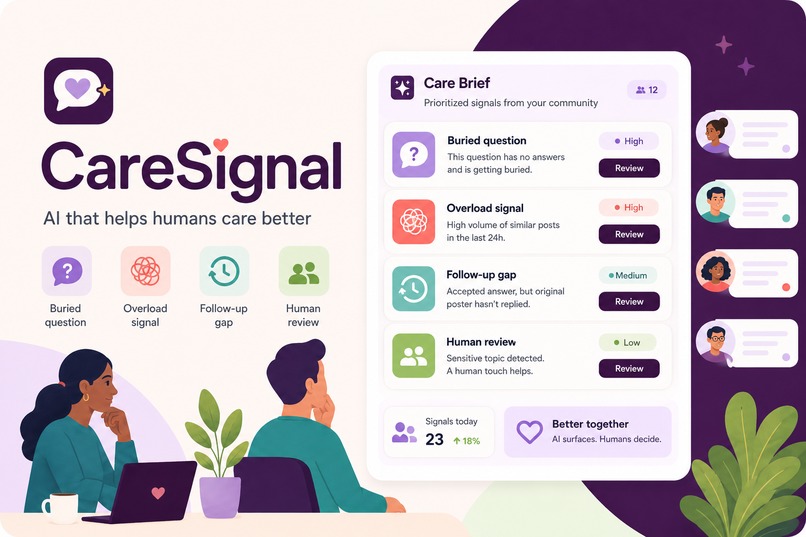
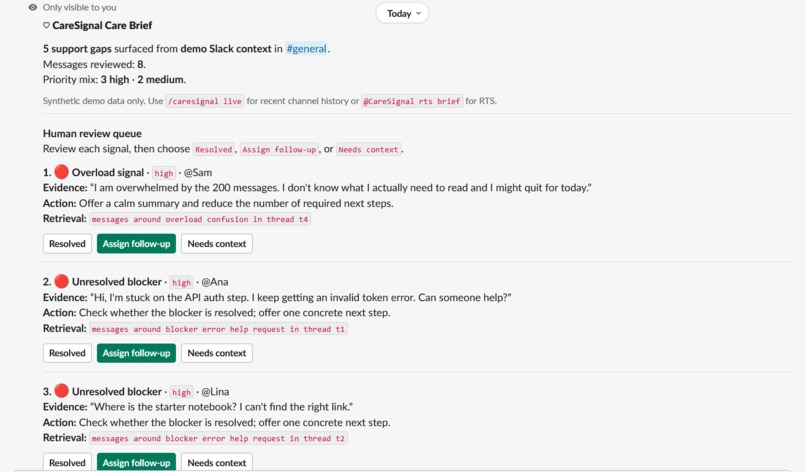
CareSignal turns a busy Slack conversation into a short Care Brief for moderators, mentors, or community leads.
It looks for practical support signals such as:
- Buried questions
- Unresolved blockers
- Overload signals
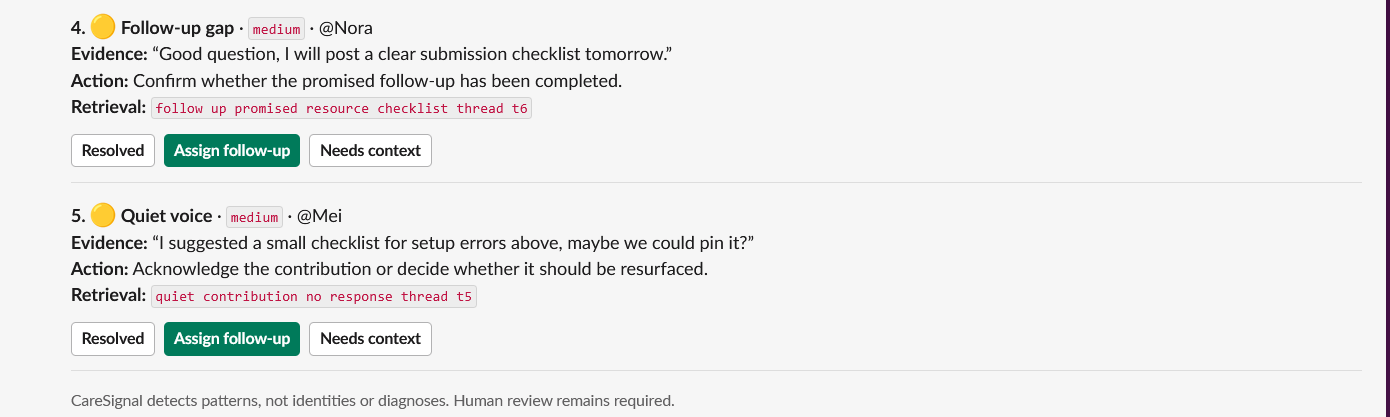
- Missing follow-up
- Useful contributions that may have been overlooked
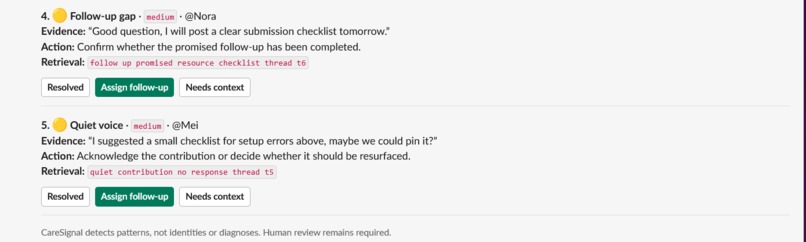
For each signal, CareSignal shows a priority level, a short piece of evidence from the conversation, and a suggested next kind action. The brief appears directly in Slack using Block Kit, with review buttons such as Resolved, Assign follow-up, and Needs context.
The goal is not to let AI decide who matters. The goal is to help humans see the conversation more clearly and respond with better timing.
CareSignal does not diagnose, classify, or label participants. It focuses on support patterns in the conversation, not personal traits.
How it works
CareSignal runs as a Slack Bolt for Python app using Socket Mode.
The demo includes several workflows:
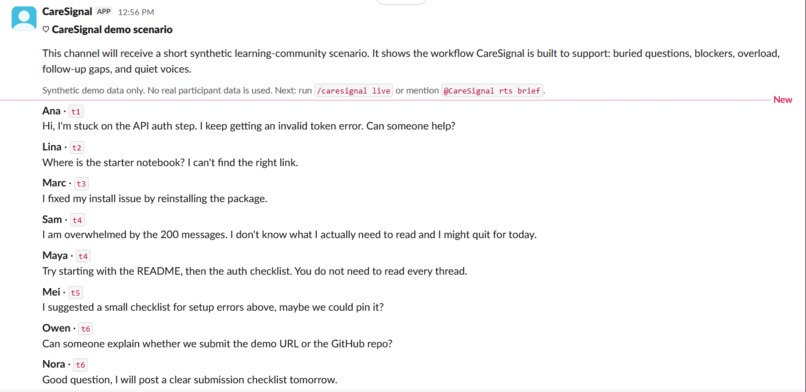
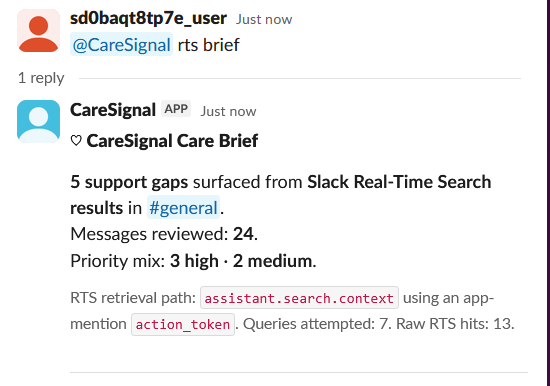
/caresignal demoposts a synthetic support-channel scenario, so the project can be shown safely without real participant data./caresignal briefgenerates a Care Brief from the demo context./caresignal liveretrieves recent messages from the current Slack channel using Slack Web API channel history.@CareSignal rts briefuses Slack’s Real-Time Search path throughassistant.search.contextto retrieve relevant Slack context before generating the brief.
Once messages are retrieved, CareSignal normalizes the context and passes it through its signal engine. The result is returned to Slack as a Block Kit Care Brief with human-review actions.
Slack technology used
CareSignal uses:
- Slack slash commands
- Slack app mentions
- Slack Bolt for Python
- Slack Socket Mode
- Slack Block Kit
- Slack Web API channel history
- Slack Real-Time Search API path through
assistant.search.context
Real-Time Search is not just mentioned in the project. It is used in the @CareSignal rts brief flow to retrieve Slack context, which is then transformed into the same support-signal workflow shown in the rest of the demo.
Impact
CareSignal is designed for communities where attention is limited, but support still matters: learning cohorts, mentoring spaces, nonprofit teams, open-source communities, internal support channels, and volunteer groups.
The impact is not about automating empathy. It is about making care gaps easier to see.
A moderator may not have time to reread an entire channel. A mentor may miss a blocker in a long scroll. A community lead may not notice that someone asked for help and never received an answer. CareSignal helps turn that noise into a short queue of moments worth reviewing.
Used carefully, this kind of tool could support more inclusive and responsive communities, especially for people who are new, overloaded, less confident in the space, or simply not the loudest voice in the room.
Challenges
The biggest challenge was making the project useful without making it intrusive.
A tool like this has to be careful. It should not infer sensitive traits, rank people, diagnose them, or pretend to understand their inner state. I designed CareSignal to focus on observable conversation patterns instead: an unanswered question, a repeated blocker, a promised follow-up, or a sign that the channel itself has become hard to navigate.
Another challenge was making the Slack technology meaningful. I did not want Real-Time Search to be a decorative checkbox. The @CareSignal rts brief flow uses assistant.search.context, normalizes the retrieved Slack context, and sends it through the same Care Brief workflow as the other modes.
What I learned
This project reminded me that the best AI agents in Slack are not necessarily the ones that talk the most. Sometimes the useful agent is the one that reduces the amount of searching, rereading, and guessing a human has to do.
CareSignal’s main design principle became:
AI surfaces signals. Humans decide.
That principle shaped the whole project: the commands, the Care Brief format, the review buttons, and the safety stance.
What’s next
I would like to keep developing CareSignal into a more configurable community-care layer for Slack.
Future versions could include channel-specific settings, custom community policies, moderator notes, signal tuning, optional weekly care summaries, and privacy-preserving analytics. I would also like to explore ways for communities to define what “good support” looks like for them, rather than assuming one universal model.
The direction would stay the same: help communities care better without diagnosing, labeling, or replacing human judgment.
Testing notes
CareSignal is a Slack Socket Mode prototype demonstrated in the video inside the provided Slack developer sandbox.
Sandbox workspace: https://caresignal-sandbox.enterprise.slack.com
Direct Slack client URL: https://app.slack.com/client/E0BB97RGZDJ/C0BB97QF8UU
The app backend was run during the recorded demo using the included source code and environment configuration. The sandbox remains available for inspection; live command responses require the backend process to be running.
Built With
- assistant.search.context
- pytest
- python
- slack-block-kit
- slack-bolt-for-python
- slack-real-time-search-api
- slack-socket-mode
- slack-web-api

Log in or sign up for Devpost to join the conversation.