-
-
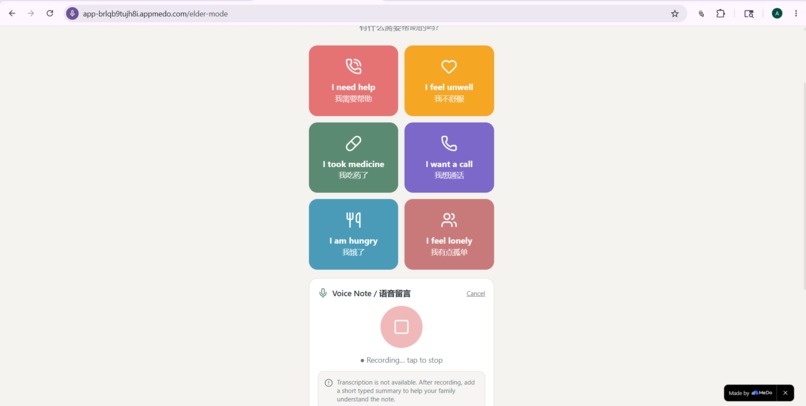
Elderly Mode
-
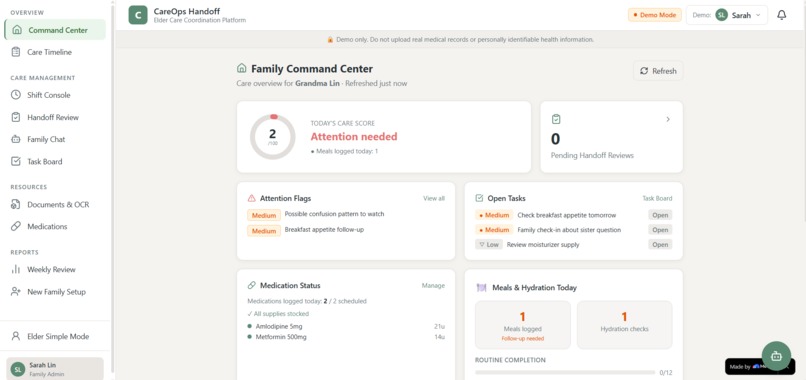
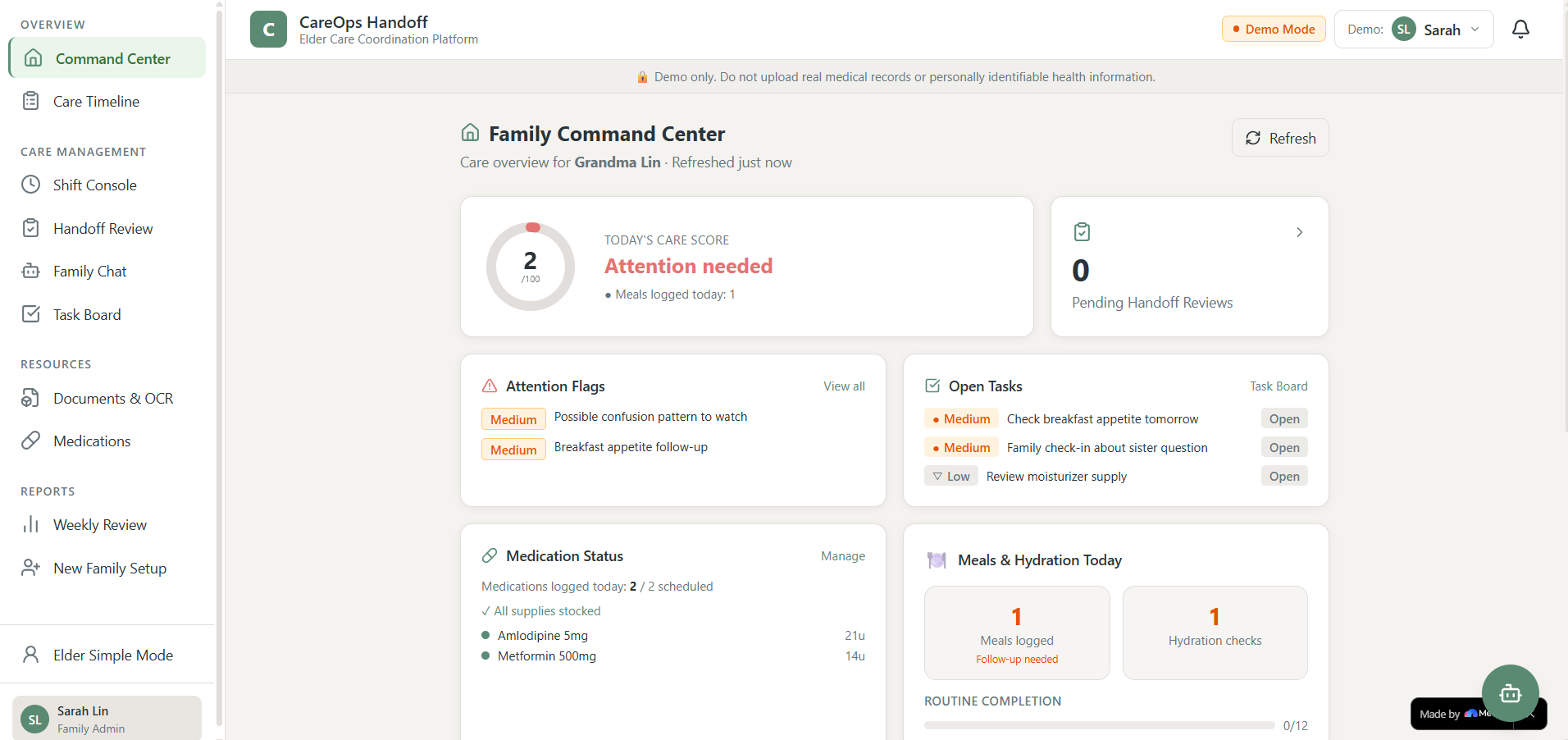
Home Screen (Desktop)
-
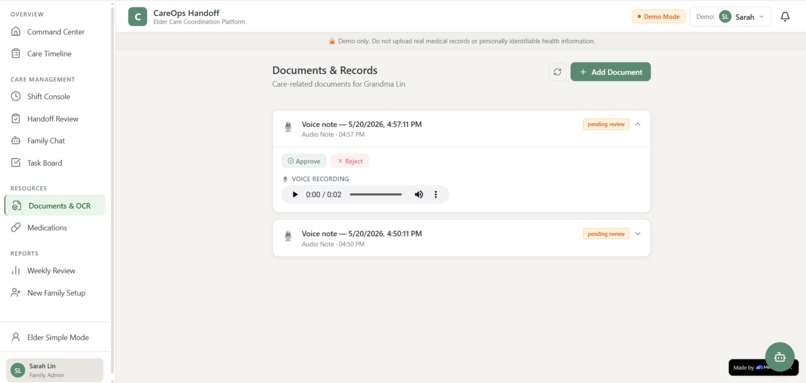
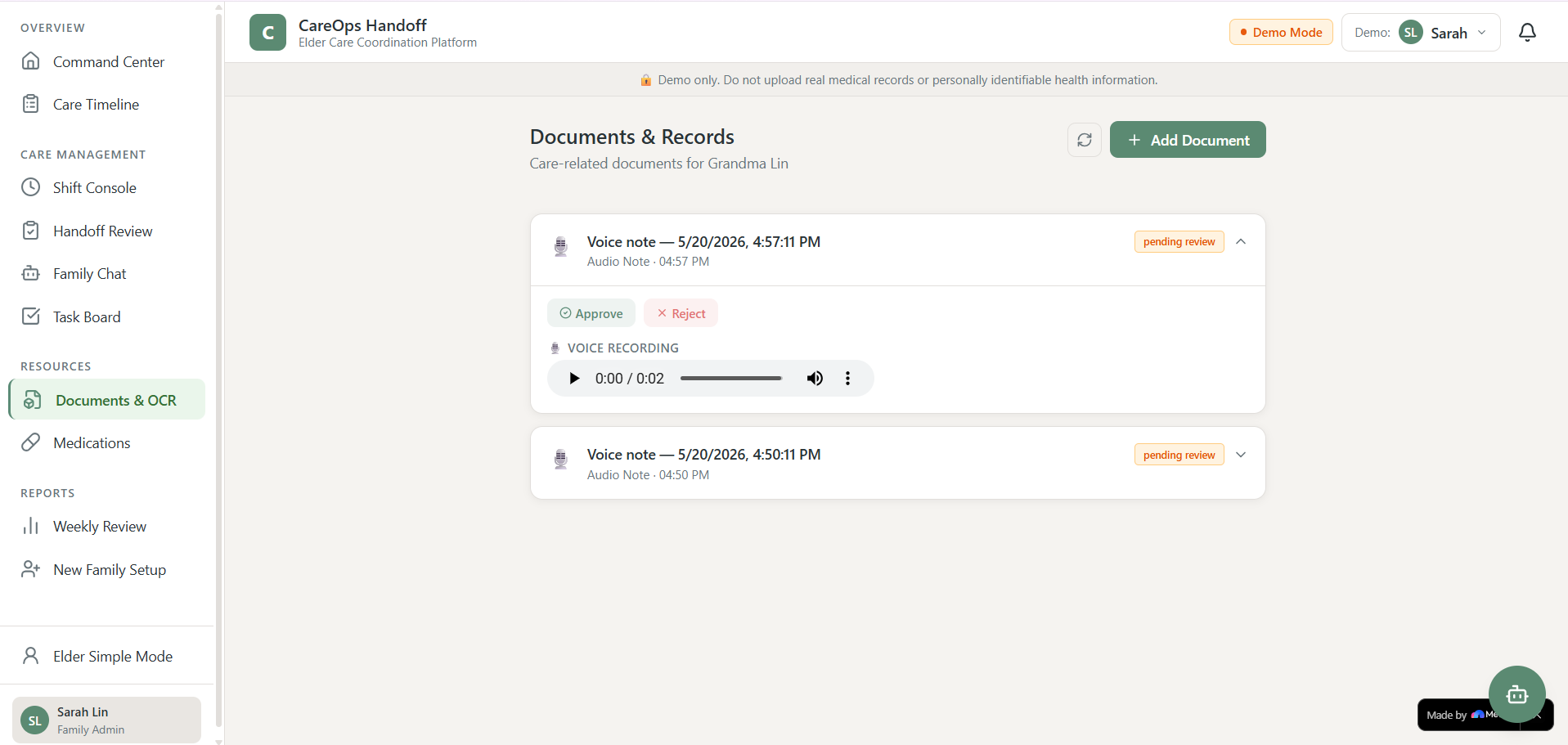
Documents storage along with voice notes
Inspiration
Coordinating elder home care is often messier than it looks from the outside. One family member gets a call, another receives a text, an attendant writes a shift note, medication stock changes quietly, and the elder may only be able to say something simple like “I want a call” or send a short voice note.
I wanted to build CareOps Handoff because elder care is not just about tracking tasks. It is about making sure small updates do not get lost between family members, attendants, and the elder themselves.
The core idea was simple:
Turn scattered care updates into structured, reviewable, family-visible coordination.
What It Does
CareOps Handoff is an elder home-care coordination platform for families, attendants, and elders.
It includes:
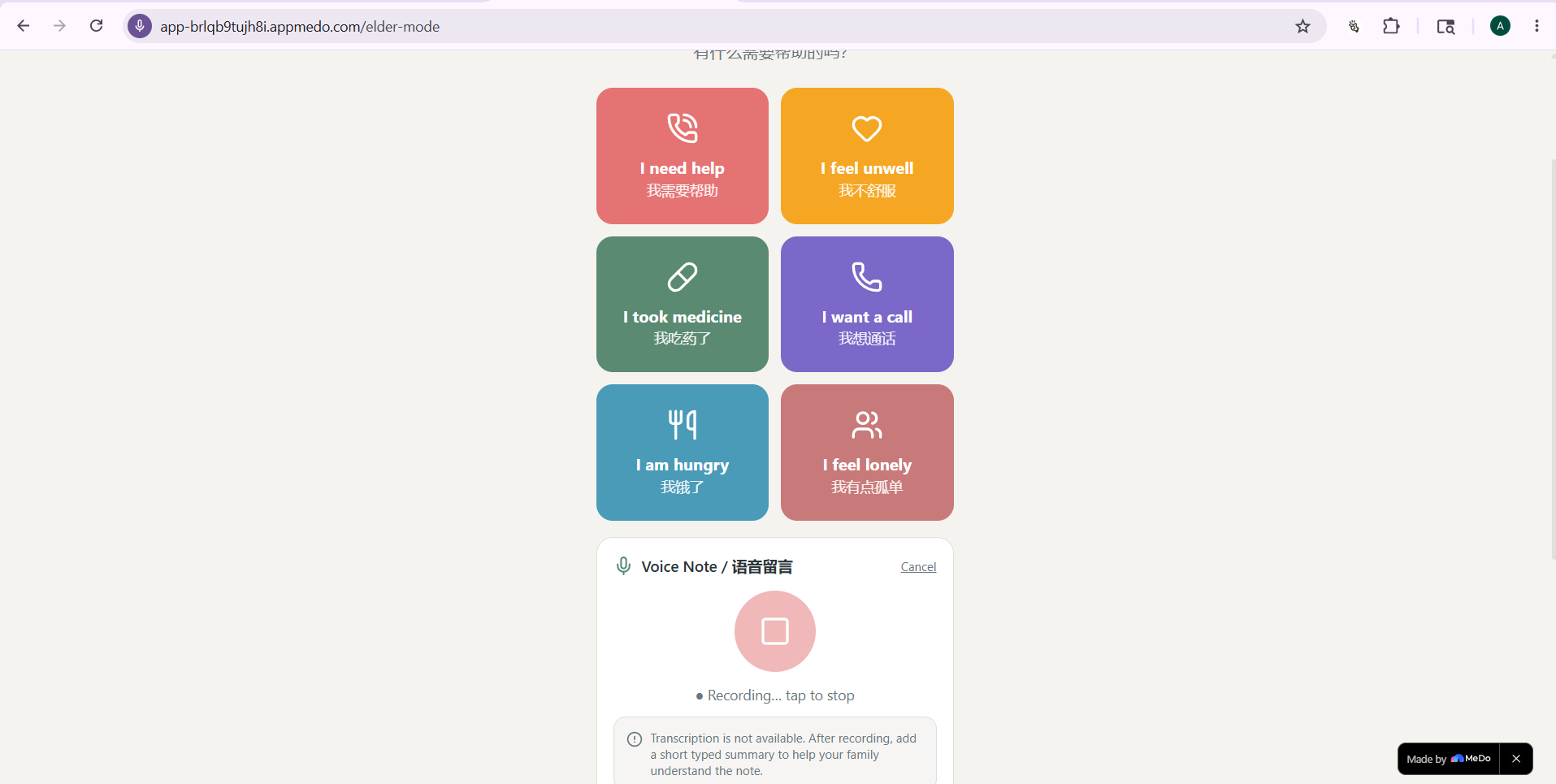
- Elder Simple Mode: a phone-first interface where the elder can tap large buttons or send a voice note.
- Family Chat / Care Updates: a shared family feed for elder requests, handoff summaries, notes, and alerts.
- Attendant Shift Console: attendants can start shifts, follow a care-plan checklist, log care events, and submit handoffs.
- AI Handoff Review: shift notes are converted into structured summaries, tasks, flags, and timeline events.
- Review Before Save: AI-generated outputs are shown for human review before they update the care record.
- Command Center: a dashboard showing care score, attention flags, tasks, medication status, meals, hydration, and recent events.
- Documents & OCR fallback: documents can be uploaded or manually pasted when OCR is unavailable.
- Weekly Review: family admins can generate operational weekly care summaries.
The app uses non-clinical language throughout. It does not diagnose, prescribe, or make emergency promises. Instead, it uses terms like attention flag, family follow-up, and check-in recommended.
How We Built It
We built CareOps Handoff as a full-stack app with persistent data rather than a static prototype.
The data model includes tables for:
- elders
- users
- care plan items
- medications
- shift logs
- care events
- attention flags
- tasks
- documents
- weekly reports
- family messages
- notification logs
The app is organized around role-based workflows:
- Family Admin manages care data and approves AI handoffs.
- Family Members view updates, claim tasks, and communicate in family chat.
- Attendants follow shift checklists and submit handoffs.
- Elders use a simplified phone-first mode.
The AI Handoff Engine compares expected care against actual shift notes and checklist events. Its output follows a structured JSON format, including:
- family summary
- completed care
- missed or partial items
- concerns
- generated tasks
- timeline events
- uncertainties
A simplified care score is calculated from operational signals:
$$ \text{Care Score} = 100 - 10M_r - 5P - 10M_m - 8M_f - 5F_m - 12F_h $$
Where:
- \(M_r\) = missed required care items
- \(P\) = partial or unclear care items
- \(M_m\) = missed medication events
- \(M_f\) = missed meal events
- \(F_m\) = unresolved medium flags
- \(F_h\) = unresolved high flags
The score is clamped between 0 and 100 and labeled as:
- On track
- Needs follow-up
- Attention needed
Challenges We Faced
One challenge was making the app feel like a real care coordination tool instead of a generic task manager. Elder care has a very different emotional and operational rhythm. The design needed to be calm, readable, and trustworthy, while still giving families actionable information.
Another challenge was handling AI safely. We did not want the AI to silently create medical conclusions or overwrite important records. That led to the review-before-save pattern: AI can suggest summaries, flags, and tasks, but a human must approve them first.
Voice notes were also tricky. Capturing audio is only part of the workflow. The voice note also needs to appear where the family actually works: in the Family Chat, with a playable audio attachment and a transcript or fallback summary.
OCR was another practical limitation. Since OCR may not always be available, the Documents page supports manual text paste fallback, so users can still review and extract information from appointment slips, labels, or notes.
What We Learned
We learned that the most important part of an elder-care product is not a single dashboard. It is the handoff between people.
A useful system needs to answer:
- What was expected today?
- What actually happened?
- What needs attention?
- Who is responsible?
- What changed since the last update?
- Can the family understand it quickly?
We also learned that AI is most valuable here when it structures messy information, not when it replaces judgment. The safest version of the product keeps humans in the loop and makes uncertainty visible.
What Makes It Different
CareOps Handoff is not just a task board.
It combines:
- elder-friendly phone input
- attendant shift logging
- family communication
- care-plan comparison
- AI handoff review
- persistent timeline records
- attention flags
- medication and supply awareness
The most important feature is the plan-vs-actual AI handoff flow. It helps families see what was supposed to happen, what actually happened, and what needs follow-up.
What's Next
Next steps include:
- improving real authentication and family workspace setup
- making voice notes playable directly in Family Chat
- strengthening notification delivery through SMS, WhatsApp, or email
- improving OCR extraction for prescriptions, appointment slips, and medicine labels
- adding richer weekly trend reports
- supporting multiple elders per family
- making the elder mobile experience even simpler and more accessible
Built With
- MeDo by Baidu
- AI-assisted app generation
- Persistent database tables
- Role-based app flows
- Voice note workflow
- OCR/manual document extraction fallback
- Structured AI handoff review
- Markdown-based project documentation
Built With
- ai
- app
- baidu
- cloud
- css
- database
- healthcare
- html
- javascript
- medo
- ocr
- voice
- web

Log in or sign up for Devpost to join the conversation.