-
-
Case Study
-
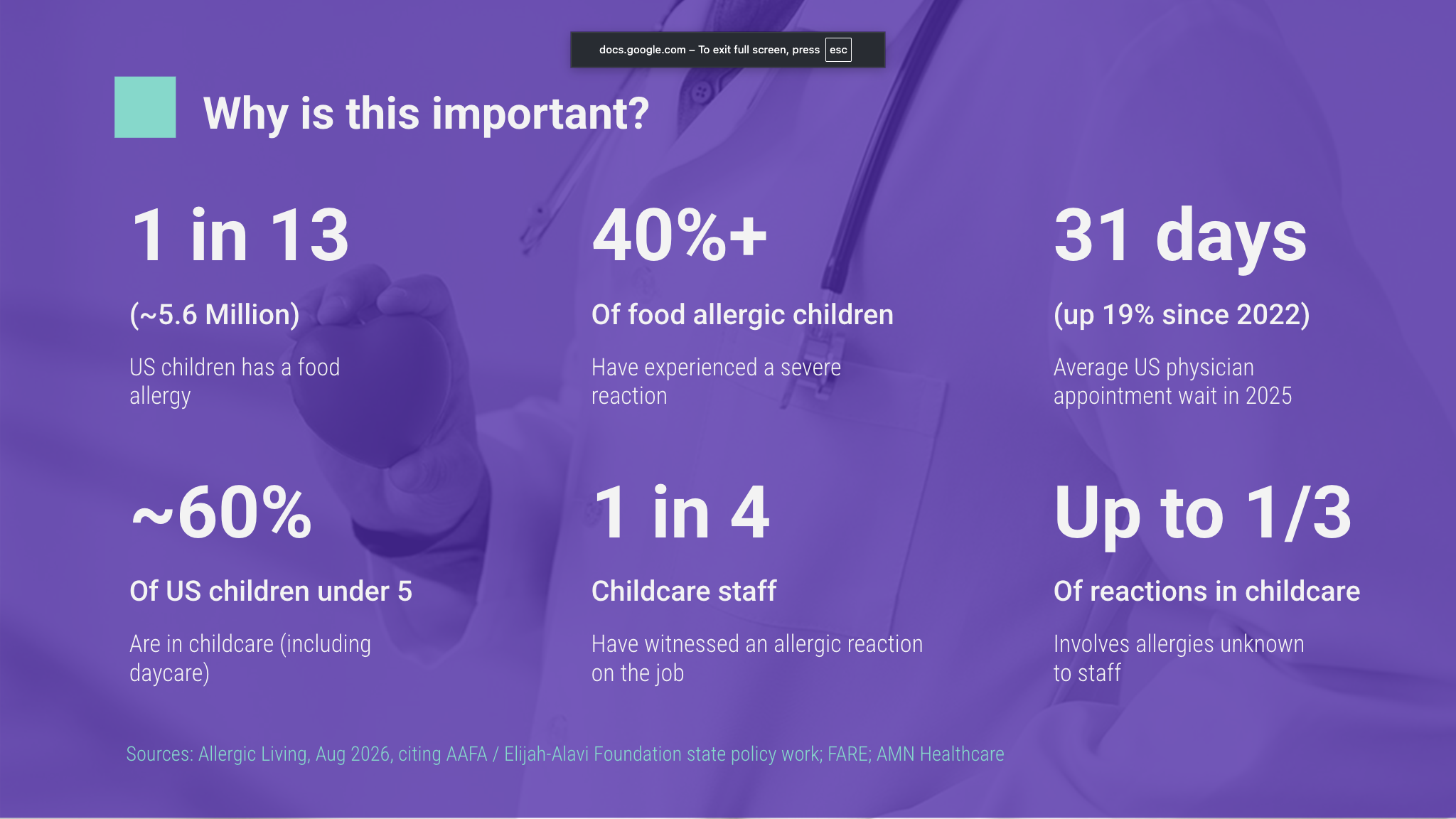
Why this problem area
-
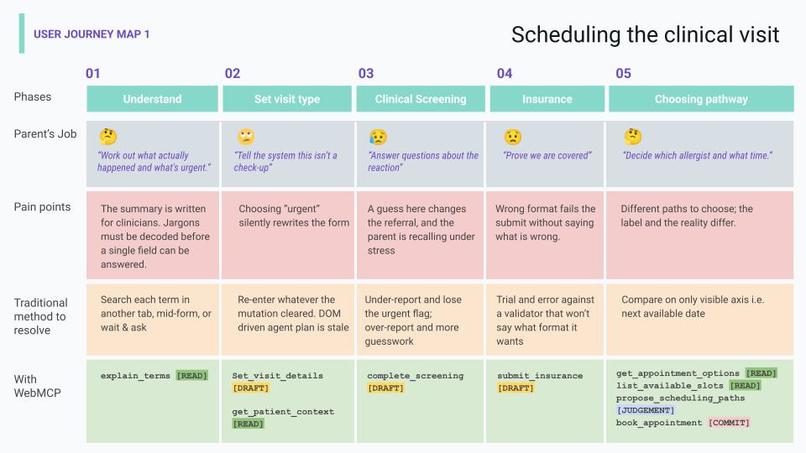
Demo 1 focus - WebMCP uses async / await to block agent's execution for user's choice
-
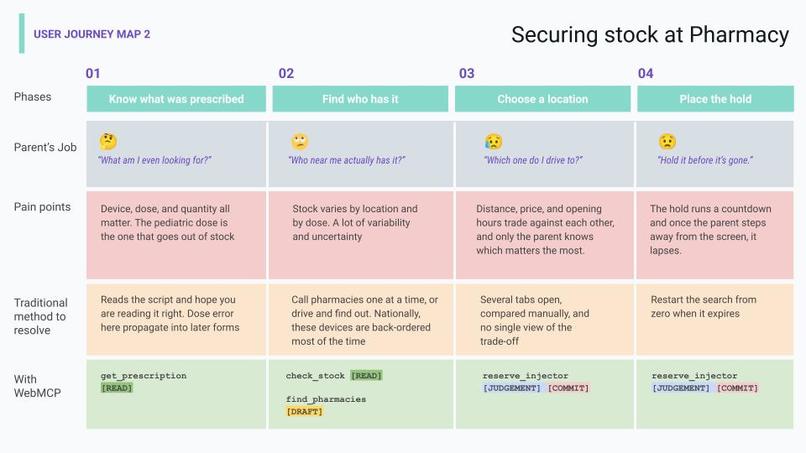
Demo 2: Agents do the busywork of trying several combinations of UI options, without scraping thanks to WebMCP
-
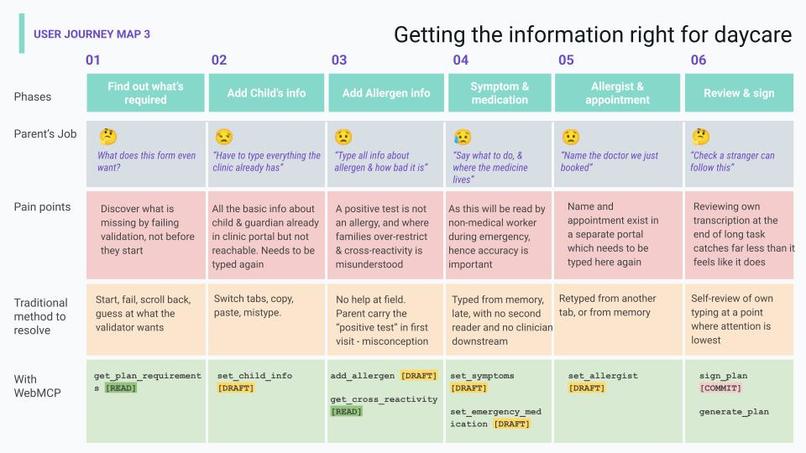
Demo 3: Structured WebMCP output keeps context clean, unlike scrape-heavy agents prone to forgetting.
-
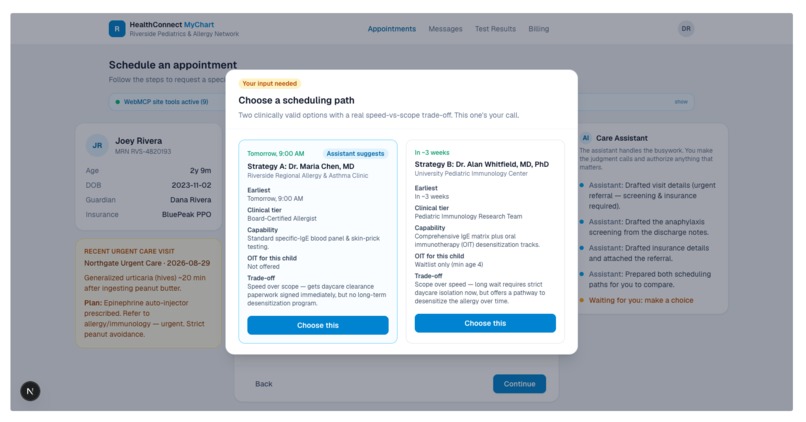
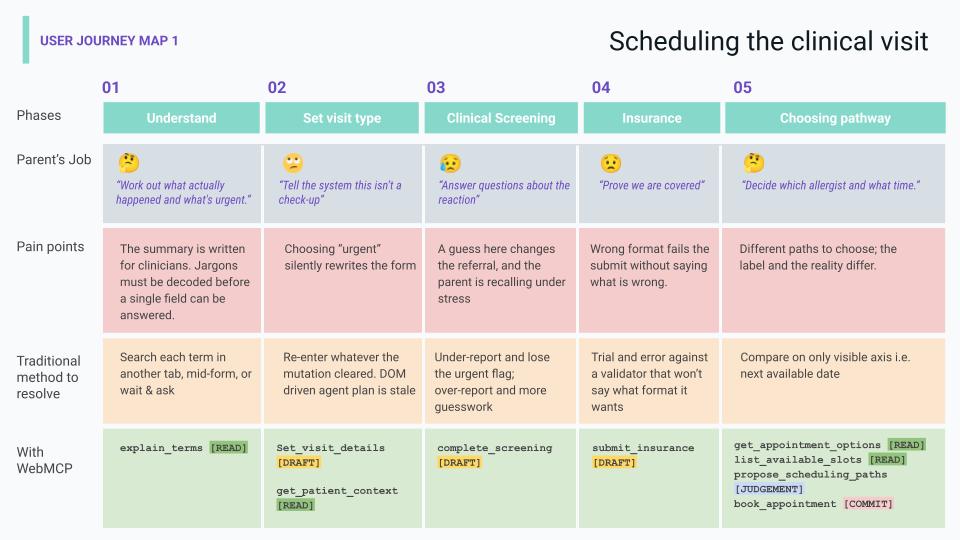
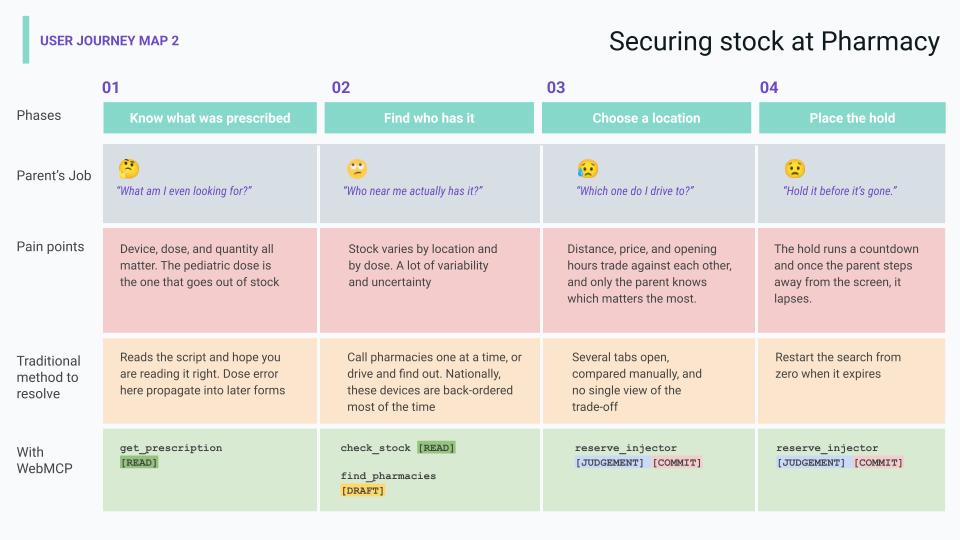
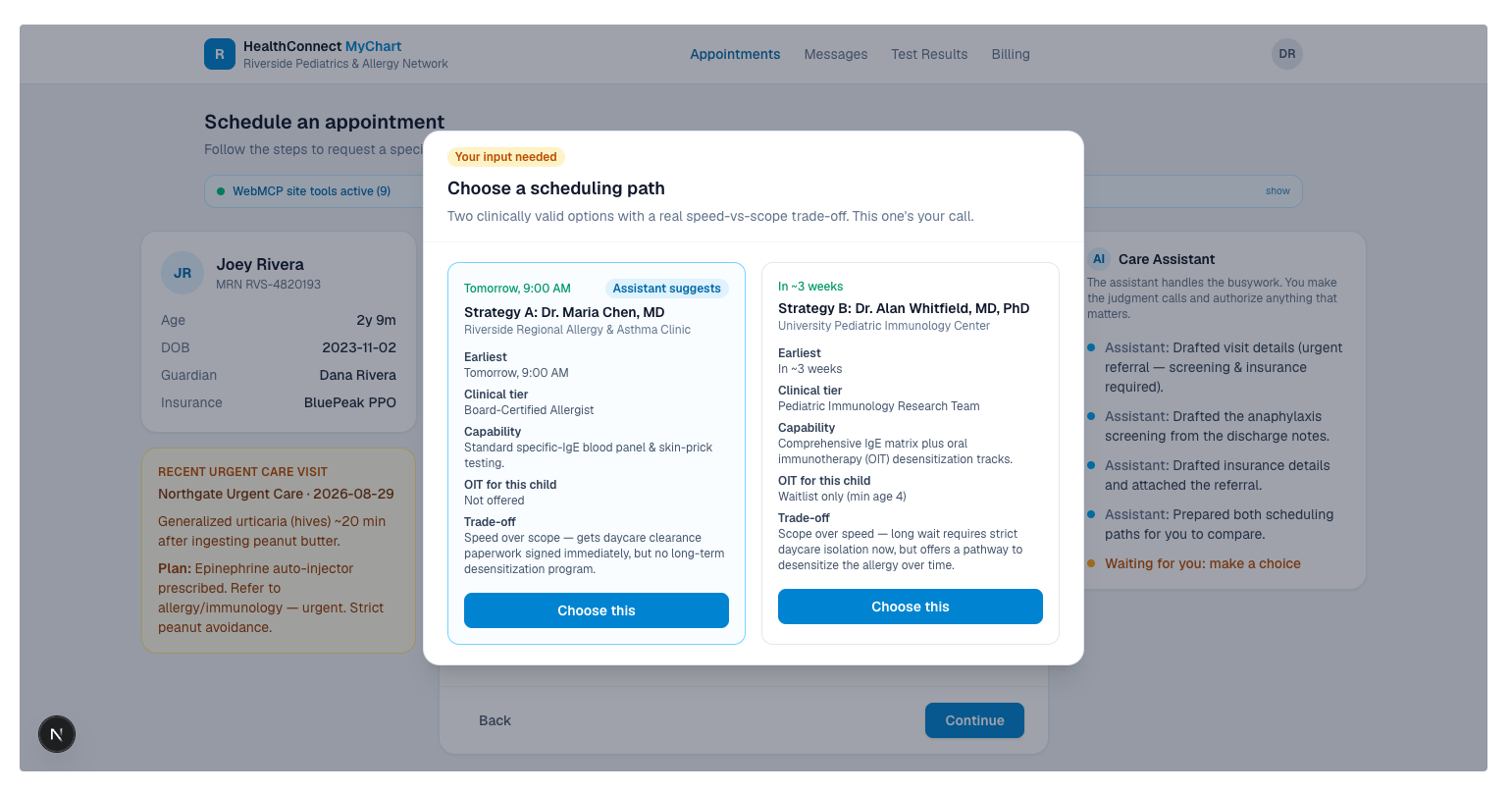
`Judgement` Block asking for user's choice, WebMCP forces the agent to pause
-
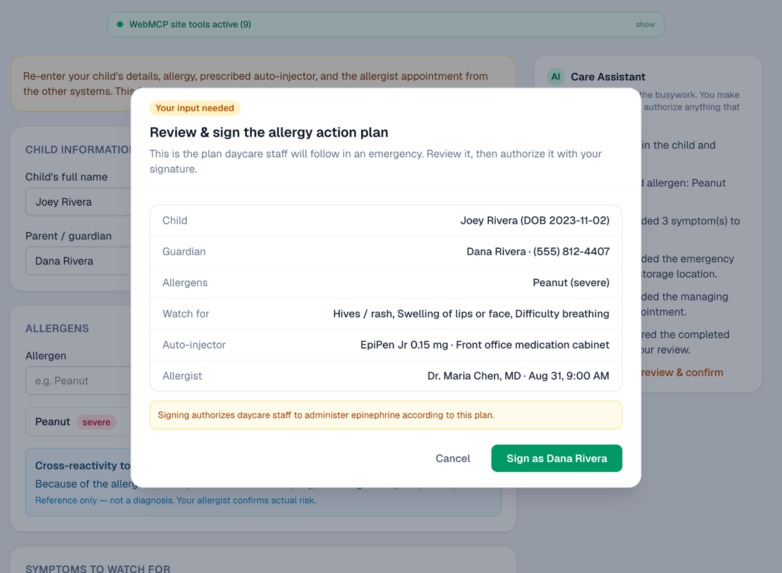
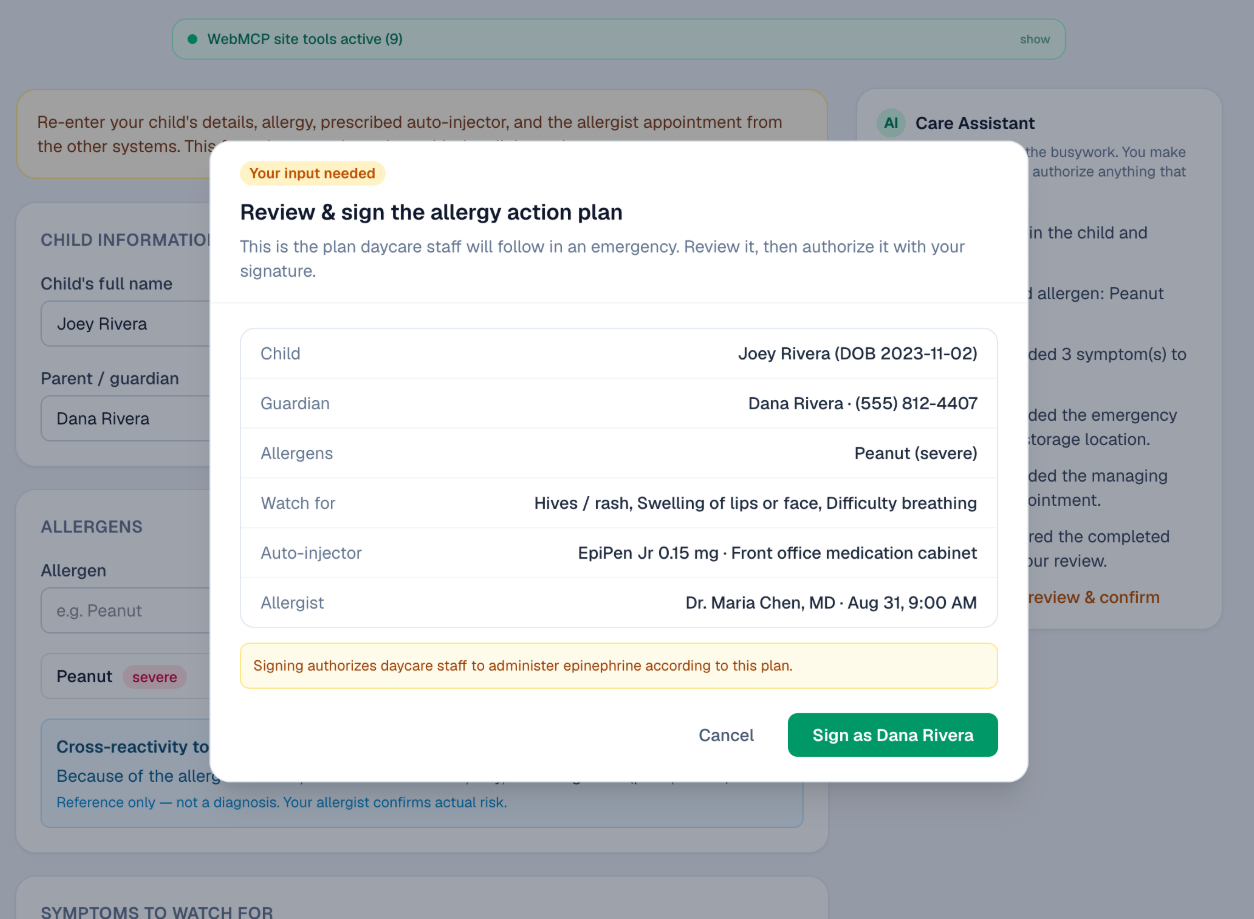
`Commit` Block asking for user's approval, WebMCP forces the agent to pause
-
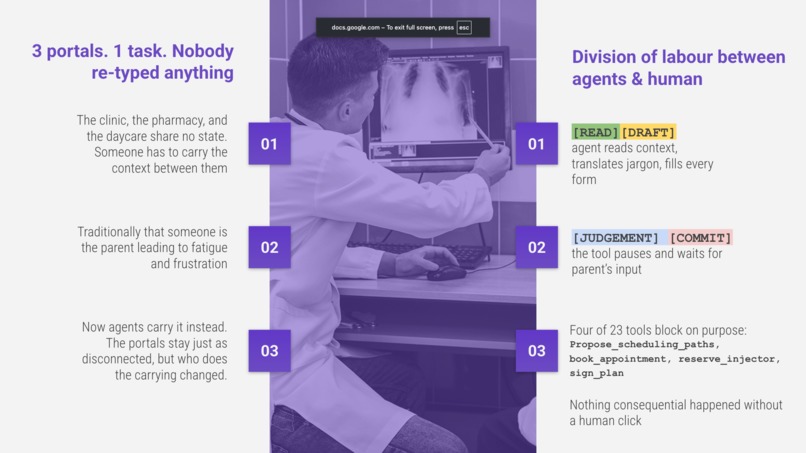
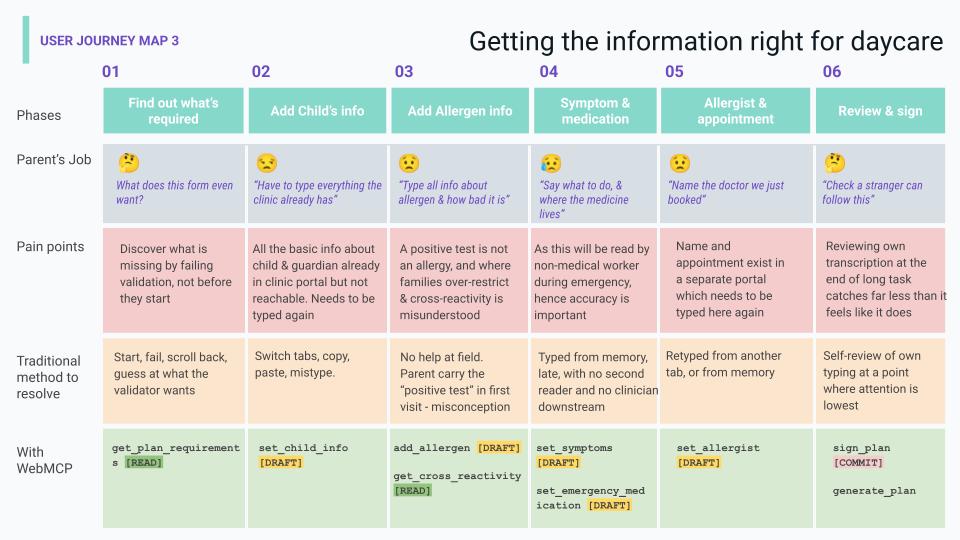
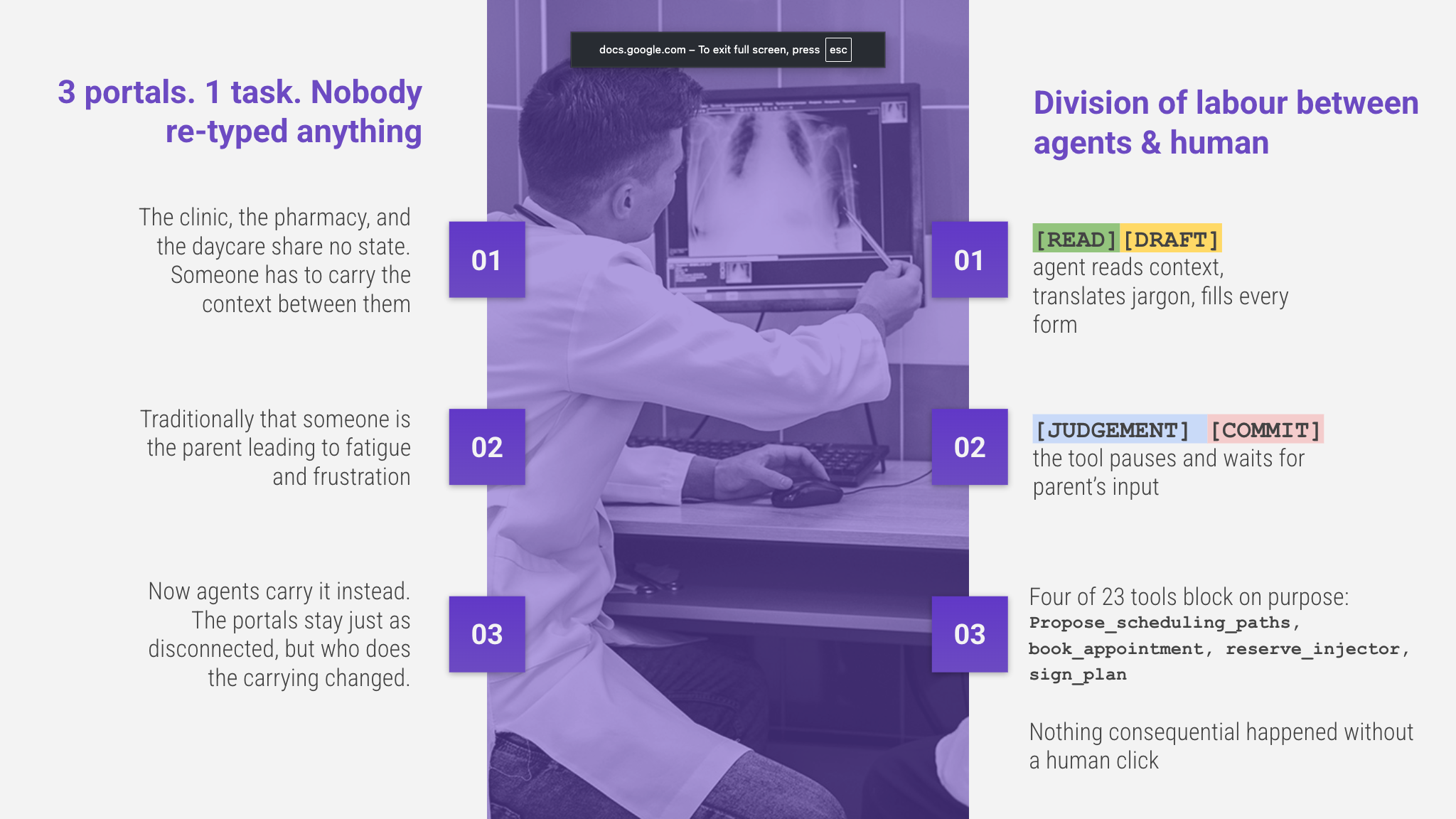
The AI and Human collaboration pattern in such sensitive & urgent, multi-website workflows
The idea
Most real tasks are spread across a handful of unrelated websites, and the current wave of agents will happily race through all of them and hand you a finished result. We wanted to see what happens if the website itself is a better partner to the agent, so the person stays in charge of the choices that matter and the agent keeps a memory that survives the jump from one site to the next. To try it we built three small healthcare sites that share nothing behind the scenes, a clinic, a pharmacy, and a daycare, and we walked one agent through all three. Three ideas came out of it that we think are worth sharing.
A human checkpoint the agent cannot skip
A tool on a website does not have to answer right away. When a step really needs a person, our tool waits. Its handler is async, and it holds until the human acts on the page, either by choosing between options or by giving a final yes. Until that happens the agent has nothing to continue from, so it genuinely cannot move on. The website decides where a person is required, not the agent. We use this in two ways: once for a judgement between real trade offs, such as a fast local appointment versus a slower specialist, and once for a plain authorization, such as confirming a booking, placing a hold, or signing a form. An agent could always click a button on its own, but here the choices that carry weight stay with the person by design.
There is a nice postscript to this one. We built the waiting checkpoint by hand, and then, just before we submitted, Chrome 154 added an annotation called consequentialHint for exactly this kind of step, the ones that book something, spend something, or cannot be undone, so an agent knows to ask for a person's confirmation first. It is the same idea we had already leaned on. The annotation is a hint that asks the agent to confirm, and the version we built goes a little further, since the tool itself waits and will not finish until you have clicked. Seeing the standard land on the very thing we designed, right as we were wrapping up, felt like a good sign that this checkpoint matters.
A shared activity log
A small panel on the side shows who did what, as it happens. Every tool the agent runs writes a line, and so does every decision you make, one color for the agent and another for you. As agents take on more of our errands, being able to glance over and see exactly what was done for you, and what you chose, is what makes it comfortable to hand things off.
Working memory that holds across pages
This is the part we find most interesting, and it is not really a new feature. It is a habit we think every site with agent tools should build for. Because the tools return small, tidy pieces of data instead of whole pages, the agent can hold those facts in mind for the rest of the session and reuse them on the next site. By the time it reaches the daycare, it already has the child's allergy, the EpiPen, and the appointment it just booked, so the parent only reviews and signs. Without this, an agent has to read the entire page to work out what is on it, which fills its memory with noise, and a fuller memory is one that forgets more, so by the third site it would be asking the parent to type everything again. Clean tool output is what gives the agent a reliable short term memory, the thing agents usually lack, and it is why three separate systems can start to feel like one. The lesson we would pass on is to shape your tool's output for how it will live in the agent's memory across pages, not only for the page it came from.
The demo it runs on
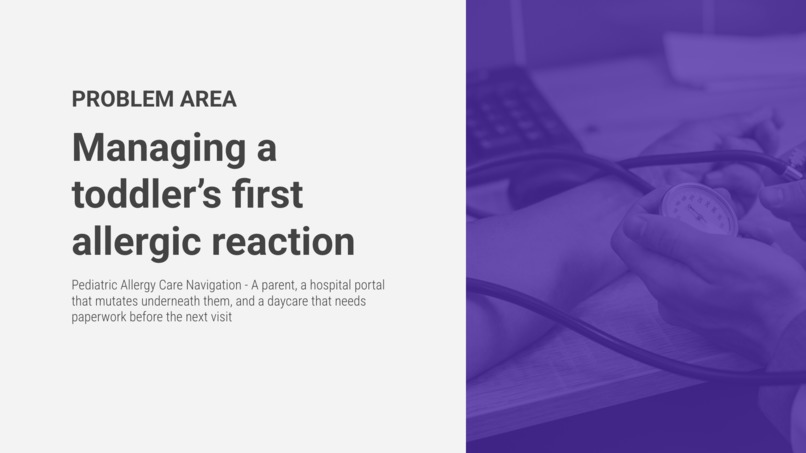
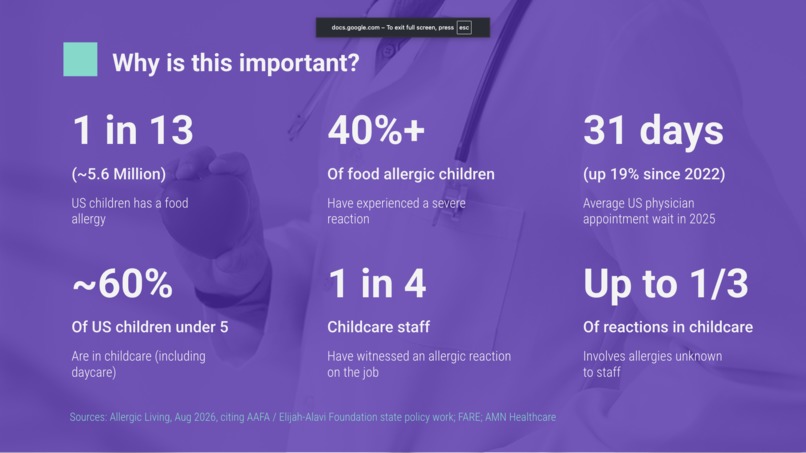
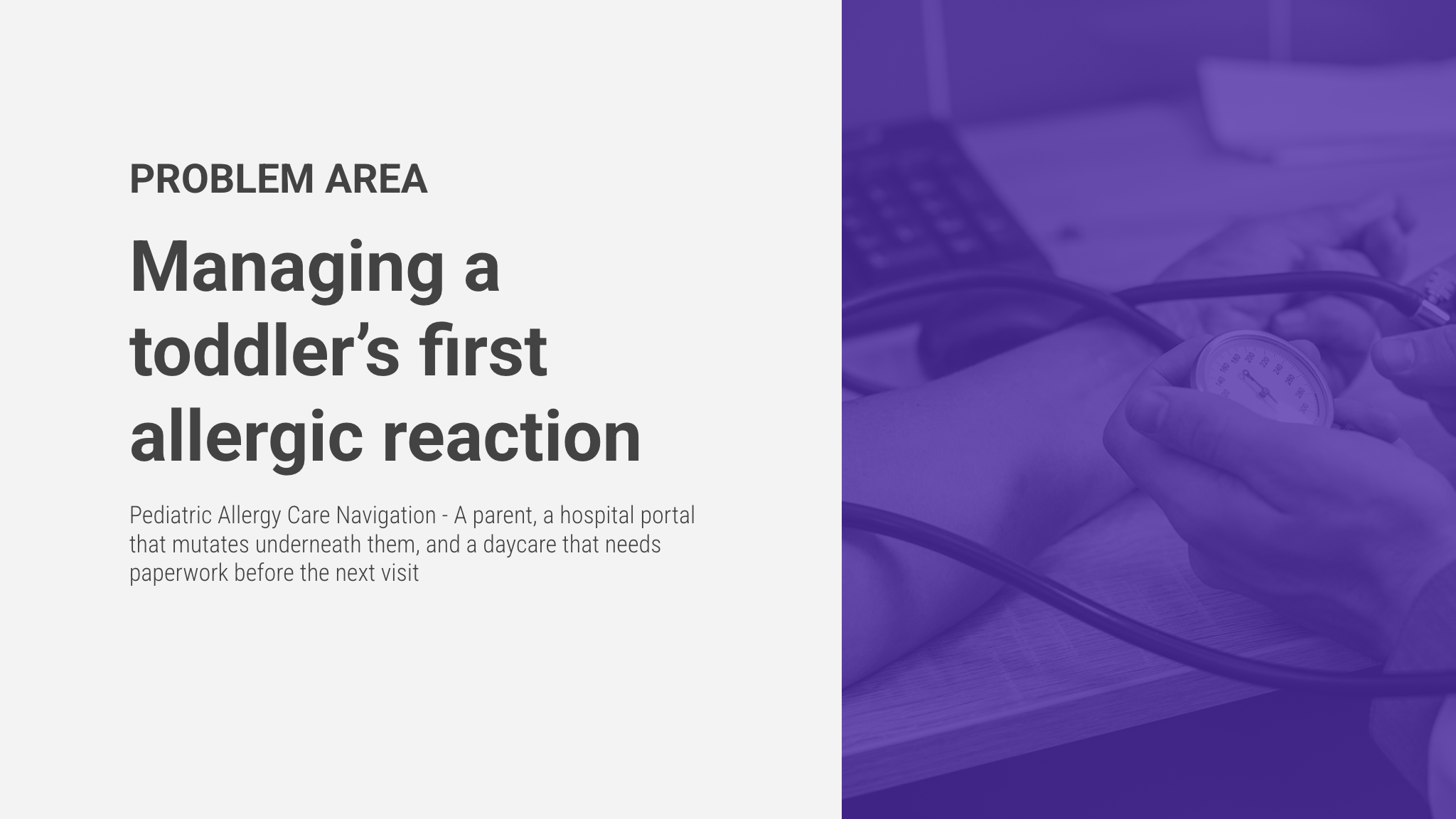
A toddler has his first reaction to peanut butter. A tired, first time parent now has to book an urgent allergist, track down a scarce children's EpiPen, and hand the daycare a signed action plan, across three sites that do not talk to each other. The agent takes on the paperwork, the parent makes every real call, and the details follow along so nothing is entered twice.
How we built it
Each site is its own small Next.js app with React and Tailwind, deployed on Vercel. The tools are registered with document.modelContext.registerTool, marked as read only where they only read, and cleaned up properly when the page goes away. Every tool works through the app's own React state rather than by poking at the page, so the forms keep behaving even as they shift, which is exactly where scraping tends to fall over. The waiting tools are real waits, an async handler that only settles once you have clicked. We tested the whole thing in Chrome Canary with the WebMCP testing flag turned on.
An honest note on scope
The memory here lives in the agent's session, in the conversation, not in the tools. The tools themselves only exist while their page is open, so we are not claiming they persist from one site to another. What carries across is the agent's recollection of the small, structured answers those tools gave it.
Built With
- ai-agents
- healthcare
- human-in-the-loop
- next.js
- react
- typescript
- vercel
- webmcp

Log in or sign up for Devpost to join the conversation.