Inspiration
Around a year ago I lost a friend of mine to a lethal disease that could have been cured had she gotten an early diagnosis and proper treatment in due time. That is when CareLens was born but back then it was just a mere concept in my head and I hadn't really worked out the details yet. During the cancer awareness month, I was exposed to different stories of cancer patients narrating their experiences in their battle with this deadly disease. Most of them -as well as physicians- agreed that their situation would have been better and probably even avoided had they been diagnosed earlier. Not only would it have been cheaper but necessary precautions would have been taken to curb and even eradicate the disease entirely from their system from an early onset. That is when I dug deeper into the research about preventive care and found out just how limited it is even though its crucial role in healthcare could literally save the lives of millions in more ways than one. From helping to cut costs of healthcare significantly (in the US about 4.9 trillion USD was used in health costs in 2023 while chronic diseases are the leading cause of disability and death) to aiding in efficient use of medical resources. Just imagine, wouldn't it be monumental if healthcare systems and providers would perform fewer MRIs but do them on the right patients? That's when CareLens was truly born. From the need to make a difference, have a positive impact and probably even save the lives of countless who need not suffer such a gruesome fate.
What it does
CareLens is a web application that improves preventive care by combining manual user inputs, clinically anchored risk calculators, and explainable AI to deliver personalized immunization advice, screening schedules, symptom triage, and condition-specific management — deliberately designed to work without wearables so it’s accessible to people in low-resource backgrounds.
How CareLens functions
- User-driven data capture
- Users create a profile and enter demographic, lifestyle, and health-history data (name, gender, DOB, location, conditions, allergies, medications, family history, dietary preferences, activity, sleep, substance use).
- Primary data sources are guided manual inputs, ensuring accessibility.
- AI + rules engine for personalization
- A service layer takes user data and constructs structured prompts for the AI.
- The system applies clinically validated risk calculators and red-flag triage rules to produce prioritized, explainable recommendations (screenings, tests, lifestyle changes).
- Content retrieval & storage
- Educational content and evidence are stored with a vector index for controlled retrieval so that recommendations are accompanied by concise, explainable rationale.
Core features.
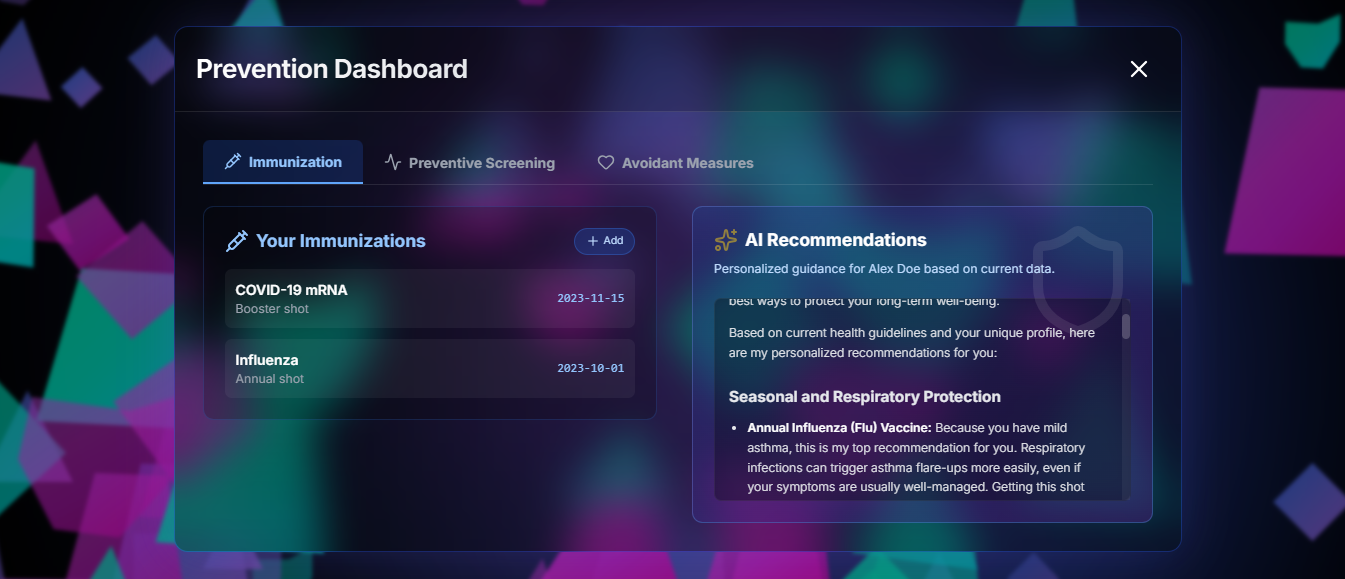
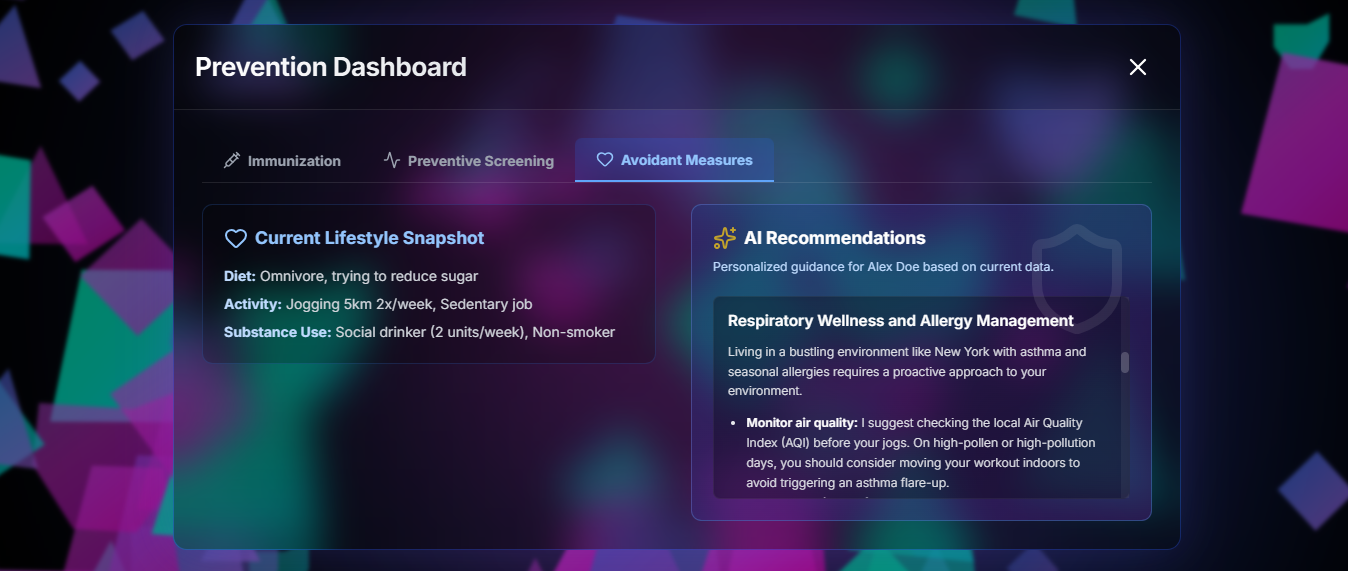
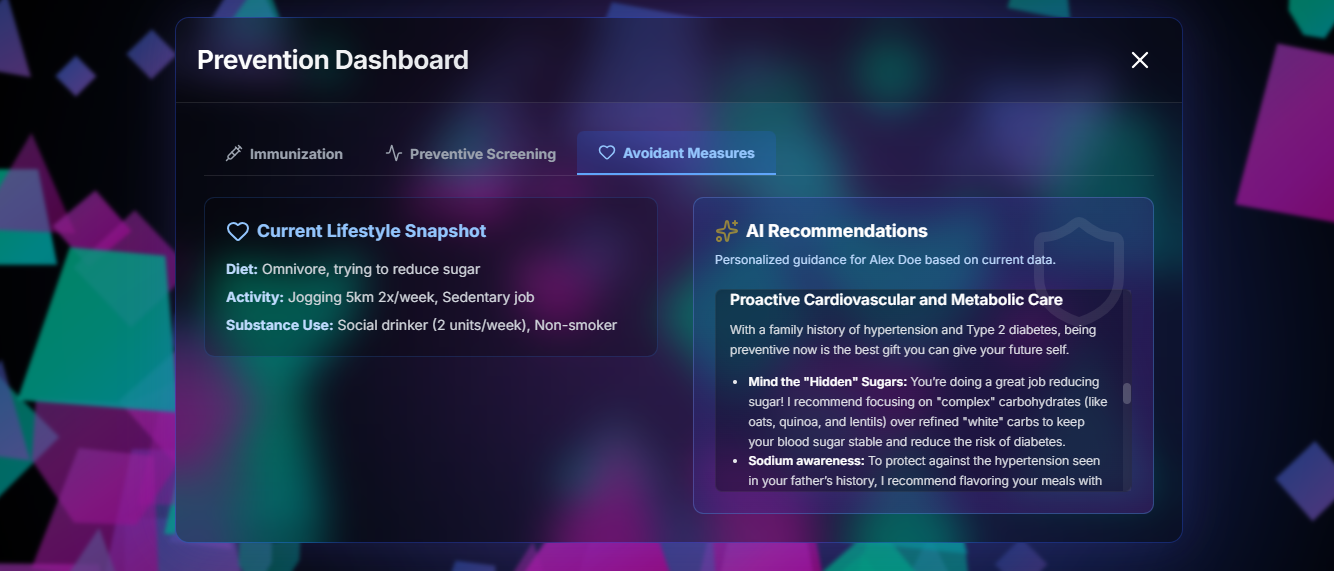
A. Prevention Dashboard.
Purpose: This feature keeps users up-to-date with immunizations, ensure timely screenings, and reduce risk via targeted lifestyle changes.
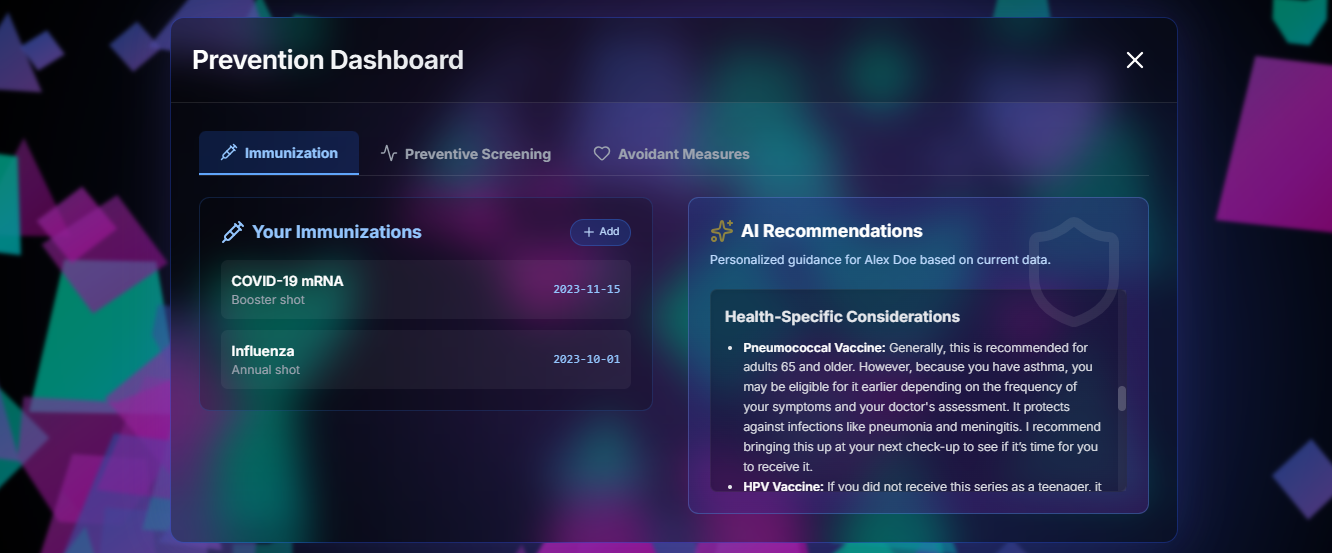
- Immunization & Vaccine dashboard
- Stores user-entered immunization history and vaccines.
- Generates personalized booster and vaccine recommendations based on: user profile (age, comorbidities), location (regional outbreaks/trends), demographics, and clinical rules.
- Each recommendation includes why it’s needed (short, evidence-based education) and suggested timing.
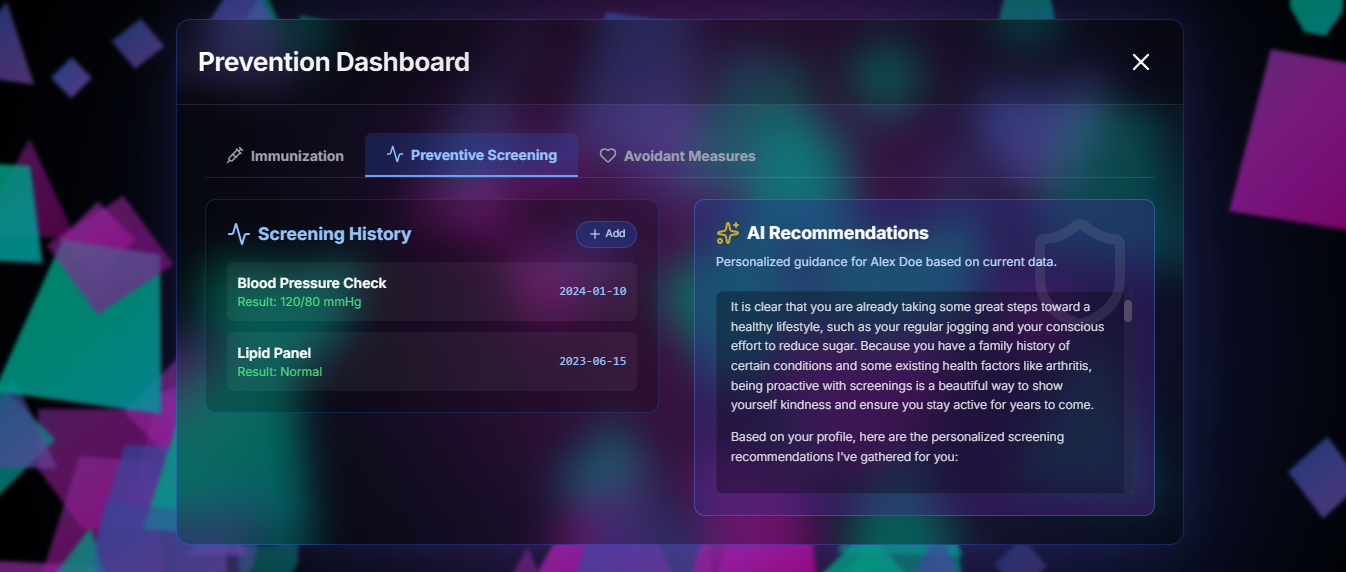
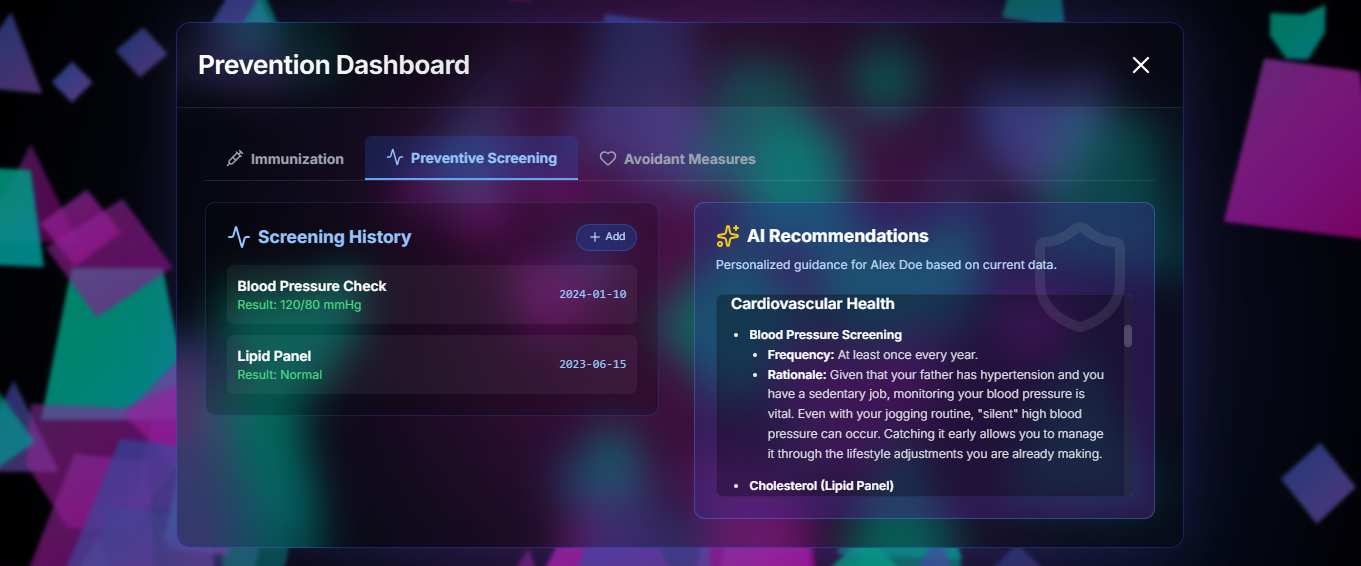
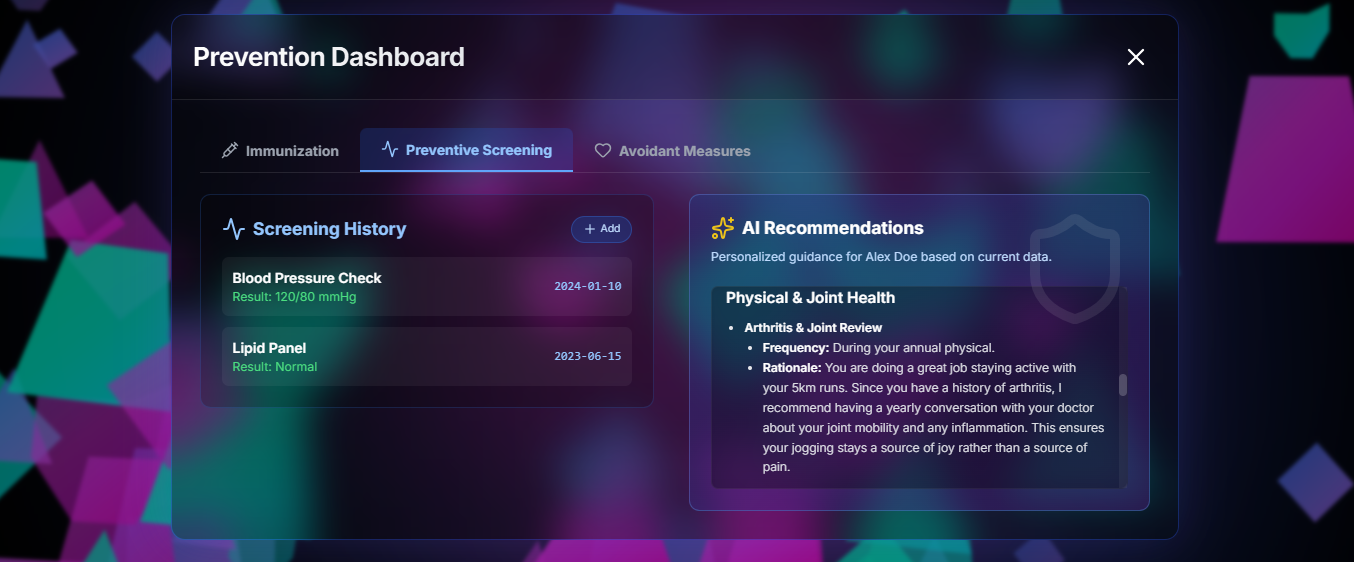
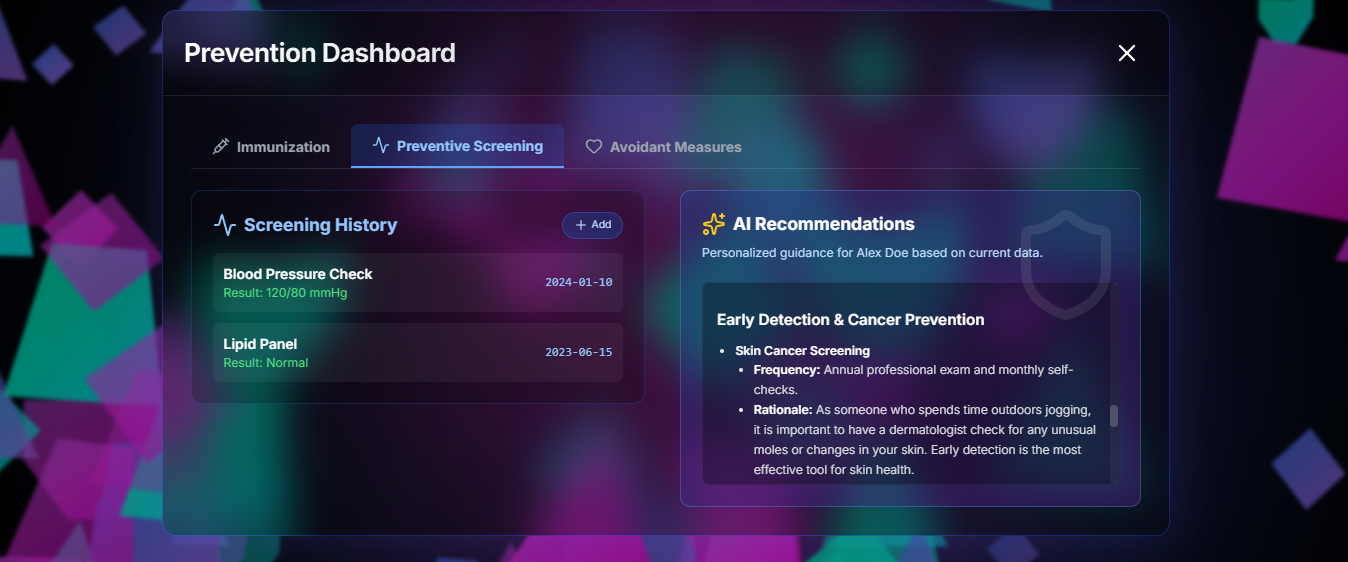
- Preventive Screening dashboard
- Records all past screenings (type, date, result).
- Automatically notifies users when their next screening is due, with frequency tailored by validated guidelines + the user’s personalized risk profile.
- Each reminder contains rationale: what the screen detects, why it matters, and recommended intervals.
- Avoidant Measures (Adaptive Lifestyle Recommendations)
- Produces evidence-based behavior change suggestions tuned to demographic + lifestyle + medical history + risk scores.
- Recommendations are adaptive, not generic — e.g., smoking cessation steps for a 55-year-old with elevated CV risk, or diet changes for a person with hypercholesterolemia — with explanation and expected benefit.
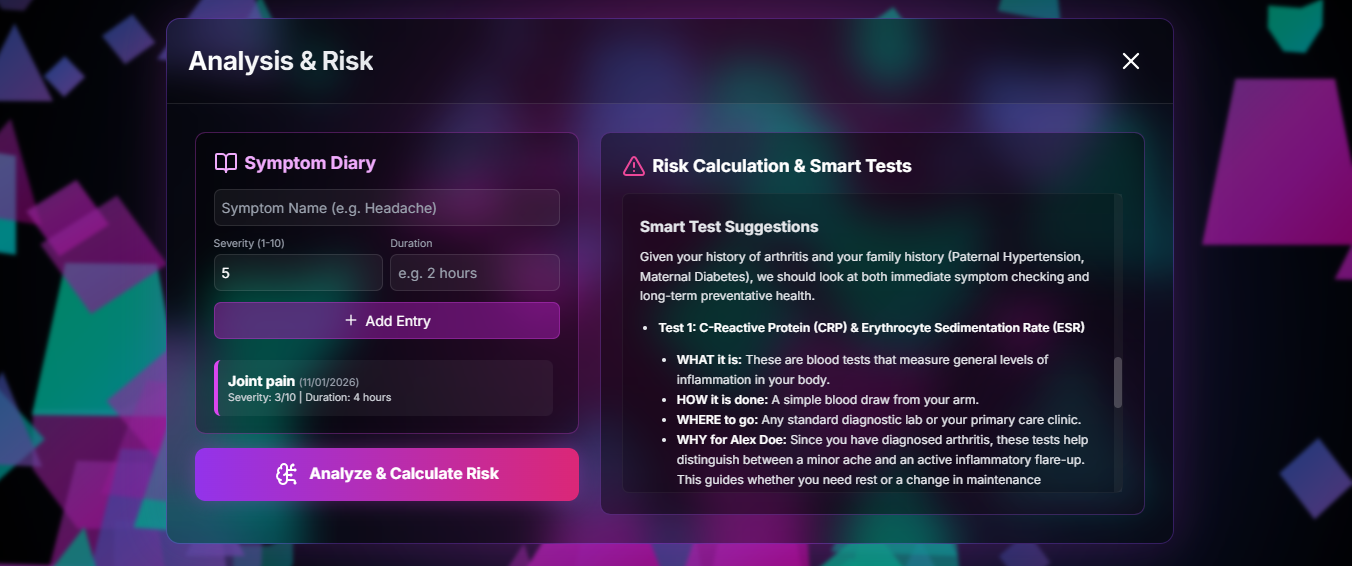
B. Analysis & Risk.
Purpose: This feature help users log symptoms, detect patterns, and suggest tests/screenings and red-flag actions.
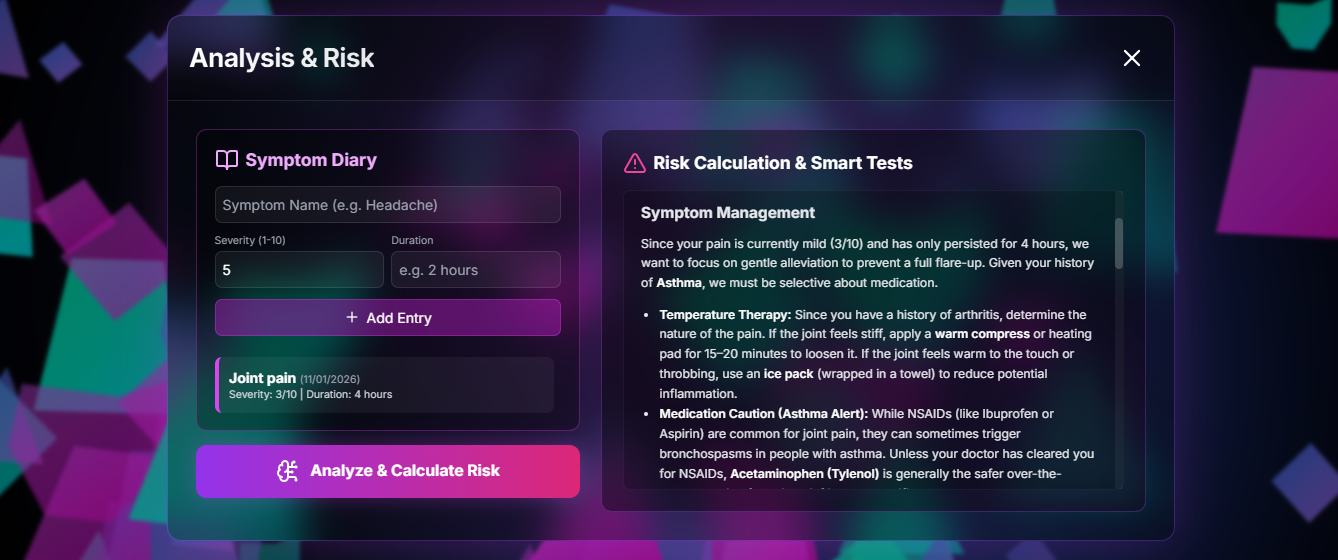
- Symptom Diary
- Users log signs/symptoms (text + structured fields: frequency, duration, severity).
- The diary displays historical entries and trends (how often symptoms recur, severity changes).
- After logging, the system suggests personalized self-care measures and next steps (with a disclaimer).
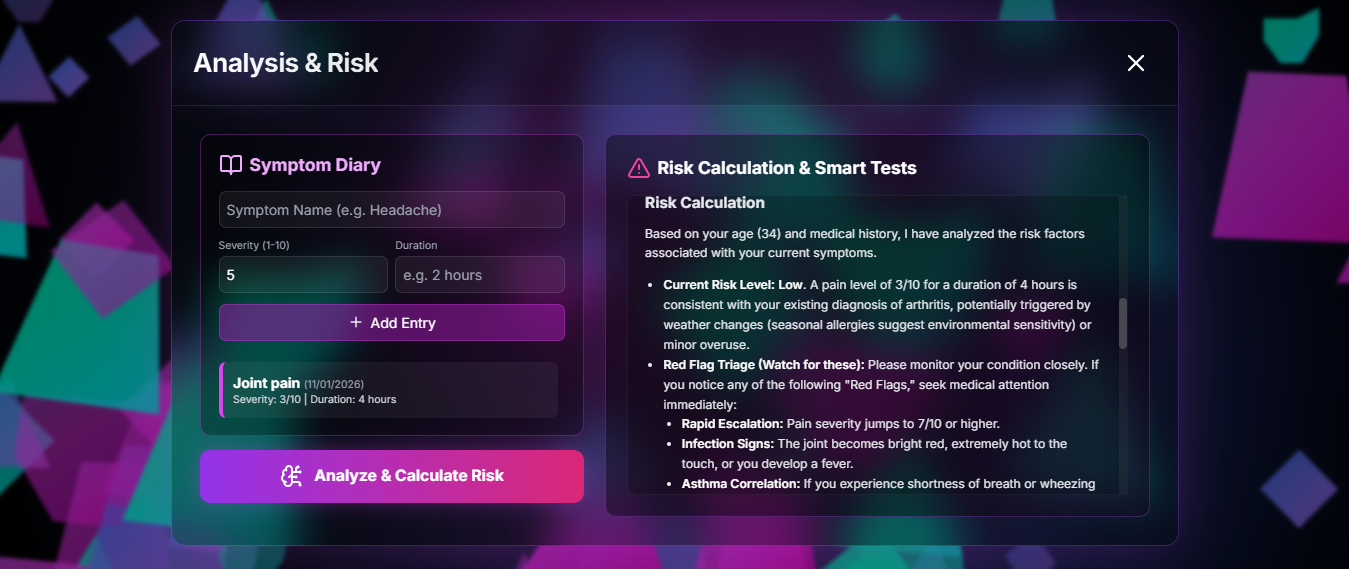
- Risk Calculators + Red-flag Triage
- Uses diary data + profile + family/medical history to run validated risk calculators and determine urgency.
- Suggests appropriate tests/screenings (what the test is, why it’s needed, how it’s done), and practical next steps including where to go.
- Outputs are prioritized and explained so users understand rationale and urgency.
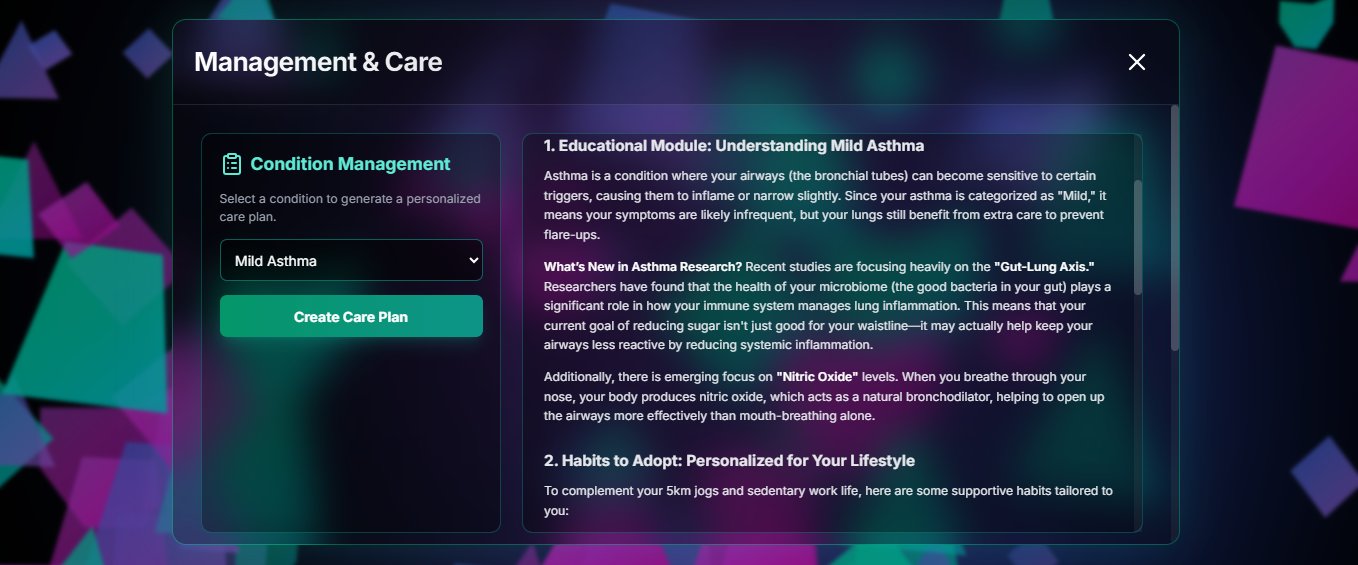
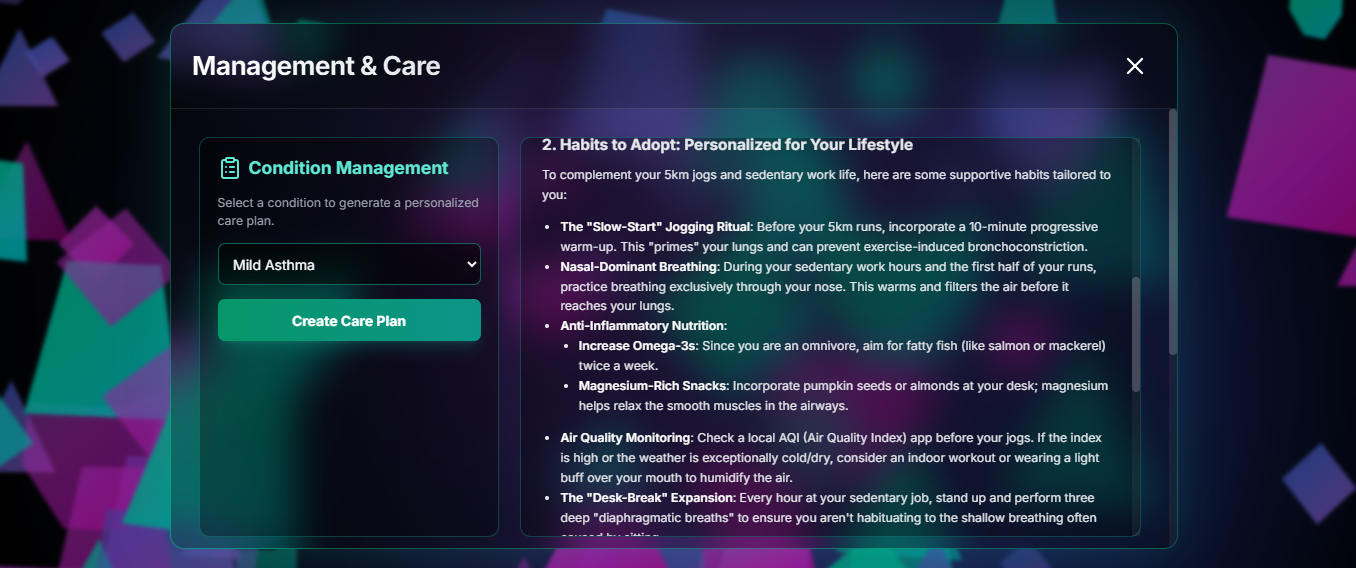
C. Management & Care.
Purpose: This feature support users living with conditions, track progress, and adapt education over time.
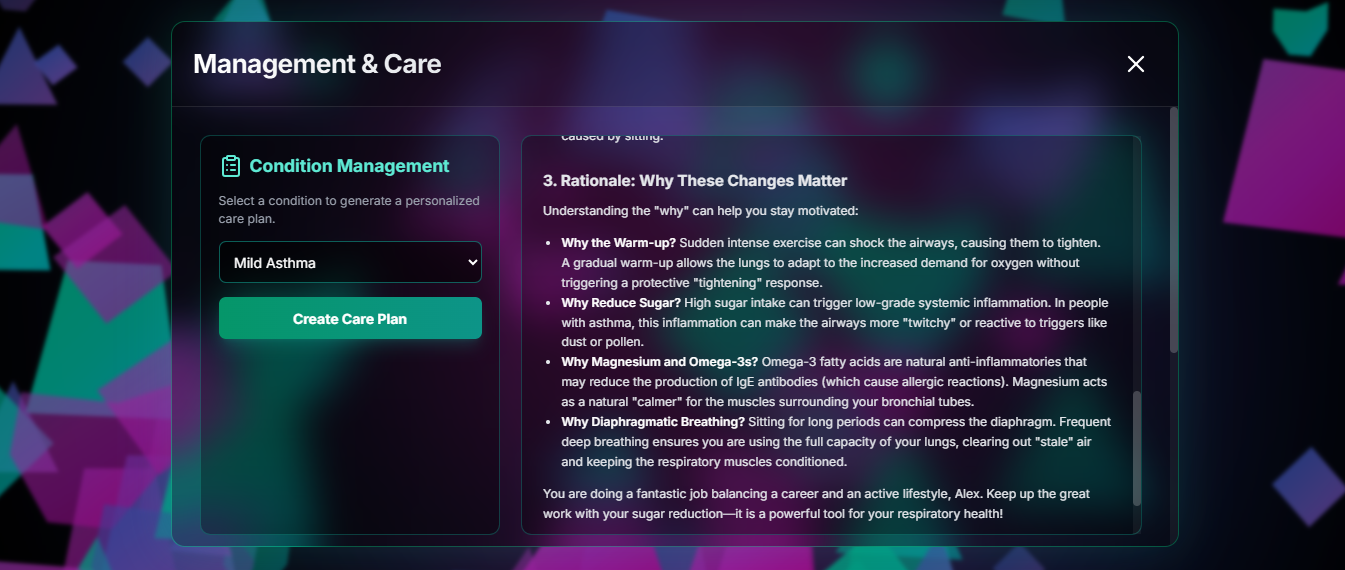
- Disease-Specific Management / Care Plans
- Users can input current or previous conditions. CareLens produces tailored management advice, habit suggestions, and situation-specific guidance (exercise plans, medication adherence tips, emergent signs to watch for).
- Education modules are personalized and updated with emerging information relevant to the user’s conditions.
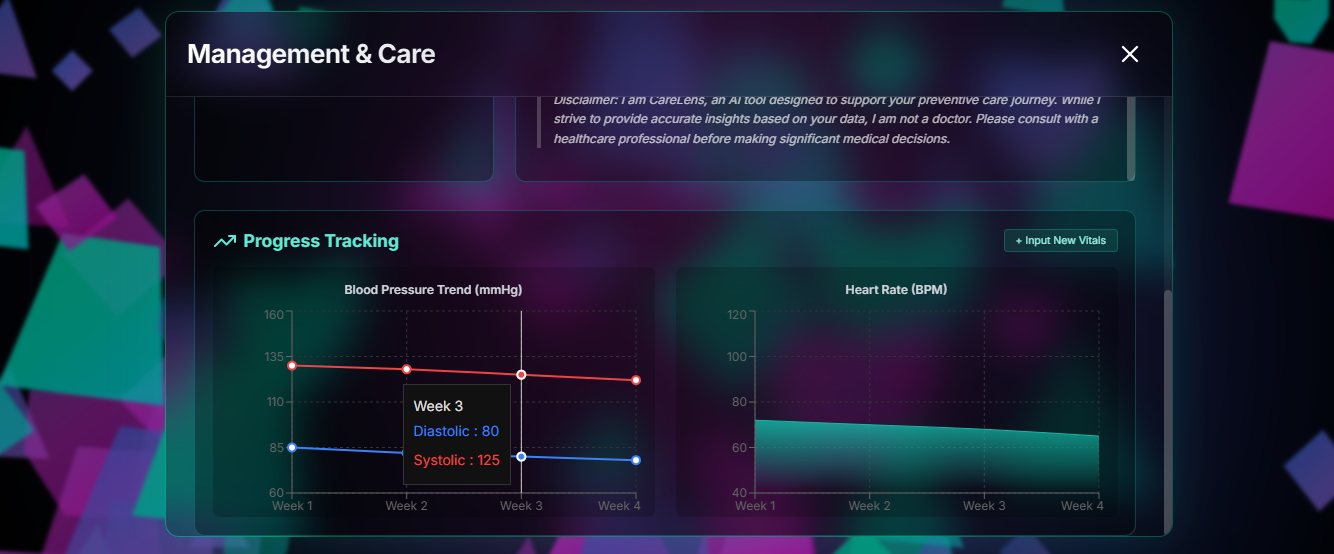
- Progress Tracking
- Manual user inputs (BP readings from clinic, symptom severity over time, weekly exercise logs) create an actionable longitudinal view.
- Progress data feeds back into personalization: risk scores, screening cadence, and recommendations adjust as the user’s data changes.
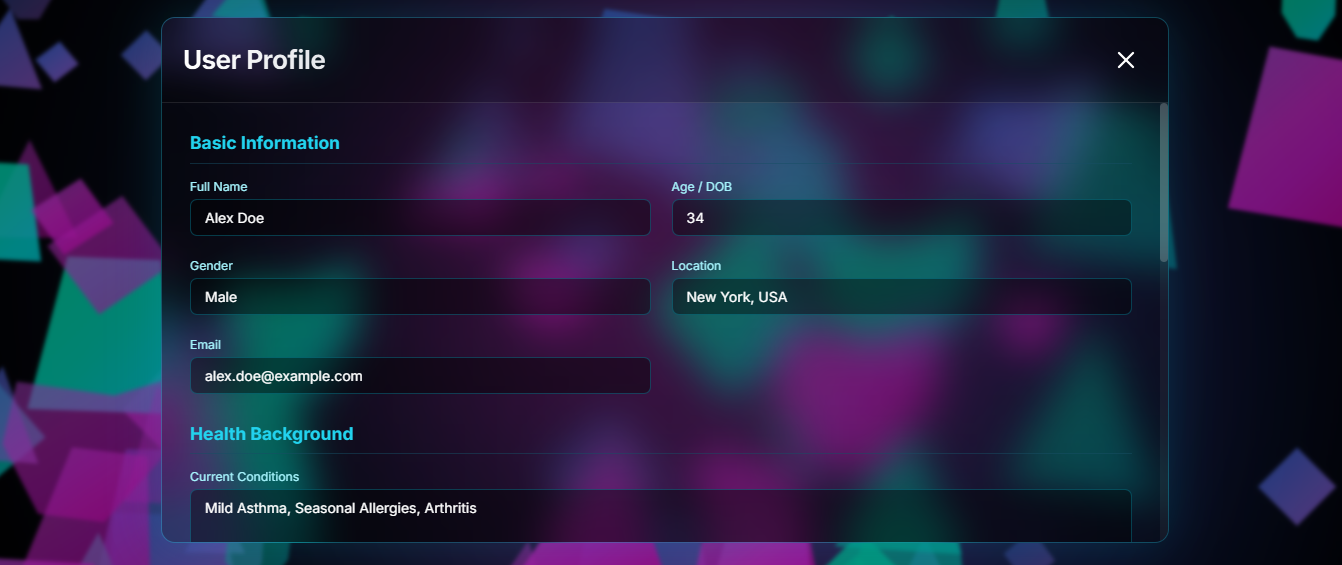
User profile
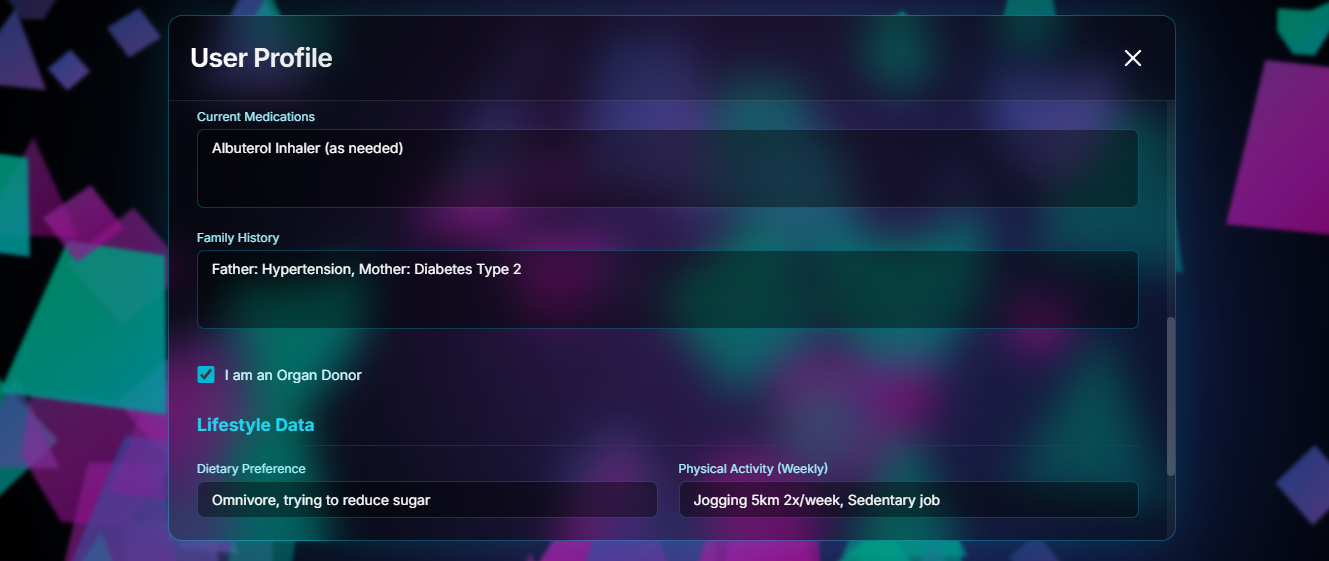
This feature includes the following User submitted data;
- Basic info: name, gender, DOB, location, email.
- Health background: current conditions, allergies, current medications, family history, organ donor status.
- Lifestyle: diet preference, physical activity (type / duration / frequency, weekly format), sleep patterns, substance use. This data(from the user profile section) drives the app’s personalization and risk calculations.
How we built it
The tech stack used to build CareLens includes;
Frontend Core:
- Framework: React 19 (Functional Components & Hooks)
- Language: TypeScript (Strict typing for robust data handling)
- Styling: Tailwind CSS (Utility-first styling) + Custom CSS (Complex 3D animations and glassmorphism)
- Module Loading: ES Modules via CDN (esm.sh) using Import Maps
AI & Intelligence:
- LLM Provider: Google Gemini API.
- Models Used:
- gemini-3-flash-preview (Fast inference for general recommendations and plans)
- gemini-3-pro-preview (Complex reasoning for risk analysis and symptom checking)
Libraries & Tools:
- Visualization: Recharts (For health progress line and area charts)
- Icons: Lucide React (Consistent, scalable UI icons)
- Formatting: React Markdown (To render structured AI advice with headers and lists)
Data & State:
- State Management: React useState / useEffect (Client-side in-memory state for the MVP)
- Persistence: Currently ephemeral (session-based).
How It Was Built
CareLens was architected with a heavy focus on immersive UI and personalized AI integration.
3D Ambient Interface:
The foundation is a custom-built 3D parallax environment. It uses CSS keyframes and transform: translateZ to create a "Geometric Crystals" aesthetic. The crystal elements are generated algorithmically in React (useMemo) to create a unique, floating background that reacts to mouse movement without impacting the scroll performance of the foreground content.
Modular Feature Architecture:
The application is divided into distinct functional nodes:
- Profile Engine: Captures demographic and lifestyle data which serves as the "context context" for all AI operations.
- Dashboarding: Uses specific sub-components (PreventionDashboard, AnalysisRisk, ManagementCare) that are rendered conditionally within a reusable GlassModal wrapper. ### Context-Aware AI Integration: Instead of generic chat bots, the app uses a dedicated service layer (geminiService.ts). This layer acts as an orchestrator:
- It takes raw user input (symptoms, age, location).
- It constructs structured prompts that define the AI's persona ("CareLens, a cordial health partner").
- It specifies formatting requirements (Markdown) and mandatory safety disclaimers.
- It selects the appropriate model (Flash for speed, Pro for deep analysis) based on the complexity of the task.
Challenges we ran into
There were a couple of challenges that arose while making CareLens one of which was configuring and getting the symptom checker to work efficiently. The other problems include getting different resources for the education modules and configuring the risk assessment feature to take into account the user's and their family's medical history while making the assessments on their health and recommending the best cause of action for the user to take.
What's next for CareLens
I'd like for CareLens to be integrated with different healthcare systems and help bring about a new age where people value and understand the importance of preventive care and take active measures to enhance it. After all, prevention is better than cure!
Built With
- gemini
- geminiapi
- react
- recharts
- tailwind
- typescript

Log in or sign up for Devpost to join the conversation.