


Inspiration
Around a year ago I lost a friend of mine from a lethal disease that could have been cured had she gotten an early diagnosis and proper treatment in due time. That is when CareLens was born but back then it was just a mere concept in my head and I hadn't really worked out the details yet. During the cancer awareness month, I was exposed to different stories of cancer patients narrating their experiences in their battle with this deadly disease. Most of them -as well as physicians- agreed that their situation would have been better and probably even avoided had they been diagnosed earlier. Not only would it have been cheaper but necessary precautions would have been taken to curb and even eradicate the disease entirely from their system from an early onset. That is when I dug deeper into the research about preventive care and found out just how limited it is even though its crucial role in healthcare could literally save the lives of millions in more ways than one. From helping to cut costs of healthcare significantly (in the US about 3.5 trillion USD is used annually in health costs and chronic diseases are the leading cause of disability and death) to aiding in efficient use of medical resources. Just imagine, wouldn't it be monumental if healthcare systems and providers would perform fewer MRIs but do them on the right patients? That's when CareLens was truly born. From the need to make a difference, have a positive impact and probably even save the lives of countless who need not suffer such a gruesome fate.
What it does
CareLens is a personalized web application that aims to enhance preventive care by applying 5 different concepts which power its main features. Here's a brief description of those features;primordial prevention targets the underlying stage of natural disease by targeting conditions that promote disease onset e.g. physical activity can decrease risk factors for obesity, cardiovascular disease, type 2 diabetes and so on. Primary prevention deals with preventing disease from ever occurring, targeting healthy individuals hence limit risk exposure/increase immunity of individuals at risk eg via immunization. Secondary prevention focuses on early disease detection. It targets healthy appearing individuals and includes diseases that can be detected by a doctor's visit but don't have overt symptoms e.g. screening and cancer detection. Tertiary prevention is geared towards helping symptomatic patients and aims to reduce severity of diseases and their effects e.g. rehabilitation efforts. And finally, quaternary prevention entails taking action to identify patients at risk of over medicalization to protect from new medical invasion. This includes protecting patients/individuals from medical interventions that are likely to cause more harm than good. Aimed at patients with illness but without the disease. So the features in CareLens,each one has a couple of sub features that I shall explain in brief detail what they are and how they help in enhancing preventive care.
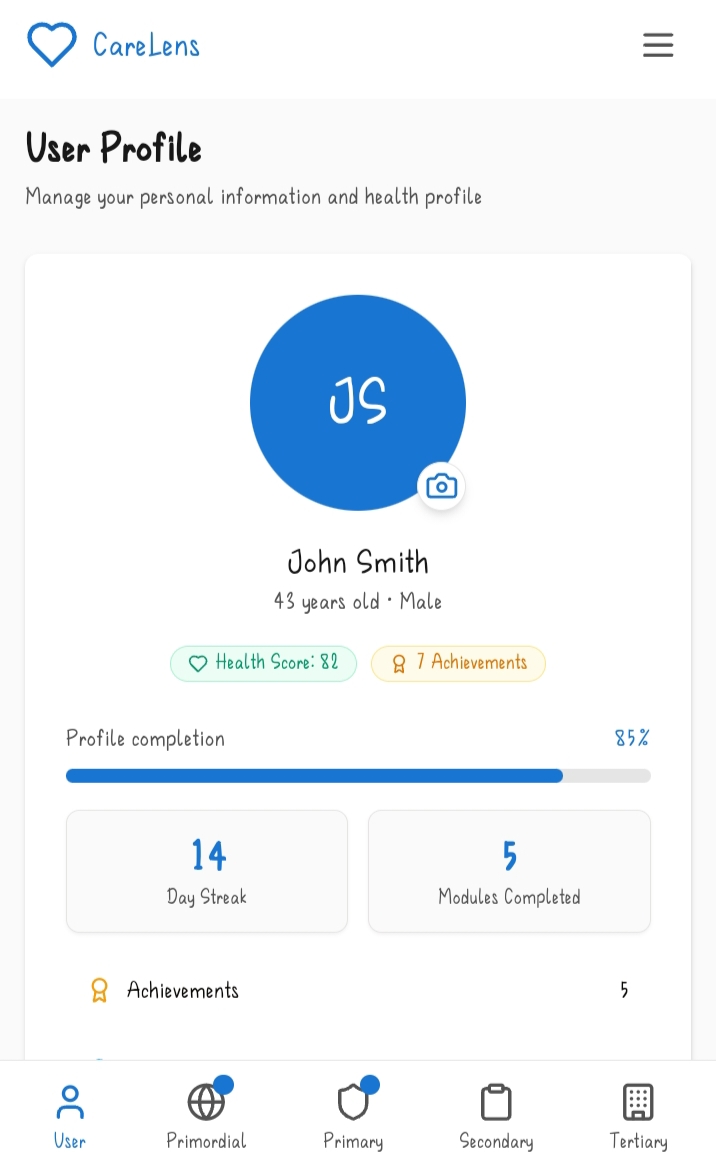
1.The user profile. The user profile has 4 main sub features which are;
A) Basic information: This includes slots where the user puts in their name, DoB, gender, location, email, phone number and emergency contact (which has the name of the contact, the relationship to the user and their phone number).
B) Health background: Here there's a space for current conditions, allergies, current medications and family medical history.
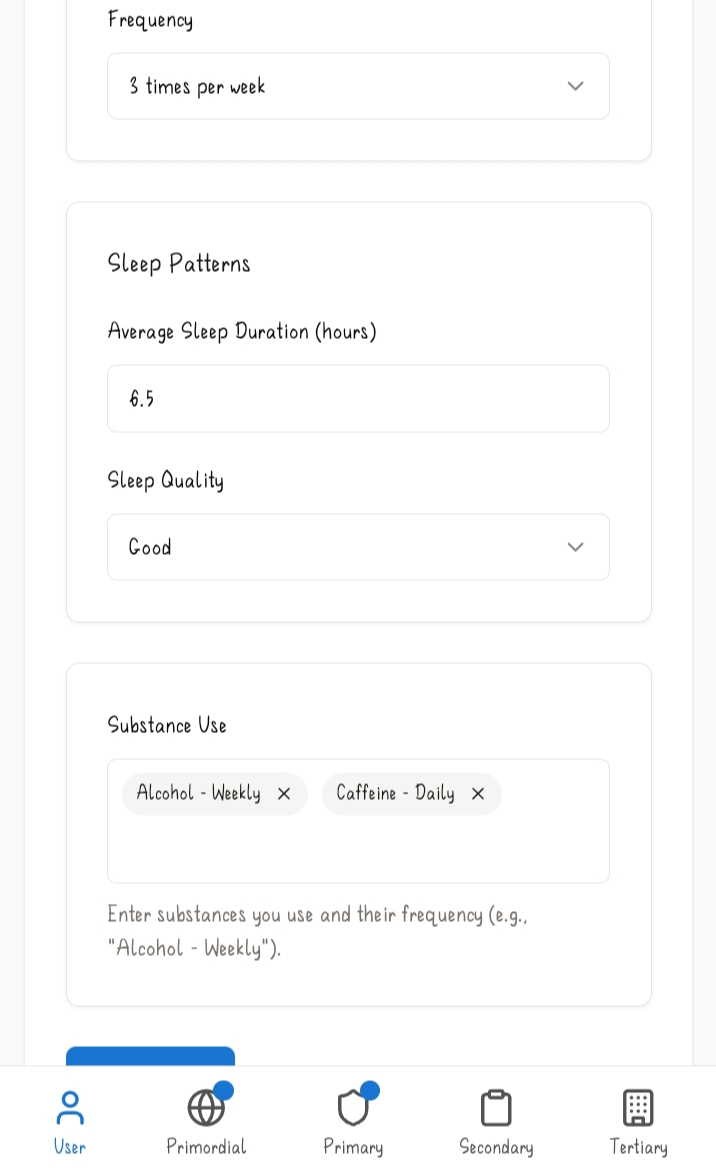
C) Lifestyle Data: This includes a section for dietary preference, physical activity (including activity type, duration and frequency), sleep patterns and substance use.
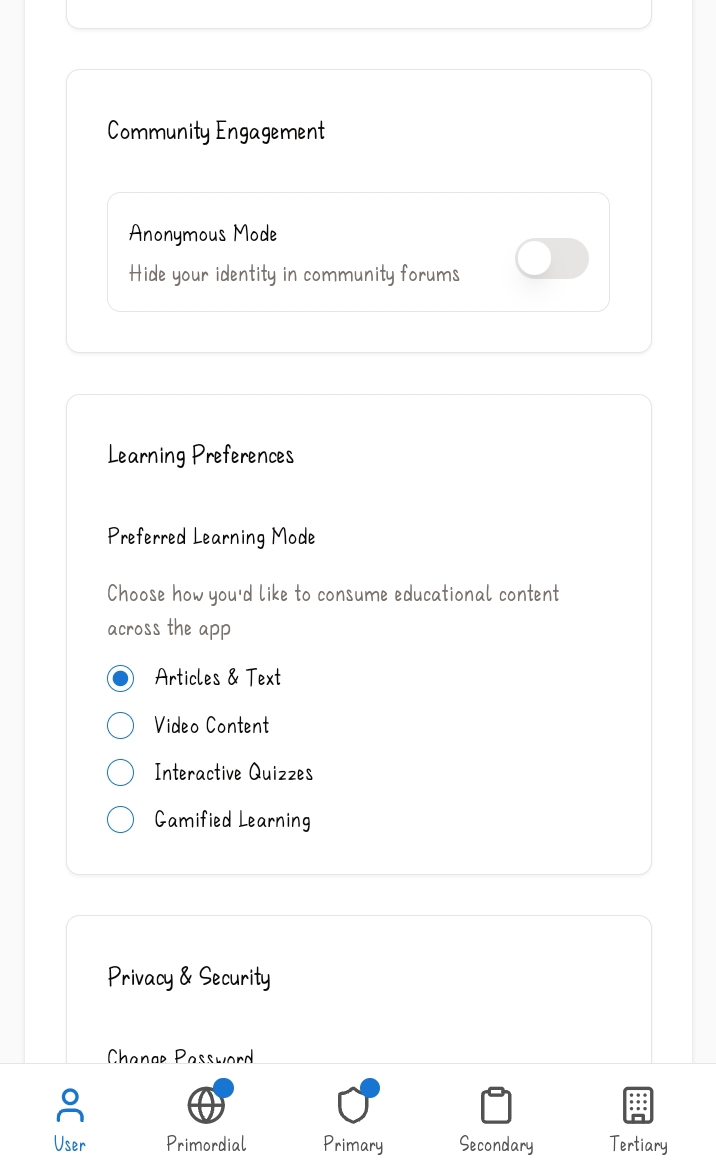
D) Settings: This subfeature includes notifications, community engagement mode, learning preferences and privacy and security.
2.Primordial Prevention. This feature focuses on creating a healthy environment and promoting overall wellness before risk factors even develop. It has the following sub features;
A) Wellness dashboard: This feature monitors a user's physical activity, stress levels, sleep quality and nutrition based on the recent logs of the user.
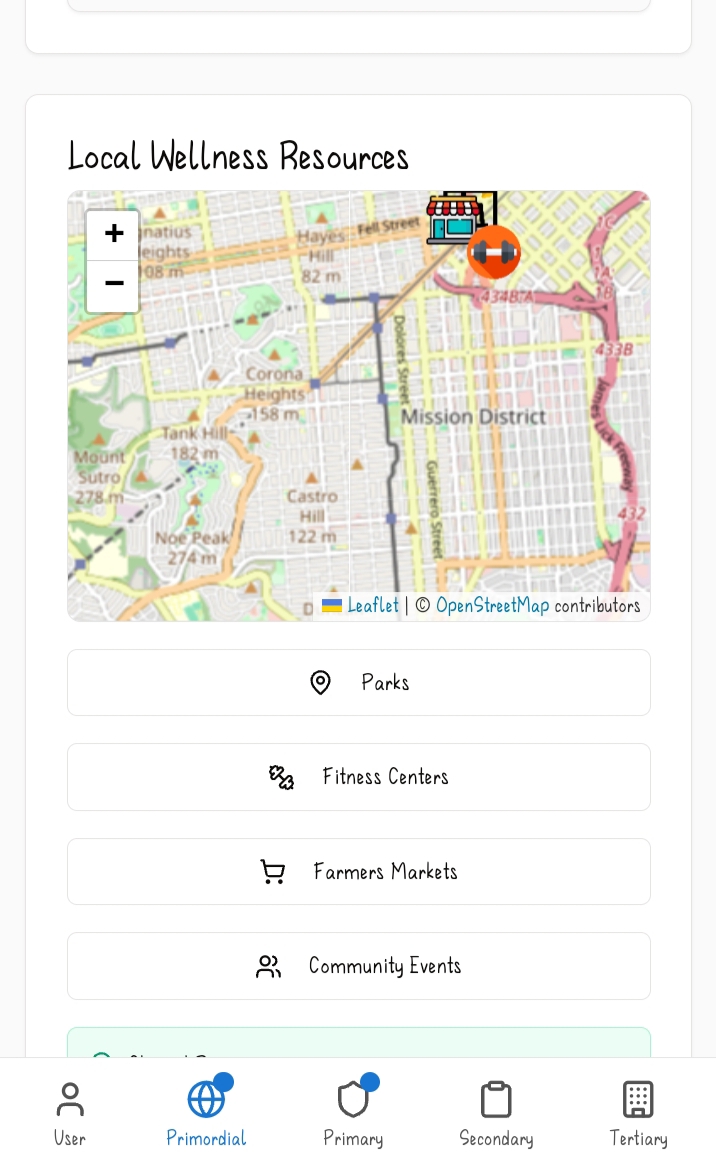
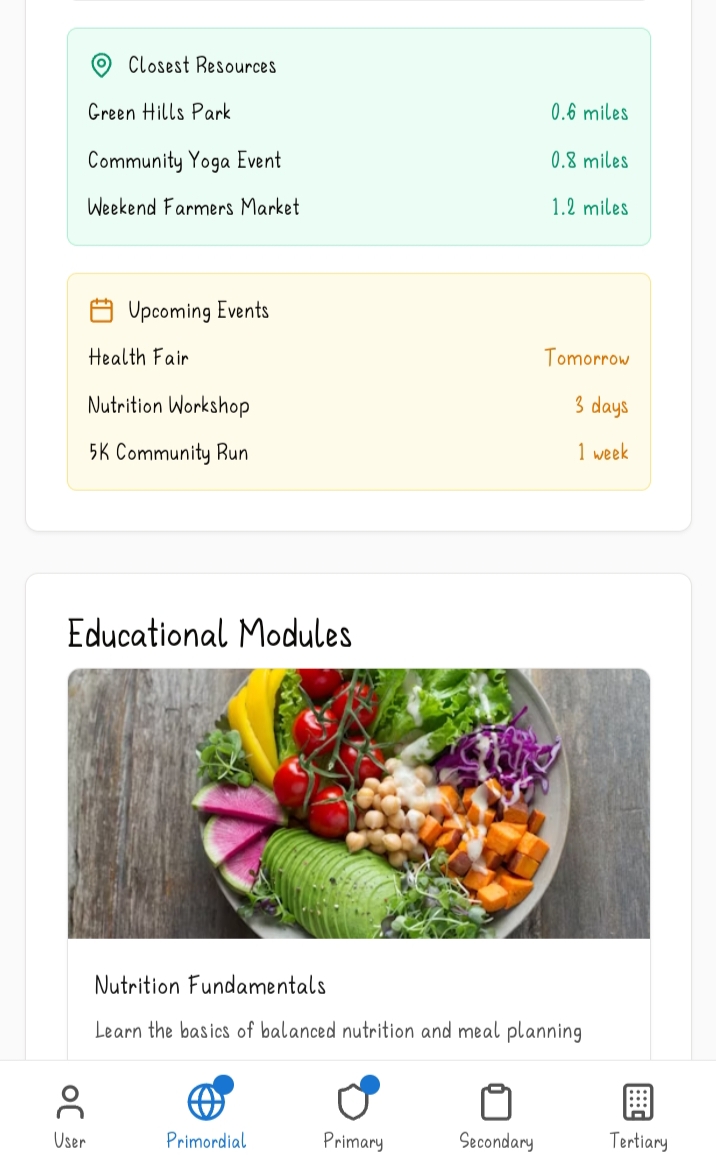
B) Local wellness resources: This sub feature has a map which showcases different parks, fitness centres and customer markets close to the user based on the location they had provided in their user profile.
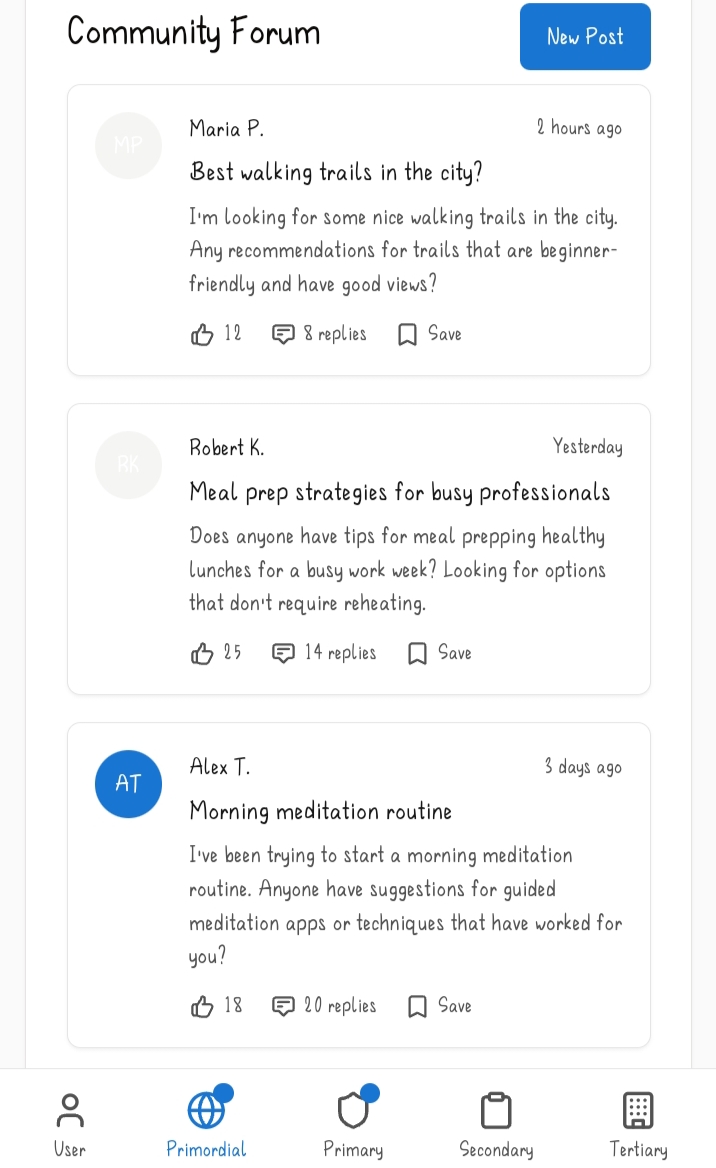
C) Community forum: This feature provides a platform where users can engage with each other via posts. Users can also comment and react to other users' posts.
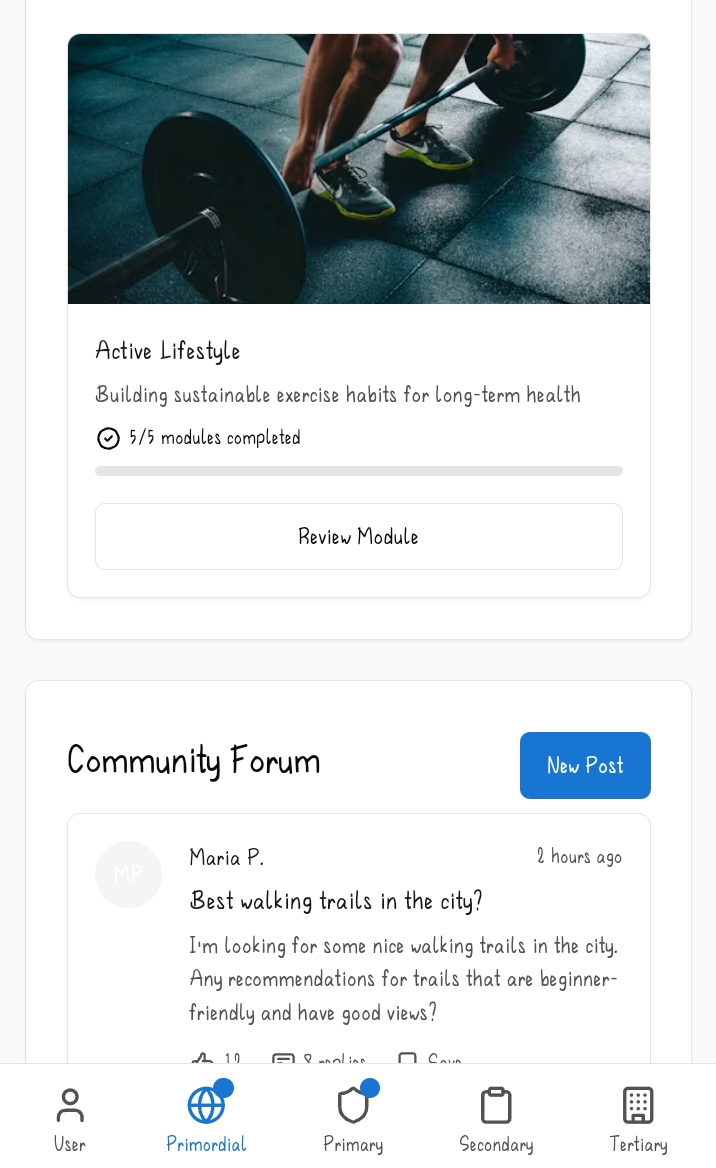
D) Educational modules: Here the feature provides educational resources where the user learns about different things such as stress management and active lifestyle in the form of modules which are compiled in one tab.
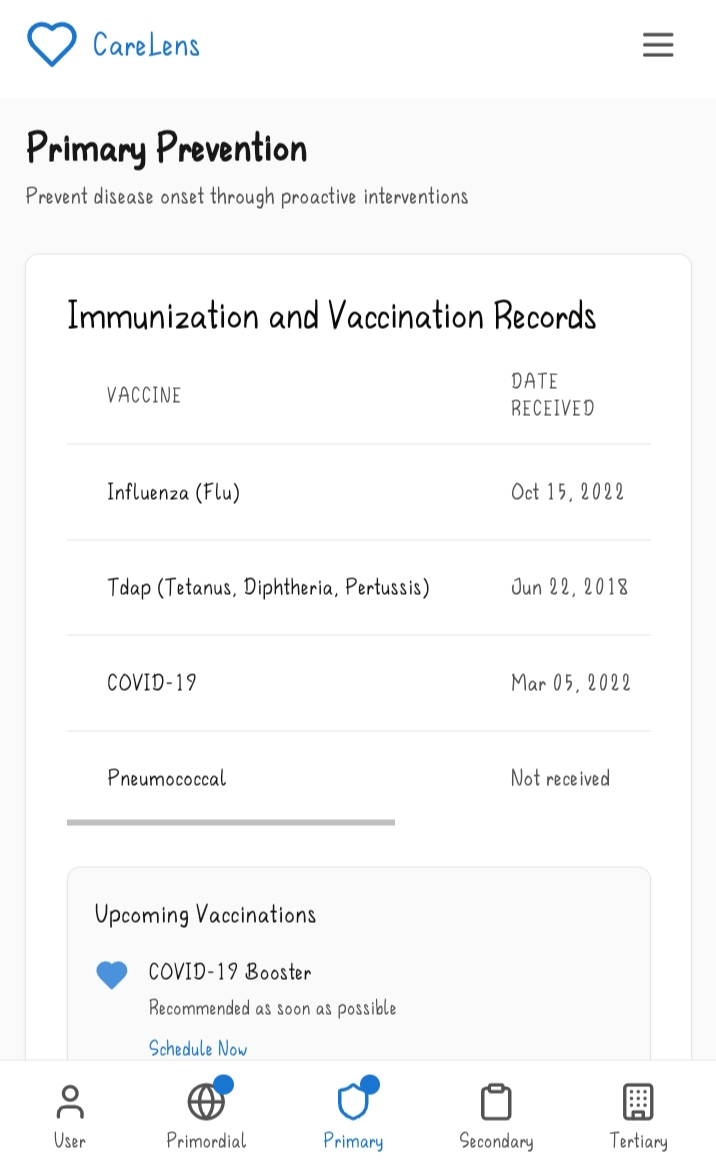
3.Primary Prevention. This feature focuses on directly preventing disease onset through proactive interventions. Here are its sub features;
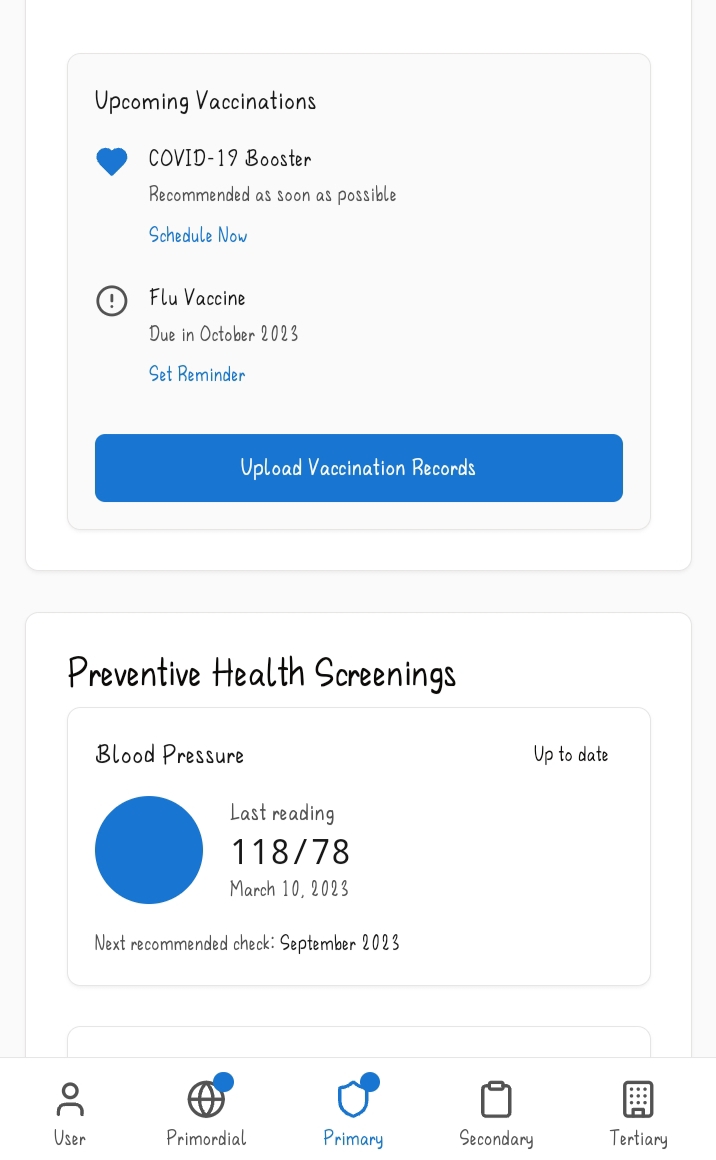
A) Immunization and vaccination records: This sub feature is a tab which holds records to different immunizations and vaccines a user has had and includes the name of the vaccine, the date it was administered, the status of the vaccine and when it's due next. The user can also upload vaccine records.
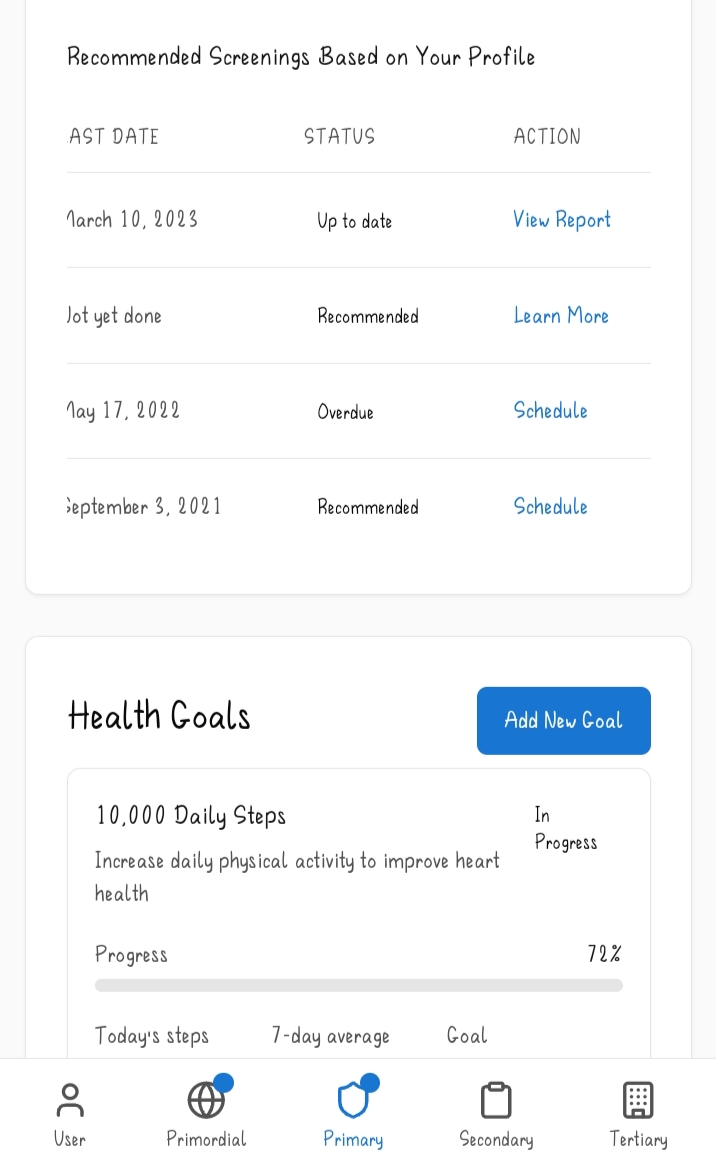
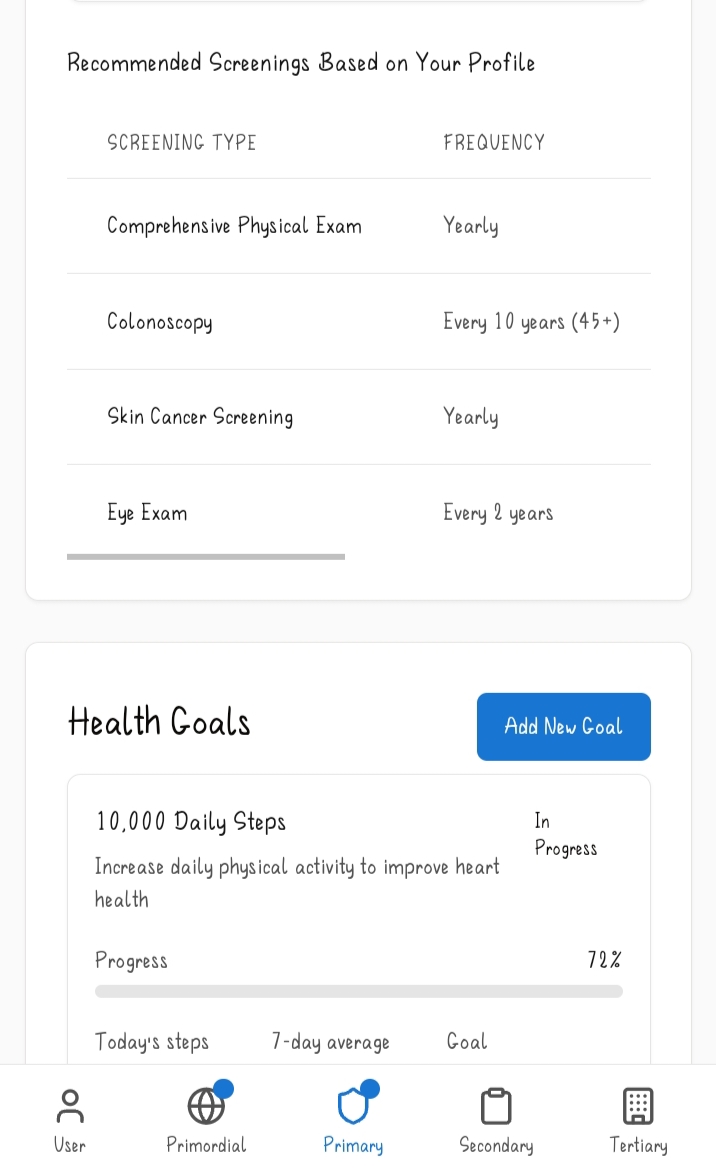
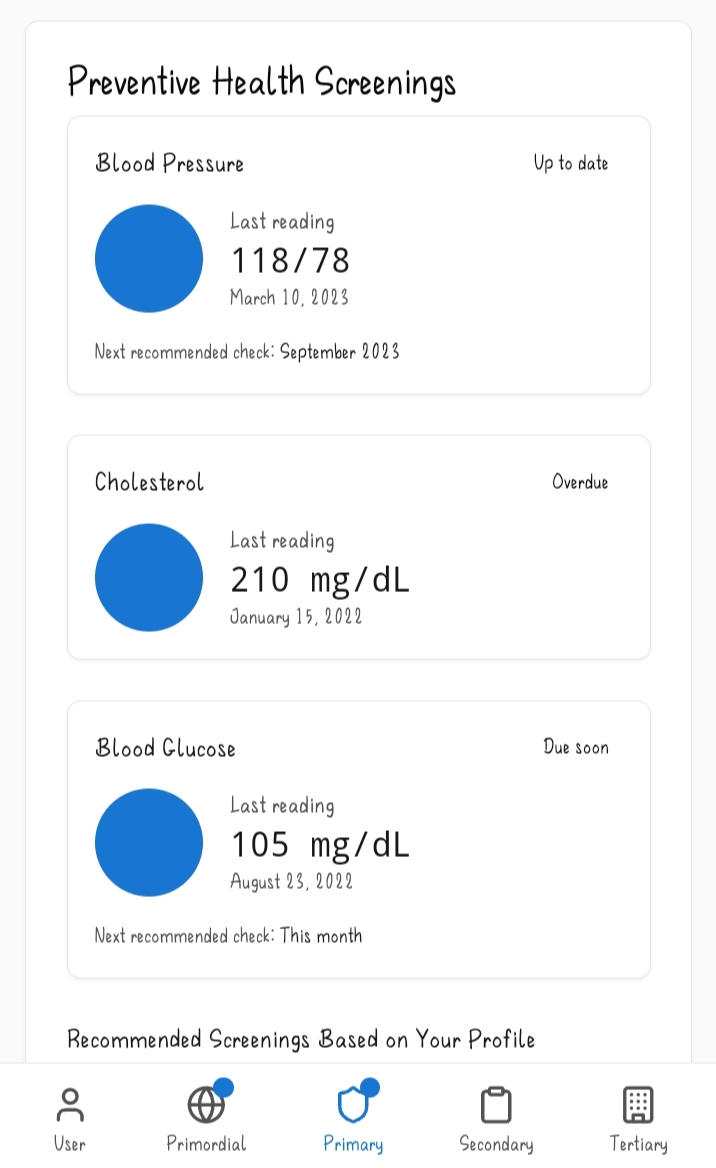
B) Preventive health screening: Here there's a list of screenings the user has had and when they should have it next. The web app also recommends various screenings based on the data from the user profile. The recommendations include the type of screening, the frequency of the screenings, the last date it was administered, the status and different cause of actions the user can take such as viewing the report or learning more about that particular screening.
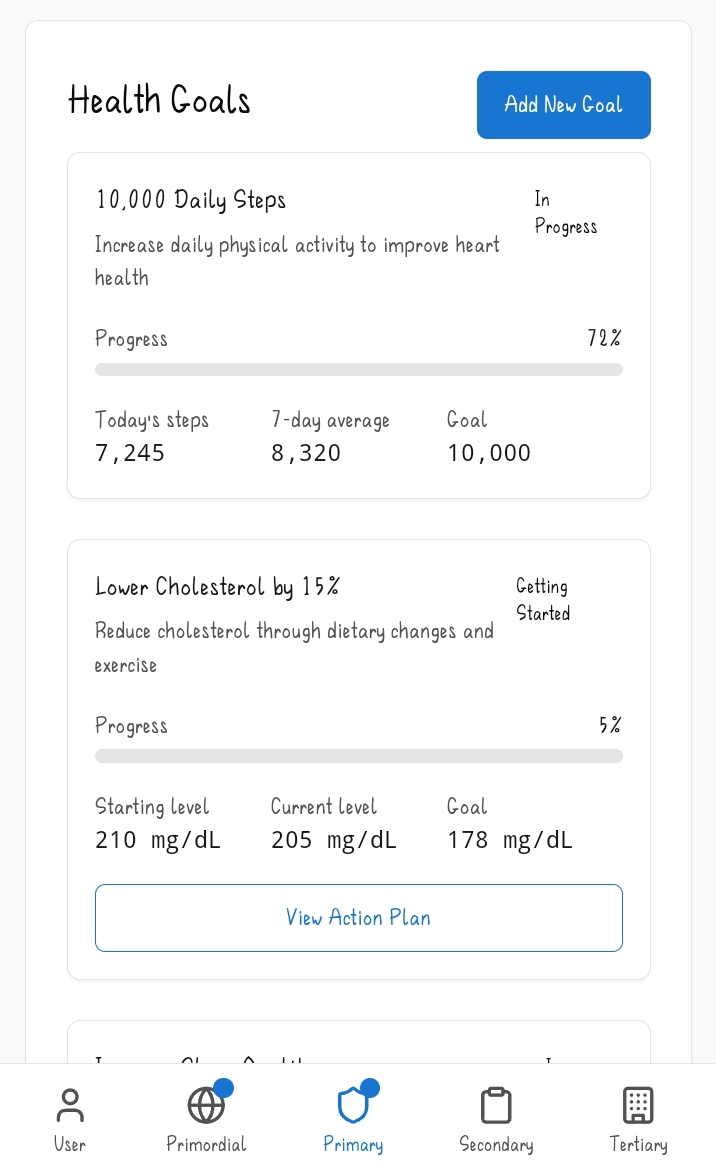
C) Health goals: This is a tab that has a listing of different health goals the user has set for themselves,their progress with the particular goals in the form of percentages, an option to view an action plan for a goal and finally an option to add a new goal.
4.Secondary Prevention. Here the goal is early detection and timely intervention in asymptomatic or minimally symptomatic stages. The sub features are the following;
A) Symptom diary: This sub feature allows a user to log in symptoms they have including the symptom name, the severity (from mild to severe), the duration (whether in minutes,hours or days), and potential triggers. It also has a tab which showcases previously logged symptoms. This feature uses not just the details from the symptom log but also combines it with the data from the user profile such as the family medical history to determine alarming patterns and suggest various actions the user can take such as talking to their medical caregiver about the symptoms or recommending the user to have certain tests done or carried out to determine the cause of their symptoms.
B) Risk Calculators: This uses clinical algorithms such as Framingham heart risk algorithms to assess the risk of a user developing certain conditions. It uses the data in the user profile and different risk factors to determine this. Based on the evaluation, CareLens advises the user on different recommendations they can try such as lowering their cholesterol or minimize smoking in order to lower their risk percentage. It also offers a disclaimer at the bottom advising the user to consult a doctor for medical advice or whether unsure of what to do. Users can also try out different risk calculators and update their data.
C) Screenings: this subfeature keeps track of the user's scheduled and upcoming screenings and check ups including information such as the date and place where the screening is to be conducted. Users can also add new screenings to the list. There's also a tab present for recommended screenings CareLens suggests to users based on their health profile. Examples of the screenings include skin cancer screening and eye examinations.
D) Test results: This is the section where users can input,view and track their test results for screenings and tests done. It also allows one to track their health trends overtime and how their test values have changed gradually.
5.Tertiary Prevention. This feature is for managing and reducing the impact of established diseases to improve quality of life and limit disability. The sub features are;
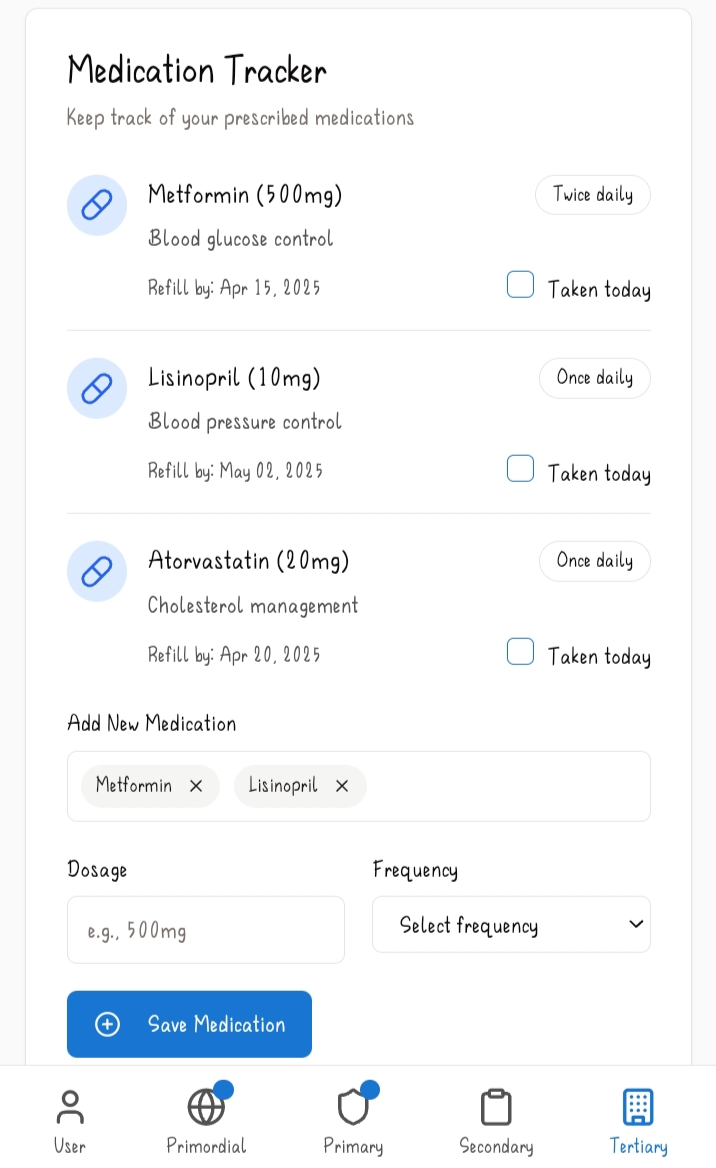
A) Disease management: This is a tool that helps users manage the various conditions they have by providing different tabs such as one for the conditions the user has. This allows one to manage their conditions by following prescriptions given by the doctor and indicates if the condition is managed or controlled and when last it was checked. There's also a section for the care team the user has. This is normally a list of health professionals the user consults. It includes their names, the type of doctor they are/what they specialize in and their contact information. There's also a tab for tracking their vital signs such as blood glucose and pressure which the user feeds into the system directly on an occasional basis. And finally this subfeature also includes a medication tracker which keeps track of the prescribed medication the user is taking. It includes the name of the medication, the dosage(whether taken once or twice daily), the condition/disease it is for, when a refill is due, and a box for ticking when the user has taken the medication. It also has an option where users can add new medication with the dosage and frequency.
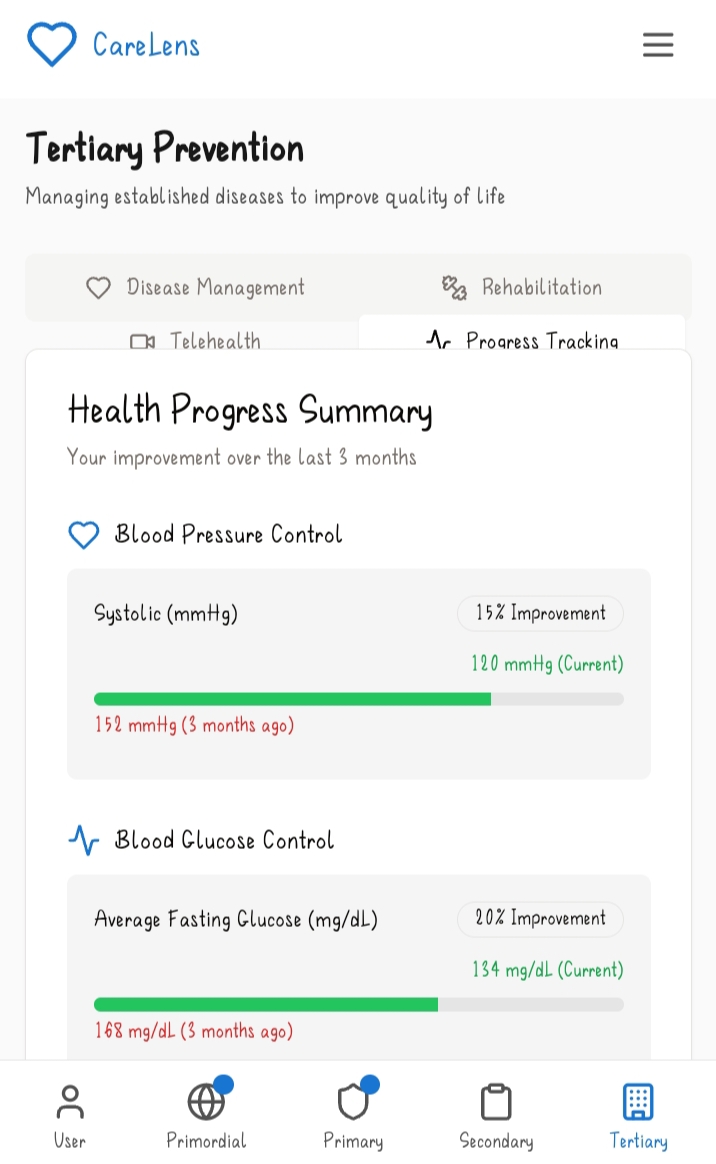
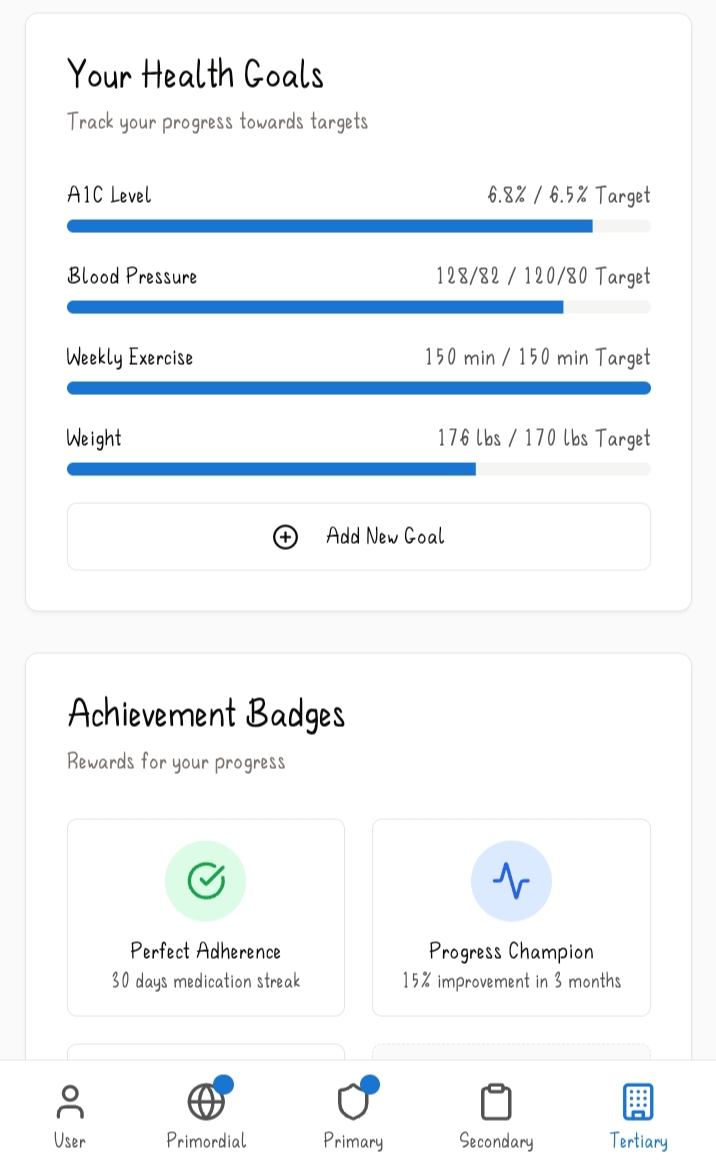
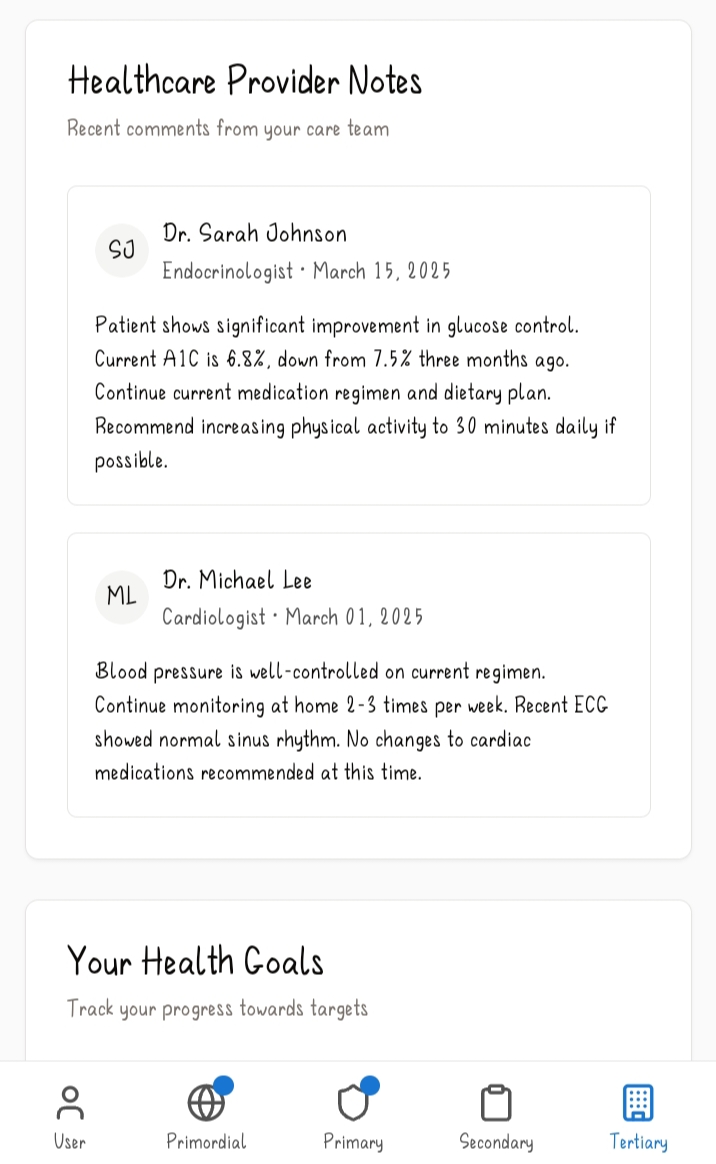
B) Progress tracking: This subfeature helps the user in tracking their health progress for 3 months. It keeps track of their stats such as their blood sugar and pressure control and they can also download a full progress report. It also has a section where a health provider's notes are stored. This is normally what different specialists comment about a user's particular condition or overall health. It includes the name of the doctor,their specialization and the date the comments were made. And finally there's a section that allows users to add and track their health goals. This includes goals such as their weekly exercise and weight.
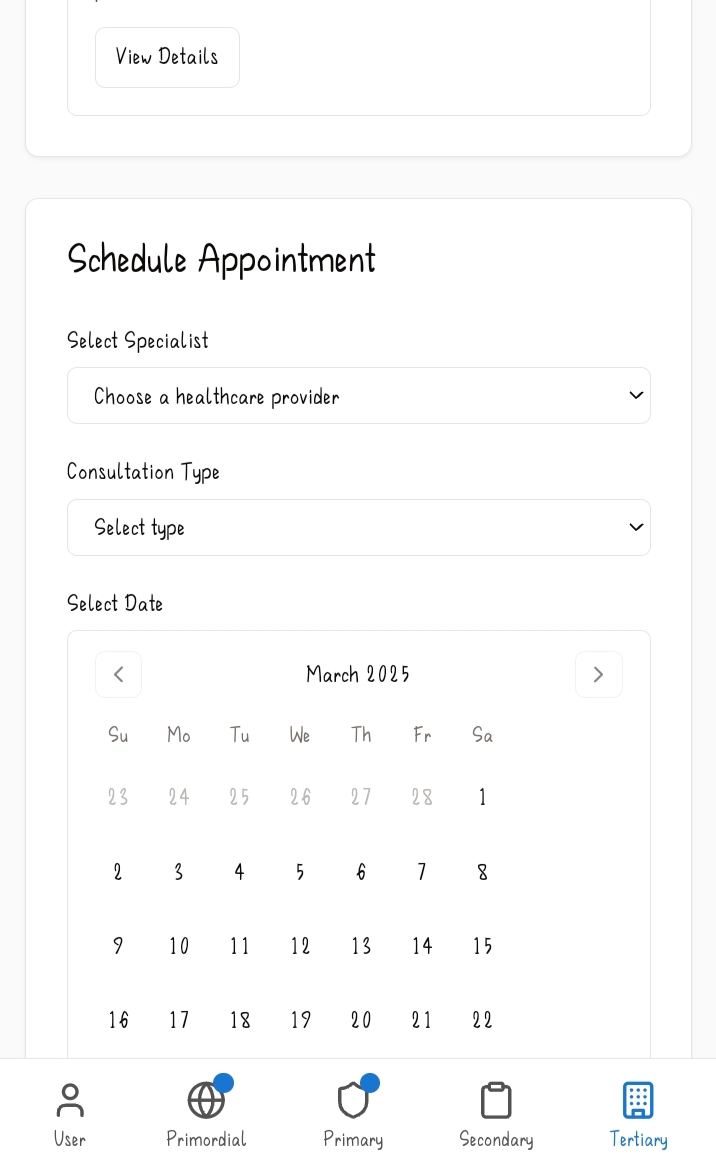
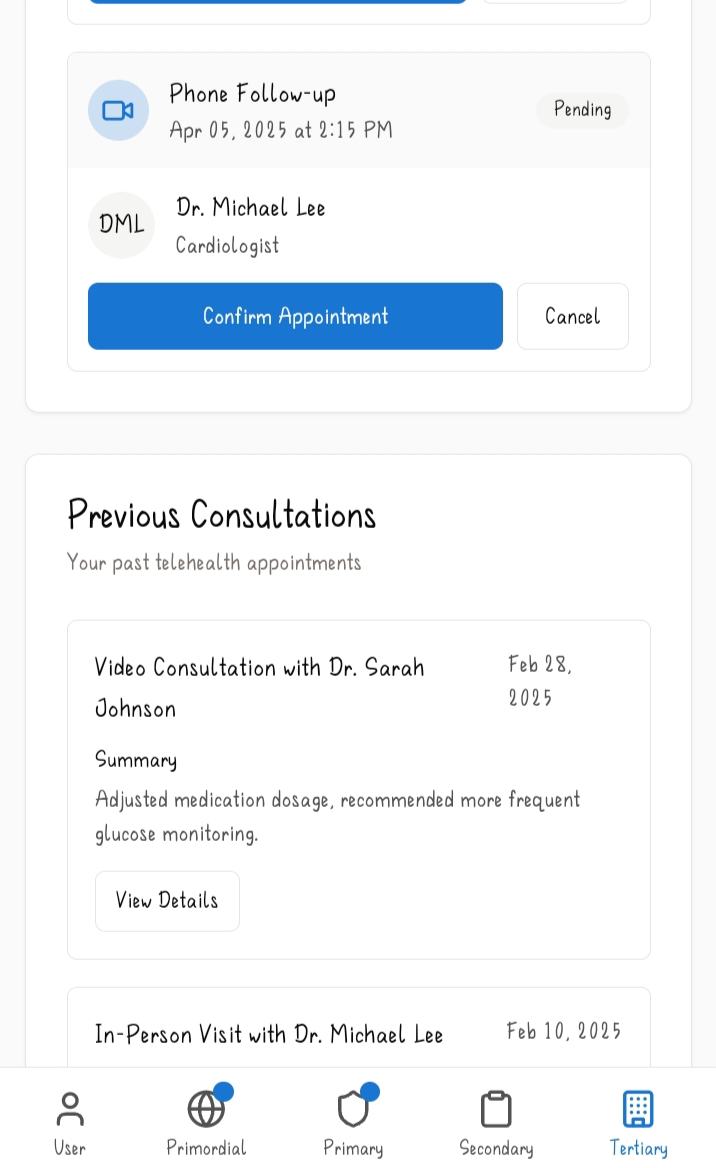
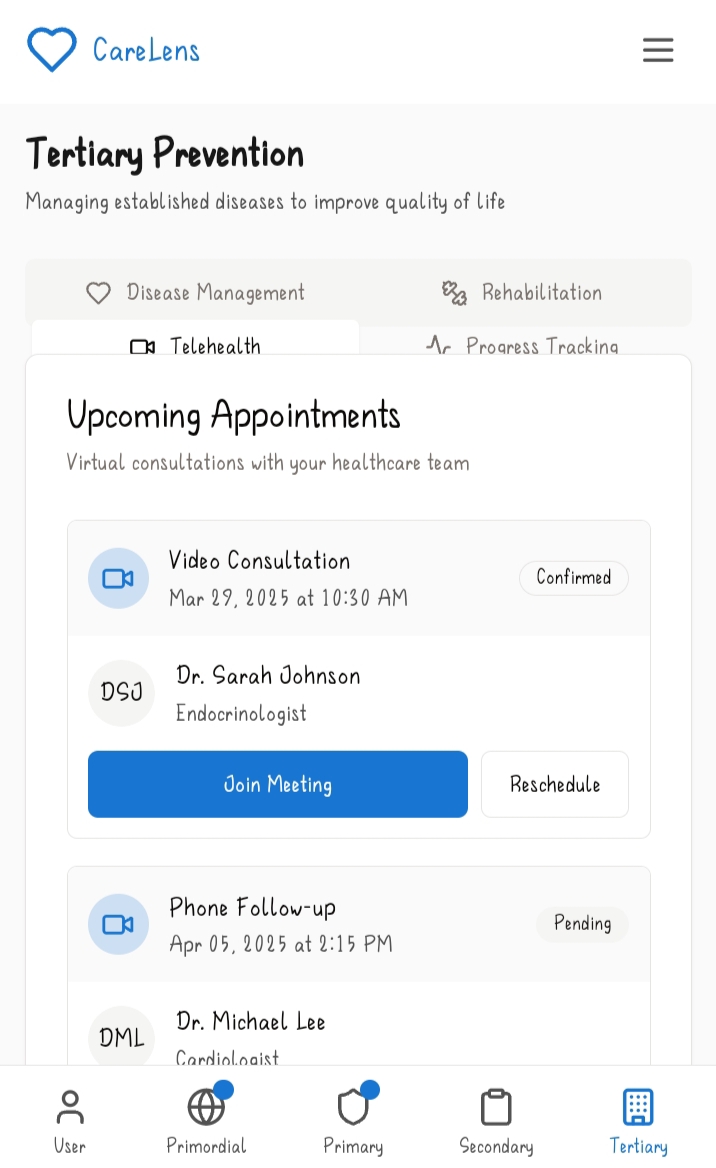
C) Telehealth: This subfeature is the one responsible for connecting users with their healthcare providers. It includes a list of upcoming consultations and their nature whether they are virtual, a phone call or in person. This also applies to appointments and details the doctor with whom the user is scheduled to meet with. There's also a tab for previous health appointments and this includes the date, the type of consultation it was, the health professional who was present and a summary of what the meeting was about and what the health specialist recommended for the user. And finally at the bottom of the subfeature the user can schedule an appointment with the health consultant of their choice, the type of consultation they'd like a date, available time and the reason for the consultation.
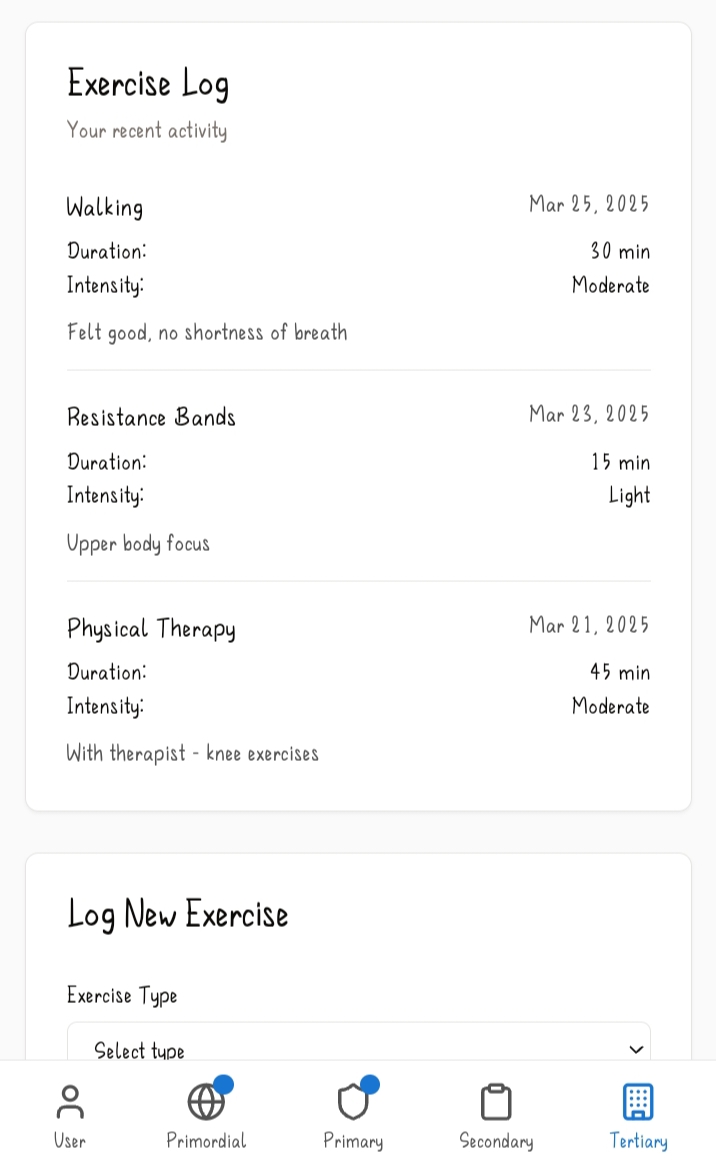
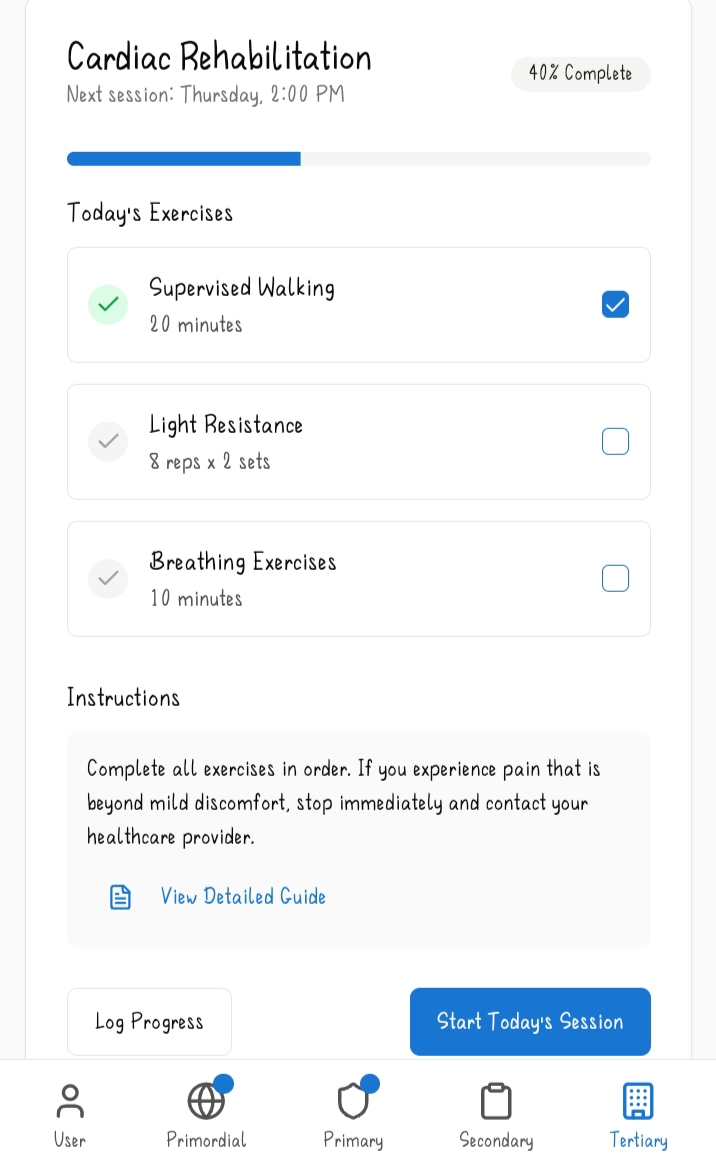
D) Rehabilitation: Rehabilitation is a very personalized subfeature that focuses on helping users recover from certain unfortunate incidents such as strokes. It provides various simple exercises the user can engage in such as balance training which CareLens also keeps track of and shows stats in percentage form of how much the user has managed to complete and the next due date and time. These exercises also include detailed guides and instructions that advise the user to seek medical attention immediately if they experience beyond mild discomfort or pain. There's also an exercise log that keeps track of a user's activity, including the type of activity, frequency, duration and a side note from the user e.g. if they did the exercises or part thereof with a specialist or experienced shortness of breath. They can also add more exercises at the bottom of the subfeature page.
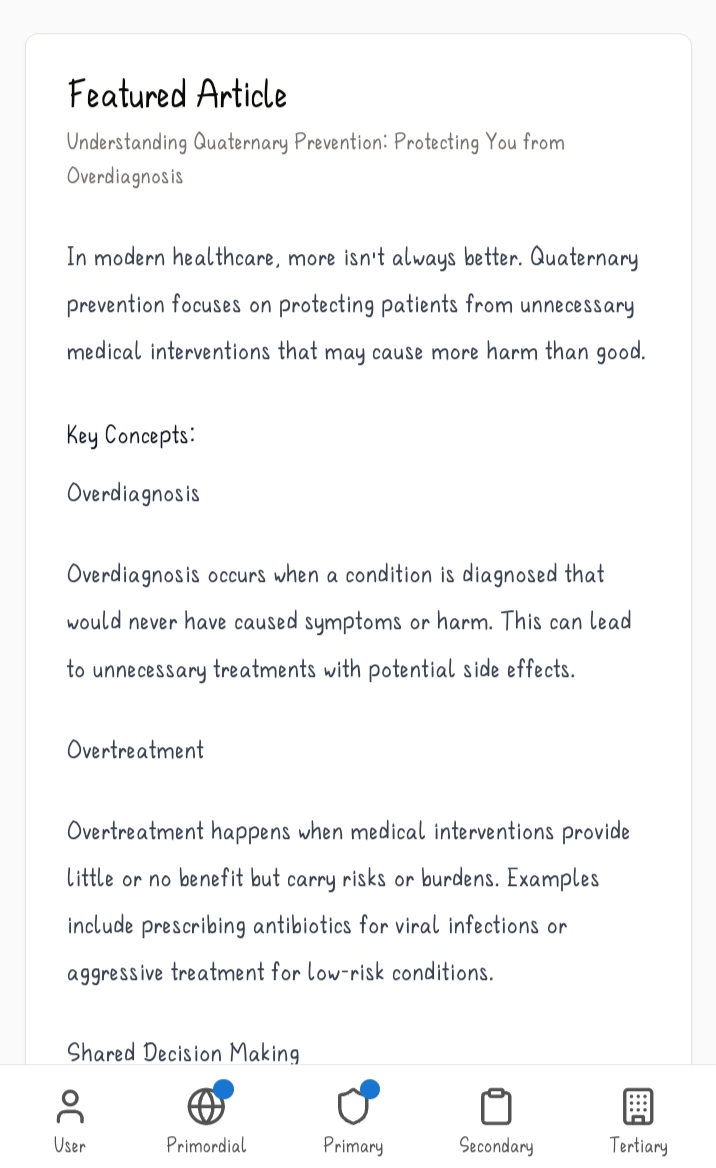
6.Quaternary Prevention. This is aimed at protecting patients from unnecessary or harmful medical interventions and over medicalization. Its features include;
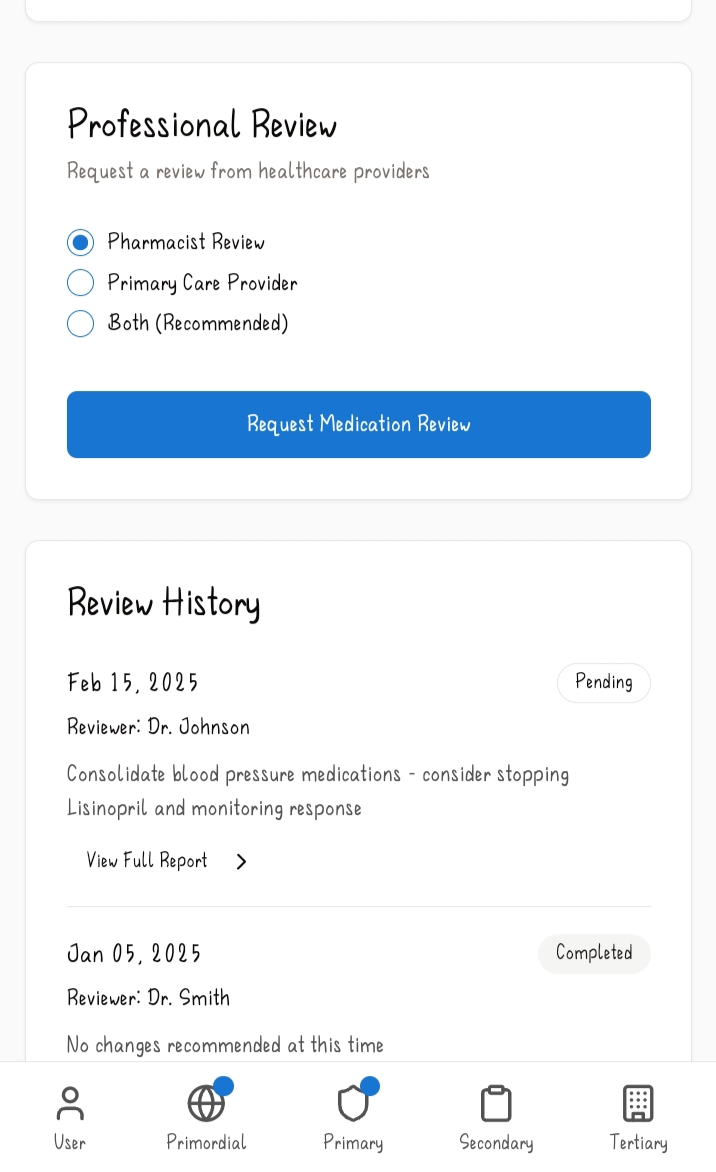
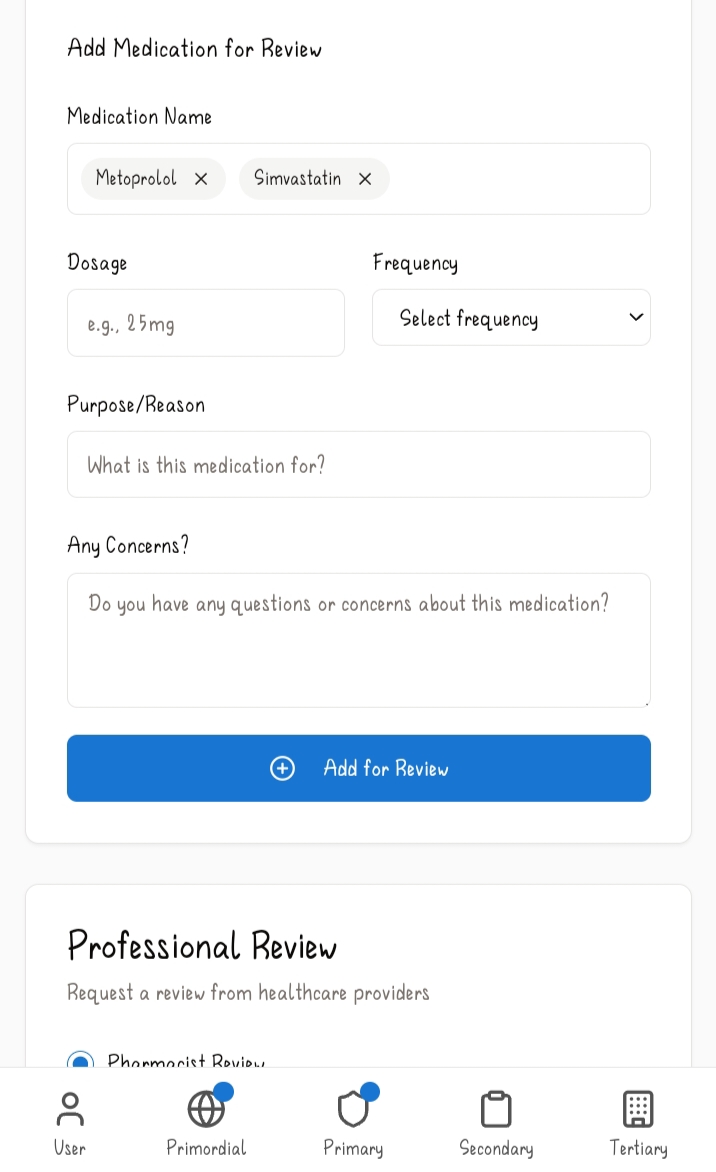
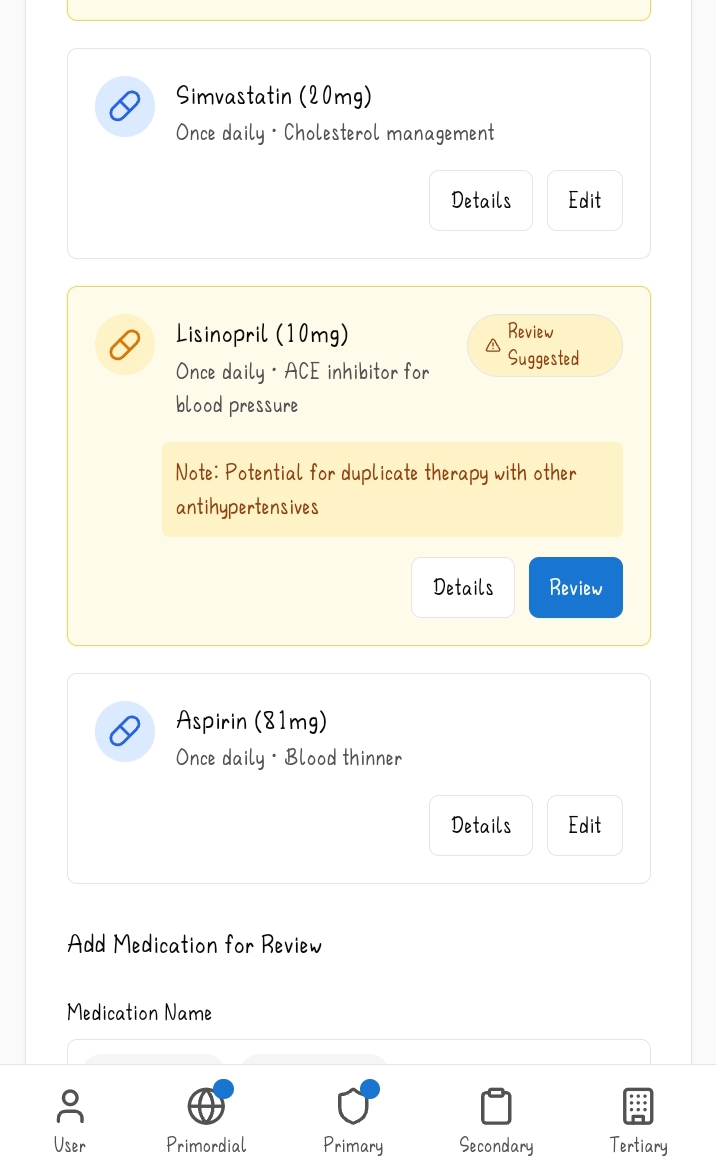
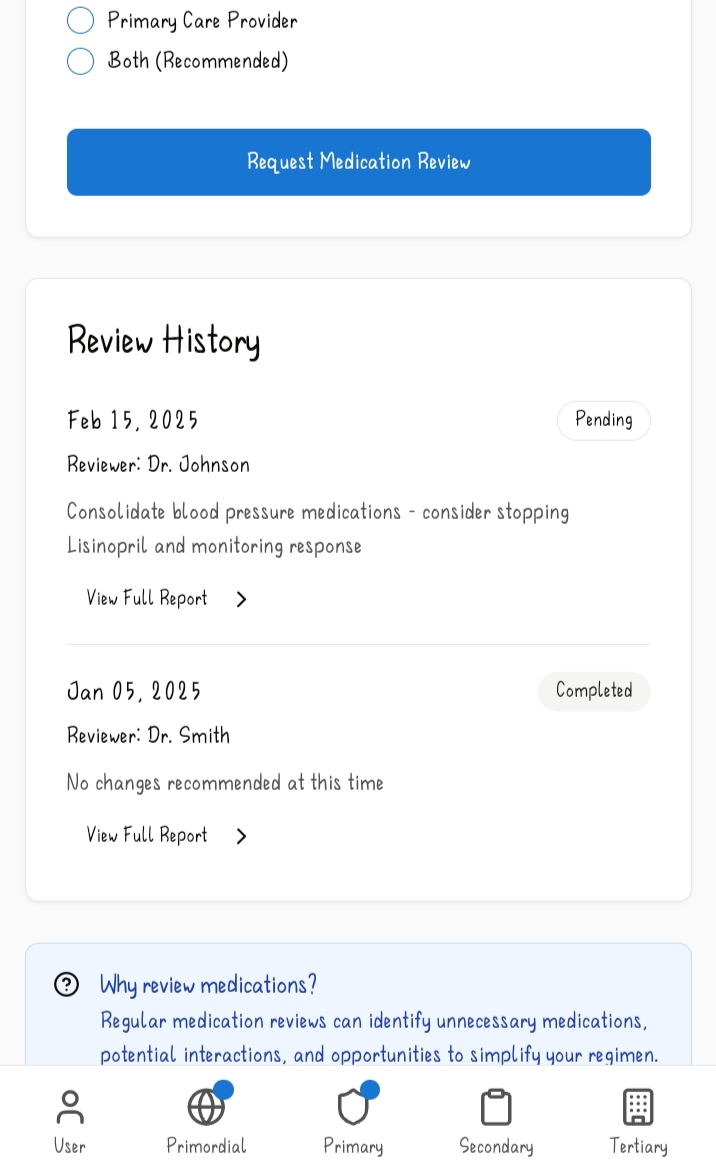
A) Medication Review: This subfeature is geared towards analyzing the user's current medication for potential issues. It contains a list of medications the user has submitted for reviewing detailing each one's dosage and use along with details about the medication in question. The user can also add more medication to be reviewed in the tab below stating its name, dosage, frequency and the purpose/reason for the medication. Then afterwards beneath that tab there's a section where the user chooses which healthcare provider reviews the medication they've submitted, be it a pharmacist review, primary care provider or both. Then after choosing,the user can request the medical review. Afterwards there's a review history of the previous medications the user had submitted along with the date of the review, the name of the healthcare provider who reviewed it and a full report by the healthcare provider concerning the medication. This regular reviewing helps to identify unnecessary medications and potential interactions.
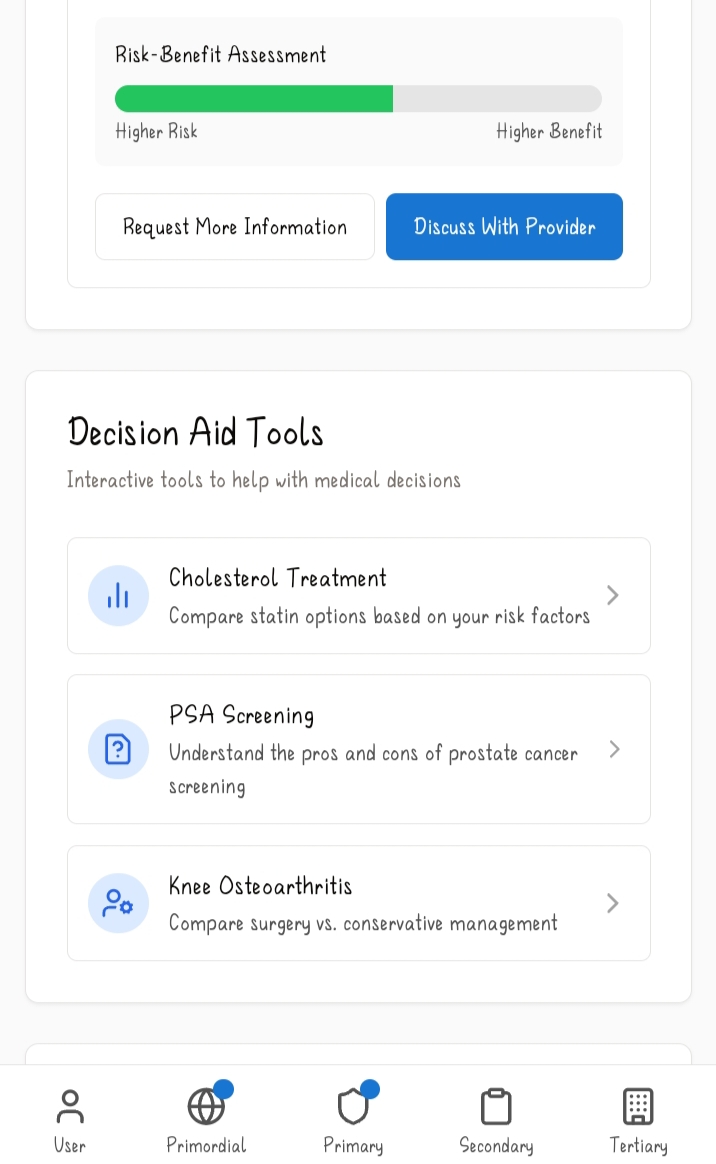
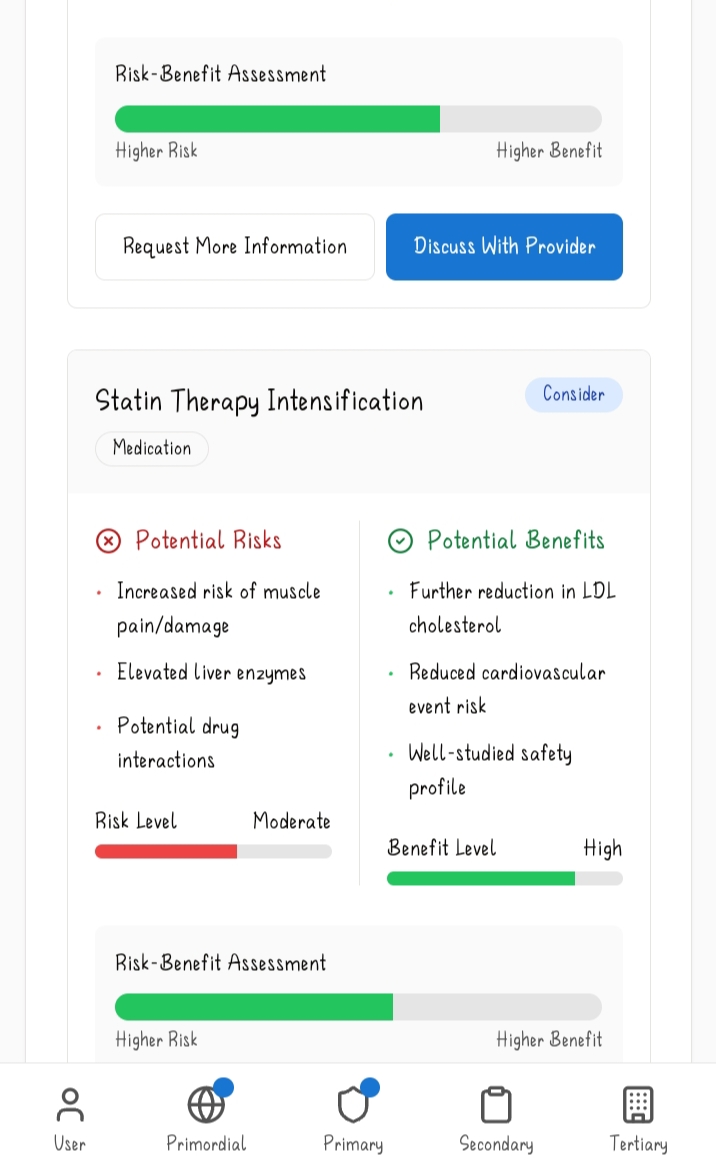
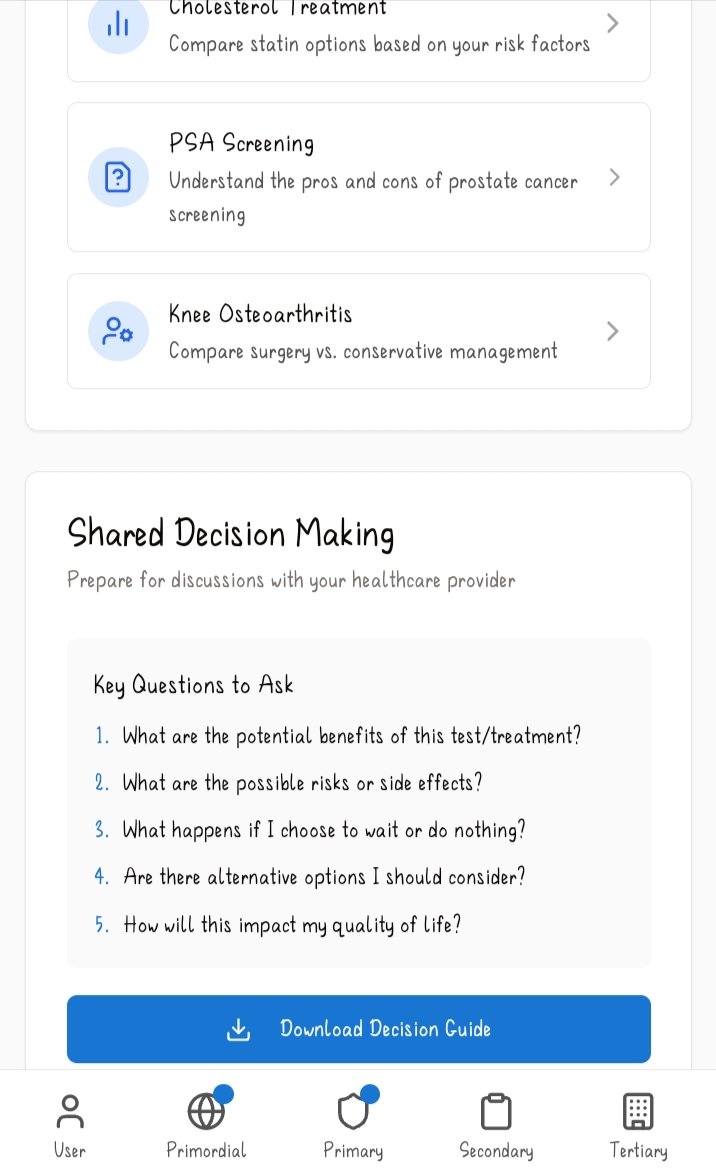
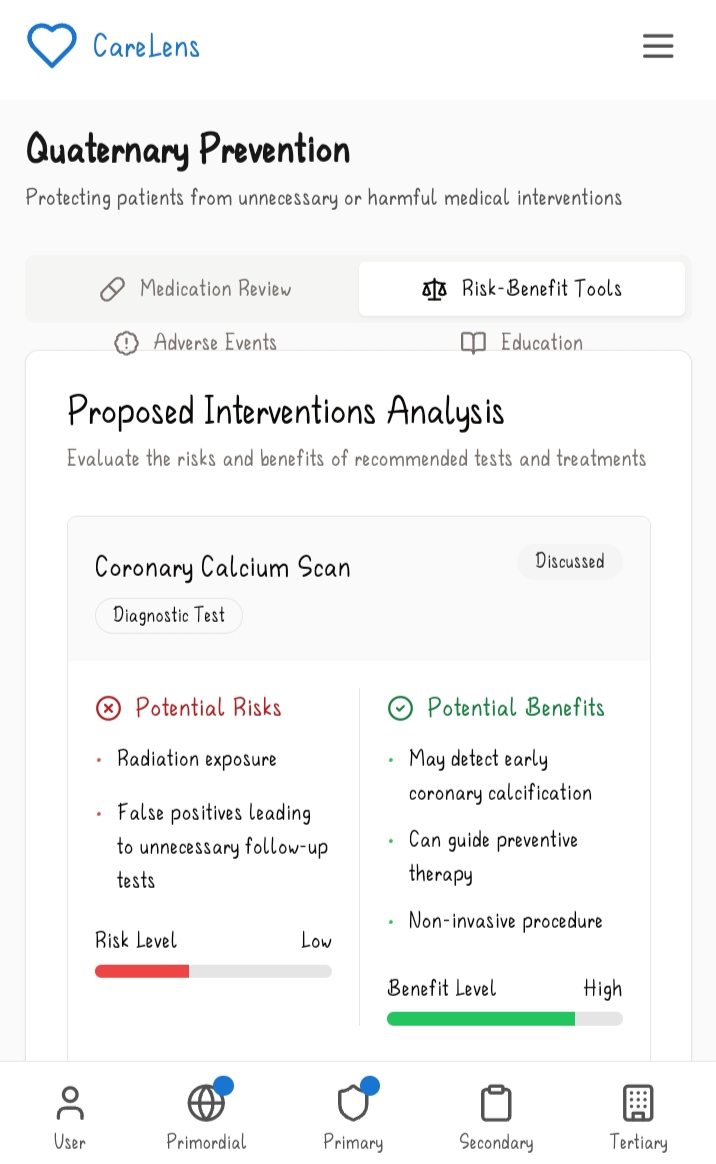
B) Risk-Benefit Tools: This subfeature compares the benefits and risks of recommended tests and treatments from CareLens. It weighs in on the benefits and potential risks that may arise as a result of a particular test. The user can request more information about that particular test or choose to consult with a doctor or the provider of that test in which case they'll be advised on the proper cause of action to take. Below that there's a decision aid tools tab and a shared decision making tab where the user can go through, prepare questions to ask their healthcare provider about a certain test they are about to undergo to help them understand it more and its impact on their lives so that they are in a better position to make an informed decision.
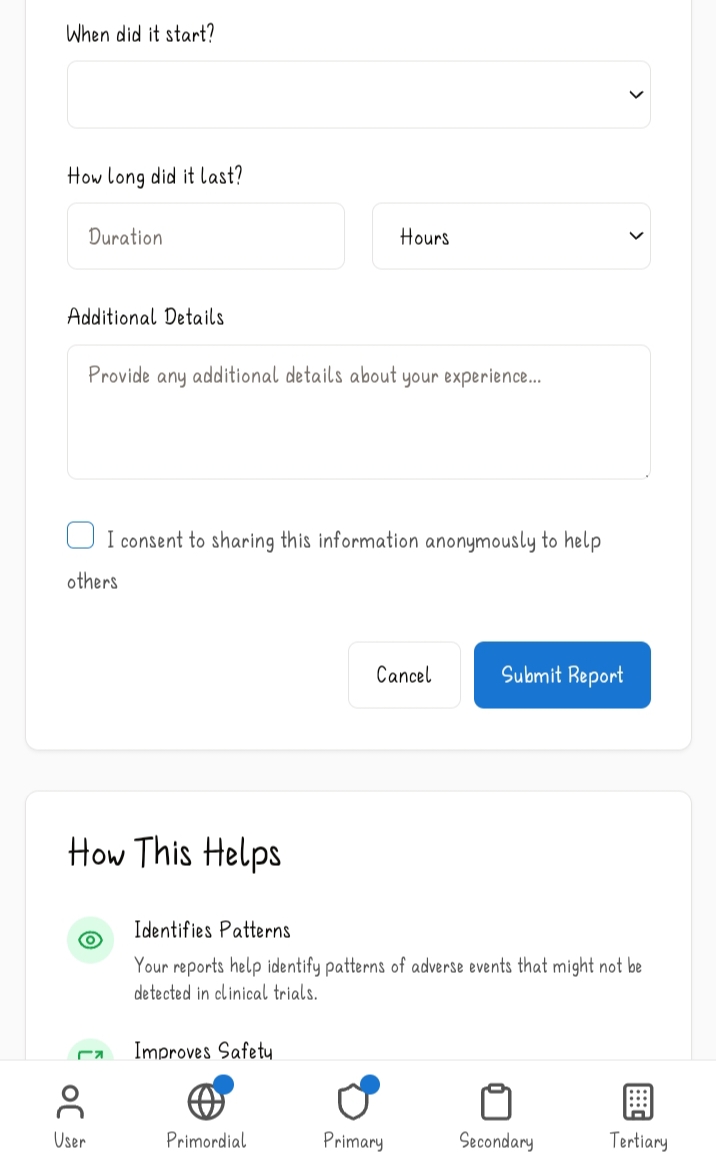
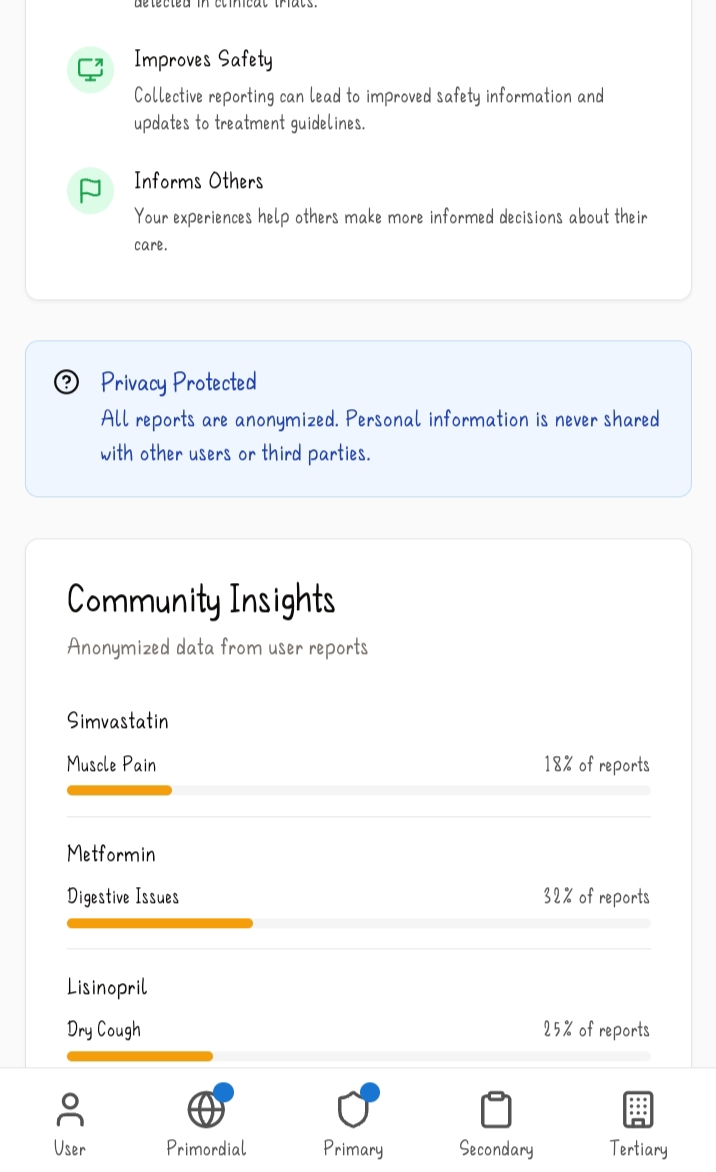
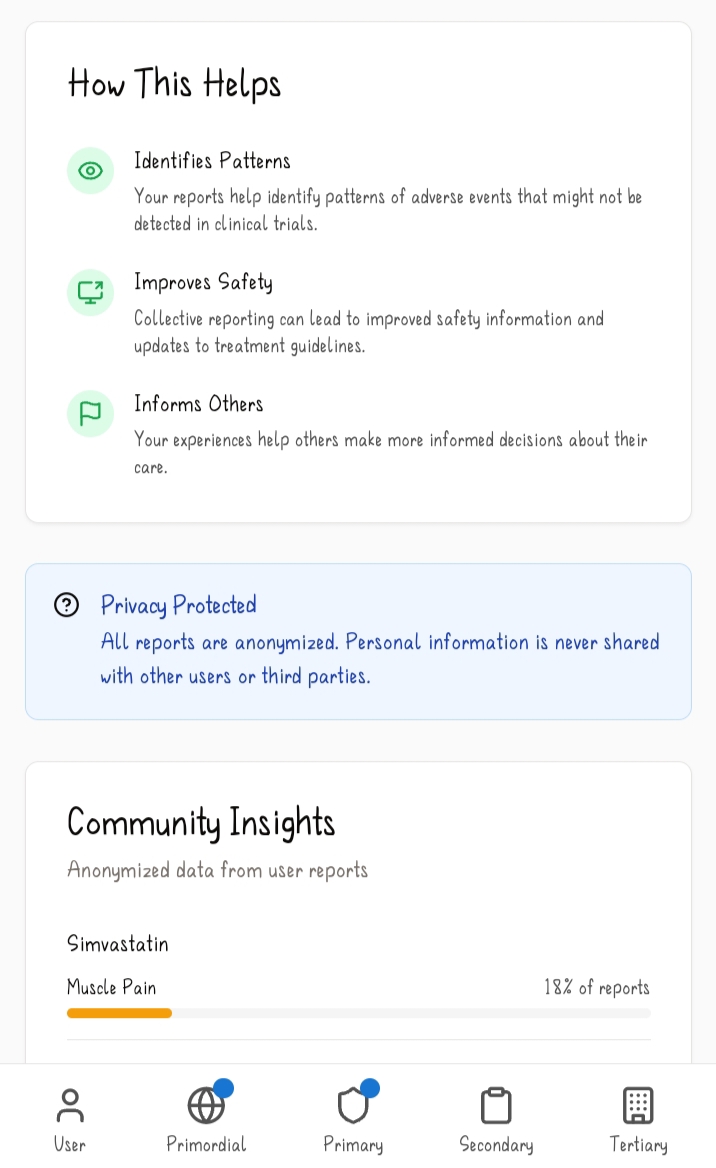
C) Adverse event: This sub feature helps users catalog the side effects they may have from using particular drugs. They get to input the name of the medication, the side effect they experienced, the severity, when it started, how long it lasted and and additional notes they may want to relay. This helps keep the community informed about a certain drug and what they may expect to experience when using it. And below that there's a community insights tab which shows the main side effects that result from certain drugs according to those who have used it. The data from these reports are made anonymous.
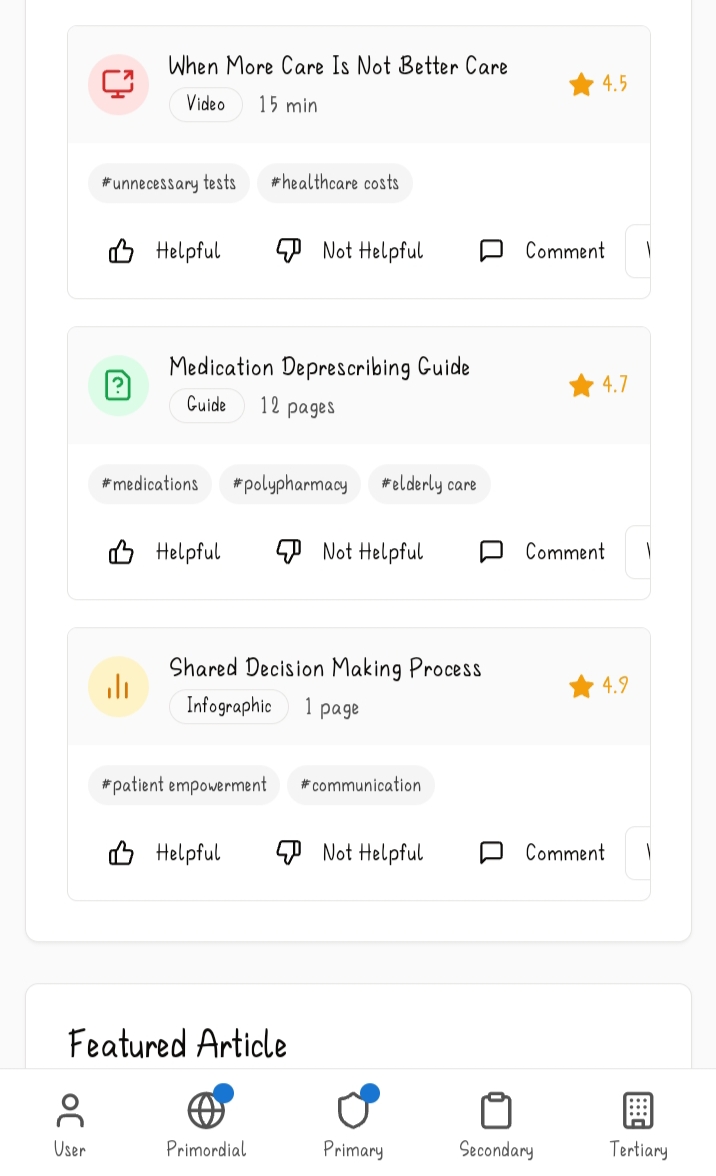
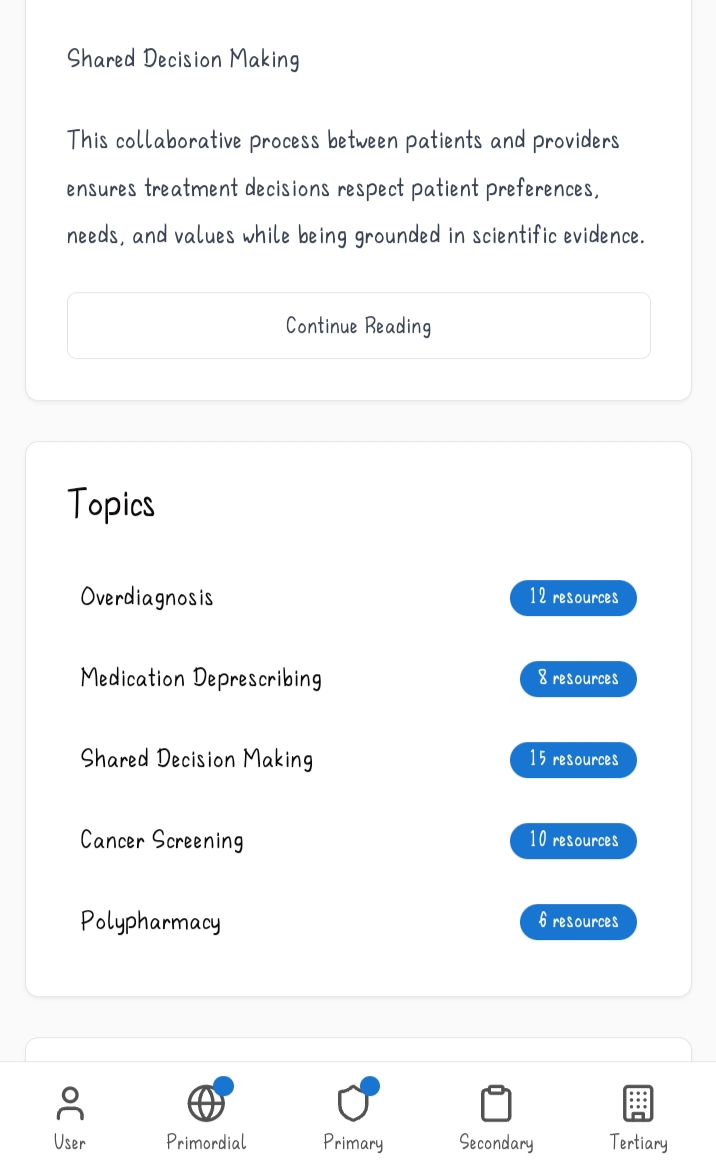
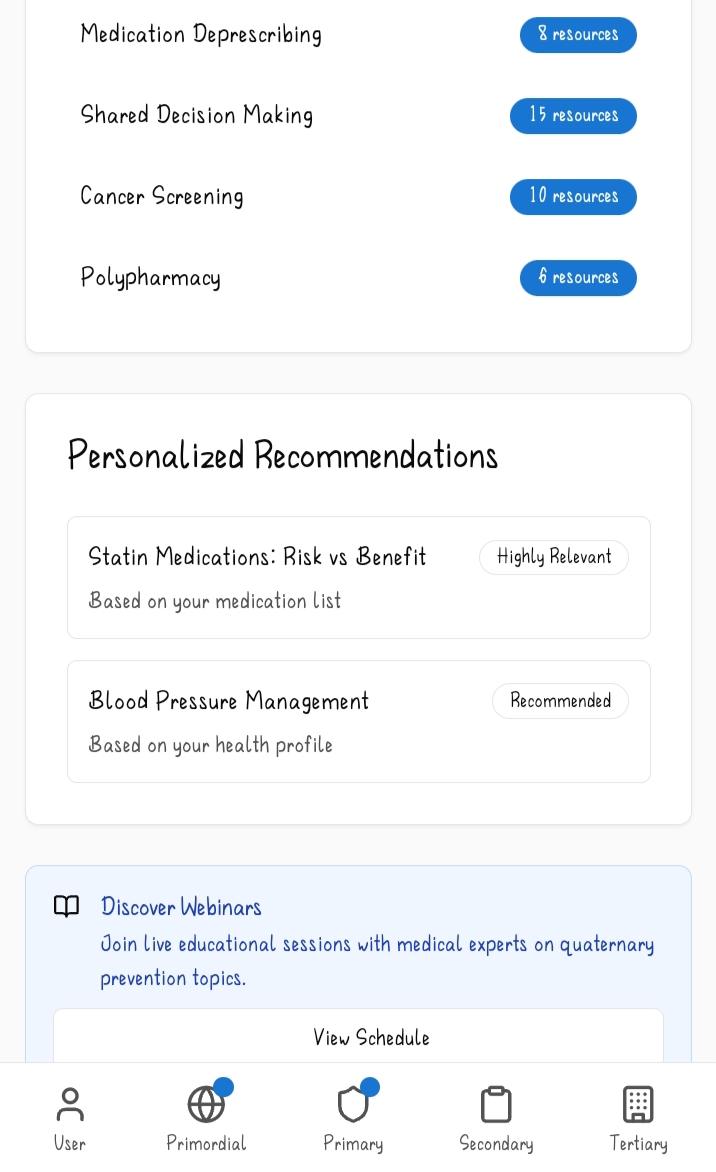
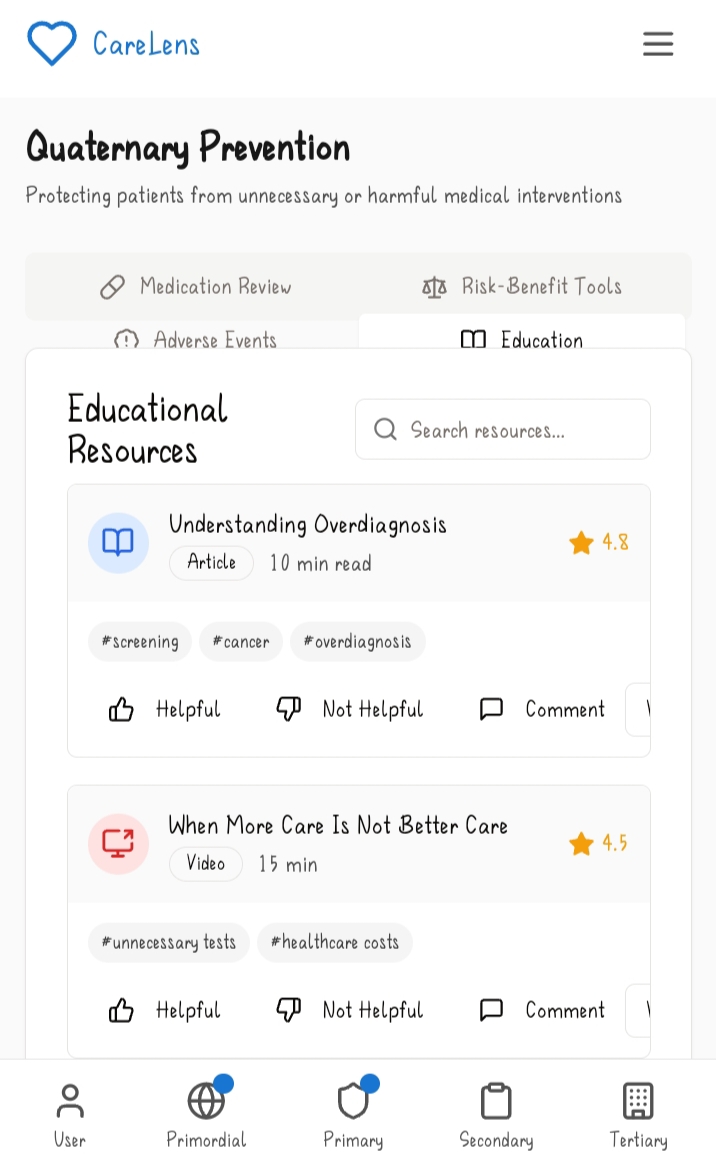
D) Educational Resources: This sub feature contains a list of educational resources about quaternary care and why it's important. This helps to increase patient awareness and reinforce the value of critical, measured medical decision making. It includes different resources, ratings of how many people found it helpful and a duration as to how long it may take to go through it. There are also different topics highlighted below with the number of resources available to that particular resource shown on the right side.
How we built it
CareLens' frontend structure is built using react with typescript, tailwind css, radix UI primitives for the component architecture and Zod schema for validation. For the backend architecture; express.js was used with RESTful API endpoints. For the database integration postgresql was the preferred choice and for the authentication feature passport.js was used.
Challenges we ran into
There were a couple of challenges that arose while making CareLens one of which was configuring and getting the symptom checker to work efficiently. The other problems include configuring the maps section to showcase the different features available in one's area, getting different resources for the education modules and configuring the risk assessment feature to take into account the user's and their family's medical history while making the assessments on their health and recommending the best cause of action for the user to take.
Accomplishments that we're proud of
Some of the accomplishments I'm proud of is making the Telehealth sub feature work to give the user a choice between whether having a phone call, an in-person visits or a virtual one. Another accomplishment I'm proud of is the screening feature which keeps a record of the screenings that user has had so that they can view them later when they want and also recommend new ones which they may need based on the data in their user and health profile. And another one is making the community forum work which was no small feat enabling one to not just post but to react and reply to other people's posts.
What we learned
I learnt a lot of things throughout this development journey including working with leaflet/react-leaflet which was responsible for the map rendering in the web app. I also got to hone my typescript skills and learn a little bit more about express.js than I had earlier known as well as practice working with Zod Schema and try out new styles with tailwind css.
What's next for CareLens
I'd like for CareLens to be integrated with different healthcare systems and help bring about a new age where people value and understand the importance of preventive care and take active measures to enhance it. After all, prevention is better than cure!
Built With
- express.js
- passport.js
- postgresql
- radixui
- react
- restfulapi
- tailwindcss
- typescript
- zodschema