-
-
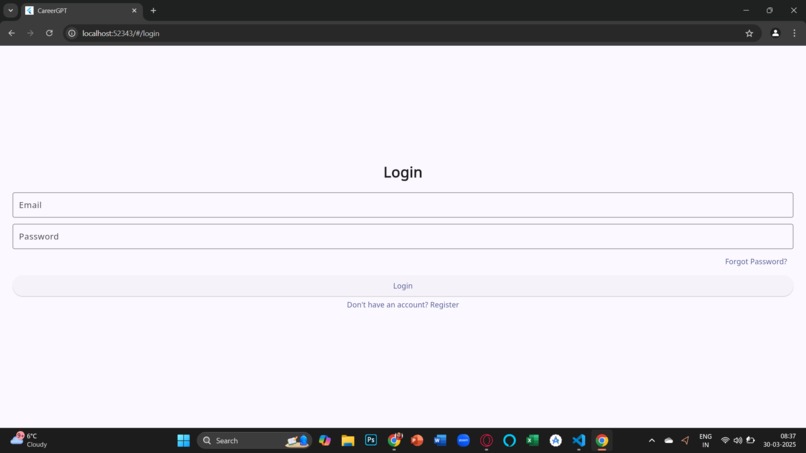
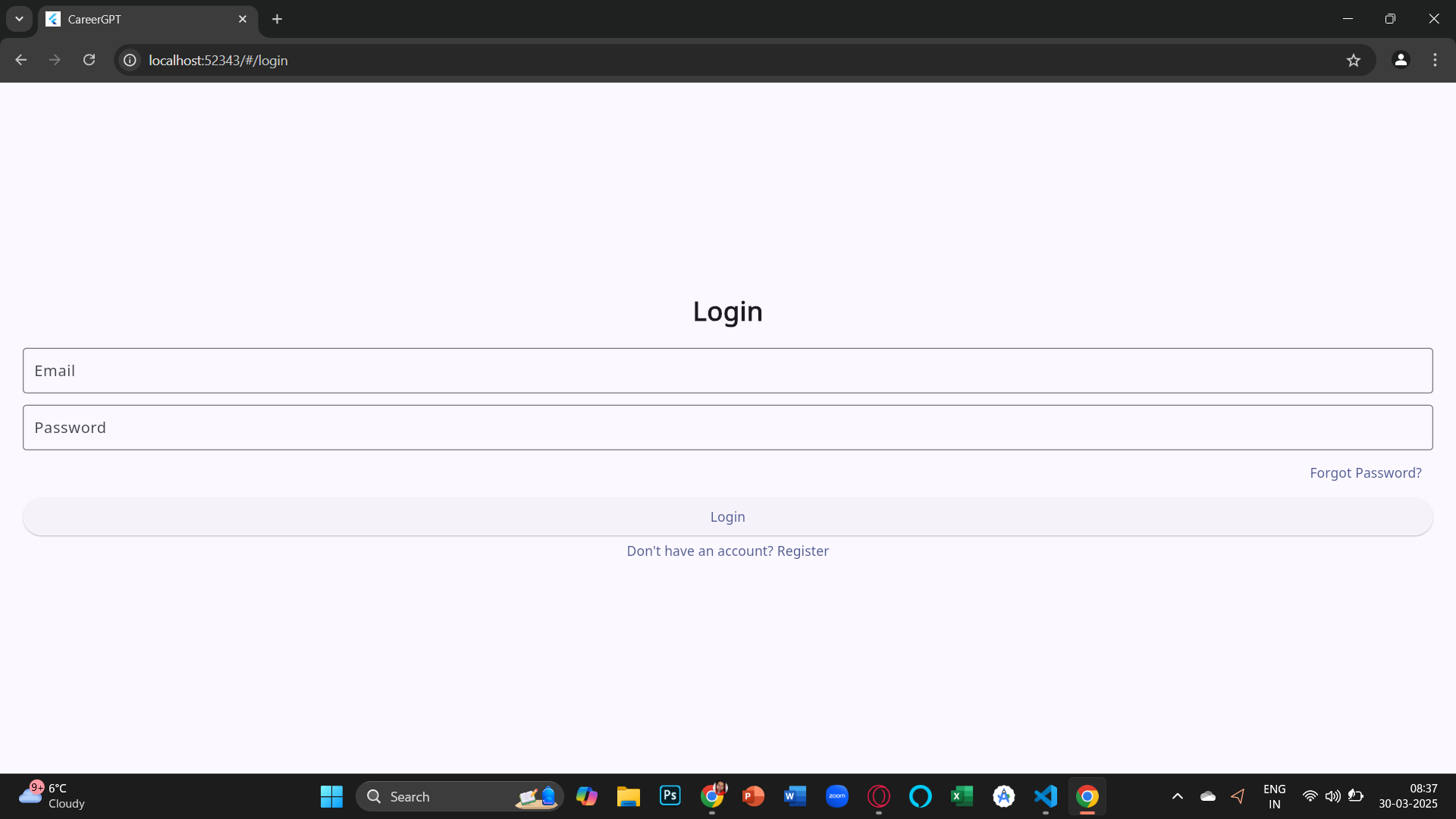
Login Page
-
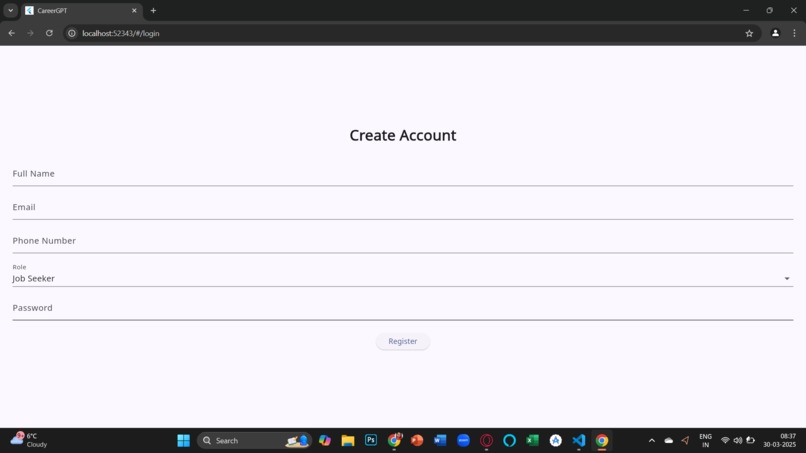
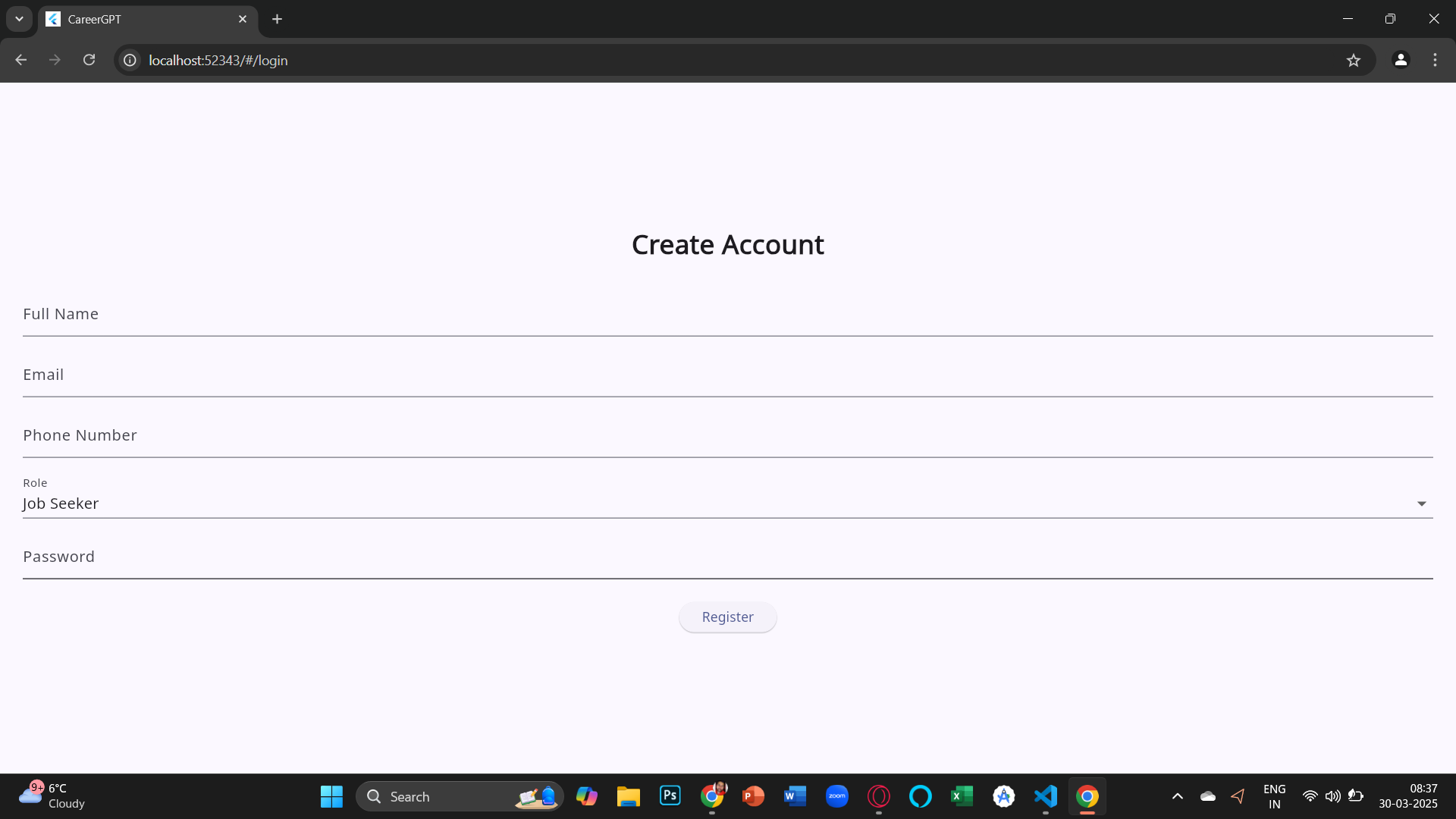
Signup Page
-
-
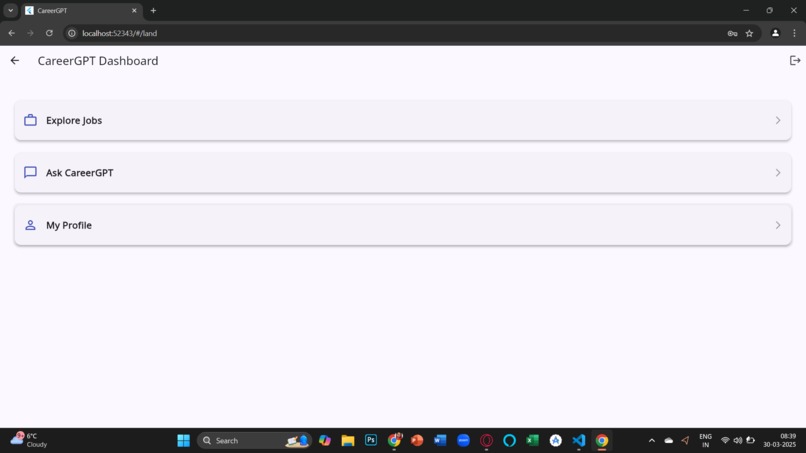
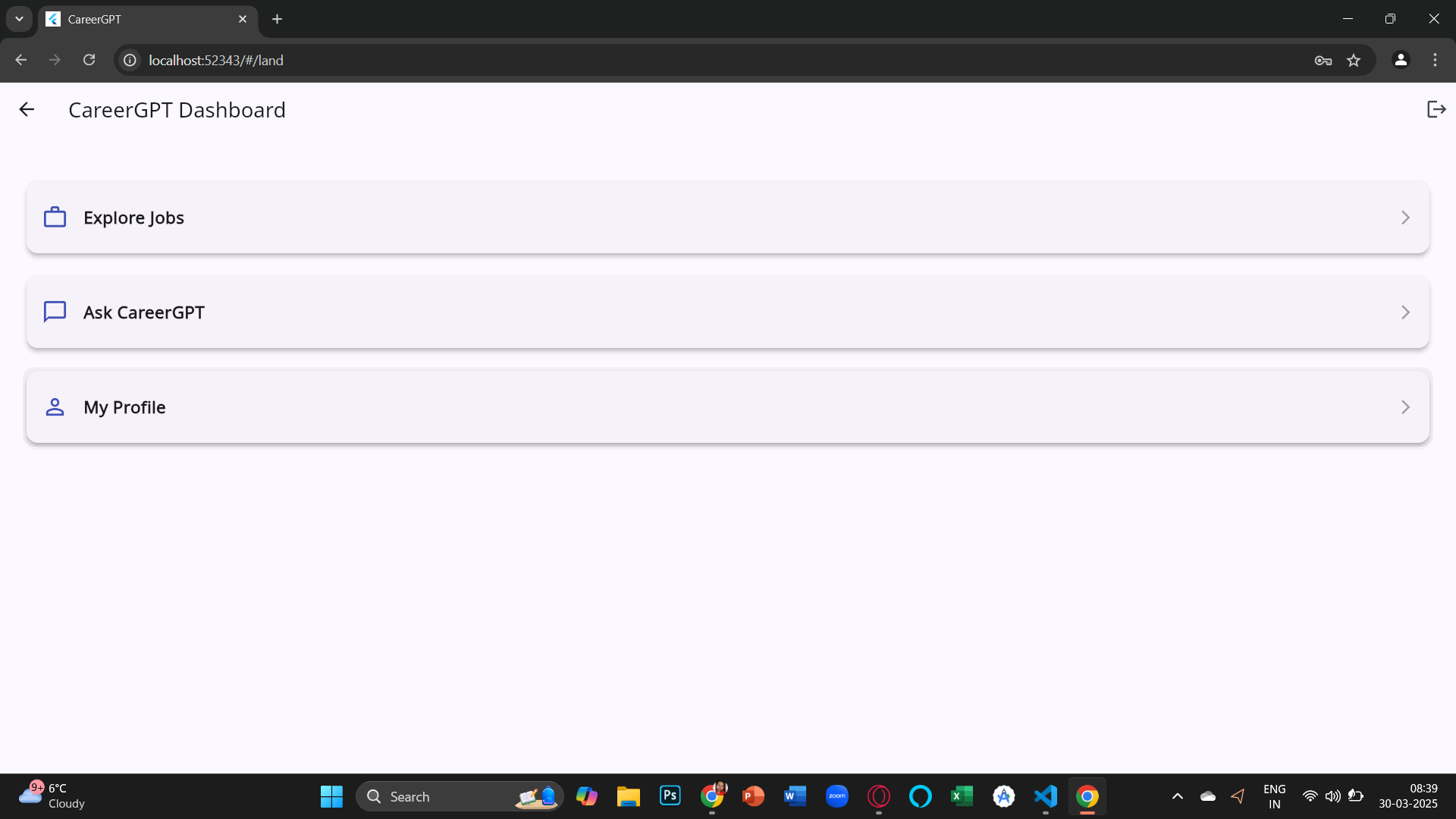
Home Page
-
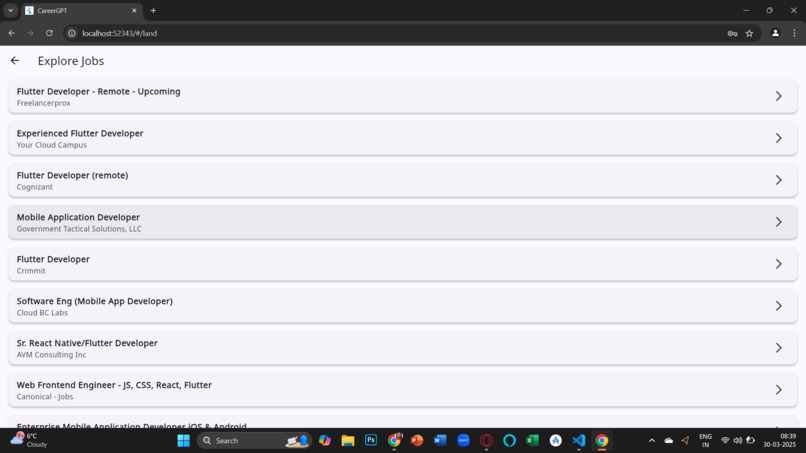
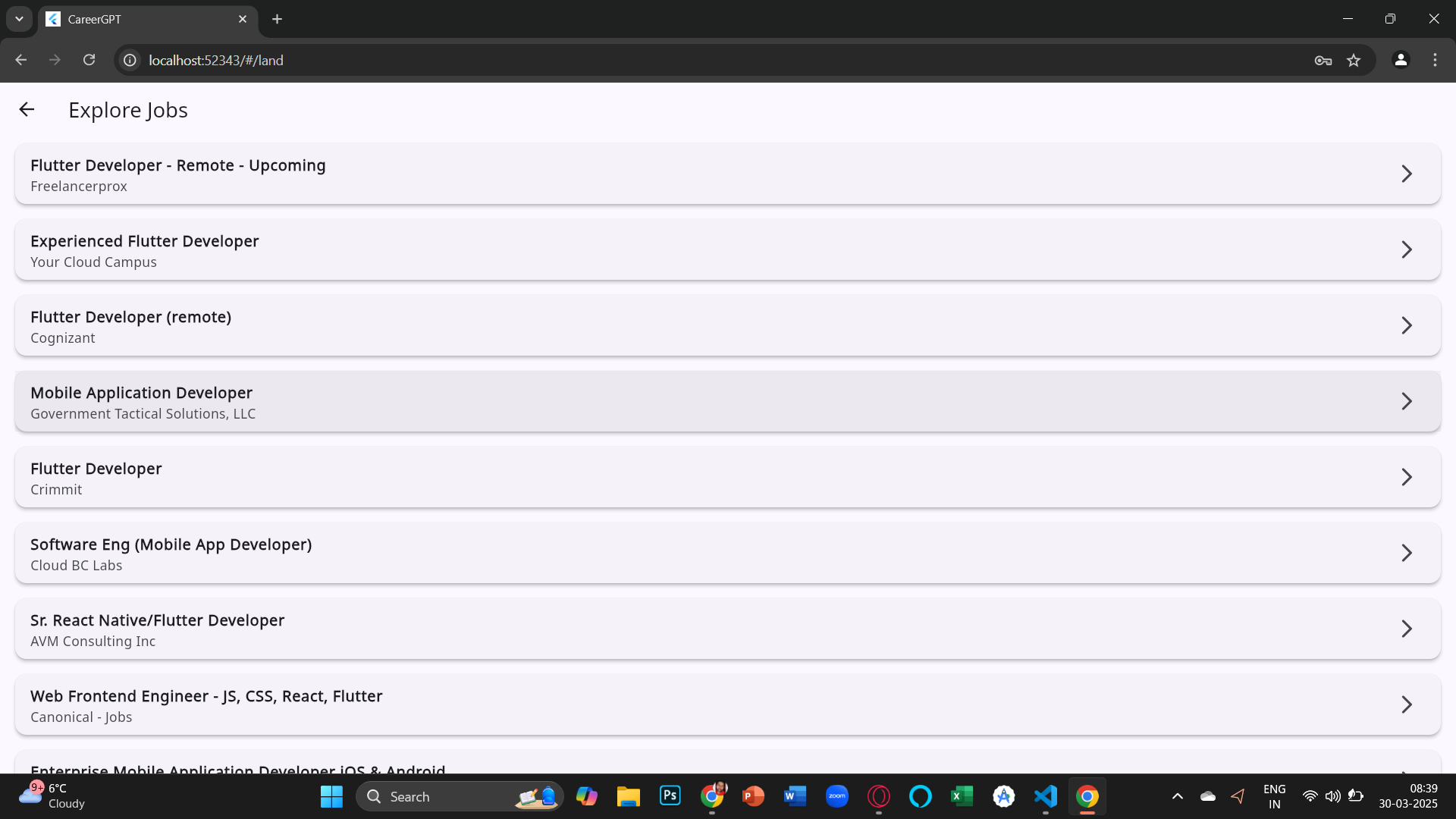
Explore Job Page
-
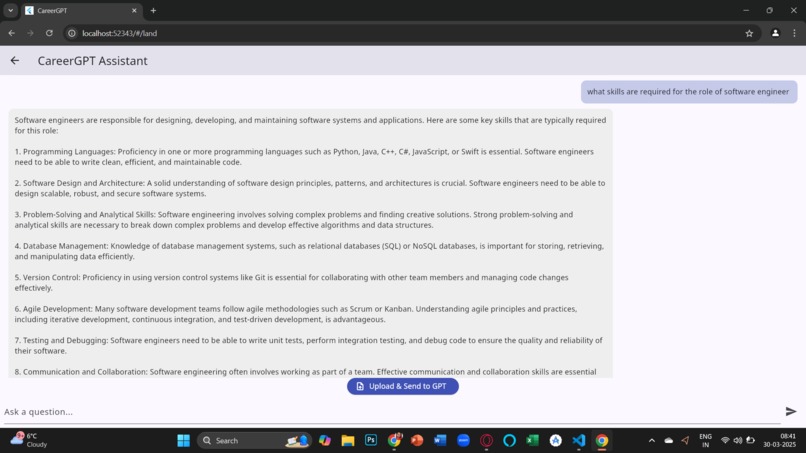
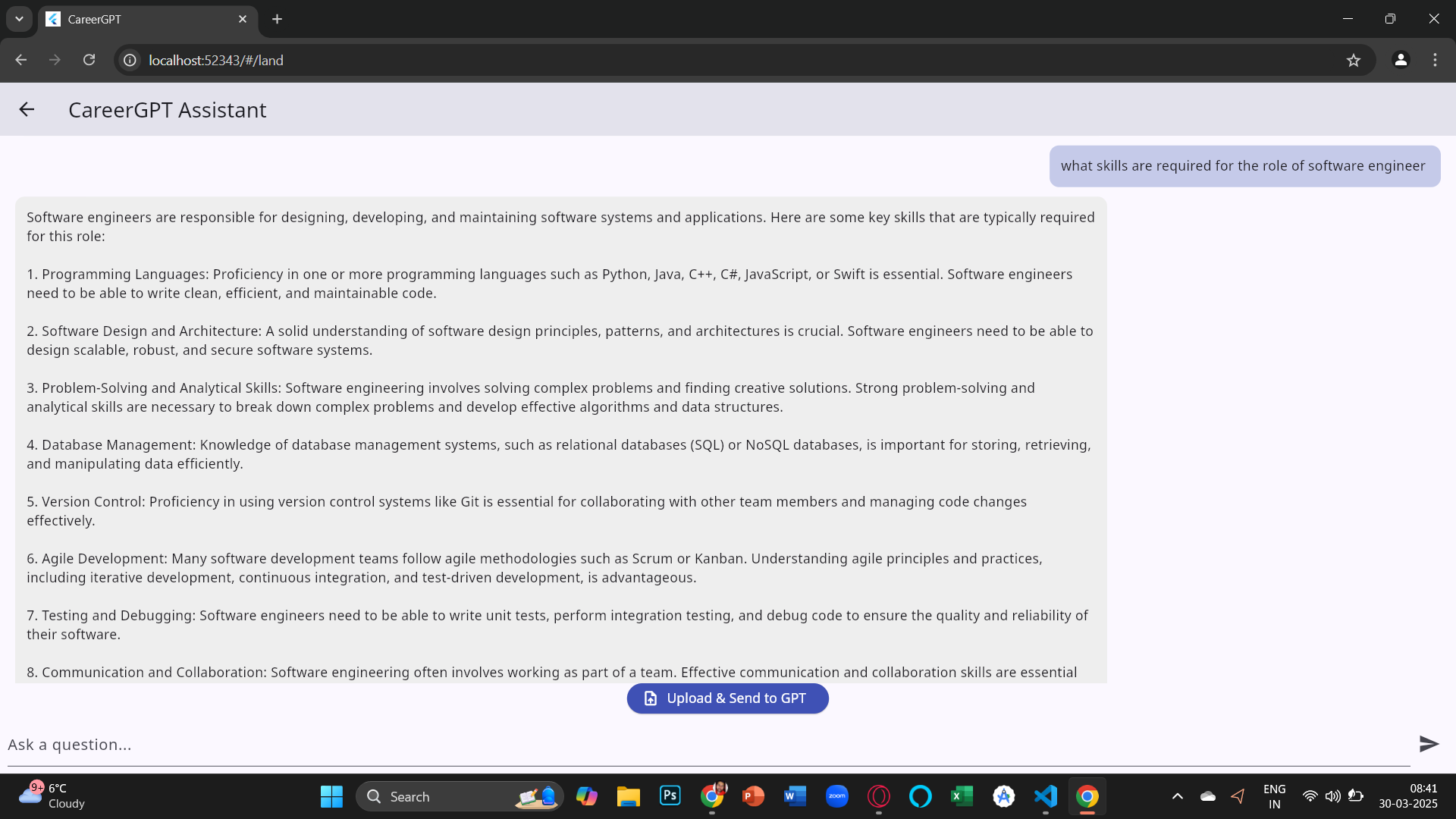
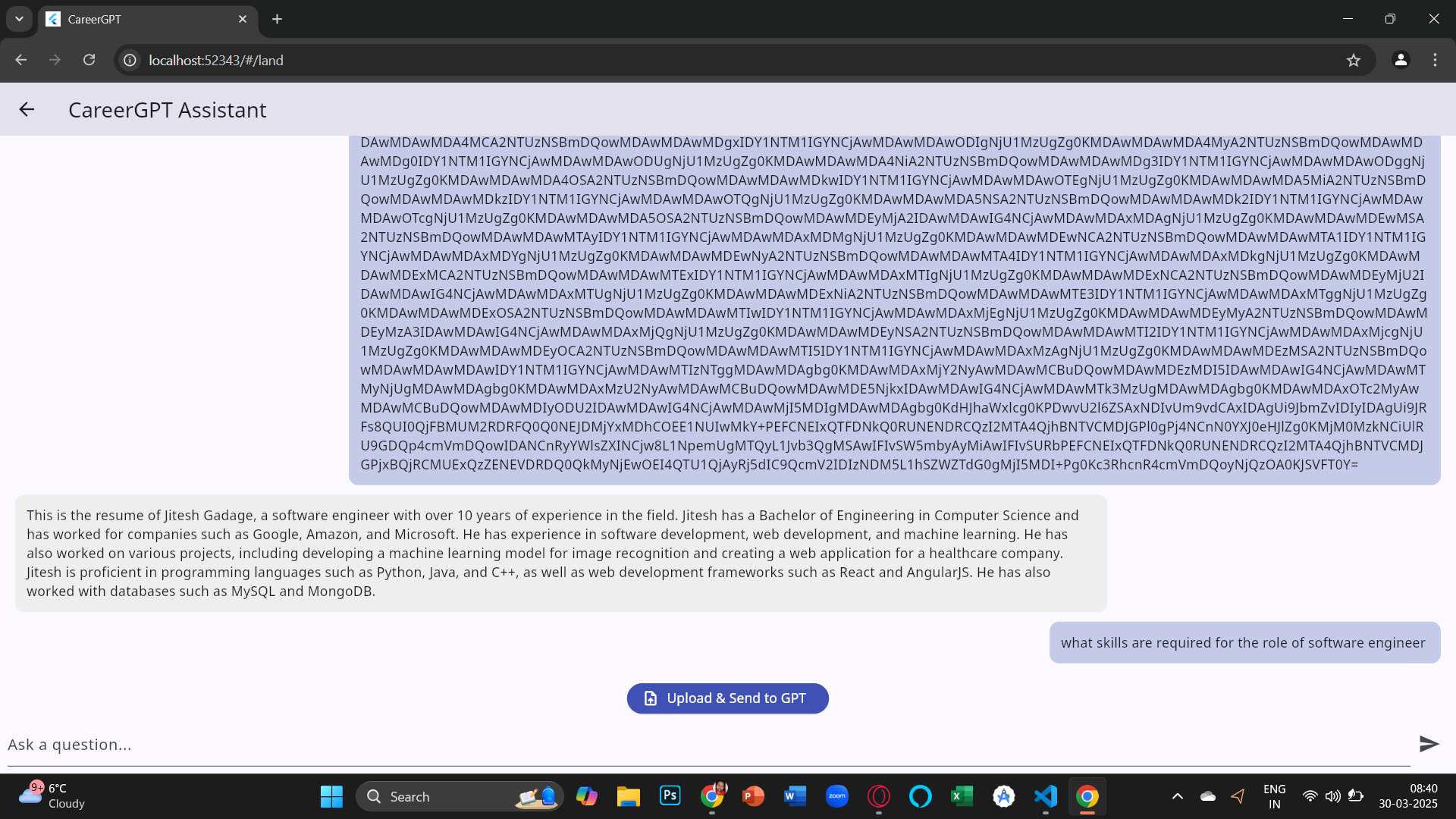
prompt reponses
-
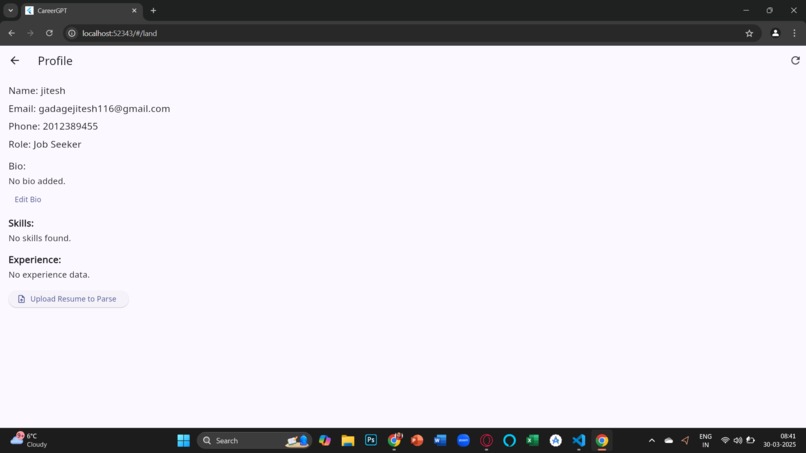
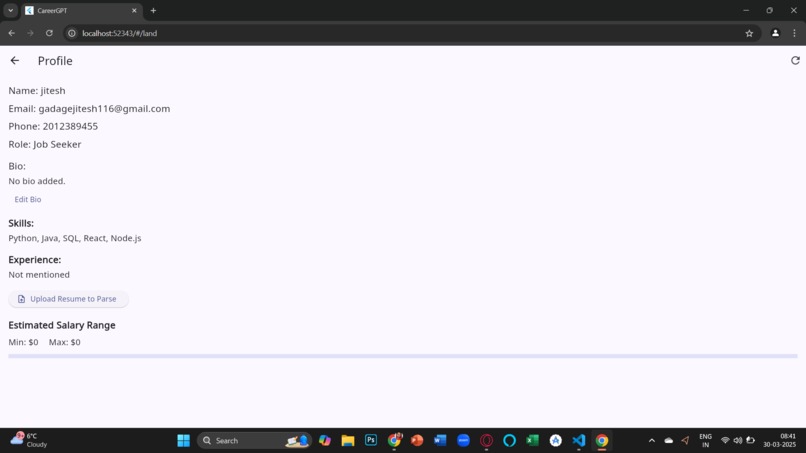
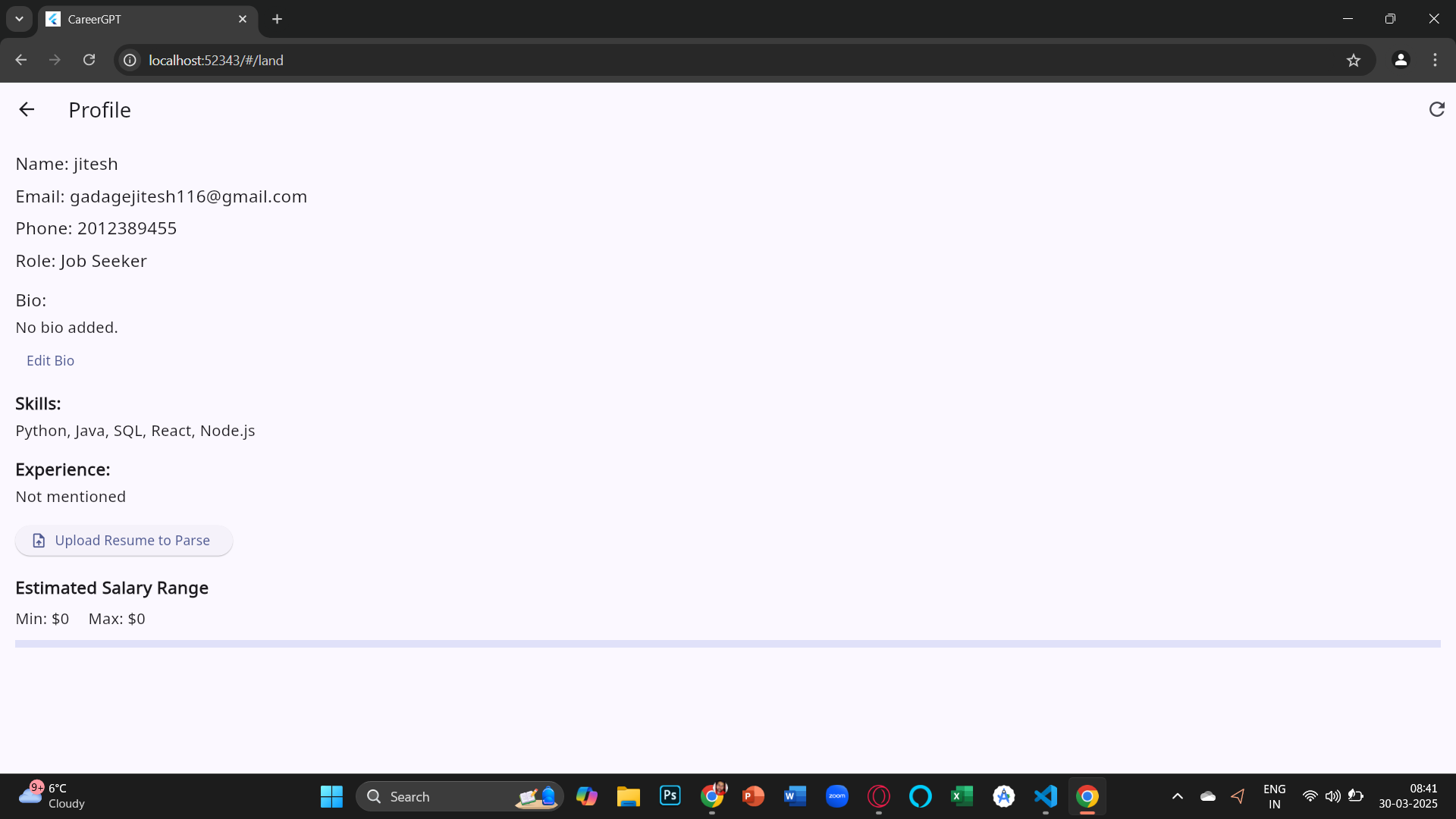
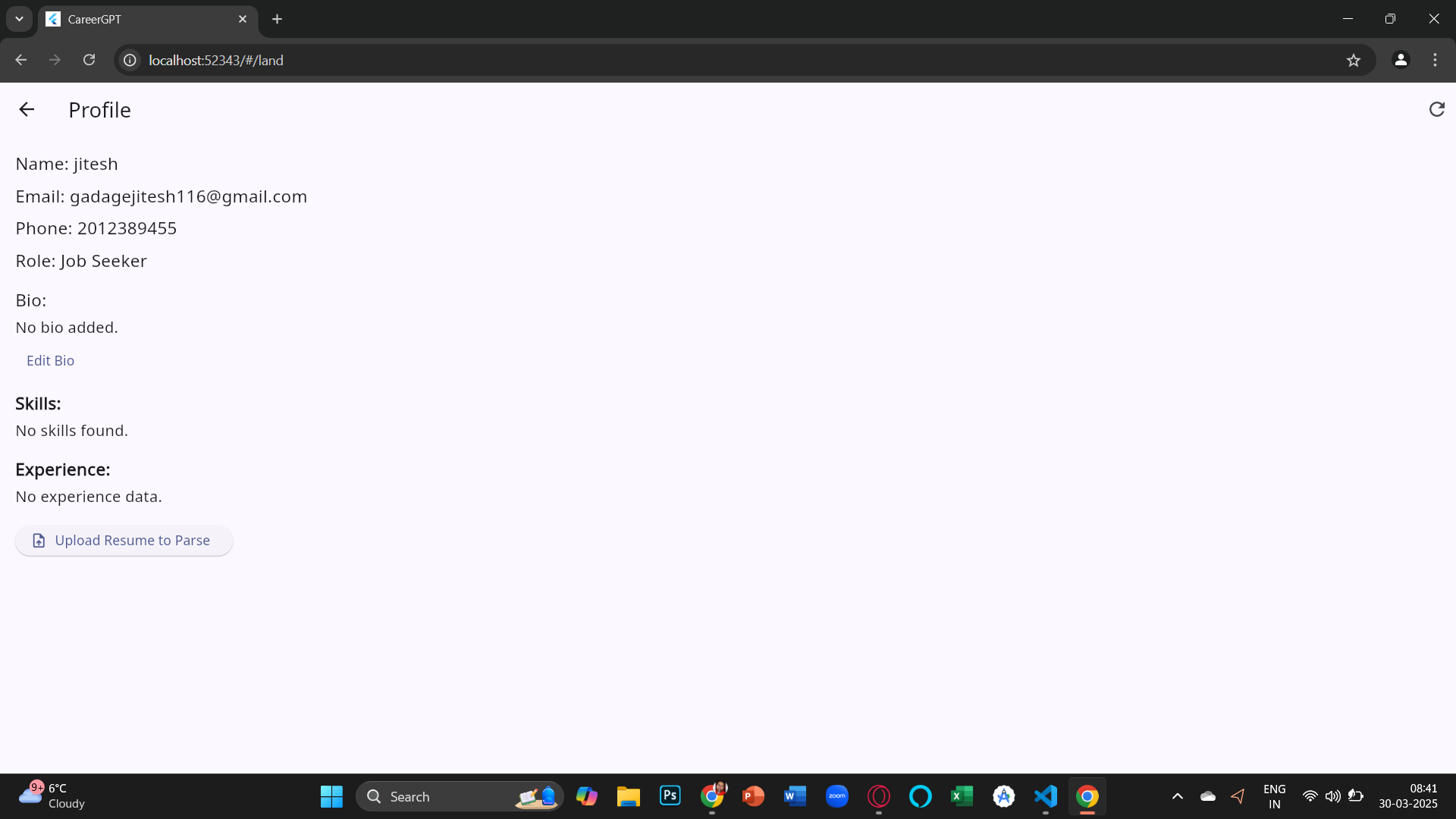
Profile Page
-
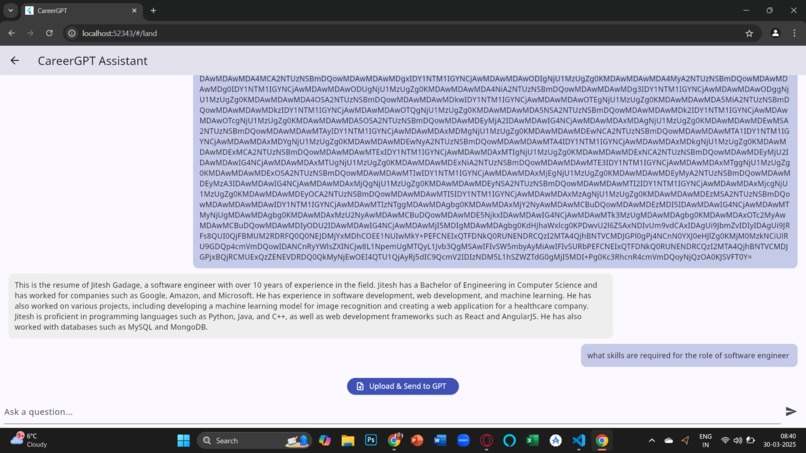
career GPT
💼 CareerMaker
CareerMaker is an AI-powered job search and career assistant platform built using Flutter Web. It empowers job seekers to discover job opportunities, get AI-driven salary predictions, and upload resumes to extract skills and experience — all through an intuitive, professional interface. It also offers recruiters a tailored experience to manage and discover talent.
Meet the team: Knight Coders
Team Members :
- Antariksh Sanjay Patil
- Kashmira Mahesh Sawant
- Jitesh Dnyandeo Gadage
- Aditya Ganpat Shinde
Project Description:
CareerMaker is an innovative, AI-powered career assistant platform developed using Flutter Web, designed to simplify job search and career planning. Tailored for both job seekers and recruiters, it streamlines the process of discovering relevant job opportunities, obtaining personalized salary recommendations, and identifying potential skill improvements.
Key functionalities include secure user authentication via Firebase, dynamic resume parsing to automatically extract user skills and experience, and intelligent salary predictions powered by RapidAPI integrations. Users enjoy a polished, interactive experience featuring real-time data visualization, animated transitions, and an intuitive interface.
With CareerMaker, users gain clarity about their professional journey, empowering smarter career decisions through technology-driven insights.
Developed to contest the prompt given by ADP as :
Imagine a smart AI assistant that helps employees make informed career moves by turning complex payroll and market data into actionable insights. Your task is to build an AI-powered system that answers tough career questions, identifies earning potential, and visualizes future growth—all through natural conversations.
✨ Key Features
✅ Firebase Authentication (Login/Signup)
✅ Role Selection: Job Seeker / Recruiter
✅ Profile Management (Bio edit, view, refresh)
✅ Resume Upload & Parsing (PDF)
✅ Skill & Experience Extraction (Local Parsing)
✅ AI-Powered Salary Prediction via RapidAPI
✅ Bar Chart for Min/Max Salary Visualization
✅ Explore Live Jobs via JSearch API
✅ Ask CareerGPT (Cohere-based AI guidance)
✅ Modern UI + Smooth Animations
📂 Folder Structure
lib/
├── models/
│   └── job_model.dart
├── screens/
│   ├── login_screen.dart
│   ├── register_screen.dart
│   ├── landing_screen.dart
│   ├── profile_screen.dart
│   ├── gpt_screen.dart
│   └── home_screen.dart
├── services/
│   ├── auth_services.dart
│   ├── firestore_service.dart
│   ├── job_api_service.dart
│   ├── salary_api.dart
│   └── resume_parser_service.dart
├── widgets/
│   └── job_card.dart
├── main.dart
🚀 Getting Started
1. Clone the Repository
git clone https://github.com/YOUR_USERNAME/CareerMaker.git
cd CareerMaker
2. Install Flutter Dependencies
flutter pub get
Ensure you are using the latest version of Flutter.
🔥 Firebase Setup
- Go to Firebase Console
- Create a new project
- Enable Authentication > Email/Password
- Set up Firestore Database and create a collection named
users - Use FlutterFire CLI to initialize Firebase for your project
flutterfire configure
This will generate the required firebase_options.dart.
🔑 Add API Keys
lib/services/salary_api.dart
static const String apiKey = 'YOUR_RAPID_API_KEY';
Get one from: RapidAPI - Job Salary Data
lib/services/job_api_service.dart
headers: {
  'X-RapidAPI-Key': 'YOUR_RAPID_API_KEY',
  'X-RapidAPI-Host': 'jsearch.p.rapidapi.com',
}
🧪 Run the App
For Flutter Web:
flutter run -d chrome
🖼 Screens
| Feature | Screenshot |
|---|---|
| Login / Signup | ✅ Auth screens with Firebase |
| Landing Page | 🎯 Navigate to Jobs, Profile, GPT |
| Resume Upload | 📄 Upload PDF, extract skills |
| Salary Chart | 📊 Visual Min/Max Salary Range |
| Job Explore | 🔍 View real-time jobs using API |
💬 Resume Parsing Logic
- Uses
syncfusion_flutter_pdfto parse the resume - Extracts skills and experience from raw text
- Updates this data to Firestore under the user document
📈 Salary Prediction
- Powered by Job Salary Data API
- Based on extracted skills + location
- Automatically visualized using
fl_chartin the Profile screen
🧠 CareerGPT
Ask career-related questions using the Cohere-powered chatbot inside the app.
📌 Additional Highlights
- Flutter Web optimized
- Beautiful UI with Google Fonts
- Refresh buttons, animations, custom transitions
- Error-handling and fallback UI for empty data
