-
-
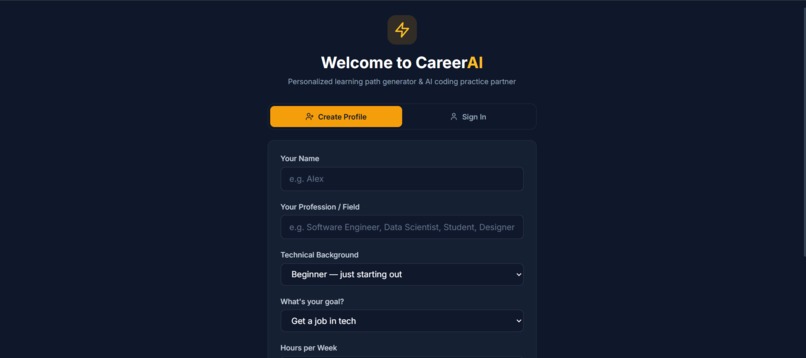
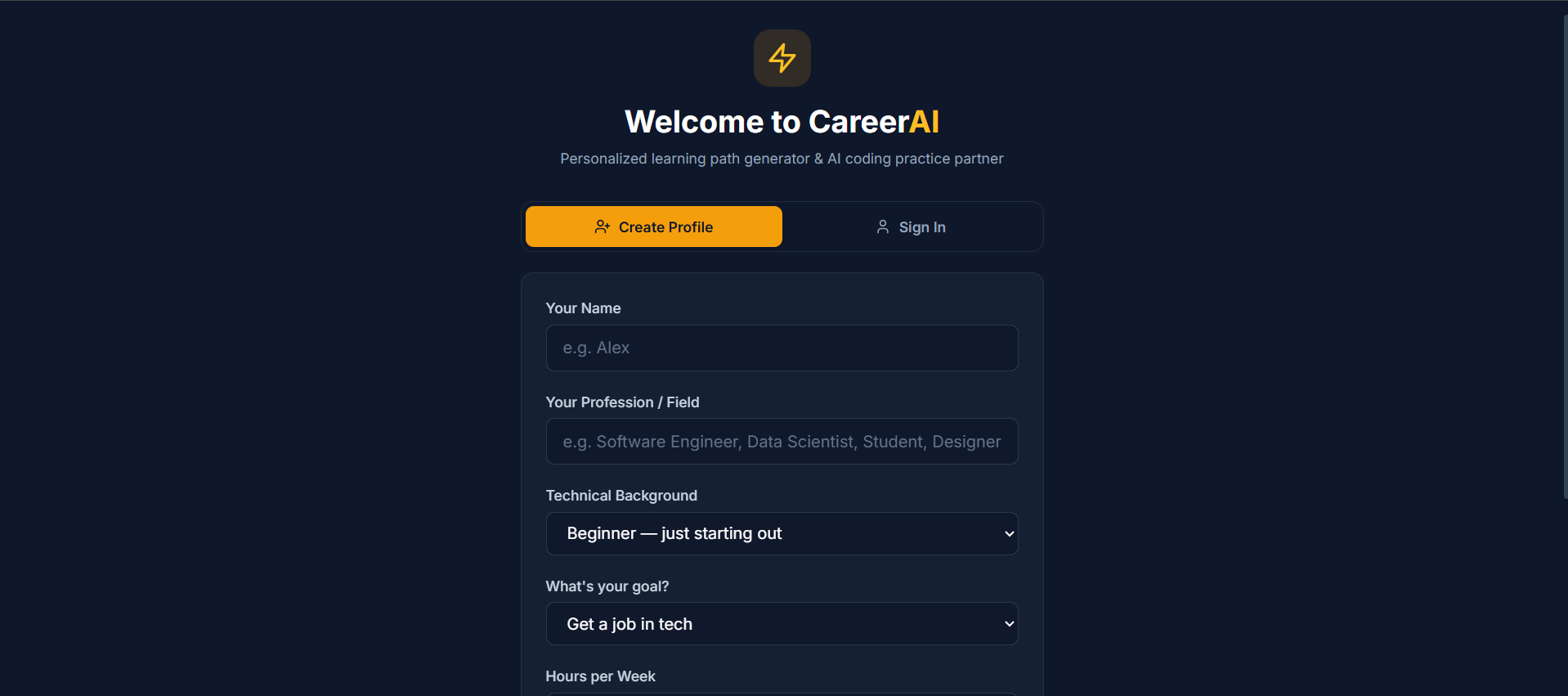
This is the Onboarding page
-
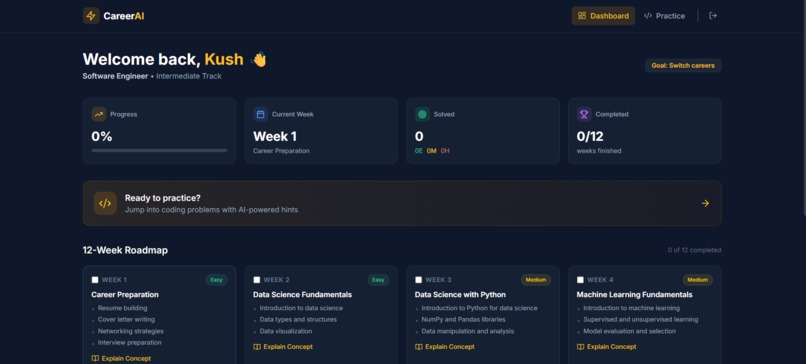
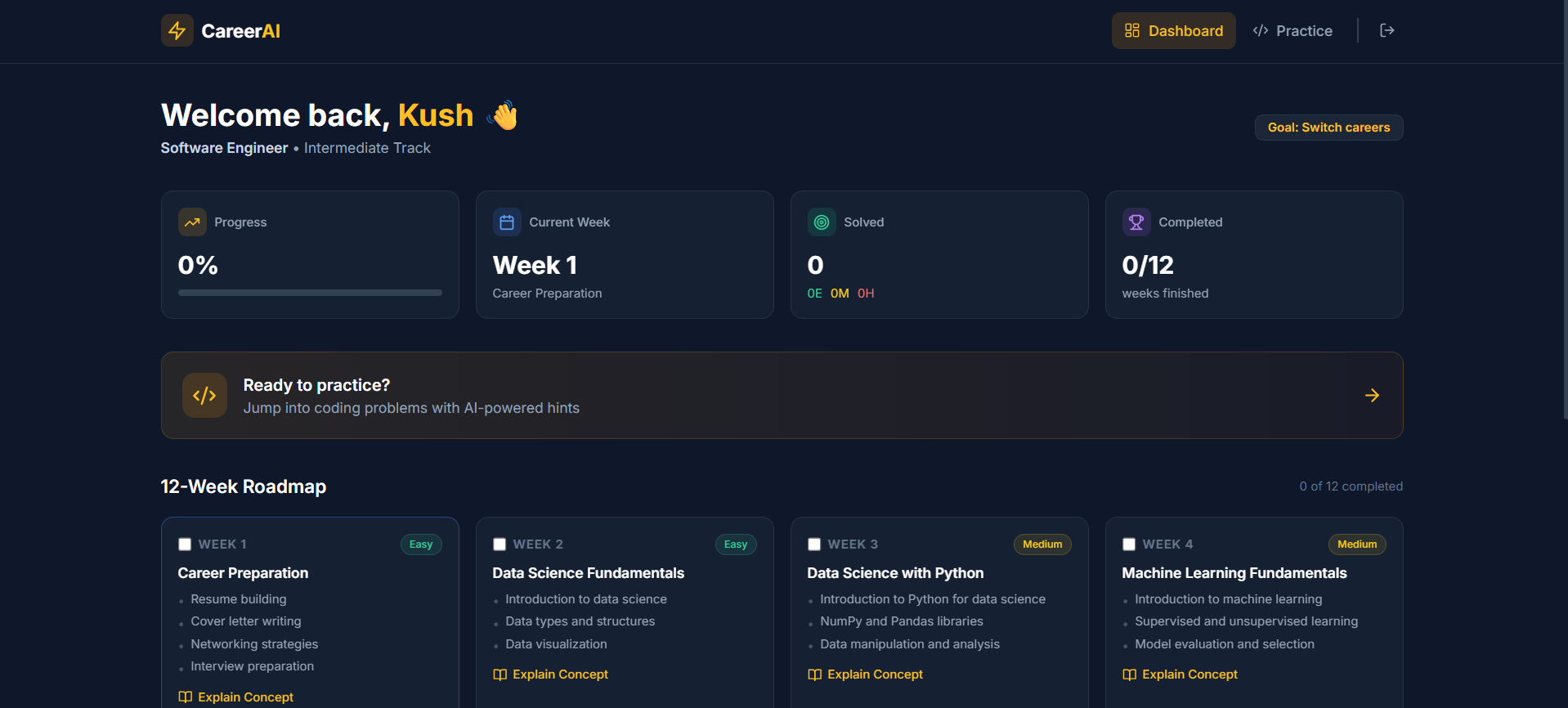
This is the Dashboard page
-
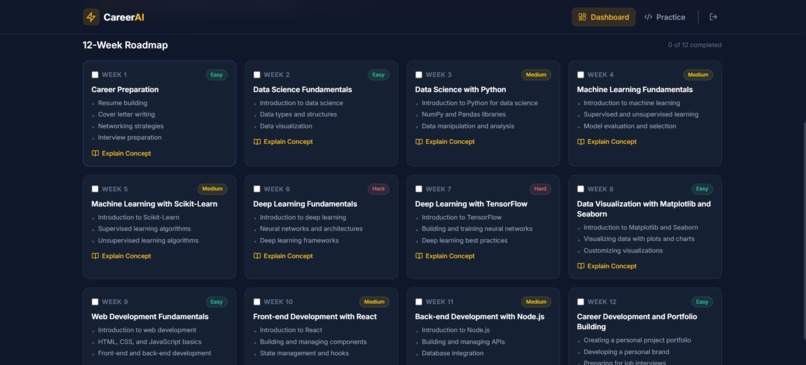
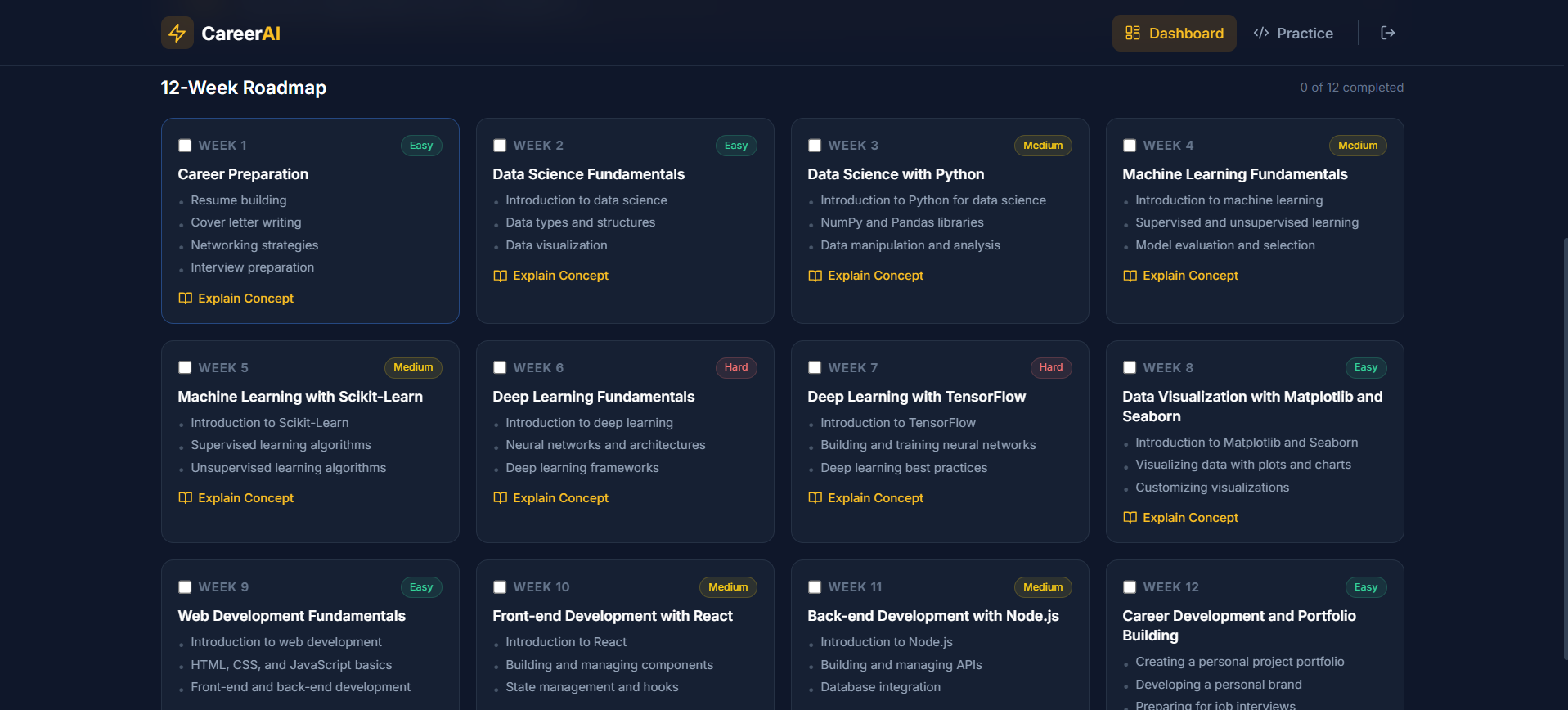
12-week Roadmap generated
-
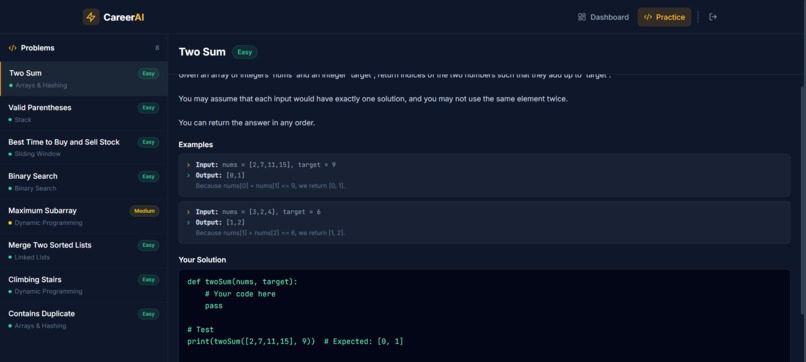
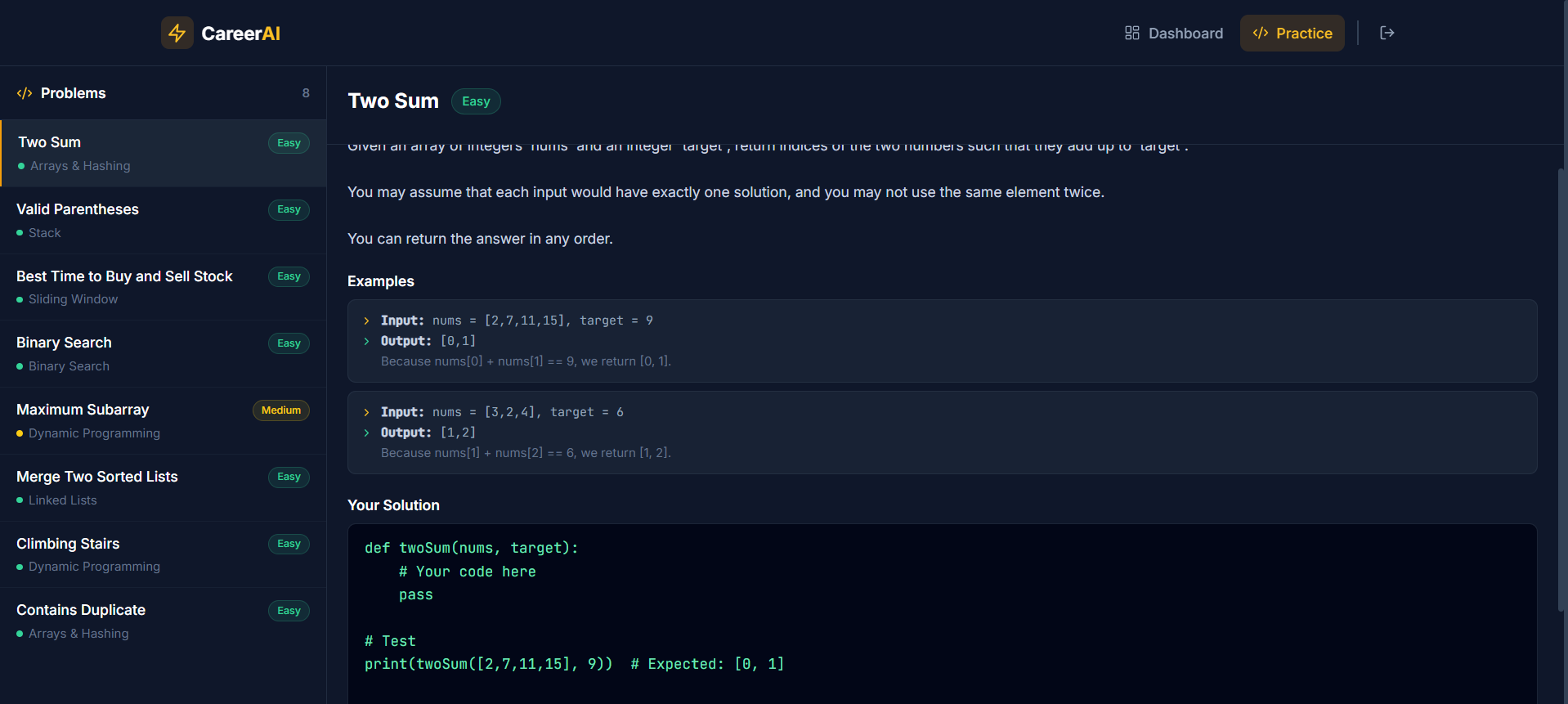
This is the Practice page
Inspiration
The idea for CareerAI came from a simple observation: the students who succeed in ML and DSA are almost always the ones who had access to a mentor — a senior friend, a college network, or an expensive bootcamp. Everyone else is on their own. I thought about what it actually feels like to learn alone. You watch a YouTube video, try a problem, get stuck, and have no one to ask. Is this the right topic to learn? Am I wasting time? Why isn't my code working? Generic playlists don't answer those questions. They can't — they don't know you. That gap inspired CareerAI. What if every student — regardless of where they live, what college they attend, or how much money they have — could have a personalized AI mentor that actually knows their background, their goal, and their pace? That's the problem worth solving, and that's what CareerAI is built to do.
What it does
CareerAI is a personalized AI mentorship platform for students learning Machine Learning and Data Structures & Algorithms.
Here's what happens when you use it:
You answer 5 quick questions — your name, your current background level, your goal (get a job, learn for fun, or compete in contests), how many hours per week you can study, and your preferred learning style.
CareerAI uses Featherless AI to generate a personalized 12-week roadmap — not a generic list, but a week-by-week plan tailored to your exact answers. A beginner aiming for interviews gets a different roadmap than an intermediate learner preparing for competitions.
You practice real coding problems — 10 curated DSA problems from open-source repositories, with starter templates in Python and real test cases.
When you're stuck, you click "Get Hint" — the AI gives you a Socratic guiding question, not the answer. It pushes you to think rather than copy-paste.
Your progress is tracked on a personal dashboard — problems solved, current topic, overall completion percentage, and your 12-week roadmap at a glance.
Everything runs in the browser. No signup, no paywall, no friction — just learning.
How we built it
CareerAI is a full-stack web application built with a React frontend and a Node.js/Express backend.
Frontend: Built with React 18 and Vite for fast development and builds. Tailwind CSS handles all styling with a dark-first design system using slate and amber as the primary palette. lucide-react provides the icon set. All student data — profile, roadmap, progress, and API key — is stored in browser localStorage, which keeps the app completely serverless from the student's perspective.
Backend: A lightweight Express server handles all AI calls so the Featherless API key stays server-side and is never exposed to the browser. Routes cover roadmap generation, hint generation, code feedback, concept explanation, and serving the problem bank.
AI integration: Every AI feature runs through the Featherless AI API using the meta-llama/Meta-Llama-3.1-8B-Instruct model. Each endpoint uses a carefully engineered system prompt — the hint system in particular uses a strict Socratic prompt that instructs the model to never give solutions, only ask guiding questions. Roadmap generation parses the JSON response from the model and falls back to a hardcoded sensible roadmap if parsing fails.
Problem bank: 10 curated DSA problems are hardcoded in a problems.js data file, each with a description, examples, Python starter template, difficulty level, category, and a hint_context field that the AI uses to generate relevant hints.
The project was built solo over the course of the hackathon using VS Code, Git for version control, and tested locally before being pushed to GitHub.
Challenges we ran into
Several real challenges came up during the build:
Prompt engineering for Socratic hints: Getting the AI to genuinely guide without solving was harder than expected. Early versions of the hint prompt either gave away too much or were too vague to be useful. I went through multiple iterations of the system prompt before landing on one that consistently asked the right kind of guiding questions while staying concise.
JSON parsing from AI responses: The roadmap generation asks the model to return structured JSON, but LLMs don't always stick to clean JSON output — sometimes they add explanations, markdown code fences, or extra text. I had to build a regex-based JSON extractor and a full fallback roadmap that activates when parsing fails, so the app never breaks even if the AI response is malformed.
Keeping the API key secure: The app lets users bring their own Featherless API key. Deciding where to store it (localStorage only, never sent to our servers) and how to communicate that to users required careful UX thinking — the Settings modal now includes a clear explanation of where the key lives.
Git and file locking issues on Windows: During development, the backend server process kept the folder locked, which blocked git add. Learning to kill processes by PID using Task Manager and understanding how antivirus software (Google's security suite) locks files during git operations was an unexpected but real challenge.
Scope management: It's easy to over-engineer a hackathon project. I had to consciously cut features (real code execution sandbox, database persistence, mobile app) and focus on shipping a clean, working core product instead.
Accomplishments that we're proud of
A few things stand out as genuinely satisfying to have built:
The Socratic hint system works. Getting an AI to consistently guide instead of answer is a non-trivial prompt engineering challenge. The system prompt we landed on reliably produces hints that push students to think rather than just handing them solutions. This is the feature that makes the learning actually stick.
The roadmap generation is truly personalized. Two students with different backgrounds and goals get meaningfully different 12-week plans. A beginner aiming for interviews and an intermediate learner preparing for competitions receive completely different week-by-week breakdowns — not just reordered versions of the same list.
The app works even without an API key. The fallback roadmap system means a student can start using CareerAI and get real value from the practice problems and dashboard immediately, even before they've set up a Featherless key. No dead state, no blank screen.
It was built solo. Every component — frontend, backend, AI integration, UX design, data curation, and deployment setup — was designed and built by one person during the hackathon. That's something worth being proud of regardless of the result.
Most importantly: the project solves a problem that's real. This isn't a toy demo. Students who are learning alone genuinely need something like this, and CareerAI is a credible first version of that solution.
What we learned
This project taught me things across multiple layers:
On AI and prompt engineering: The difference between a good and a bad system prompt is enormous. Subtle wording changes — like "never write code for the student" vs "guide the student toward the solution" — produce very different AI behaviors. Prompt engineering is genuinely its own skill, and getting it right for an educational context (where you want to help without enabling laziness) is a careful balance.
On building with LLM APIs: AI responses are probabilistic, not deterministic. You cannot assume the model will always return clean JSON, always stay within token limits, or always follow instructions perfectly. Defensive parsing, fallback states, and graceful error handling are not optional — they're core to building reliable AI-powered products.
On product thinking: Features that sound good in planning often add complexity without adding proportional value. Cutting Iteration Machine and Meddo integrations (which we initially planned to include) was the right call. A focused product with two strong integrations is better than a bloated one with five weak ones.
On solo development: Shipping a full-stack AI product alone in a hackathon timeframe forced prioritization at every step. I learned to identify the minimum version of each feature that still delivers real value — and stop there rather than keep polishing.
On Git and developer environments: Real-world development issues like process locking, antivirus interference with file operations, and environment variable management are part of the job. These aren't glamorous lessons, but they're the ones that save hours of debugging on future projects.


Log in or sign up for Devpost to join the conversation.