-
-
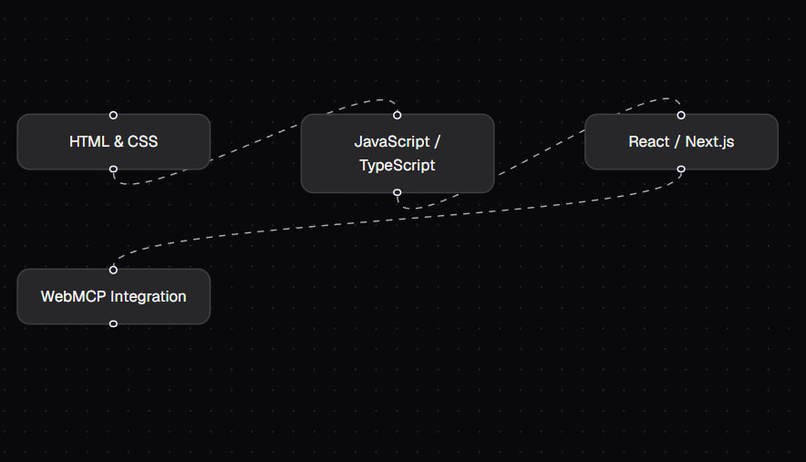
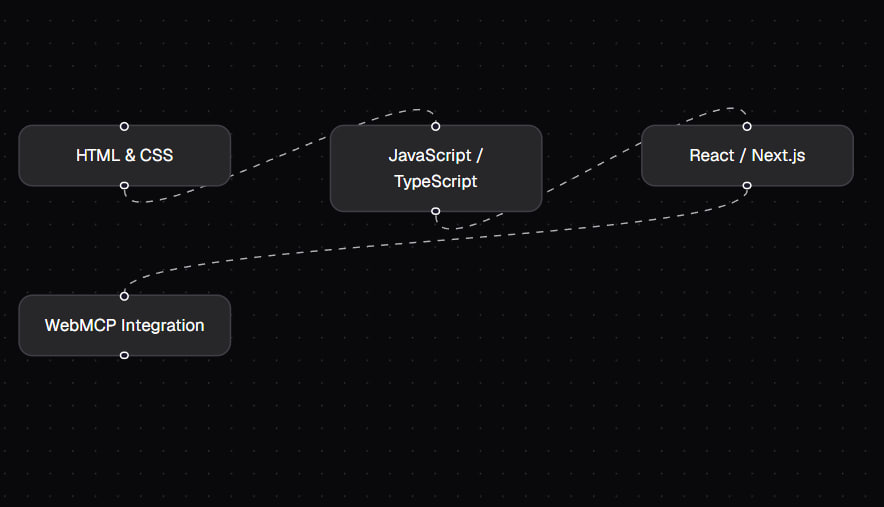
Canvas
-
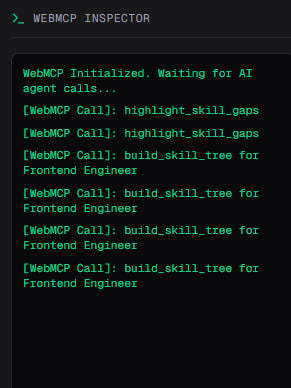
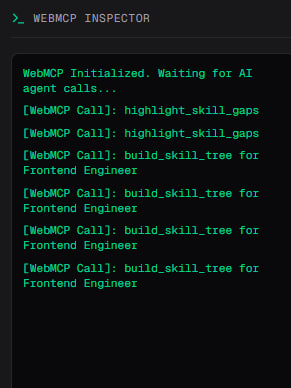
Interpretation
-
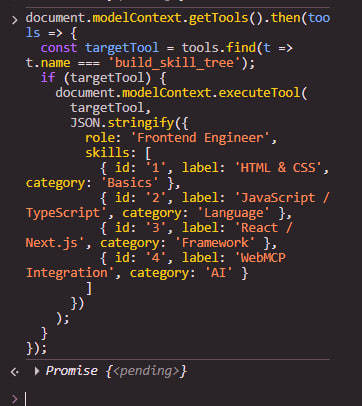
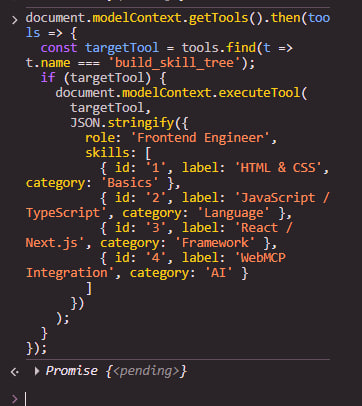
Testing in the console
-
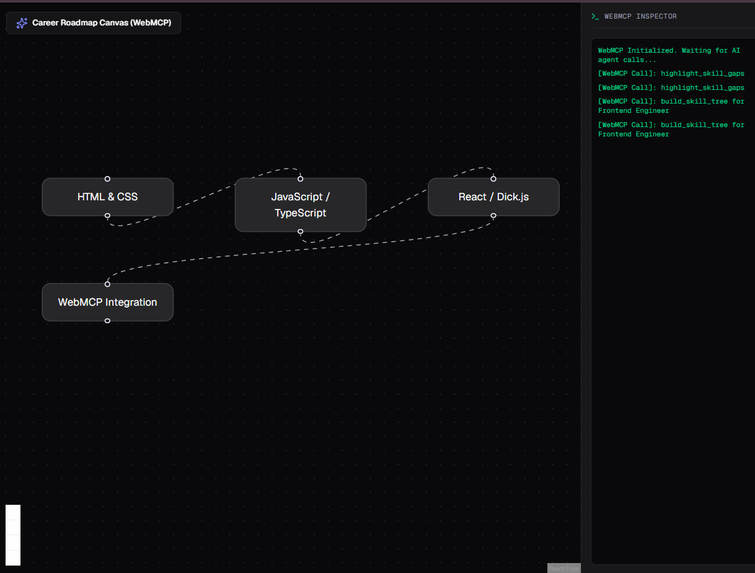
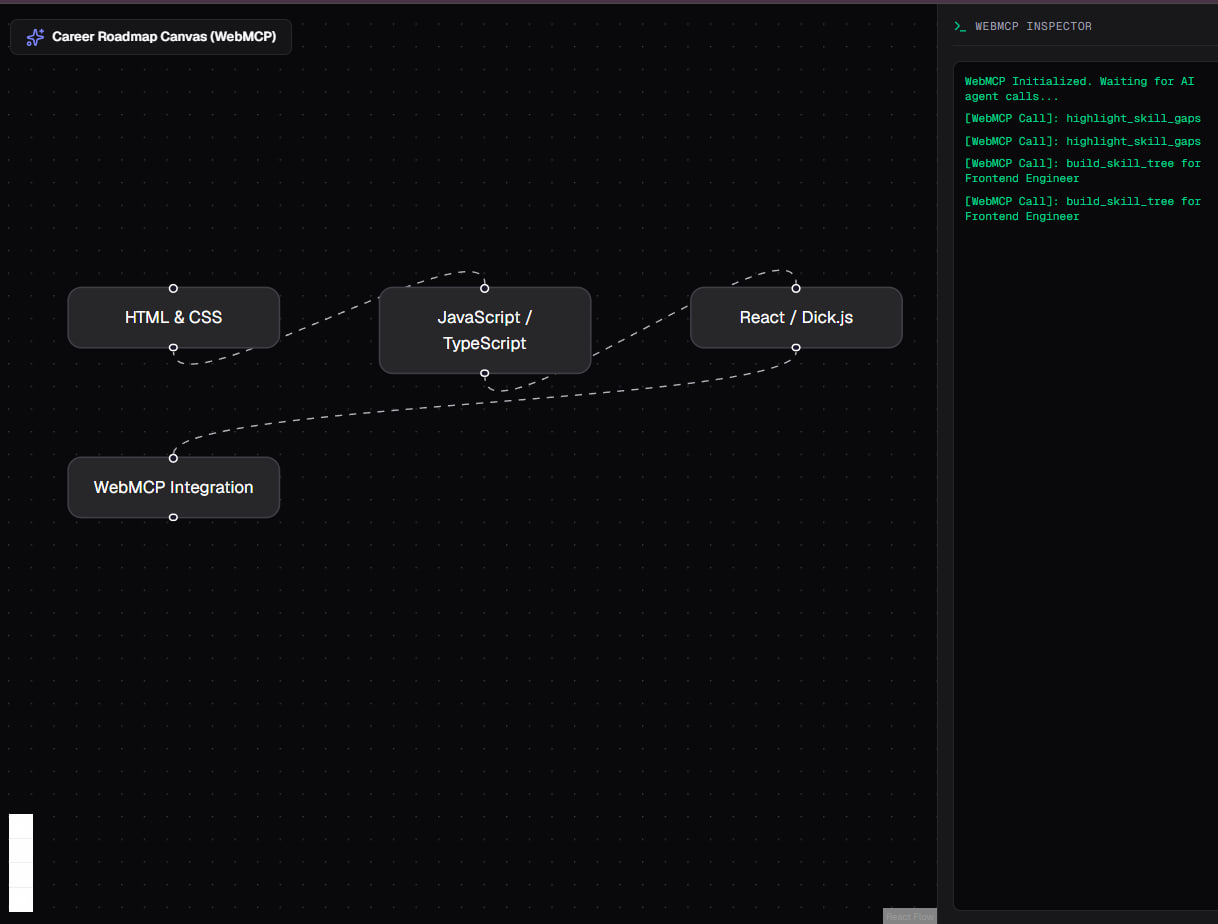
Full view
Inspiration
The main inspiration making this project is nowadays job market situation. To be more precise, AI dramatically influenced how employers look to the job market. And many jobs became less demanding leading people to loose their jobs. And of course they are pushed to change their job, what they do and learn completely another sphere. But the process of changing the job, learning new things becoming more and more confusing as there are more technologies, instruments are being used day-by-day. That's why people try to use AI to get help in what to learn. But standard generative AI chat bots that provides the pathway, information in plain text format can not be as visual as people can need and thats why they keep being in confuse. But this project - my WebMCP solves this problem.
What it does
The name itself is Career Switch MCP, however there is a big future behind it. Its only related to career only for now, in the future, I am planning to make it broader - giving AI agents hands to visualize what they are trying to explain - anything. So,... the application provides an interactive, visual skill tree canvas powered by the WebMCP protocol. Instead of reading plain text guides, users can interact with dynamic skill nodes. Browser-based AI agents directly invoke registered WebMCP tools (`build_skill_tree` and `highlight_skill_gaps`) to render customized roadmaps and instantly highlight missing skills or prerequisites in red.
How we built it
Frontend Framework:* Next.js and React for rendering the core web application. Canvas Visualization:* React Flow to display interactive nodes, edges, and animated connections.
- AI Integration:** Native WebMCP API (
document.modelContext) to expose web-level tools directly to AI agents. - Styling & UI:** Tailwind CSS for modern design and clean devtools inspector layouts.
- Deployment:** Hosted live on Vercel. ## Challenges we ran into Implementing smooth integration with the newly introduced WebMCP browser protocols.
- Dynamically mapping unstructured AI context calls into organized graph node structures in React Flow without causing state conflicts.
- Synchronizing visual highlight states (skill gaps) seamlessly between WebMCP tool execution logs and the UI. ## Accomplishments that we're proud of Successfully building a fully working prototype that bridges browser-native AI agents with visual UI canvases.
- Creating an intuitive user experience that transforms confusing text into an actionable visual roadmap.
- Registering functional tools inside
document.modelContextthat AI agents can invoke in real time. ## What we learned Deepened my understanding of browser-native AI protocols and WebMCP tool registration. - Learned how to effectively optimize React Flow graphs for real-time state updates triggered by agent actions.
- Mastered structuring project documentation and submission workflows under strict hackathon deadlines. ## What's next for Career switch WebMCP While currently focused on career pathing, the long-term vision is to make this platform completely generalizable. I am planning to expand the WebMCP integration to allow AI agents to visually render anything - from complex software architecture diagrams and decision trees to educational mind maps.
Built With
- javascript
- next.js
- react
- react-flow
- tailwand-css
- vercel
- webmcp

