-
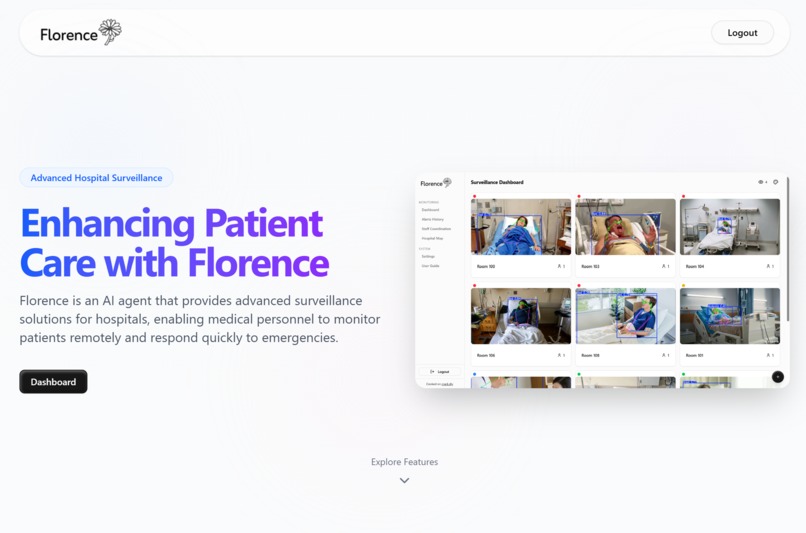
Florence Landing Page
-
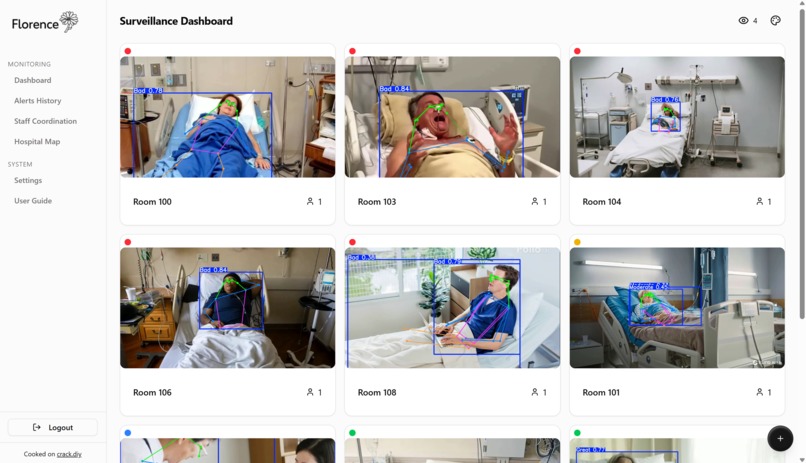
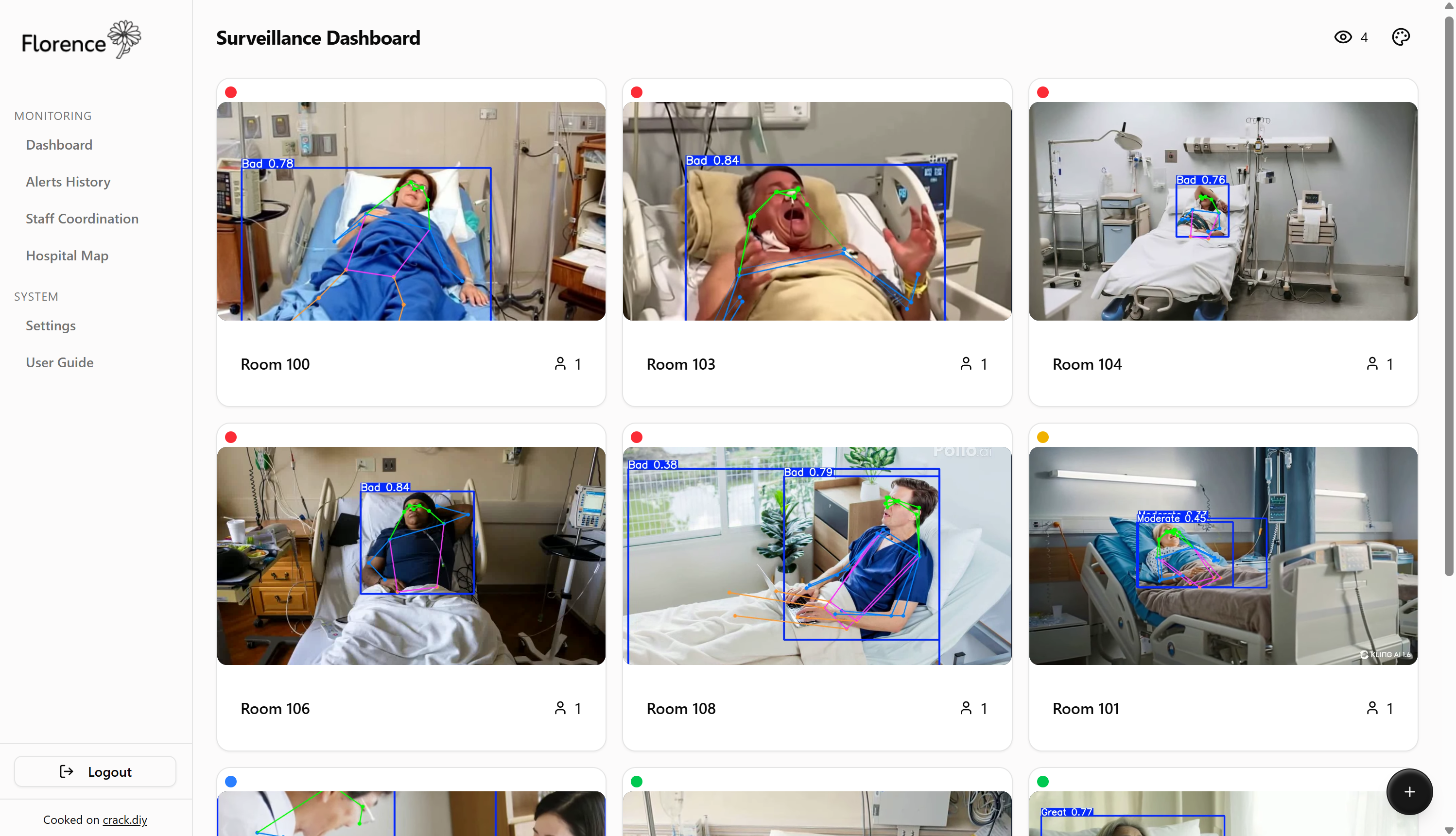
Florence Dashboard
-
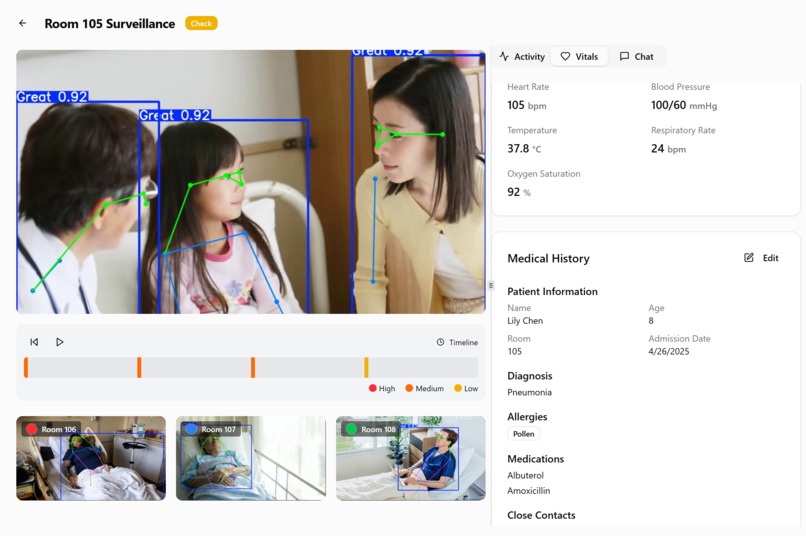
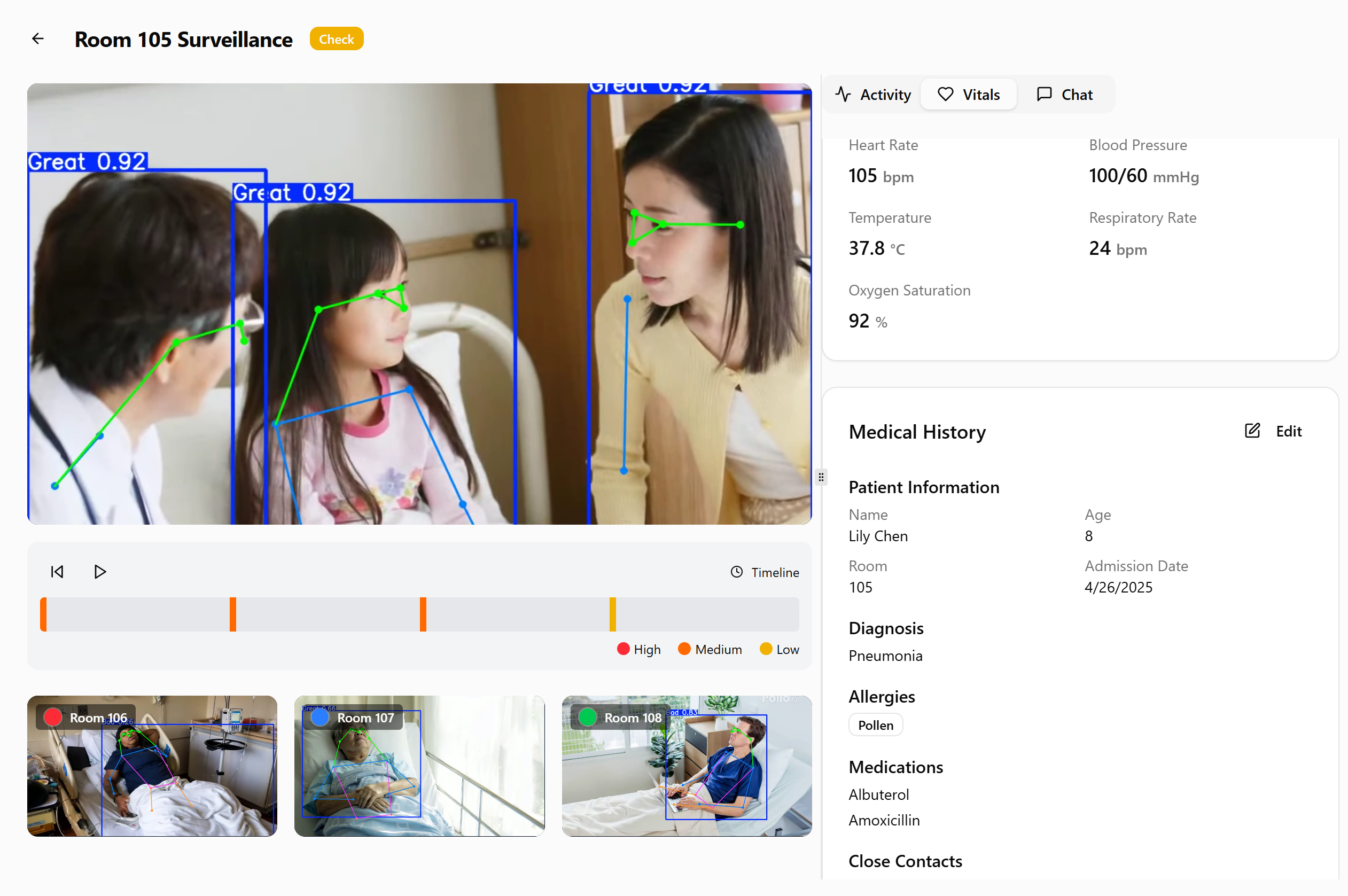
Florence Video Interface
-
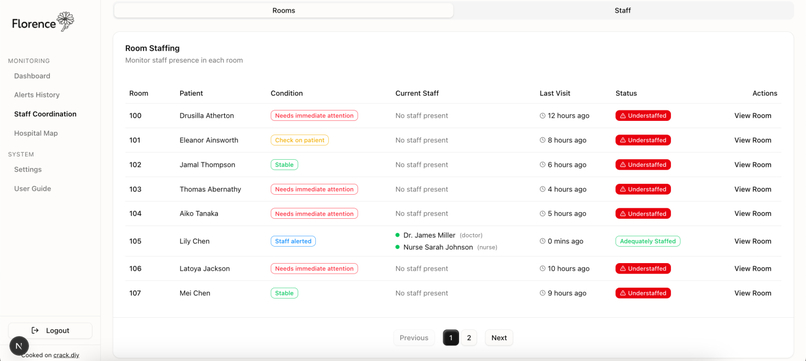
Staff Coordination Page
-
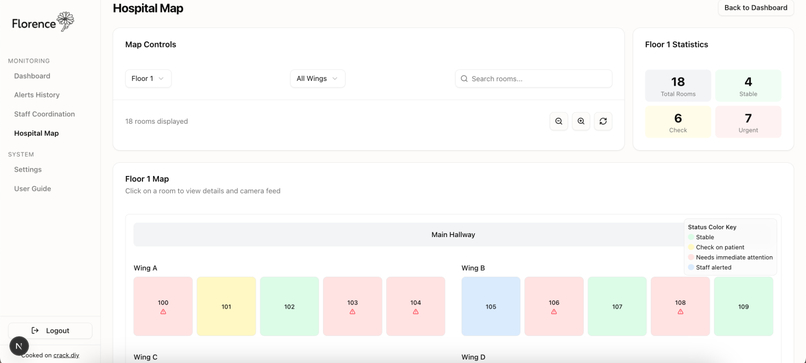
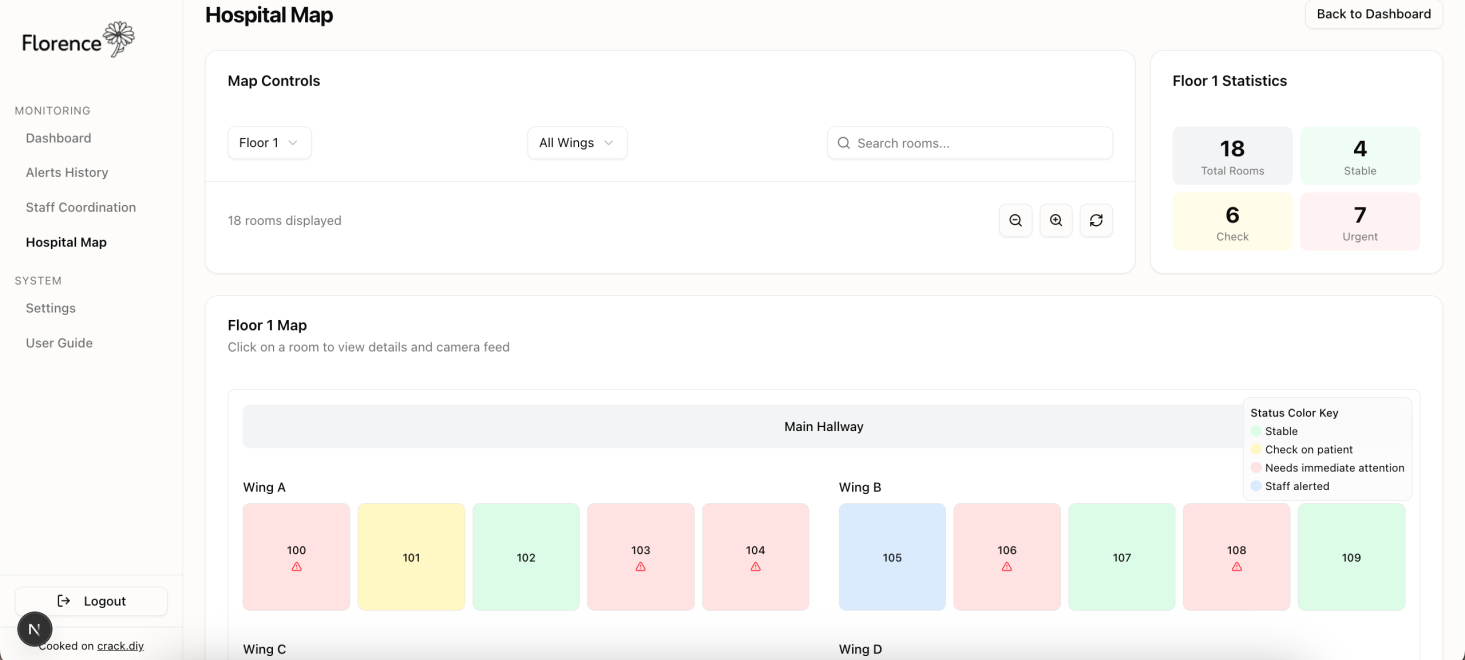
Live Hospital View
-
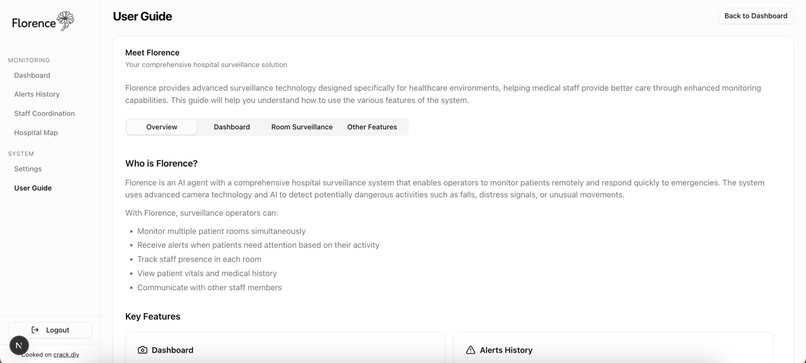
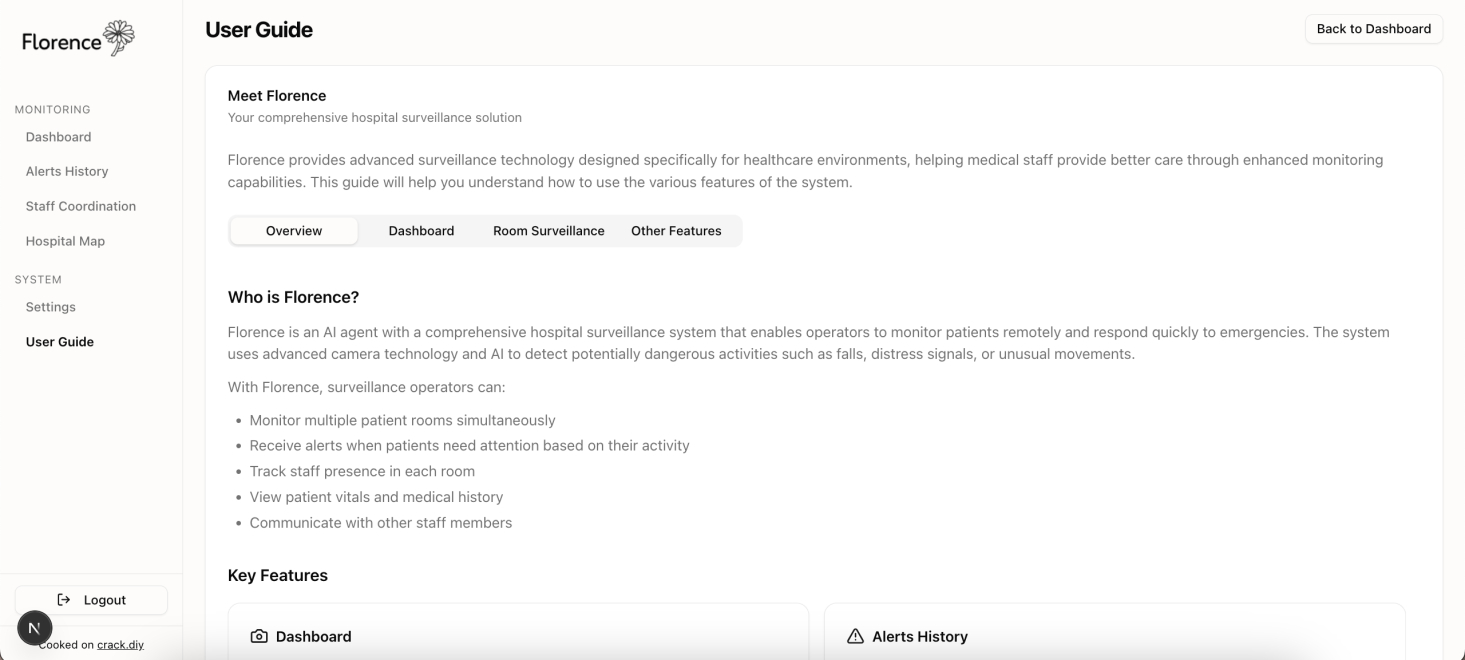
User Guide
-
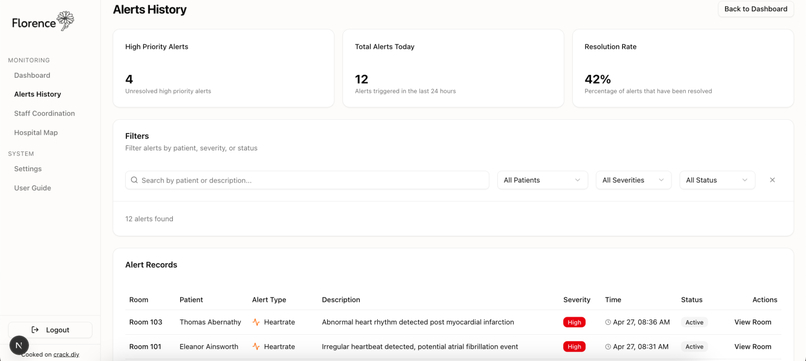
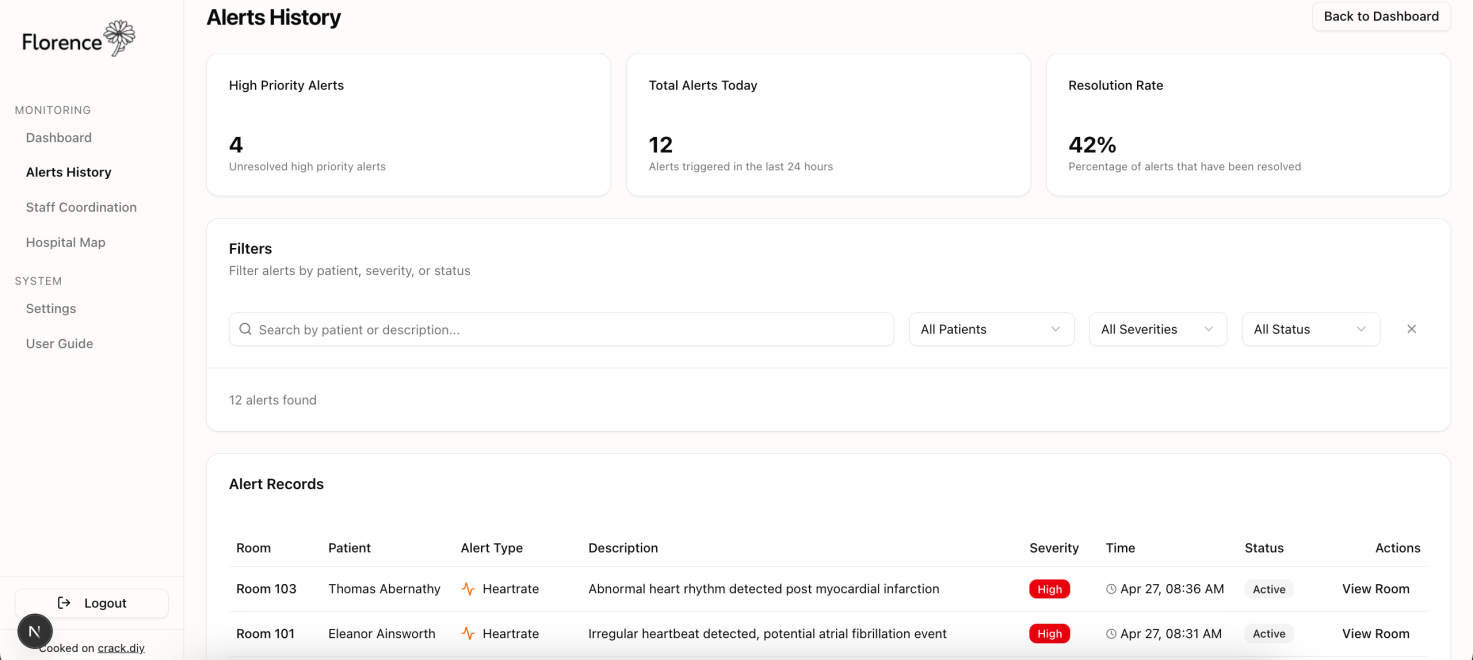
Alert History Page
-
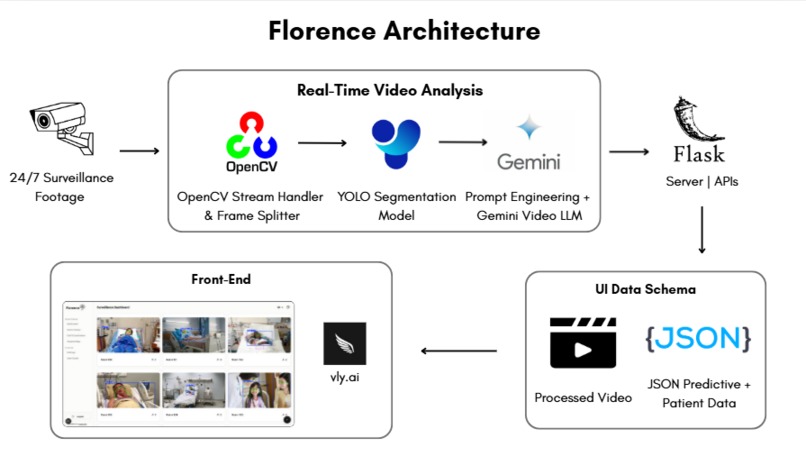
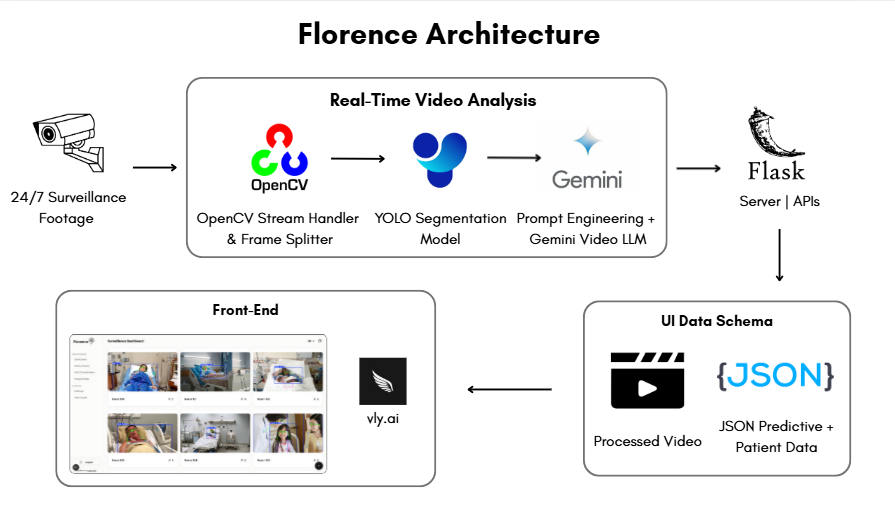
Florence Architecture
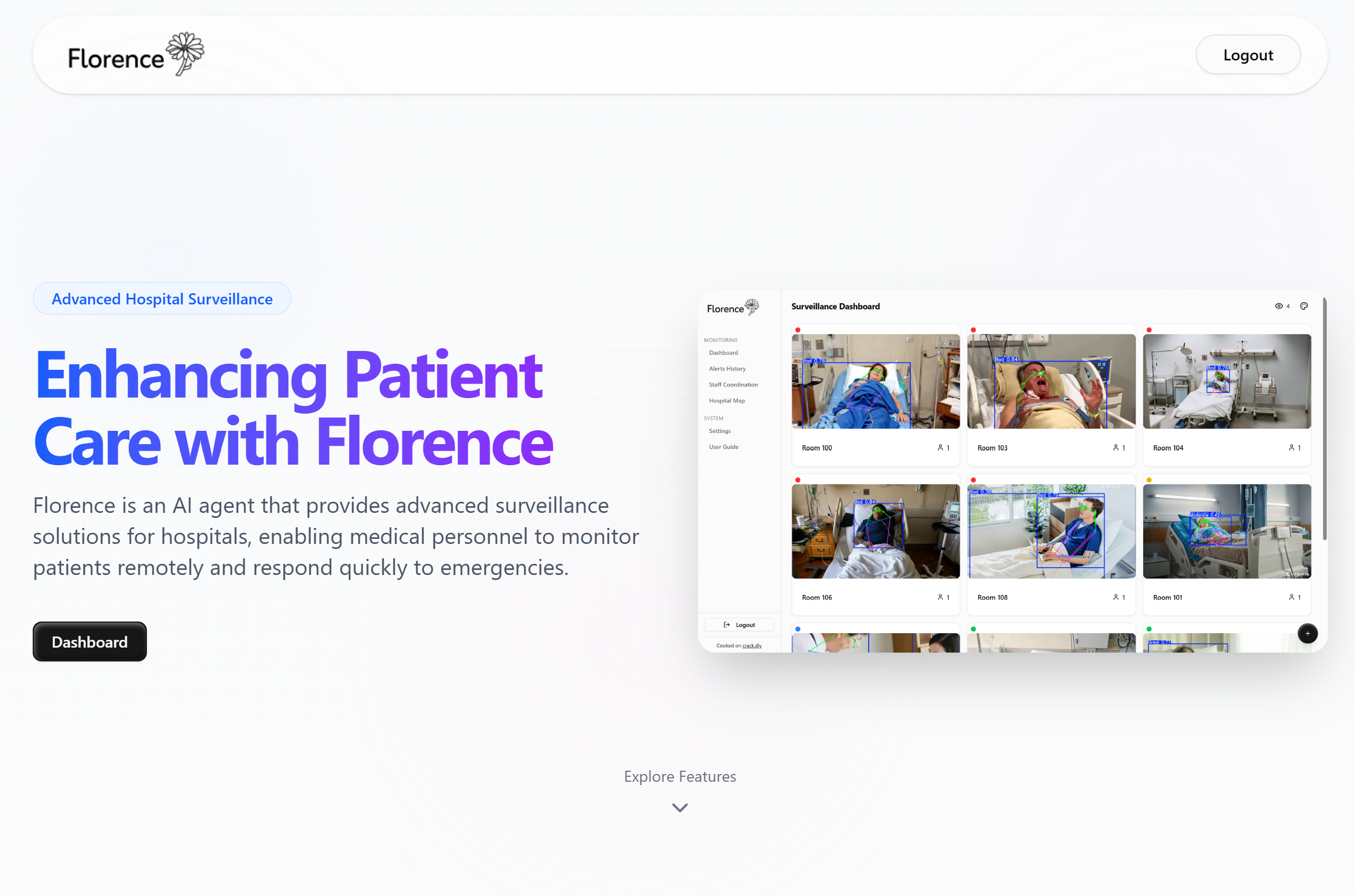

Inspiration
Imagine laying on a hospital bed, assuming that your health is under care. However, suddenly a stroke, seizure, or life-threatening heart attack occurs, making it immensely difficult for you to contact the help that might be in the room next door, whether that be verbally or by hitting the call button beside your bed—every second counts. This scary reality of patient neglect is true for ~10% of patients annually, leading to unnecessary deaths.
What it does
Florence is an end-to-end hospital surveillance platform that aims to modernize the way patients are monitored and prioritized by medical staff. Rather than relying on a call button or verbal communication, Florence relies on advanced AI technologies to watch every room and patient 24/7.
Florence analyzes the severity of the situation in real-time, based on subtle cues like coughing, fast breathing, or predictive signs of serious conditions like heart attacks from the video and audio from each camera. Furthermore, its clean user interface quickly allows you to notify nurses, contact patient's closest relatives, and chat for more information on the patient's condition.
This ensures a no-bias methodology of approaching healthcare, putting those in need first regardless of their ability to voice themselves or verbally request help.
How we built it
Florence was built with scalability and ease of use in mind, with the following architecture:

Frontend:
- Vly.AI - Generated the starter template for our site with Next.JS and TypeScript
- Next.JS - Generated by Vly.AI and we improved on it through custom components and logic.
- Tailwind CSS - Custom component styling.
- Radix UI - Pre-built React.JS components integrated into user interface.
Backend:
- Google Gemini - General video understanding model, fine-tuned with prompt engineering and fake patient profile generation.
- OpenCV - Video stream capture from live surveillance footage.
- YOLO (You-Only-Look-Once) - Real-time object detection and human segmentation to provide context on objects and boundary boxes for Google Gemini model.
- OpenAI GPT 4o - Custom chat bot to allow medical professionals to talk to their video and ask specific questions regarding their patient.
- Flask - Custom API integration to expose video processing to frontend
Challenges we ran into
Learning TypeScript and Next.JS on the fly since that is what Vly.AI generates the frontend interfaces with.
Finding high-quality medical surveillance footage, so we decided to pivot to AI-generated footage with diverse people, conditions, and lighting.
Rebranding the logo and color scheme of the entire platform in the middle to accommodate for new features.
Fixing the authentication feature to ensure users can sign up and login properly.
Accomplishments that we're proud of
Designing an interface that is easy to navigate through and is laid out neatly considering all of the features we wanted to include.
Learning how to develop frontend with little-to-no code tools like Vly.AI and then learning Next.JS to understand and add features to the AI-generated code.
Implementing YOLO segmentation and sending the boundary boxes to provide context to the video analysis pipeline (increasing accuracy exponentially).
What we learned
Problem-solving by pivoting to AI-generated videos since hospital surveillance videos are illegal to distribute.
Learning prompt engineering through Vly.AI development.
Team planning and collaboration through online tools like Notion and Discord.
What's next for Florence
Collect more medical-specific data to make segmentation analysis more accurate.
Connect to real camera systems through Real-Time Streaming Protocol or WebRTC.
Increase security to be compliant with HIPAA and hospital regulations and restructure user interface to be targeted towards either nurses or video operators and not both.
Integrate analysis of audio with video to determine patient condition.
Resources Used
Libraries: Flask, OpenAI, Google Gemini, OpenCV, FastAPI
Databases: Convex
Frameworks: Next.JS, React.JS
Open-Source Code: N/A
Miscellaneous: Vly.AI, Kling.AI


Log in or sign up for Devpost to join the conversation.