-
-
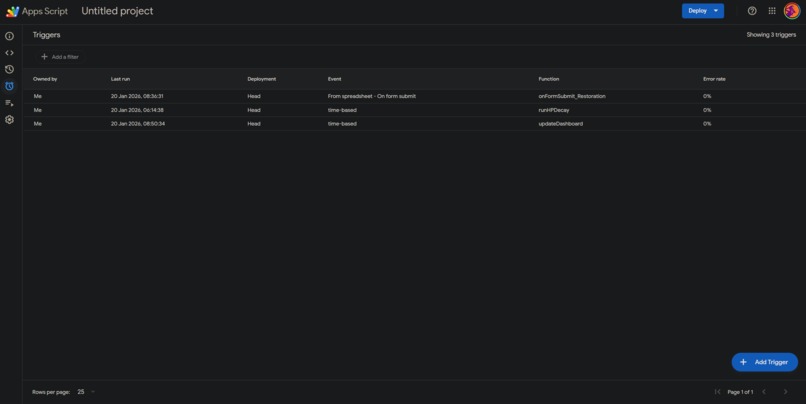
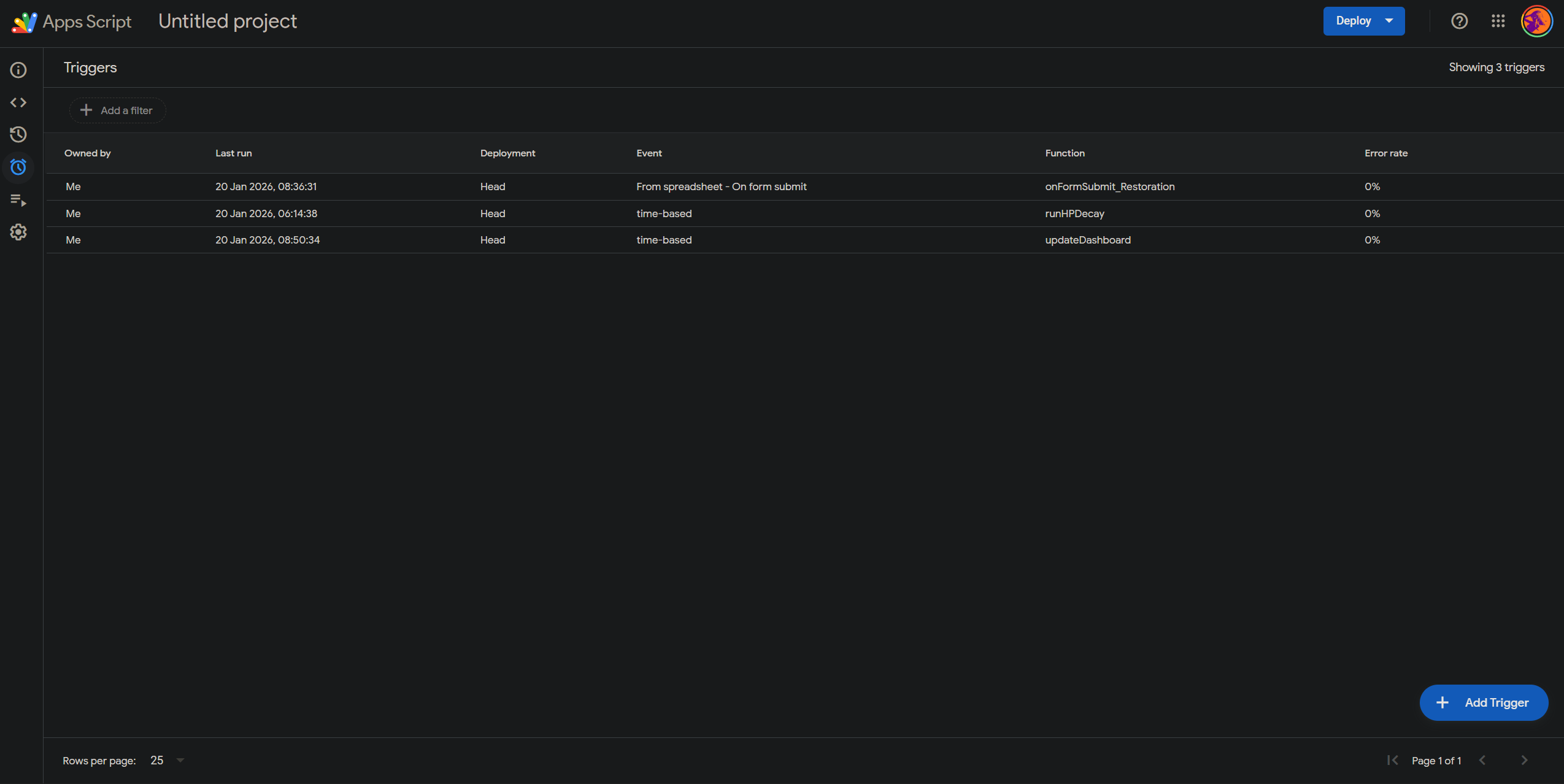
Code function triggers
-
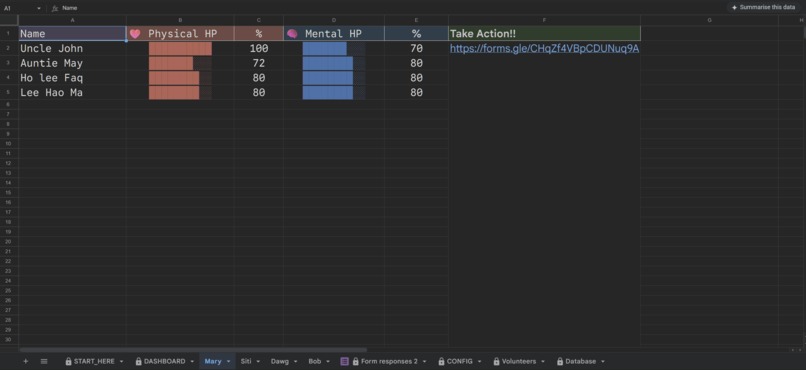
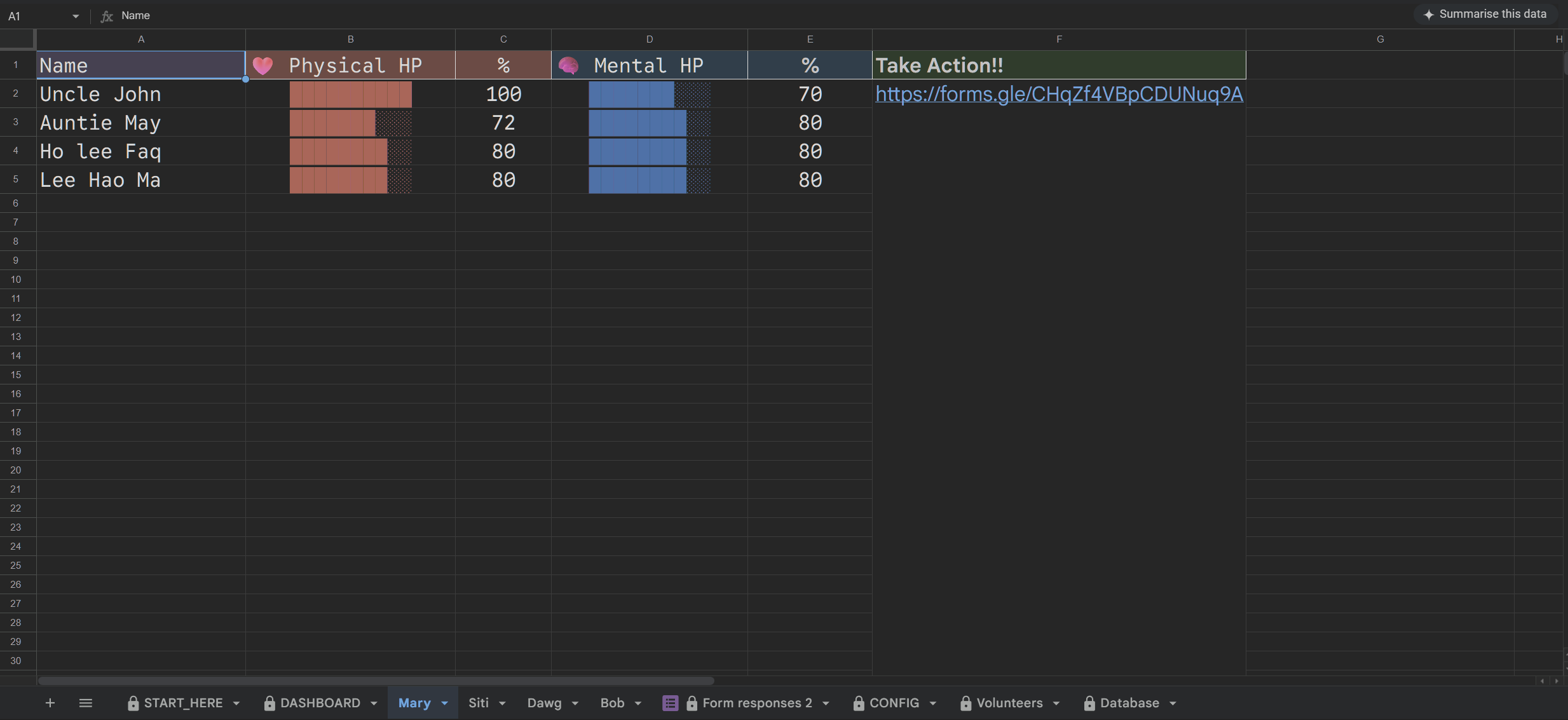
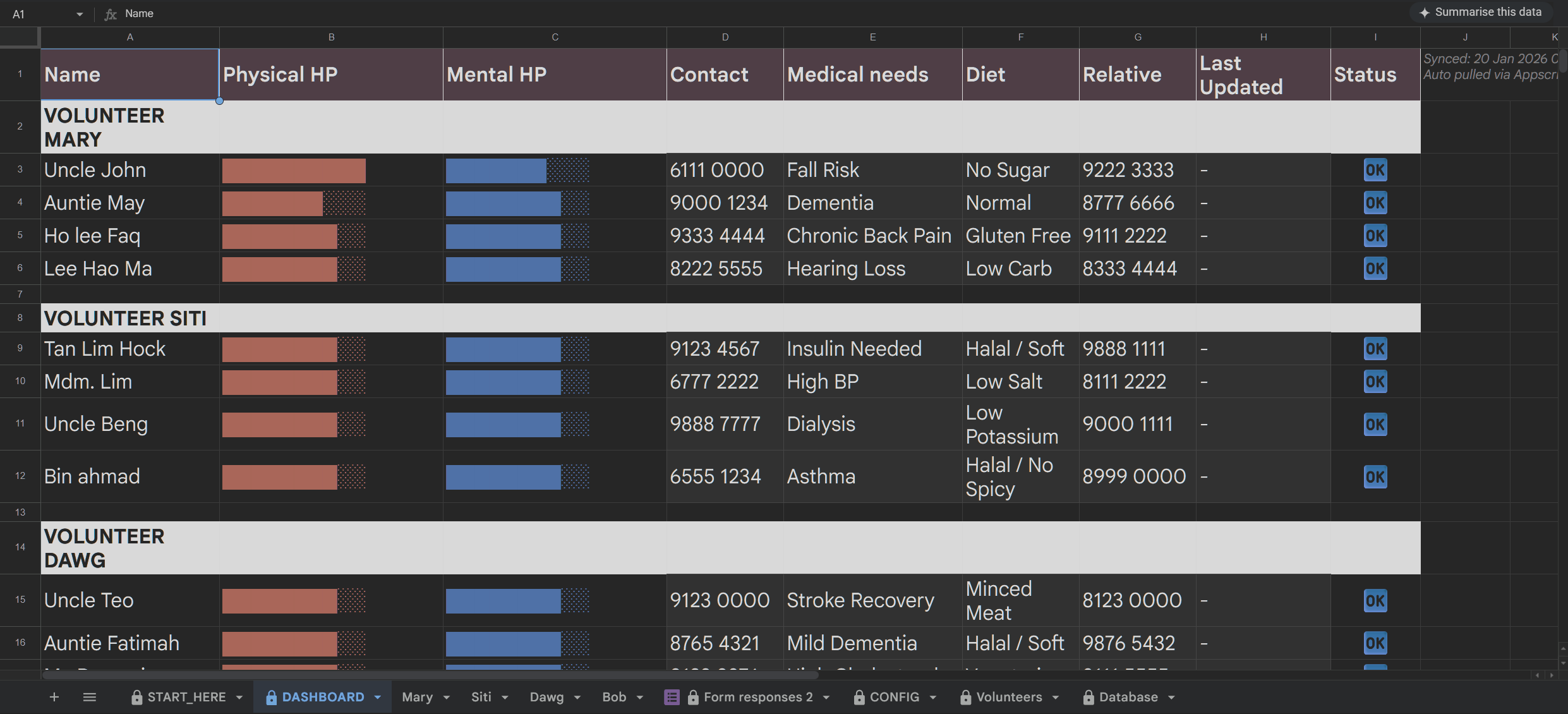
indiv. volunteers' elderly in-charge (look out for their hp bars!)
-
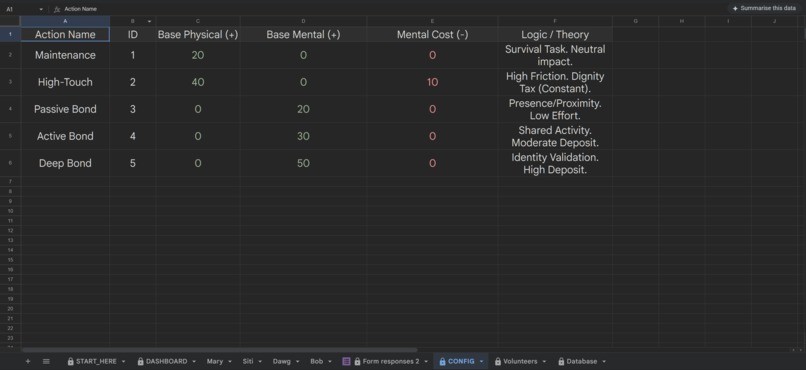
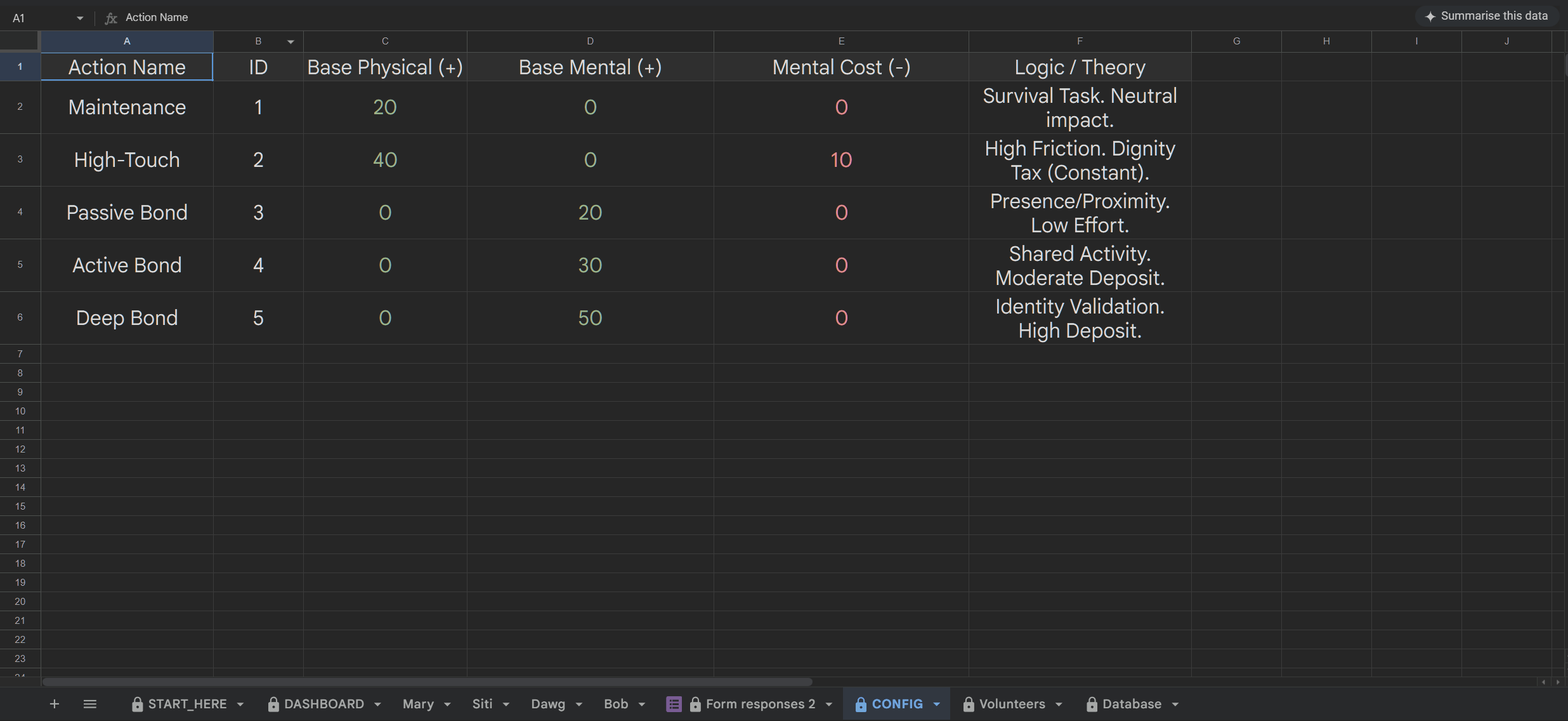
restoration amt. config sheet (fully modular and configurable)
-
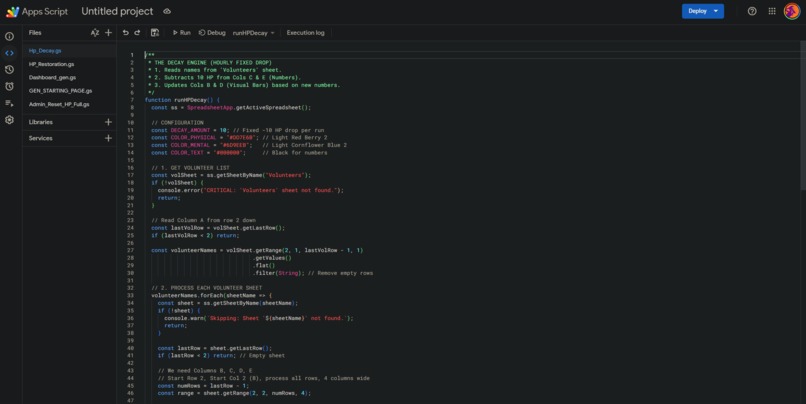
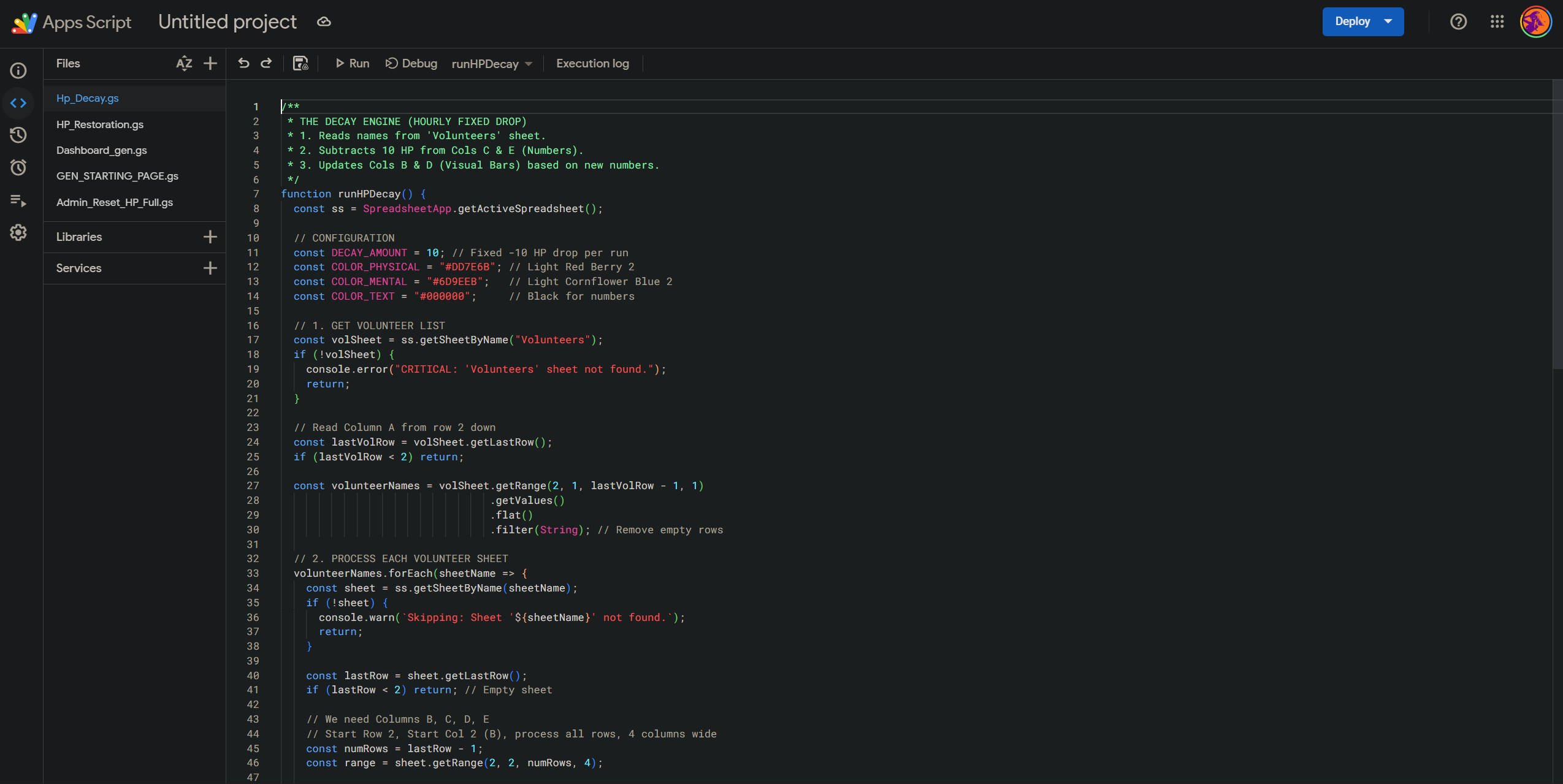
hp-decay, hp-restoration, etc. code algo
-
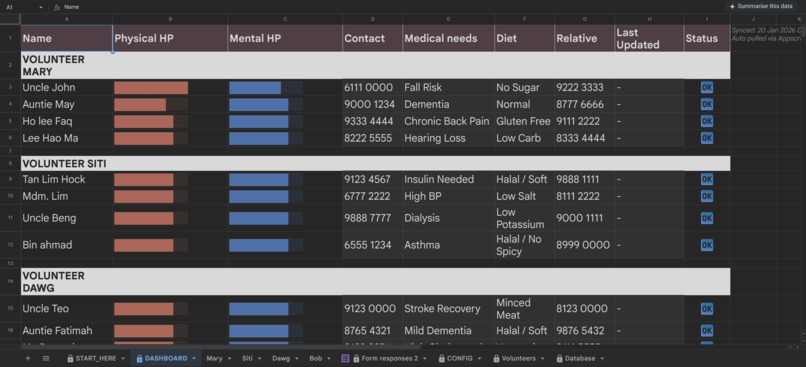
Modular dashboard that collects and display everything for ease of reference (not done by hand, entirely done using appscript)
-
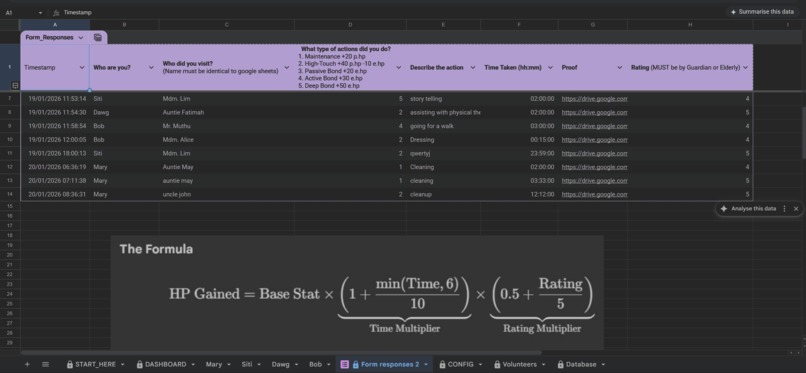
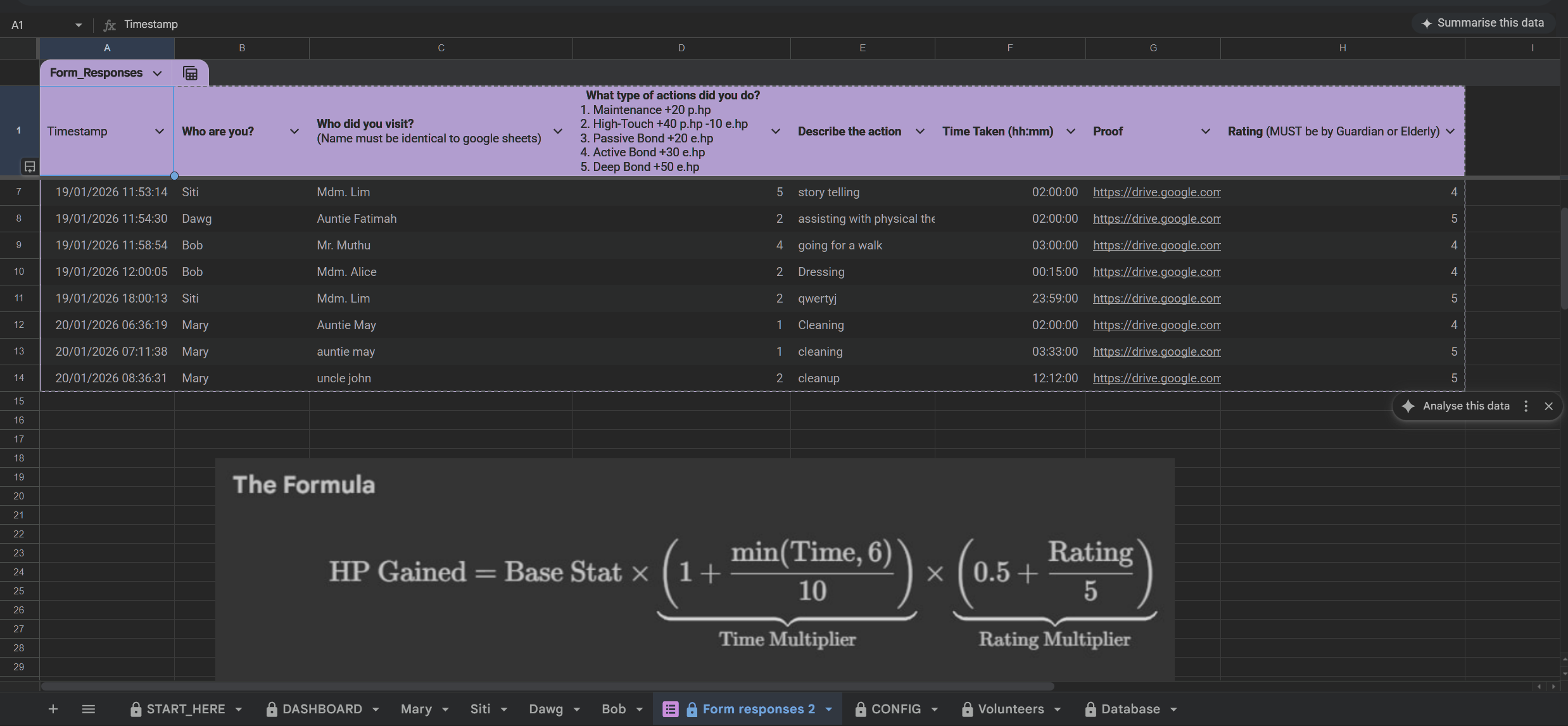
sheet that collects google-form results + formula
-
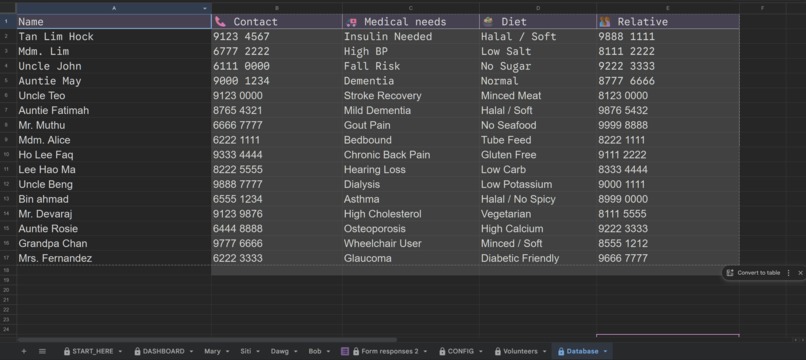
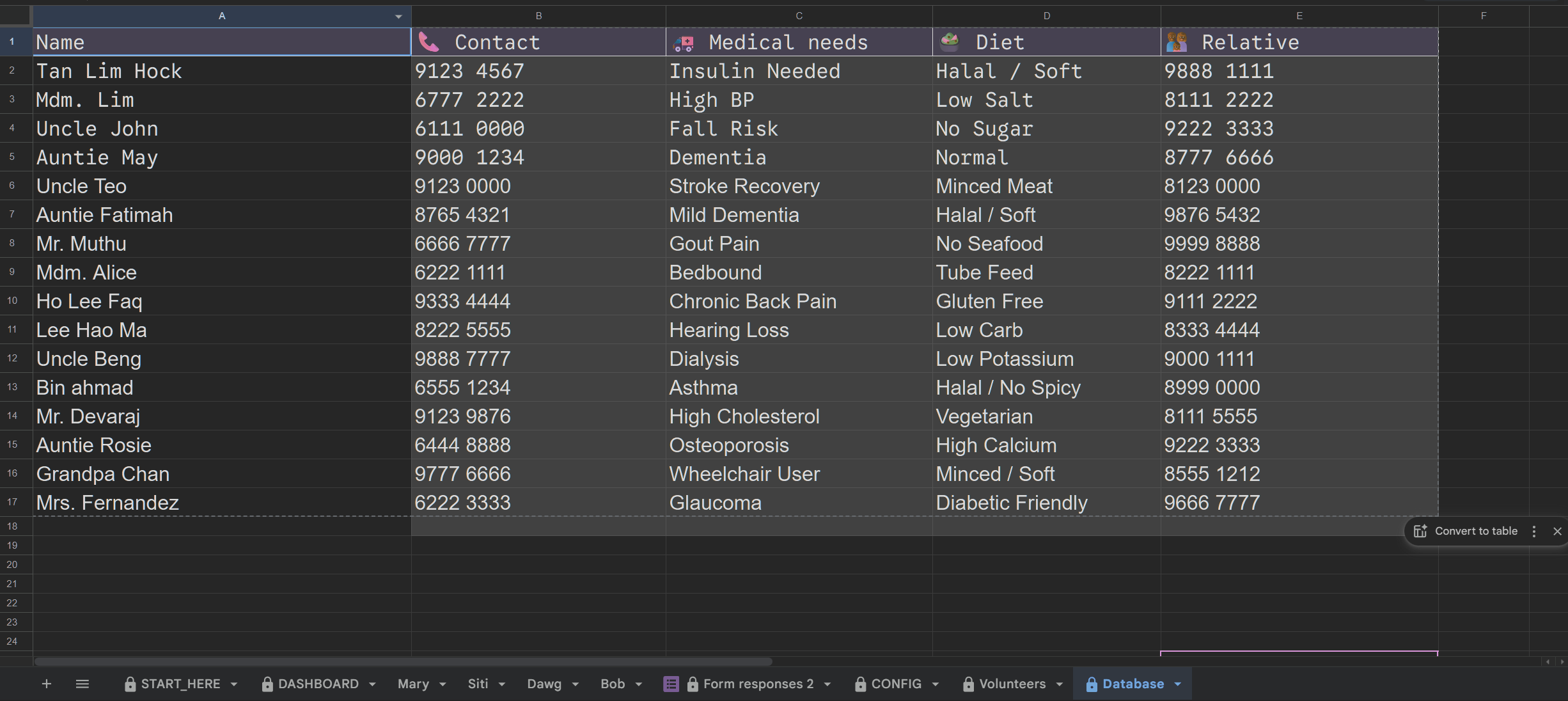
elderly info database
-
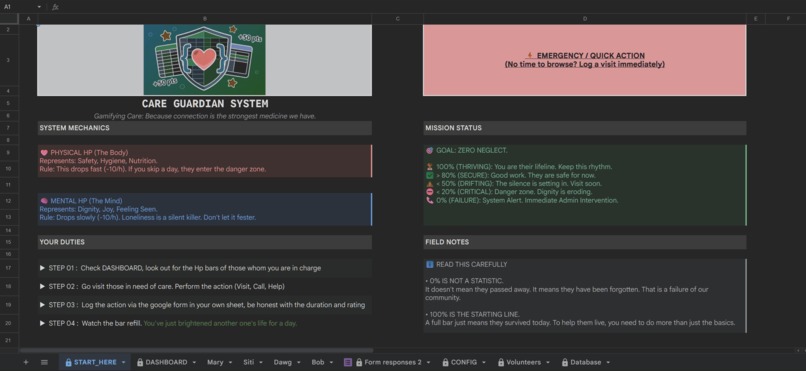
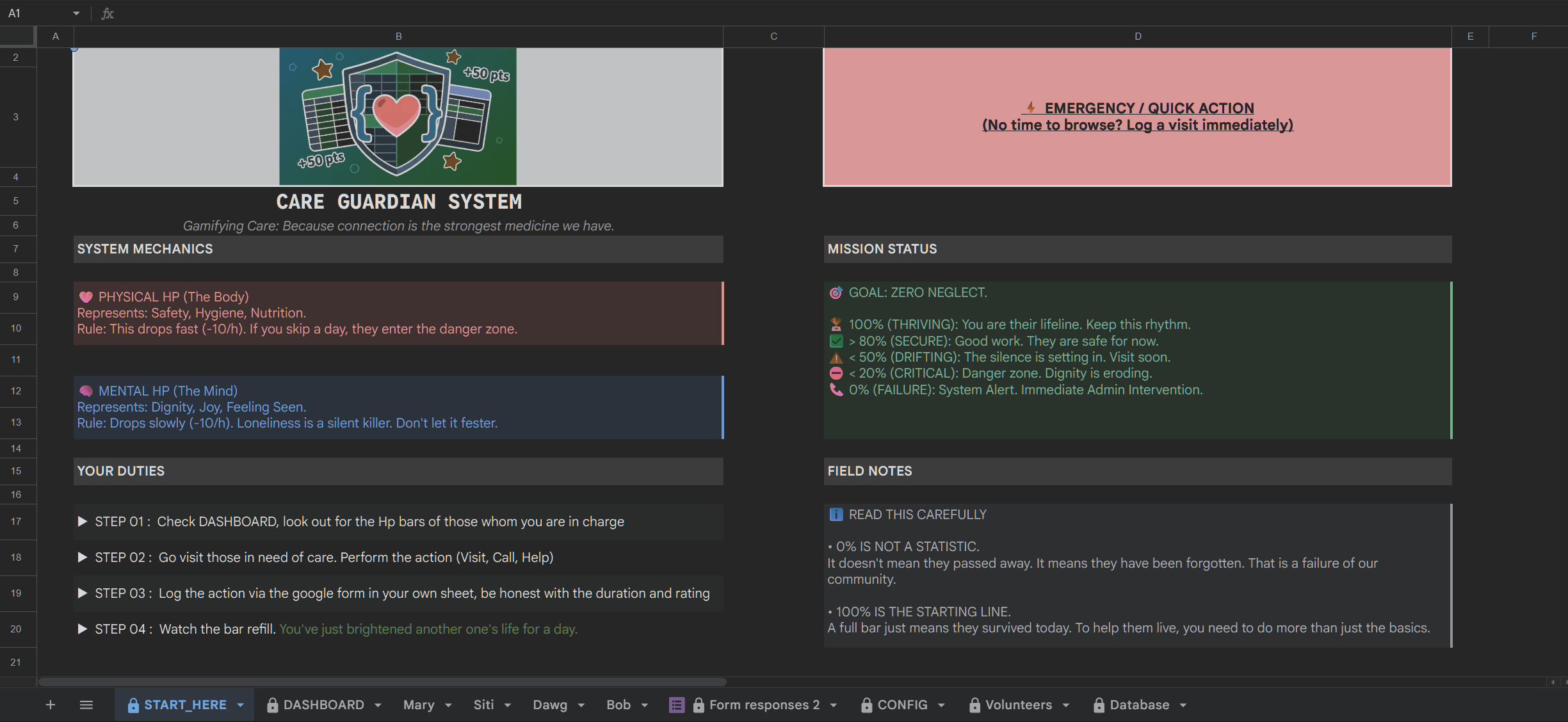
Starting page, guide
Inspiration
We noticed a critical flaw in how volunteer organizations operate: Static Data leads to Passive Action. But more importantly, we realized that existing software solutions are often too rigid, expensive, or complex for the average community leader to manage.
We didn't want to build just another "app" that forces communities to adapt to our workflow. We wanted to build a Blueprint—a fully modular framework that allows any layman to become a system administrator without writing a single line of code.
What it does
Care Guardian is not a closed-source product; it is an open, modular Care Infrastructure built on the Google Ecosystem.
- For the Volunteer (Radical Simplicity): We removed all friction. Volunteers never interact with complex dashboards or databases. To restore health, they take one single step: Submit a Google Form. That's it. The system handles all the math, logging, and visualization in the background.
- For the Admin (No-Code Configuration): We built a dedicated "Config Sheet" that acts as the control panel. A non-technical administrator can tweak the "Game Rules"—changing the decay rate, the max HP, or the point multipliers—simply by typing in a cell. The code adapts dynamically.
- The Gamification Engine: We maintain efficiency through urgency. The automated HP bars decay at -10 HP/hour, forcing the community to act.
How we built it
We prioritized Modularity and Accessibility. We needed a system where the complexity lives entirely in the backend, leaving the frontend simple enough for a grandparent to use.
The Tech Stack:
- Frontend: Google Sheets (The visual "Command Console").
- Action Layer: Google Forms (One-step restoration).
- Backend: Google Apps Script (GAS) acting as the bridge.
The "Blueprint" Architecture Instead of hard-coding values into the script, we programmed the backend to read from a user-accessible Configuration Sheet. This means the algorithm is flexible.
The core restoration logic remains robust:
$$ HP_{gained} = Base \times \left( 1 + \frac{\min(Time, 6)}{10} \right) \times \left( 0.5 + \frac{Rating}{5} \right) $$
6 hrsis the cap, and can be modified based on the organisation's needs, it represents the cap to laziness (0-6hrs of work = effort is acknowledged; >6hrs of work = effort is acknowledged as unproductive, hence no difference)
Challenges we faced
- Calibrating the Decay Rate: The biggest challenge was finding the mathematical "sweet spot" for efficiency. We settled on -10 HP/hr to create immediate pressure, but we realized different communities operate at different speeds. This challenge inspired our pivot to a Modular Blueprint, allowing admins to define their own decay rates based on their capacity.
- Abstracting Complexity: It was difficult to make the system "smart" enough to handle complex logic (diminishing returns, decay timers, health caps) while keeping the user interface completely invisible to the volunteer. We spent hours refining the
onFormSubmittrigger to ensure that a simple form response could instantly trigger a complex chain of database updates.
What we learned
- Gamification Drives Efficiency: By turning abstract needs into "Health Bars," we instantly clarified priorities. Volunteers stopped asking "What should I do?" and started asking "Who is critical right now?"
- Empowerment over Software: By building a Blueprint instead of a rigid App, we empower communities to own their data. A neighborhood watch or a student group can copy our template, tweak the config, and deploy a fully functional "Care Console" in 30 seconds.
What's next for Care Guardian
We plan to double down on modularity by creating a "Template Gallery" for the Config Sheet, offering pre-set difficulty modes (e.g., "High Urgency Mode" for hospices vs. "Standard Mode" for neighborhood visits), making the blueprint even more adaptable to different care scenarios.
Built With
- appscript
- googleform
- googlesheets
- javascript


Log in or sign up for Devpost to join the conversation.