Inspiration
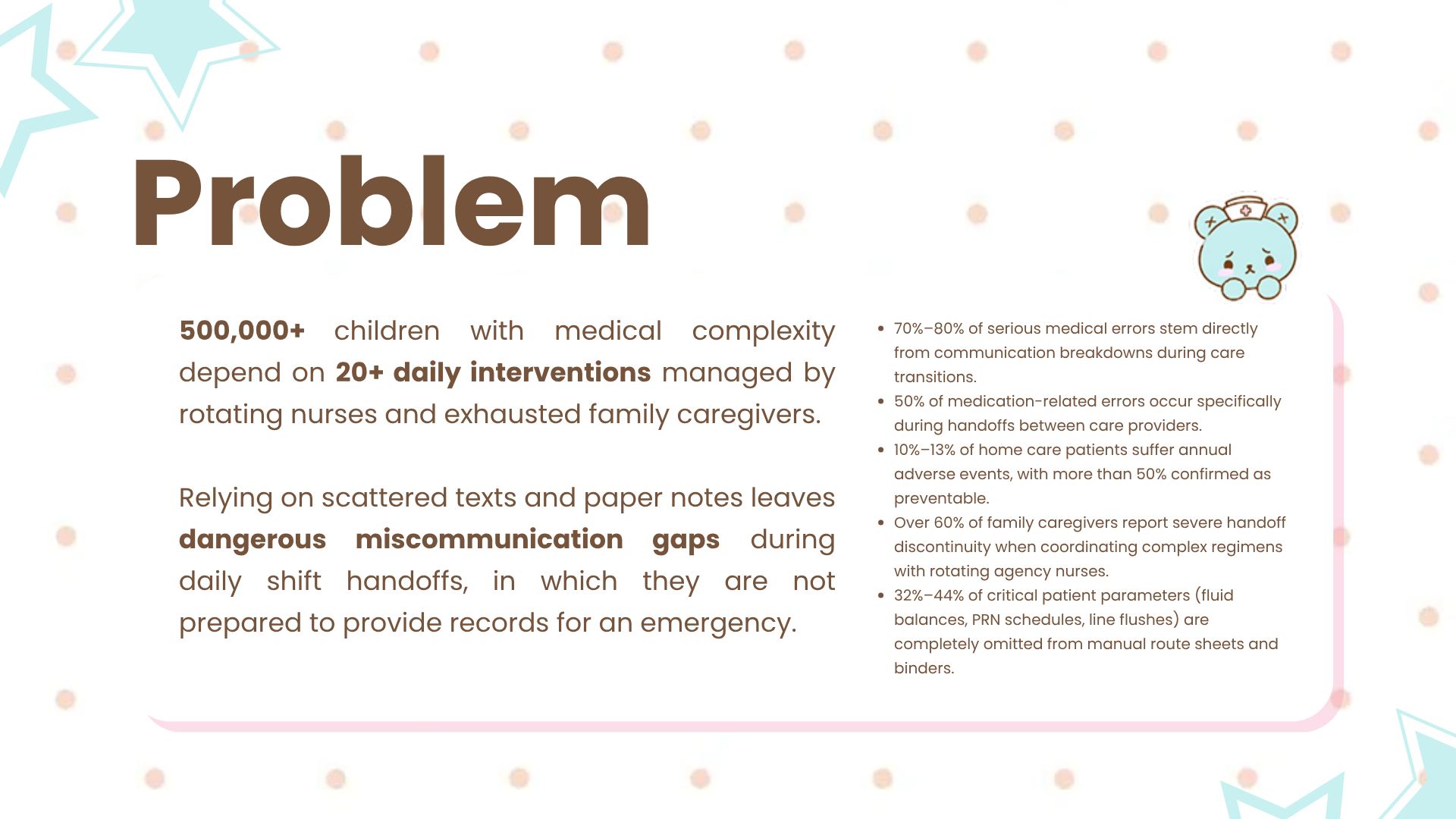
Over 500,000 children across the United States live with medically complex conditions requiring 20 or more critical interventions every single day, ranging from gastrostomy tube (G-tube) feedings and scheduled medications to respiratory treatments and vital checks. A child with cystic fibrosis, for example, may need airway clearance with a vest twice a day, nebulized albuterol and hypertonic saline, a CFTR modulator like Trikafta taken on schedule with fat-containing food, and overnight G-tube feeds. Their daily safety depends on care split between rotating private-duty home health nurses and exhausted family caregivers who average under five hours of sleep per night.
The Joint Commission estimates that around 80% of serious medical errors involve miscommunication between caregivers during handoffs. In home health, these crucial transitions are still recorded on dry-erase whiteboards, handwritten legal pads, or fragmented group text threads. A single missed tube flush can lead to an occluded feeding line, and an untracked dose of medication can lead to accidental double-dosing, and from there to preventable emergency room visits and hospital readmissions. We built CareBear to replace fragile paper logs with an ambient, physical-to-digital safety net anchored directly at the bedside.
What it does
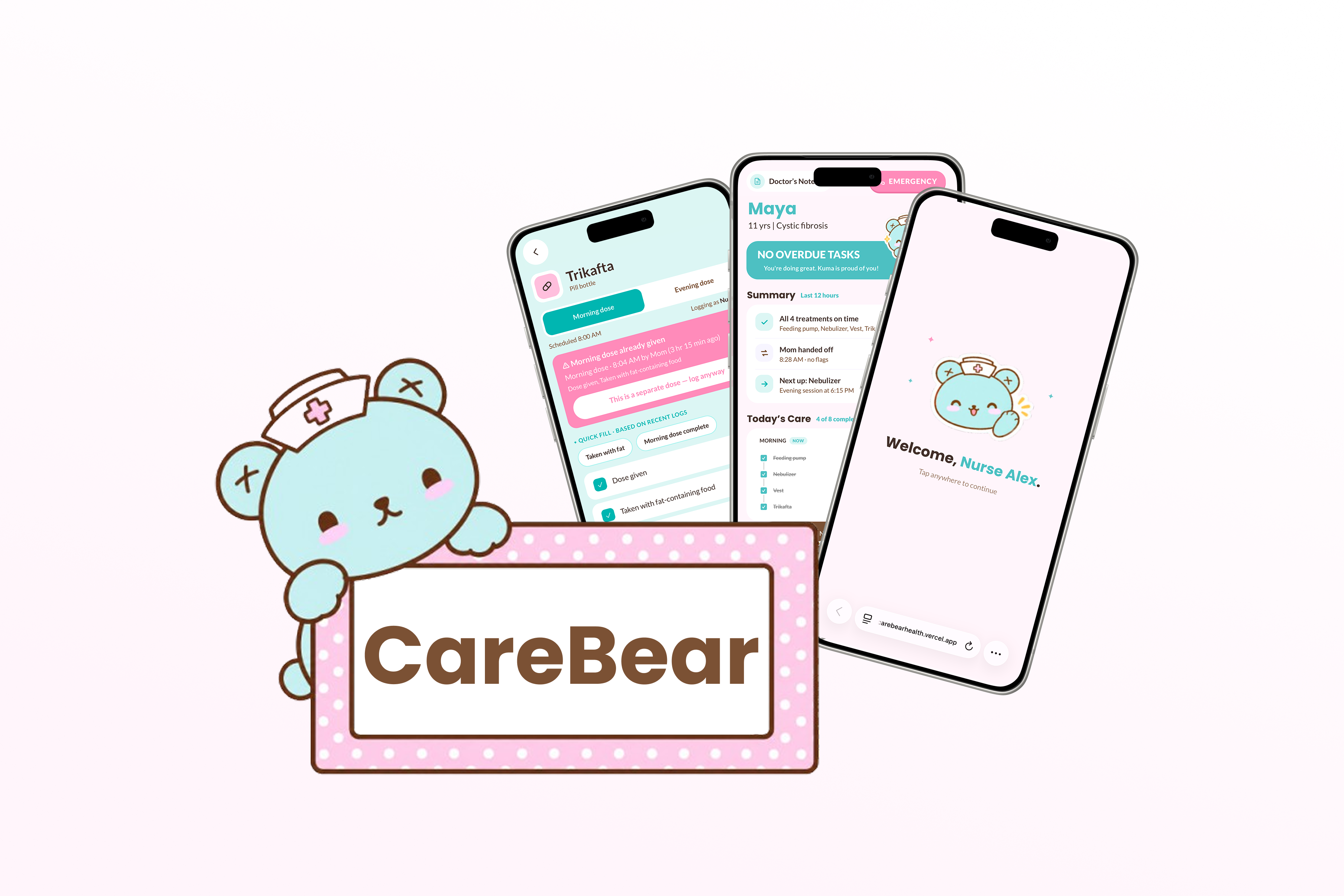
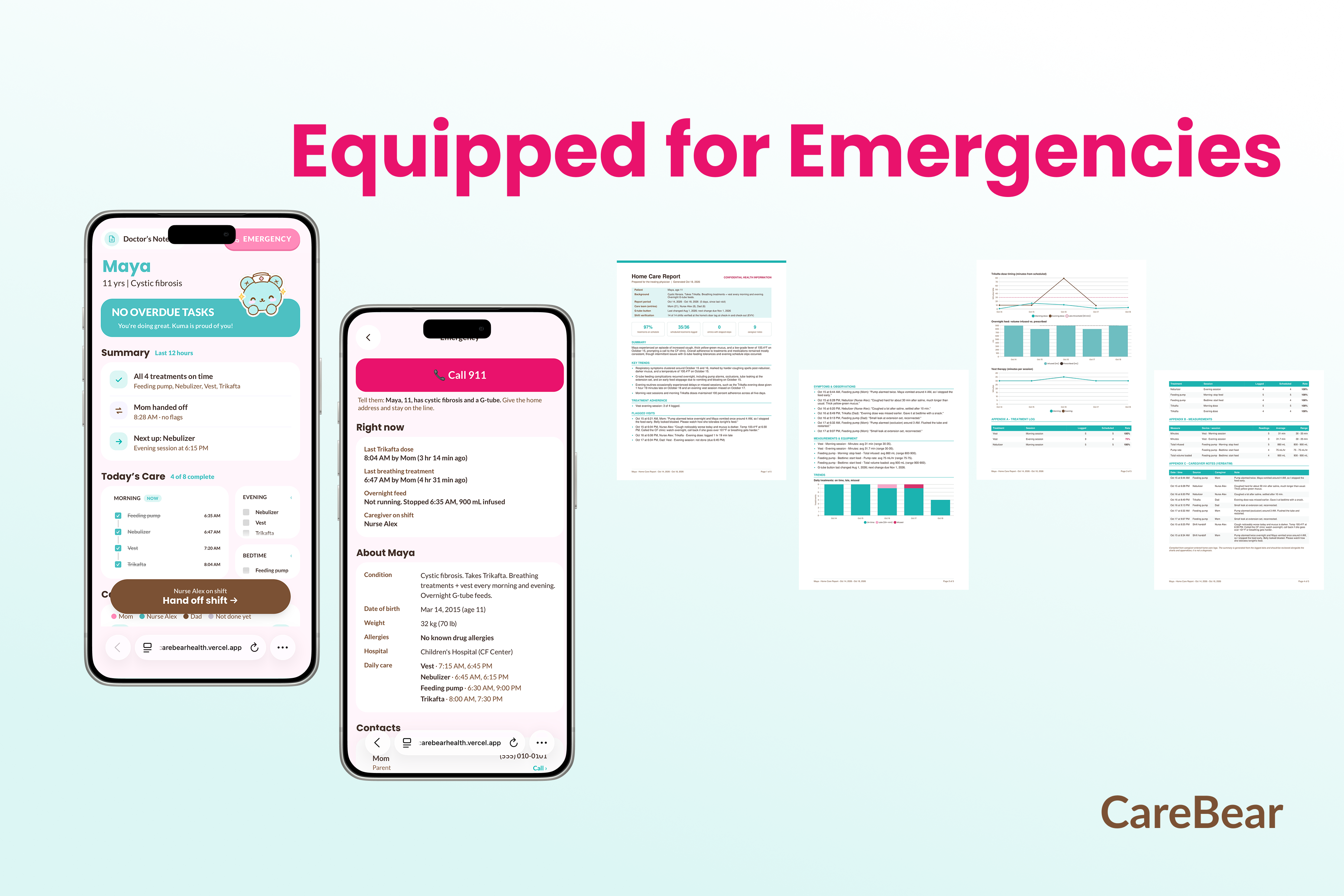
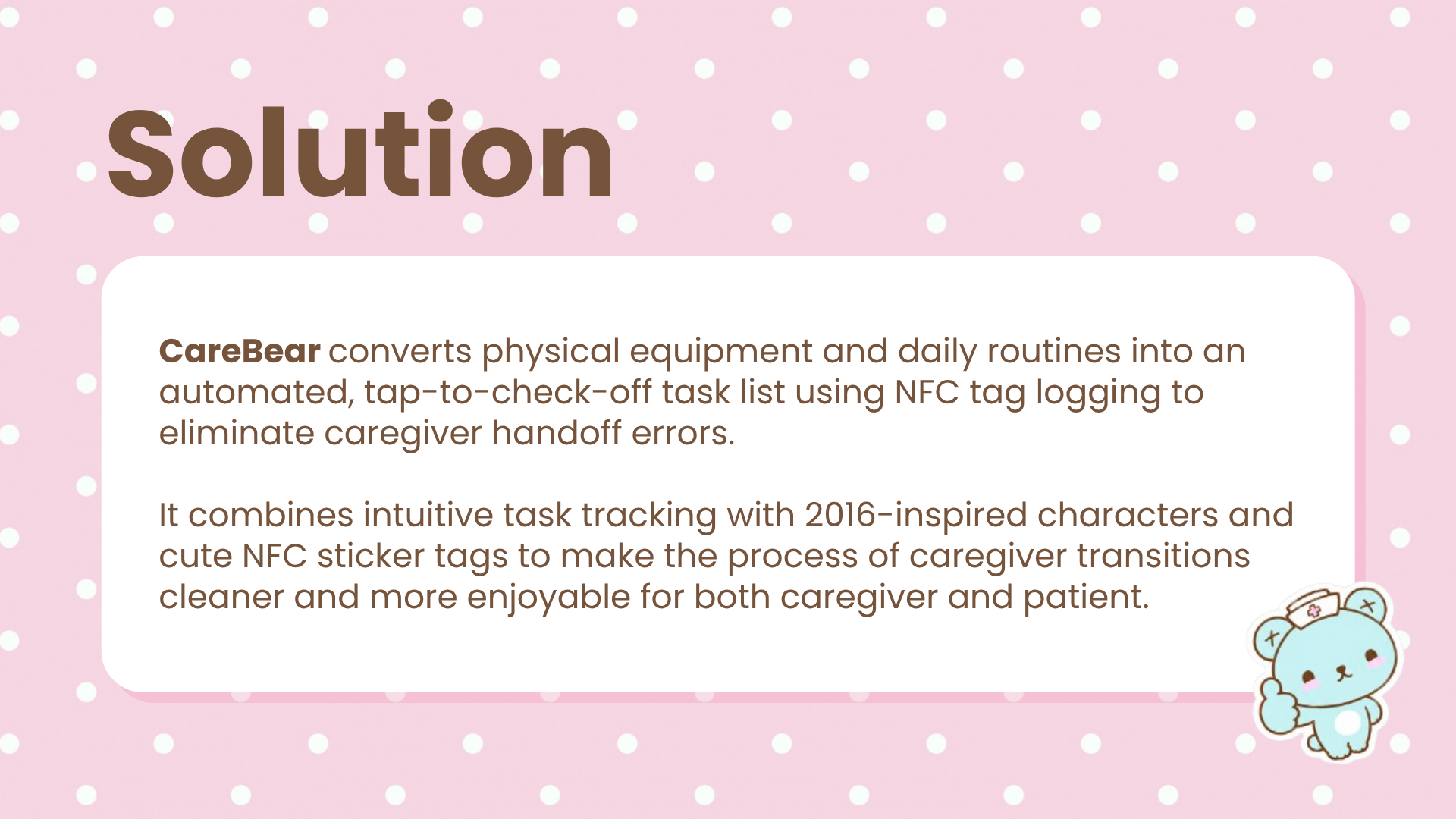
CareBear is an EVV-integrated mobile web application and bedside NFC tag system that turns physical medical equipment and daily routines into a tap-to-verify care log:
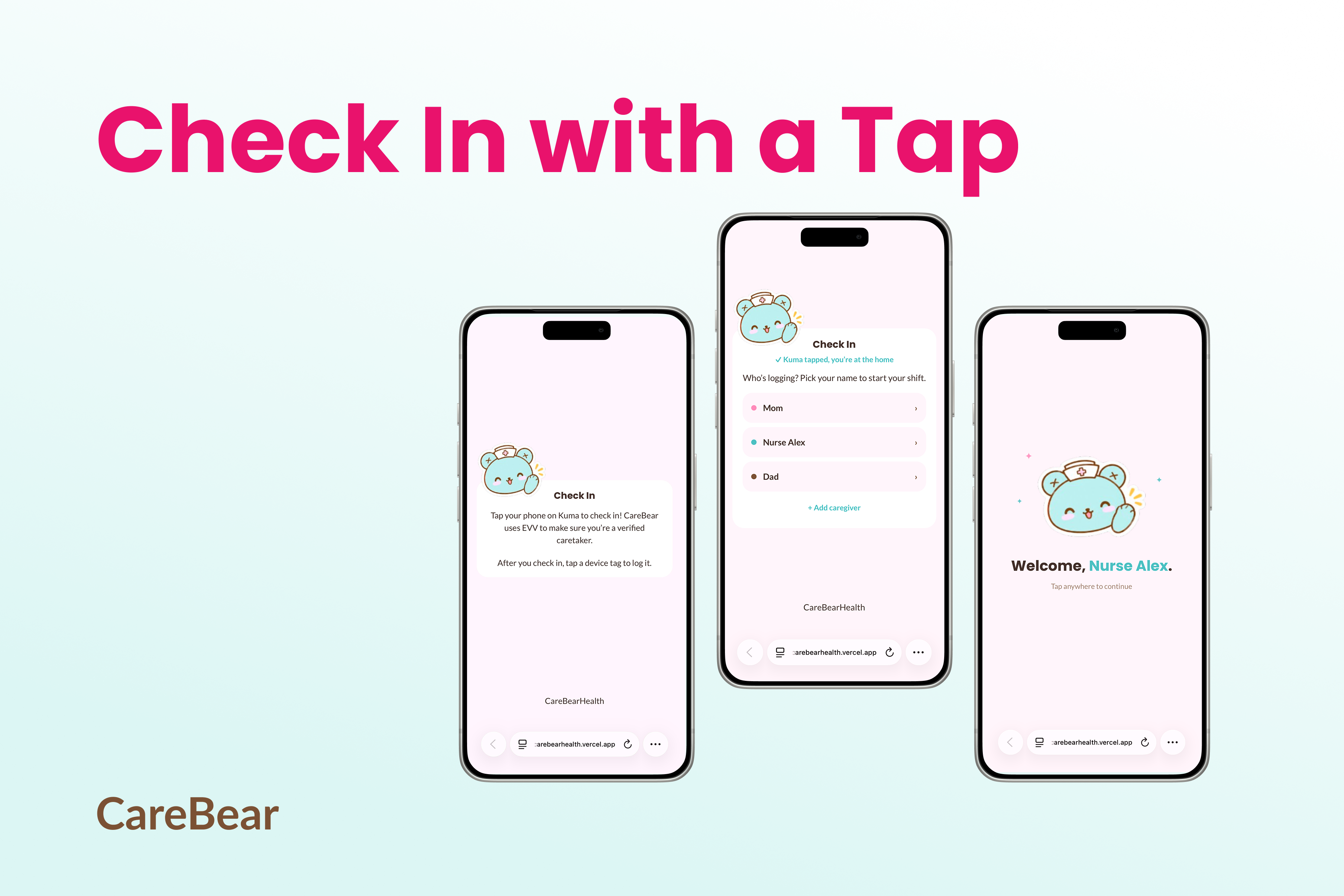
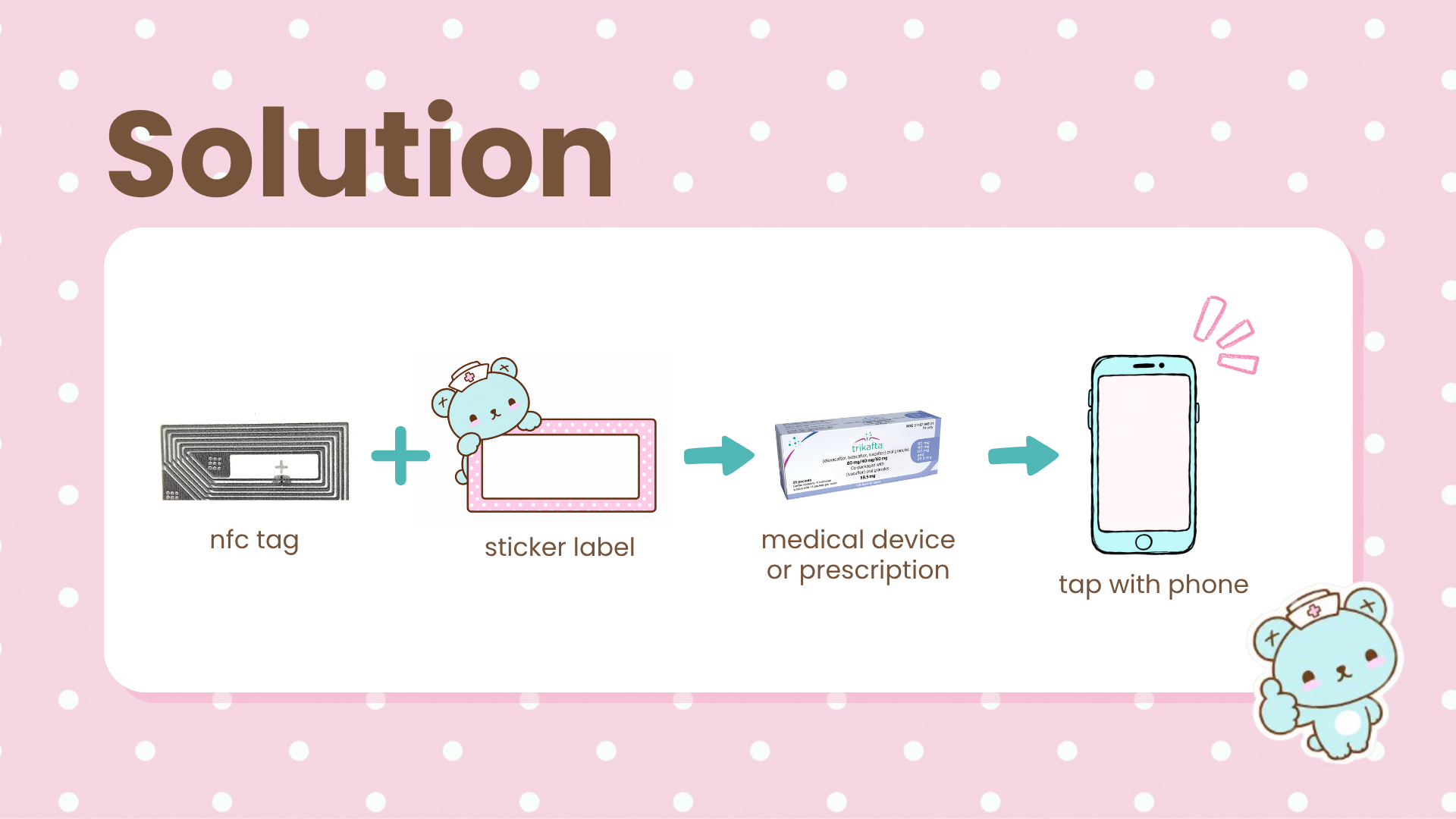
- Tap-to-Verify Bedside Check-In: Using low-cost, ultra-thin adhesive NFC tags attached to doorframes, feeding pumps, therapy devices, and medication bottles, caregivers verify shifts and tasks with a single physical smartphone tap. Tapping the door tag logs proof of presence for Medicaid Electronic Visit Verification (EVV) compliance without tedious manual timecards, and tapping it again at the end of a shift checks the caregiver out and opens the handoff.
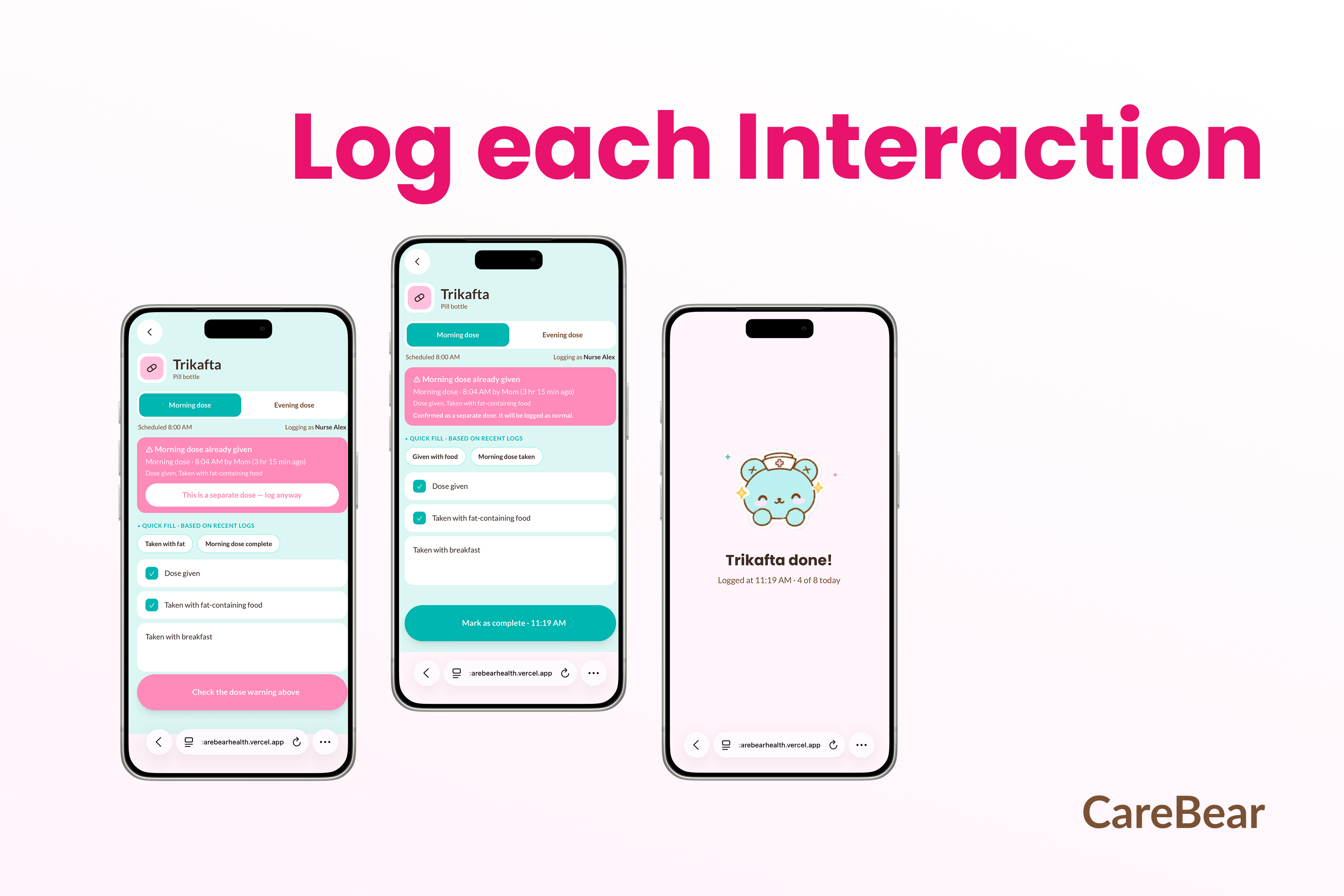
- Contextual, Time-Varying Task Resolution: Tapping an equipment tag opens the right session for the time of day. A morning tap on the feeding pump logs stopping the feed, the tube flush, and total volume infused; a bedtime tap logs the pump rate, volume loaded, and a fresh set and bag. Every log also has a free-text notes field for clinical observations.
- Deterministic Safety & Overdue Audits: Rather than relying on fuzzy heuristics or LLM math, a deterministic rule engine checks every task against its scheduled time. Tasks more than 30 minutes overdue immediately appear in a high-visibility alert bar, and a double-dose check warns before logging a medication that was already given in the last 8 hours.
- AI Handoff Synthesis: At shift change, Gemini 3.8 Flash evaluates the shift's raw log data to generate a concise handoff summary, and the top of the dashboard shows an AI recap of the last 12 hours across every caregiver, giving incoming caregivers an immediate readout of treatments, meds, and urgent flags.
- Doctor's Note & Clinical Export: A dedicated Doctor's Note page summarizes trends since the last pediatric visit and charts treatment adherence (on time, late, missed), Trikafta dose timing, overnight feed volume versus prescribed, and vest therapy minutes, then exports everything to a PDF for clinical visits.
How we built it
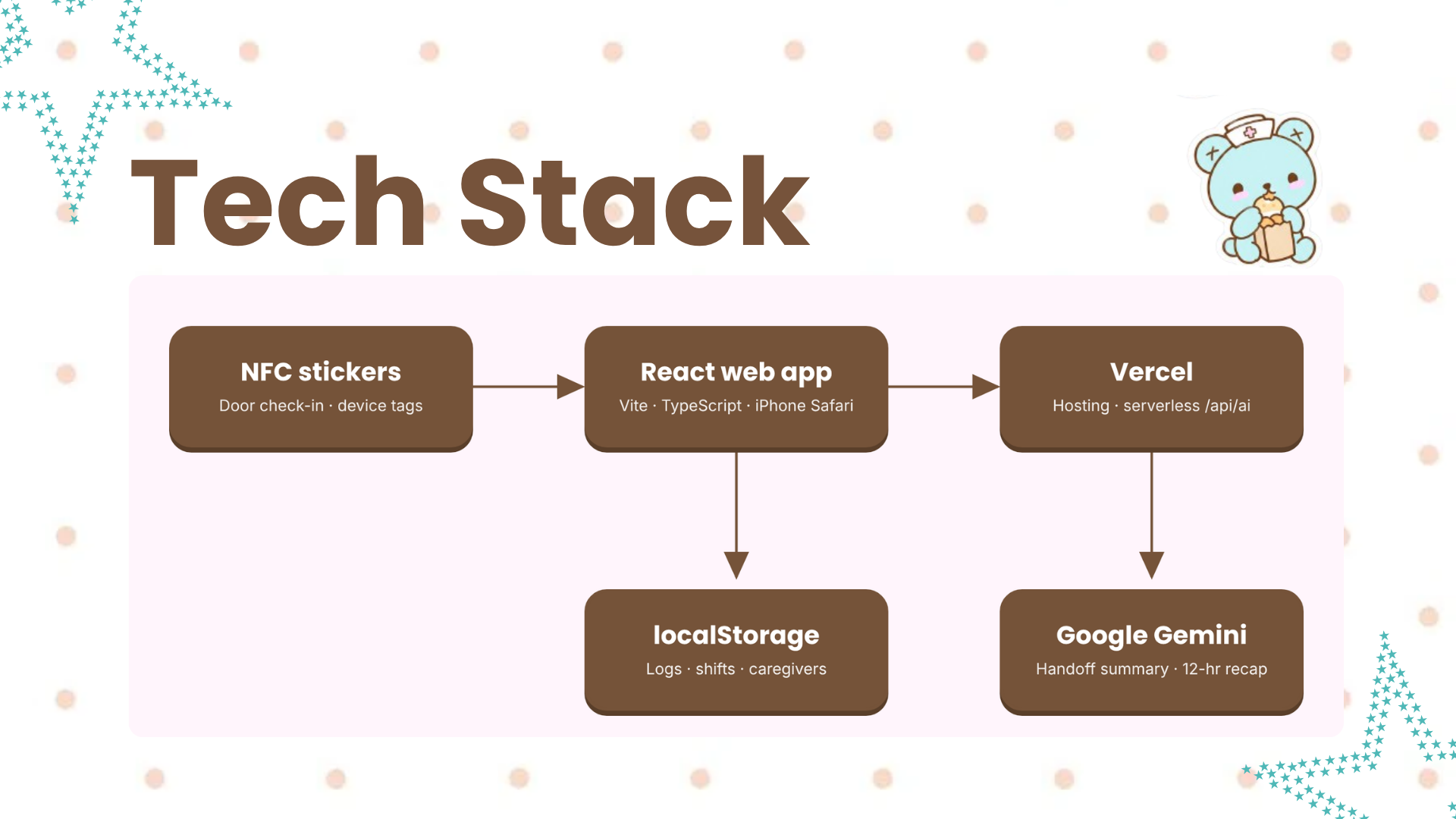
- Frontend & Mobile UI: Built with Vite, React, TypeScript, and Tailwind CSS, with FullCalendar for the weekly caregiver calendar and Chart.js for the doctor's-note trends, for a responsive, high-contrast dashboard accessible from any mobile browser.
- Data Storage: Care logs, shifts, caregivers, and handoffs are stored on the device in the browser's localStorage, so the demo runs on a single shared phone with no accounts or backend database.
- Hardware & NFC Layer: Deployed 11 × 21 mm transparent adhesive RFID tags running ISO/IEC 14443-4 (IsoDep) Type 4 protocols. We encoded standard NDEF URL records (
/checkin?tag=maya-door-7k2q,/log/feeding-pump) via NFC Tools and NXP TagWriter, allowing a standard iPhone to open each task directly in Safari without third-party app installations. - Intelligence Layer: A Vercel serverless function (
/api/ai) calls the Gemini REST API with Gemini 2.5 Flash, keeping the API key off the phone. We request JSON output (responseMimeType: application/json) for shift handoff summaries, the 12-hour recap, and doctor's-note summaries, with a locally generated summary as a fallback when the AI is unavailable.
Challenges we ran into
- No NFC API on iPhone: Safari can't read NFC tags from a web page, and we didn't want caregivers installing an app. Instead, each tag stores a plain NDEF URL record, so iOS opens the right page on its own when a tag is tapped. The door tag's unique ID then doubles as proof that the caregiver is physically at the home.
- Getting Gemini to work reliably: Our AI calls kept failing with vague server errors. Digging in, we found two causes: the free tier's rate limits (HTTP 429), and a model name with a stray character that made Gemini report it as not found (HTTP 404). We made our server pass along Gemini's actual error message, cleaned up the model setting, cached summaries so we call the API less often, and kept a locally generated summary as a fallback so the app never shows a blank card.
- Two people pushing to the same files: With two of us editing the same components overnight, pulls were blocked by conflicting changes, and one mis-pasted file replaced our
index.htmlwith CSS, so tapping a tag showed raw code instead of the app. We learned to pull before every change and check each deploy on the phone right away. - Fitting a Figma design onto real phones: Layouts that looked right in Figma wrapped or cut off text on smaller iPhones, and the check-in screen briefly flashed the wrong message after someone picked their name. We tested on several screen widths, tightened the spacing, and fixed the flash by handling the check-in state before the page changed.
Accomplishments that we're proud of
- Two-Tap Bedside Workflow: Built an end-to-end physical tap workflow where a caregiver can tap a feeding pump, log volume, and see it on the dashboard in a couple of taps.
- Zero App Store Barrier: Made the platform run entirely in a standard mobile web browser via NDEF URL routing, eliminating app-store friction for rotating relief nurses.
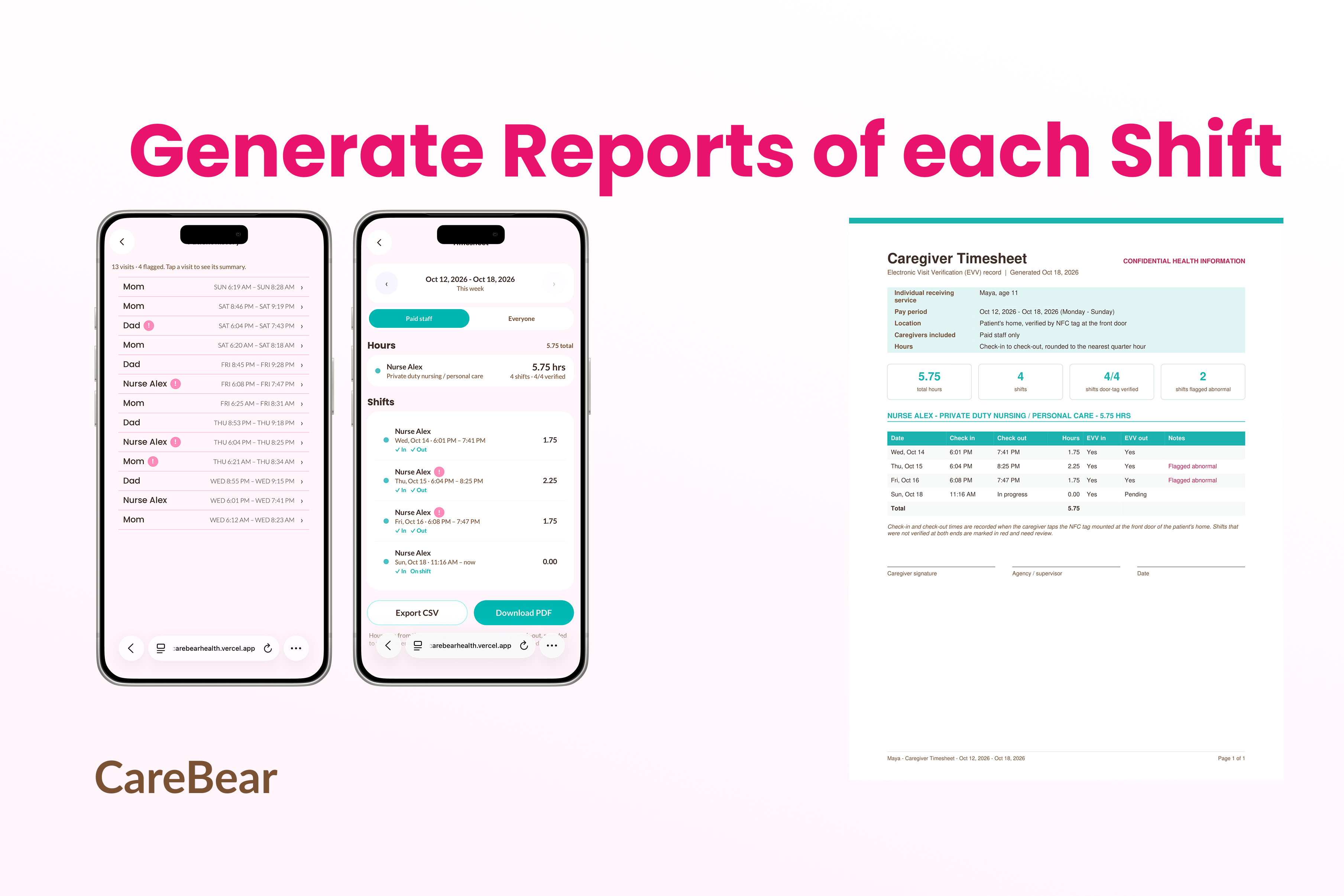
- Family & Paid Caregiver Roles: Designed one interface that works for both a paid nurse or aide, who gets an EVV timesheet with PDF export, and an exhausted parent, who just needs to log care with as little effort as possible.
What we learned
- Hardware Demands Context: An NFC tag cannot be a static command; it must act merely as an identity anchor. The application must contextualize that anchor against time-of-day logic, shift state, and prior clinical notes.
- Asynchronous Communication is Safety-Critical: Bridging the communication gap between private-duty home nurses and parents is not solved by adding more chat channels; it is solved by making physical verification passive and handoff summaries automatic.
- Structured Output Still Needs Guardrails: Asking Gemini for JSON wasn't enough on its own. We validate every response before showing it and keep a local fallback summary, so the app never shows a blank screen when the AI is slow, rate-limited, or returns something unexpected.
What's next for CareBear
- EHR & State Medicaid EVV Integration: Connect our proof-of-presence endpoints directly to state aggregator APIs (e.g., Sandata, HHAeXchange) to automate Medicaid billing for private-duty nursing agencies.
- Voice-First Bedside Dictation: Implement hands-free audio transcription on the NFC logging screen, allowing sterile-gloved nurses to record suctioning and trach-change observations without touching their screens.
- Predictive Supplies & Durable Medical Equipment (DME) Tracking: Expand device tagging to track consumable inventory (enteral feeding bags, suction catheters, sterile water bottles), automatically alerting families and caseworkers before critical supplies run out.

Log in or sign up for Devpost to join the conversation.