Track A : Explainable AI for Heart Disease Risk Assessment CARDIOBUDDY
Inspiration
We wanted to explore how machine learning could be used to assess the risk of coronary artery disease and, more importantly, how we could make its predictions easier to understand.
Most people see a prediction as just a number, but in healthcare, that number needs context. We wanted to build something that not only estimates CAD risk but also helps users understand which patient features influenced the prediction.
What We Built
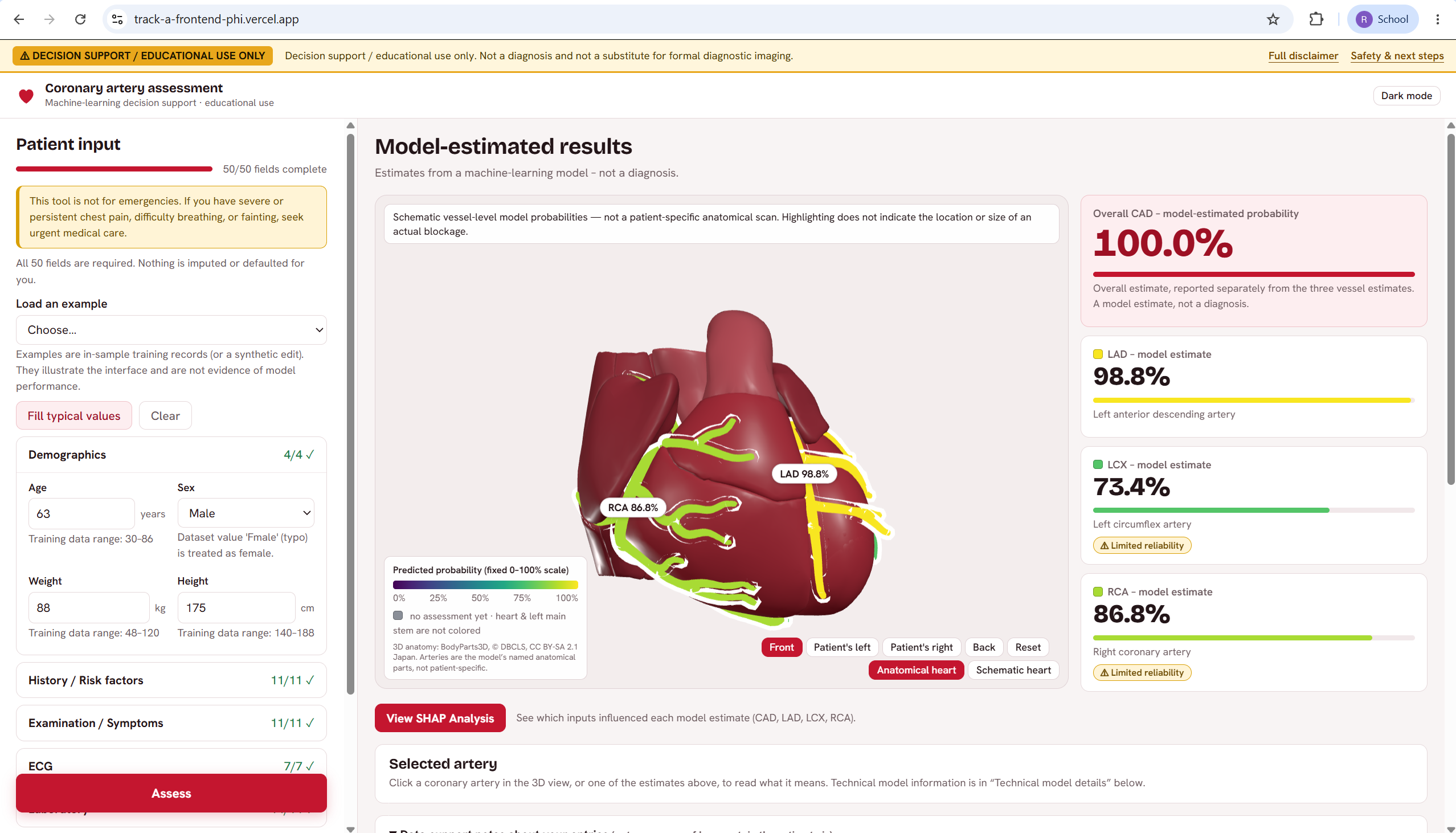
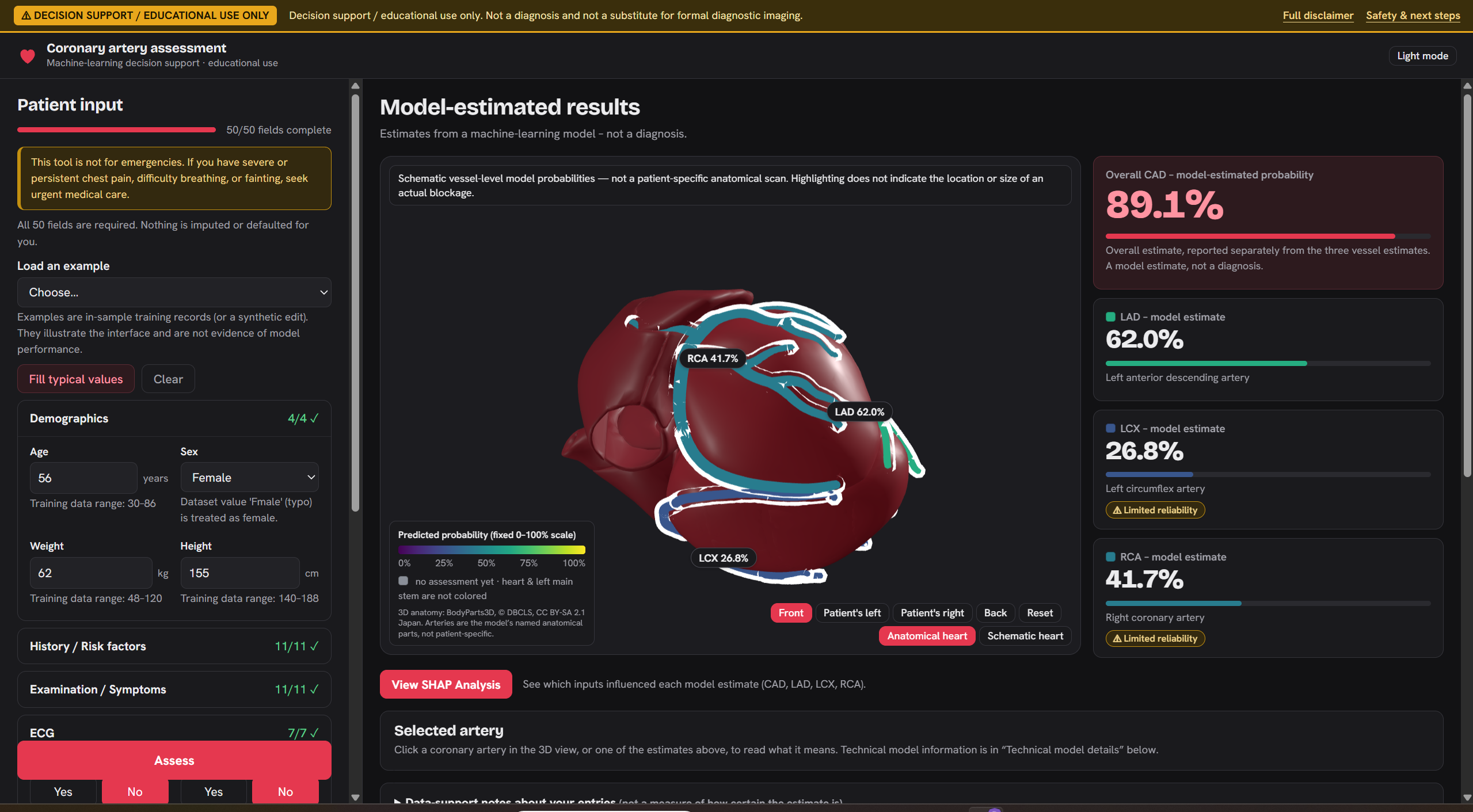
We built a web application that takes patient clinical parameters and predicts the probability of coronary artery disease (CAD), along with estimates for three major coronary arteries: LAD, LCX, and RCA.
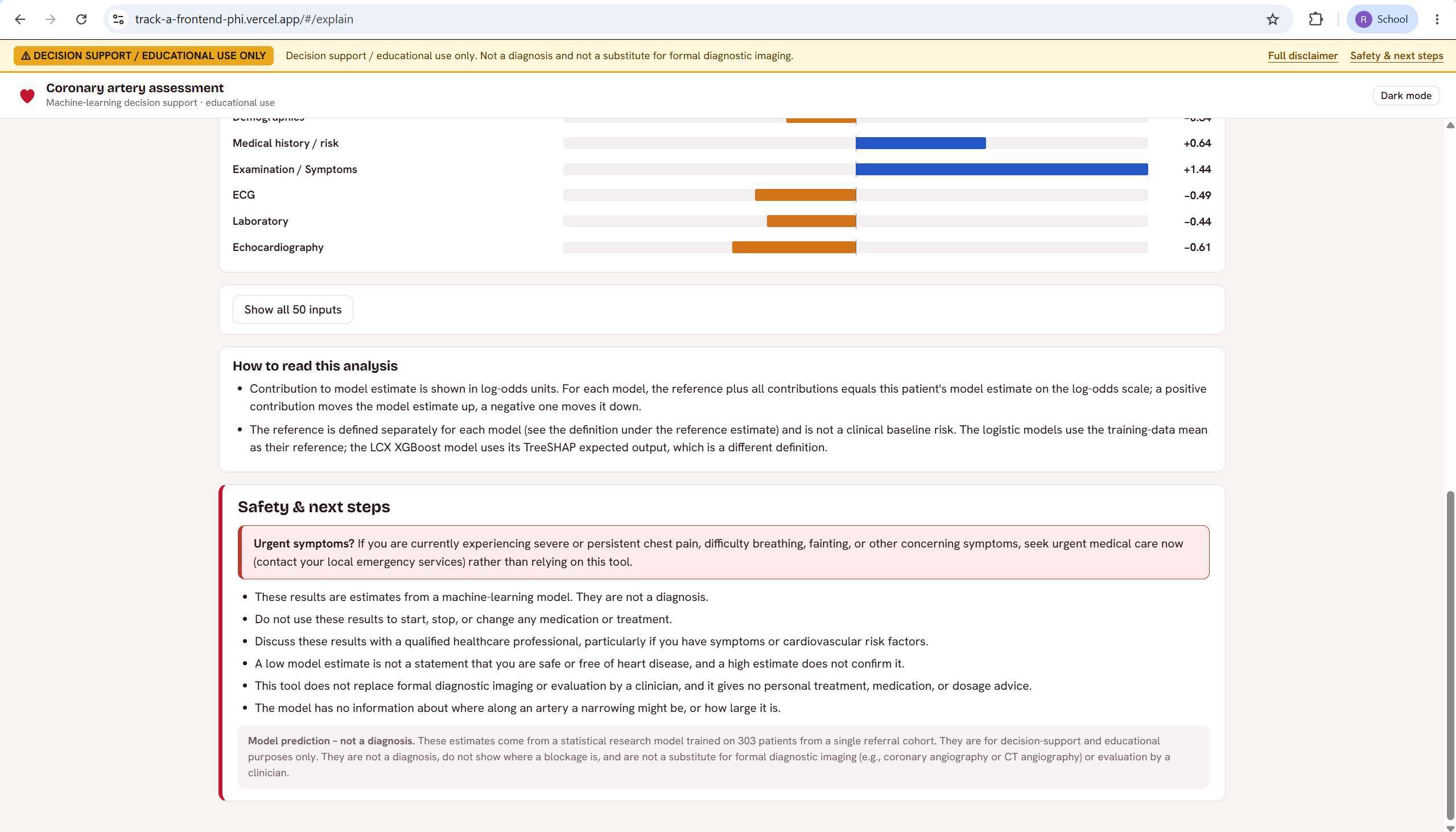
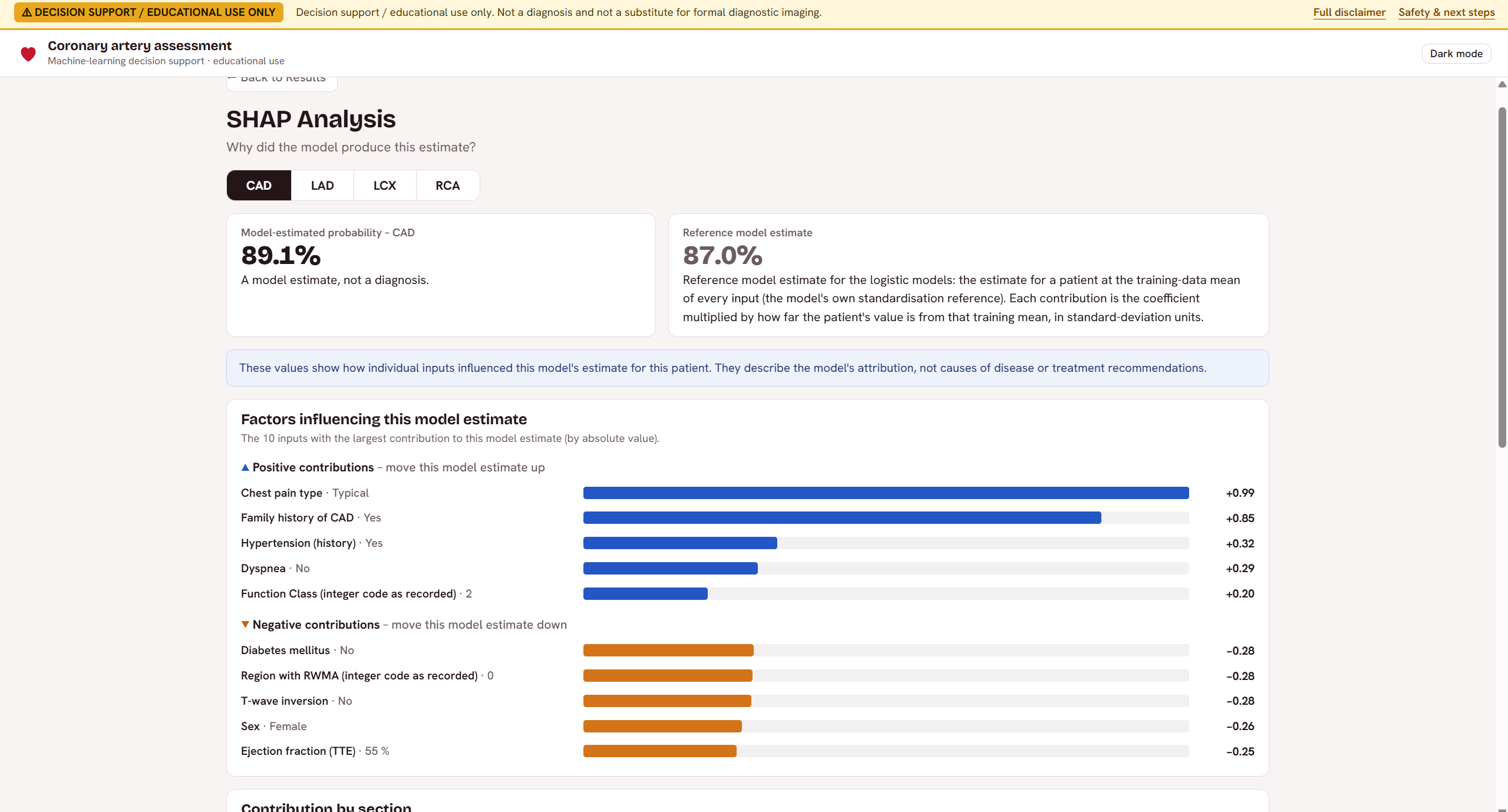
The application combines machine learning models with an interactive interface, explainable AI, and a 3D heart visualization. Instead of presenting predictions as definite diagnoses, it displays them as model-estimated probabilities and highlights the limitations of using AI for medical assessment.
How We Built It
We used the UCI Z-Alizadeh Sani dataset, which contains 303 patient records and 59 features. We started by examining the dataset, checking its structure, and understanding the distribution of the outcomes before preparing it for training.
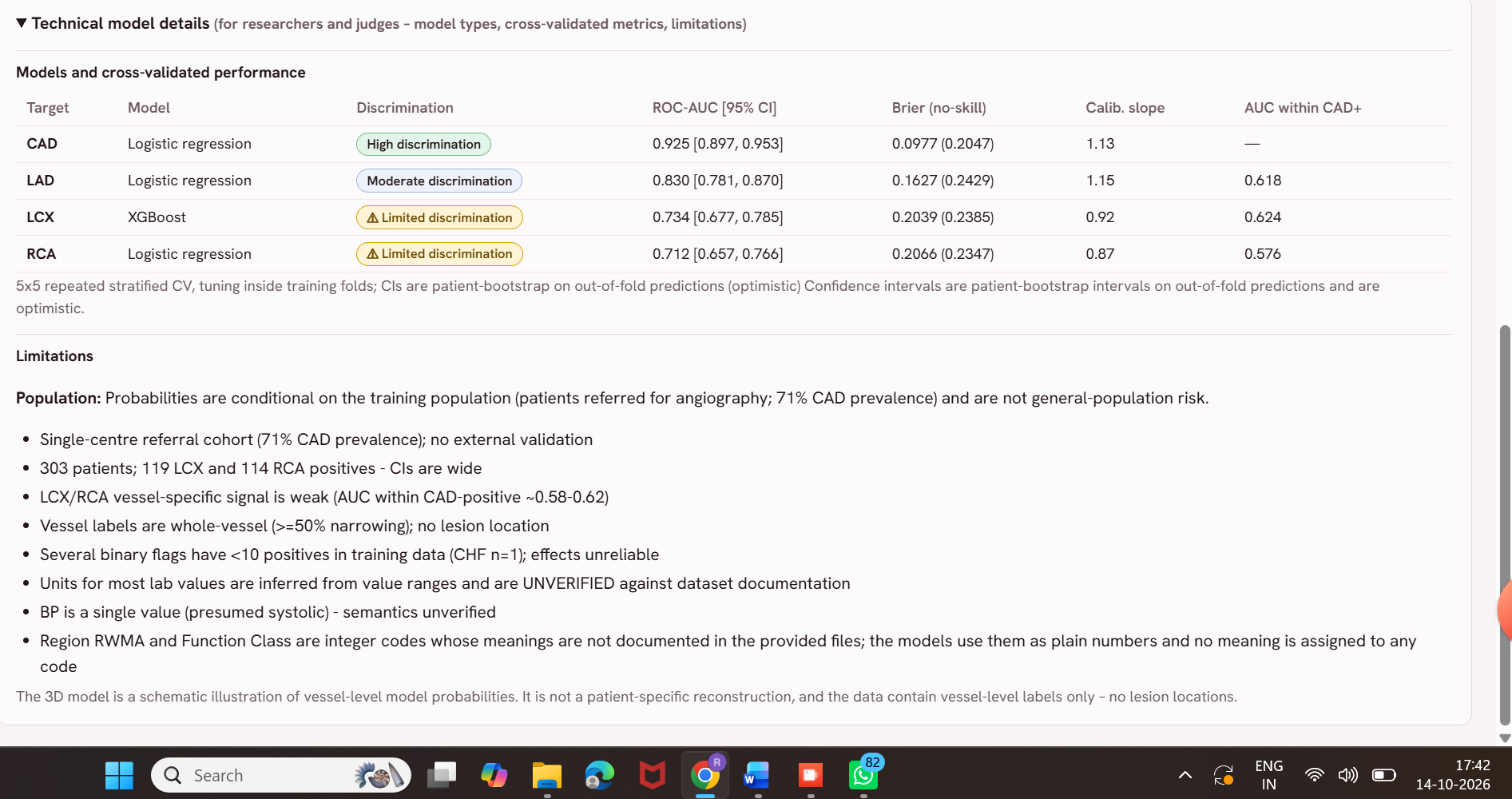
We trained separate models for CAD, LAD, LCX, and RCA rather than assuming one model would work equally well for every outcome. We evaluated them using repeated 5-fold cross-validation, with hyperparameter tuning performed inside the training folds. We also looked at ROC-AUC and Brier scores to understand not just how well the models distinguish between outcomes, but also how reliable their predicted probabilities are.
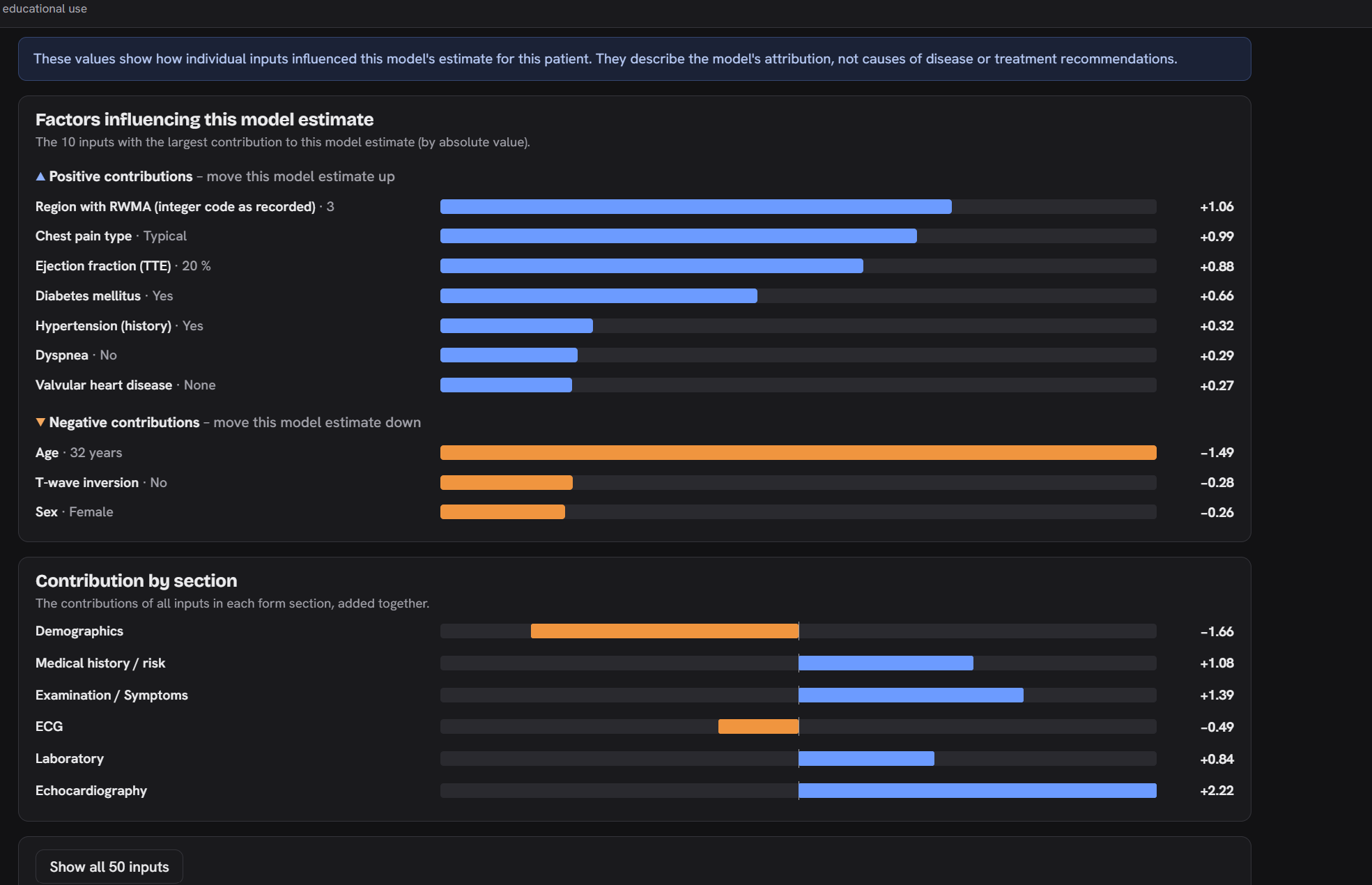
For the application, we used Python and FastAPI for the backend and React with Vite for the frontend. We also worked on feature-level explanations to show how different inputs influence predictions, along with a 3D heart visualization to provide anatomical context.
Challenges We Faced
One of the biggest challenges was the size of the dataset. With only 303 records, it was important to avoid relying on a single train-test split or trusting a model just because it performed well on one evaluation.
Another challenge was that the models did not perform equally well across all four outcomes. CAD and LAD showed better results than LCX and RCA. This made us realize that we couldn't simply use the same approach everywhere and expect similar performance.
We also had to think about how to present predictions responsibly. A probability can easily be misunderstood as a diagnosis, so communicating uncertainty and limitations was just as important as building the models themselves.
Finally, integrating the models with the frontend, backend APIs, explanations, and visualization required careful testing to make sure the different parts worked together correctly.
What We Learned
This project helped us understand that building an ML application involves much more than training a model and reporting its accuracy. Data quality, validation, probability calibration, and the way predictions are communicated all matter.
We also learned how to connect machine learning models to a working web application and how explainability can help users explore predictions rather than blindly trust them.
The biggest takeaway for us was that a model can produce promising results and still have important limitations. Especially in healthcare, being clear about those limitations is part of building a useful system.
What's Next
We would like to test the models on larger and more diverse datasets, improve their reliability, and make the explanations and visualizations more useful. External validation would be an important next step before considering any real-world clinical use.
For now, the project is a prototype exploring how machine learning and explainable AI can make cardiovascular risk assessment more transparent and understandable.
Built With
- ai
- analytics
- cross-validation
- data-science
- fastapi
- healthcare
- machine-learning
- medical
- predictive
- python
- react
- scikit-learn
- shap
- visualization
- vite
- xgboost

Log in or sign up for Devpost to join the conversation.