-
-
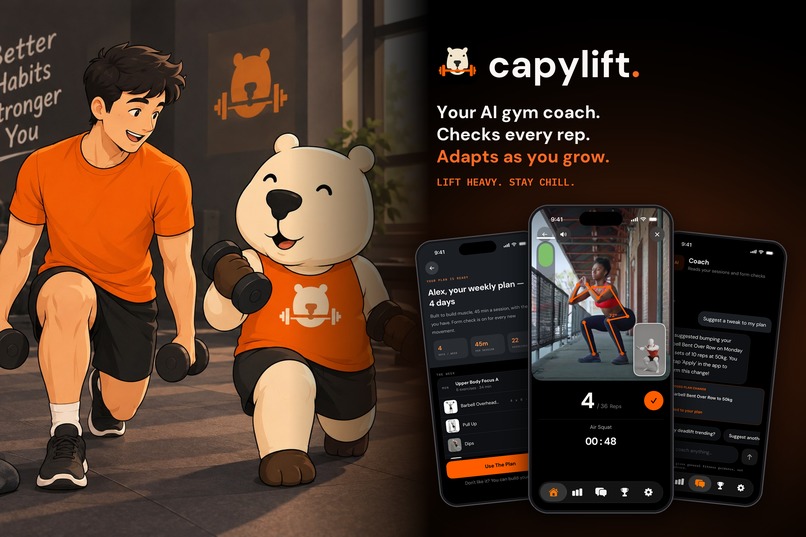
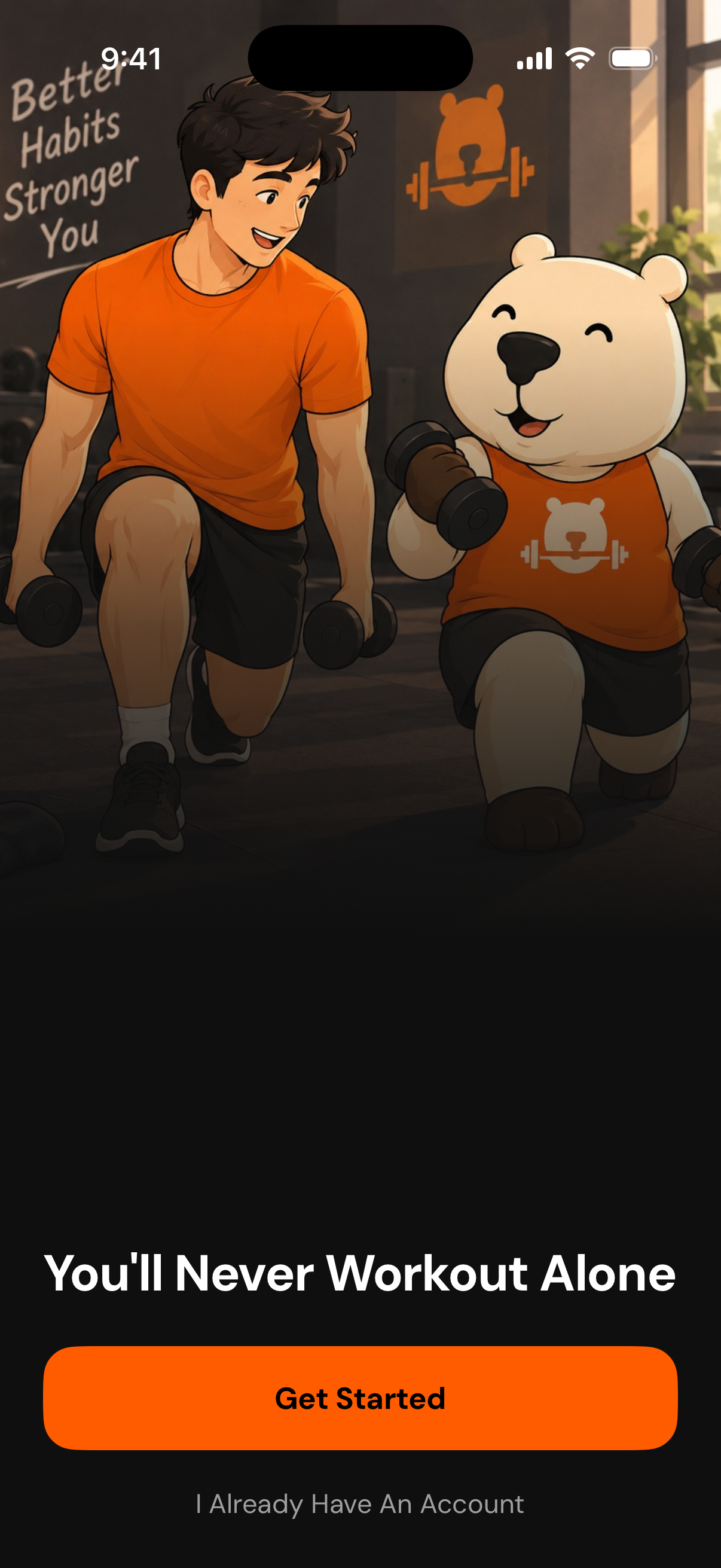
Capylift cover
-
App icon
-
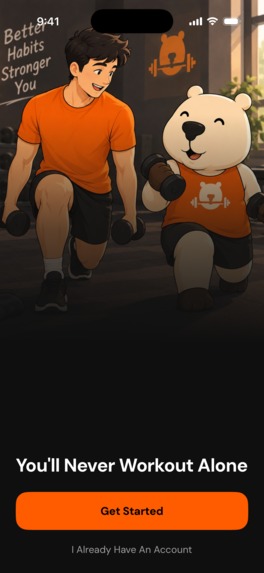
app screenshot without device frame
-
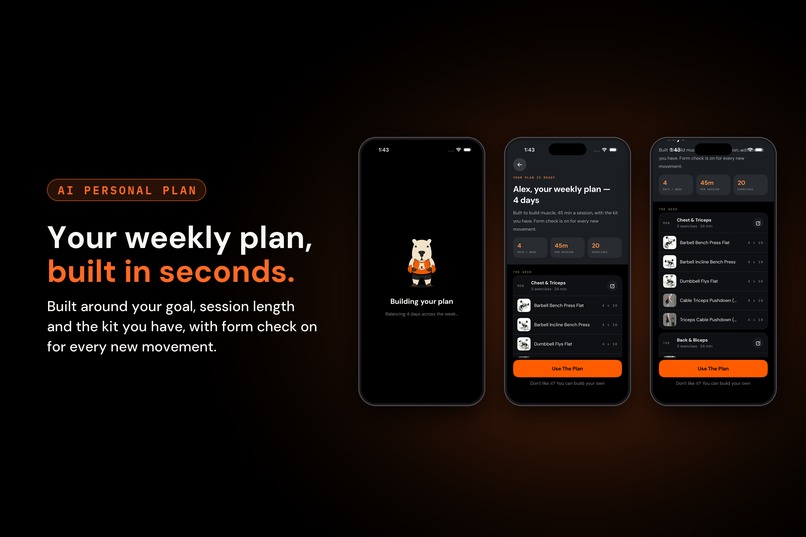
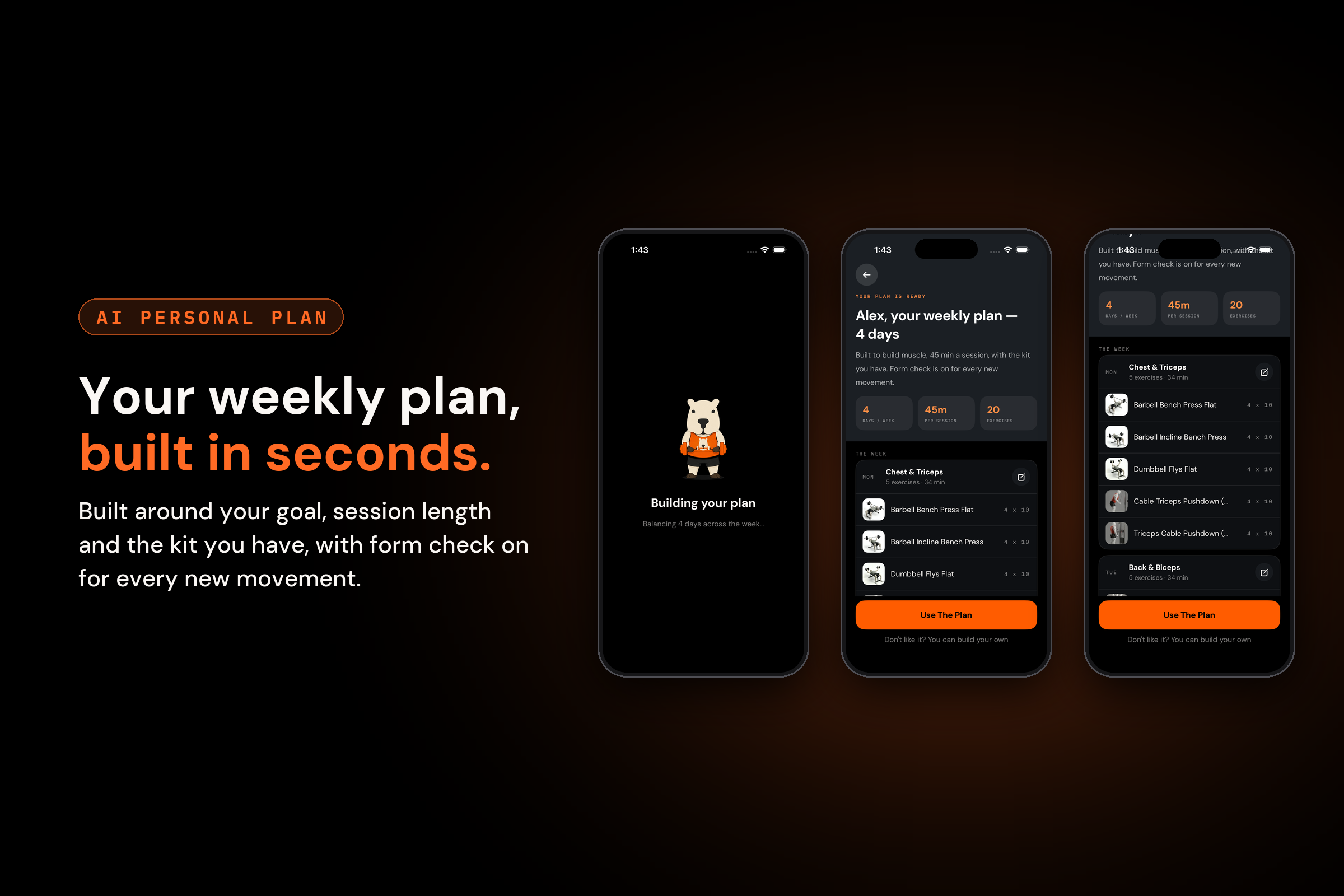
weekly plan
-
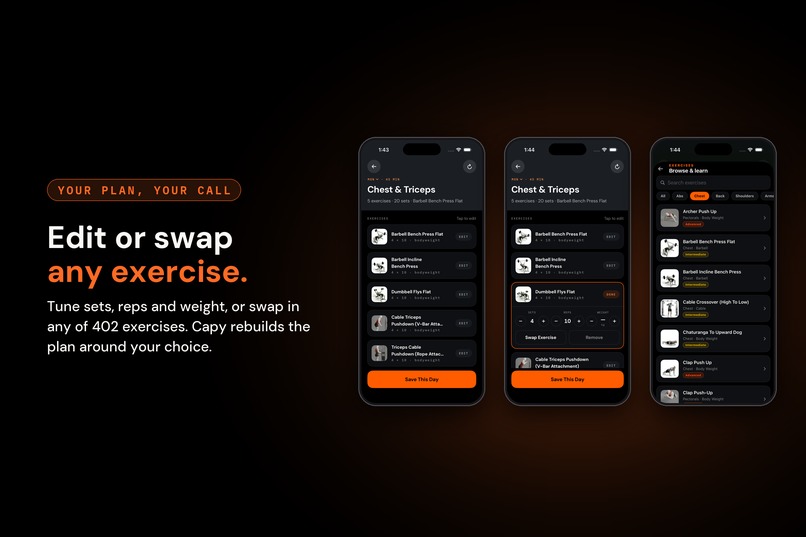
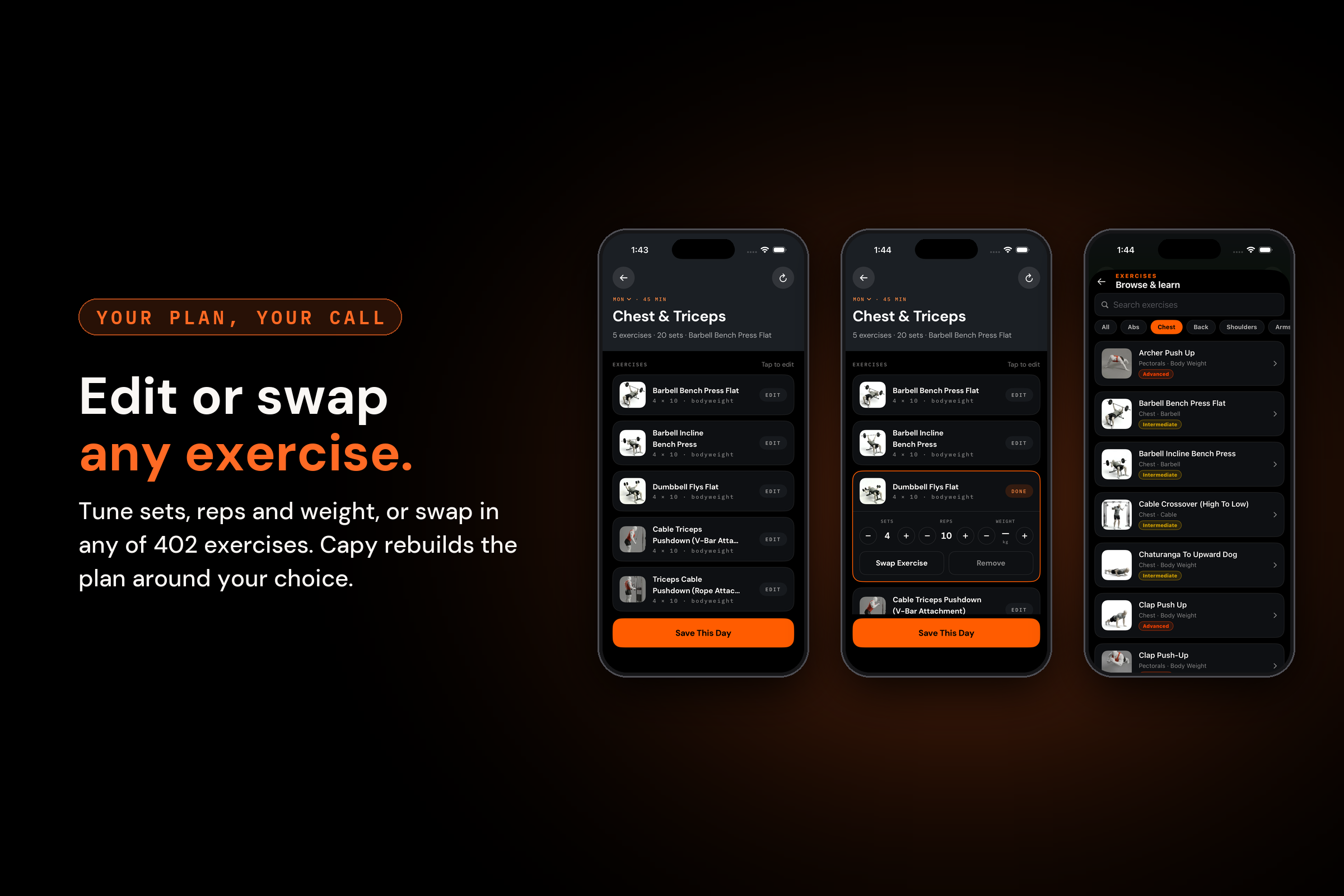
edit or swap exercises at ease
-
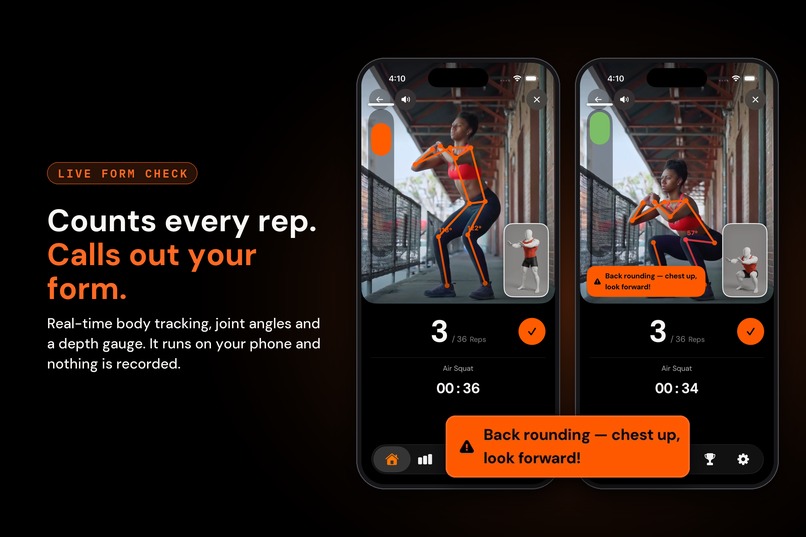
AI form check
-
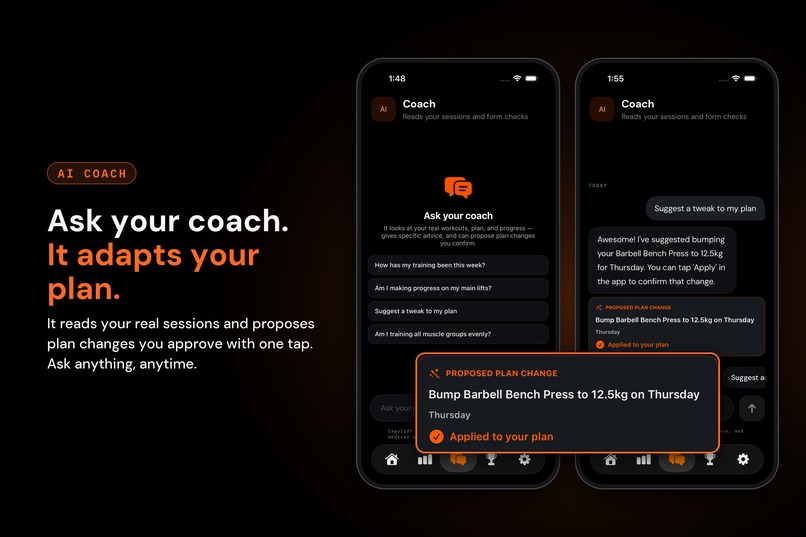
Get suggestion from Capy (the AI fitness coach) based on your report
-
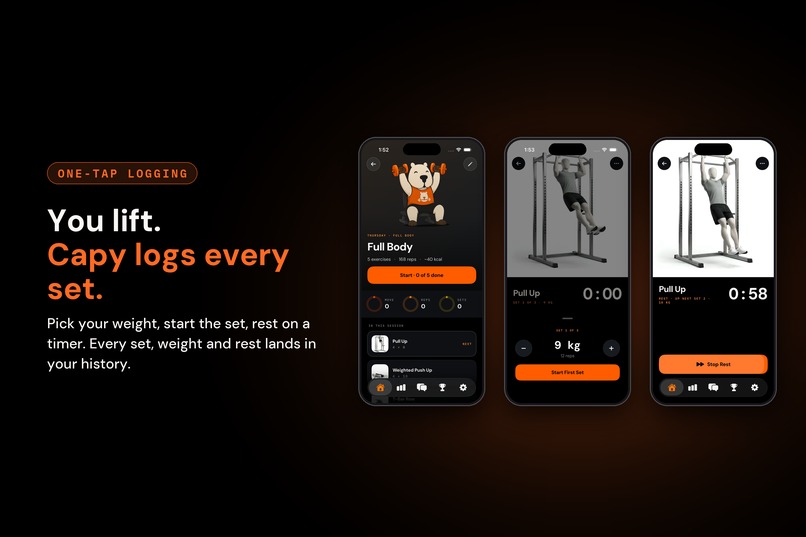
How Capy logs your session
-
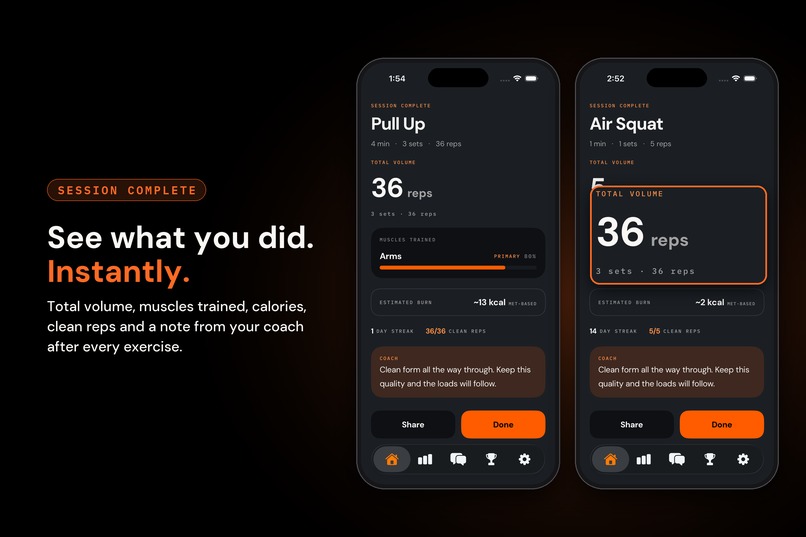
and gives you an instant report
-
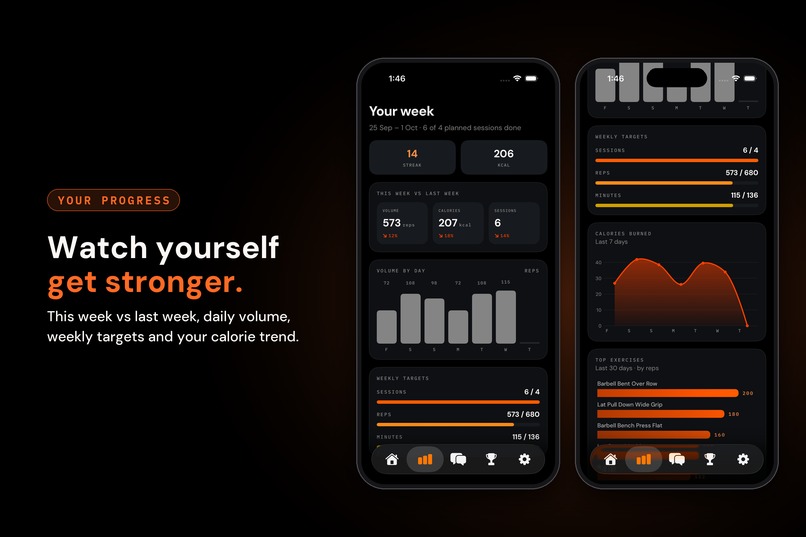
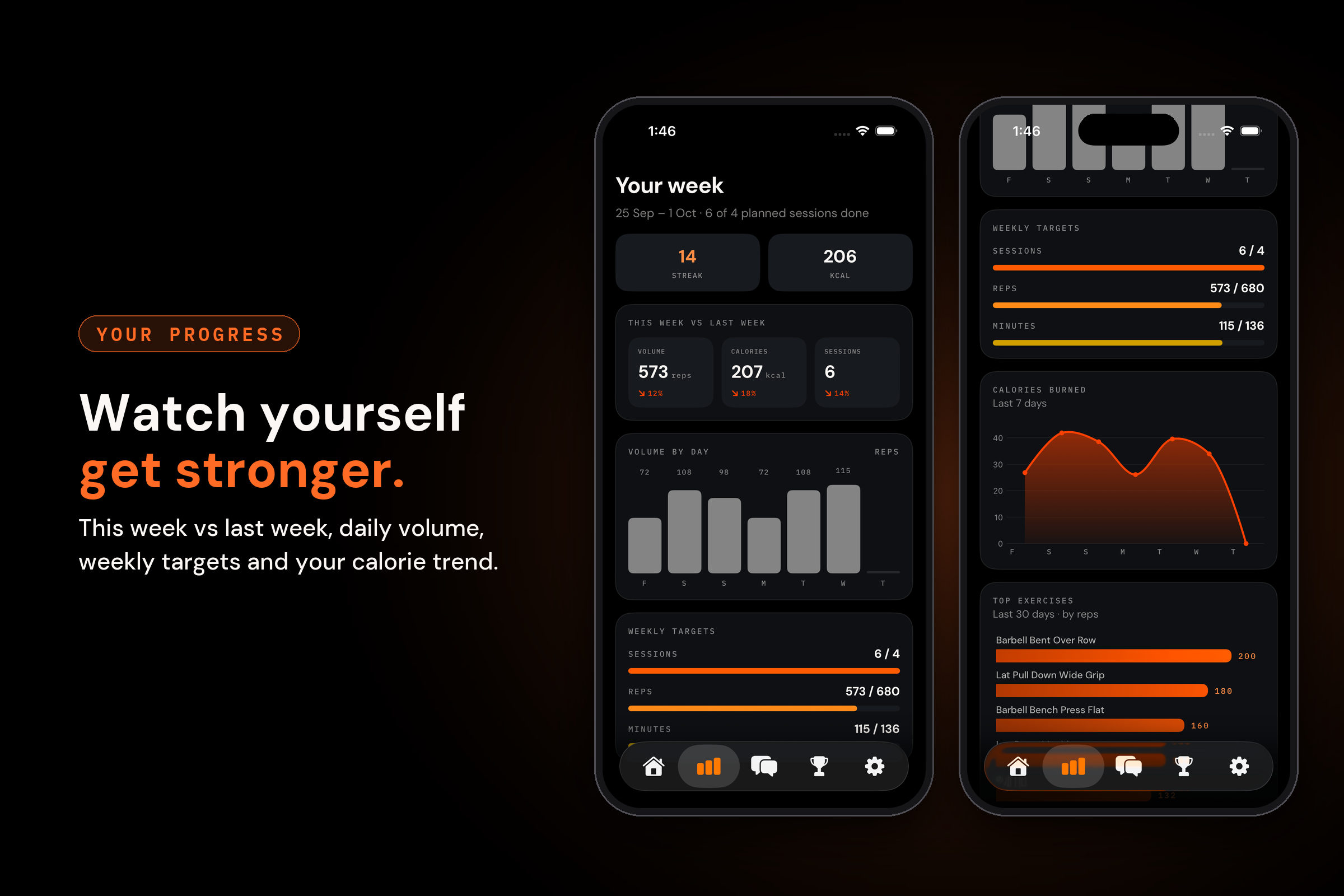
Check your weekly progress and get better everyday
-
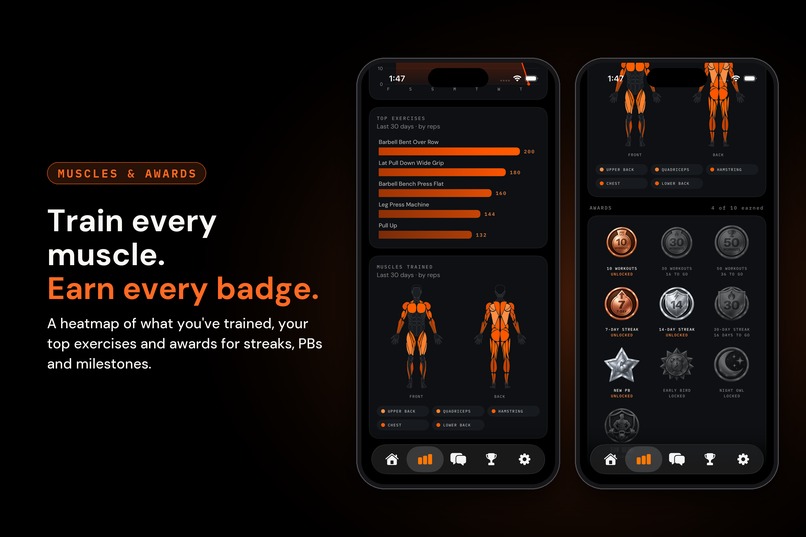
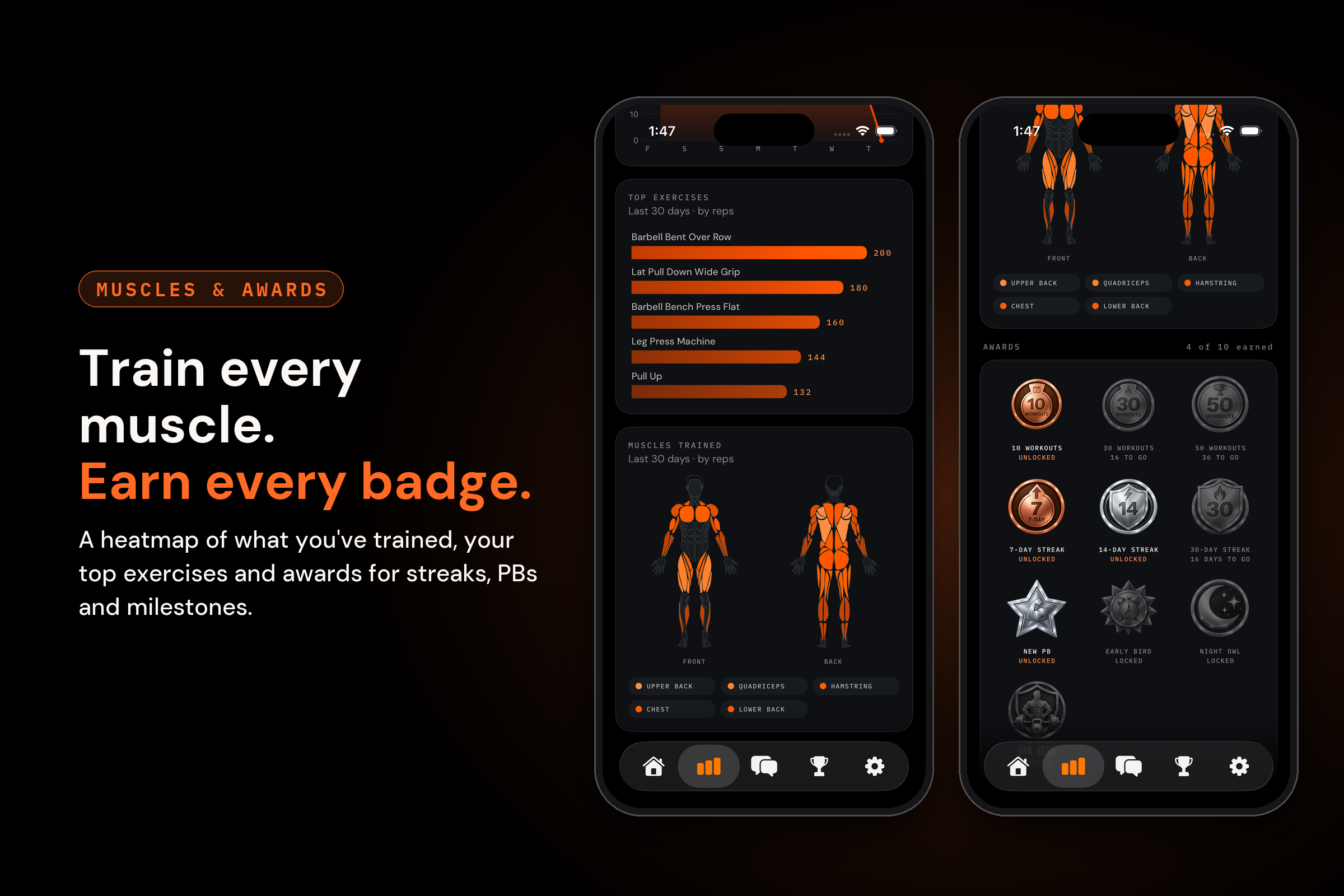
Your body heatmap and awards
-
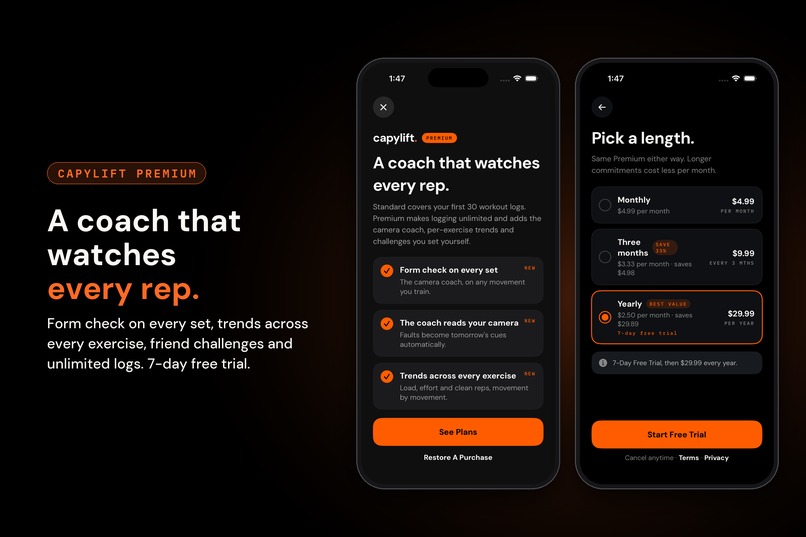
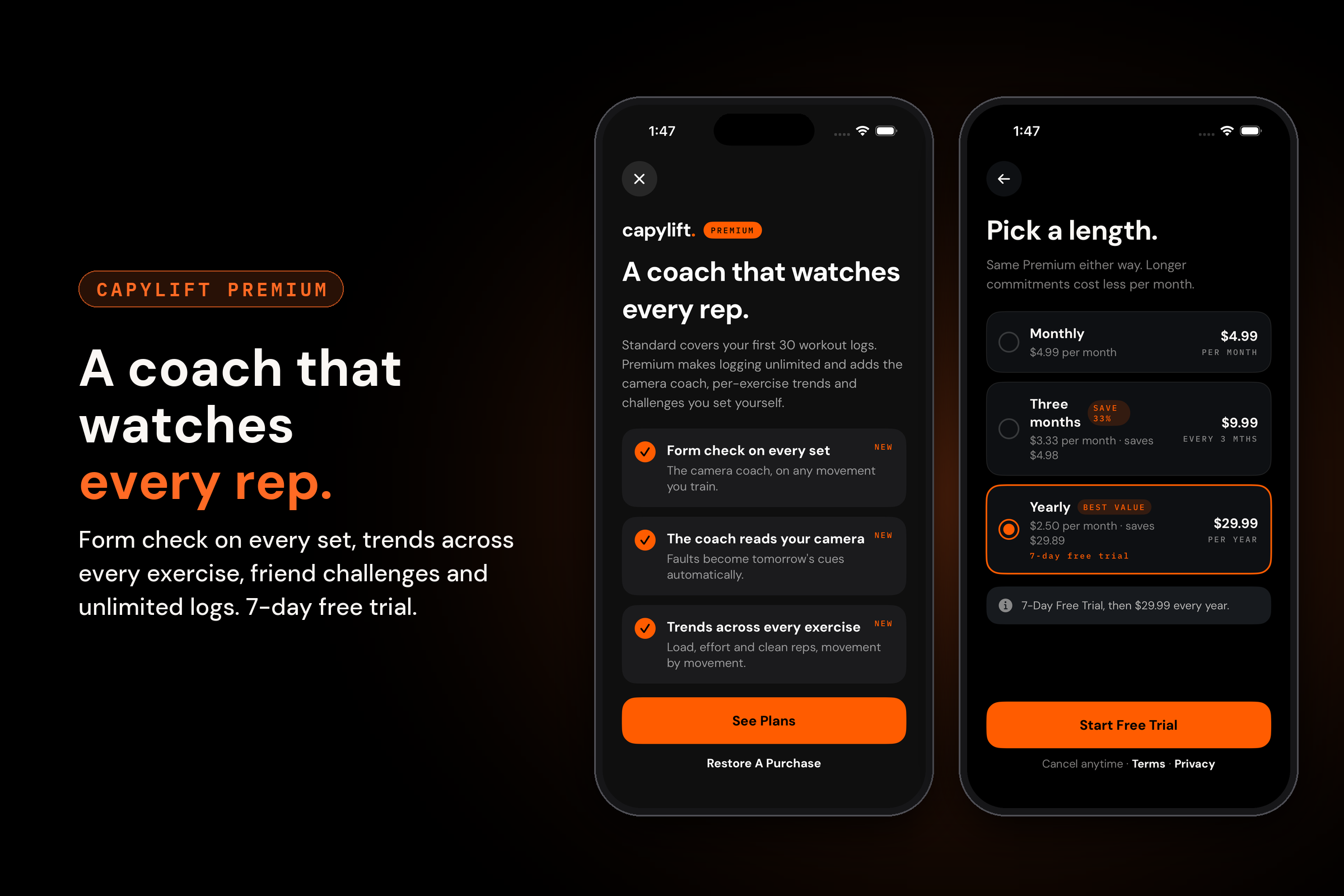
The Paywall
-
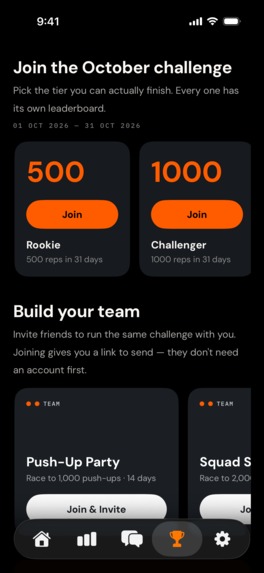
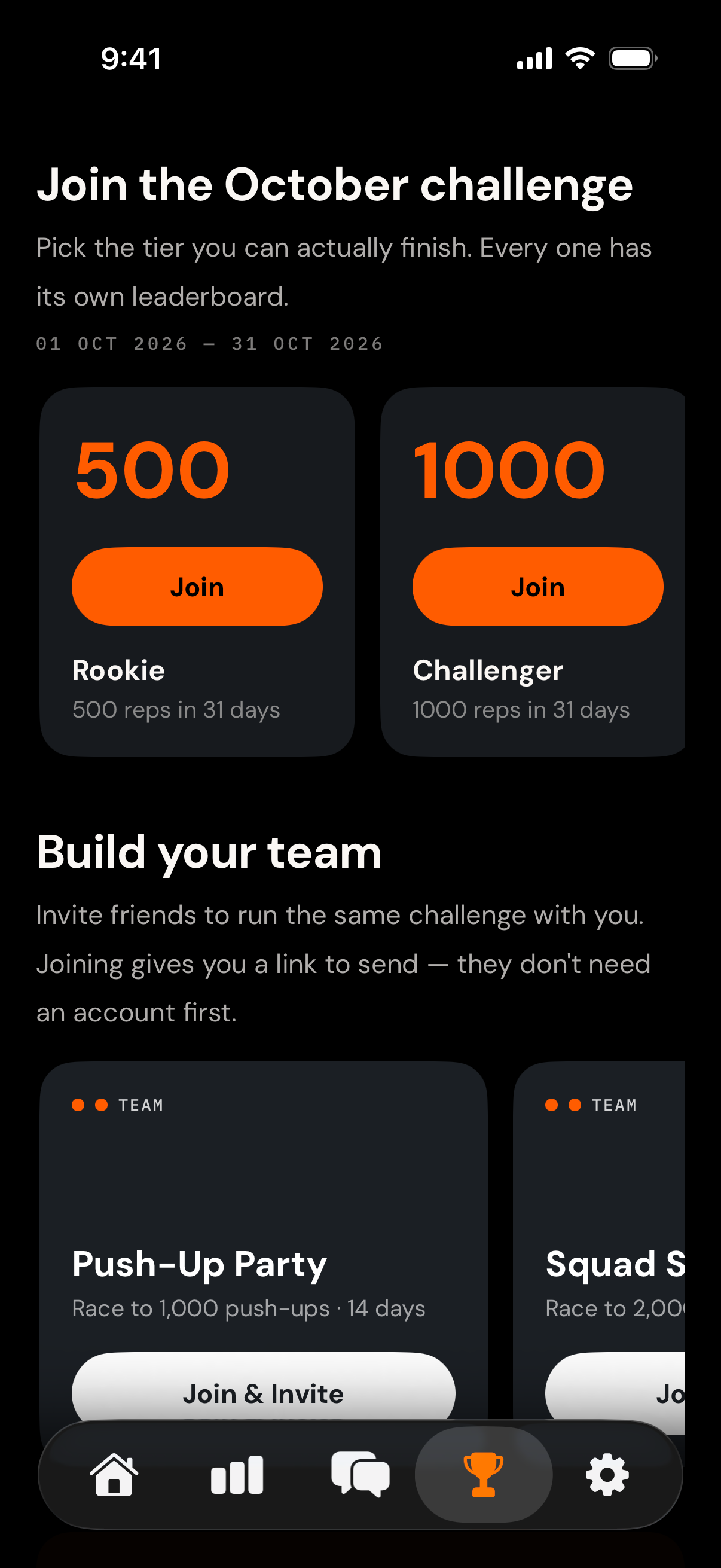
Upcoming challenges
-
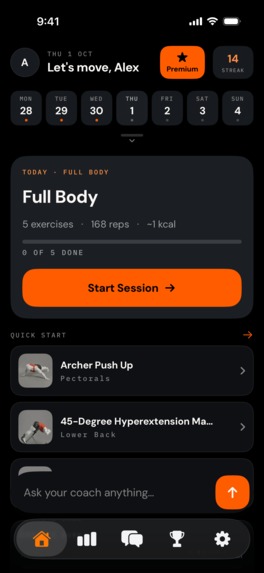
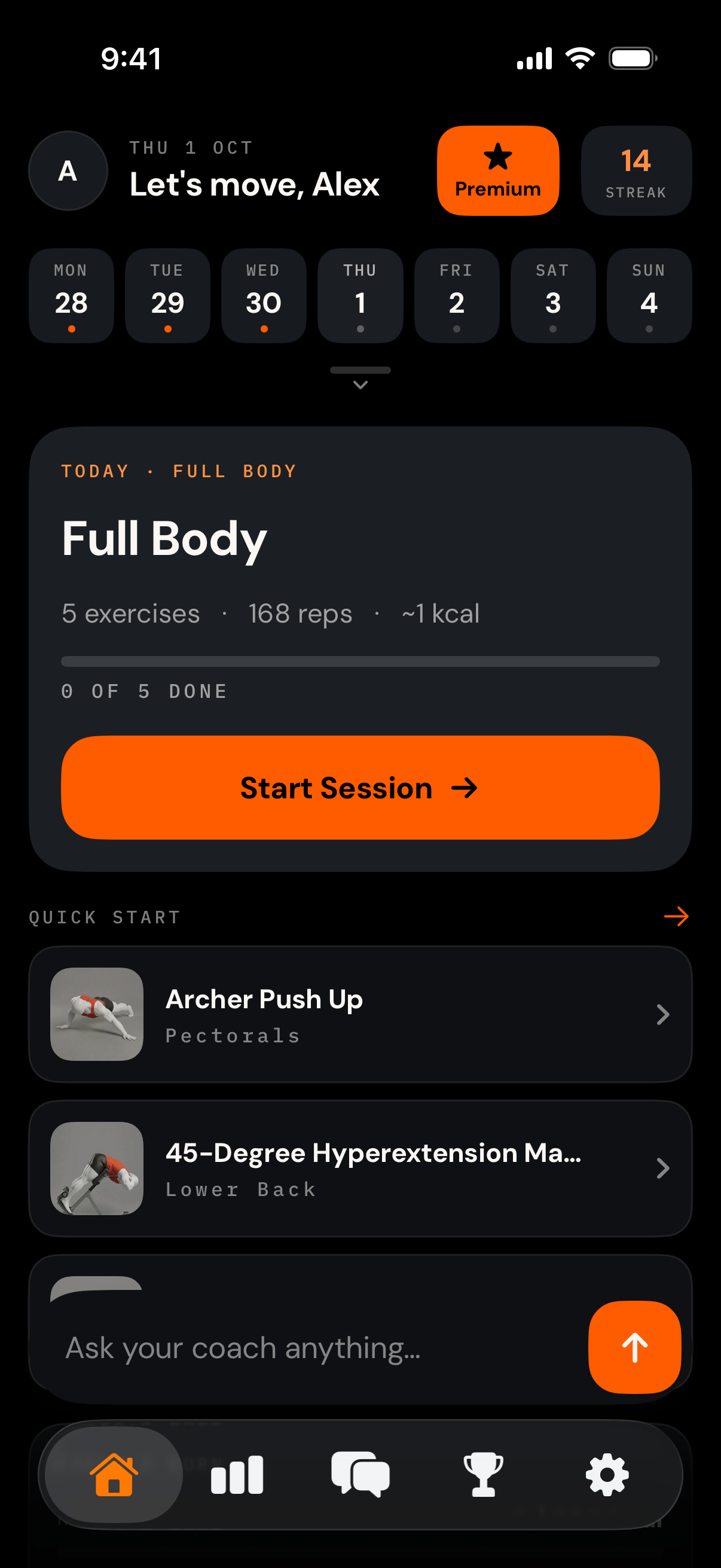
Follow your daily plan
-
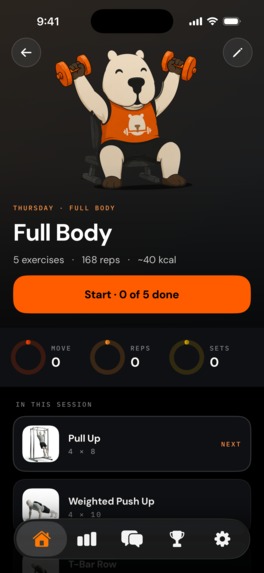
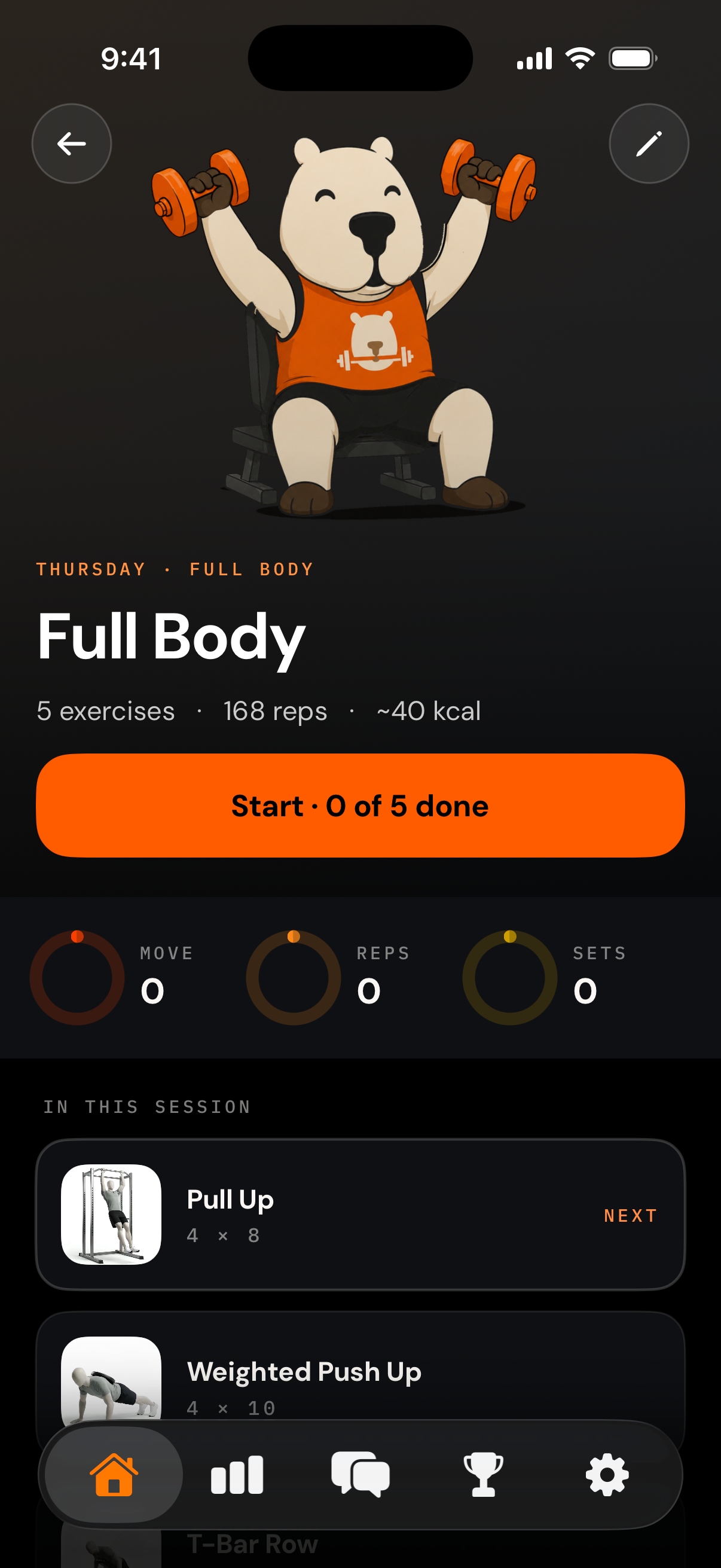
session details
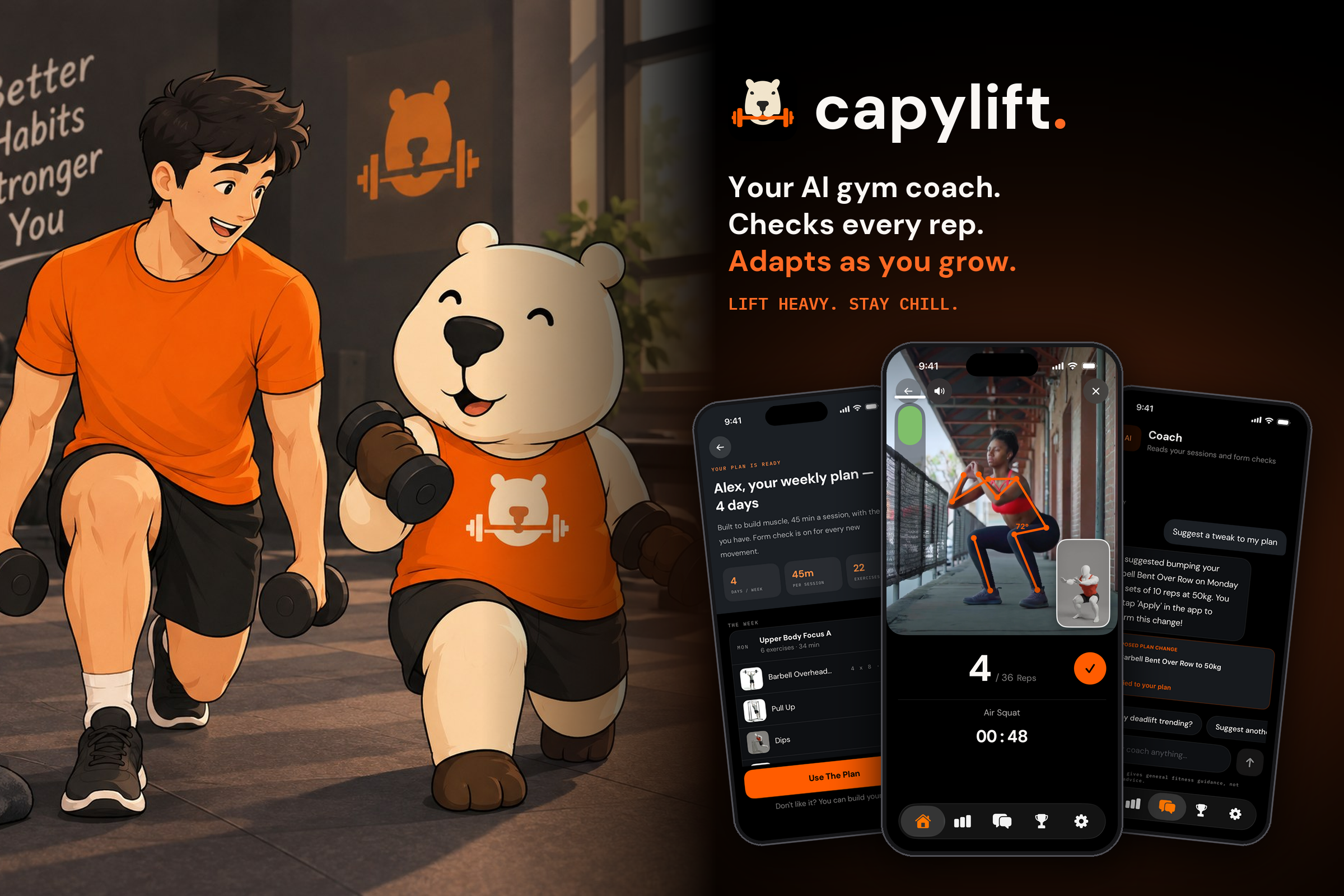
Inspiration
As an introvert person the gym has always been one of the hardest places for me to ask for help.
When I started training, I had a hundred questions. Is my back straight on this squat? Am I going low enough? Is this weight too heavy, or am I just doing it wrong? The answers were standing a few metres away: trainers who knew exactly what good form looks like. But every time I thought about walking up to one, I froze. I didn't want to interrupt them, look like a beginner, or have someone watch me get it wrong. So I stayed quiet, copied whatever the person next to me was doing, and hoped for the best.
That silence cost me. Some days my lower back ached after squats and I didn't know why. Some weeks I felt I was working hard but getting nowhere, because I had no real plan and no idea whether I was progressing. I'd watch form videos at home, then get to the gym and still have no way of knowing whether my body was doing what the video showed. The feedback I needed was there, but I was too shy to ask for it.
One day I thought: what if I didn't have to ask anyone? What if my phone could watch my form the way a trainer would, quietly and without judging, and tell me the one thing to fix? What if it could build my plan, count my reps and track my progress, so I always knew what to do next without having to ask?
That question became CapyLift, an AI gym coach for people like me: the ones who put their headphones in, keep to themselves, and would rather figure things out alone than ask for help in front of strangers. I made the coach a friendly capybara, Capy, on purpose. Asking a stranger can feel intimidating, but asking Capy never does.
What it does
- A personal plan in seconds. Answer a few tap-to-answer questions (goal, experience, days per week, session length, equipment) and an AI builds a full weekly plan with exercises, sets, reps and starting loads.
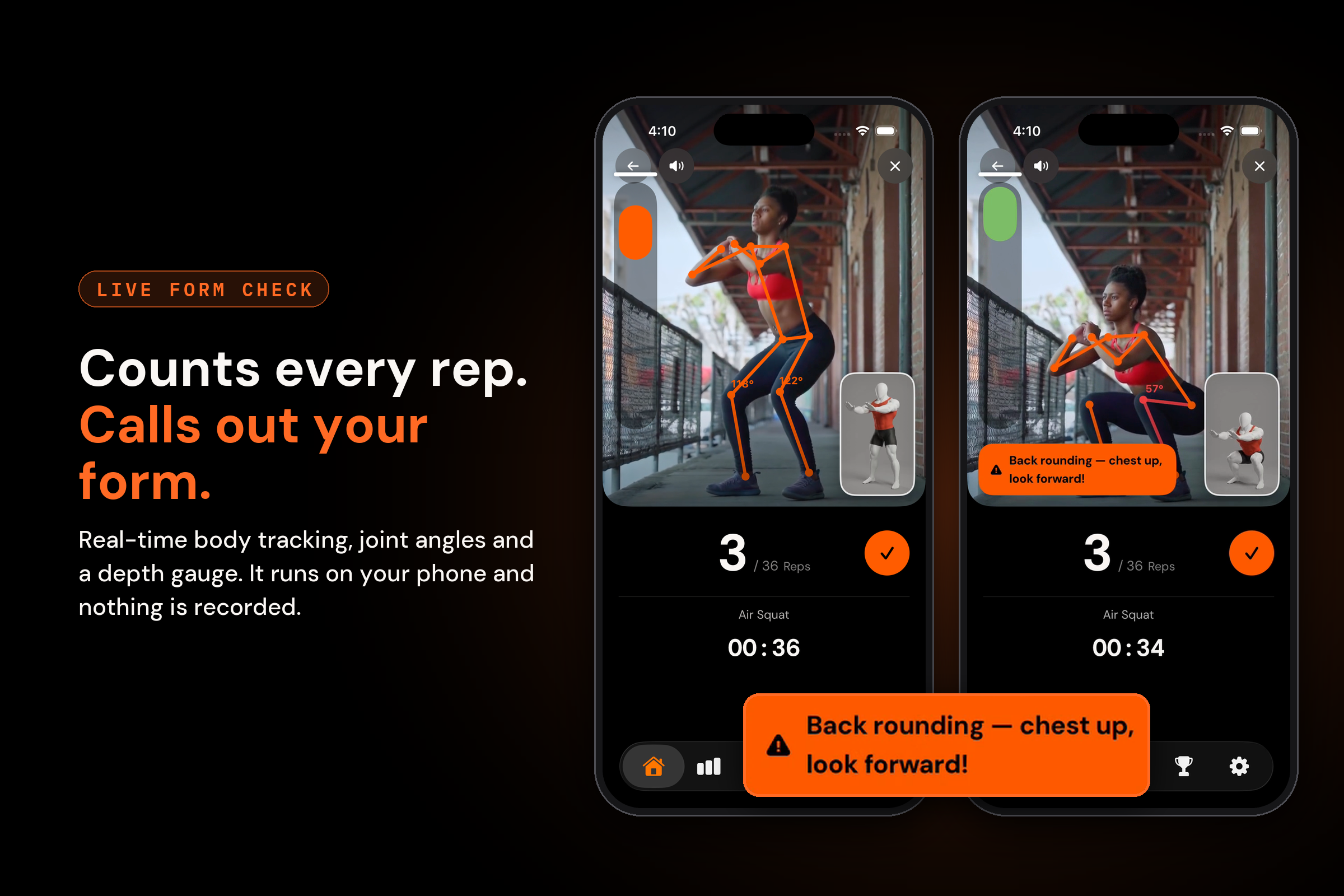
- Live form check. Prop up your phone, step into the outline and train. The camera tracks your body in real time. It counts reps, measures joint angles, shows a depth gauge and calls out faults like "Back rounding — chest up, look forward!" All of this runs on the device; no video is recorded or uploaded.
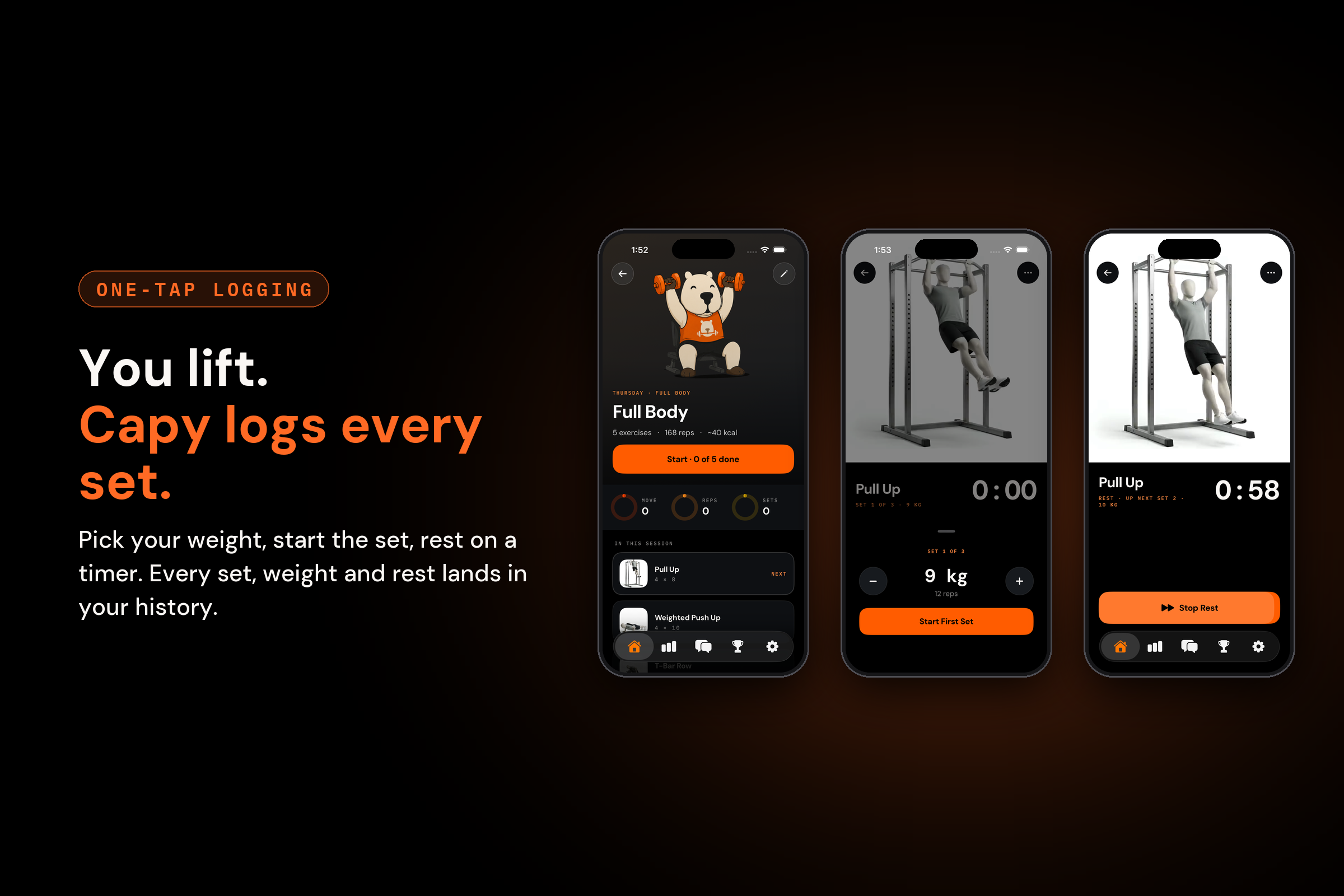
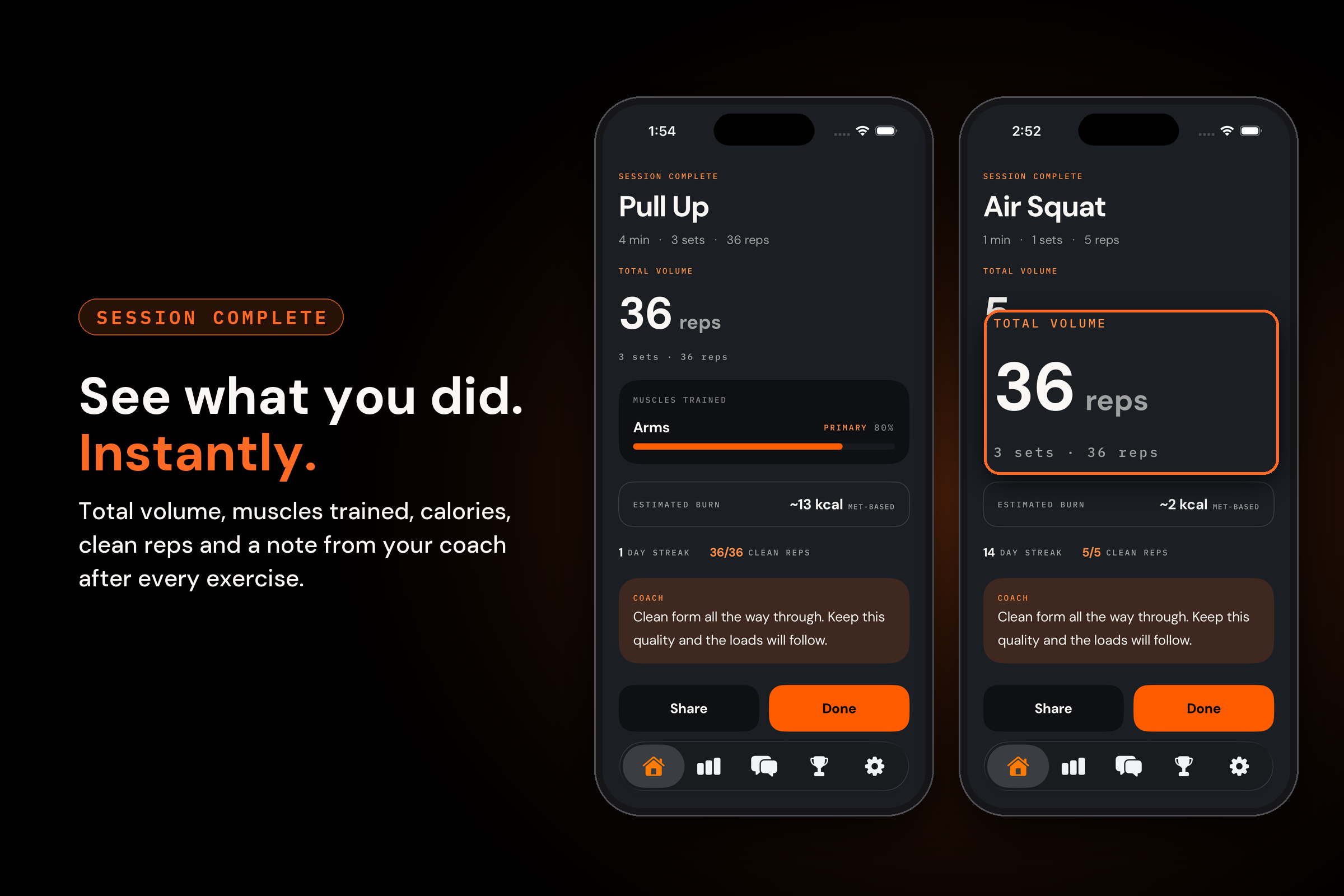
- Set-by-set logging. Pick a weight, lift, rest and finish. Every set, weight and rest period is saved automatically, and each session ends with a summary: volume, muscles trained, clean reps and a coach note.
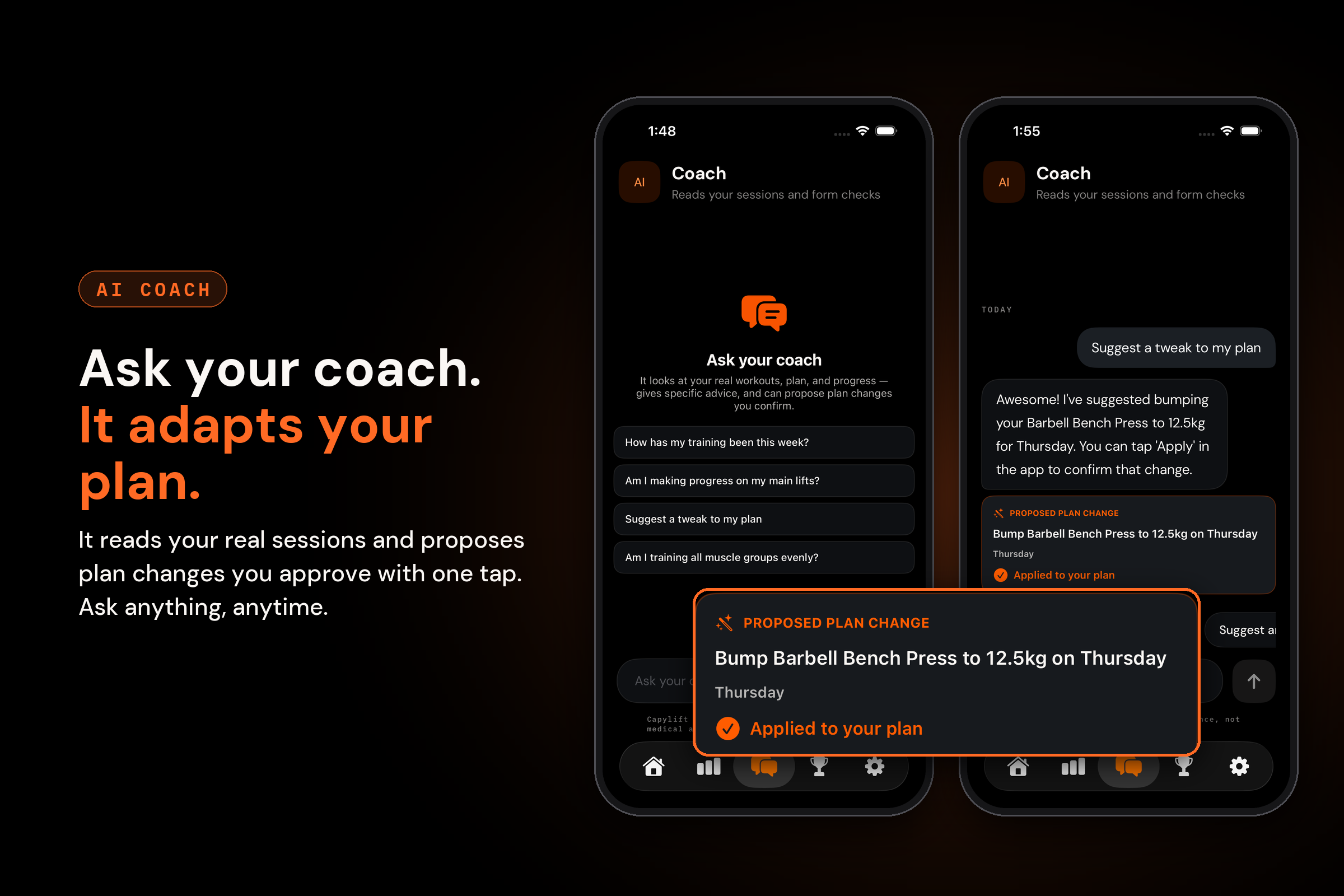
- An AI coach that reads your training. Ask "Am I making progress on my main lifts?" or "Suggest a tweak to my plan" at any hour, as often as you like. Capy answers from your real workout history and can propose plan changes that you approve with one tap.
- Progress you can see. Animated weekly volume, targets, a calorie trend, a muscle heatmap, streaks and unlockable awards.
How I built it
Here's the honest part: when I started CapyLift, I didn't know a single line of Swift. I had never built an iOS app.
So I did what the app does for its users: I found a coach that wouldn't judge me for not knowing. I built CapyLift with Claude as my engineering partner. My job was to orchestrate the whole system:
- deciding what the product should be;
- designing the user flow from onboarding to form check, logging, coaching and progress;
- choosing the architecture and services;
- breaking the work into features;
- testing everything on my own phone at the gym;
- pushing back whenever something didn't feel right.
Claude wrote the code. I made the decisions, reviewed the results, and kept the whole thing pointed at the one problem I cared about. I learned more about software architecture, computer vision and the App Store in these months than I ever expected to.
App. CapyLift is a native iOS app written in Swift and SwiftUI, using iOS 17's @Observable macro. It follows MVVM, with a Domain / Data / Presentation split in each feature (Plan, Workout, Coach,
Analytics, Challenges and so on). Workouts are stored locally with GRDB and synced to Supabase, so the app works offline and stays in sync across devices. Subscriptions run through RevenueCat, and
HealthKit reads resting energy and writes workouts back.
Pose tracking. The form check uses Apple's Vision framework, which finds the key points of your body in every camera frame: shoulders, hips, knees, ankles and so on. From those points, CapyLift works out the angle at each joint, the same way you'd measure how bent your knee is with a protractor. For a squat, it watches the angle formed by your hip, knee and ankle. Camera tracking is never perfectly steady, so the raw angle wobbles a little from frame to frame. To stop that wobble from confusing the app, each new reading is blended with the previous ones. It's a bit like a moving average: the angle changes smoothly instead of jumping around.To count reps, the app uses two checkpoints instead of one. For a squat, you have to go down until your knee is bent past about 100°, then come back up until your leg is nearly straight, around 165°. Only a full down-and-up counts as a rep. Because the two checkpoints are far apart, a small shake at the bottom or top can't be mistaken for an extra rep. Form checks work the same way. If your hip angle closes too far at the bottom of a squat, the app calls out "Back rounding — chest up, look forward!". If one knee bends noticeably more than the other, it warns "Uneven depth — balance on both legs!"
Framing. Before a set starts, the app makes sure it can see your whole body. It draws an invisible box around all the body points it found and checks there's some space above your head and below your feet, so nothing gets cut off mid-rep. Once you've held that position for a moment, the outline turns orange with "Found you!". The set then starts automatically a couple of seconds later, so you never have to touch the phone once you're in position.
AI. Plan generation and the coach run in Supabase Edge Functions that call an LLM. The coach works as an agent: it reads the user's own sessions, plan and progress, and returns an answer plus structured actions (set a day's plan, swap an exercise, adjust targets). The app renders these as a Proposed plan change card. Nothing changes until the user taps Apply.
Brand. Capy is animated entirely in SwiftUI: layered rigs for curls, presses, squats, waving and the plan reveal. There are no Lottie files. The visual style is dark with a single flame-orange accent, set in DM Sans with IBM Plex Mono labels.
Challenges I ran into
- Building an iOS app without knowing Swift. The biggest challenge was me. I had to learn to think like an engineer before I could write like one. I learned to describe exactly what I wanted, to read code well enough to tell when something was off, and to test relentlessly on a real device. Orchestrating an AI well turned out to be a skill of its own.
- Getting rejected by the App Store. My first submission was rejected under Apple's EULA requirements. For a first-time developer, that rejection email felt crushing. I dug into Apple's guidelines, worked out what was missing, fixed it and resubmitted. CapyLift was approved on my second try.
- Turning noisy 2-D joints into trustworthy reps. Vision gives 2-D points, and angles look different depending on camera position. Getting counts that feel fair took smoothing, a hysteresis gap between the rest and work thresholds, and a cooldown between reps. Without them, one shaky frame would either double-count a rep or miss it.
- Framing people correctly. The first framing check rejected people who were only slightly too close. I learned the only thing worth blocking on is cut-off head or feet, since that ruins the measurement. Standing a bit far back only costs a little accuracy, so the minimum-size rule went.
- Building AI on a zero budget. As a solo first-time developer, I couldn't afford paid AI APIs, so CapyLift's plan builder and coach run on Gemini Flash-Lite with a free API key. That meant working inside tight limits: capped requests, rate limiting, and responses that could take 20–30 seconds or fail outright under load. Instead of letting those limits break the experience, I designed around them. Plan requests get a 40-second timeout, and a fully on-device fallback plan builder takes over whenever the API is slow, rate-limited or unavailable. A user never finishes onboarding without a plan, even when the free tier says no.
- Letting an AI touch your plan safely. An AI coach that silently rewrites your training is unsettling. So every change is a structured proposal the user explicitly approves, and the coach states clearly that it gives general fitness guidance, not medical advice.
- Making charts feel alive. Swift Charts marks can't have their own animation delays. A small
RampedChartwrapper re-renders the charts over time, so bars can cascade in one after another and each card reveals itself only when it scrolls into view. - Marketing turned out to be the toughest challenge of all. Building the app was hard, but getting people to find it, download it and actually convert is harder than anything I faced in code. Right after I published the first version, I got sick for several days and couldn't do anything meaningful for marketing, just when launch momentum matters most. It taught me that distribution needs as much planning as the product itself. My next step is to bring on a fitness influencer as a co-founder who can help CapyLift reach the right audience, alongside organic growth and more targeted, custom App Store optimization.
Accomplishments that I'm proud of
- I shipped my first iOS app, starting from zero Swift knowledge. CapyLift is live on the App Store.
- I built a real on-device computer-vision coach. It counts reps, checks form and gives live cues without sending a single frame of video off the phone.
- I orchestrated a full product end to end: a native app, a synced backend, AI plan generation, an agentic coach, subscriptions, HealthKit, analytics and a custom-animated mascot.
- I learned more in a few months than I ever expected to. Building CapyLift taught me how to take a system all the way from product design to deployment: shaping the user experience, choosing the architecture, handling real engineering challenges, making trade-offs on a tight budget, and shipping something real people can download.
- Most of all, I built the thing I needed. The shy version of me who never asked a trainer for help now has a coach in his pocket.
I may not be the winner this time, but I've already gained more than I came for. A big thank you to RevenueCat for organizing this. It pushed me to build, ship and learn things I wouldn't have learned otherwise, from subscriptions and paywalls to App Store review and everything in between.
What I learned
- You don't need to know how to code to build something real, but you do need to know what you're building and why. Clear thinking, clear instructions and relentless testing matter more than syntax.
- On-device computer vision is powerful, but the product lives in the thresholds and edge cases. The angle maths is short; what took weeks was deciding when a rep should count.
- Trust is a feature, especially for shy users. Keeping video on the device and requiring approval for AI plan changes made the app feel safe, and people were more willing to use the camera.
- App Store review is part of the product. Read the guidelines early, especially for subscriptions and legal requirements like the EULA.
- Design for your constraints. A free-tier AI API forced me to build fallbacks, and the app is more reliable because of it.
- Distribution is half the product. A great app that nobody finds doesn't help anyone. Marketing needs a plan from day one, not after launch.
- A friendly mascot and small moments of celebration, like confetti for your first logged exercise, do a surprising amount for motivation. They're what make the app feel like a coach rather than a tracker.
What's next
- Growth: partnering with a fitness influencer as a co-founder, investing in App Store optimization, and building organic reach.
- Better AI: upgrading from the free tier so the coach and plan builder respond faster and more reliably.
- Form check for more exercises, plus progression suggestions based on how hard each set felt (RPE).
- Richer weekly coach reports.
- Friend challenges settled on camera.
- The Android app, which will share the same backend.
CapyLift is the coach I wish I'd had when I was too shy to ask. The app's tagline says it best: You'll never work out alone.


Log in or sign up for Devpost to join the conversation.