-
-
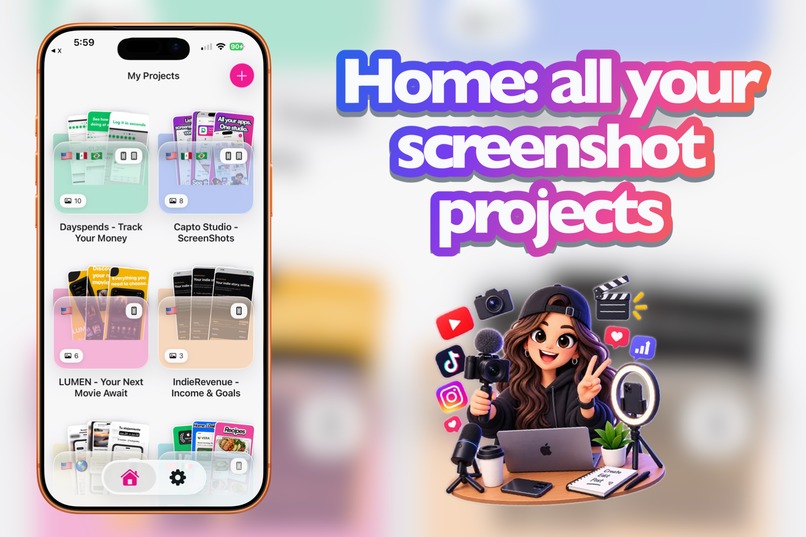
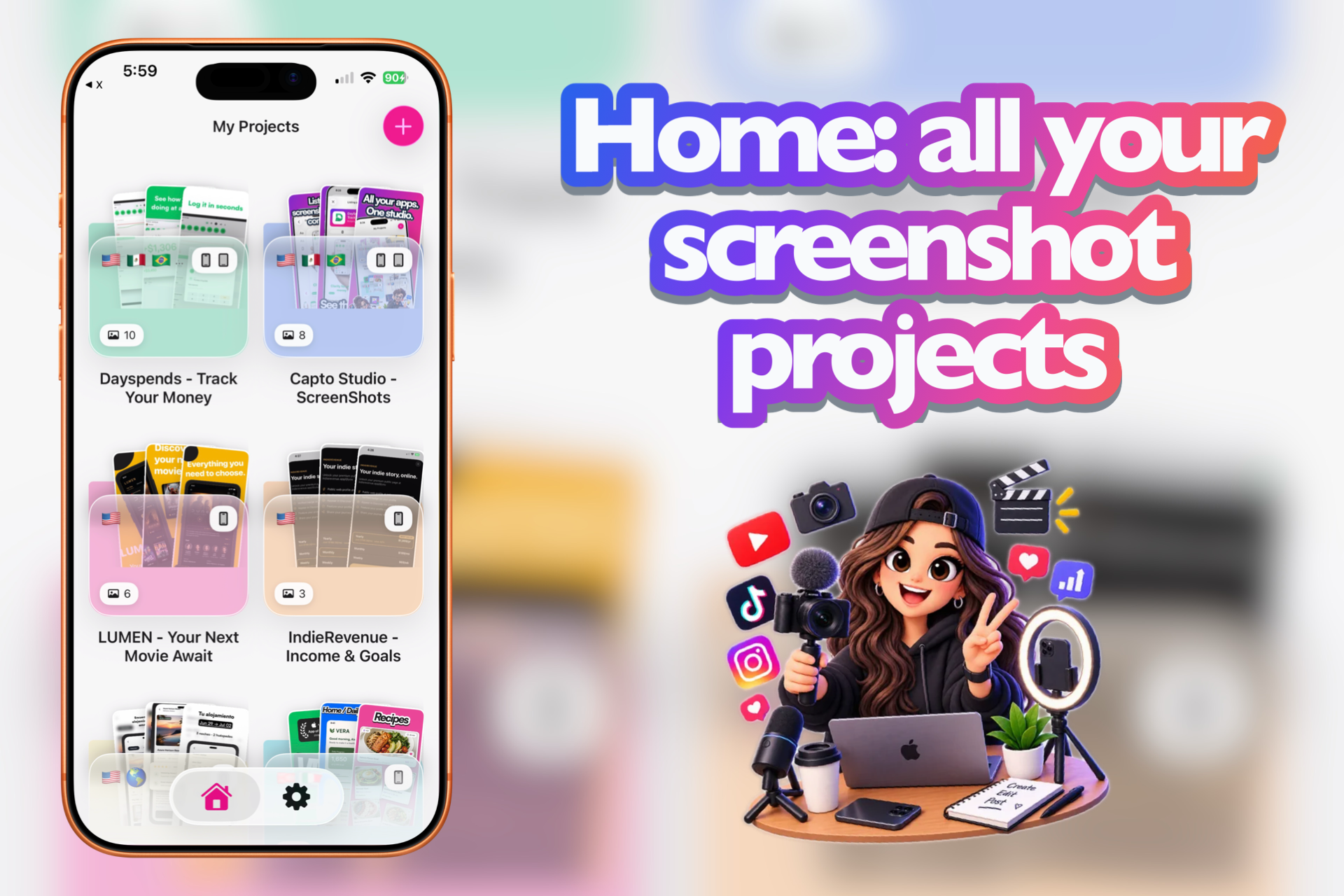
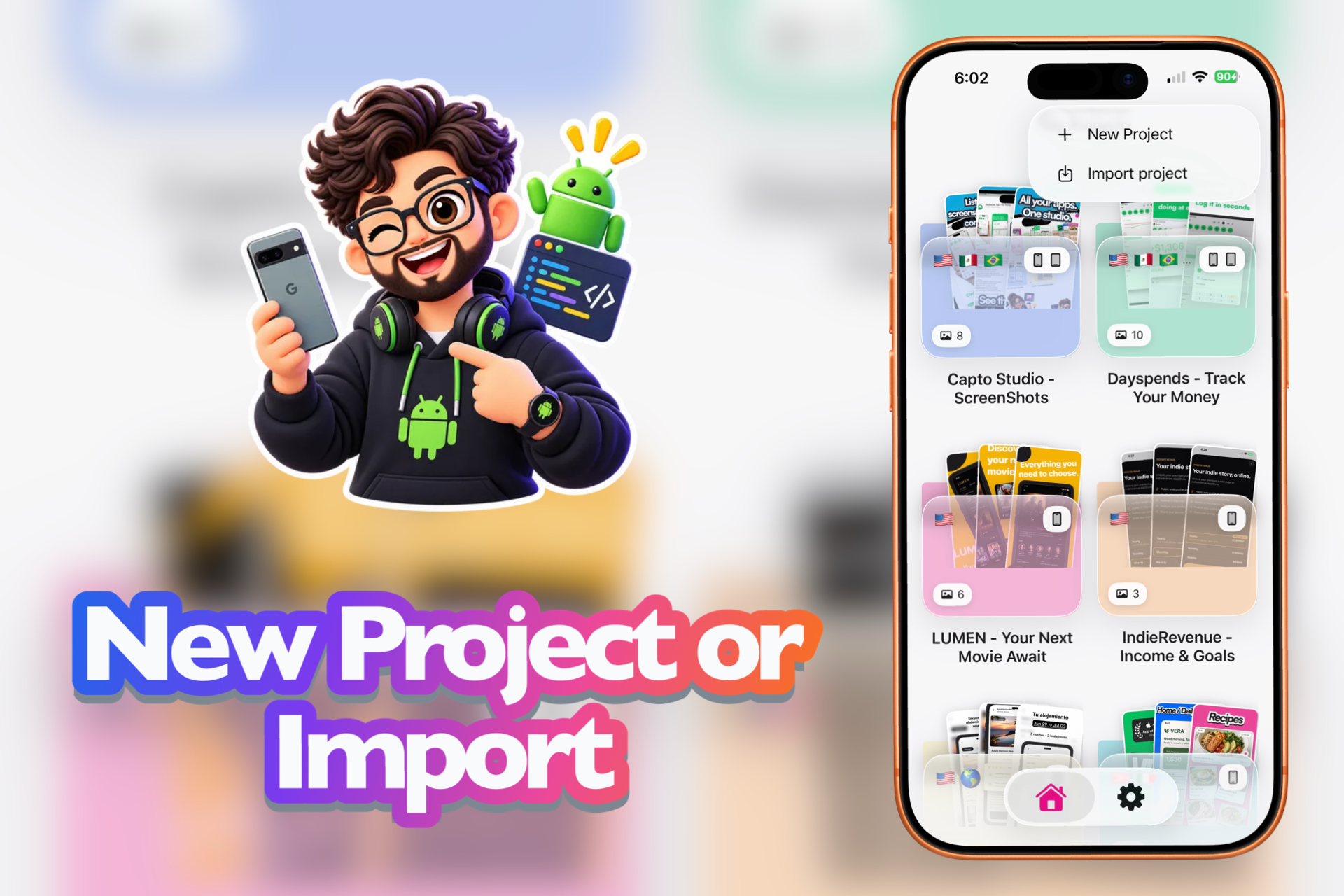
My Projects — every listing family in one place, with languages and iPhone/iPad at a glance.
-
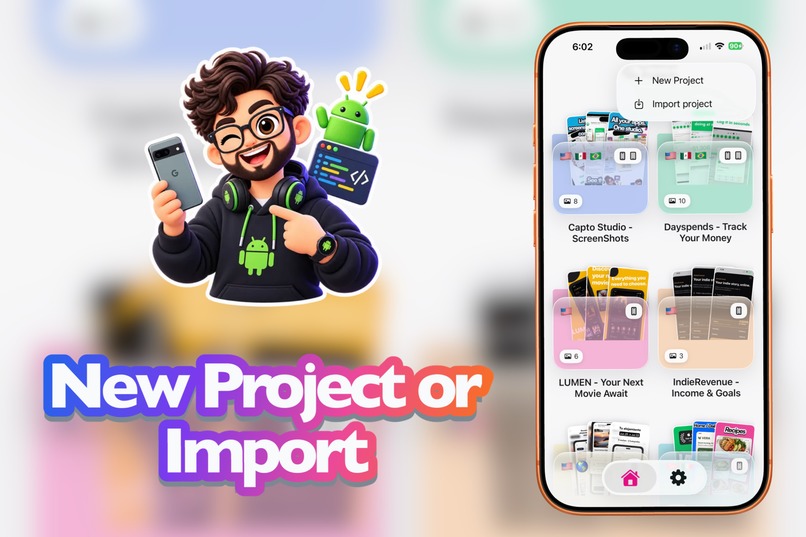
Start from scratch or import a CaptoStudio package — new project in two taps.
-
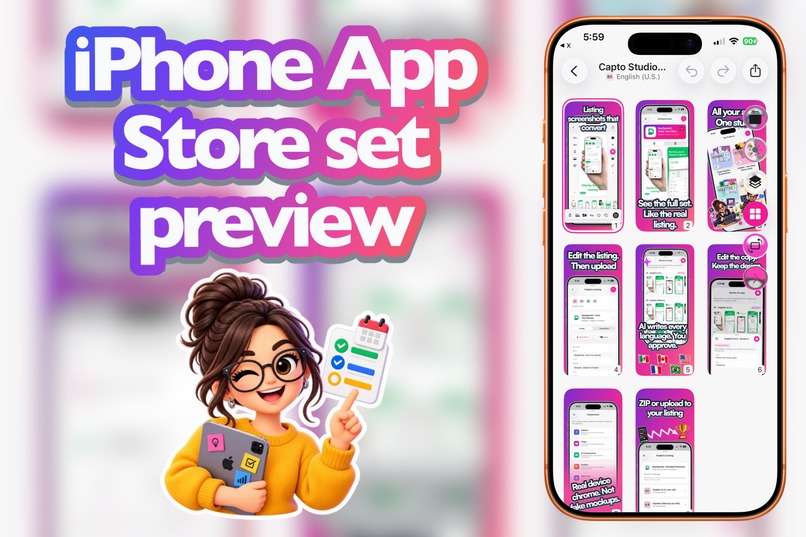
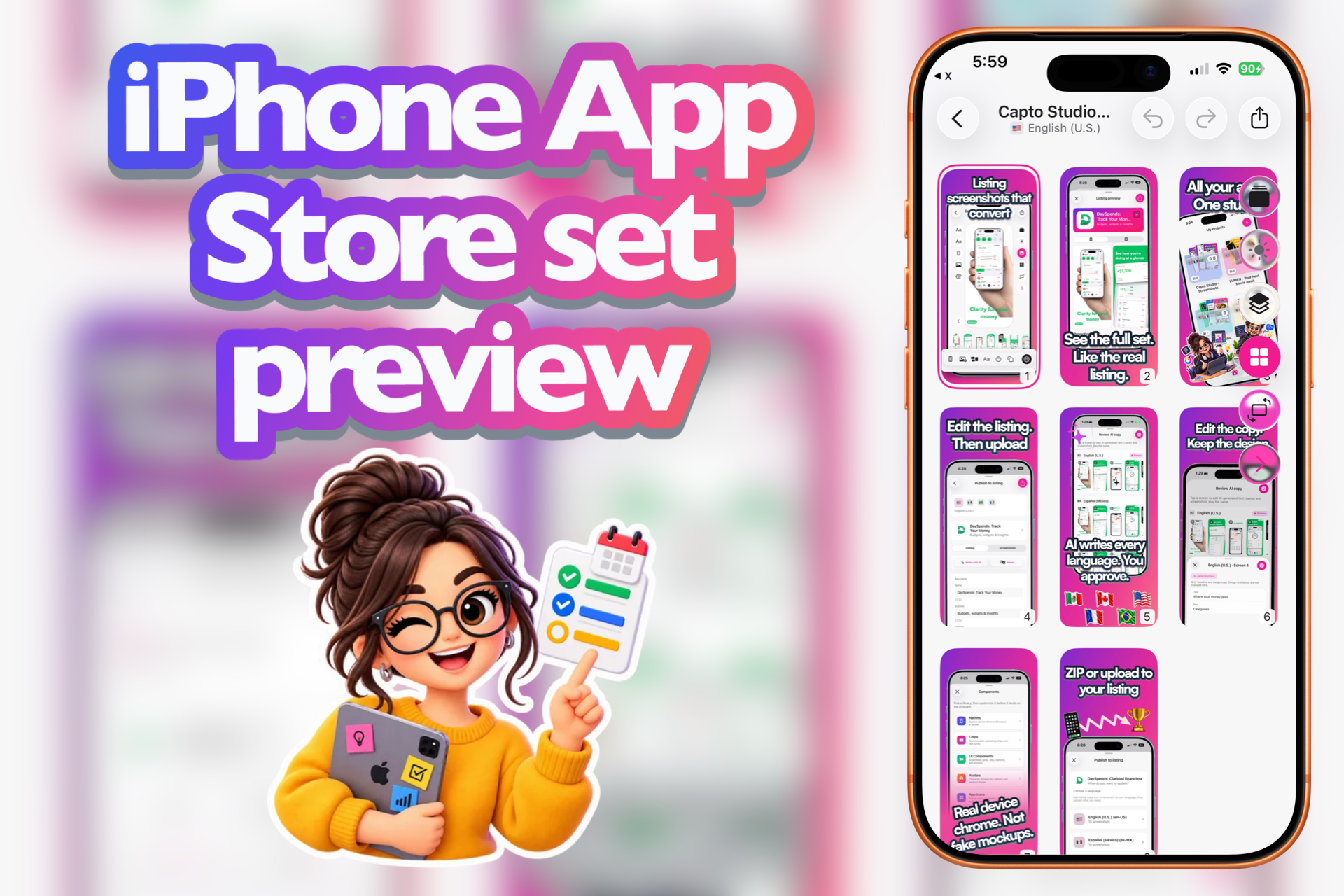
iPhone screenshot set preview — the full App Store sequence before you export or upload.
-
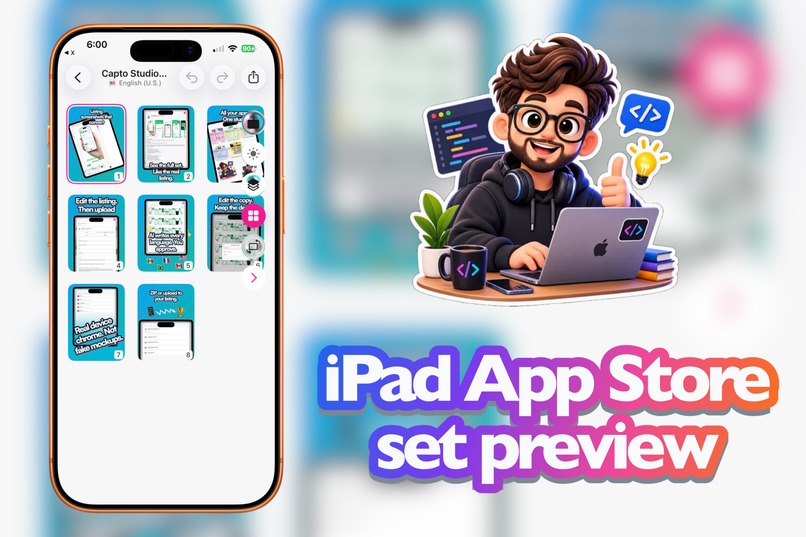
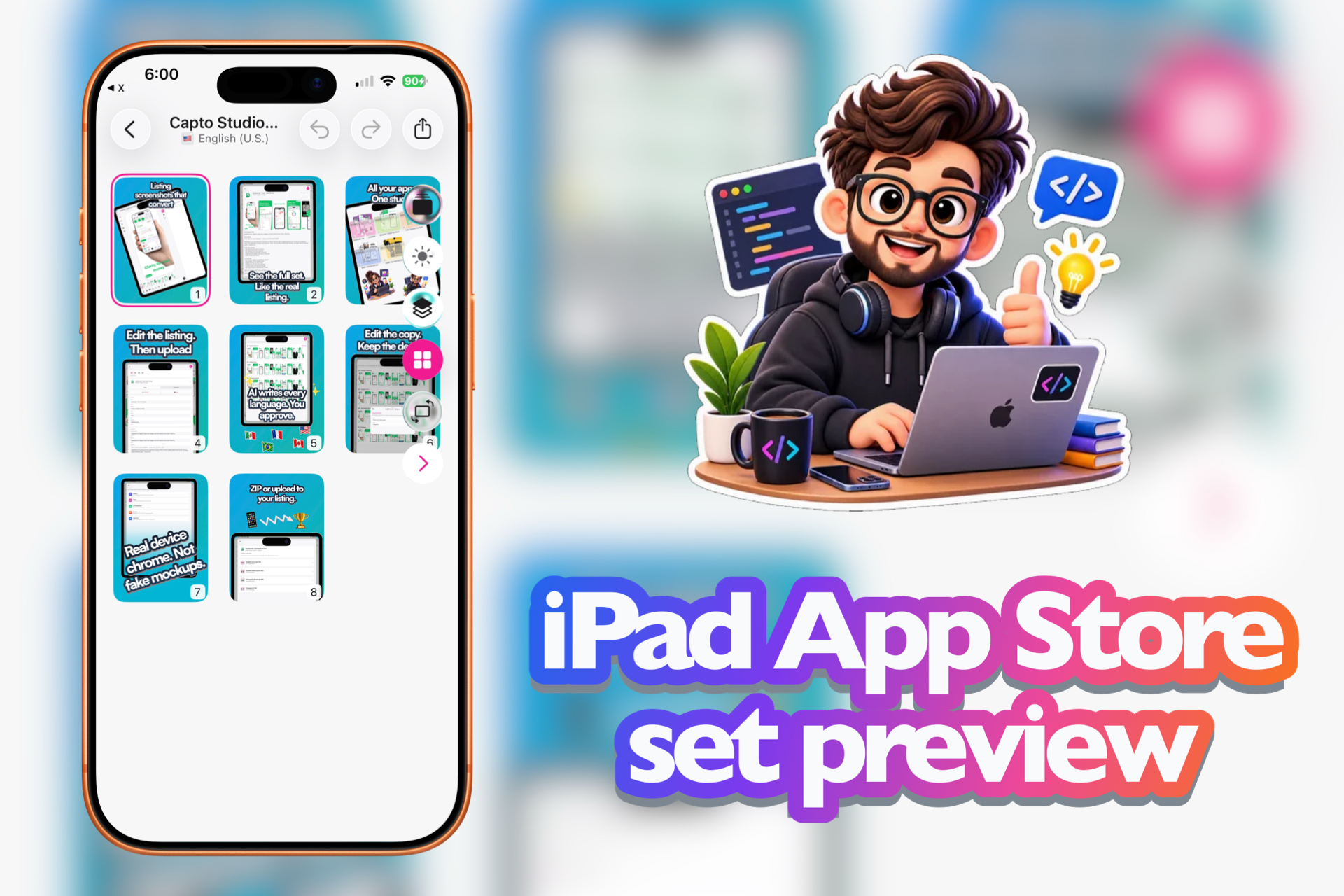
iPad screenshot set preview — the same listing story, tablet size, ready to review as a set.
-
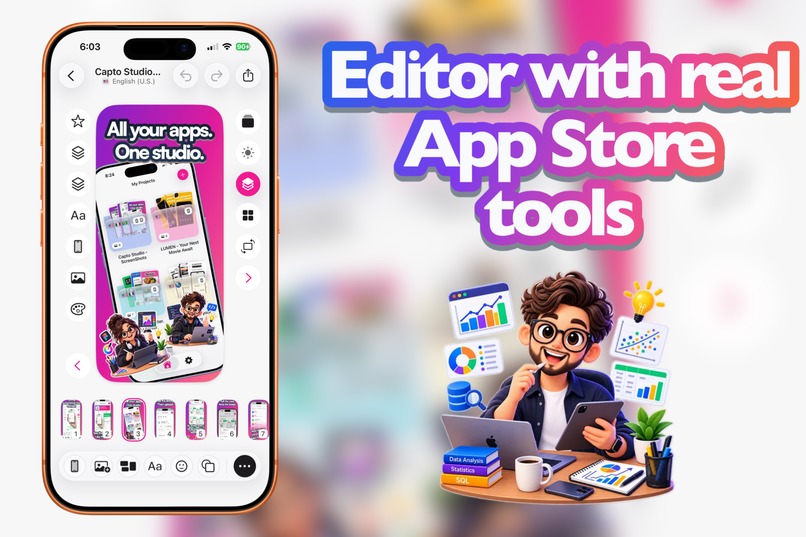
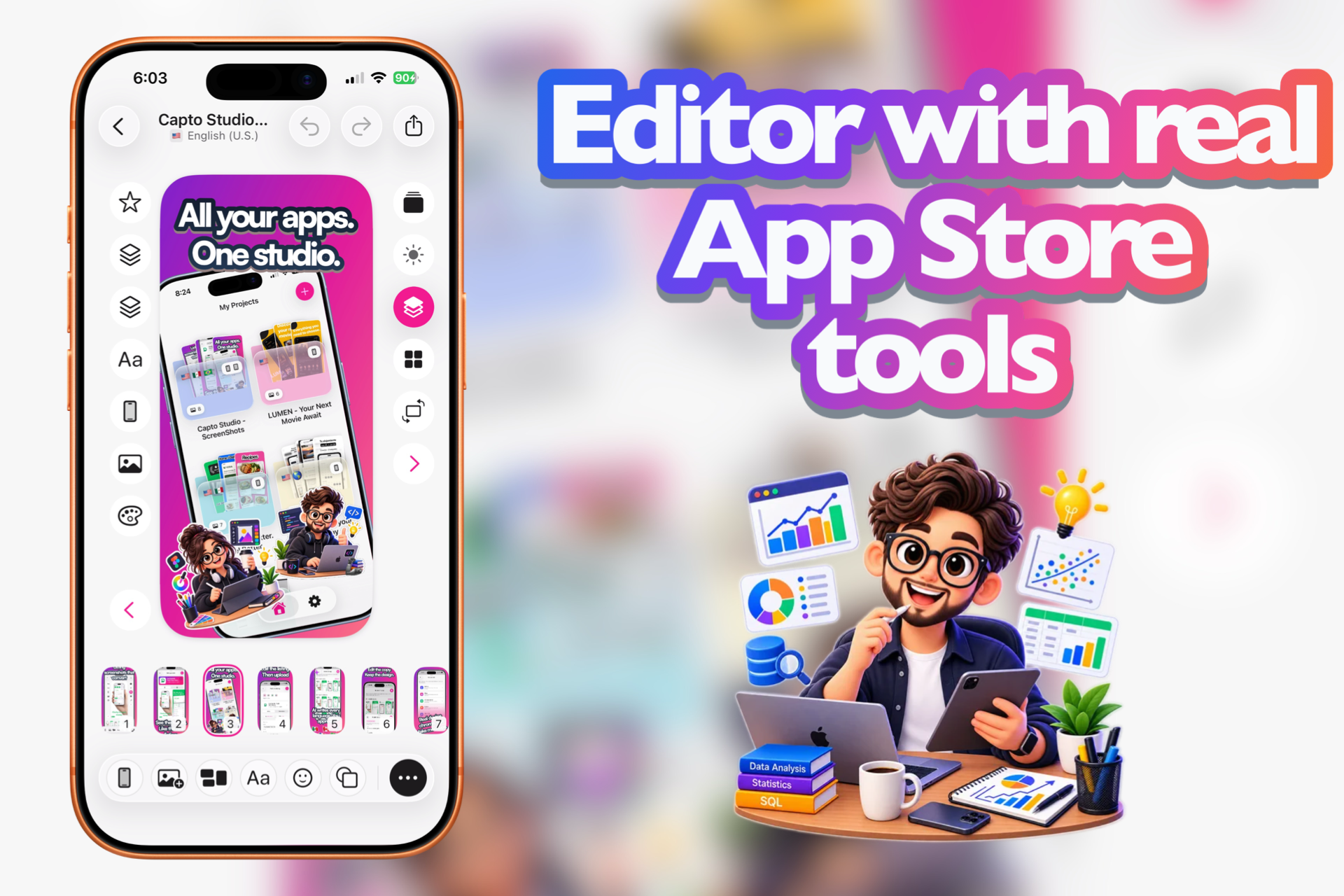
The CaptoStudio editor — canvas, layers, and tools built for App Store slides, not a blank design suite.
-
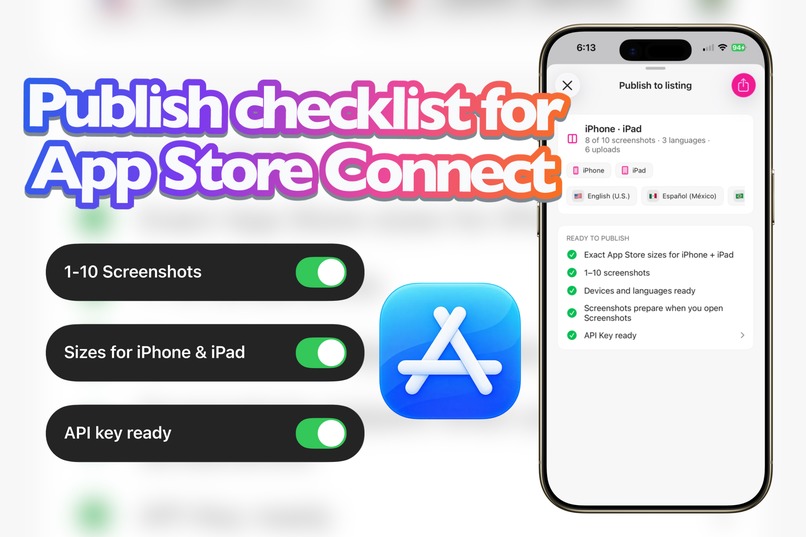
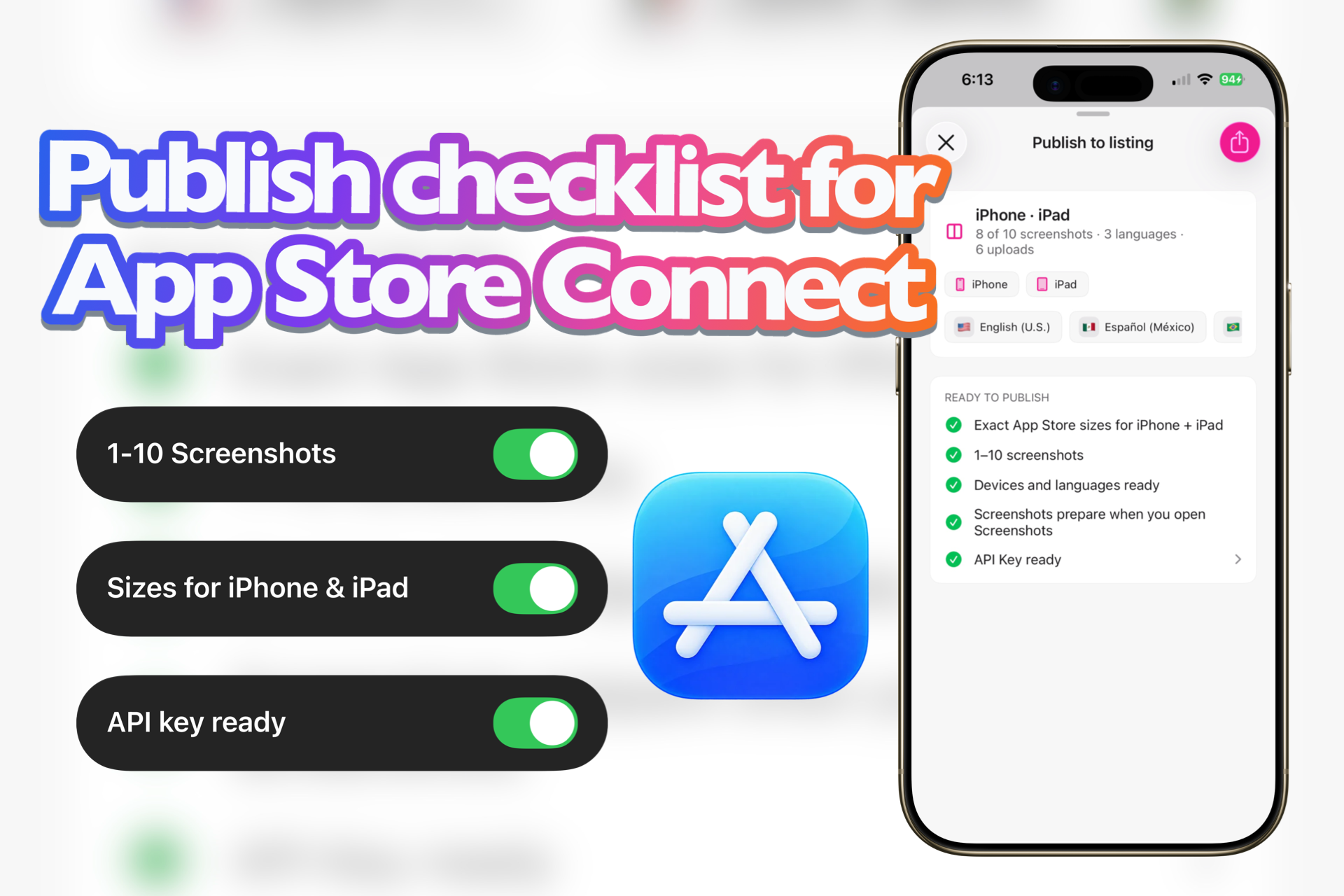
Ready to publish — exact sizes, screenshot count, devices, languages, and API key checked before you upload.
-
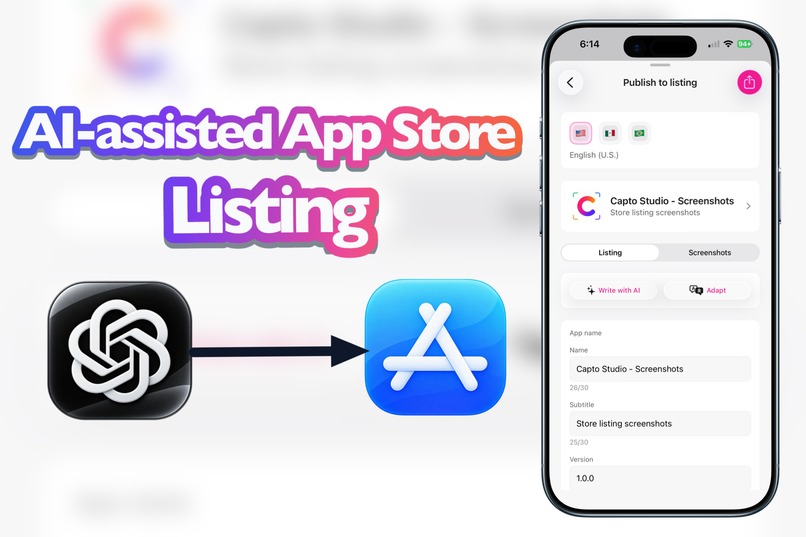
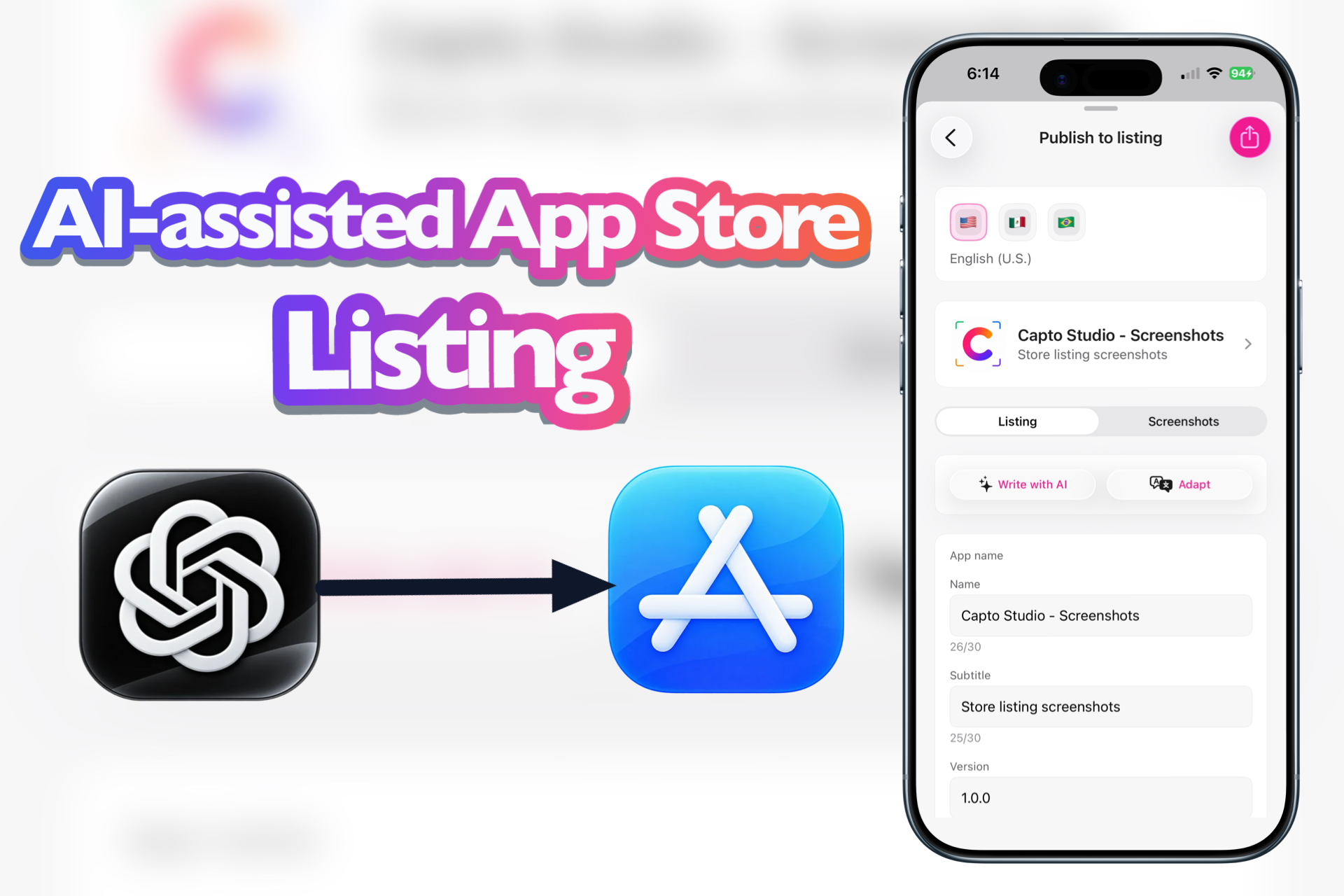
Listing copy with AI — write or adapt name, subtitle, and more, with App Store character limits in sight.
-
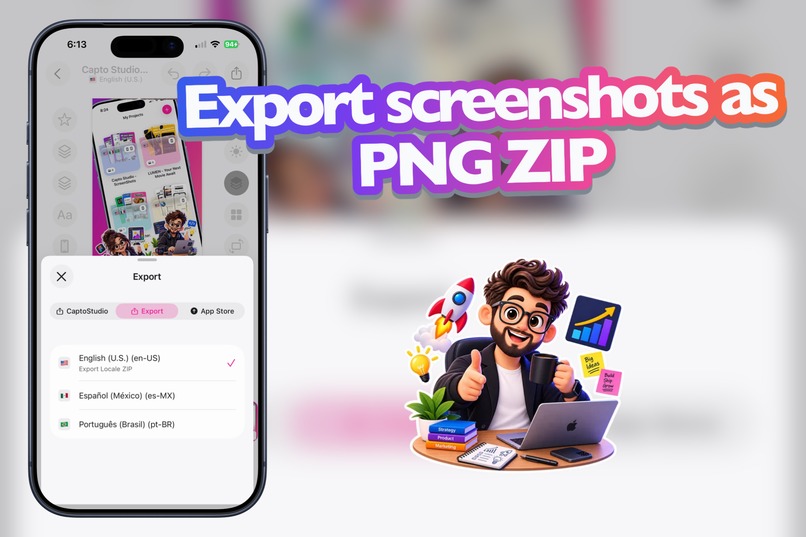
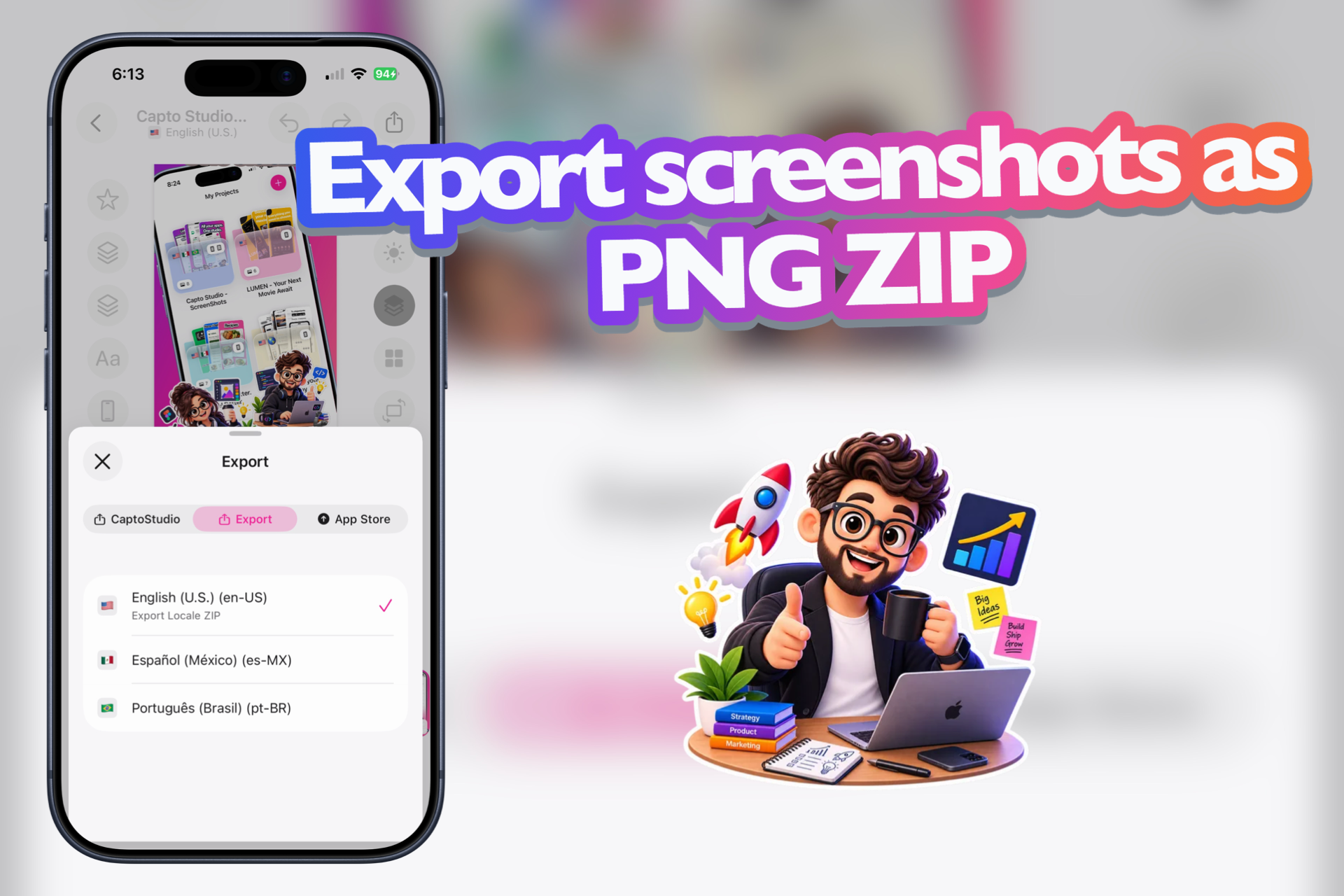
Export Locale ZIP — download your screenshots as PNGs, language by language, ready for the listing.
-
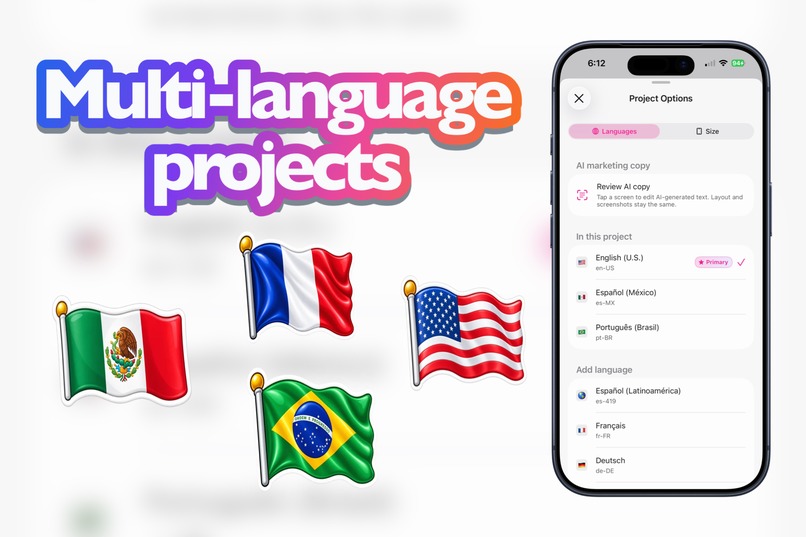
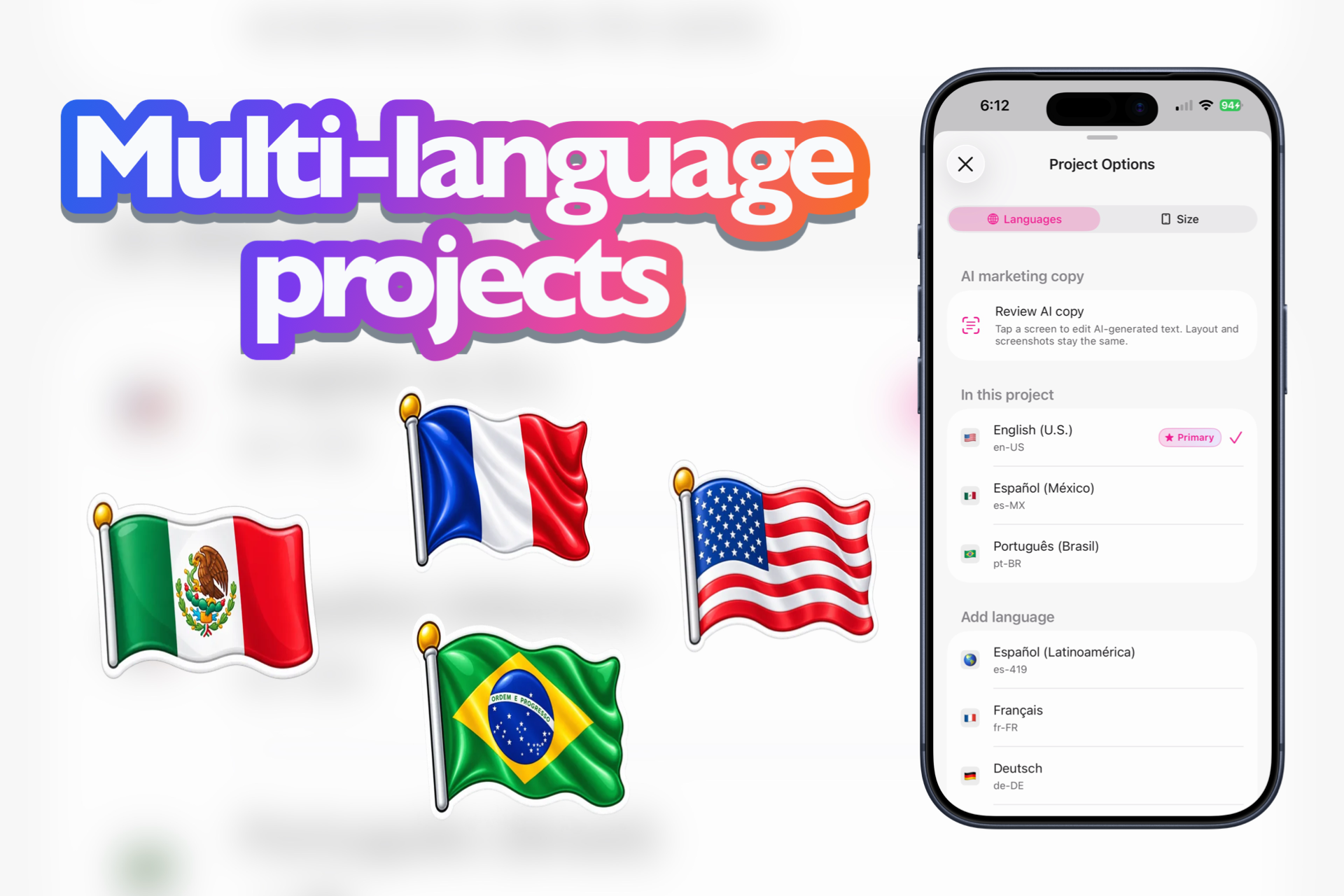
Languages in one project — add locales, set a primary, and keep every listing language together.
-
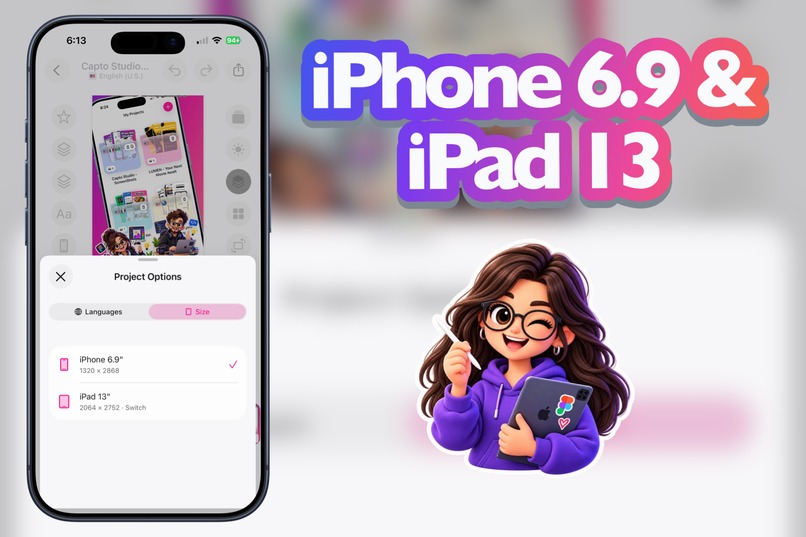
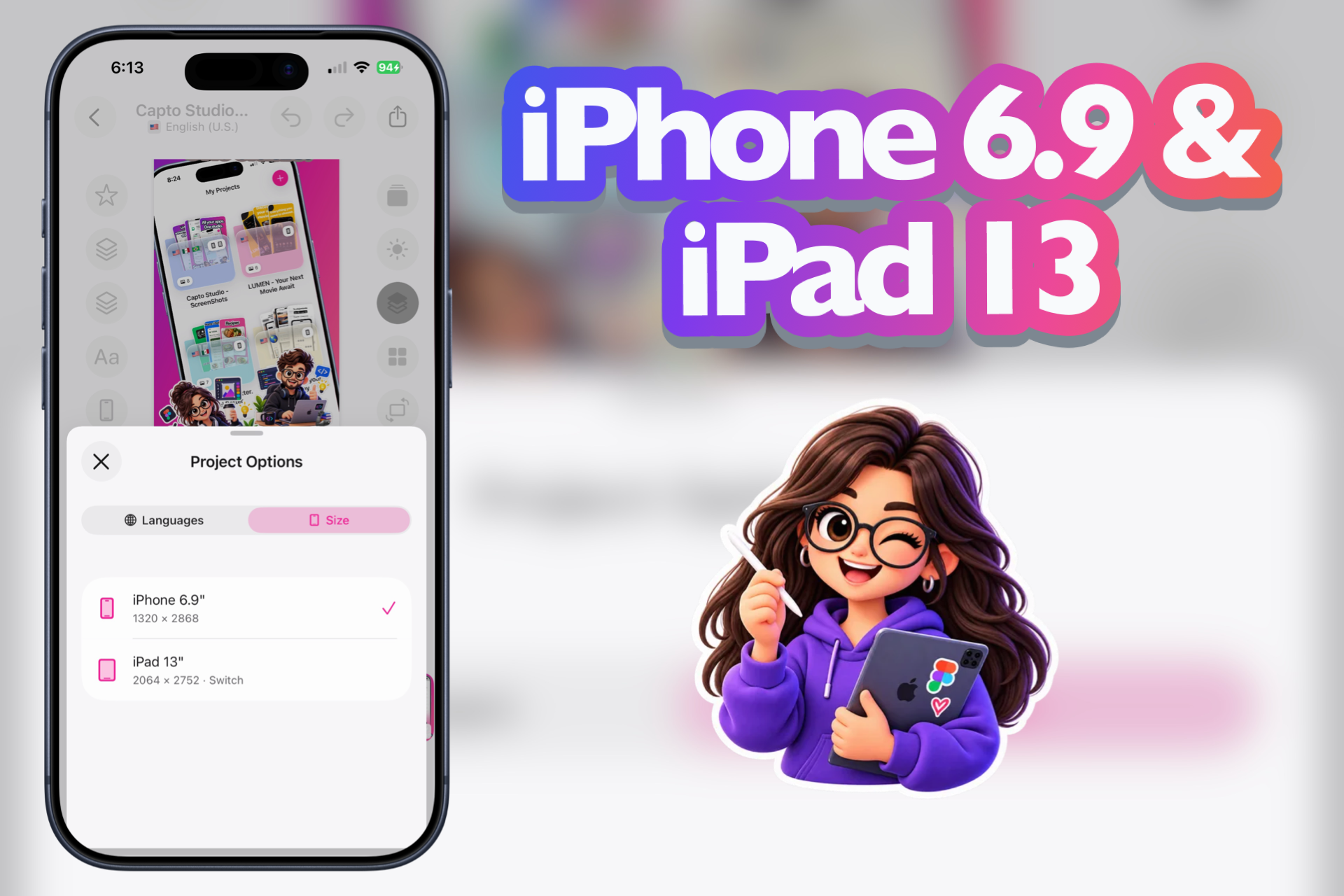
App Store sizes — iPhone 6.9″ (1320×2868) and iPad 13″ (2064×2752), switch when you need both.
-
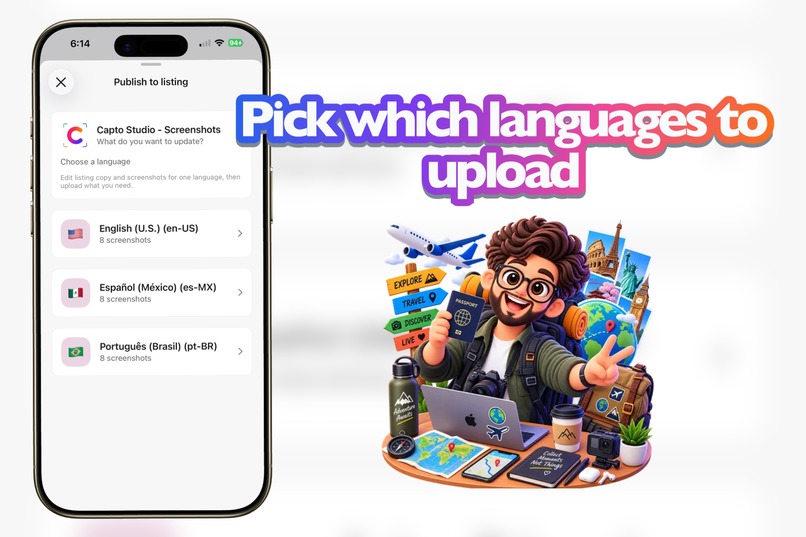
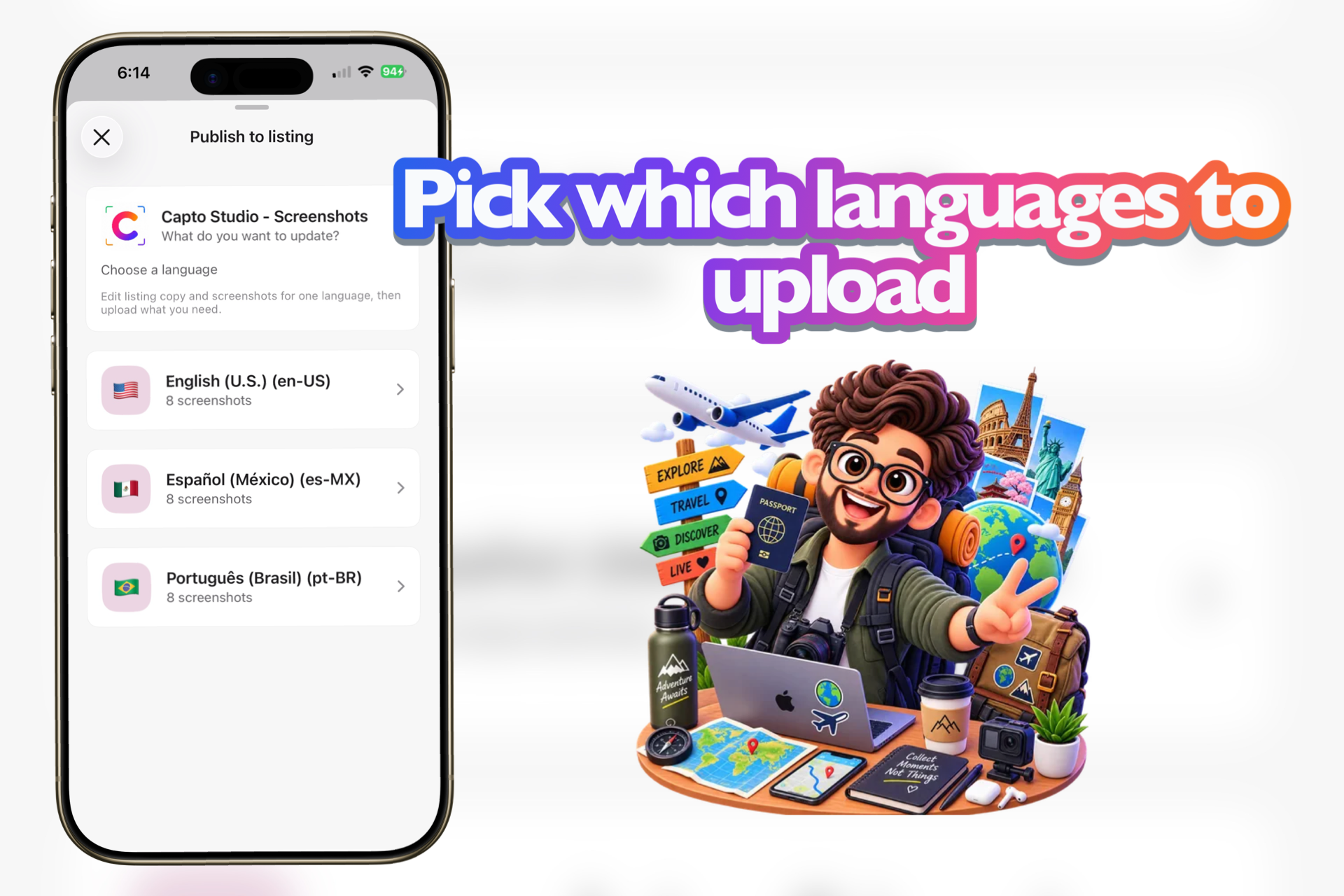
Choose a language to update — edit listing copy and screenshots per locale, then upload what you need.
-
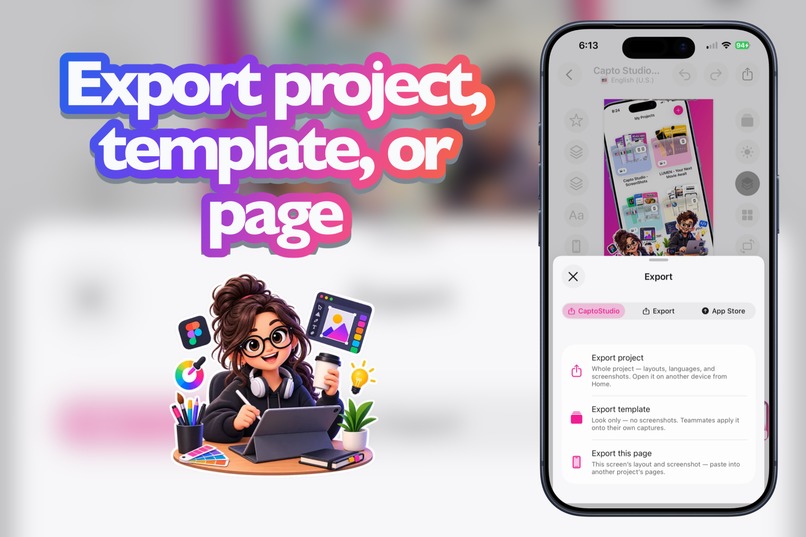
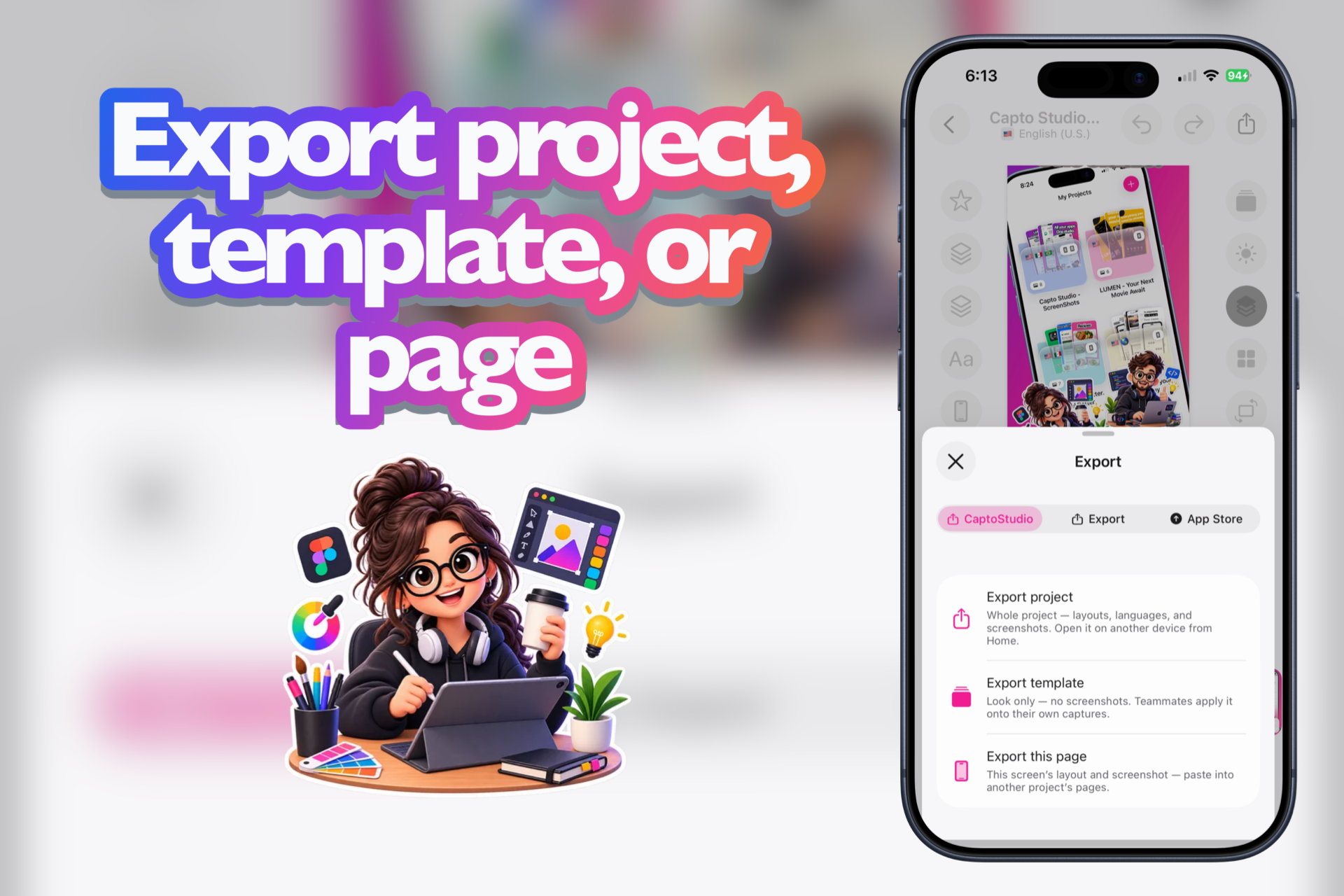
CaptoStudio export — whole project, look-only template, or just this page. Move work between devices without redoing it.
-
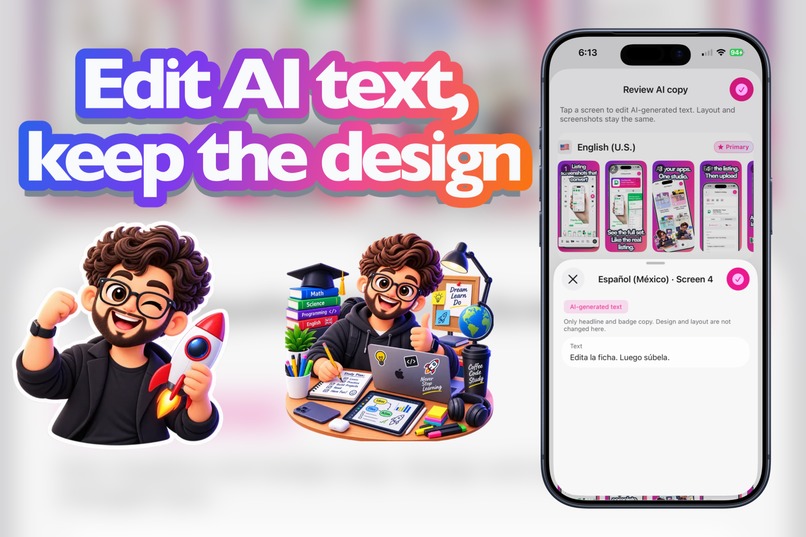
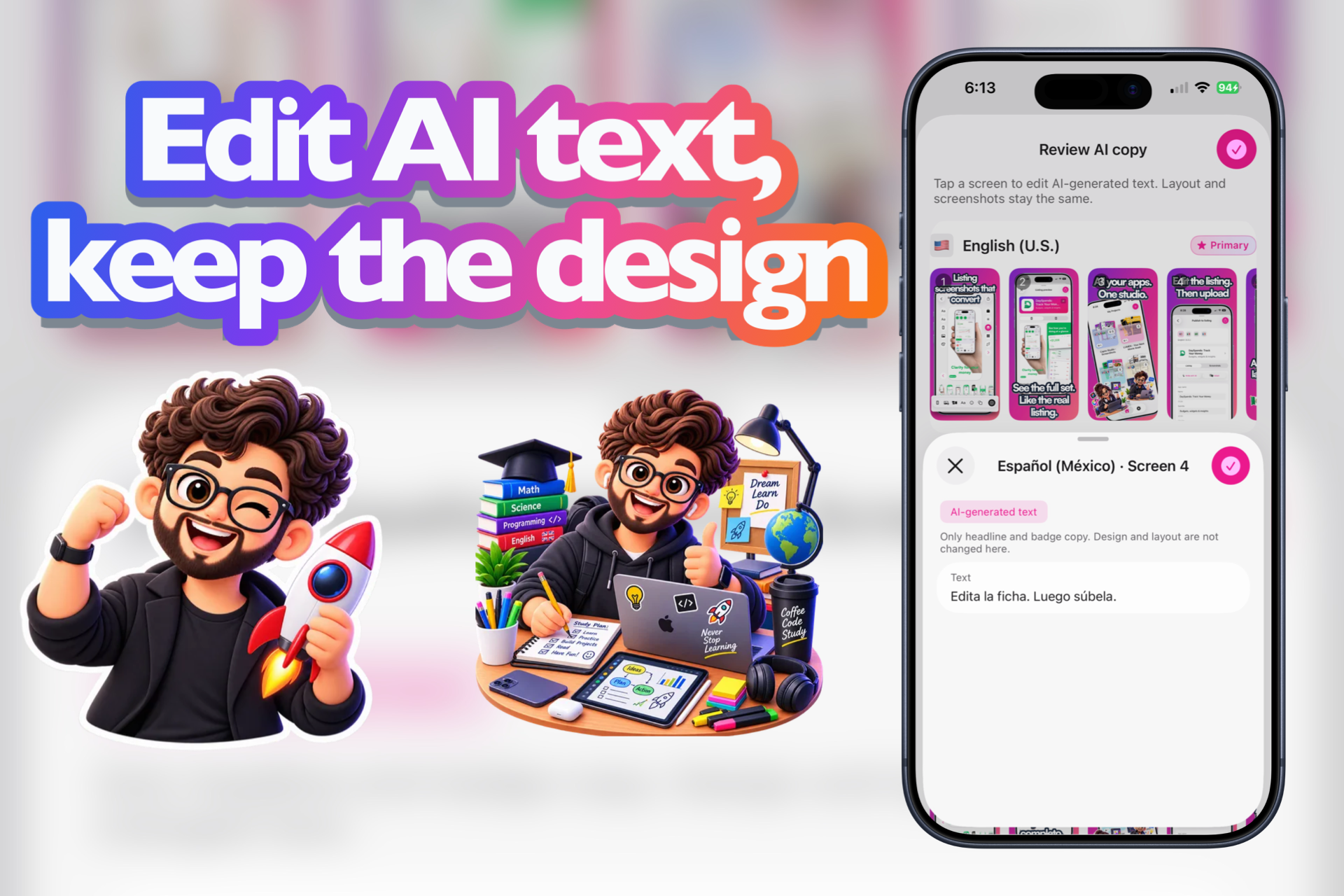
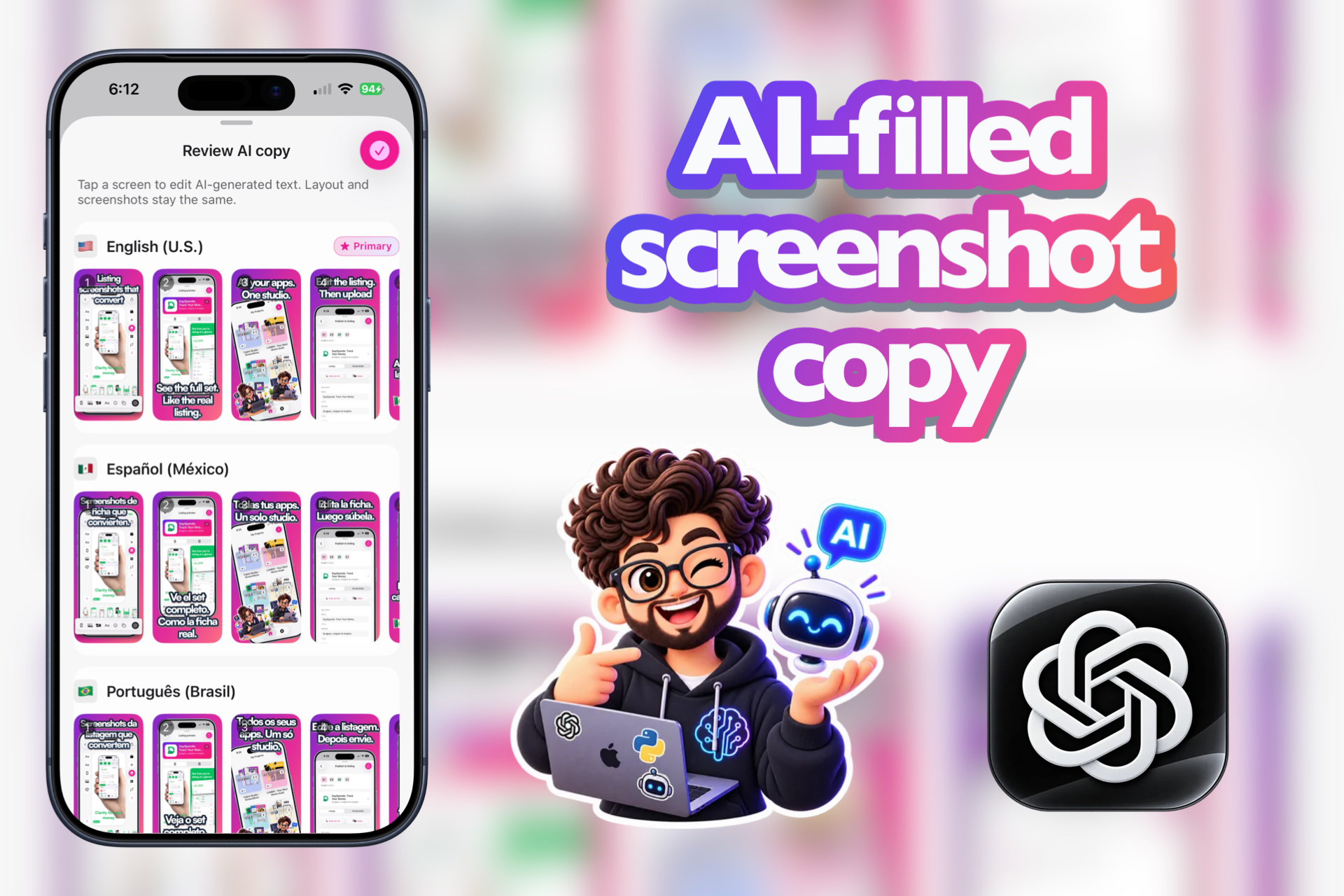
Edit AI text per screen — change the headline, keep the layout and screenshots untouched.
-
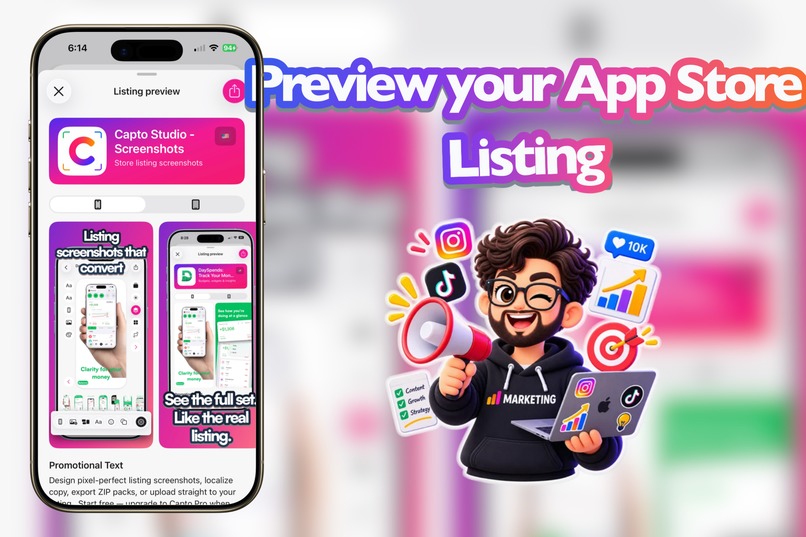
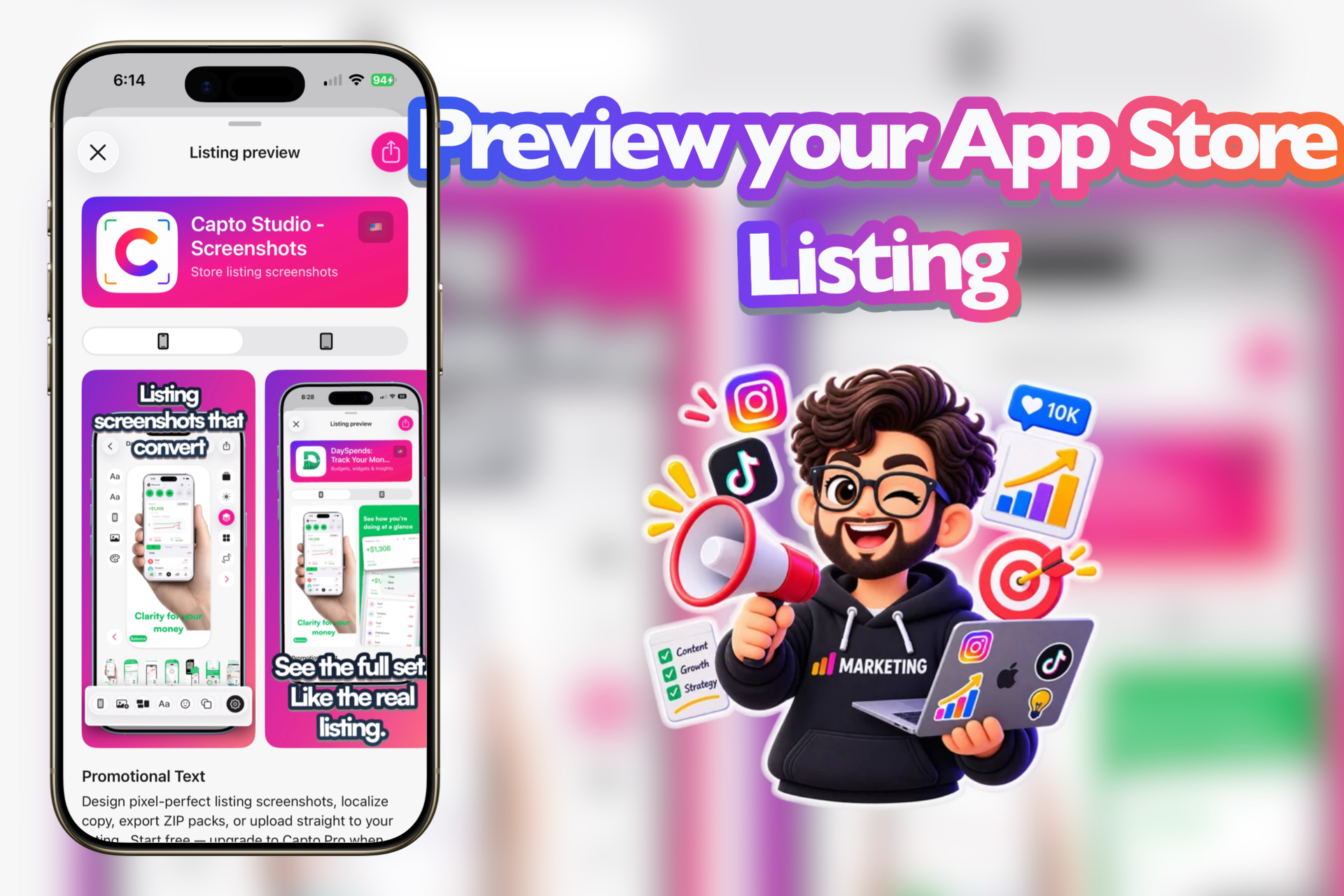
Listing preview — icon, name, screenshots, and promo text as they’d appear on the store, iPhone or iPad.
-
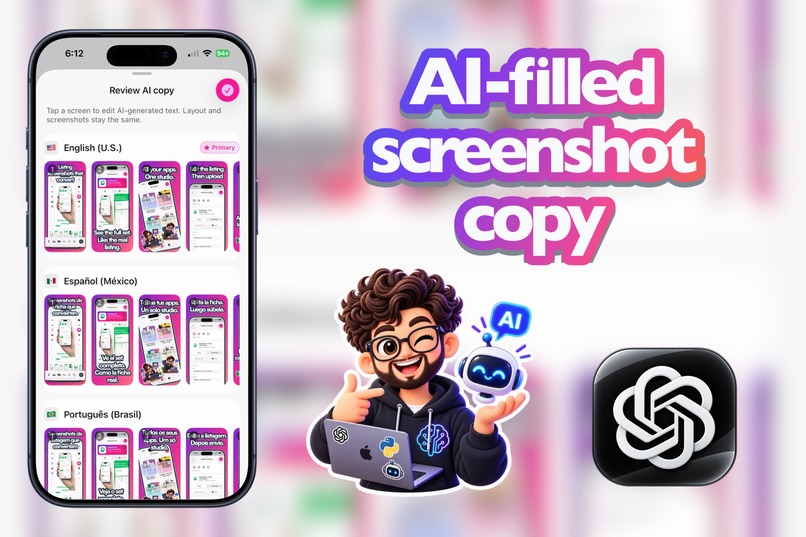
Review AI copy — every screenshot, every language, filled in so you can approve the set at a glance.
Inspiration
I’m a developer. I can build apps. What I don’t know — and what a lot of us don’t either — is how to design the marketing assets the App Store expects before you ship.
Every launch ended the same way: the app worked, and then came the part that slowed me down most. What’s Apple’s exact size? How do I make a slide look store-ready instead of a raw capture? What if the listing needs multiple languages? How do I upload everything to App Store Connect without breaking a set that’s already full?
I spent hours on a process that isn’t coding… and isn’t my craft. Screenshots are the first thing people see on a listing, but for many indies they’re the last improvised obstacle.
CaptoStudio came from that frustration: a studio built by and for developers who need App Store slides ready — without becoming designers overnight.
One job:
real screenshots from my app → store-ready slides on Apple’s exact sizes → localize → export or upload to App Store Connect.
What it does
CaptoStudio is a native iOS App Store screenshot studio.
- Compose multi-page marketing slides (1–10) on exact App Store sizes (iPhone 6.9″ / iPad 13″)
- Device bezels, backgrounds, typography, symbols, shapes, pop-out, blur, masks
- Start from curated template packs or from scratch with Photos
- Per-locale documents: shared screenshots, copy/layout that can differ by language
- Linked iPhone + iPad project families (one Home card, one export story)
- Export ZIPs and portable
.captudiopackages - Upload to App Store Connect with replace semantics and real progress
- Showcase share layouts (Filmstrip / Story / Grid) for social — Story uses ASC brand + official badge when connected
- Capto Pro: multi-locale packaging, ASC upload, templates, iCloud backup; Free keeps editing + single-locale export with a
❤️ CaptoStudiowatermark
Out of scope on purpose: other stores, general-purpose design suites, cloud multiplayer. One sharp job.
How we built it
- UIKit, programmatic UI
- Canvas / documents on exact
CSStoreDisplayClassartboards - Locales as first-class citizens; iPhone/iPad as linked families
- Export pipeline separated from ASC networking (ZIP ≠ upload)
- ASC credentials in Keychain only
- RevenueCat / StoreKit for Capto Pro; Sentry + memory defenses for ship prep
- Built in public from day-one changelog notes
Challenges we ran into
- Exact pixels or nothing — a rejected asset burns a launch.
- iPhone vs iPad geometry — same feature, different aspects; don’t “fix” a wide tablet banner by stacking slides.
- Families, not forks — one listing mental model in Home, package, and publish.
- ASC upload trust — replace-full-set semantics and real progress > a clever button.
- Free vs Pro — Free must feel like a real studio; Pro unlocks publish/packaging.
- Scope — saying no to the wrong approach so we could ship the right surface (Showcase Story).
Accomplishments that we're proud of
- A coherent job-to-be-done product, not a pile of tools
- End-to-end path: Photos → canvas → locales → ZIP / ASC
- iPhone + iPad as one family
- Showcase Story with real ASC branding when connected
- Build-in-public discipline with a changelog as source of truth
- Speaking to developers who “don’t know design” — without asking them to learn a whole second craft
What we learned
- The pain isn’t “making art” — it’s pipeline integrity (size, locale, device family, upload).
- Developers need guardrails (Apple sizes, packs, clear publish), not another infinite blank canvas.
- Native UIKit wins when the product is an iOS craft tool.
- Trust in publish flows beats another effect slider.
- Scope is a feature.
What's next
- TestFlight / App Store 1.0 polish
- Grow CaptoStudio in public (distribution + community, not only features)
- More display classes as Apple’s catalog grows
- Deeper listing workflows without becoming a general design suite
Built with
Swift · UIKit · SwiftData · StoreKit · RevenueCat · Sentry · App Store Connect API

Log in or sign up for Devpost to join the conversation.