Inspiration
Major platforms like YouTube have auto-captions, countless other independent streaming sites, webinars, e-learning portals, and podcast players do not. We initially looked at the browser's native SpeechRecognition API to solve this, but hit a wall: it only listens to microphones, not internal tab audio. We realized we needed a tool that could caption any audio playing in a browser natively, while remaining completely private and free to use.
What it does
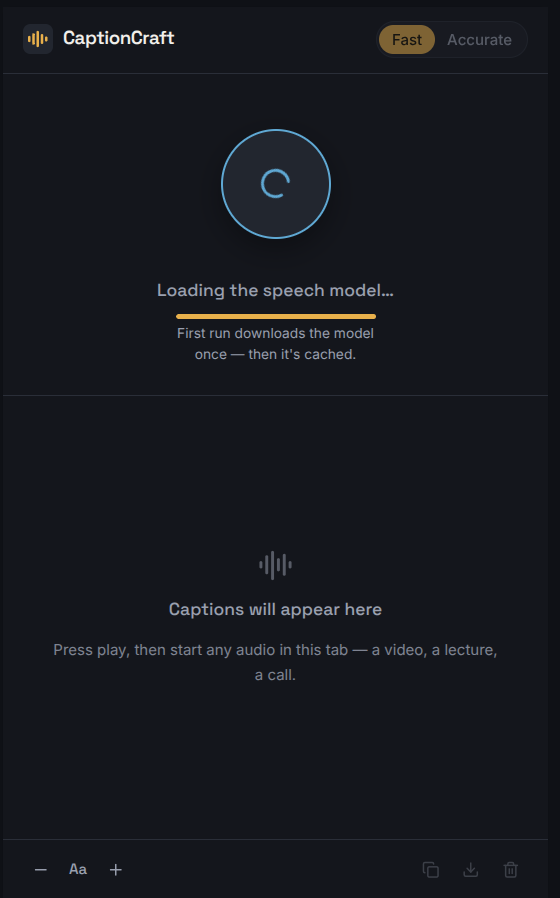
CaptionCraft is a Manifest V3 browser extension that acts as a universal live-captioning tool. It generates real-time captions for whatever audio is playing in the current tab. The magic? It runs entirely on-device. By utilizing a local AI model, it guarantees that no audio ever leaves the user's browser, so which means zero privacy risks, no API keys, and absolutely no per-minute cloud costs. It features a clean side panel UI with a toggle between Fast (whisper-tiny.en) and Accurate (whisper-base.en) models, allowing users to tailor the experience to their specific hardware capabilities.
How we built it
We built the UI with React 19, TypeScript, and Tailwind CSS v4, all bundled via Vite. The core transcription engine is powered by Transformers.js using local Whisper models.
Because Chrome's Manifest V3 severely isolates contexts, we had to architect a multi-step pipeline to handle the audio safely:
- Side Panel: Renders the React UI and displays transcripts.
- Background Service Worker: Requests the
chrome.tabCapturestream ID. - Offscreen Document: Captures the tab's audio, routes it back to the speakers so the user can still hear it, buffers ~4-second chunks, and downsamples them to 16kHz mono.
- Web Worker: Runs the Whisper WASM inference locally off the main thread to keep the UI responsive, sending text back to the side panel.
Challenges we ran into
- The Microphone Limitation: Realizing the built-in Web Speech API couldn't capture tab audio forced us to completely pivot our architecture to a local AI model.
- Manifest V3 Restrictions: Background service workers cannot interact directly with
getUserMediaorMediaStream. We had to learn how to securely pass audio data through a hidden offscreen document. - Audio Sync & Lag: Whisper transcribes in chunks, not word-by-word. On slower machines, we found that chunks could queue up faster than they were transcribed, causing captions to drift behind the video. We solved this by capping the worker queue to 2 chunks and dropping the oldest, prioritizing real-time sync over perfect historical logs.
Accomplishments that we're proud of
We are incredibly proud of achieving an exceptionally safe and financially realistic solution. By successfully porting Whisper to run entirely in the browser, we eliminated the need for cloud infrastructure or subscription fees. This makes CaptionCraft accessible to everyone. From a safety standpoint, the fact that no audio data is ever transmitted to any server.
What we learned
We leveled up our knowledge of in-browser machine learning using Transformers.js and ONNX runtime. We also gained deep, practical experience with Chrome's newer Manifest V3 APIs—specifically how to orchestrate complex communication between side panels, background workers, and offscreen documents, as well as handling raw PCM audio data and resampling on the fly.
What's next for CaptionCraft
- Multilingual Support: Swapping in a multilingual variant is a one-line change in our architecture, which will allow us to break language barriers in addition to hearing barriers.
- Smoother UX: Exploring ways to implement streaming partial results so text appears dynamically word-by-word instead of arriving in ~4-second blocks.
Built With
- react
- tailwind
- transformers.js
- typescript
- vite

Log in or sign up for Devpost to join the conversation.