-
-
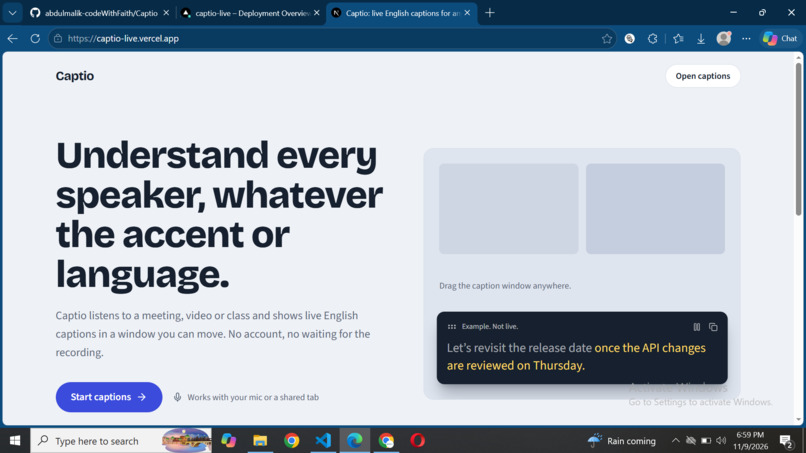
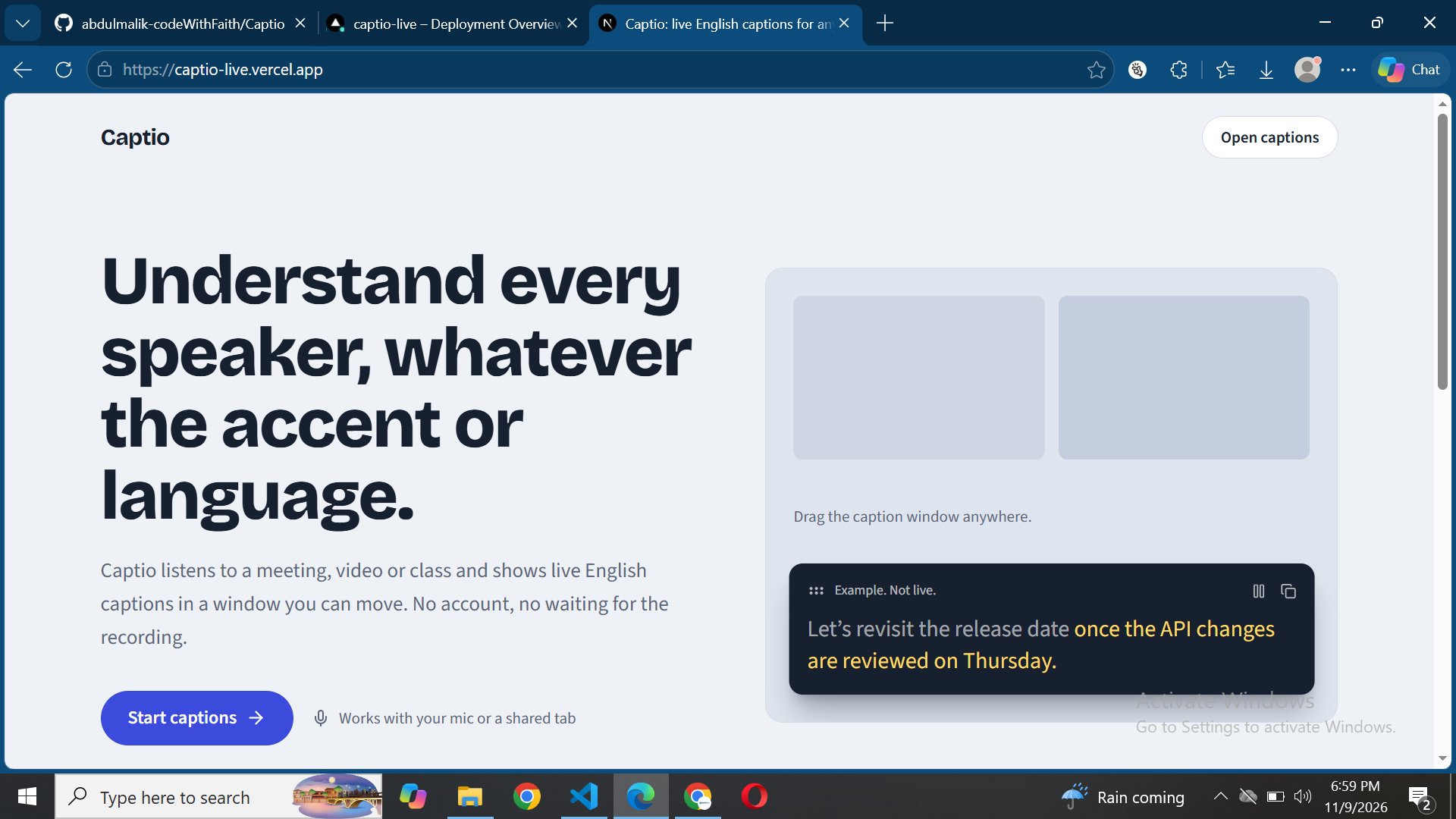
Landing page
Inspiration
A lot of learning happens online now, and a lot of it is hard to follow. A lecturer speaks with an accent you aren't used to, a tutorial is in a language you don't speak, or the audio is just unclear. Built-in captions help when they exist, but they're tied to one platform, and they often struggle with accents. I wanted one tool that works on whatever the student is already watching, so nobody has to wait for each platform to support them.
What it does
Captio turns any browser tab or microphone into live English captions. You pick a source, press start, and it listens, detects the language, and translates it into English. The captions show up in a floating window that can stay on top of your class or video, so you can read along while taking notes or switching tabs. It works on Google Meet, YouTube, online classes, or anything else playing audio in a tab. You can drag, resize, and make the window transparent, pause and clear it, and copy the full transcript at the end. There's no account and no database. Nothing is stored on a server.
How we built it
I built it as a solo project with Next.js, TypeScript, and Tailwind CSS. The browser captures audio with getDisplayMedia for tabs or getUserMedia for the mic. The audio is cut into 6-second segments, and silent ones are skipped so I'm not sending empty audio. Each segment goes to a small Next.js API route that keeps the API key on the server and calls Groq's hosted Whisper translation endpoint. The English text comes back and appears in order in the caption window. The always-on-top window uses the Document Picture-in-Picture API.
Challenges we ran into
Delay was the hardest part. Sending audio in 6-second chunks means captions arrive about 6 to 9 seconds after the speech, and sometimes a word gets cut in half at the edge of a segment. I had to choose between shorter segments, which are faster but less accurate, and longer ones, which are slower but cleaner. Browsers were the other problem. A website can't capture audio from desktop apps, and tab audio capture only works in Chrome and Edge on desktop. The always-on-top window needs a recent version of those browsers too. I decided to be upfront about these limits in the README instead of hiding them. The free API tier also has rate limits, so very long sessions can hit a short wait.
Accomplishments that we're proud of
It works end to end and it's live. You can open it, share a tab, and see captions in a floating window in a couple of minutes, with no sign-up. I'm also proud of the Picture-in-Picture window, because it makes the tool useful in real situations where you can't keep switching between tabs. And I built the whole thing, from the idea to the deployment, on my own for this competition.
What we learned
I learned how much of the "live" feeling comes down to how you chunk audio. I also learned how many browser limits there are around audio capture, and how much detail goes into making something work across Chrome and Edge. The biggest lesson was to design for honesty. Saying clearly what the tool can't do builds more trust than pretending it's perfect.
What's next for Captio
The first goal is lower delay, using overlapping audio segments so sentences come out cleaner. After that I want transcript history saved on the device, plus an in-browser Whisper option so it can work without an API key. Longer term, I'm planning a Chrome extension and a desktop companion that can capture system-wide audio. I also want to add meeting summaries, which would turn a class into study notes automatically.
Built With
- framer
- grok
- lucide
- motion
- nextjs
- tailwindcss
- typescript

