-
-
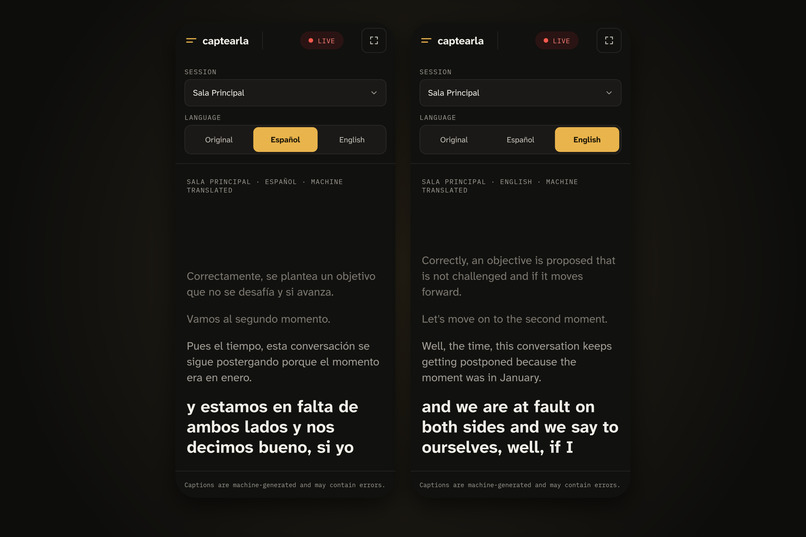
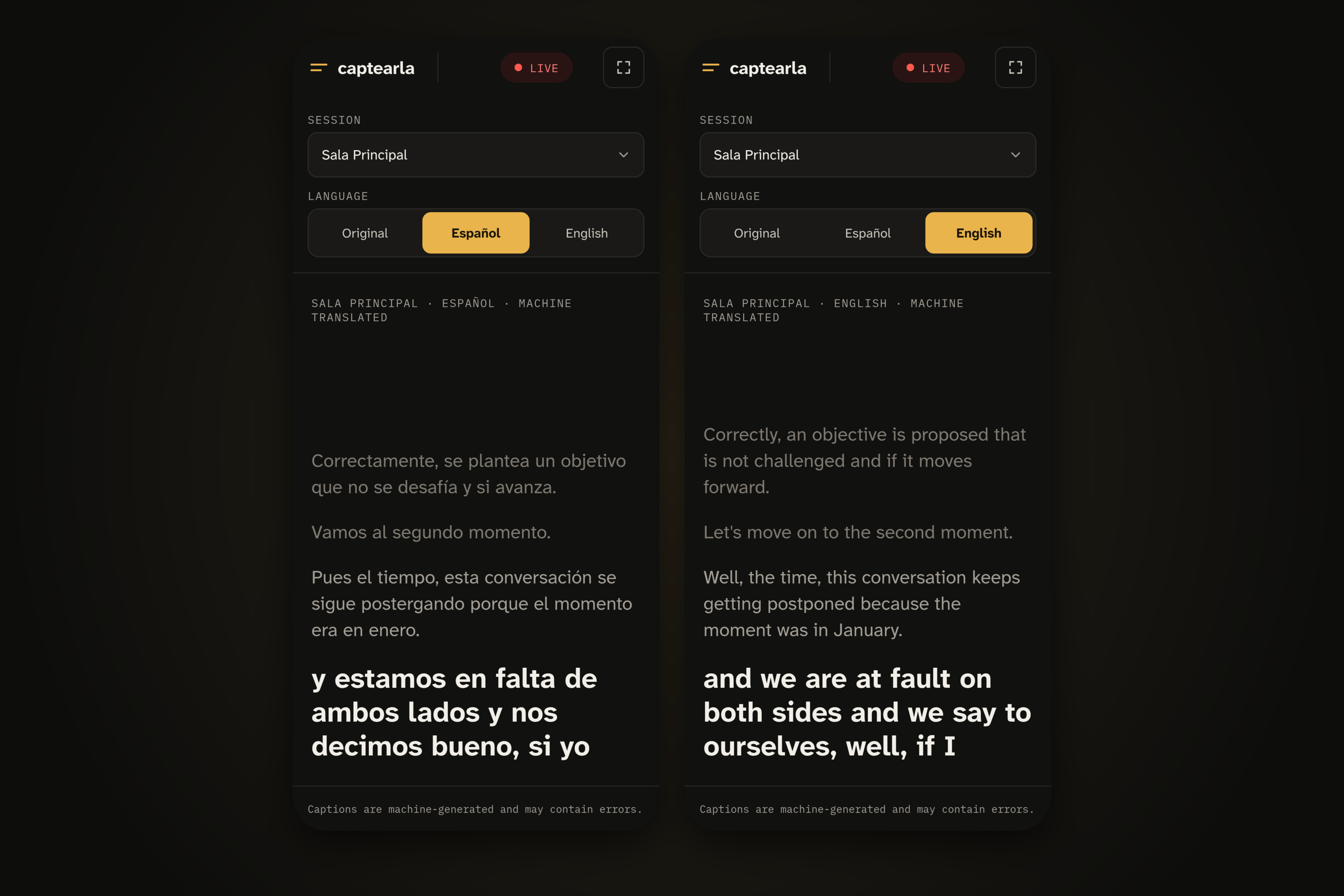
mobile viewer
-
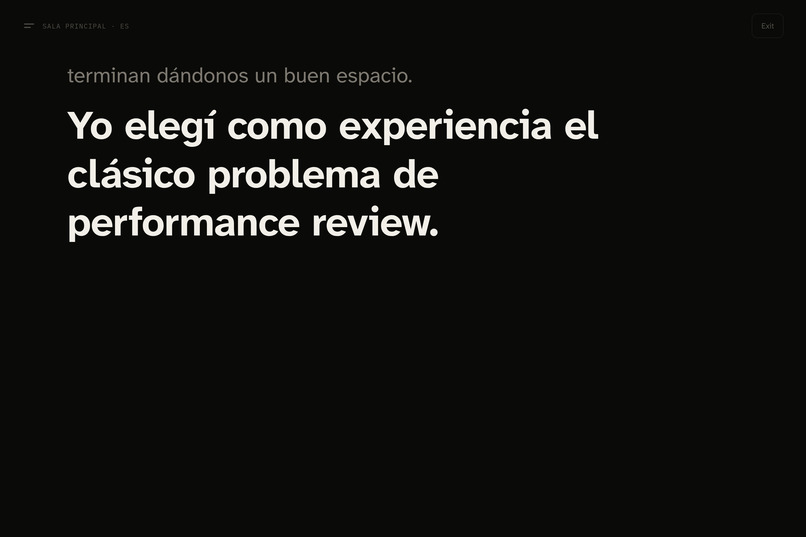
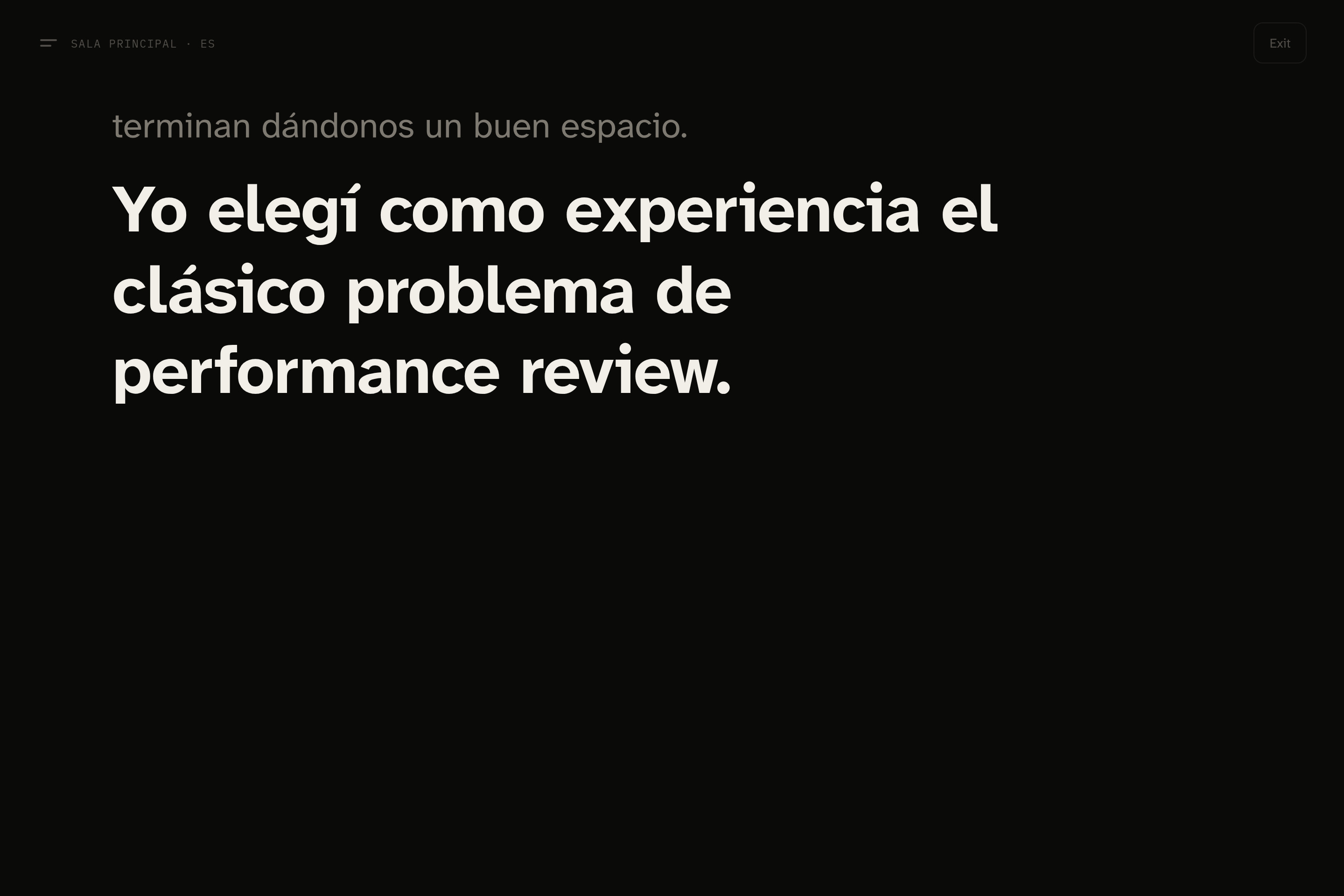
projector mode
-
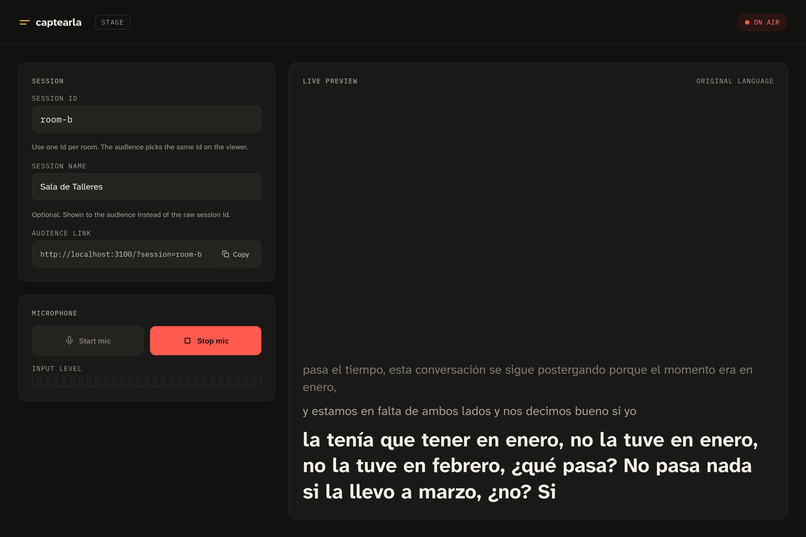
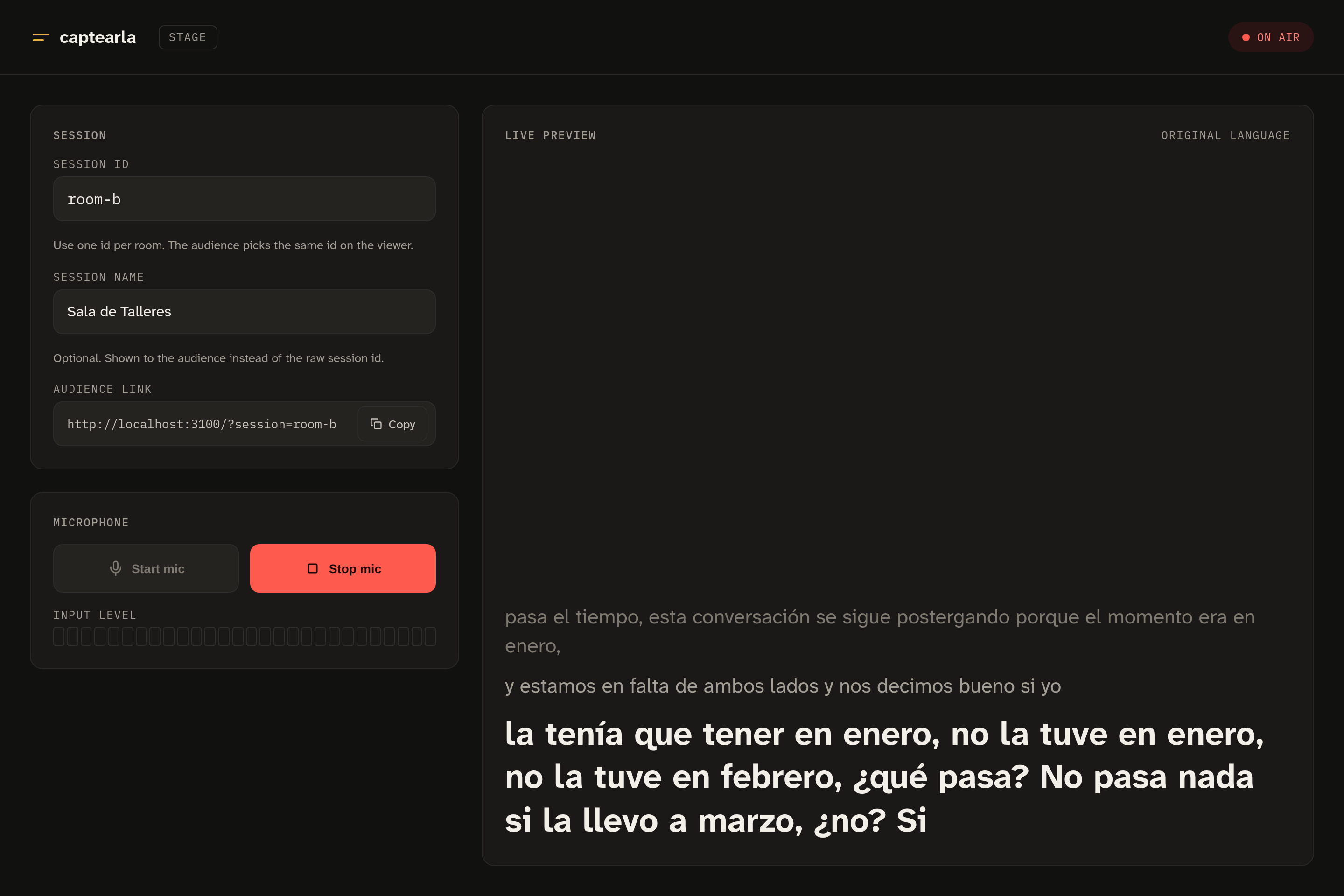
stage
-
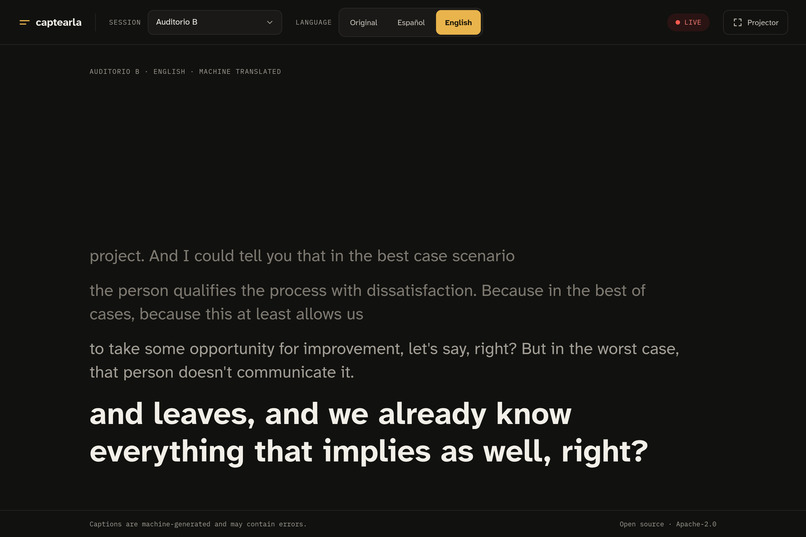
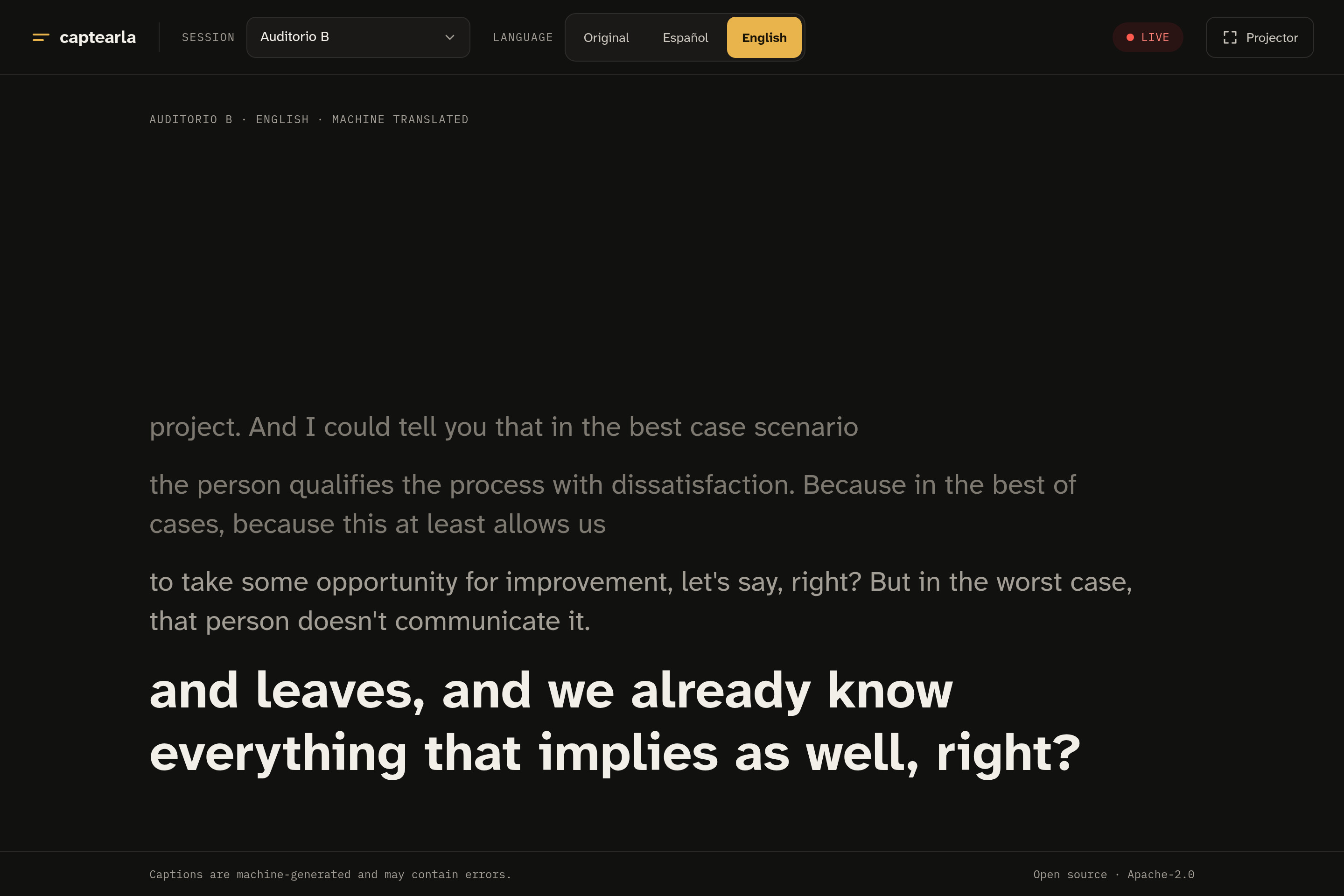
desktop viewer
Inspiration
At every conference there's someone who misses half the talk: the person who's hard of hearing, the one whose English (or Spanish) isn't strong enough for a fast speaker. Nerdearla has several stages running in parallel, in more than one language, and live captioning usually costs a human stenographer per room. We wanted something any event could run: plug the room's audio into a laptop, share a QR code, and nobody misses the talk.
That's where the name comes from. Captearla mixes caption with the Rioplatense -earla ending of Nerdearla, and plays on the Spanish captarla, "to catch it, to get it."
What it does
- The home page lets you choose between Stage and Viewer.
- The stage page runs in each room. The operator picks a session, gives it a readable name ("Sala Principal"), enters the stage token, and streams the room's microphone or mixer feed.
- The server turns that audio into live captions in the original language, plus Spanish and English.
- The audience scans a QR code, opens the viewer, picks a live room and a language, and reads along on their phone. A projector mode puts the captions full screen on a display next to the stage.
- One server handles many rooms in parallel, and it's open source.
How we built it
We kept it simple on purpose: one small server that any event can run.
Each room sends its audio to the server. The server listens for natural pauses, cuts the audio into short pieces, and sends each piece to Google's Gemini model, which returns the transcription plus its Spanish and English translations. The model also gets the last few captions as context, so names and technical terms stay consistent. Then the captions go out right away to everyone watching that room.
Each room runs on its own, so audio and context never mix between rooms. The room operator enters a shared token, so nobody else can send audio and spend our AI budget.
We started with a fake transcriber that produces made-up captions. It let us build and test the whole thing without an API key or any cost. Only then did we plug in the real model.
Captions show up a few seconds after the speaker talks:
$$ T_{\text{caption}} \approx T_{\text{chunk}} + T_{\text{model}}, \qquad T_{\text{chunk}} \in [2.5\,\text{s},\ 6\,\text{s}] $$
And because the audience only reads captions and never talks to the model, the cost depends on how long people speak, not on how many are watching:
$$ \text{cost} \propto \sum_{\text{rooms}} t_{\text{speech}} $$
Challenges we ran into
1. Backlog when the model is slower than the audio. A strictly serial pipeline falls behind as soon as \( T_{\text{model}} > T_{\text{chunk}} \): every chunk waits for the previous one, and the delay keeps growing. We added bounded concurrency per session (TRANSCRIBE_MAX_IN_FLIGHT, 3 by default) and a reorder buffer, so captions still publish in strict chunk order, whichever call finishes first. The tradeoff: the context sent to the model can lag by up to \( k-1 \) chunks under load, where \( k \) is the in-flight limit.
2. Measuring instead of guessing. We wrote bench.ts, which streams real audio into \( N \) rooms and measures end-to-end caption latency. With a mock transcriber we tested scaling for free. Then we ran it against real Gemini on a Nerdearla talk: with 1, 3 and 5 parallel rooms, p95 stayed under ~3.7 s, with zero errors and no backlog. That data led us to switch the default model to gemini-3.5-flash-lite, which had lower p50/p95 latency and comparable quality.
3. Gemini 3 broke our config. Gemini 3.x models reject thinkingBudget and need thinkingLevel instead. We now detect the model family and use the lowest thinking level by default. Fast captions don't need deep reasoning.
4. An optimization that didn't pay off. We noticed garbled words at chunk boundaries and measured it: 36 % of chunks were forced 6-second cuts, most of them mid-speech. We made the chunker cut at the quietest point instead, and chunks ending in speech dropped from 30 % to 13 %. But the word error rate against reference subtitles didn't improve (≈12.0 % → ≈12.5 %). So we dropped the change. Better acoustics didn't give better captions, and we only keep changes the numbers back up.
5. Real-world UX details. Rooms that no longer existed showed up in the viewer, and raw IDs like room-a meant nothing to the audience. Now the viewer lists only live sessions, by their human-readable name. If a speaker pauses, the room you're watching stays on screen marked "offline" instead of disappearing.
What we learned
- Ports and adapters pay off quickly. The mock transcriber let us build, test and load-test the whole system without an API key or any cost. The same port lets someone swap in an offline model later.
- Ordering and concurrency are separate problems. You can run calls in parallel and still publish in order, as long as you design for it on purpose.
- Measure before optimizing, and after. A fix that looks obviously right can make no difference. Our WER experiment taught us that.
- Strict TDD kept us fast, not slow. We wrote a failing test for every behavior first. We finished with 142 tests running with no network calls, and we could refactor the pipeline without fear.
What's next
- A spike on the Gemini Live API for true streaming and lower latency
- A fully offline adapter (Whisper-style) for venues with bad connectivity
- Sharding by session ID across instances for very large events
Built With
- css3
- docker
- docker-compose
- gemini
- google-genai
- html5
- javascript
- node.js
- tsx
- typescript
- vitest
- web-audio-api
- websockets


Log in or sign up for Devpost to join the conversation.