-
-
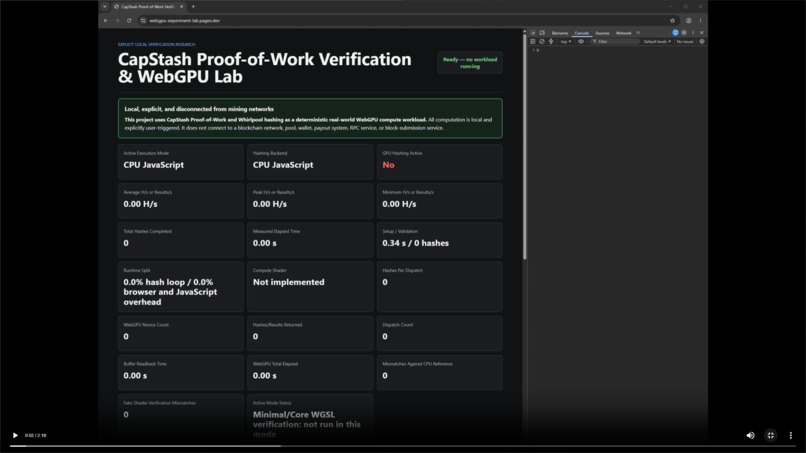
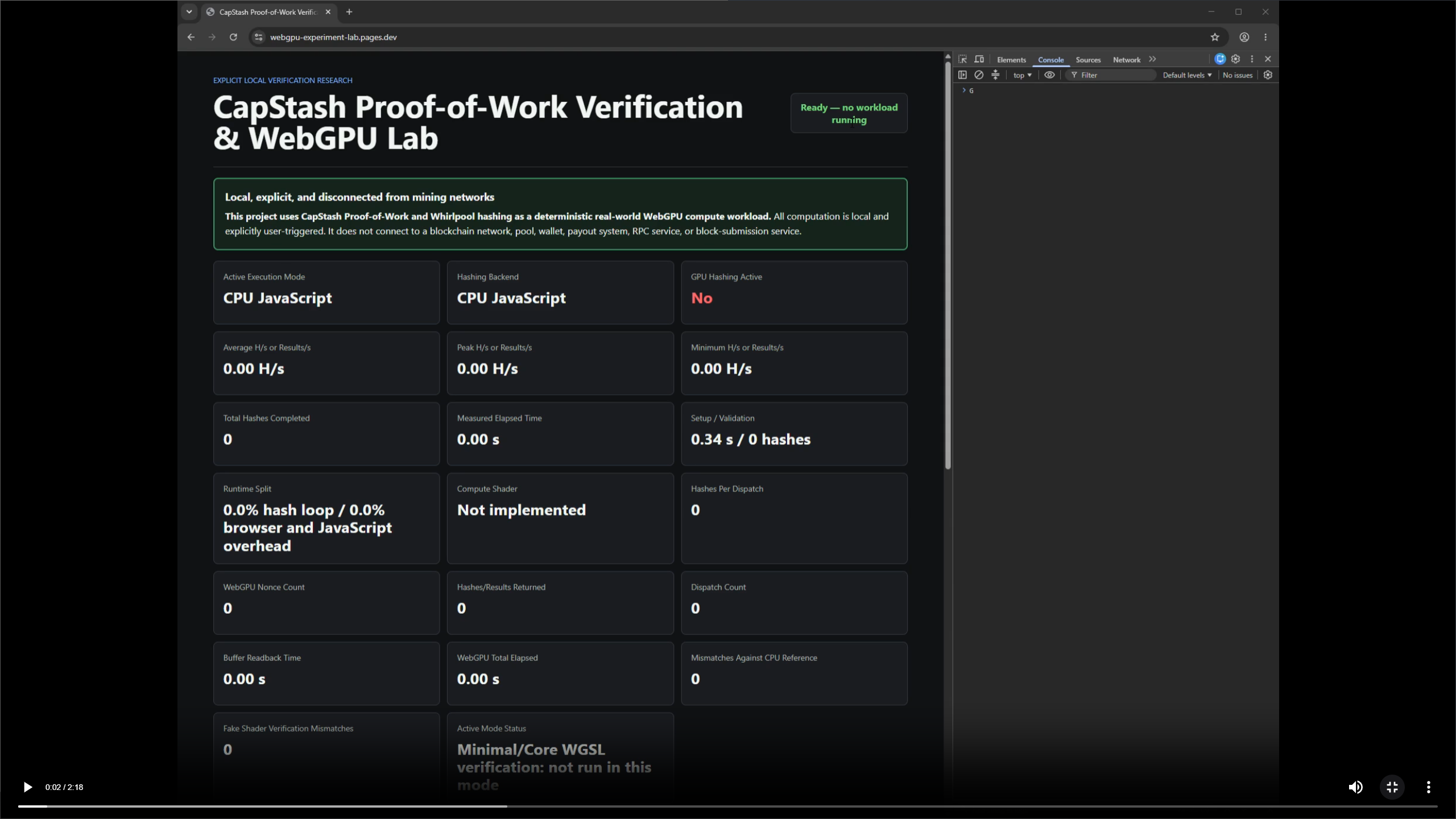
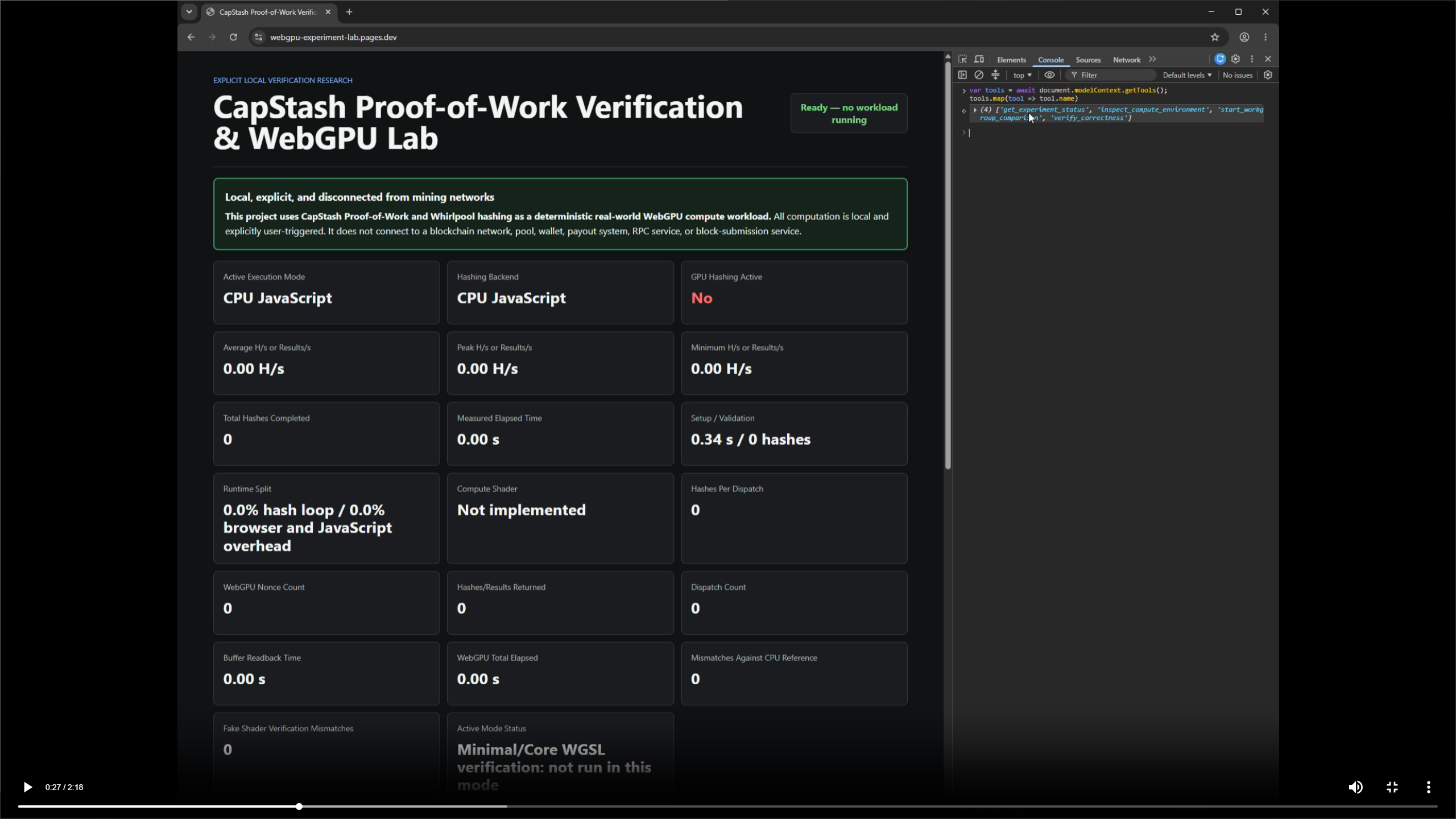
Main app + green safety notice
-
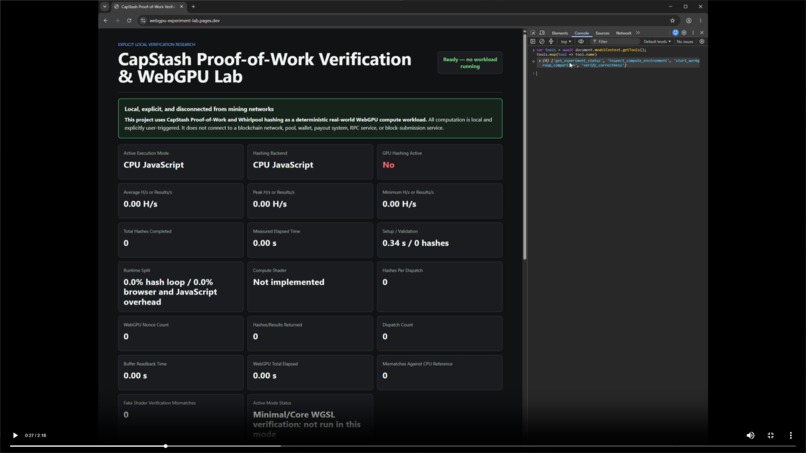
Four WebMCP tools visible in Chrome DevTools
-
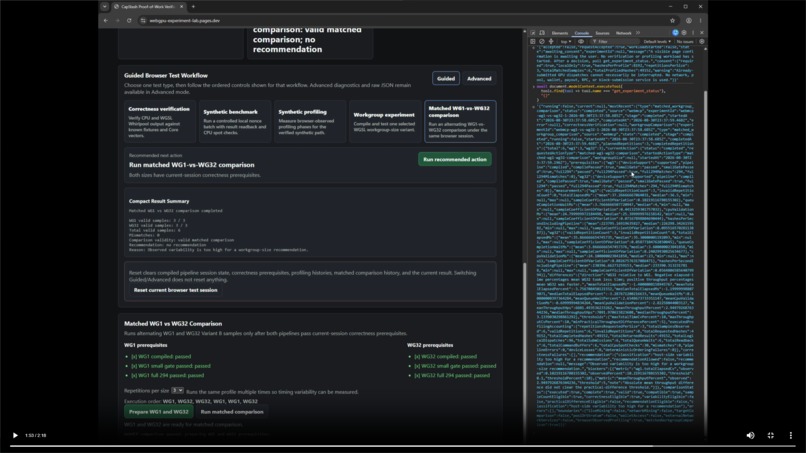
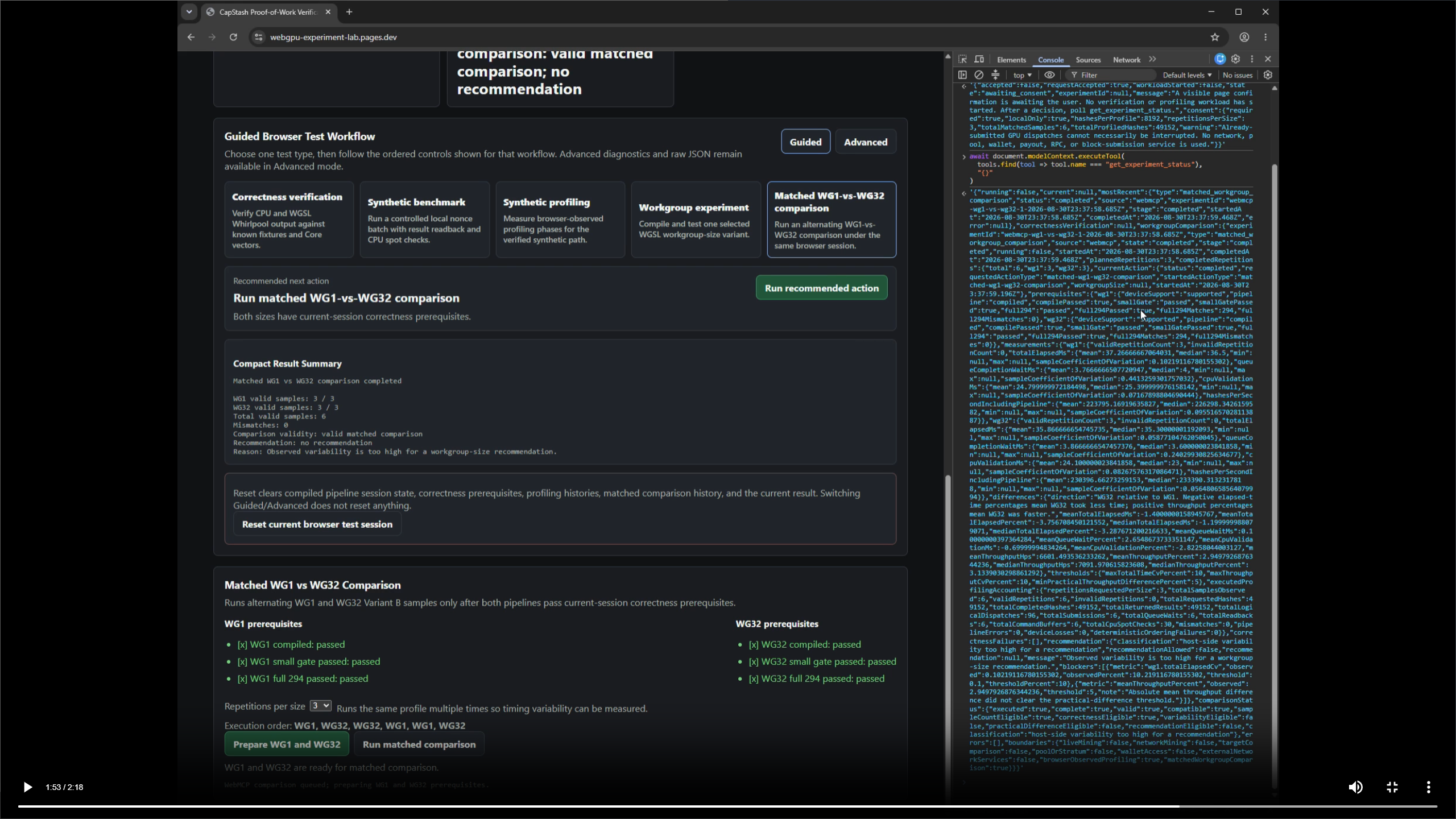
Completed WG1/WG32 comparison result
Inspiration
I originally built this project to explore whether CapStash Proof-of-Work could be implemented and verified in the browser with WebGPU.
Part of the idea was crypto onboarding: giving people a low-barrier way to inspect how this kind of computation works on their own hardware, run some basic tests, and see the results for themselves without needing to set up a traditional miner.
I also liked the idea of eventually making it a little more playful — something where a person could contribute a small amount of browser compute and get something back like a meme, a fortune, or maybe some kind of AI or social interaction.
The underlying workload comes from a cryptocurrency Proof-of-Work algorithm, but this project is intentionally a local research and verification tool. There is no live mining. It does not connect to a blockchain network, mining pool, wallet, payout system, RPC service, or block-submission service.
Before the WebMCP Challenge, the project had already grown into a fairly complete human-operated WebGPU experiment lab with CPU reference verification, CapStash Core-derived test vectors, profiling, workgroup experiments, and a Guided/Advanced browser UI.
Sometime in early August, after manually clicking through my testing suite again, I said to myself, “Why can’t I just make this automated and operable by AI?”
At the time, I was bouncing back and forth between ChatGPT, Codex, browser windows, screenshots, and different settings. Because the agent was still interacting with the interface indirectly, I often had to send screenshots or find things manually myself. I was also learning a lot of the underlying technology as I went.
When I saw the OpenAI WebMCP Challenge, the project seemed like a natural fit for a different question:
What happens when an AI agent can operate a technical browser instrument through structured tools instead of scraping the DOM or pretending to click buttons?
What it does
The browser exposes four WebMCP tools:
inspect_compute_environmentverify_correctnessstart_workgroup_comparisonget_experiment_status
An agent can inspect the available WebGPU environment without starting computation, request bounded correctness verification, start a longer WG1-vs-WG32 experiment, and read structured experiment progress and results.
The main workflow asks:
Determine whether workgroup size 32 is meaningfully better than workgroup size 1 on this GPU. Verify both configurations first, run a matched comparison, and only recommend a winner if the evidence supports one.
Before the longer workload begins, the page requires explicit user approval and clearly describes the local compute workload.
After approval, the application automatically:
- validates WG1 support and compilation,
- runs its small correctness gate,
- verifies WG1 against all 294 CapStash Core vectors,
- performs the same checks for WG32,
- runs three matched profiling samples for each workgroup size,
- reports the result through both the human UI and structured WebMCP state.
The same existing experiment controller is used by humans and agents. WebMCP does not duplicate the GPU engine or bypass its correctness rules.
Why WebMCP matters
Without WebMCP, an agent would have to interpret a complicated technical interface, manipulate controls, scrape visible text, and infer whether prerequisites had actually completed.
That was one of the things I kept running into while using browser agents myself. They can do a lot by clicking through pages and interpreting what is on screen, but they do not always see an interface the same way a human does. Sometimes they are effectively working from fragments and inferring the rest.
With WebMCP, the application can expose the intent and state of the experiment directly in a machine-readable form while still keeping the normal human interface.
The agent can request a high-level goal while the application remains responsible for:
- prerequisite sequencing,
- correctness gates,
- experiment concurrency,
- structured progress,
- result accounting,
- safety boundaries,
- and recommendation policy.
An important part of the project is that the agent cannot simply choose whichever performance number looks better.
The pre-existing comparison logic includes variability limits and a minimum practical-difference threshold. If the evidence is too noisy or the performance difference is too small, the WebMCP result returns no recommendation.
For example, validated runs have correctly returned classifications such as:
host-side variability too high for a recommendationeffectively tied within observed variability
with:
recommendationAllowed: falserecommendation: null
That behavior is intentional. WebMCP makes the instrument agent-operable without weakening its evidence standards.
How I built it
The application is dependency-free browser JavaScript with:
- HTML/CSS
- JavaScript
- WebGPU
- WGSL compute shaders
- a CPU Whirlpool-512 reference implementation
- deterministic CapStash Core-derived verification vectors
- WebMCP through
document.modelContext - static Cloudflare Pages hosting
The public challenge repository contains a reconstructed, privacy-sanitized history that preserves the exact pre-challenge baseline and the exact challenge-period changes.
The WebMCP work added during the challenge includes:
- structured WebMCP tool registration,
- environment inspection,
- correctness invocation,
- shared human/agent application state,
- an asynchronous experiment lifecycle,
- prerequisite-aware WG1/WG32 orchestration,
- structured recommendation blockers,
- consent for longer agent-triggered compute,
- and WebMCP-specific tests and documentation.
The underlying WebGPU hashing, correctness engine, workgroup experiments, profiling, statistics, and human UI all existed before the challenge and are clearly documented as such.
Testing and correctness
The current project passes:
- 130 / 130 automated tests
- 294 / 294 CapStash Core vectors
- zero CPU/Core mismatches
- zero WGSL/Core mismatches in validated full runs
The final release-hardened workflow was also tested in Chrome with WebMCP enabled.
A full approved matched comparison completed:
- WG1 full verification: 294 / 294
- WG32 full verification: 294 / 294
- 3 valid WG1 samples
- 3 valid WG32 samples
- 6 total valid samples
- 49,152 requested/completed/returned hashes
- 30 CPU spot checks
- 0 mismatches
- 0 pipeline errors
- 0 device losses
- 0 deterministic-ordering failures
The deployed public site is HTTPS, WebGPU-capable, WebMCP origin-trial enabled, and exposes all four tools in ordinary Chrome.
Challenges
One thing that surprised me was how quickly the application could actually perform a lot of the work once the WebGPU path was working. I was still learning much of the technology, so seeing the verification and profiling complete as quickly as they did was pretty impressive to me.
That also made correctness more important, not less. I added correctness gates fairly early in the project because I did not want speed or interesting benchmark numbers to mean anything unless the output was actually trustworthy. Those gates eventually grew into full CPU/Core/WGSL comparisons and the 294-vector verification used by the final workflow.
One lesson I kept coming back to was that when you are building around unfamiliar technology — especially with AI helping — you need strict build rules, safety boundaries, and acceptance criteria. Otherwise it is very easy to get something that looks impressive without really knowing whether it is correct.
A more specific WebMCP challenge was handling long-running browser GPU work. Cold WebGPU pipeline compilation could sometimes take more than 20 seconds, which was not a good fit for holding a single WebMCP tool invocation open.
The solution was an asynchronous experiment lifecycle: the start tool returns immediately with an experiment ID, while get_experiment_status exposes structured progress and the final result.
Another challenge was preserving user control. The longer comparison now enters an awaiting_consent state and starts no GPU work until the user explicitly approves the local workload.
A third challenge was provenance. This project existed before the challenge, so I wanted the public submission to make that completely transparent. The repository preserves an exact pre-challenge tree followed by the WebMCP challenge changes and documents the original private source SHAs in PROVENANCE.md.
Accomplishments that I'm proud of
I am especially proud that the final WebMCP workflow does not bypass the testing system I had already built.
The agent uses the same experiment controller and the same correctness gates as the human interface. WG1 and WG32 both have to pass full verification before the comparison is allowed to continue.
I am also happy that the application is willing to return no recommendation. The goal was not to make an AI confidently announce a winner. The goal was to let it operate the experiment correctly and respect the evidence.
Getting the complete project through public-release hardening, browser testing, WebMCP origin-trial deployment, and a privacy-preserving public repository was also a much bigger part of the project than I expected when I started.
What I learned
The biggest thing I learned was WebMCP itself. Before this challenge, I did not really know there was another standard for letting an AI interact with a website in a structured way.
I had mostly been familiar with watching browser agents operate websites by clicking things, opening windows, reading pages, and trying to infer what was happening. That is impressive to watch, but I have also used enough AI to know that it does not always understand a visual interface the same way a human does. It can miss context, misread state, or end up scraping fragments and inferring the rest.
WebMCP made the idea click for me that a website can provide information and actions in a form that is directly readable by a machine while still keeping the normal human interface.
That feels like a much cleaner model for technical tools. The agent does not need to guess what a button means or whether a prerequisite has finished; the application can expose that state directly.
I also learned that giving an agent more controls is not necessarily better. The strongest workflow in this project ended up being a small set of higher-level tools around a real experimental goal, while the application itself stayed responsible for correctness, sequencing, safety, and deciding what conclusions the evidence actually supports.
What's next for CapStash WebGPU Verification Lab
If the challenge ended tomorrow, I would probably keep pushing this beyond the current testing suite and use it to explore browser compute more broadly on my own machines.
I would like to compare more hardware and see how different browsers, GPUs, and configurations behave when the same verified workload is used.
Eventually, I would also be interested in revisiting the original idea of connecting browser compute to something more interactive or social — whether that is a meme, a fortune, an AI interaction, or some other small reward for participating.
I am curious about actual blockchain-related work too, but I would not jump straight from this research tool into live mining. I would want a lot more testing, safety review, and inspection before allowing any network, wallet, pool, payout, or block-submission functionality.
I am still learning as I go, which is part of why this project has been interesting to me in the first place.
Built With
- chrome
- cloudflarepages
- css3
- github
- html5
- javascript
- webgpu
- webmcp
- wgsl


