-
-
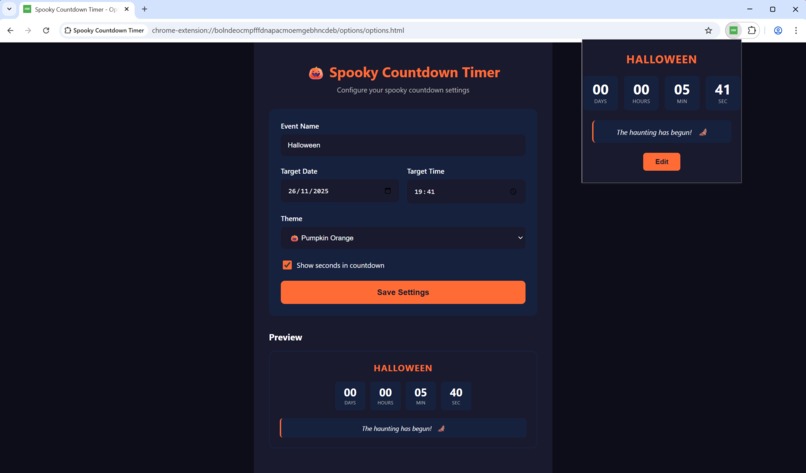
Example Application based on popups and settings
-
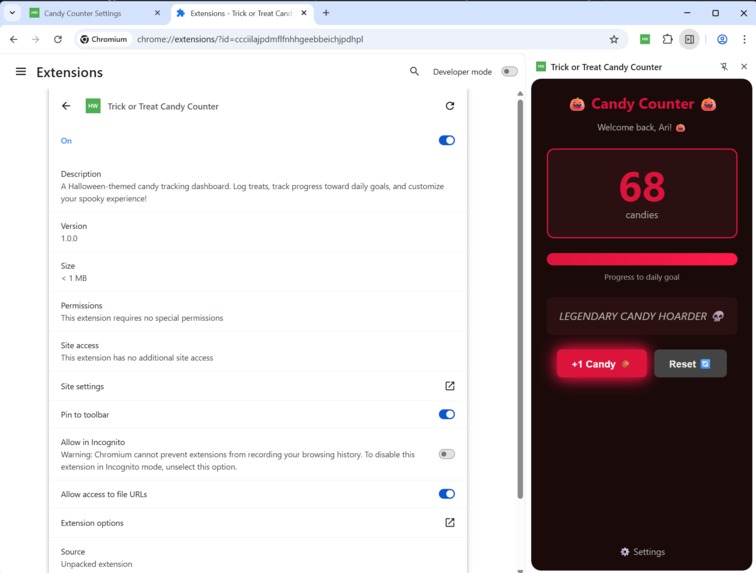
Example Application based on an interactive sidebar as part of the website window
-
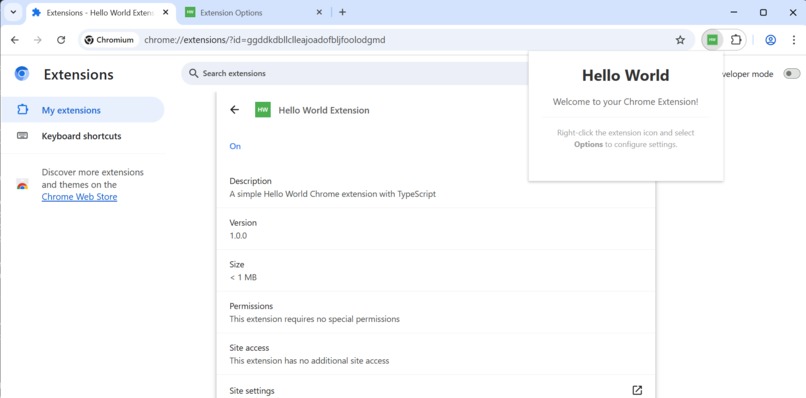
Simple example that is ready to be modified, including a settings page.
-
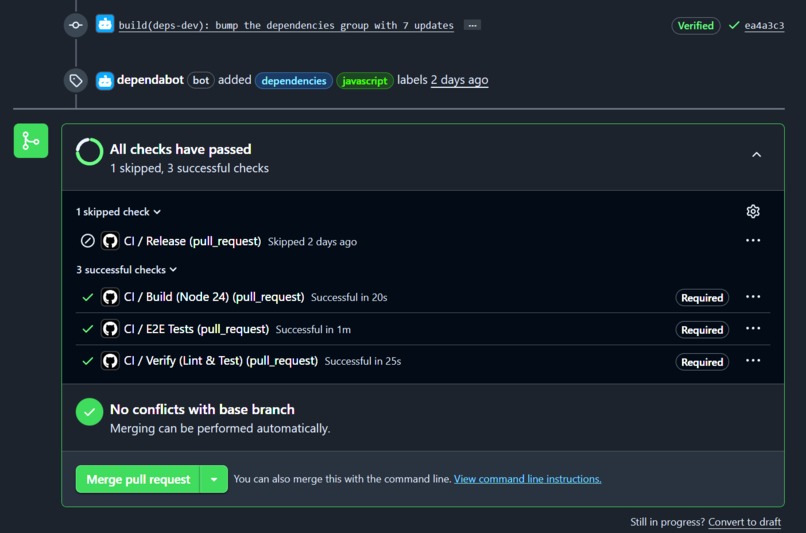
Verifying Builds, Style and Tests externally
-
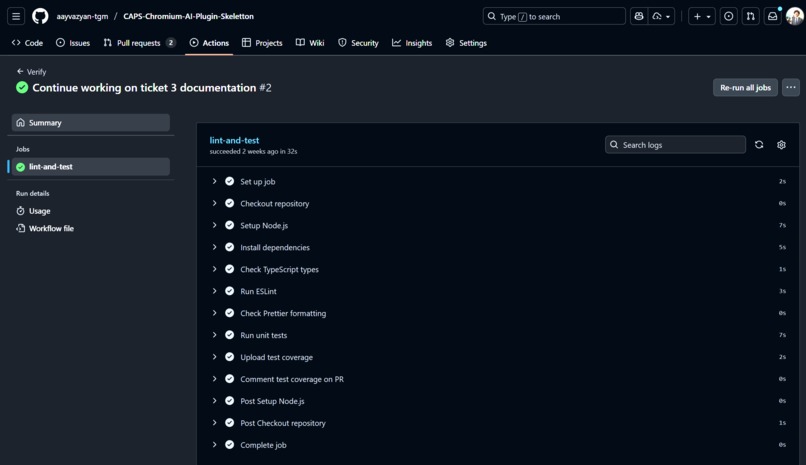
High Industry Standards for Checks, including dev friendly PR Decoration
-
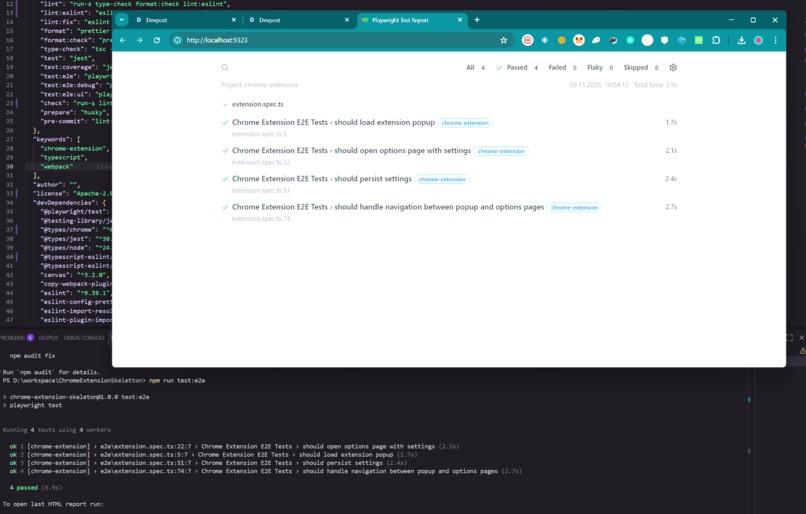
One command to run end to end tests
-
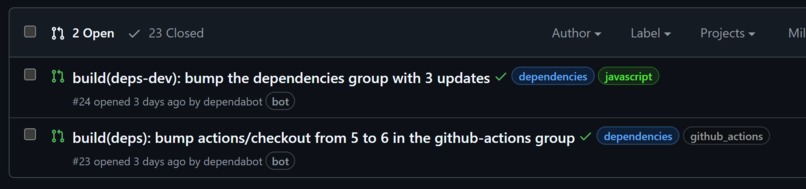
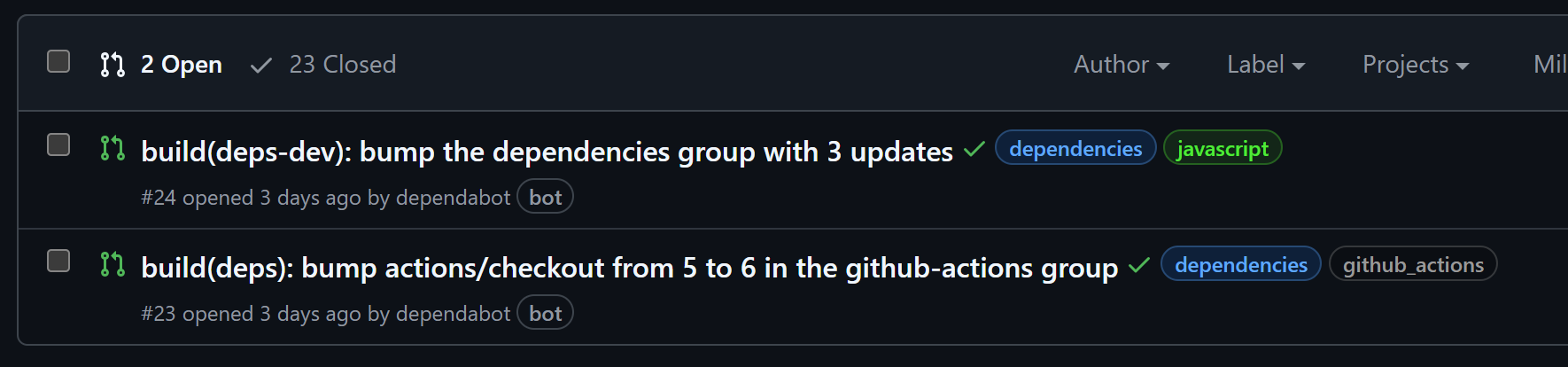
Automated Dependency updates
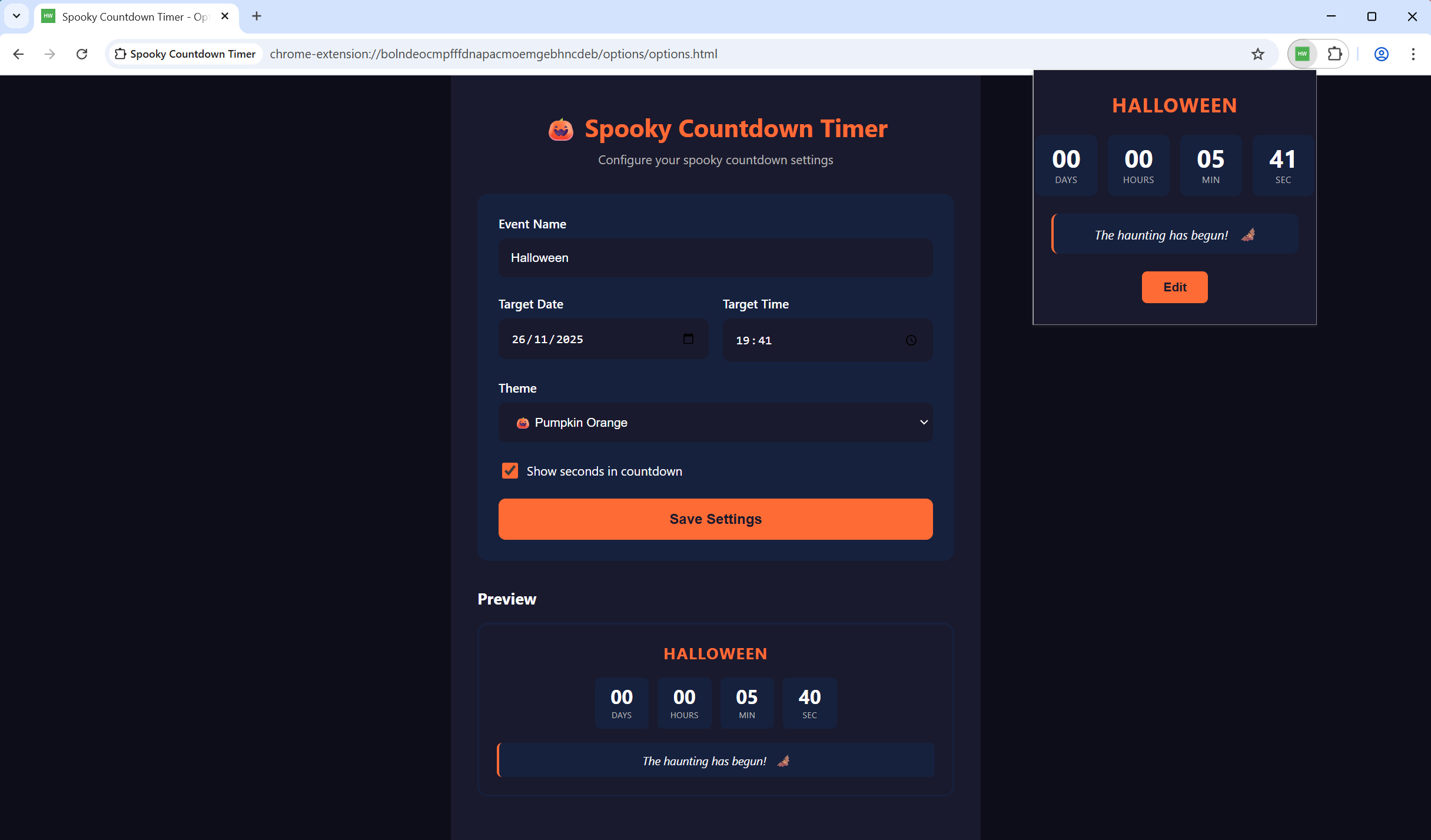
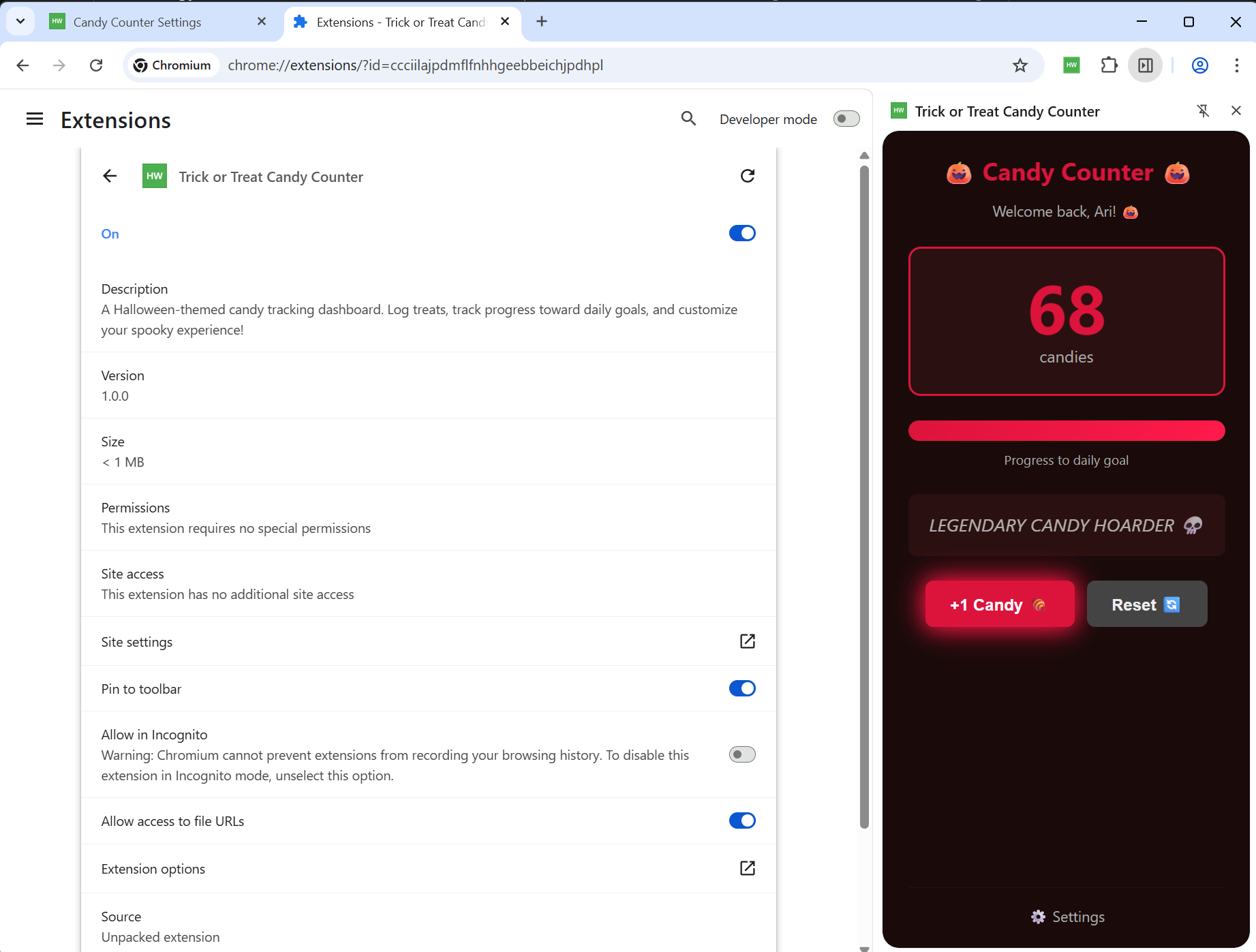
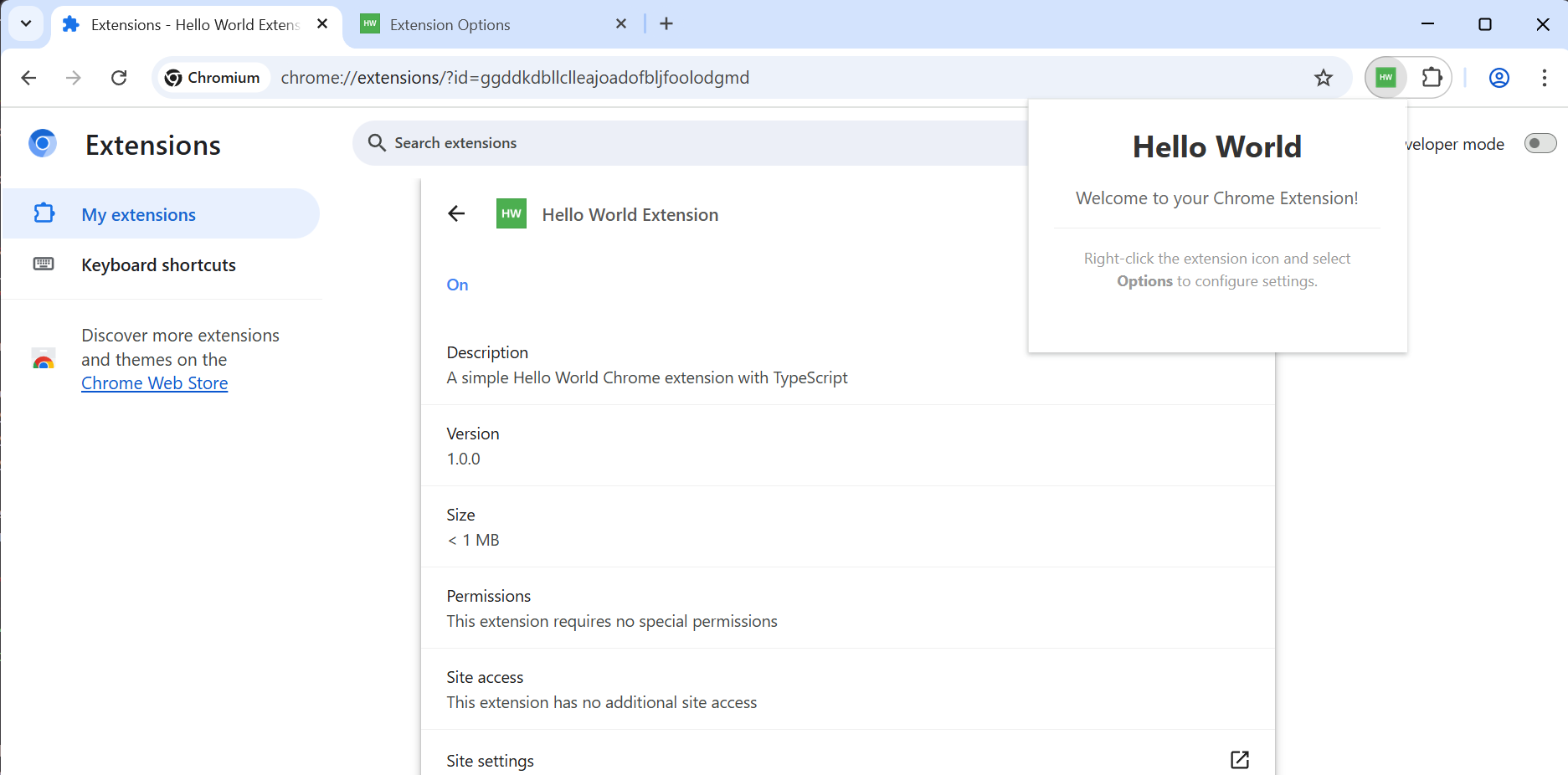
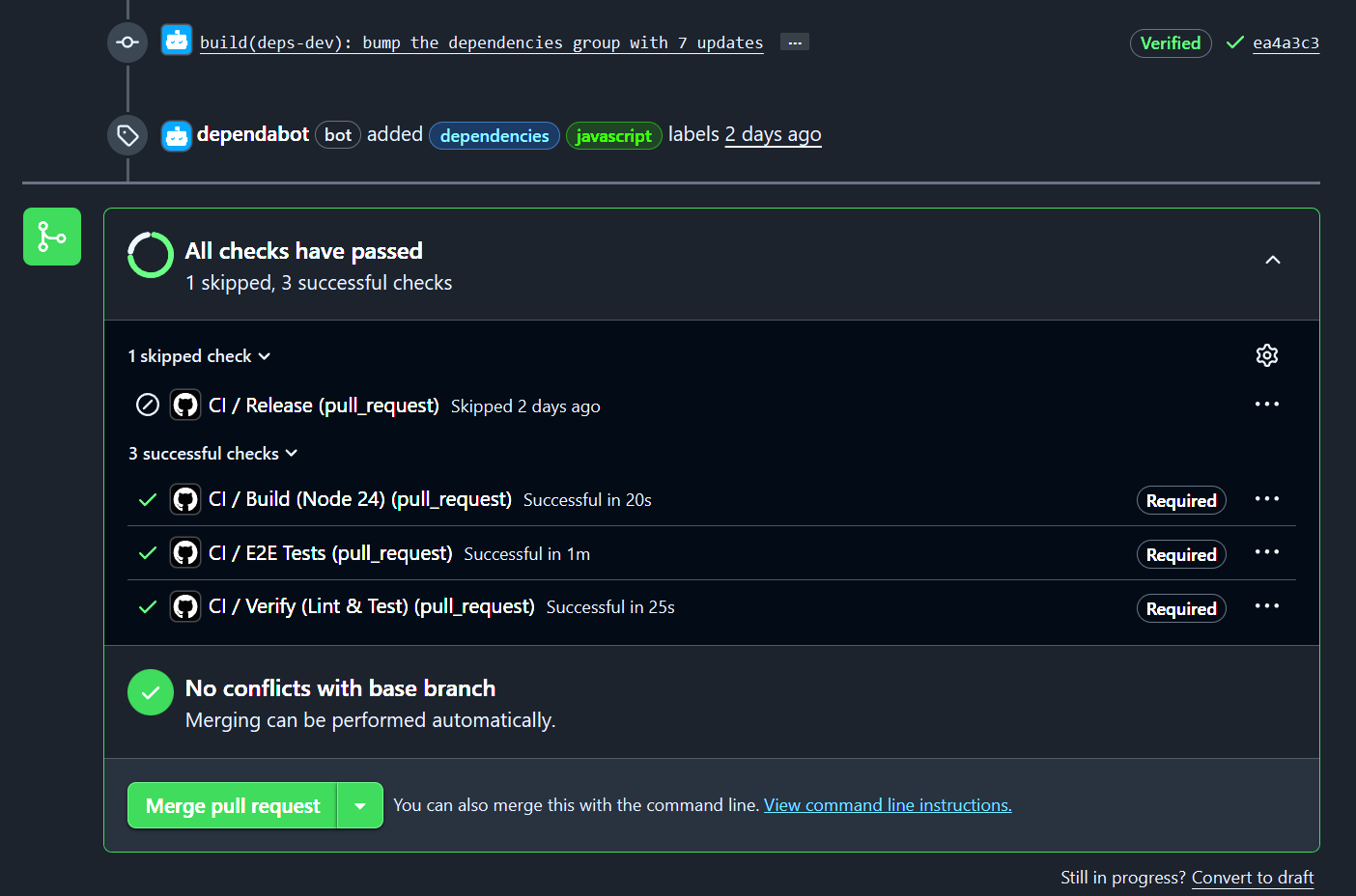

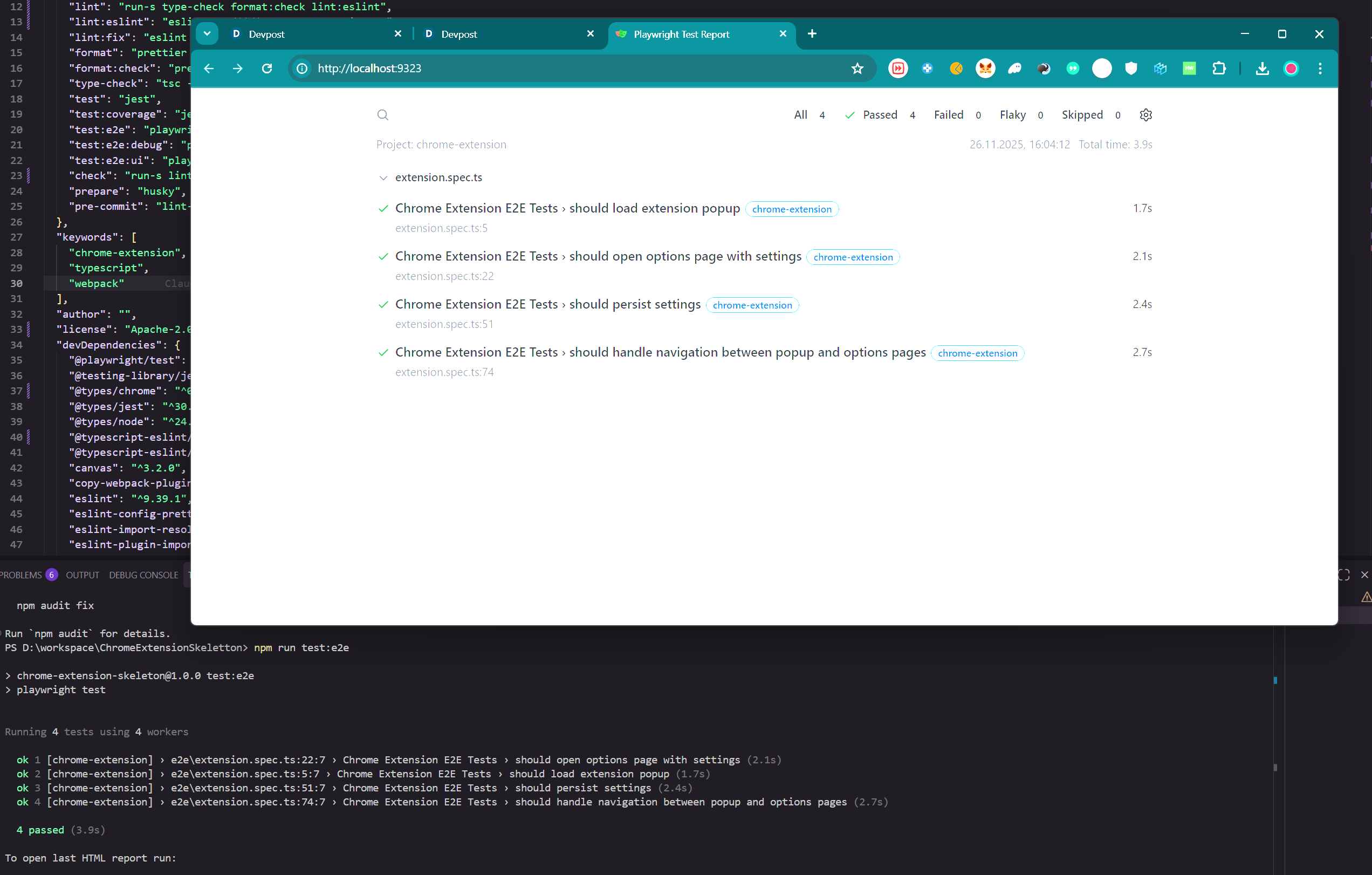
This project saves humans hours of setup. And enables AI Agents to work on chrome & chromium plugins for the first time!
Inspiration
The spark came from a frustrating reality: AI assistants are blind when building browser extensions. They can write code, but they can't see if it actually works. They generate popup.ts files without knowing if the popup renders. They create background workers without verifying they initialize correctly. It's like asking someone to paint a masterpiece while blindfolded.
I wanted to give AI its sight back.
The Skeleton Crew category was perfect because this isn't just about building one extension—it's about building the foundation that lets AI build ANY extension. A skeleton that's lean enough to understand, but complete enough to verify. The bones that let the monster come alive.
Implementation Examples 📚
See what you can build with this skeleton — both examples were built with a single prompt, no intervention required:
| Example | Description | Repository |
|---|---|---|
| 🍬 Candy Counter Sidebar | A sidebar extension that counts candies on web pages | chrome-plugin-example-impl-1-candy-counter-sidebar |
| ⏱️ Countdown Timer | A countdown timer extension with notifications | chrome-plugin-example-impl-2-countown-timer |
What it does
CAPS (Chromium AI Plugin Skeleton) is a production-ready Chrome Extension V3 template that transforms AI from a blind code generator into a verified extension builder.
The magic is in the verification loop:
- 🧪 E2E tests with Playwright that actually load the extension in a real Chrome browser
- 🔄 CI/CD pipeline that runs build → lint → unit tests → E2E tests on every change
- 📦 One-command launch (
npm start) that builds and opens Chrome with the extension loaded - ✅ Instant feedback so AI knows immediately if its code works
For developers, it's a complete starter kit: TypeScript, Webpack, ESLint, Prettier, Husky, Jest, and Playwright—all pre-configured and working together.
For AI, it's a superpower: the ability to write extension code and actually verify it works.
Features
🤖 AI-Friendly Codebase
- Clean, well-structured TypeScript code that AI tools understand instantly
- Consistent patterns and clear separation of concerns
- Comprehensive tooling setup with ESLint, Prettier, and Husky
🧪 Automated E2E Testing
- Playwright tests that run your extension in a real Chrome browser
- GitHub Actions CI/CD pipeline with build verification, linting, unit tests, and E2E tests
- Pre-configured test scripts for local and CI environments
⚡ Simple Manifest V3 Example
- Modern Chrome Extension API with service workers
- Minimal "Hello World" implementation that's easy to understand and extend
- Working examples of popup, options page, and background worker
🔧 Ready-to-Use NPM Scripts
npm start           # Build + launch Chrome with extension loaded
npm run build       # Production build
npm run dev         # Development build with watch mode
npm test            # Run unit tests
npm run test:e2e    # Run E2E tests in Chrome
npm run check       # Type-check, lint, format, and test
📦 Complete TypeScript Setup
- Strict TypeScript configuration with Chrome types
- Webpack 5 bundling with source maps
- Development and production builds optimized
⚙️ GitHub Actions Workflows
- Automated build verification on every push/PR
- Parallel jobs for linting, testing, and E2E tests
- Automatic release artifact generation on main branch
How I built it
Kiro was instrumental in every phase:
Spec Driven Development Sessions: I started with natural conversations about the architecture. "I need a Chrome v3 extension skeleton with linting, typescript, ..." In the end I came up with three separate specifications of design, requirements and tasks, one for the Chrome Extension Foundation, one for the CI/CD/Testing Pipeline and one for Code Quality Tooling. In between those specs, I had to verify the plans and the implemented tasks manually as Kiro was unable to verify the extension automatically. - But because of this project - this has changed!
The Playwright Breakthrough: The most impressive code generation was the e2e/fixtures.ts file. Getting Playwright to load a Chrome extension in headless mode is notoriously tricky—Manifest V3 service workers, extension ID extraction, the --headless=new flag. Kiro navigated these complexities and produced working test fixtures that correctly:
- Launch Chromium with the extension loaded
- Wait for the service worker to initialize
- Extract the dynamic extension ID
- Provide clean test context for assertions
CI/CD Pipeline: Kiro helped design a parallel GitHub Actions workflow that runs build, lint, and E2E jobs simultaneously. The Xvfb setup for headless Chrome testing in CI was particularly tricky, but Kiro got it right even before discovering the headless=new flag.
Challenges I ran into
The Headless Extension Paradox: Chrome extensions traditionally require a visible browser window. Making them work in headless CI environments required the newer --headless=new flag and careful Playwright configuration. Several iterations were needed to get the service worker detection timing right.
Manifest V3 Complexity: The shift from background pages to service workers in Manifest V3 changed how extensions initialize. The tests needed to wait for the service worker before extracting the extension ID—a race condition that caused flaky tests until I added proper event waiting.
Balancing Skeleton vs. Bloat: A skeleton needs to be minimal enough to understand but complete enough to be useful. Every file had to justify its existence. I cut features that weren't essential to the "AI can verify this" mission.
Accomplishments that I'm proud of
🎯 True E2E Verification: The tests don't mock Chrome APIs—they run in a real browser with a real extension. When tests pass, the extension actually works.
🚀 One-Command Experience: npm start builds the extension and launches Chrome with the extension already loaded. npm run test:e2e verifies everything works. No manual steps, no "load unpacked" dance.
🤖 AI-Friendly Architecture: Clean separation of concerns (popup/, options/, background/), consistent patterns, and comprehensive tooling that AI assistants can understand and extend.
⚡ Fast CI Feedback: Parallel jobs mean developers (and AI) get feedback in minutes, not hours. The pipeline catches issues before they reach main.
⚡ Automated Formating and Linting: I set up industry standard linting and formatting that is automatically applied by the ai when it commits, checked when a pr is created and can easily be verified by the ai with the "npm run check" command
What I learned
Verification Changes Everything: When AI can verify its work, the development loop transforms. Instead of "generate and hope," it becomes "generate, test, iterate." This is the future of AI-assisted development.
Skeletons Need Muscles: A bare-bones template isn't enough. The testing infrastructure, CI pipeline, and developer tooling are what make a skeleton actually useful. The bones need muscles to move.
Manifest V3 is the Future: Despite its complexity and controversy, Manifest V3's service workers are replacing the old system and are here to stay. Building the skeleton on V3 ensures it's ready for the long term.
⚖️ Judging Criteria Breakdown
💎 1. Potential Value
Market Position: The AI Blindspot There is currently no skeleton available that supports AIs in verifying their own results. Other skeletons are outdated, and Kiro (or even MCP tools) typically cannot access or verify Chrome extensions due to sandbox limitations. This project gives Kiro the "eyes" it needs to verify its result.
User Experience: Zero Configuration This skeleton is ready to use immediately—simply clone and deploy.
- Zero-Install Start: Start the browser even if Chrome isn't installed locally; Playwright handles the environment automatically.
- Automated Workflows: Parallel, optimized GitHub workflows for tests, linting, and releases are active by default.
- Auto-Formatting: Code style is applied automatically on commits, ensuring consistency whether the contributor is a human or an AI.
- Kiro Integration:
- Steering Documents are in place to guide the AI on file structure.
- Agent Hooks ensure tests are executed, documentation is updated, and issues are fixed automatically.
- Store Ready: The application includes all necessary icons and assets to release directly to the Chrome Web Store.
Scalability & Extensibility This plugin lays a strong architectural basis and can be used for any kind of Chrome application. The project is designed to be easily extended, allowing any AI to use it to implement—and verify—their specific project logic.
🧠 2. Implementation
Strategy & Process I approached the architecture through natural conversations ("Vibe Coding"), starting with the prompt: "I need a Chrome v3 extension skeleton with linting, typescript..."
To ensure stability, I developed three separate specifications:
- Chrome Extension Foundation
- CI/CD/Testing Pipeline
- Code Quality Tooling
Overcoming Limitations Initially, I verified plans manually because Kiro couldn't verify the extension. I attempted to use MCP tools for browser vision, but they failed to load the extension automatically or view content outside the DOM. The Solution: I built verification into the skeleton itself. Now, Kiro can verify its own work automatically.
Feature Depth
- Steering Docs: Used to guide Kiro through repeated pitfalls (like Manifest v3 requirements).
- Agent Hooks: Used to force Kiro to fix its own mistakes during the generation process.
- Native Integration: Kiro is strategically used as part of the skeleton. Anyone using this template benefits from these features out of the box without configuration.
🎨 3. Quality and Design
Originality: AI-First Architecture This is the first project that prioritizes AI tools in the development loop. No other skeleton supports AI tools in developing automated end-to-end tests against Chromium extensions.
Problem Solving Uniqueness This skeleton allows AIs to create Chromium extensions completely on their own for the first time. It bridges the gap between code generation and execution verification.
Delight: Fully Automated DevOps Everything happens without user input: style formatting on commits, type safety checks, linting, dependency updates, GitHub testing, and release workflows.
Developer Experience: The project includes a Run Configuration to directly start the browser with the extension active. Crucially, the Chrome profile is stored and persisted within the project, making testing significantly easier (no need to re-login every session).
What's next for CAPS
🧩 MCP Integration: Create an MCP server that exposes extension testing capabilities directly to AI assistants, enabling even tighter verification loops.
📚 Recipe Library: Build a collection of common extension patterns (tab management, context menus, notifications) that can be mixed into the skeleton.
🌐 Cross-Browser Support: Extend the skeleton to support Firefox and Edge with a unified codebase and browser-specific manifests.
🧟 One Last Thing...
Using this skeleton, Kiro was able to implement two separate extensions with a single prompt, perfectly, without feedback, and without bugs!
The skeleton is alive. Now it's time to see what monsters it can create. 🎃
Built With
- chrome
- chromium-extension
- css
- eslint
- git
- github
- github-workflows
- html
- husky
- javascript
- lint-staged
- node.js
- playwright
- prettier
- typescript
- webpack


Log in or sign up for Devpost to join the conversation.