-
-
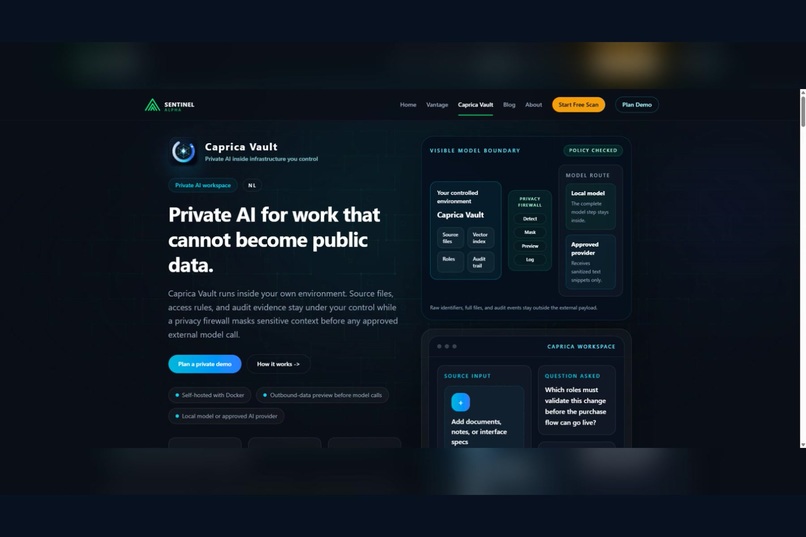
Caprica Vault — private, governed AI for practical SME work.
-
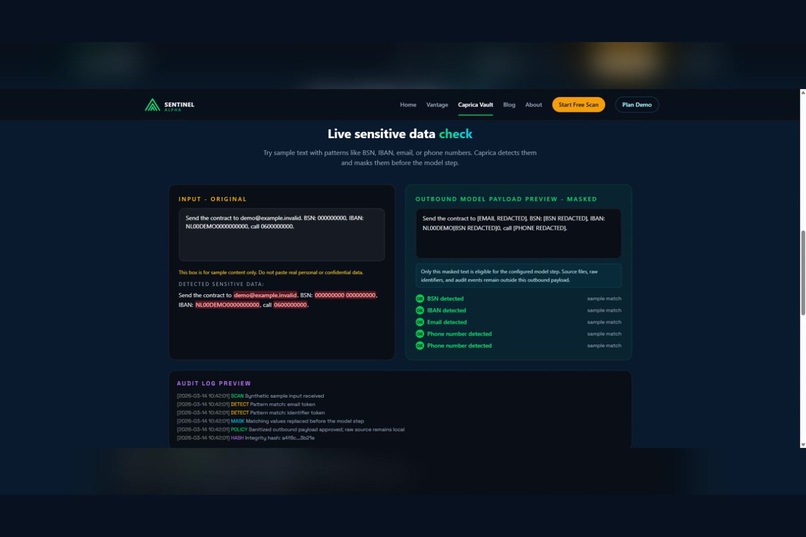
Outbound Data Preview: inspect the exact masked payload before approval.
-
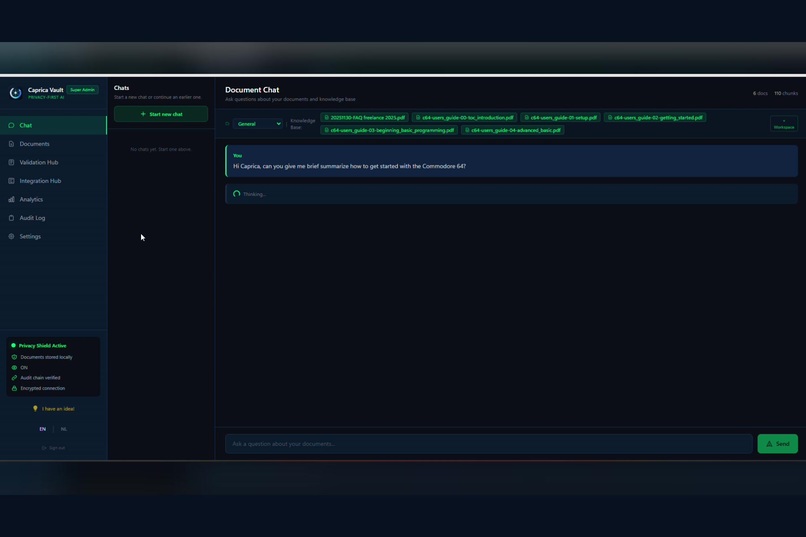
Private AI workspace with cited answers from approved internal knowledge.
-
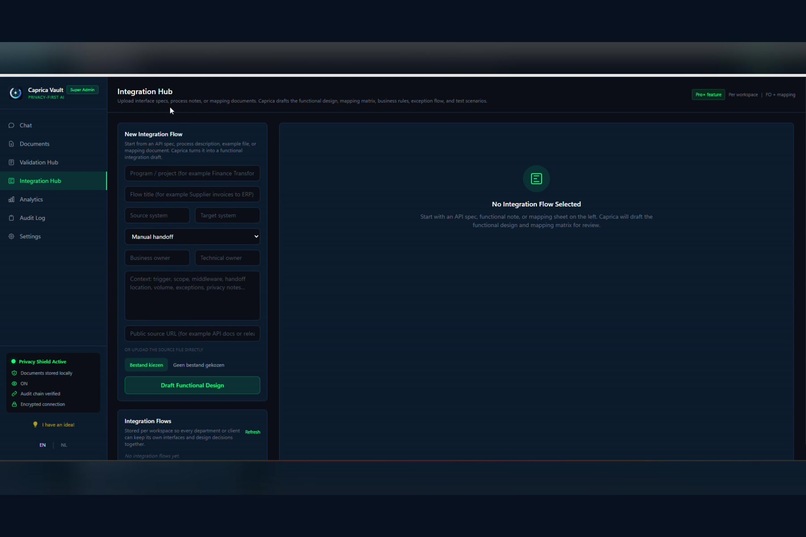
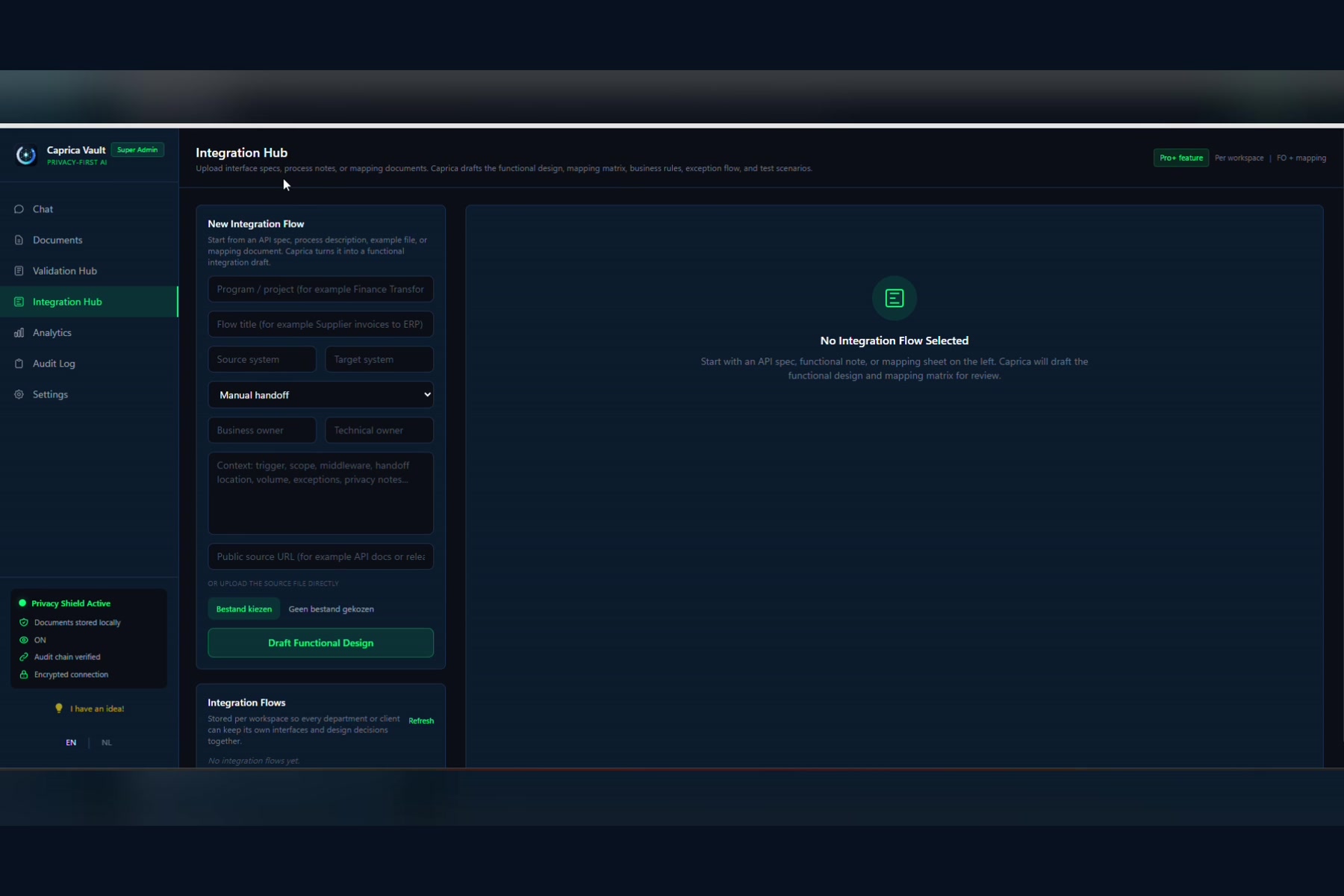
Integration Hub: visual mappings and an MCP-style layer on existing APIs.
-
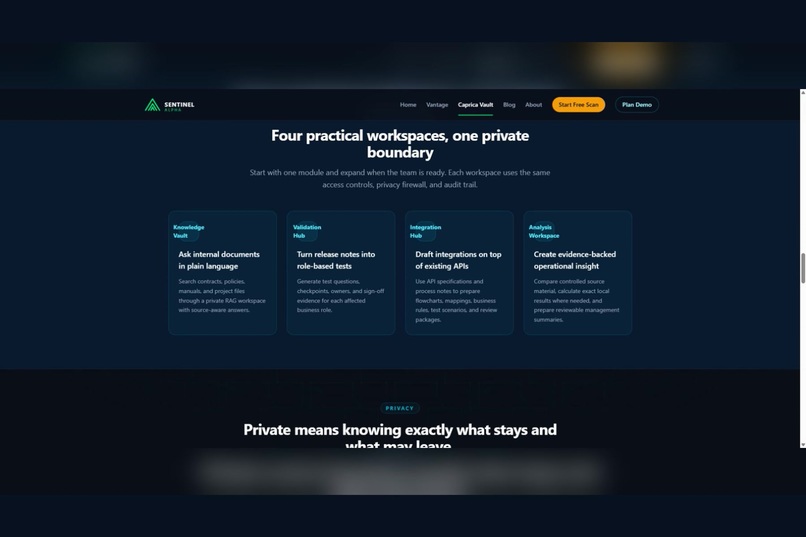
Governed workspaces with roles, audit trails, and configurable AI providers.
Inspiration
Large organizations can hire AI consultants, build dedicated AI teams, and purchase expensive enterprise platforms. Small and mid-sized businesses have many of the same needs, but often lack the budget, technical capacity, or specialized staff to implement AI safely.
From my previous work with business applications, functional management, release testing, and integrations, I saw how much time organizations spend searching through documents, understanding release notes, creating test scenarios, and mapping data between systems.
I started exploring this problem together with GPT. The central question was simple: what if private AI could be installed like normal business software?
A system administrator could deploy one Docker image inside the organization’s own infrastructure. Key users could manage documents and workflows, while employees could ask questions based on the information they are authorized to access. The organization would remain in control of its source files, roles, provider keys, approvals, and audit evidence.
That idea became Caprica Vault.
What it does
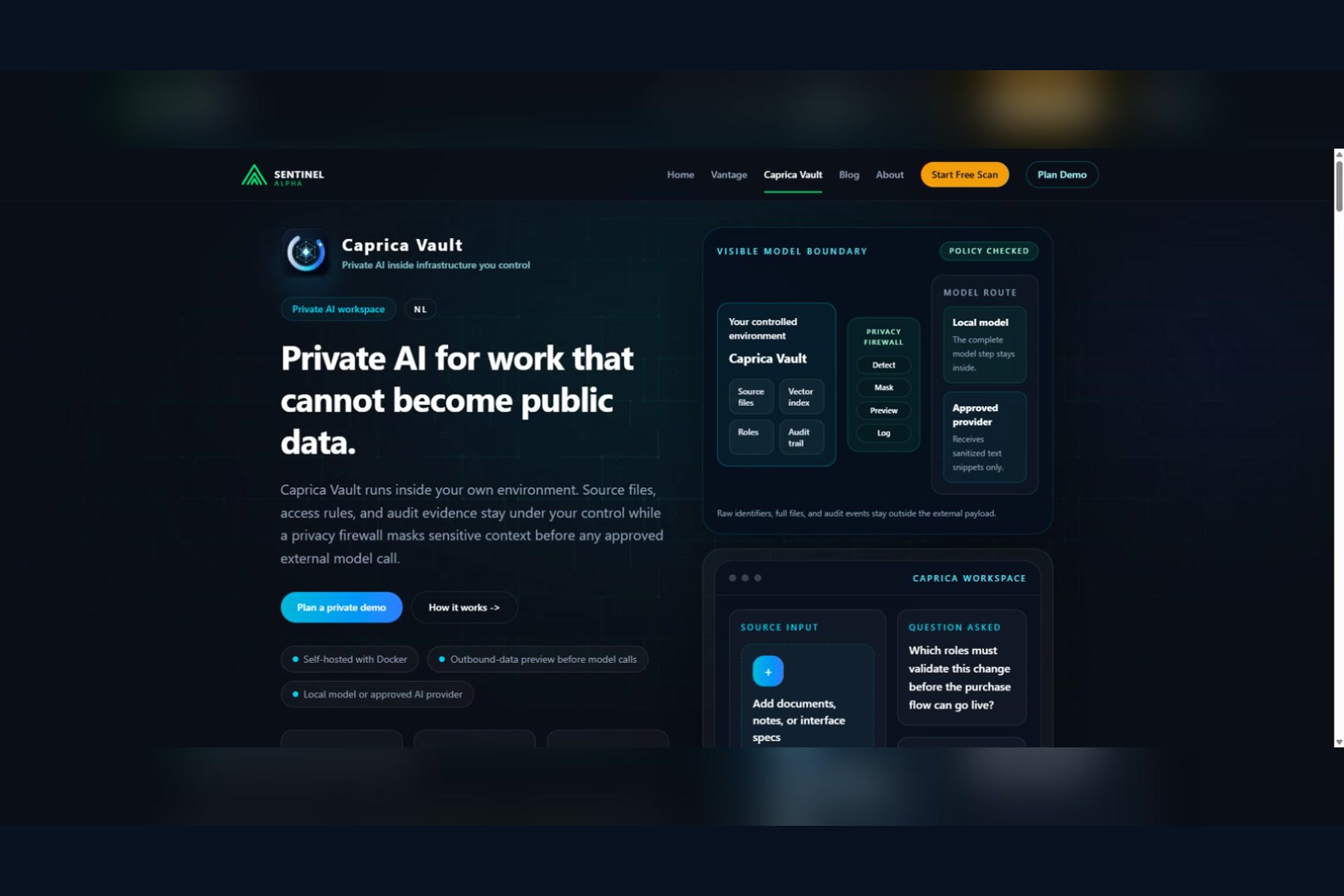
Caprica Vault is a self-hosted private AI workspace for SMEs and privacy-sensitive organizations.
An administrator installs Caprica Vault using Docker on a company server, private cloud, or VPS. Access is separated by role, so administrators, key users, regular users, and privacy or security roles receive different capabilities.
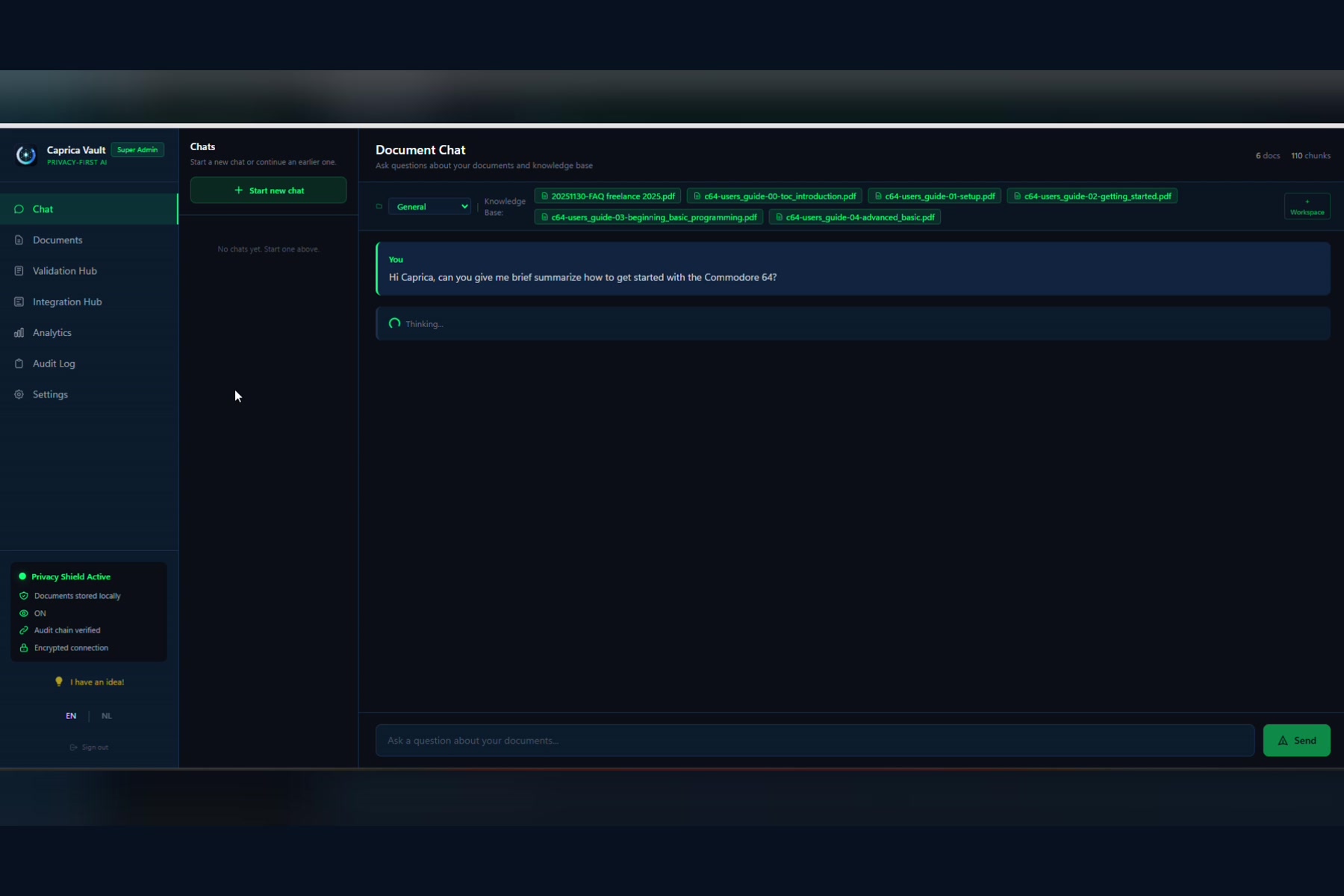
The core workspace provides retrieval-augmented generation, or RAG. Key users can upload documents such as policies, manuals, contracts, spreadsheets, presentations, and release notes. Employees can then ask natural-language questions and receive understandable answers with source references.
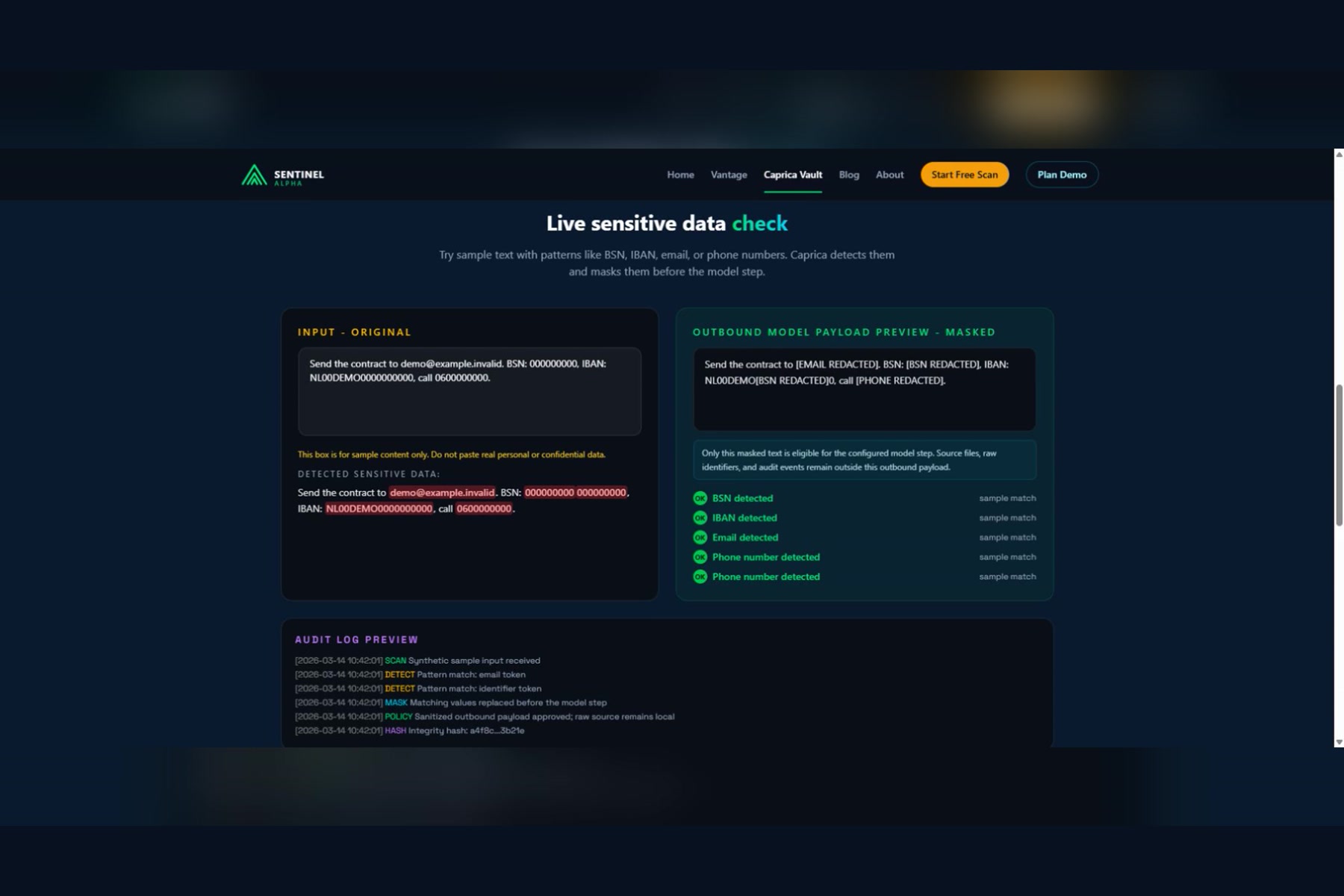
Raw source files, the vector database, provider keys, and audit evidence remain inside the controlled environment. When an external AI provider is configured, Caprica Vault first detects and masks sensitive identifiers such as email addresses, phone numbers, IBANs, and national identifiers. An outbound-data preview shows which sanitized context is eligible to be sent to the selected model—and which information remains local.
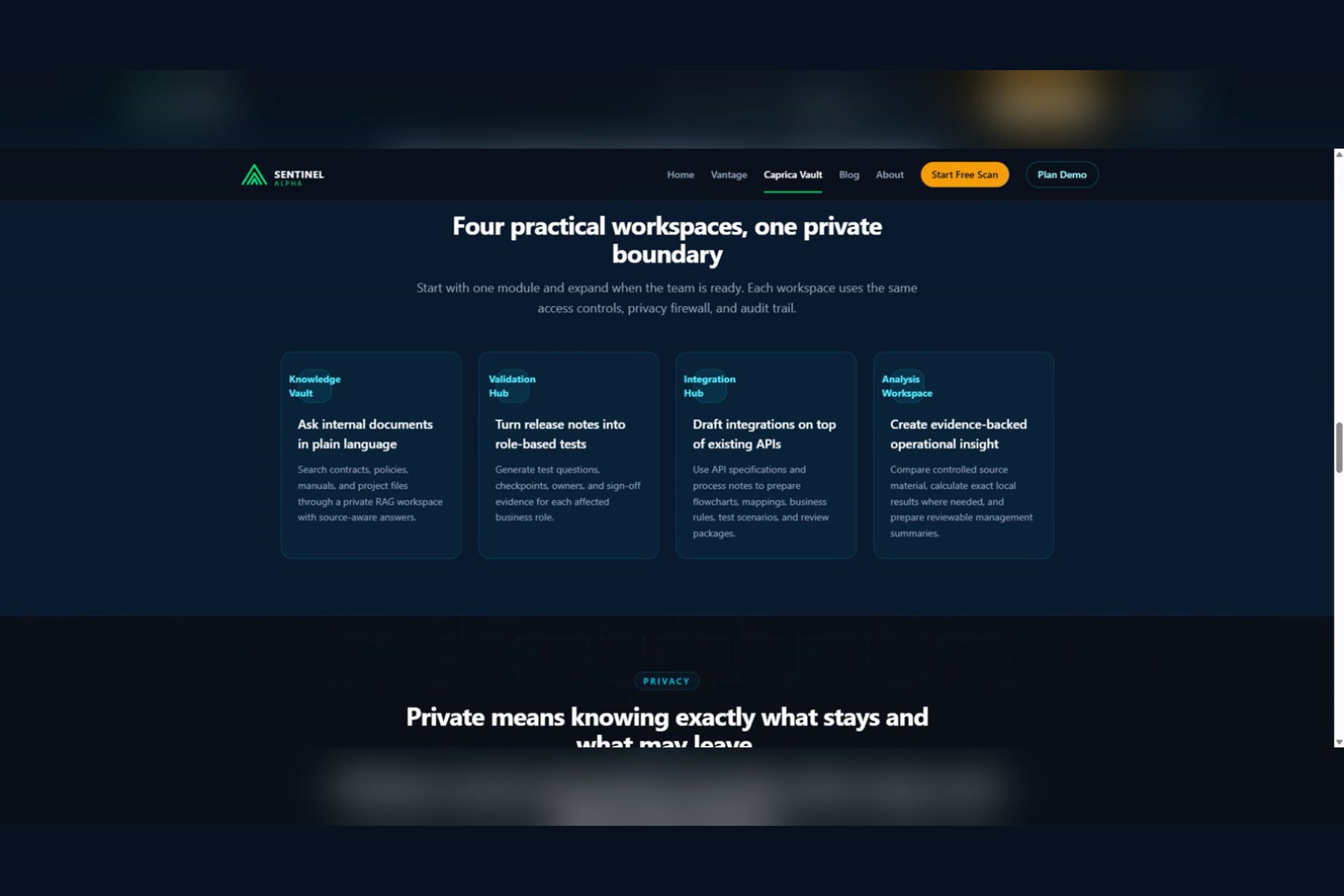
Caprica Vault also includes several practical workspaces:
- Validation Hub helps smaller IT teams understand software releases. Users can import release notes, group changes by business function, generate test questions and scenarios, record findings, and preserve validation evidence.
- Integration Hub helps teams design connections between business applications. It can turn API specifications, process notes, and interface requirements into functional-design drafts, field mappings, business rules, risks, and test scenarios. It uses an MCP-style tool layer on top of existing APIs: the APIs remain the reliable transport, while AI helps people understand and configure the integration.
- Analytics helps users inspect spreadsheets and operational information while keeping the original files inside the controlled workspace.
- Audit and privacy controls record important actions and make the human-approval boundary visible.
Organizations can choose their AI provider. Caprica Vault supports OpenAI models as well as Anthropic Claude and Google Gemini. Provider credentials are configured and stored locally, and outbound endpoints are checked against policy.
How we built it
Caprica Vault is built as a Python application with FastAPI and a browser-based interface using JavaScript, Jinja2, and Tailwind CSS.
Docker provides a consistent installation process across local computers, private servers, and VPS environments. ChromaDB is used as the local vector database for document retrieval. Dedicated document processors handle PDF, Word, Excel, and PowerPoint files.
The architecture separates local processing from optional external model calls:
- Documents are parsed and indexed locally.
- A role and license check determines what the user may access.
- Relevant document sections are retrieved.
- The privacy firewall scans and masks sensitive information.
- The outbound preview shows the sanitized model payload.
- Only approved context is sent to the configured provider.
- The response and supporting audit events are returned to the controlled workspace.
A provider router supports OpenAI, Anthropic, and Google models without tying the application to a single AI vendor.
For the Build Week demonstration, we created a fully synthetic SME workspace. It contains no real employee, customer, financial, or company data. The release was validated with 195 automated tests and deployed as an immutable Docker image with health checks, backups, and a rollback path.
Challenges we ran into
The biggest challenge was defining “private AI” honestly.
Running an application on a private server does not automatically mean that no information ever leaves that server. If an organization chooses an external AI provider, selected context must be transmitted to that provider. We therefore made that boundary explicit instead of hiding it: Caprica Vault shows the sanitized outbound payload before the model step and records the decision in the audit trail.
Another challenge was combining probabilistic AI with business workflows that need control and repeatability. AI is useful for drafting mappings, questions, explanations, and diagnoses, but it should not silently approve releases, modify integrations, or perform consequential actions. Caprica Vault therefore keeps humans responsible for approval.
We also had to balance a broad product vision with a coherent working demo. Document chat, validation, integration design, analytics, privacy controls, roles, multiple model providers, and deployment all had to feel like parts of one product rather than unrelated AI features.
Accomplishments that we're proud of
We are proud that Caprica Vault became a working, deployable product rather than only a concept.
It can be installed with Docker, run inside infrastructure controlled by the organization, process multiple business-document formats, answer questions with source references, and support different user roles.
The privacy boundary is visible and testable. Users can see detected identifiers, masked content, the exact outbound model payload, and the resulting audit events.
Validation Hub turns release notes into practical test preparation. Integration Hub turns technical specifications and process information into functional designs, mappings, business rules, risks, and test scenarios.
We are also proud of creating a provider-independent architecture. Organizations can select OpenAI, Claude, or Gemini according to their own technical, financial, and privacy requirements.
Finally, the entire Build Week demo uses synthetic data and a reproducible deployment process, with 195 passing tests, an immutable release image, health checks, backups, and rollback support.
What we learned
We learned that privacy must be understandable to normal users. A privacy statement is not enough; people need to see what remains local, what may leave the environment, and why.
We also learned that SMEs do not necessarily need a smaller enterprise platform. They need something that is simpler to install, easier to manage, and directly connected to everyday work.
MCP and AI can make integrations much more accessible, but they do not eliminate the underlying APIs. The strongest architecture combines reliable APIs with an intelligent layer for mapping, explanation, diagnosis, and guided repair.
Most importantly, we learned that AI becomes more useful in organizations when it works inside clear boundaries. AI can prepare, explain, compare, and recommend. People remain responsible for authorization and final decisions.
What's next for Caprica Vault
The next step is to run pilot projects with SMEs and privacy-sensitive organizations and learn which workflows create the most immediate value.
We want to expand Integration Hub with a visual flowchart designer, reusable connector definitions, a larger connector catalog, integration-health monitoring, and human-approved repair suggestions.
Validation Hub will gain reusable test libraries, richer evidence exports, and better comparisons between releases.
We also plan to strengthen support for local models, provider-specific policies, workspace isolation, deployment automation, and governance reporting.
Our long-term goal is to make private, governed AI realistically accessible to organizations that cannot afford an enterprise AI department—but still deserve control over their information.
Built With
- anthropic-claude
- chromadb
- docker
- fastapi
- google-gemini
- gpt
- javascript
- jinja
- openai-api
- pymupdf
- python
- python-docx
- rag
- rest-apis
- tailwind-css

