Inspiration
Owning Capital One credit cards, our team noticed the limited availability of deals to be redeemed since it was only available online. Our team wanted to implement the same deals that are already offered, but to a much larger group of consumers, allowing ease in redeeming the cash-back rewards in person, at a nearby site.
What it does
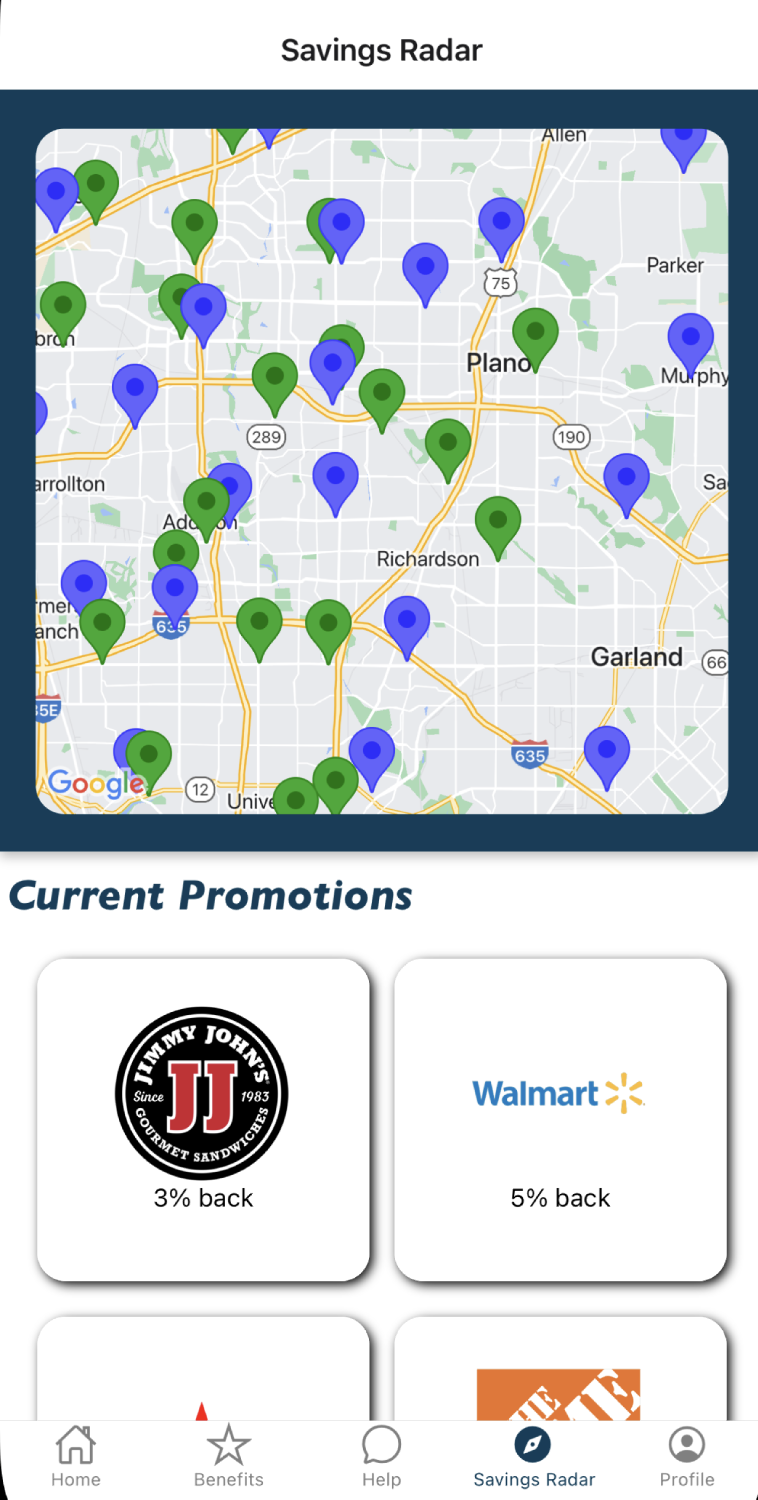
We used a Google Places API to allow a consumer who has the Capital One banking app to receive push notifications when they are shopping near a specific store, consumers will receive that push notification of the store's special cash-back offer that is available. Along with the push notification, that same offer will automatically be applied to the credit card as they enter the vicinity of a partnered location due to the cashback offers are not coupon redemption, but rather works as a credit card boost that is applied when redeemed in the current method for redemption. For example, if a credit card consumer is in a shopping complex with a Forever21 within that complex, with the current Capital One offer, that consumer will receive a push notification from the Capital One banking app that Forever21 provides a 15% cash back offer when using a Capital One credit card. With the notification, the credit card will automatically apply the credit card cashback deal so if that card happens to be used in that Forever21 store, consumers will not be pressured to follow the tedious steps to activate the deal. This offer will provide incentives for consumers in the area to shop at the partnered store for which the push notification is activated, therefore increasing profit margin opportunities. Another major advantage of this deal is it will incentivize consumers to obtain a Capital One credit card, further increasing profitable opportunities for the company. Many may assume that automatically applying the credit card deal to the card when a consumer enters the area could cost the company more money, but in reality with increased partnered store shopping along with an increased credit card usage base, Capital One will profit a larger amount than it already is. We chose to use the push notification style alert for in-person shopping because it has already been implemented within other brands. For example, in a shopping complex with a Hollister, a member's Hollister member card automatically shows up under the notifications for a consumer with the mobile app. For this to work, consumers will have to toggle location permissions to "always allow" for the Capital One mobile application, which shouldn't be too difficult for a consumer.
How we built it
We built the app primarily using the React-Native library to make all of the UI components. Additionally, we used the Google Maps Places API in order to return locations for the stores around the user. We also utilized various libraries available in React-Native to render the map, and create some of the more advanced features of our UI, including our push notifications.
Challenges we ran into
Since it was our first time coding a mobile application using react native and working with a Google API that didn't have native support in React Native, it took a while to understand what to specifically do and how to implement API calls that worked with our UI.
Accomplishments that we're proud of
We are proud of actually getting our API calls to work and our push notification system to actually work as well.
What we learned
We learned how to code a basic mobile application in React Native as well as how to use the Google Places API.
What's next for Capital One Savings Radar
We aim to expand this Savings Radar to just automatically apply the savings to any partnered store regardless of whether it is online or in person. Not just based on location, we aim to automatically apply these deals to online partners as well, such as AliExpress.


Log in or sign up for Devpost to join the conversation.