-
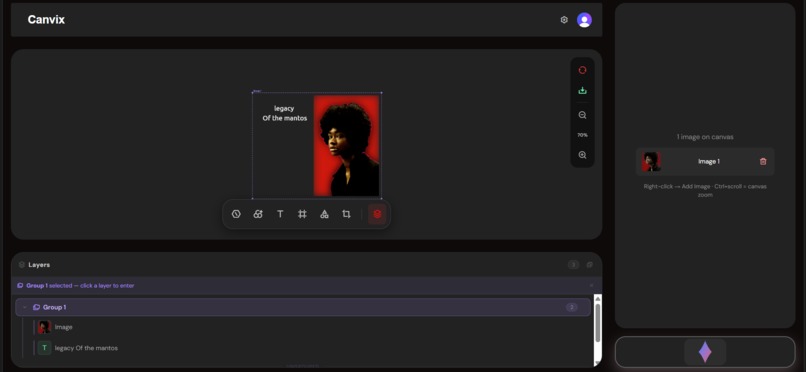
Home page
-
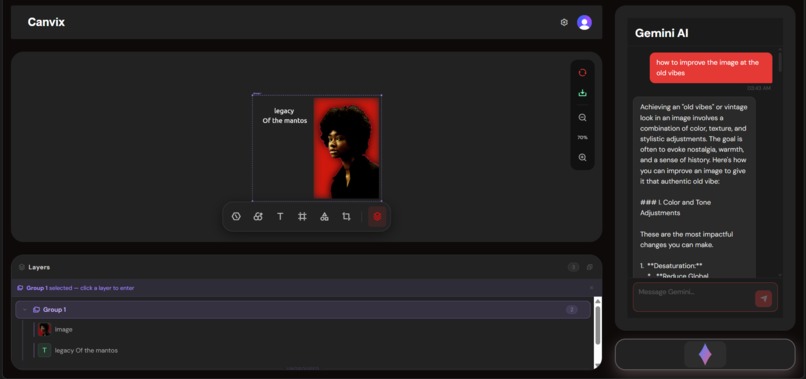
gemini smart suggestions page
-
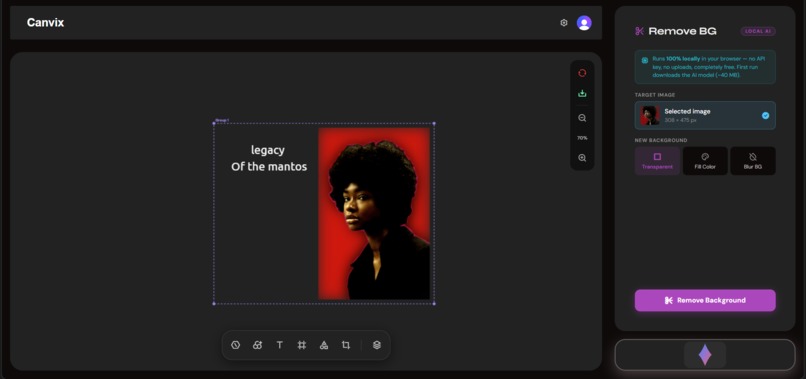
background remove panel page
-
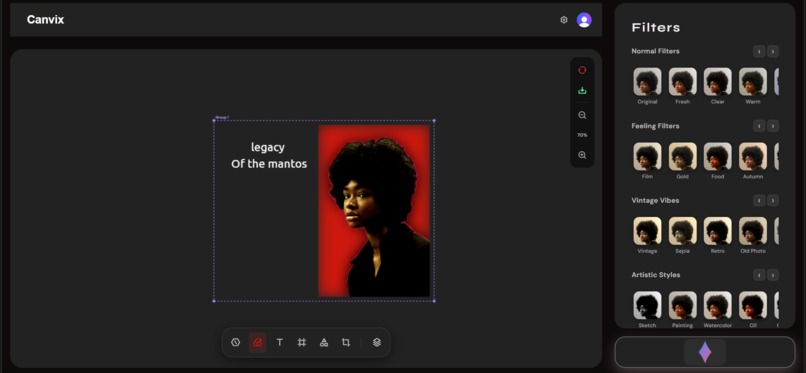
filter panel page
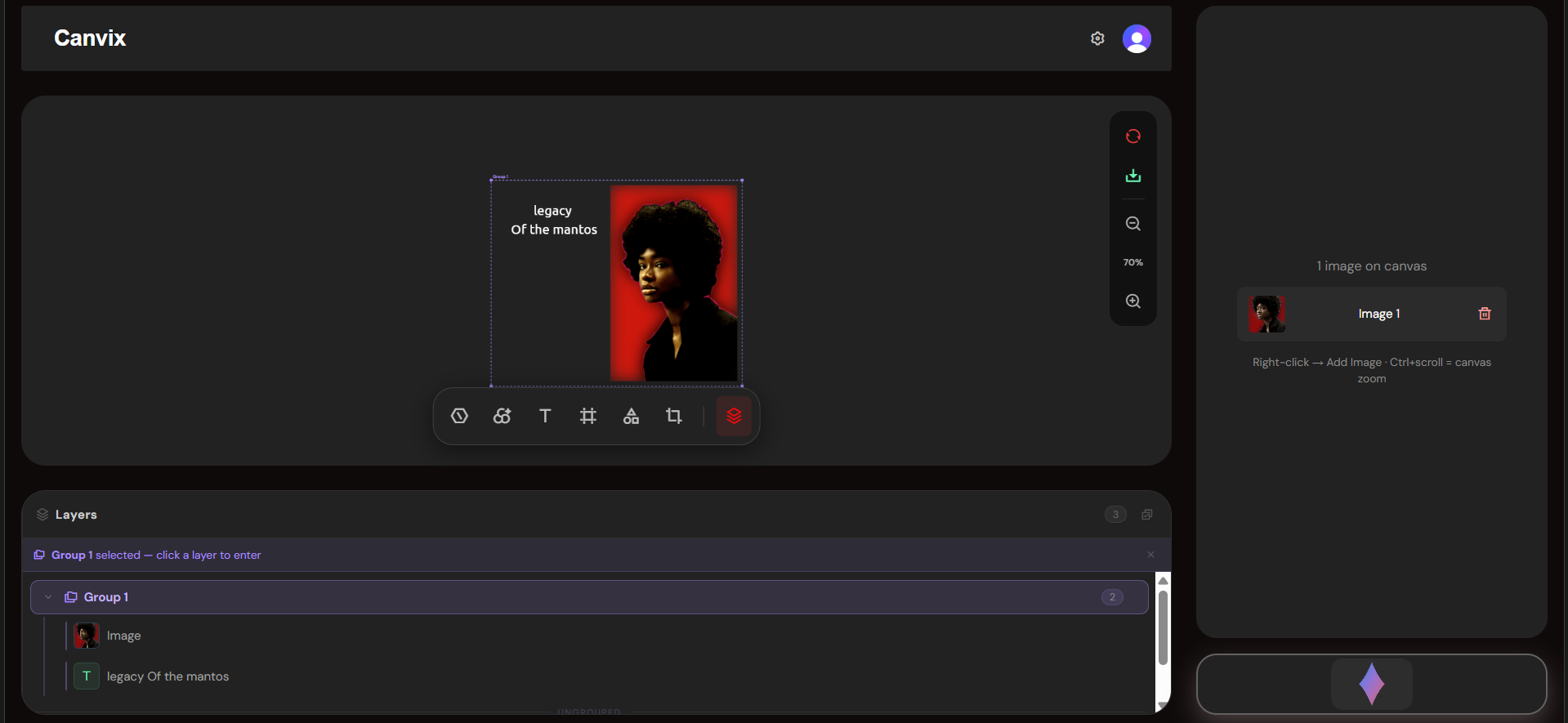
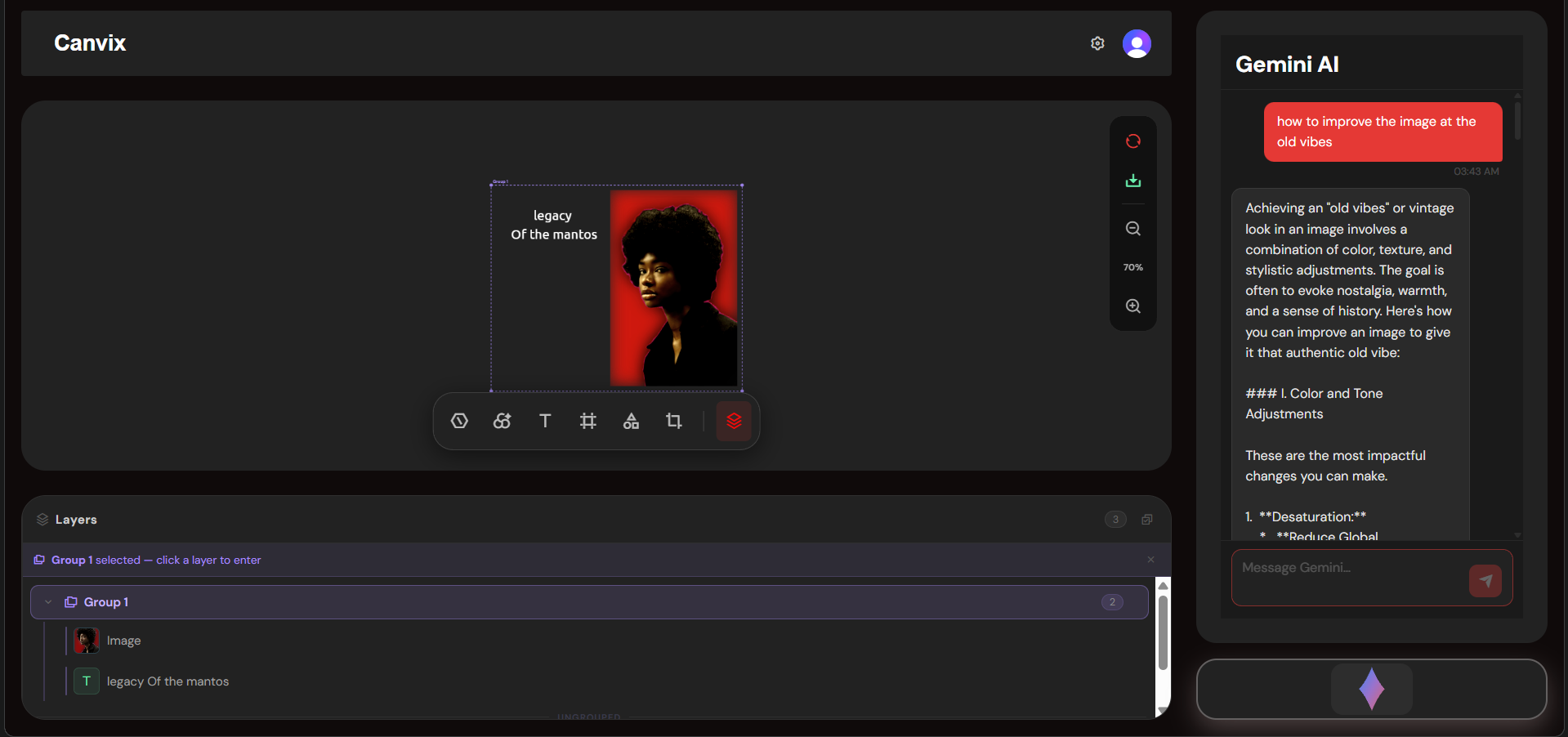
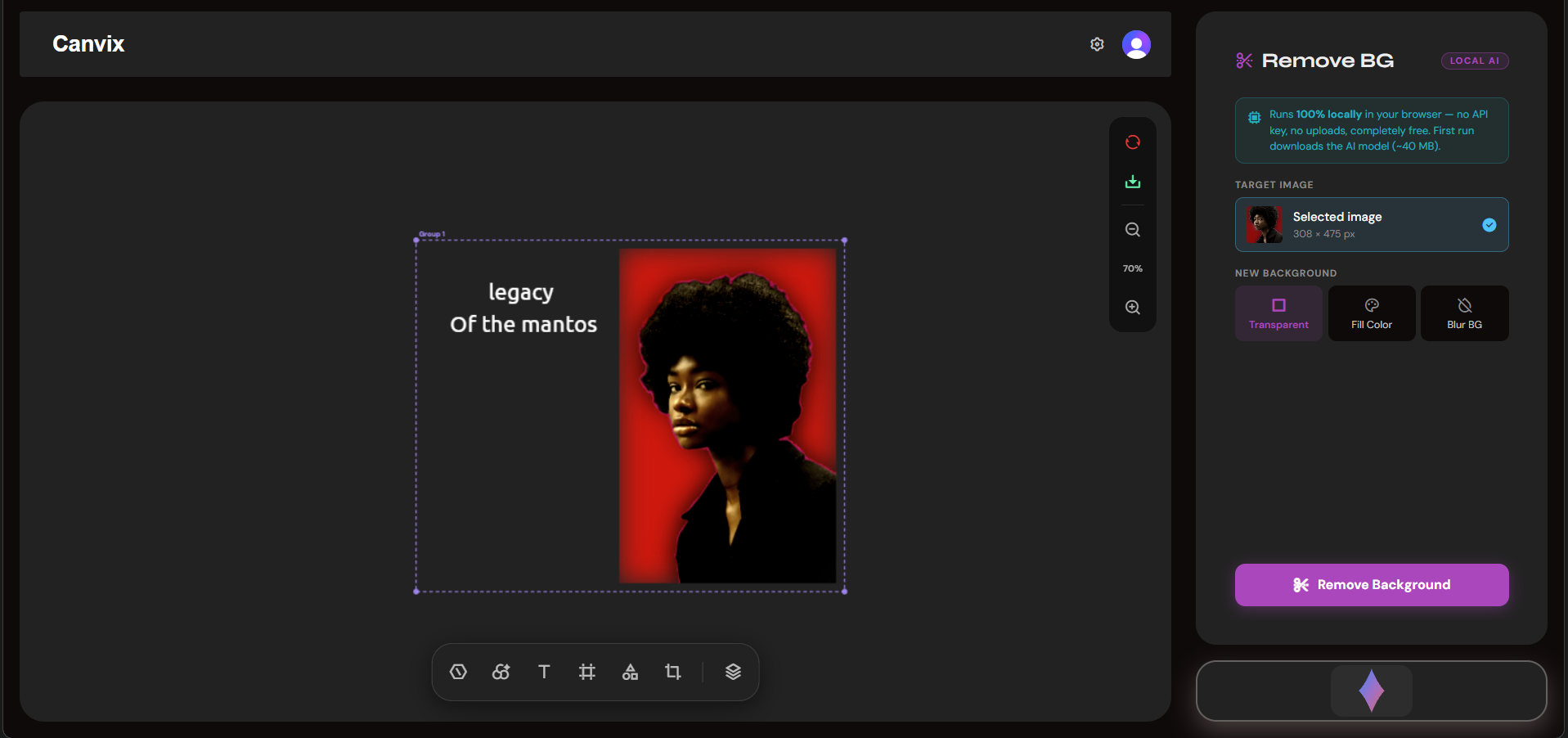
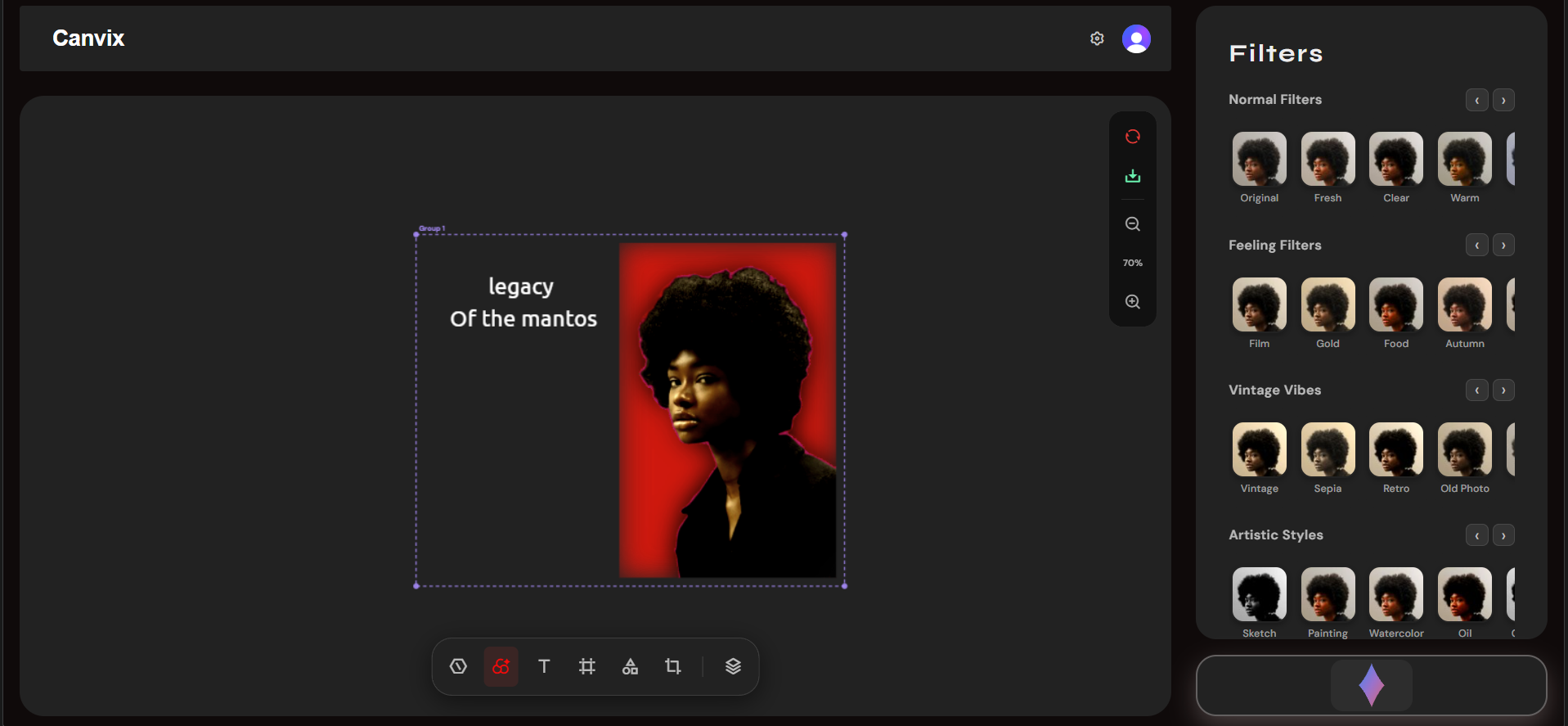
Here's the full, judge-impression-ready write-up for CANVIX:
Inspiration Every day, millions of people struggle with a painful reality — they have a creative vision but lack the technical skills or budget to bring it to life. Professional tools like Adobe Photoshop cost hundreds of dollars per year and take months to learn. Free alternatives are either too basic or cluttered with features that overwhelm beginners. Meanwhile, AI is advancing at an extraordinary pace, making things possible today that seemed like science fiction just two years ago. We looked at this gap and asked a bold question: what if editing an image was as simple as having a conversation? What if a small business owner could remove a background, enhance their product photo, and add branded text — all in under 60 seconds, for free, with no software to install? That vision became CANVIX. We didn't want to build just another image editor. We wanted to build the image editor that finally makes professional-quality creative work accessible to every single person on the planet.
What It Does CANVIX is a full-featured, AI-powered image editing application that runs entirely in the browser. It combines the power of traditional editing tools with cutting-edge generative AI, creating a seamless experience that serves both beginners and advanced users. Core editing capabilities include:
Filters & Adjustments — real-time brightness, contrast, saturation, hue, blur, and custom CSS filter presets applied instantly to the canvas Text Overlay — styled, draggable text layers with full font, size, colour, and alignment control Shapes, Icons & Stickers — vector shape overlays, emoji, custom stickers, and freehand paint strokes added as non-destructive layers Crop Tool — freeform and aspect-ratio-locked cropping with intuitive drag handles Layer Management — a full layers panel to reorder, toggle, and manage every element on the canvas independently Layout & Frames — apply decorative frame layouts to images with one click Download & Export — export the finished image in multiple formats directly from the browser
AI-powered capabilities include:
Natural Language Editing — users type exactly what they want in plain English ("make the lighting warmer", "add a dreamy soft glow") and Google Gemini interprets and applies the edit AI Enhancement — one-click intelligent image quality improvement powered by Gemini's vision model Prompt-Based Generation — describe a creative direction and let Gemini reimagine the image Background Removal — state-of-the-art deep learning model via Remove.bg API isolates the subject from any background in seconds Gemini Chat Panel — a conversational AI assistant built directly into the editor for real-time creative guidance and suggestions
No account setup friction, no software downloads, no subscription wall. Open the browser, upload an image, and start creating.
How We Built It CANVIX is built on a carefully chosen modern tech stack designed for performance, scalability, and developer experience. Frontend Architecture: We chose React 18 for its component model and concurrent rendering capabilities, paired with Vite 5 for near-instant hot module replacement during development and highly optimised production builds. Every editing panel — filters, text, shapes, crop, layers, AI enhance — is an independent, self-contained React component. This modular architecture means each feature can be developed, tested, and improved in complete isolation without breaking the rest of the application. Canvas Rendering Engine: All image rendering happens on an HTML5 Canvas element. We built a custom rendering pipeline that composites base images, CSS filter chains, SVG overlays, text layers, shape layers, and paint strokes in the correct order on every frame. This required deep understanding of the Canvas 2D API, image data manipulation, and browser rendering performance — keeping everything smooth and responsive even with multiple layers active. AI Integration: The Google Gemini API is integrated at two levels. First, as a vision + generation model that receives the current canvas state as a base64-encoded image and a natural language instruction, then returns a transformed result. Second, as a conversational assistant in the Gemini Panel that helps users brainstorm ideas, understand editing options, and get creative suggestions in real time. The Remove.bg API is called with the raw image data and returns a clean, transparent-background PNG which is then composited back into the layer stack, allowing further editing on top of the removed background. Authentication & Security: Clerk handles the complete authentication flow — sign up, sign in, session management, and route protection. All API keys are stored as environment variables and never exposed to the client. User sessions are JWT-secured and managed entirely by Clerk's infrastructure. Deployment Pipeline: The application is deployed on Netlify with a full CI/CD pipeline connected to GitHub. Every push to the main branch triggers an automatic rebuild and deployment. Environment variables are injected at build time by Netlify, keeping all secrets secure. The _redirects file ensures client-side routing works correctly on every page refresh.
Challenges We Ran Into Building CANVIX was not without its significant technical challenges. Each one pushed us to think deeper and build smarter.
- Real-Time Canvas Performance with Multiple Layers Managing a canvas that composites base images, filter chains, text layers, shape overlays, and paint strokes — all updating in real time — was one of our hardest engineering problems. We had to carefully architect the rendering pipeline to avoid unnecessary redraws and race conditions between React state updates and canvas operations. We solved this using useCallback and useRef hooks to stabilise render functions and batch state updates efficiently.
- AI API Latency and Image Data Pipeline Sending a full-resolution image to the Gemini API, receiving a generated result, and rendering it back to canvas — all while keeping the UI responsive — required careful async handling. We implemented loading states, error boundaries, and image compression before transmission to keep response times acceptable and prevent the UI from freezing during AI operations.
- Stateful Layer System Building a layer system where text, shapes, stickers, and paint strokes can all be independently added, reordered, and removed — while remaining in sync with the canvas render — required a complex shared state architecture. We designed a unified layer data model that each panel writes to and the canvas reads from, keeping everything consistent without external state management libraries.
- Cross-Browser Canvas Compatibility Different browsers handle Canvas 2D operations, filter application, and image data encoding slightly differently. We encountered rendering inconsistencies with CSS filter chains on Safari and image export quality differences across Chrome, Firefox, and Edge. Extensive cross-browser testing and targeted fixes were required to deliver a consistent experience.
- Secure API Key Management Using multiple third-party APIs (Gemini, Remove.bg, Clerk) in a client-side app required careful thinking about security. We ensured all sensitive keys are stored exclusively as Vite environment variables, injected at build time, and never hardcoded or exposed in the repository.
Accomplishments That We're Proud Of We set out to build something that felt genuinely magical, and we believe we achieved that. Here is what we are most proud of:
We shipped a complete, production-ready application — not a prototype, not a demo with hardcoded data, but a real, fully deployed product that anyone in the world can open in their browser right now and use The natural language editing experience works beautifully — typing "make this look like a vintage film photo" and watching Gemini transform the image in seconds is the kind of moment that makes you feel the future is already here Zero-installation, zero-friction onboarding — from landing on the site to editing your first image takes under 30 seconds A genuinely modular codebase — our component architecture is clean enough that adding a brand new AI panel takes hours, not days We integrated four powerful external APIs — Clerk, Gemini, Remove.bg, and Vite's build system — and made them all work together seamlessly without a single backend server We built this entirely during the hackathon period — every line of code, every design decision, every integration was done from scratch under time pressure, which makes the result even more meaningful to us
What We Learned CANVIX taught us lessons that go far beyond code. Technically, we developed a much deeper understanding of the HTML5 Canvas API than any tutorial ever gave us — real-world image compositing, pixel manipulation, and rendering performance are a completely different challenge to reading documentation. We also learned how to architect a large React application with many independent components sharing complex state, and how to design a clean integration layer for multiple third-party AI APIs. About AI product design, we learned that the hardest part of building AI features is not calling the API — it is designing the experience around the uncertainty. AI responses take time, sometimes fail, and produce unexpected results. Building interfaces that handle all of these gracefully, keep the user informed, and recover elegantly from errors is a genuine design discipline. About teamwork and shipping under pressure, we learned that clear component ownership, good naming conventions, and a shared understanding of the data model matter enormously when multiple people are building different parts of the same canvas at the same time. Most importantly, we learned that the best products are not the ones with the most features — they are the ones that solve a real problem so smoothly that the technology becomes invisible.
What's Next for CANVIX AI Image Editor CANVIX is not finished — it is just getting started. We have a clear and ambitious roadmap for where we take this next. Short-term (next 3 months):
Cloud project saving — Firebase or Supabase integration so users can save, resume, and share projects across devices Generative Fill — select any region of the image, describe what should replace it, and Gemini fills it in seamlessly Custom export options — PNG, JPG, WebP, AVIF, and SVG format support with quality controls
Medium-term (3–9 months):
Real-time collaboration — multiple users editing the same canvas simultaneously via WebSocket-powered live sync Mobile application — React Native port bringing the full CANVIX experience to iOS and Android Stable Diffusion integration — local or API-based diffusion model support for more advanced generative editing and inpainting
Long-term vision:
Plugin ecosystem — an open API that lets developers build and publish their own CANVIX panels, creating a community-powered marketplace of AI editing tools Enterprise tier — team workspaces, brand kits, shared asset libraries, and usage analytics for businesses Offline-first PWA — full Progressive Web App support with service worker caching so CANVIX works even without an internet connection
We believe AI-powered creative tools are one of the most exciting and impactful application categories of the next decade. CANVIX is our contribution to making that future accessible to everyone.
Built With
- clerk
- gemini
- html5
- javascript
- layered
- react
- react-dom
- react-hooks


Log in or sign up for Devpost to join the conversation.