Inspiration
Collaboration in design is messy. Teams often communicate through chat, emails, or comments, while the design itself sits separately on the canvas. Feedback can get lost, tasks aren’t clear, and designers spend time guessing what to change. We wanted to bridge the gap between discussion and design, making feedback visual, actionable, and directly connected to the canvas. This inspired CanvasFlow, a tool for turning conversations into tasks anchored to design elements.
What it does
- CanvasFlow is an Adobe Express add-on that lets teams:
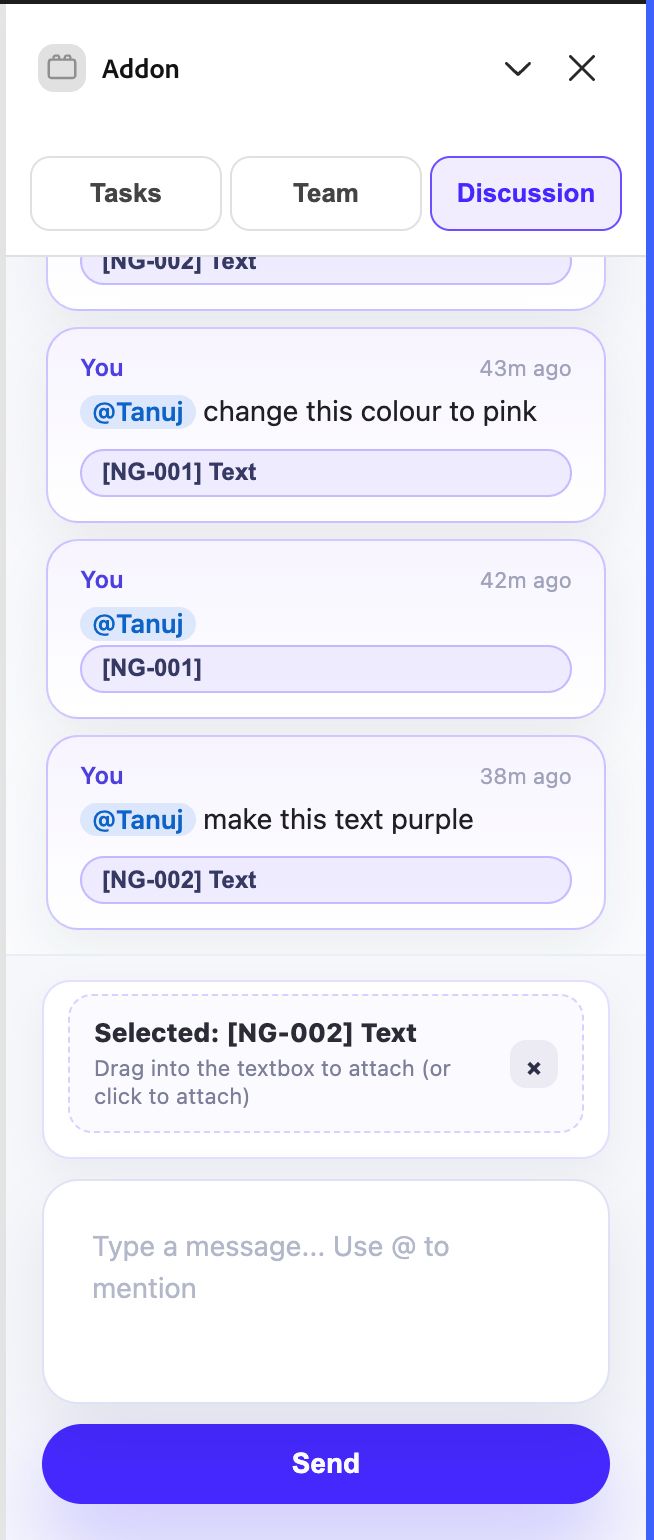
- Select a canvas element and attach it to a discussion.
- Tag teammates to request changes or provide feedback.
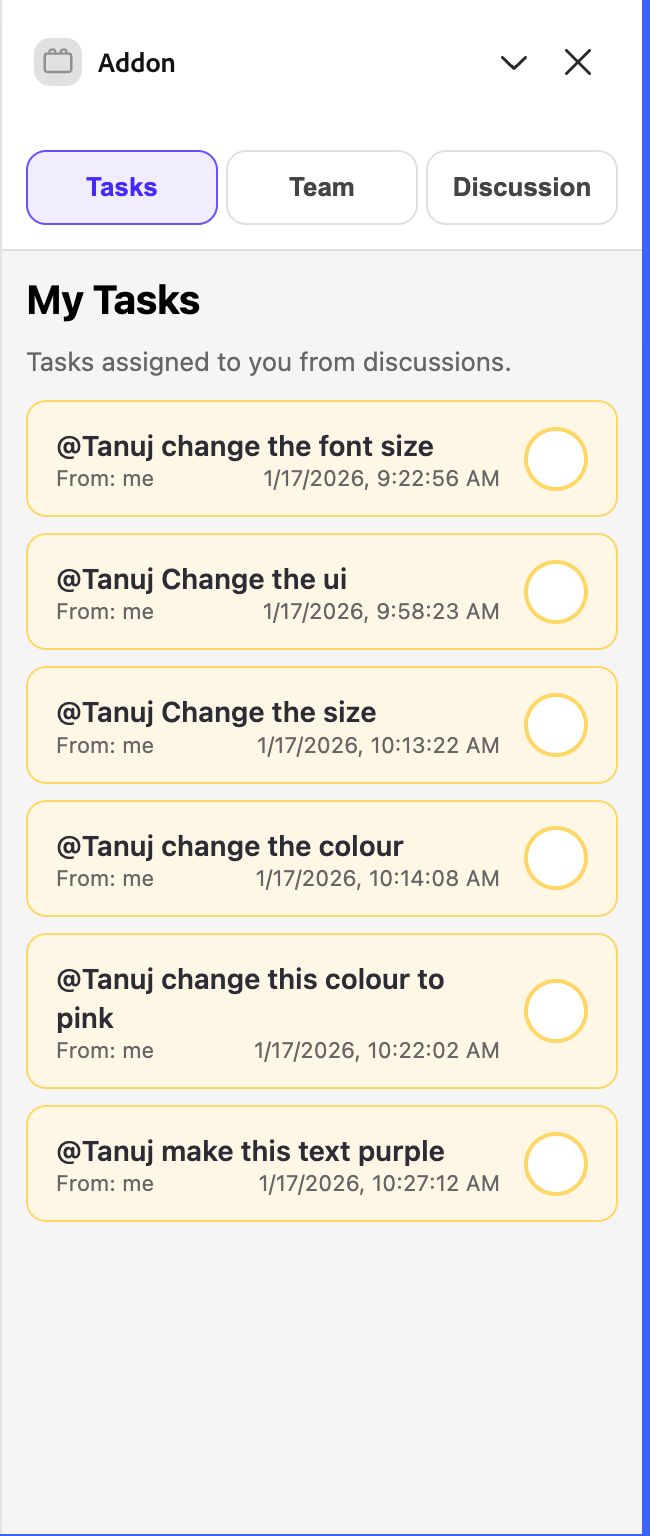
- Automatically generate tasks for tagged users, personalized per member.
- Send email notifications with the tagged message and element preview.
- Track progress and mark tasks complete in the Tasks tab.
In short, it makes collaboration visual, precise, and actionable, all inside Adobe Express.
How we built it
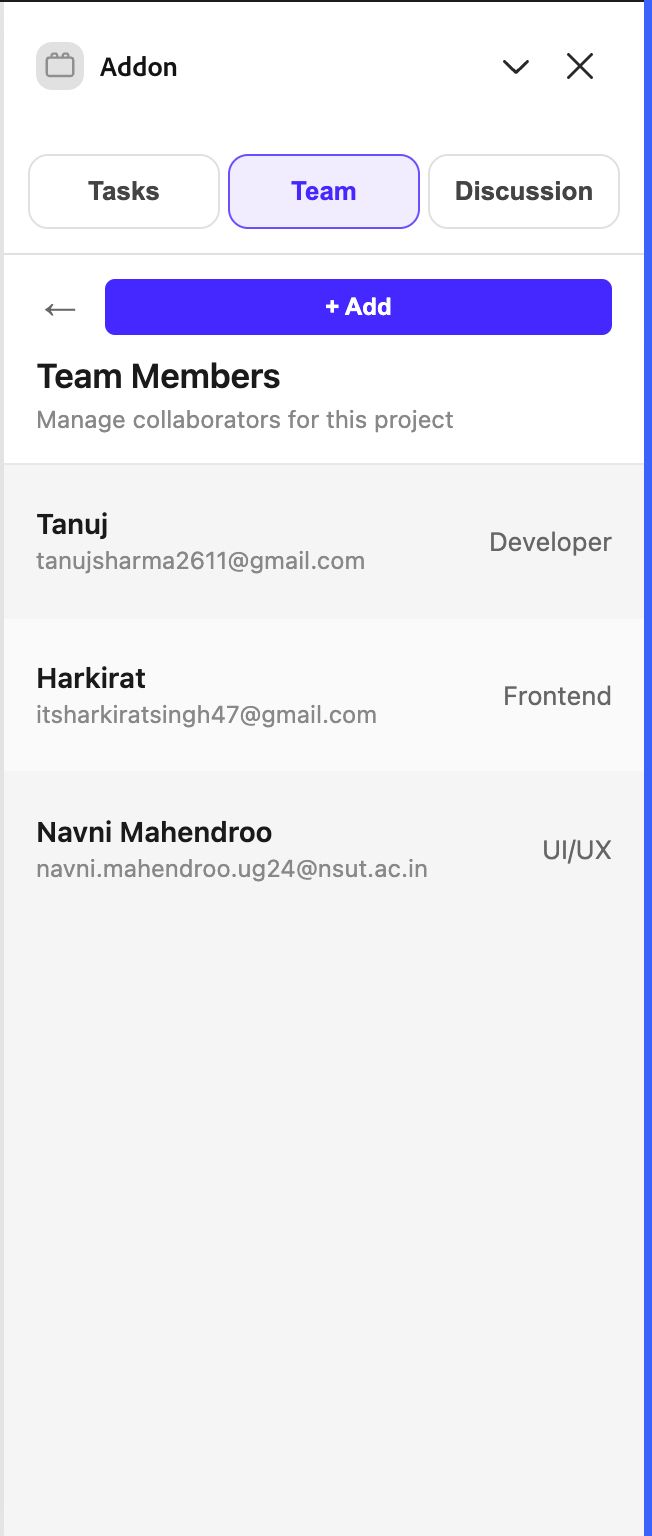
- Teams Tab: Shows all collaborators and their roles.
- Discussion Tab: Selected elements attach as image previews; users confirm before tagging teammates.
- Tasks Tab: Auto-generated tasks linked to selected elements.
Technical highlights:
- Each canvas element gets an internal ID for tracking.
- Selected elements are converted to snapshots with metadata.
- Emails sent using Nodemailer for asynchronous notifications.
Challenges we ran into
- Canvas interaction limits: True drag-and-drop wasn’t allowed, so we implemented selection + confirmation.
- Element tracking: Ensuring each element had a consistent ID across sessions was tricky.
- Notification reliability: Emails had to correctly link to the right element and message.
- UX simplicity: Balancing a minimal workflow with full functionality took several iterations.
Accomplishments that we're proud of
- Designed a workflow that is intuitive yet powerful: select → confirm → tag → task.
- Successfully integrated email notifications for tagged messages.
- Built a working prototype within hackathon time constraints.
- Anchored discussions and tasks directly to canvas elements, solving a real pain point.
What we learned
- Effective collaboration tools must anchor communication to context.
- Simple UX decisions, like confirmation before tagging, can prevent mistakes.
- Internal IDs and mapping logic are essential for consistent element tracking.
- Even small add-ons can significantly improve team productivity and reduce confusion.
What's next for CanvasFlow
- Add AI-powered task suggestions from messages.
- Enable multi-element selection and bulk tagging.
- Add pinned comments directly on the canvas.
- Integrate priority levels and deadlines for tasks.
- Prepare for full Adobe Express marketplace submission.


Log in or sign up for Devpost to join the conversation.