Inspiration
We were inspired by the disconnect between traditional Learning Management Systems (LMS) like Canvas and modern student engagement. While Canvas provides essential academic tools, it often feels like a digital filing cabinet rather than an engaging learning environment. We noticed that students lack:
-> Motivational feedback loops in their academic journey
-> Visual progress tracking that makes learning satisfying
-> Healthy competition that drives improvement
-> Predictive insights about their academic performance
What it does
CanvasFlow transforms the Canvas experience from a passive grade viewer into an active learning companion:
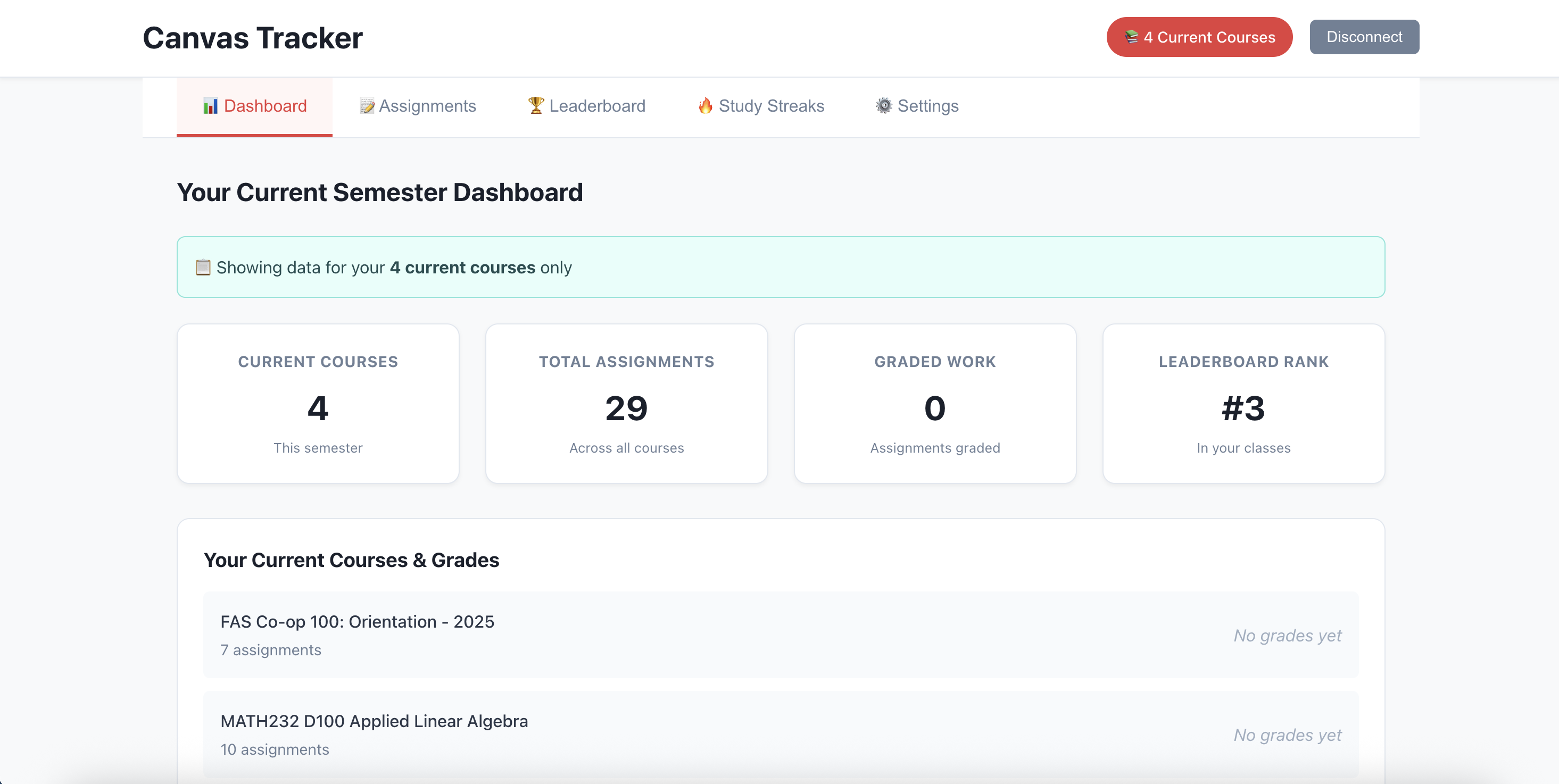
🎯 Smart Dashboard
Aggregates all courses and assignments in one intuitive interface
Provides real-time grade calculations and progress tracking
Displays predictive analytics for future performance
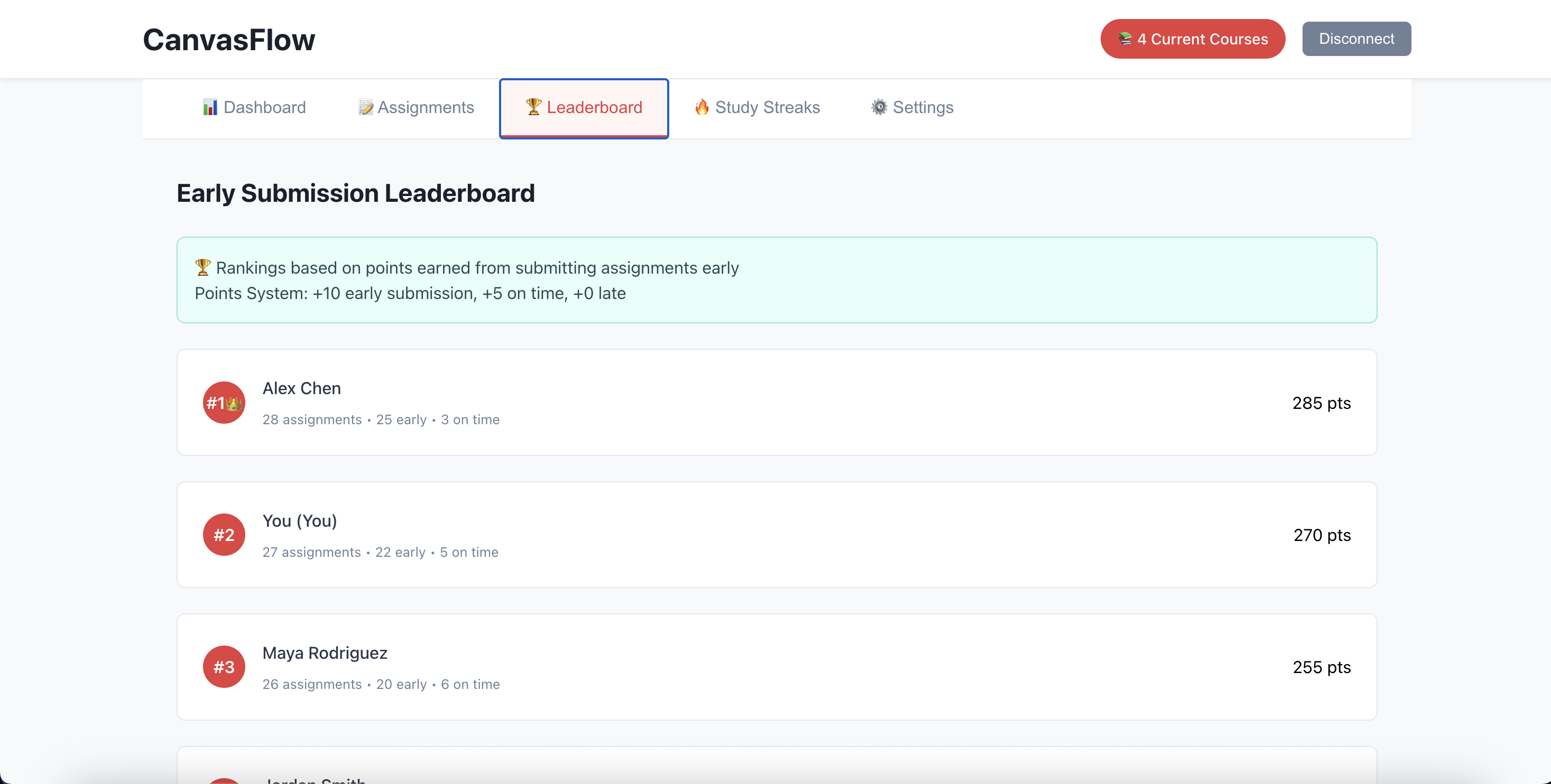
🏆 Gamified Learning
Course leaderboards that rank performance across all classes
Study streaks to build consistent academic habits
Achievement tracking for perfect scores and milestones
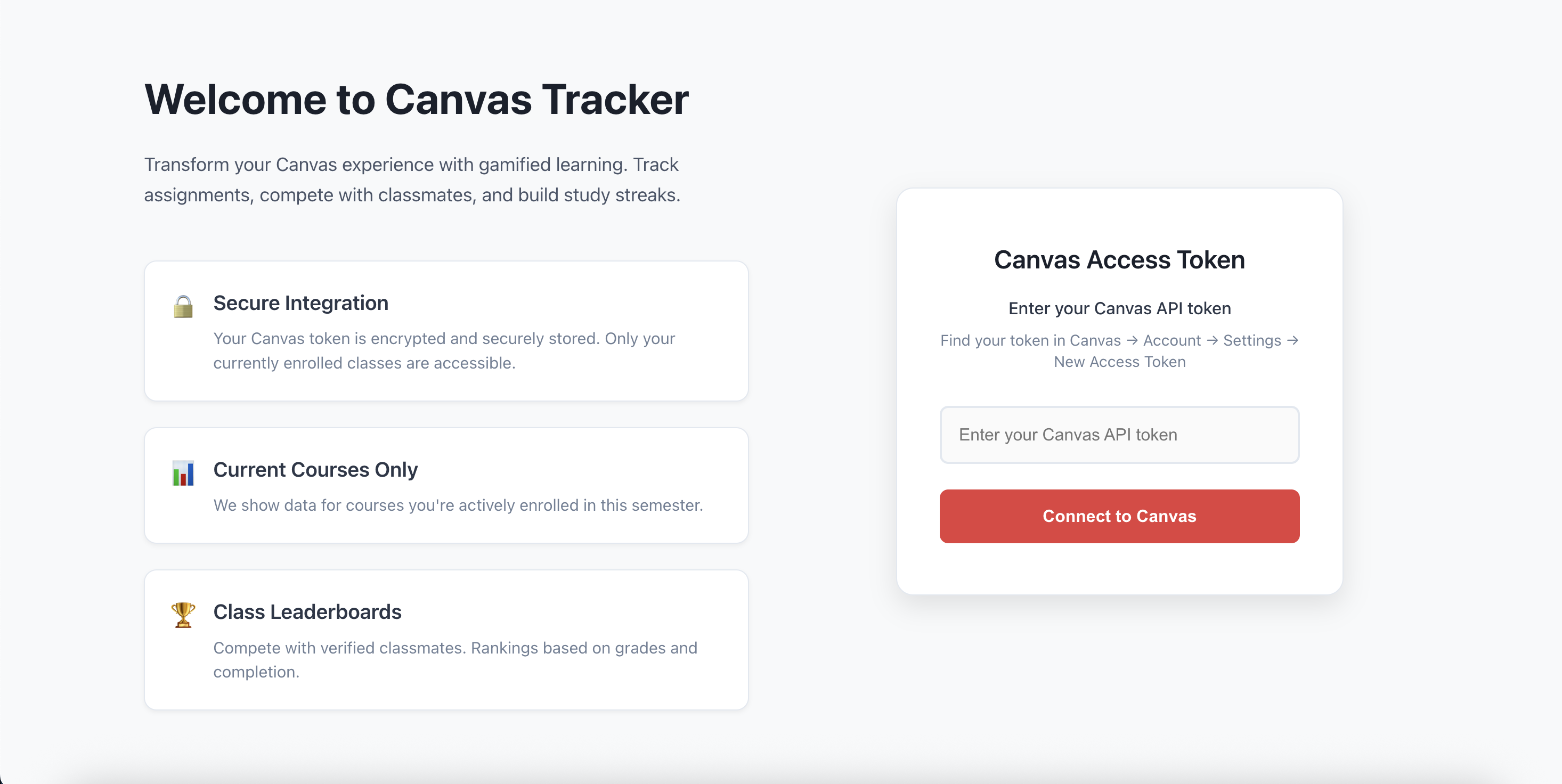
🔒 Secure Integration
Direct Canvas API integration with token-based authentication
Real-time synchronization with institutional Canvas instances
Zero data storage on our servers for maximum privacy
How we built it
We built the frontend using React 18 with modern hooks for state management. The key innovation was creating a unified data layer that processes nested Canvas API responses into actionable insights.
Our Python FastAPI backend serves as a secure bridge between the React frontend and Canvas API, handling authentication, rate limiting, and data normalization.
Key technical decisions: Token-based Auth: No server-side storage of sensitive data
Real-time Processing: All calculations happen client-side for performance
Responsive Design: Mobile-first CSS with graceful degradation
Modular Architecture: Easy to extend with new gamification features
Challenges we ran into
State Management Managing the complex state relationships between courses, assignments, and submissions required careful React hook usage to prevent unnecessary re-renders.
Canvas API Integration Learning the Canvas API and integrating the datafields into our project
Cross Platform Errors
Accomplishments that we're proud of
Real-time Analytics: Built a complete analytics engine that processes Canvas data into actionable insights
Seamless Integration: Created a product that feels native to Canvas while providing significantly enhanced functionality
Intuitive Design: Users can understand their academic standing at a glance without complex setup
Motivational Features: Successfully implemented gamification that actually encourages better study habits
Performance: The application handles large course loads with hundreds of assignments efficiently
What we learned
React State Management: Deep understanding of useEffect dependencies and optimal re-rendering strategies
API Design: How to create robust middleware that handles various error conditions gracefully
Data Transformation: Techniques for normalizing inconsistent API responses into clean, usable data structures
What's next for CanvasFlow
Peer Comparison (Anonymous): "You're in the top 20% of the class" without revealing identities
Study Group Integration: Connect with classmates for collaborative learning
Assignment Calendar Sync: Export deadlines to Google Calendar/Outlook
Mobile App: React Native version for on-the-go access


Log in or sign up for Devpost to join the conversation.