Inspiration
Every student has Canvas. Every student also has calendar anxiety.
Assignments pile up. Deadlines sneak up. Syllabi live as PDFs you open once and forget. Canvas technically has a calendar—but it’s cluttered, passive, and disconnected from how students actually manage their time.
We kept asking the same question:
Why doesn’t my calendar just know what’s due?
Why can’t Google Calendar already understand my classes, my assignments, my exams, and the reality that I need time to walk across campus, time to study, and time to breathe?
We, and basically every friend we talked to, were frustrated by how much mental effort it takes just to stay oriented. That lack of clarity hurts productivity, increases stress, and ultimately affects academic performance.
So we built CanvasCal for the UCSC community: a tool that doesn’t just list deadlines, but actively helps you plan around them.
What it does
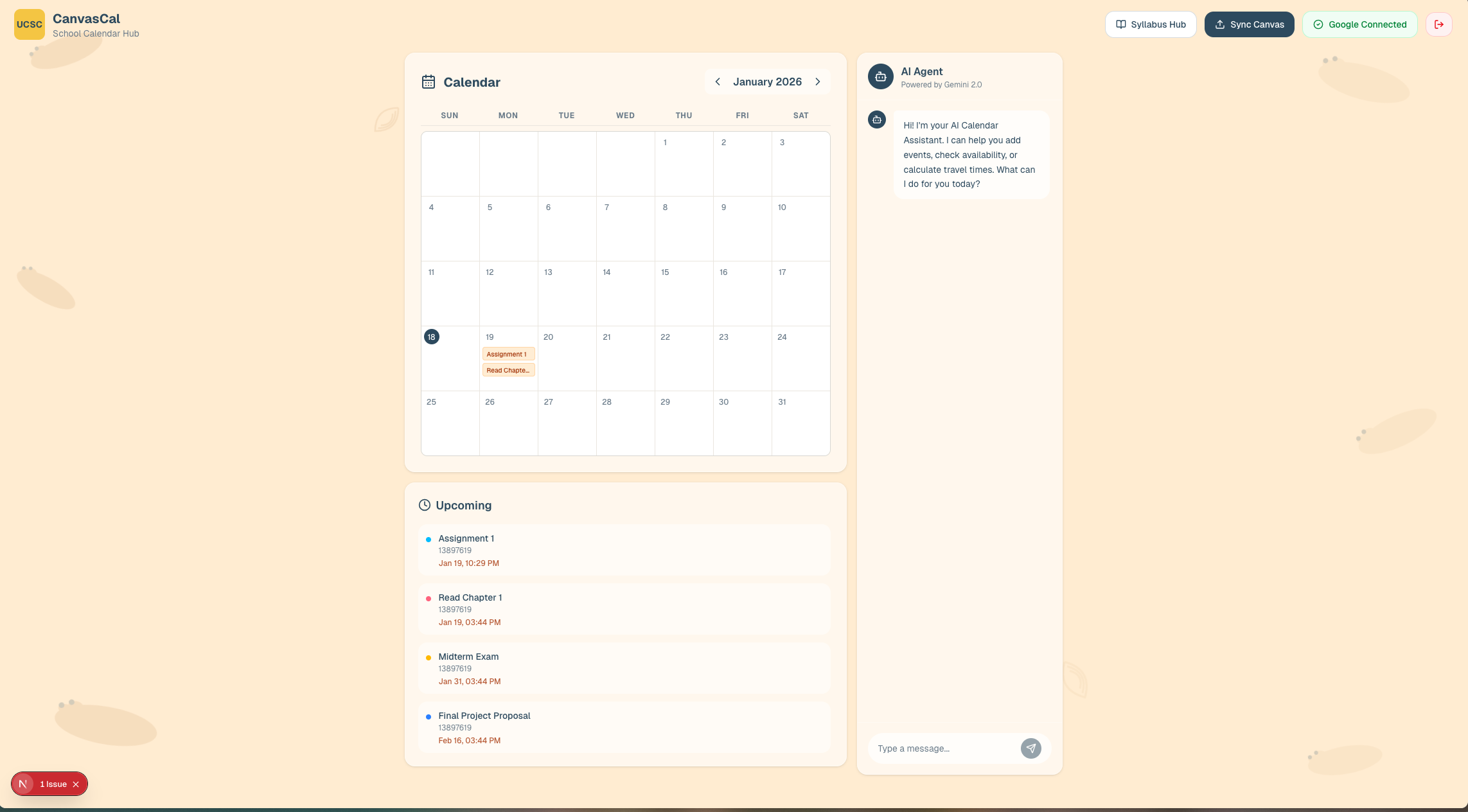
📆 Smart Academic Calendar
- Pulls assignments, due dates, and announcements directly from Canvas
- Displays everything cleanly in one place
- One-click export to Google Calendar, so deadlines actually live where students plan their lives
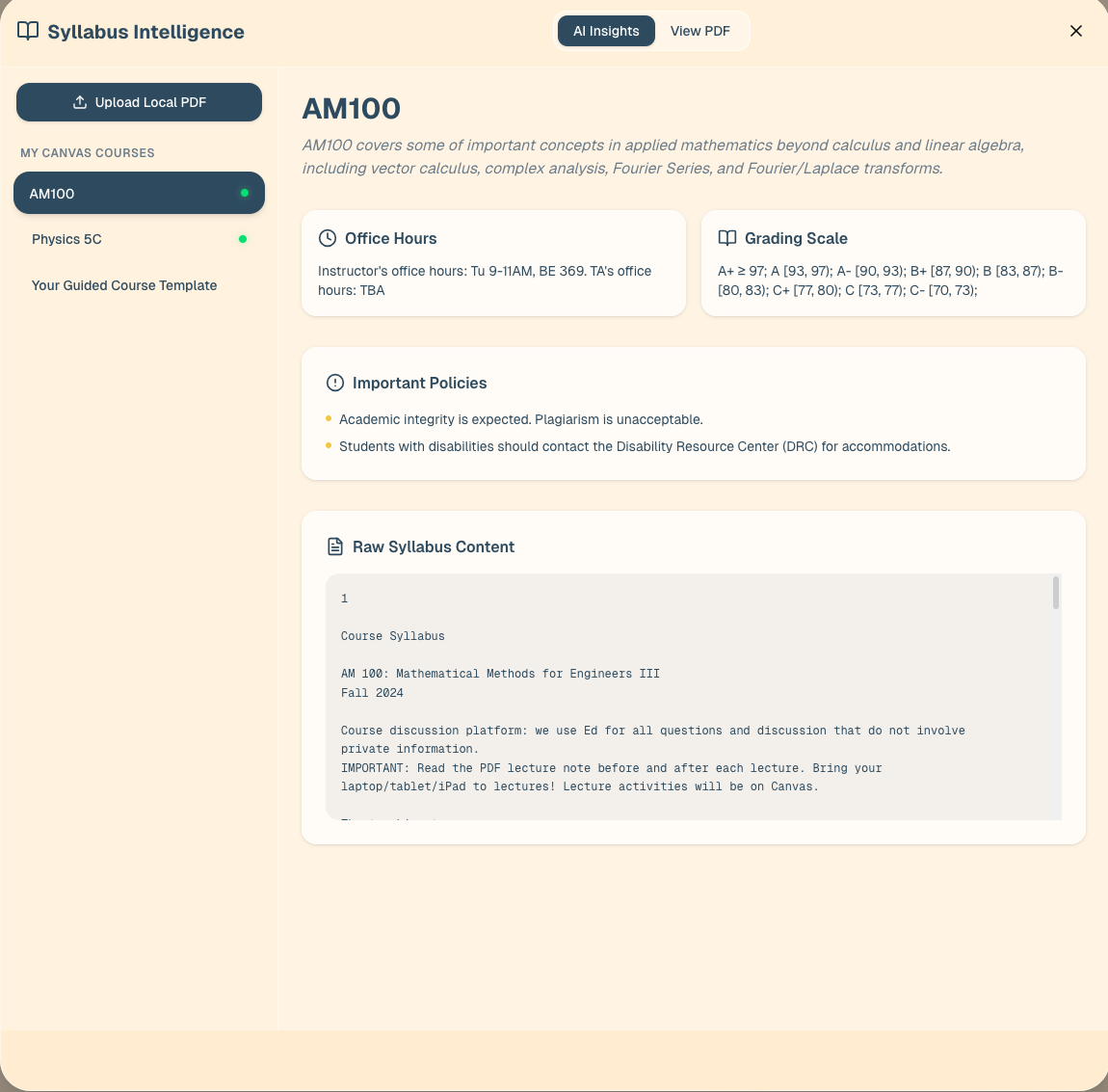
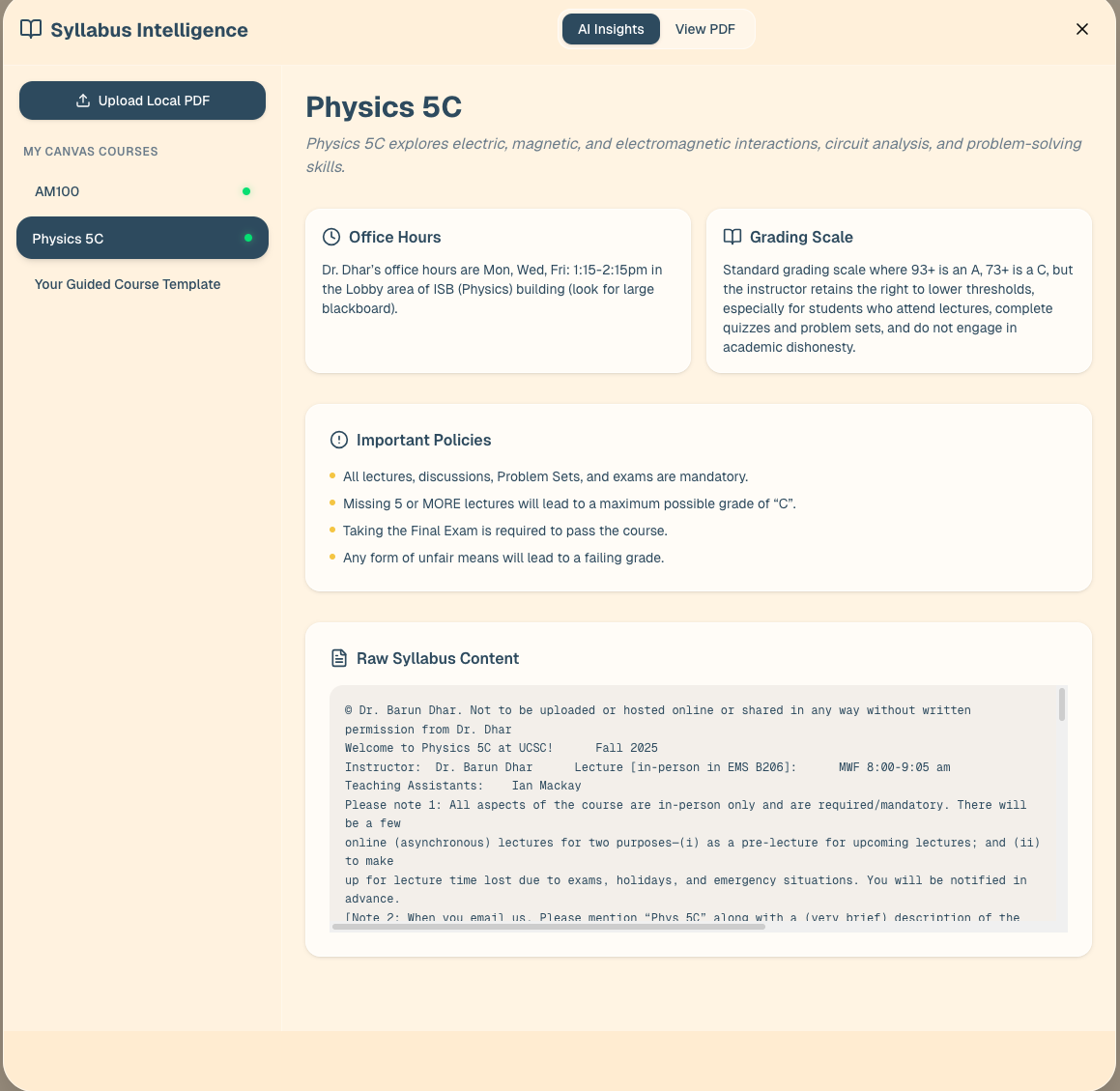
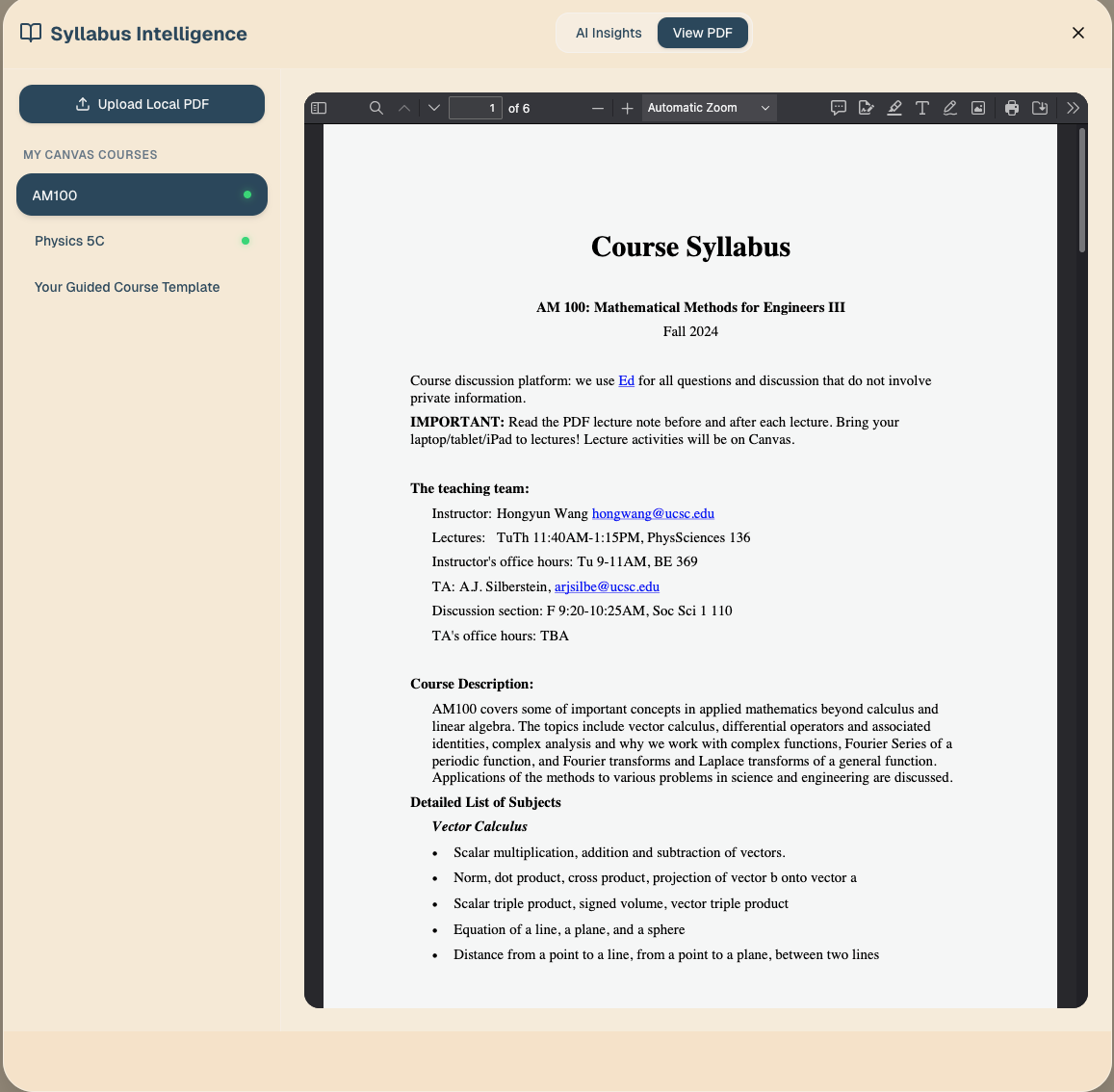
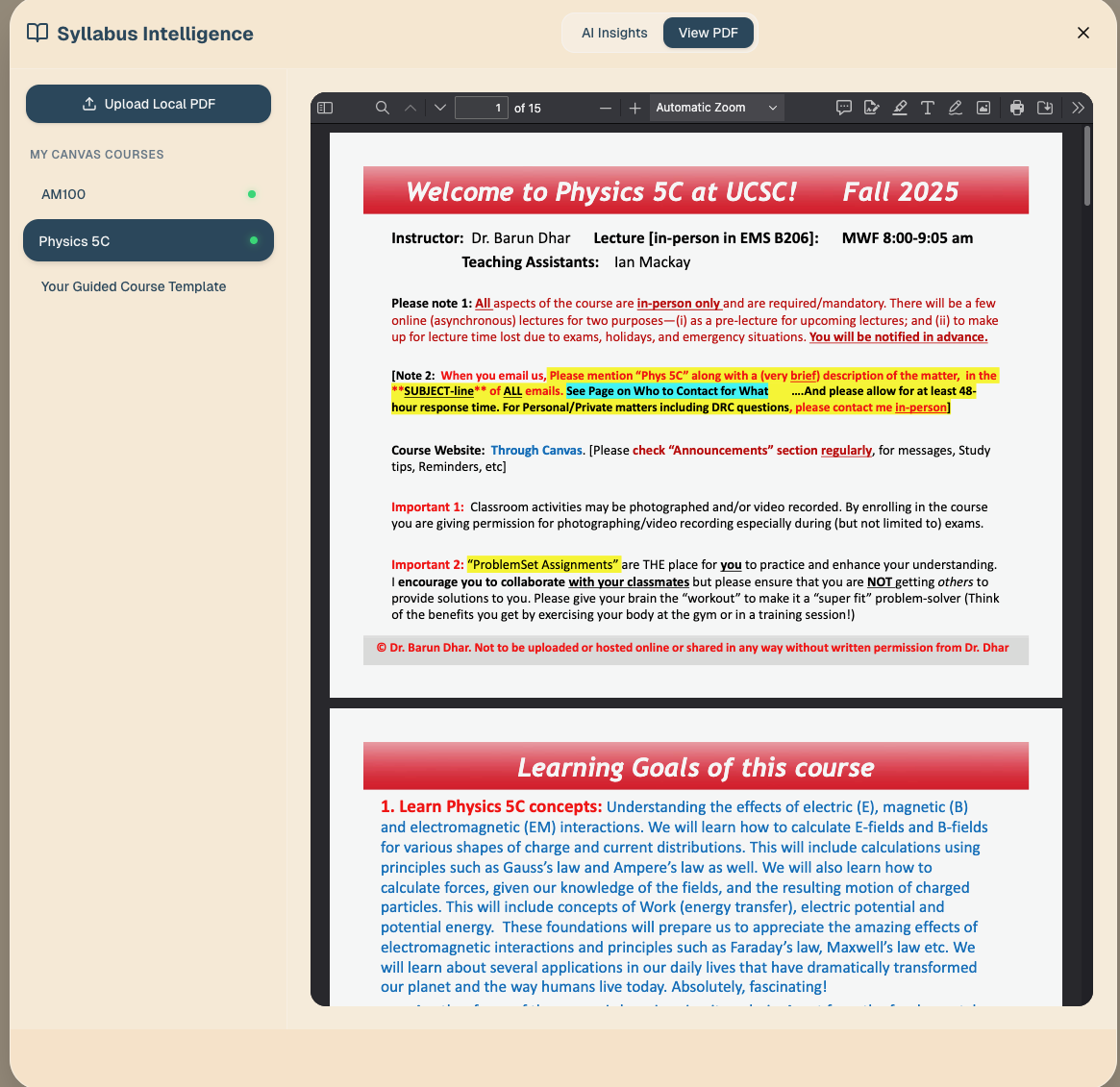
🤖 AI Syllabus Parser
- Drag-and-drop any syllabus PDF
- Gemini-powered OCR extracts:
- Class meeting times
- Exams & midterms
- Office hours
- Important academic dates
- Turns static documents into structured, usable data
💬 Academic Agent (Chatbot)
- Natural language interface for your calendar
- Ask things like:
- “When can I study for CSE 101?”
- “Add a study block before my midterm.”
- “Delete my 8am lab on Friday.”
- Reads your schedule, finds free time, and updates events intelligently
🗺️ Campus Travel Logic (Prototype)
- Calculates realistic buffer time between UCSC campus locations
- Prevents impossible back-to-back events across campus
How we built it
🧩 Frontend
- Framework: Next.js (React) + TypeScript
- Styling: Tailwind CSS
- Icons: Lucide
- Deployment: Vercel
- Optimized for speed, accessibility, and zero friction
🧠 Backend
- Framework: FastAPI (Python 3.11+)
- AI Model: Google Gemini 2.0 Flash
- PDF Processing: PyMuPDF
- Integrations: Canvas API
☁️ Infrastructure
- Database: Supabase (PostgreSQL)
- Security: Row Level Security (RLS)
- Built to scale safely as usage grows
Challenges we ran into
Syllabus Variability: There is no standard syllabus format. PDFs included scans, tables, multi-column layouts, and inconsistent date phrasing, which made reliable extraction non-trivial.
LLM Reliability: Model output could not be trusted directly. We had to constrain responses to fixed schemas and validate all extracted fields before creating calendar events.
Event Consistency: Combining Canvas sync, syllabus events, and user edits caused duplication and overwrite issues early on. Ensuring idempotent writes and stable identifiers was required to keep the calendar coherent.
Vague Prompts: User prompts were often incomplete or vague. Resolving relative times and underspecified actions required additional parsing and fallback logic.
Inference Latency: PDF parsing and LLM calls added noticeable delay. We had to reduce prompt size, limit context, and avoid unnecessary calls to keep interactions responsive.
Travel Time Estimation: Campus navigation is context-dependent. A fully accurate model was out of scope, so we implemented a lightweight approximation that still prevented impossible schedules.
Access Control: Calendar data is sensitive. Supabase RLS policies had to be carefully scoped to prevent cross-user access.
Time Constraints: Building a modular system while shipping a working product during a hackathon required constant trade-offs.
Accomplishments that we're proud of
- Extracting structured academic data from real-world, messy syllabi
- Building a usable AI agent instead of a demo chatbot
- Making Canvas data actually actionable
- Designing a system that feels helpful, not overwhelming
- Shipping a fully working end-to-end product during a hackathon 😤
What we learned
- We've gained deeper understanding of how UI should be dealt with and how our targeted audience should affect our design.
- Academic data is highly unstructured in practice. Syllabi vary wildly in format so we learned how to extract the same data from a variety of them.
- Integrating AI into productivity tools requires strong guardrails
- Real-time calendar systems needs careful building.
- Users expect instant, low-latency interactions from AI agents, which significantly influences architectural decisions.
- Privacy and data isolation are foundational when dealing with academic records, making row-level security and scoped access essential.
- Effective time management systems must reason about context (travel time, workload density, availability), not just store events.
What's next for CanvasCal
Voice Agent Integration
Hands-free scheduling and calendar editsTwo-Way Google Calendar Sync
Updates flow both directions in real timeSmart Study Recommendations
Auto-suggest study blocks based on workload and deadlinesDeeper Canvas Support
Quizzes, discussions, grading windows, and announcementsPersonalized Time Intelligence
Learns from user behavior to improve scheduling over time
Built With
- fastapi
- html
- pymupdf
- python
- react
- supabase
- typescript
- v0

Log in or sign up for Devpost to join the conversation.