-
-
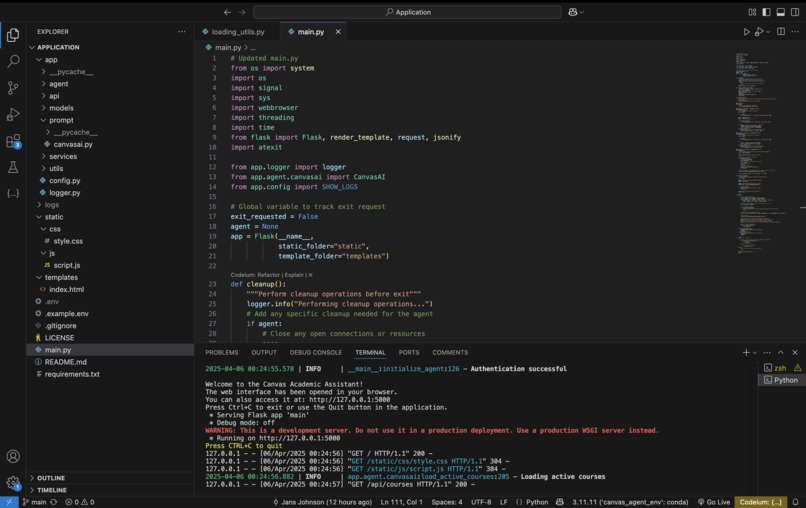
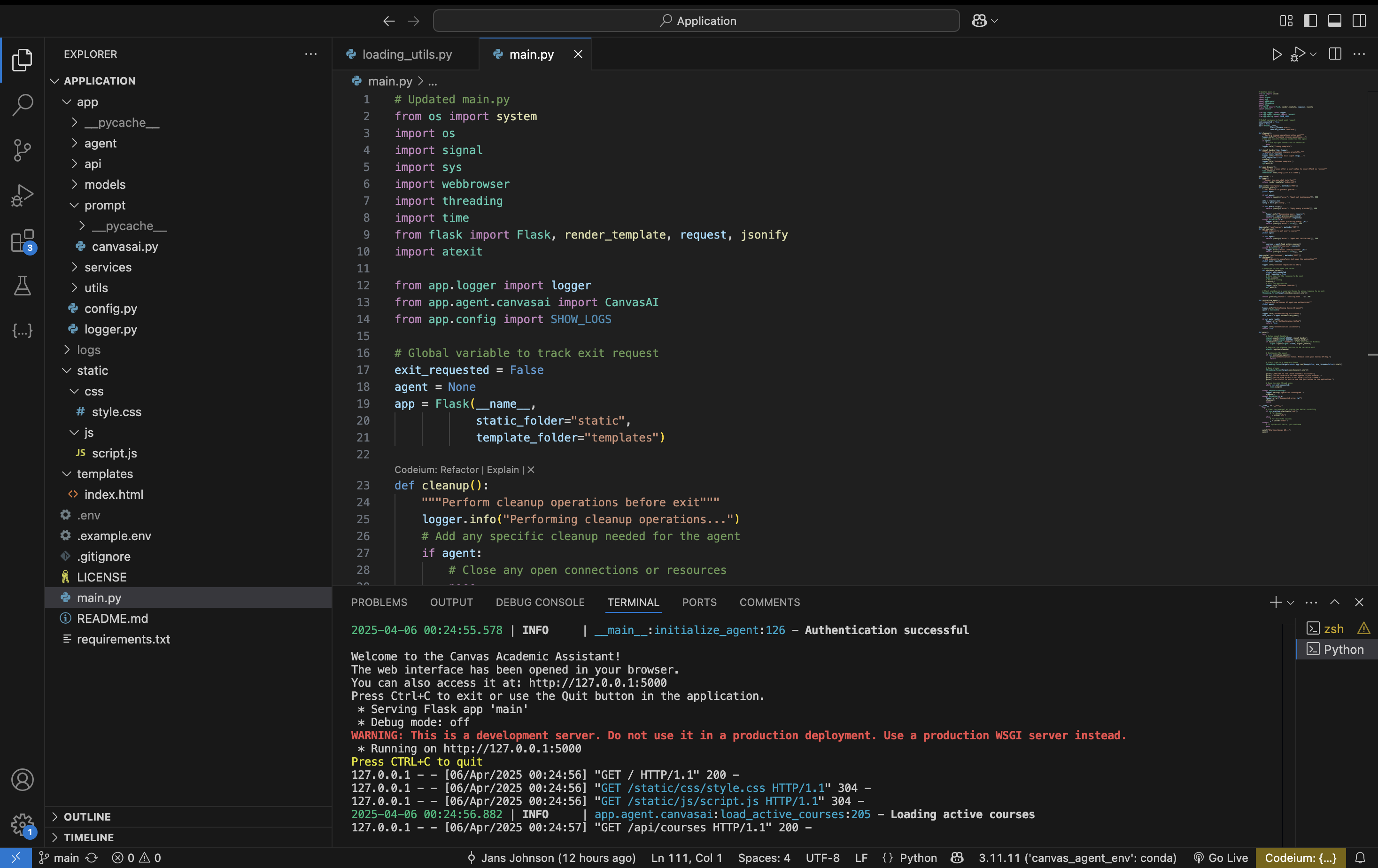
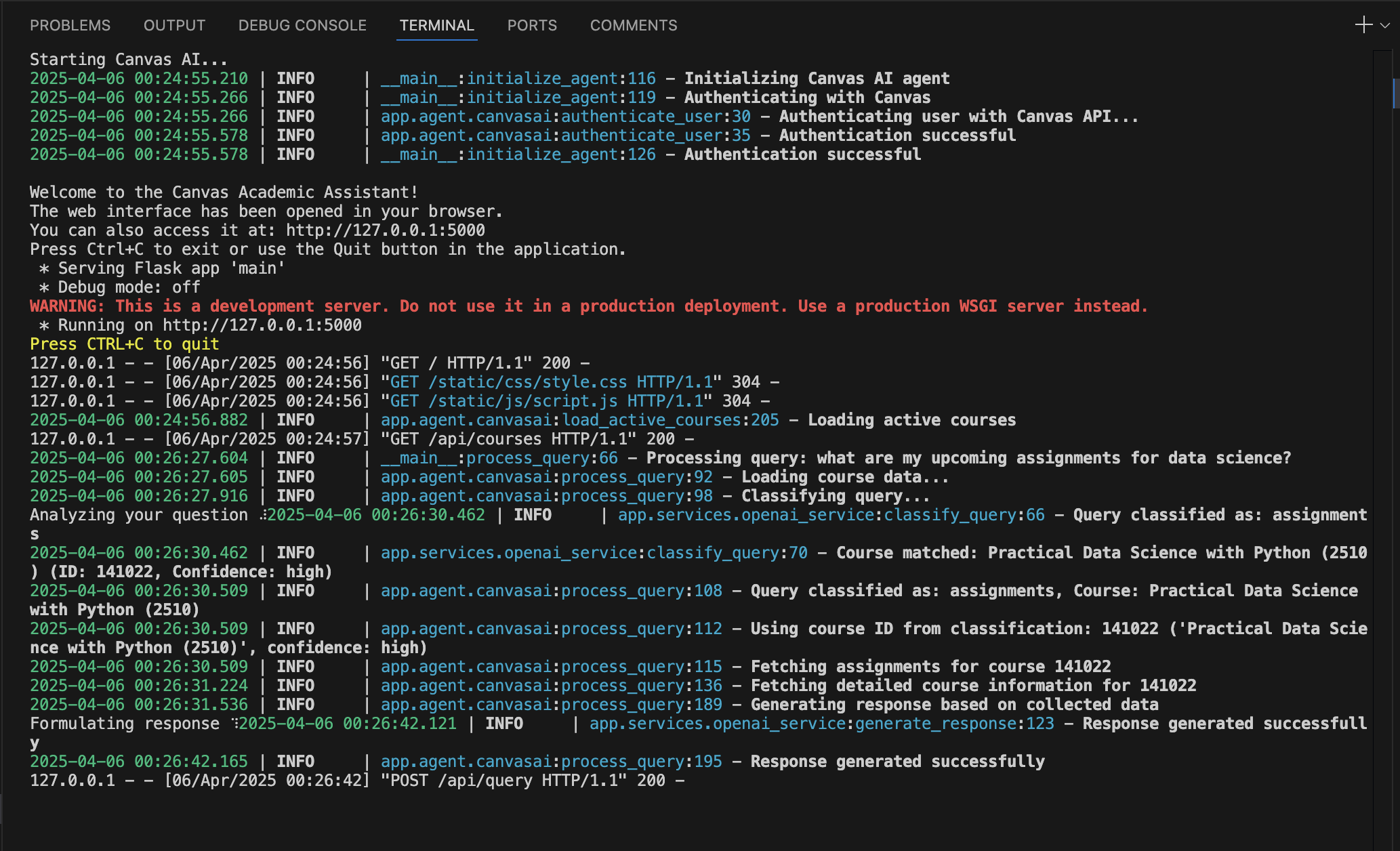
Starting Up the application
-
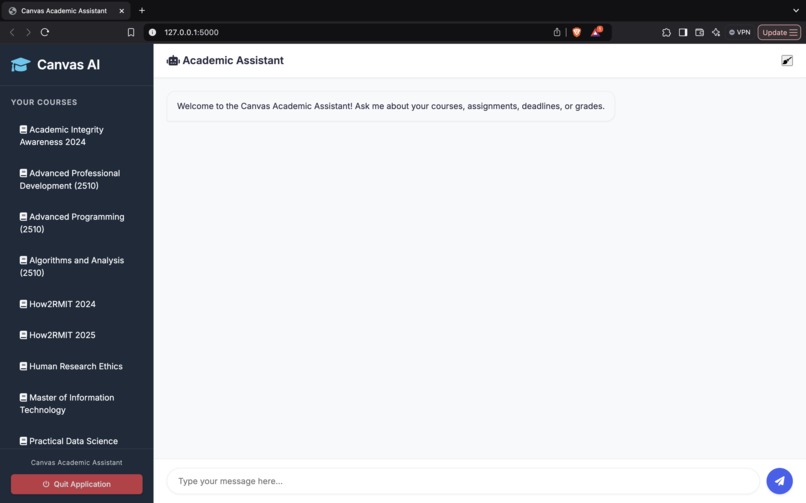
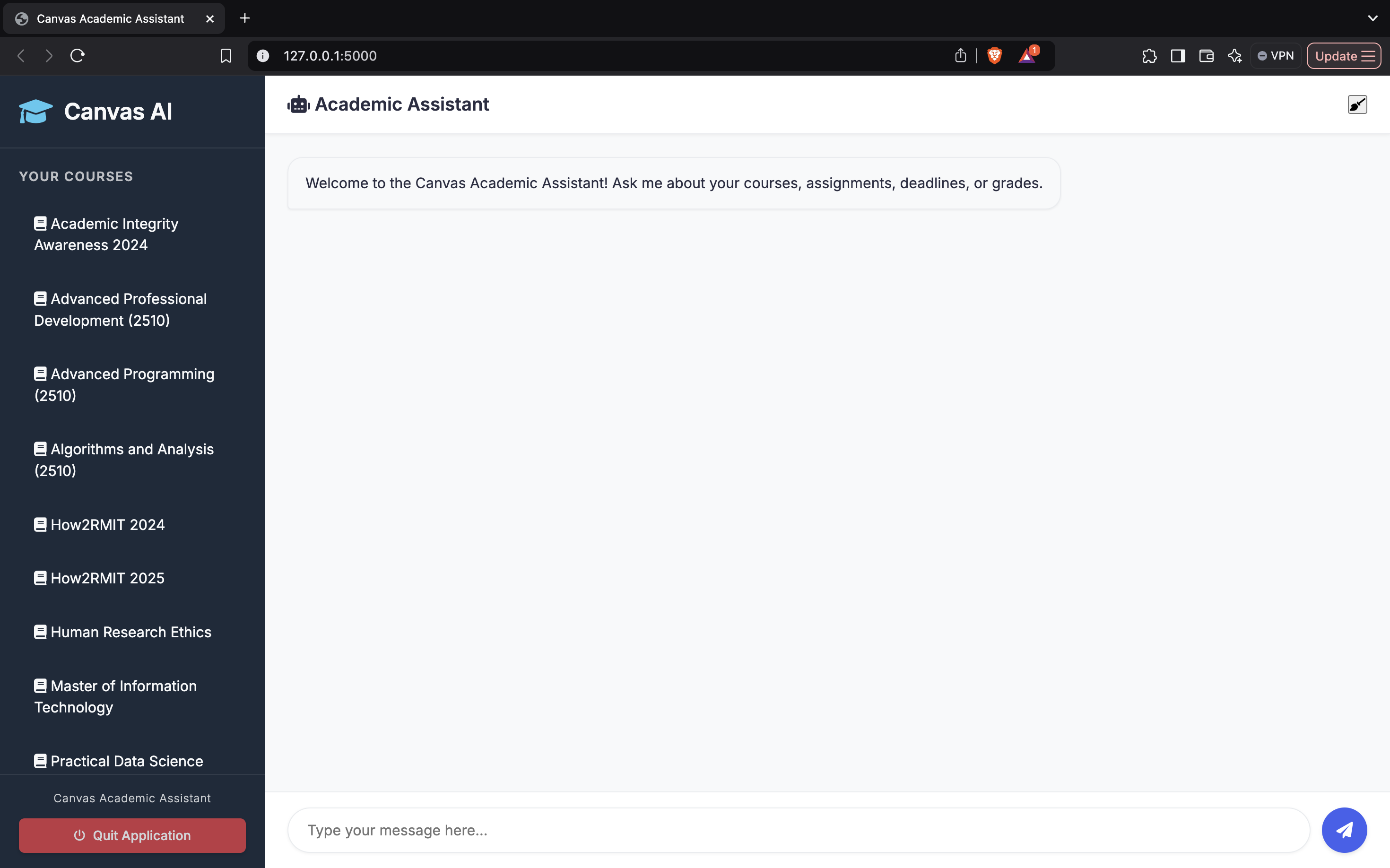
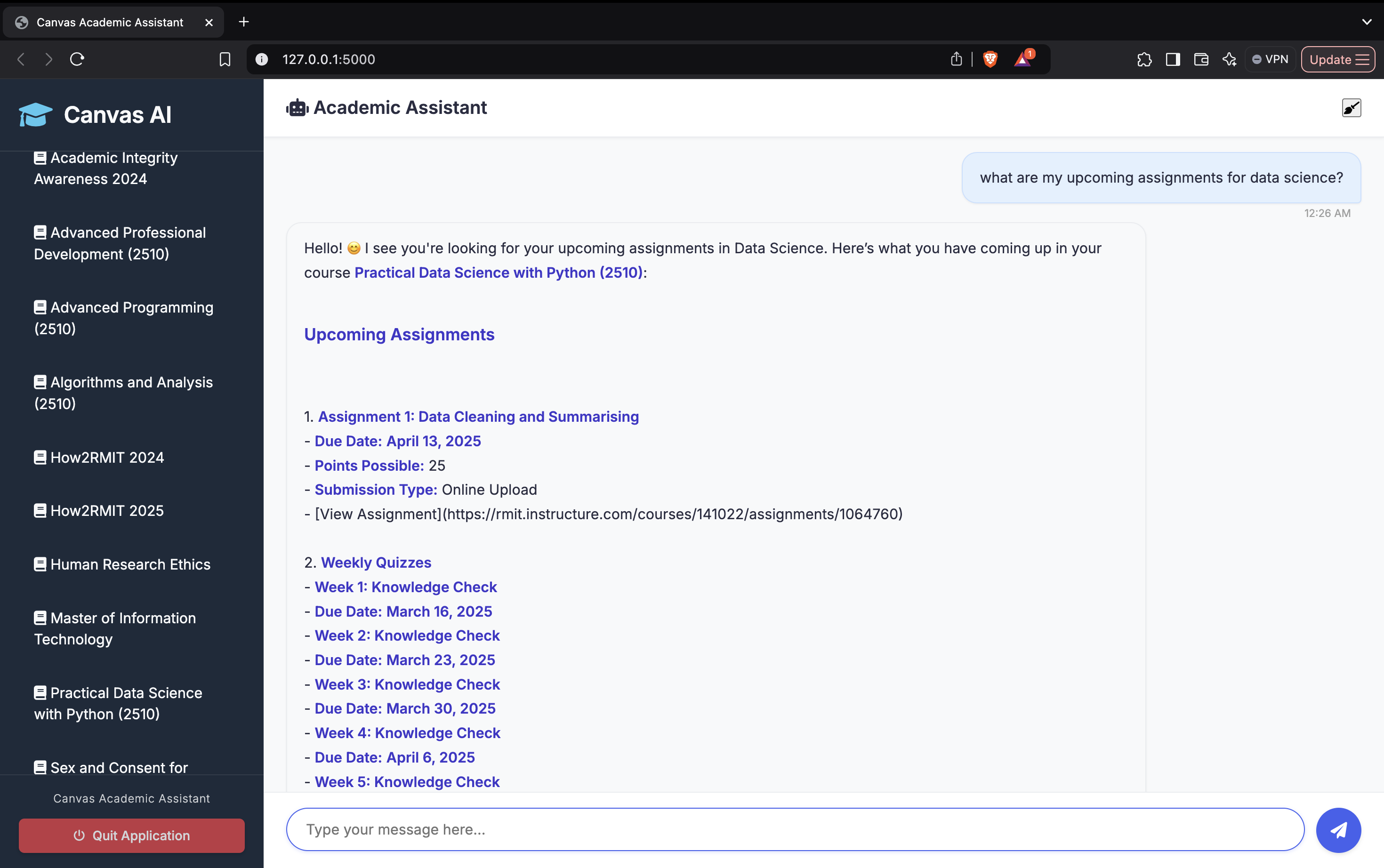
the Application Opens up in a Web Page
-
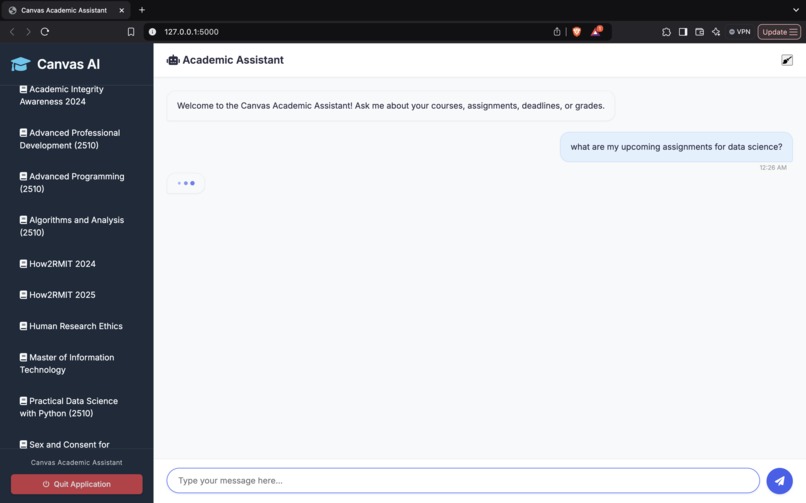
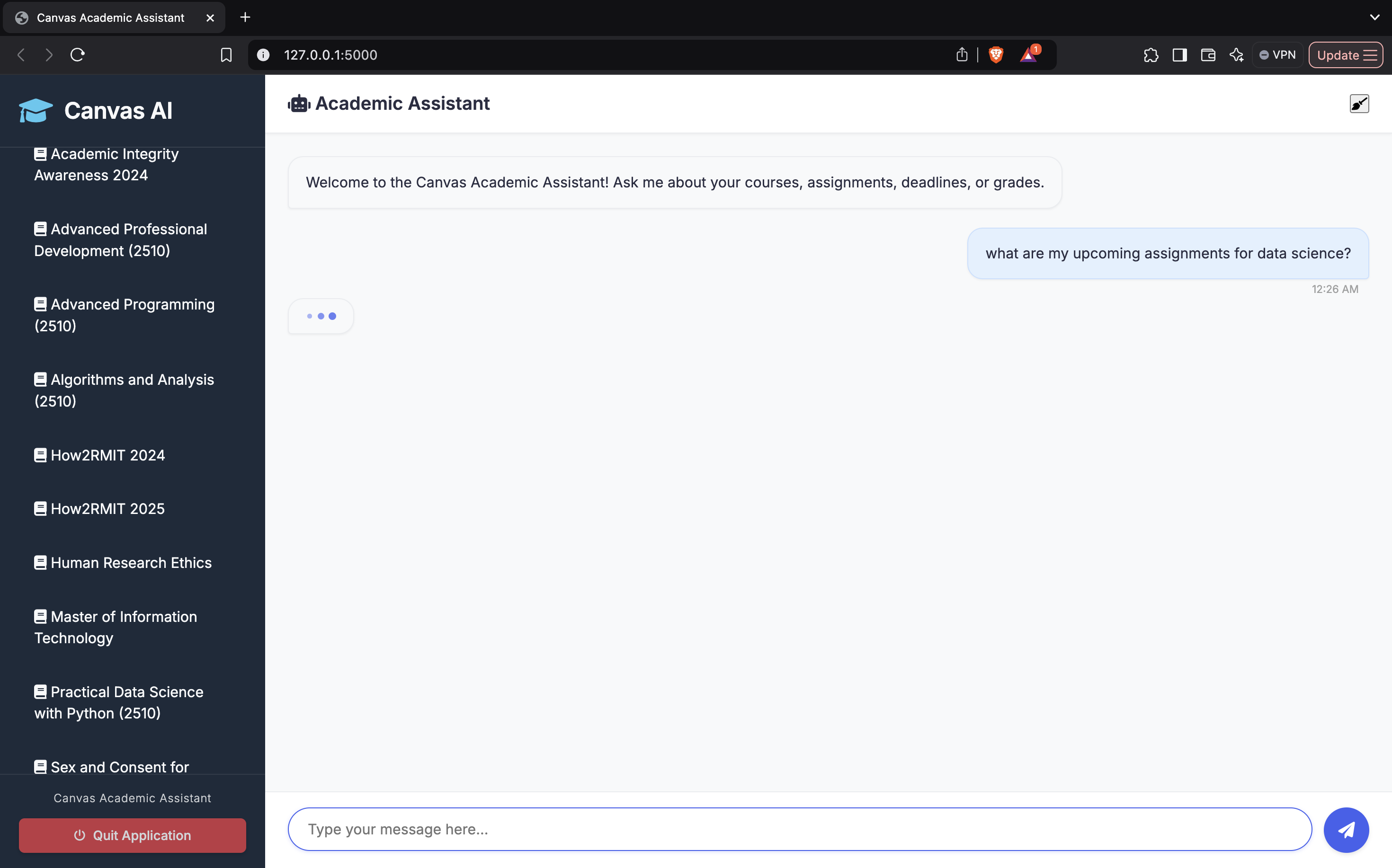
User asking an academic Question
-
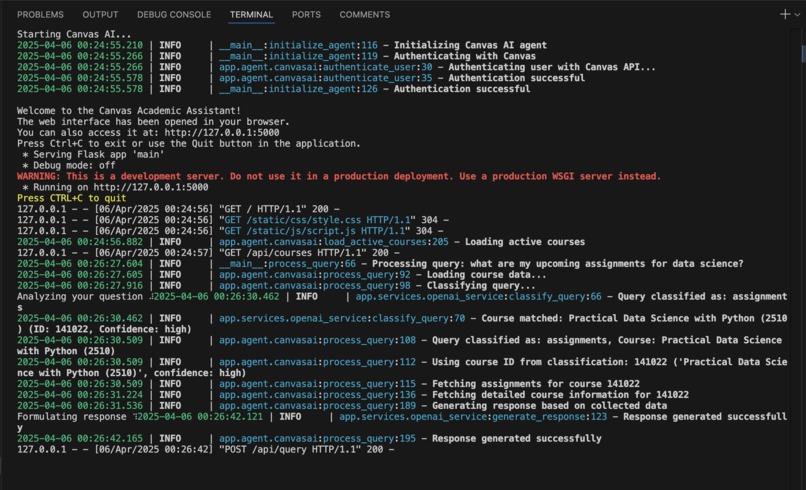
terminal logs
-
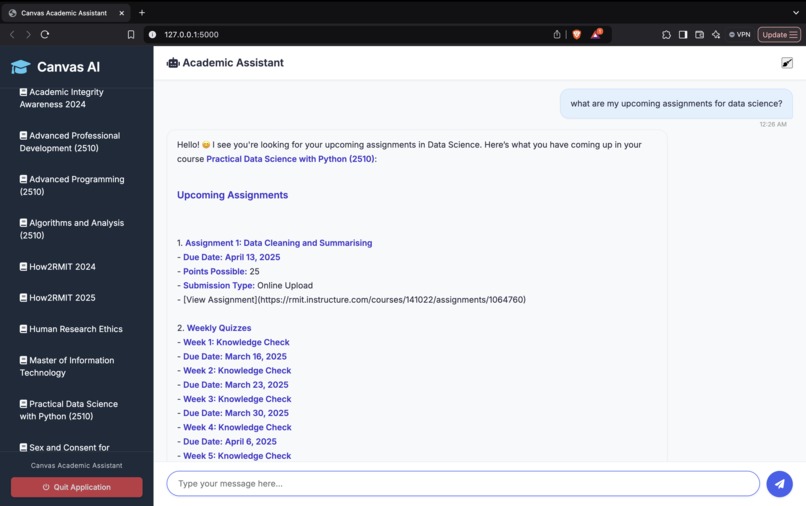
Response Generated
💡 Inspiration
As a student managing multiple courses through Canvas LMS, I often found it frustrating to dig through tabs just to find simple answers like upcoming deadlines or current grades. I wanted something smarter—an assistant that understood my academic life as well as I did.
This project is the first step toward a larger vision: building an AI model that can not only pull data from platforms like Canvas but also understand the context of subjects, lectures, and course material. Imagine asking, “Can you explain what we learned in today’s Statistics class?” and getting a personalized summary—that’s where I’m headed.
This hackathon gave me the perfect opportunity to start building that dream.
⚙️ What it does
Canvas Academic Assistant is an AI-powered web app that connects to a student's Canvas LMS and allows them to:
- 📚 View active courses and deadlines
- 📝 Check assignment details and submission statuses
- 📊 Track grades with breakdowns by course
- 🗣️ Ask natural language questions like “What do I have due this week?” or “How did I do in Biology last semester?”
- 🤖 Get responses from an AI agent powered by GPT, integrated with real-time Canvas data
🛠️ How I built it
🔧 Backend:
- Developed using Flask (Python) to handle API requests
- Connected to the Canvas LMS API to fetch user-specific data
- Integrated with OpenAI’s GPT models to interpret and respond to academic questions
🎨 Frontend:
- Simple, clean web UI built with HTML, CSS, and JavaScript
- Chat-style interface for natural interaction and easy access to academic information
🧗 Challenges I ran into
- Understanding the Canvas API structure, especially mapping courses, assignments, and grades accurately
- Tuning GPT prompts to respond precisely based on context and real API data
- Ensuring secure API handling without making the user experience complicated
- Balancing between building a functional prototype and sticking to the hackathon timeline
🏆 Accomplishments I’m proud of
- ✅ Built a working AI assistant that interacts with a live educational platform
- 💬 Created a natural, conversational way to access academic data
- 🧩 Designed a modular and scalable backend ready for future features like subject-level context understanding
- 🚀 Took the first concrete step toward building my own context-aware educational AI model
📚 What I learned
- 🤖 How to integrate NLP models with real-world APIs in a meaningful way
- ✍️ Importance of prompt engineering to guide GPT with structured inputs
- 🧱 How to build scalable backend logic using Flask
- 💡 Thinking like a product owner—not just building a cool project, but solving a real student need
🔮 What’s next for CanvasAI
- 🧠 Subject-Aware AI Agent: Train or fine-tune a model that understands course-specific context to answer deeper academic questions like “Summarize what we covered in Thermodynamics so far.”
- 📱 Mobile App: Build a native mobile version for easier, on-the-go access
- 🤖 Multi-Agent System: Introduce agents for web search, study scheduling, and file management
- 🌐 Language Support: Make the app more inclusive by adding multilingual capabilities for international students

Log in or sign up for Devpost to join the conversation.