Inspiration
Studying today is fragmented. Lecture slides in one window, ChatGPT in another, and a YouTuber explaining the topic in a third because the lecture just didn't click. Every question means copying, pasting, and re-explaining what you're already looking at.
We were inspired by tools like Instinct and Wispr Flow, which help people move faster by using their voice. We wanted to take that further: a general-purpose AI assistant that interacts with your operating system and understands the context of your work.
Think JARVIS, helping you prepare for your calculus exam.
That became Canvas: a unified, voice-first AI workspace built around how students actually learn.
What it does
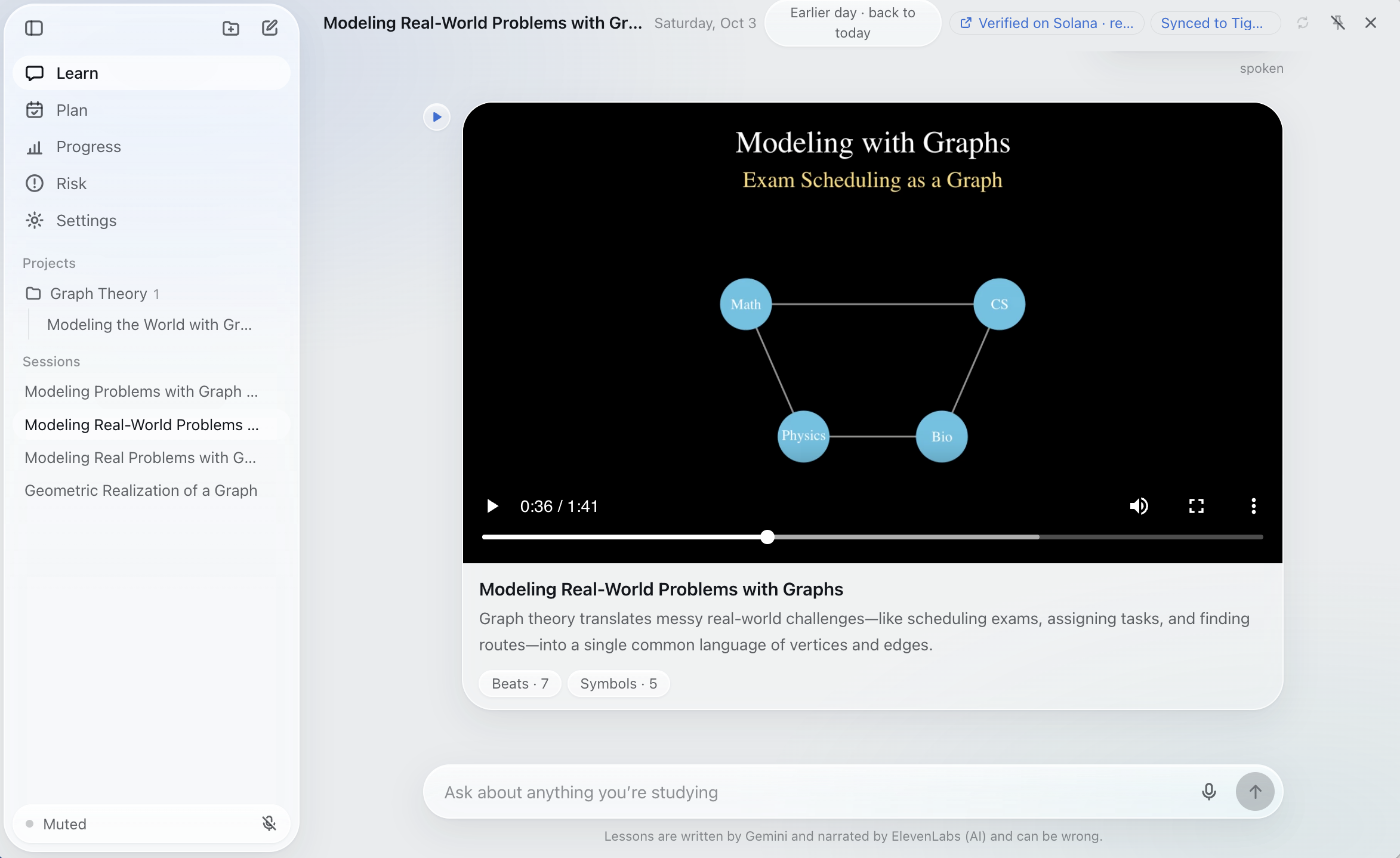
Canvas is a voice-first, agentic study workspace for your Mac. It helps students understand difficult concepts, prepare for exams, and track their progress without constantly switching tools.
Speak naturally and bring your screen into the conversation
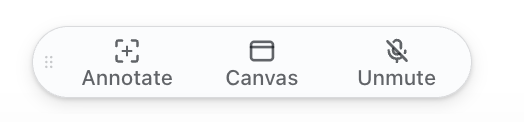
Say "Hey Canvas" and ask your question. Say "annotate" to capture what you're stuck on, or "open canvas" and "close canvas" to control the workspace.
Wake-word detection and voice matching run on-device to help distinguish your voice from others. Speech transcription uses ElevenLabs.
Turn questions into narrated visual lessons
Canvas sends your screenshot and question to Gemini, which generates a custom animated lesson. Manim renders the animation, and ElevenLabs provides the narration.
Inspired by 3Blue1Brown's approach to visual explanation, lessons introduce symbols before using them and let you move between steps.
Explain it to master it
We believe understanding becomes clearer when you explain an idea yourself.
Canvas asks open-ended questions tied to learning objectives, and you answer aloud. Gemini scores each response out of 100 against a visible rubric, showing which points you addressed and which need more work.
Track learning over time
Each interaction becomes a timestamped event in a Tiger Data / TimescaleDB hypertable, supporting session history and the progress dashboard.
Sessions are grouped into course projects. In the current demo, new sessions are assigned to Graph Theory through a fixed rule; automatic course classification is on our roadmap.
Identify academic risk and suggest a next step
Canvas combines assessment scores with study habits, including study time, preparation before exams, and on-time submissions.
A decision tree trained on the WolfHacks dataset estimates the risk of a D or F and highlights habits associated with that prediction.
On a held-out test set of 160 students, the model identified:
- 82% of students who received a D or F using early-semester information.
- 89% of students who received a D or F when a midterm score was included.
These figures describe recall on the held-out dataset, rather than demonstrated outcomes for Canvas users.
Share verifiable learning milestones
Canvas records learning milestones through the Solana Attestation Service on Solana devnet.
The on-chain record includes the milestone, course, date, a pseudonymous student identifier, and a fingerprint of the supporting evidence. Screenshots, answers, and other underlying study materials are not placed on-chain.
A shared attestation lets a professor verify that a milestone was recorded and check matching evidence. It does not independently prove the accuracy of the AI's assessment. On-chain metadata remains public.
One workspace, five sections
- Learn: Ask questions by voice or text, capture screen context, and receive narrated visual lessons.
- Plan: Upload a syllabus to extract exams, deadlines, and learning objectives, then generate a daily study plan with quick checks and flashcards.
- Progress: Review study time, objective-level understanding, and recorded milestones.
- Risk: Explore the decision tree's estimate, the factors behind it, and suggested changes to study habits.
- Settings: Manage integrations, voice matching, hotkeys, and visibility into what stays on your Mac and what leaves it.
How we built it
We mapped the workflows before writing code, from detecting the wake word to delivering the finished lesson. Low-fidelity wireframes and multi-agent research helped us identify dependencies and turn the idea into an implementation plan.
Our stack includes:
- Desktop app: Electron, React, and TypeScript, with a liquid-glass interface using native macOS vibrancy.
- Voice interaction: On-device wake-word and keyword spotting with sherpa-onnx, on-device voice matching, Silero voice activity detection, and ElevenLabs speech-to-text.
- Lesson generation: Gemini structured output, a Manim rendering pipeline with automatic code repair, and ElevenLabs narration.
- Data infrastructure: Tiger Data / TimescaleDB hypertables and continuous aggregates, with TLS verification against a pinned certificate.
- Milestone attestations: Solana Attestation Service on devnet.
- Risk modeling: A decision tree tuned using nested, repeated cross-validation, with a held-out test set reserved for final evaluation.
During model development, we selected an alert threshold targeting at least 85% recall for struggling students in validation. The separate held-out results were 82% for the early-semester model and 89% with midterm information.
Challenges we ran into
Voice interaction introduced several challenges: recognizing wake words in noisy rooms, reducing unintended activation by other speakers, and coordinating speech, screen capture, and application state.
Generating animations reliably was another challenge. AI-generated Manim code does not always render successfully, so we built an automatic repair step into the pipeline.
Our original concept was broader than the Institute for Advanced Analytics track. We narrowed it to academic learning and worked to make the decision tree useful within the student experience, with explanations and suggested next steps alongside its predictions.
Accomplishments that we're proud of
- Building a study workflow that students can control through spoken commands.
- Creating a liquid-glass interface that feels at home on macOS.
- Combining Gemini, Manim, and ElevenLabs into a pipeline for personalized narrated lessons.
- Connecting session history, study planning, assessment, and progress in one workspace.
- Building an explainable risk model and reporting its held-out performance.
- Demonstrating verifiable milestone records on Solana devnet while keeping underlying study materials off-chain.
What we learned
A useful AI assistant needs more than a strong model. It needs context, reliable execution, clear feedback, and an interface that lets people stay focused on their work.
We also learned that prediction is only part of the problem. For a student, understanding why a model raised an alert—and what they could change next—is just as important as the prediction.
The biggest lesson was learning how to turn an ambitious assistant concept into a focused, demonstrable workflow.
What's next for Canvas
- Flexible AI providers: Explore supported integrations and bring-your-own-provider options to give students more choice and control over costs.
- Distribution: Explore a companion ChatGPT app where the available platform capabilities fit our workflows.
- Smarter organization: Automatically classify sessions into the correct course instead of using the demo's fixed assignment.
- Stronger evaluation: Test lesson quality, assessment consistency, and risk-model usefulness with more students.
- Cross-platform access: Bring Canvas to iPhone and other devices so students can continue learning wherever they are.
Built With
- electron
- elevenlabs
- gemini
- manim
- matplotlib
- node.js
- numpy
- pandas
- postgresql
- python
- react
- scikit-learn
- solana
- tailwindcss
- tiger-data
- timescaledb
- typescript
- vite


Log in or sign up for Devpost to join the conversation.