-
-
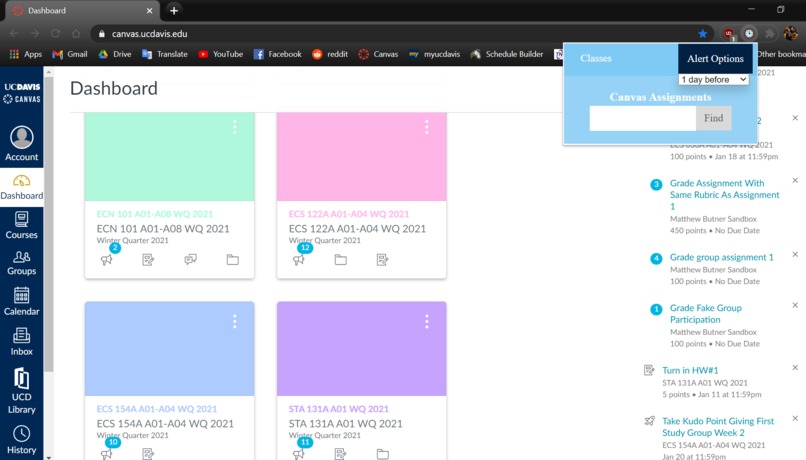
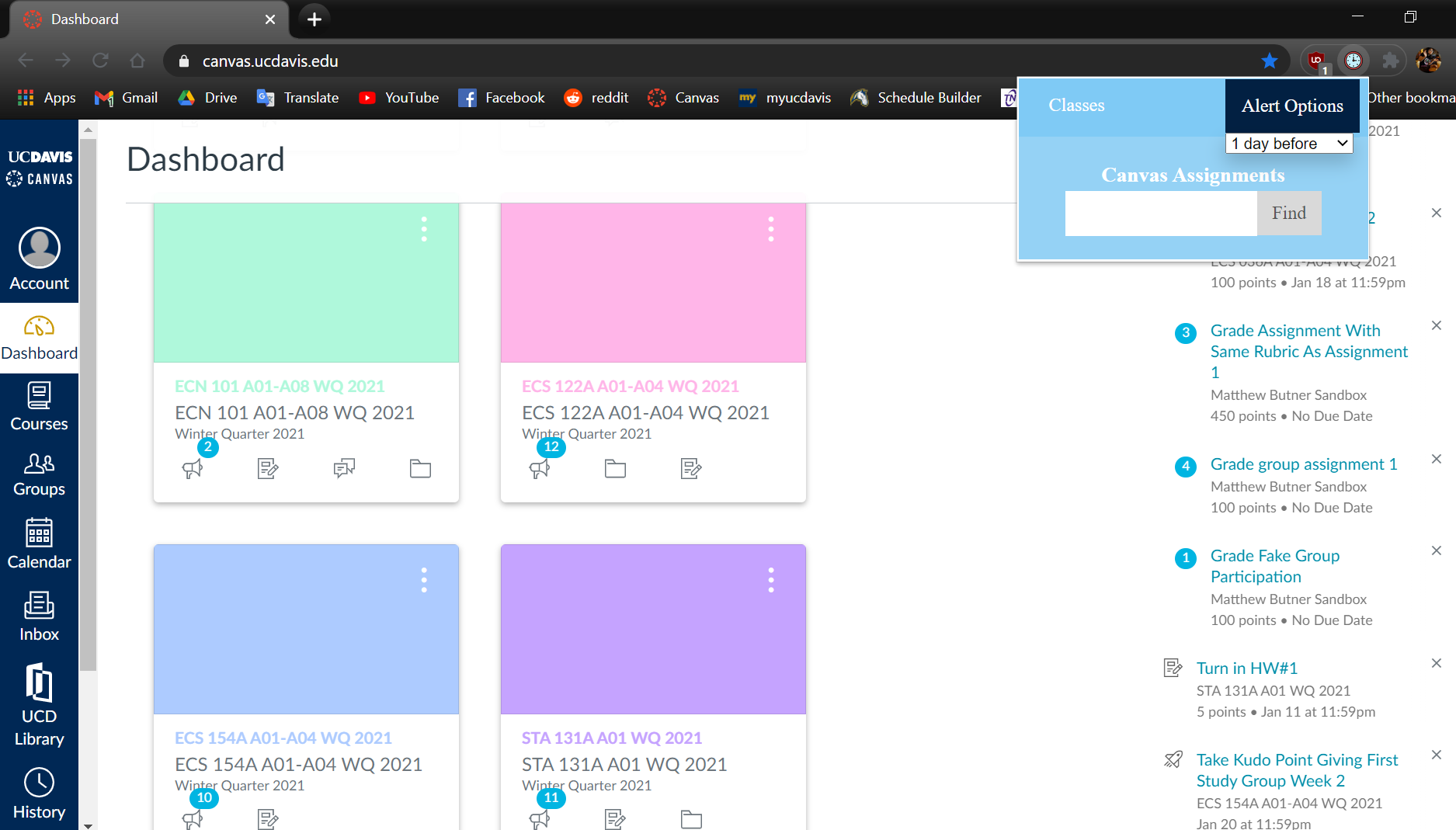
Beginning display, with choice of reminder frequency
-
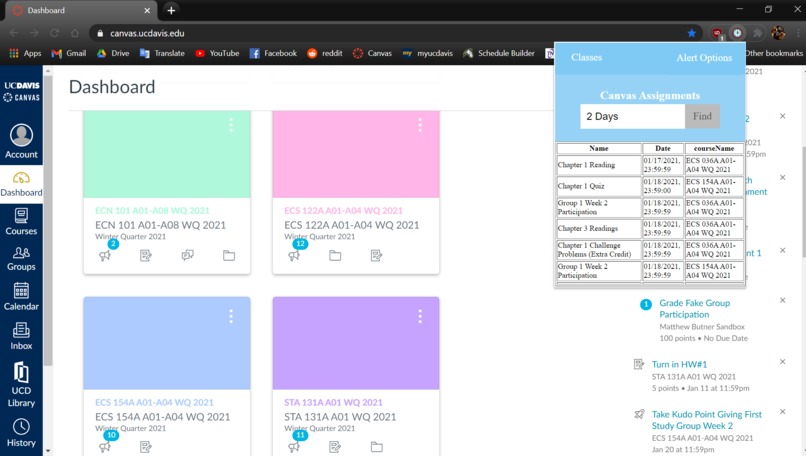
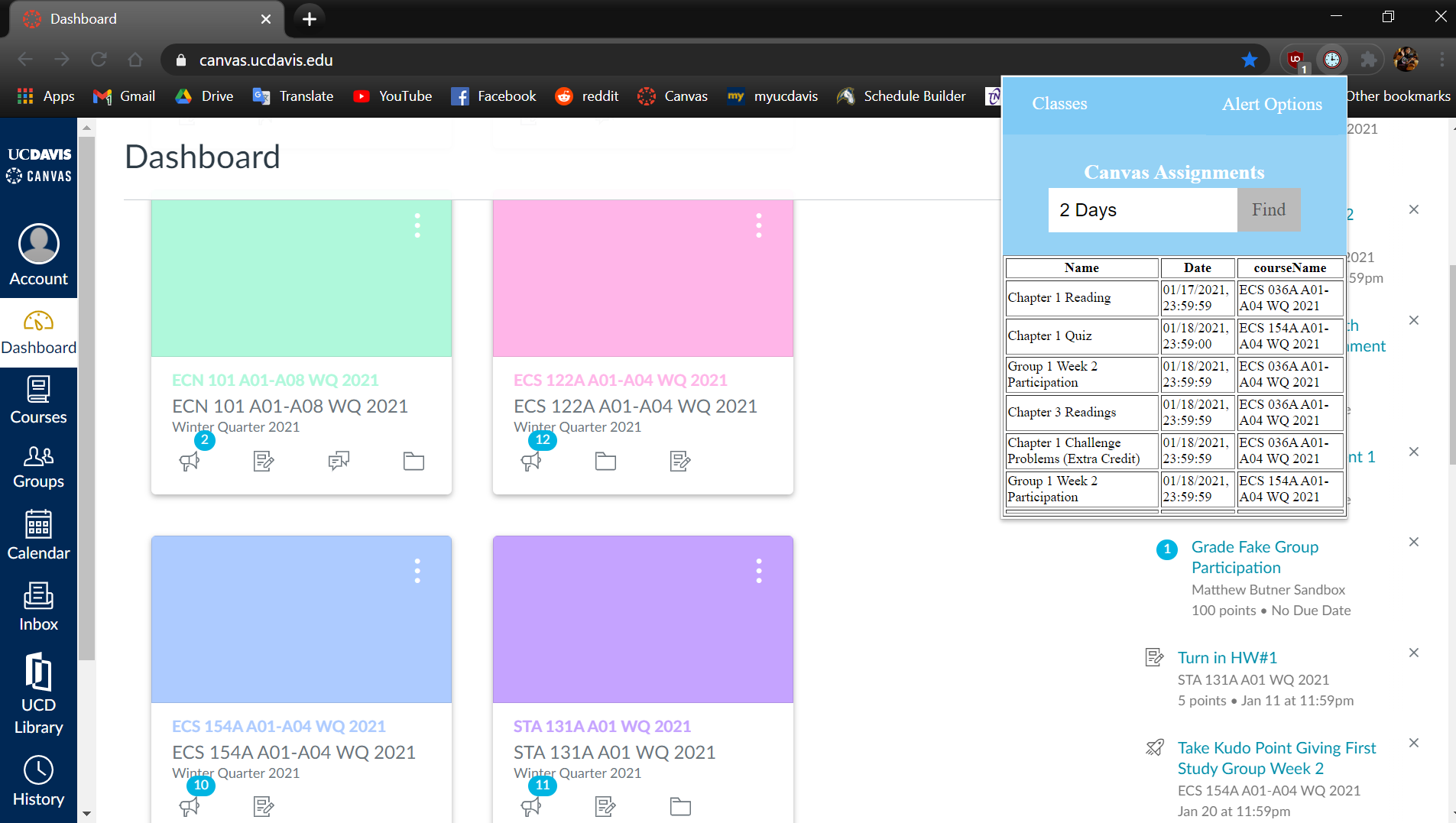
Output of assignments due in 2 days
Inspiration
It's difficult to keep track of a multitude of assignments across a variety of classes even in the best of times. With learning turned virtual, a lot of professors have upped the ante on the number of assignments, giving more midterms and weekly quizzes in order to keep students engaged and up-to-date on the material. Unfortunately, it's all too easy to miss a due date for an assignment, and it takes a lot of work to peruse each individual class Canvas page for what's due. Enter our Chrome extension, Canvas Reminders.
What it does
Canvas Reminders uses the Canvas API to retrieve all your courses and their associated assignments, and put them in one place. These assignments are sorted by due date, and can be searched for in the Chrome extension. Simply select a period of time through which you want to search for assignments -- for example, due dates within the next day, or the next week. Our extension will output a neatly formatted table displaying the assignment name, due date and time, and associated course.
How we built it
Given a unique Canvas API key, we can access the user's courses and subsequent assignments. We first pulled all the current courses by scanning for the quarter and the year we are currently in. From the courses, we compiled each assignment name, due date/time, and course name into an Assignment object, then made a list of Assignment objects sorted by date. We created a server, run using flask, and communicated with the frontend code to take input on how many days ahead we want to see assignments due. The backend then searched through the list of Assignments up til that point, and output them in a formatted table.
Challenges we ran into
The Canvas API took some time to figure out, we had little experience with HTML/CSS/JS, and none of us had any experience hosting a server. We were having a really tough time trying to port our backend data for use in the frontend display. Thankfully, Ryan (one of the mentors) gave us a 10 minute speedrun through the entire server hosting process, so we were able to have something to show for our work.
Accomplishments that we're proud of
Figuring out how to host a server and send data back and forth from client to server. Also we have a nicely displayed Chrome extension that works!
What we learned
Managing the Canvas API, server/client communication, HTML/CSS/JS
What's next for Canvas Reminders
Allow users to choose how often they receive reminders, and apply their choice to the extension!

Log in or sign up for Devpost to join the conversation.