-
-
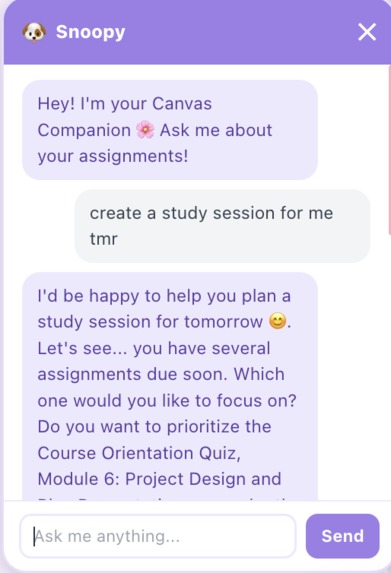
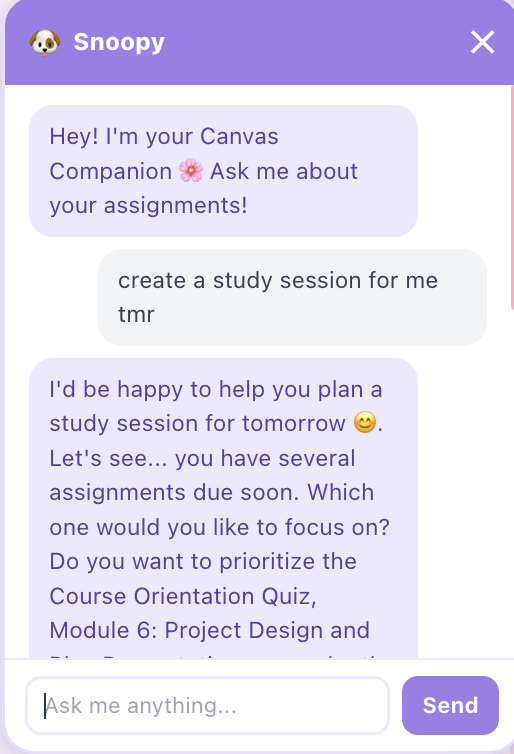
Canvas Pet chat bot
-
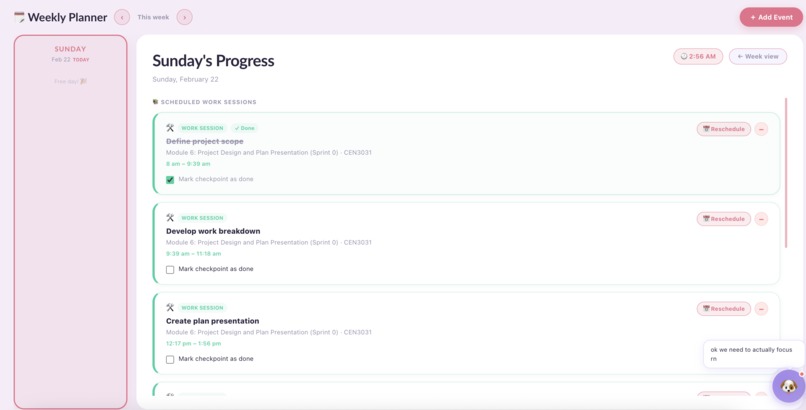
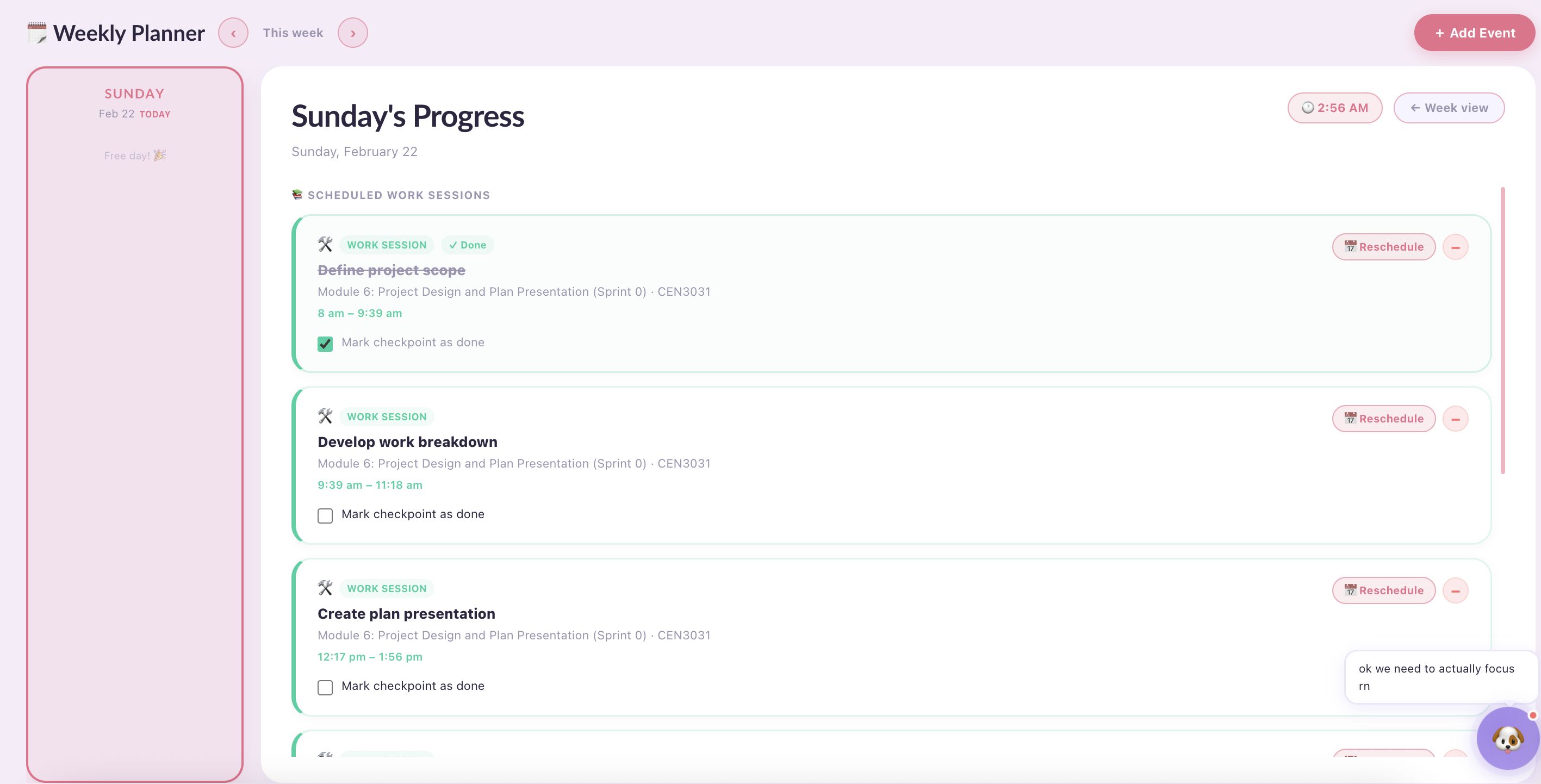
Scheduler Tab default open page with current day and todo
-
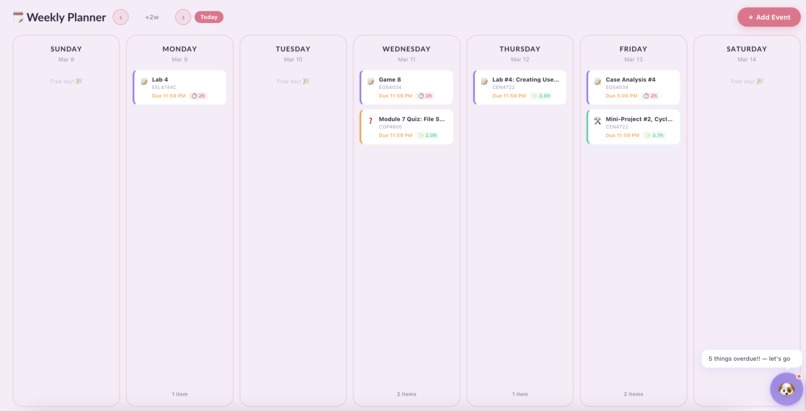
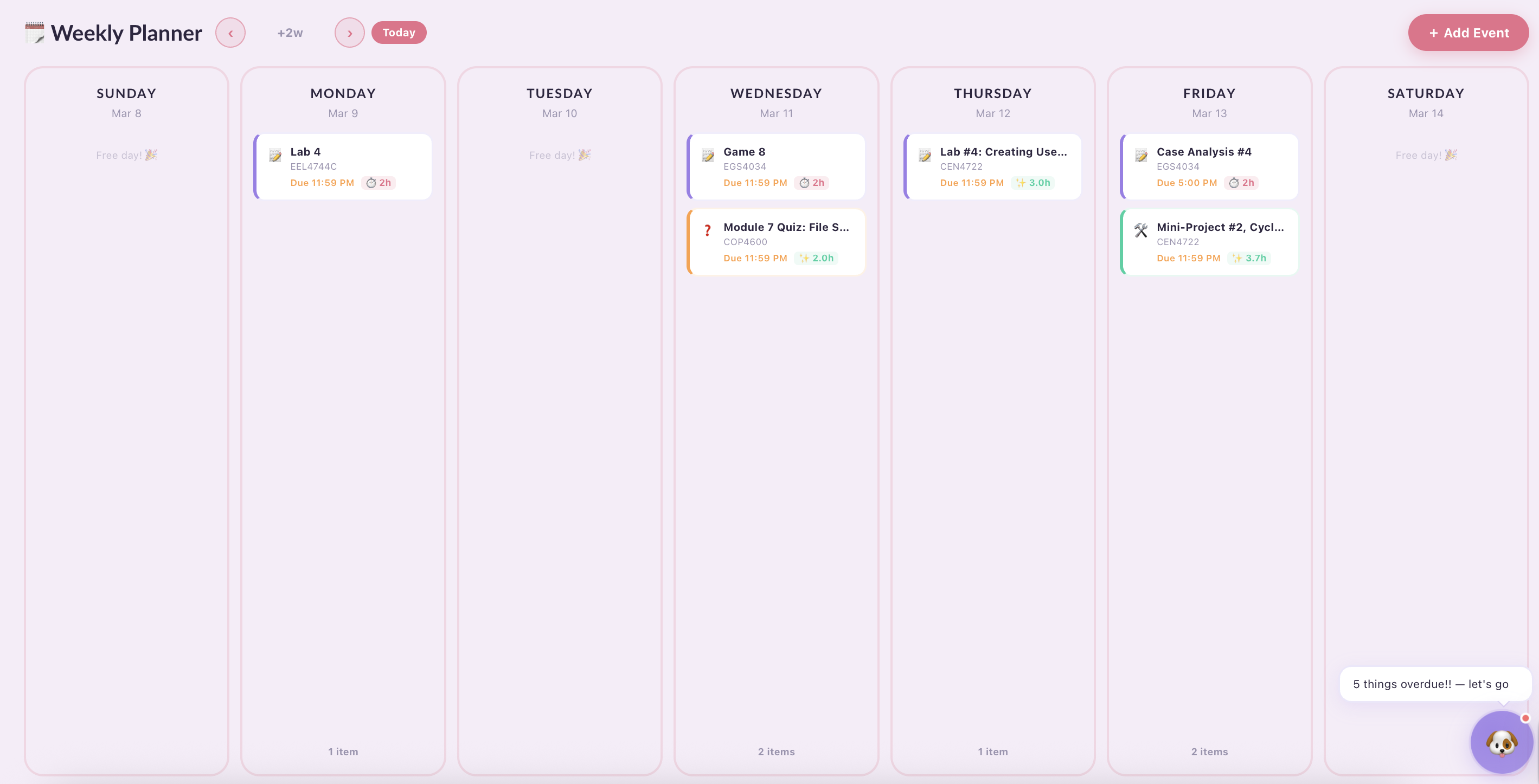
Week overview of scheduler
-
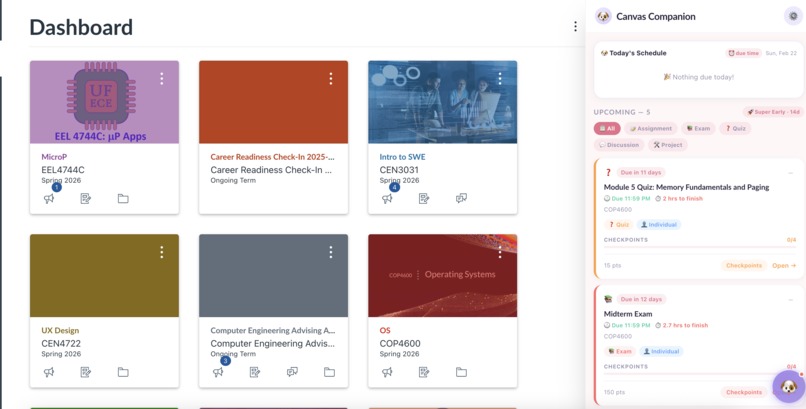
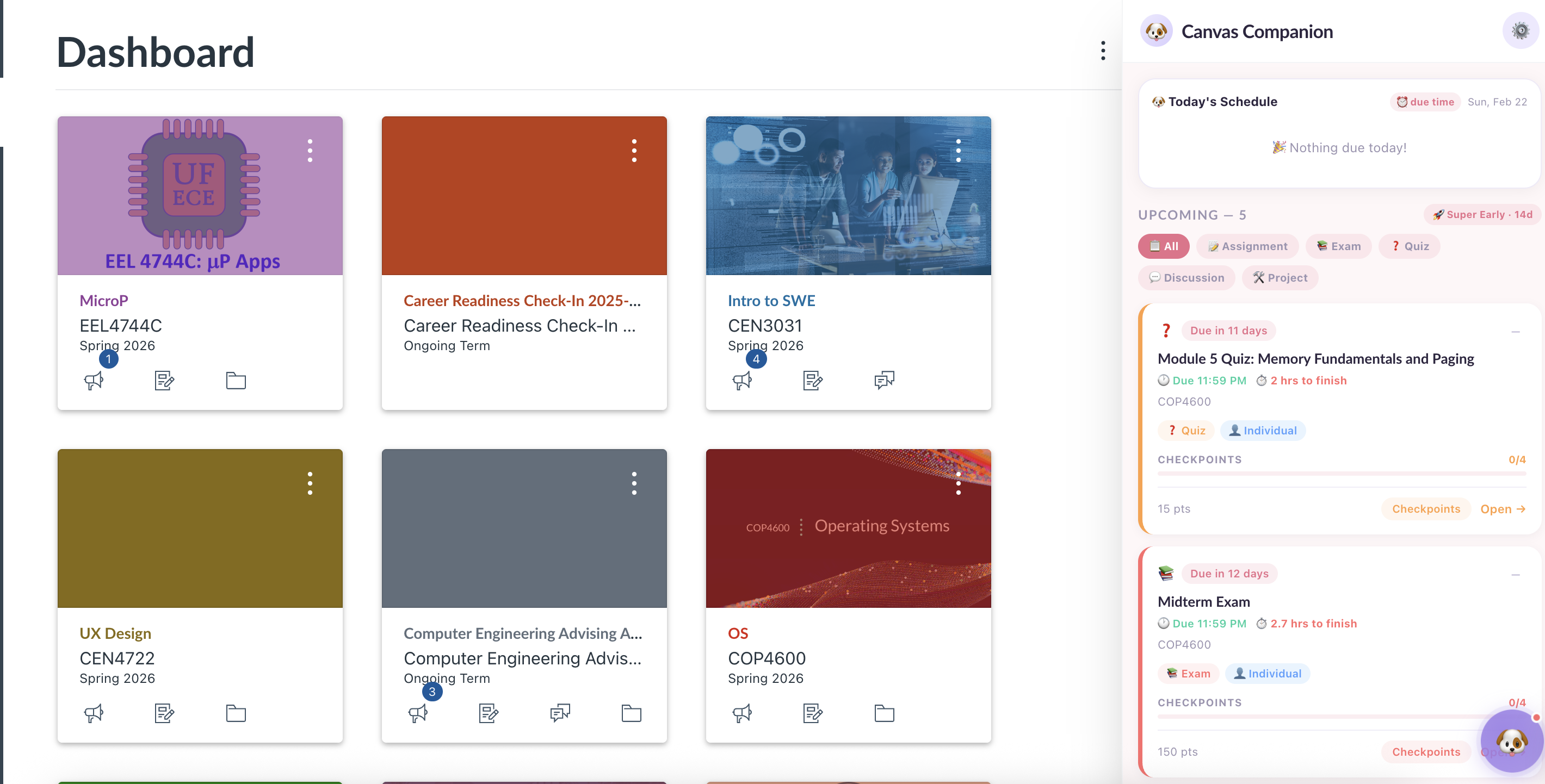
Canvas dashboard page with extension
-
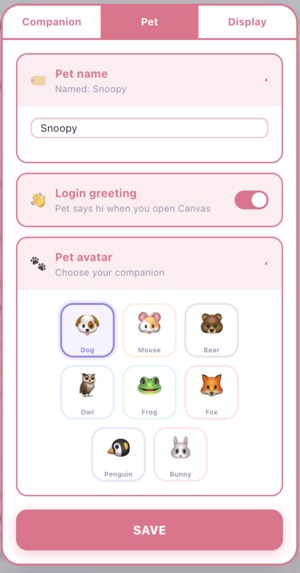
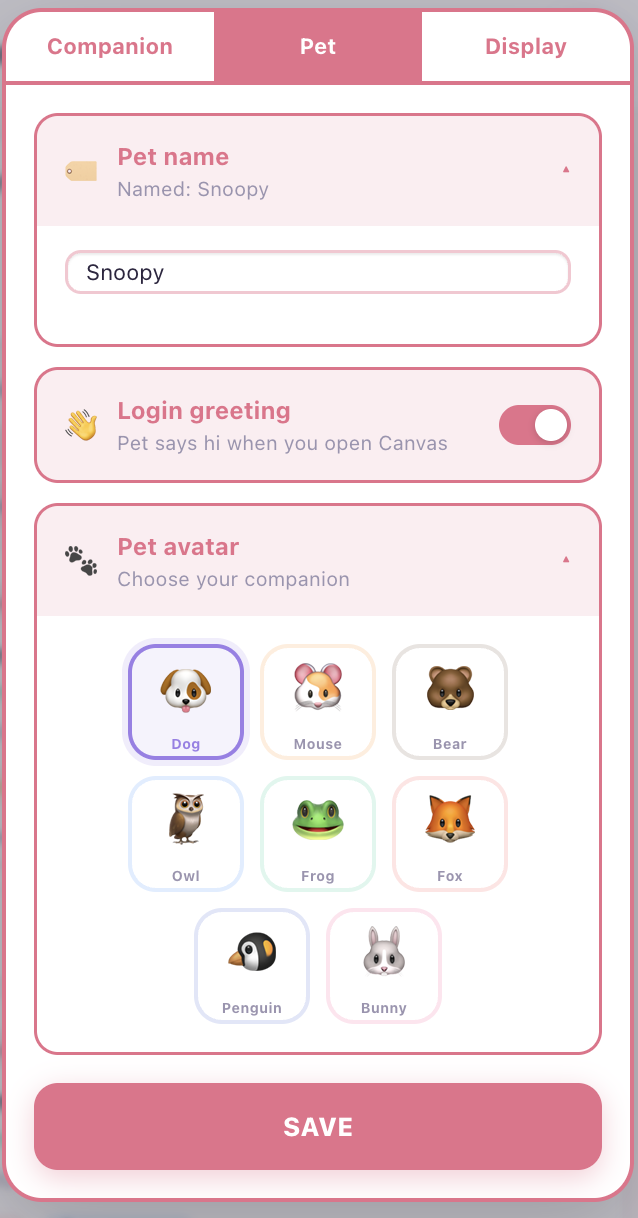
Settings Canvas Pet Page
-
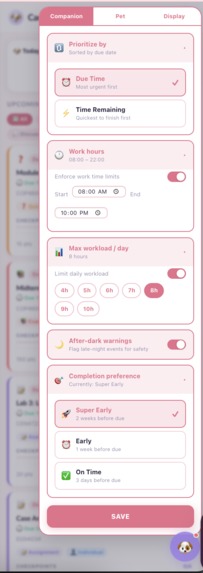
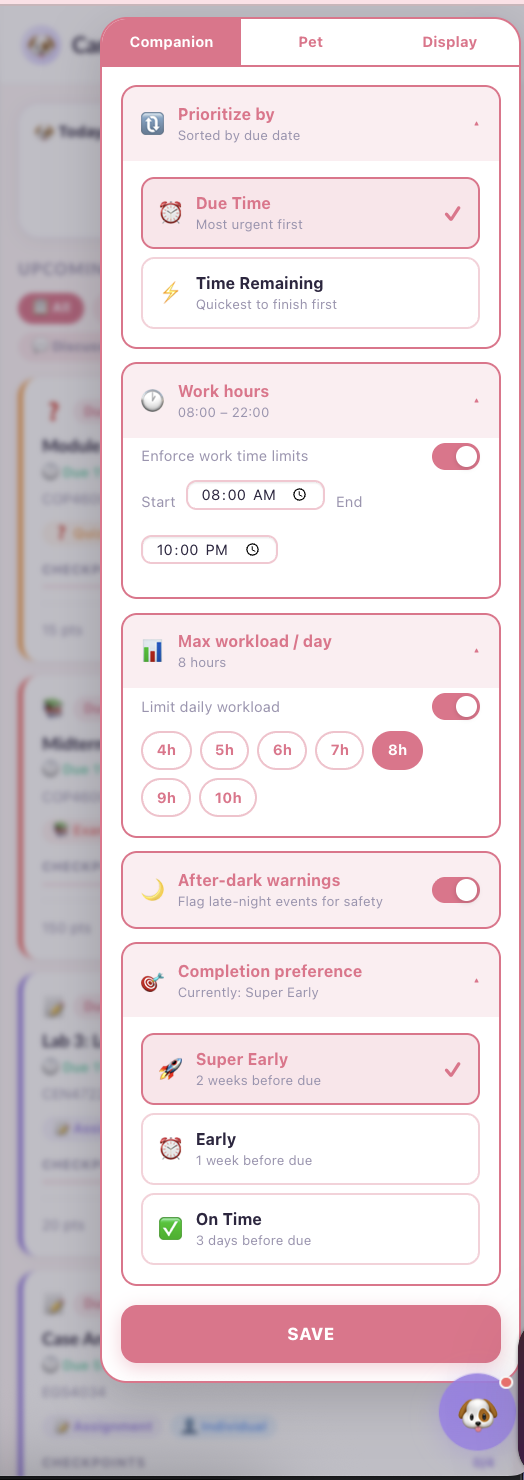
Canvas Companion Settings Page
-
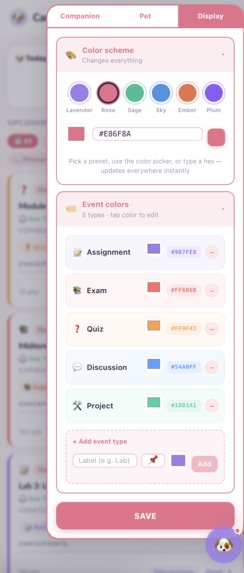
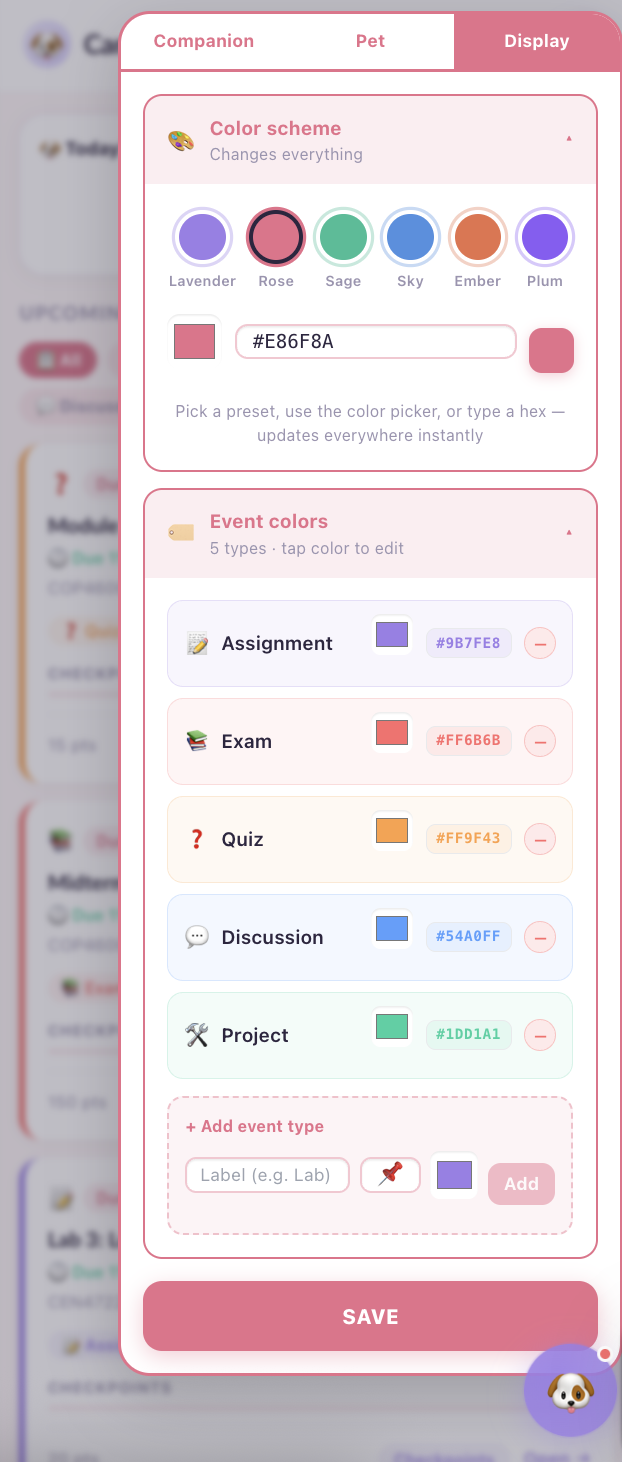
Display Settings Page
Inspiration
As students, we understand how challenging it is to juggle assignments, exams, meetings, and personal commitments across multiple courses and organizations. Deadlines are scattered across Canvas pages, syllabi, and external tools, making it easy to feel overwhelmed. Canvas shows what is due, but not how to realistically plan your time, and external calendars often add more friction than clarity. We were especially motivated by the experiences of women students, who often manage additional constraints like avoiding late-night work alone. Canvas Companion was inspired by our own experiences with time management, burnout, and safety considerations, especially for women. Our goal was to create a tool that not only organizes assignments but also actively supports women students’ well-being and security, while making planning enjoyable, motivating, and stress-free. The UX/UI design reflects this mindset: soft pastel colors, a friendly pet avatar, and cute animations that celebrate task completion make the experience feel approachable and encouraging.
What it does
Canvas Companion is an AI-powered Chrome extension that integrates directly into Canvas to help students plan smarter, study better, and stress less, with women-centric safety and motivational design built in. Key features include:
- Dashboard: Displays unsubmitted assignments filtered to the active semester
- AI-generated time estimates and start time suggestions so students can realistically plan their workload
- Automatic checkpoint generation that breaks large assignments into manageable steps
- Weekly Planner tab: Interactive task cards, daily progress bars, automatically generated work sessions Safety-aware scheduling:
- Users can flag preferences like “Avoid late-night study alone” or “After-dark events need a reminder.”
- AI suggests earlier time blocks or safer alternatives.
- Burnout detection flags overloaded days and recommends rescheduling to reduce stress Motivational:
- Colorful, cute animations, and the Canvas Pet avatar celebrate progress
- Positive confetti and encouraging messages make completing tasks rewarding and fun
- Interactive elements like drag-and-drop task cards or progress bars visually reinforce achievement By integrating safety, motivation, and intelligent planning, Canvas Companion helps women students and all students stay organized, feel supported, and enjoy using their planner, creating a friendly, stress-reducing companion rather than just a tool.
How we built it
Frontend
- React for UI components (dashboard cards, scheduler columns, pet avatar)
- CSS for consistent, accessible, and calming visual design
- CSS keyframes for smooth animations and progress transitions
Backend
- Node.js + Express, hosted on Vercel
- Grok AI for assignment classification, checkpoint generation, and natural language scheduling Data & Storage
- Canvas REST API for live assignment
Data
- All user data is stored locally in the browser using localStorage. This includes assignment cache, checkpoint progress, work session scheduling, user preferences, and safety settings. No user data is sent to or stored on any server, everything stays on the student's device and persists across sessions automatically.
Challenges we ran into
- Canvas API limitations: UF restricts access token creation, requiring us to adapt to publicly accessible endpoints while filtering assignments by semester and submission status
- Balancing AI and UX: We iterated heavily to make Grok-generated suggestions feel supportive, not judgmental, while UX elements had to be motivating but not distracting
- Integrating code between the Dashboard page and the Scheduler page we created was challenging
- Merge conflicts required multiple clones and careful coordination
Accomplishments that we're proud of
- We built a fully functional Chrome extension that works seamlessly with Canvas.
- Successfully pulled live assignment data without requiring access tokens
- Designed interactive, motivational UX/UI that give positive feedback (confetti) when progress is made and reduces stress (UI/UX Track)
- Integrated Grok AI chatbot with intelligent scheduling and checkpoint generation.
- Implemented safety-aware scheduling features for women students.
- Delivered a cohesive product that improves planning, motivation, and well-being
What we learned
- How Chrome Extensions work under Manifest V3
- How Canvas REST API structures data and what is publicly accessible
- How to design AI interactions that feel natural, concise, and supportive instead of robotic
- How UX/UI design can motivate students and reduce cognitive load
- How to prioritize women-centric safety and well-being alongside technical features
What's next for Canvas Companion
- Customizable AI notifications: Let users choose the tone, frequency, and type of guidance from the Canvas Pet (gentle, motivating, or concise reminders).
- Adaptive learning suggestions: AI could recommend study strategies or break times based on how students complete tasks and handle their workload.
- Peer collaboration integration: Allow users to share tasks or checkpoints with classmates for group projects and study sessions.
- Expanded safety features: Incorporate location reminders or virtual check-ins.
- Theme and accessibility personalization: More color schemes, dark mode, and interface adjustments for accessibility and personal preference.
- User-driven improvement: Build a feedback loop where students can suggest features or improvements, letting the AI adapt to the needs of different users.
Built With
- chrome.storage
- chromeextentions
- css
- grok
- html
- javascript
- node.js
- react
- restapi
- vercel


Log in or sign up for Devpost to join the conversation.