-
-
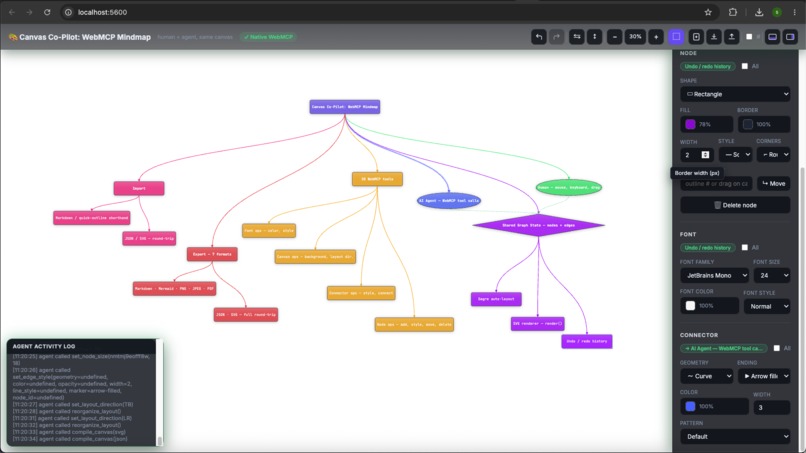
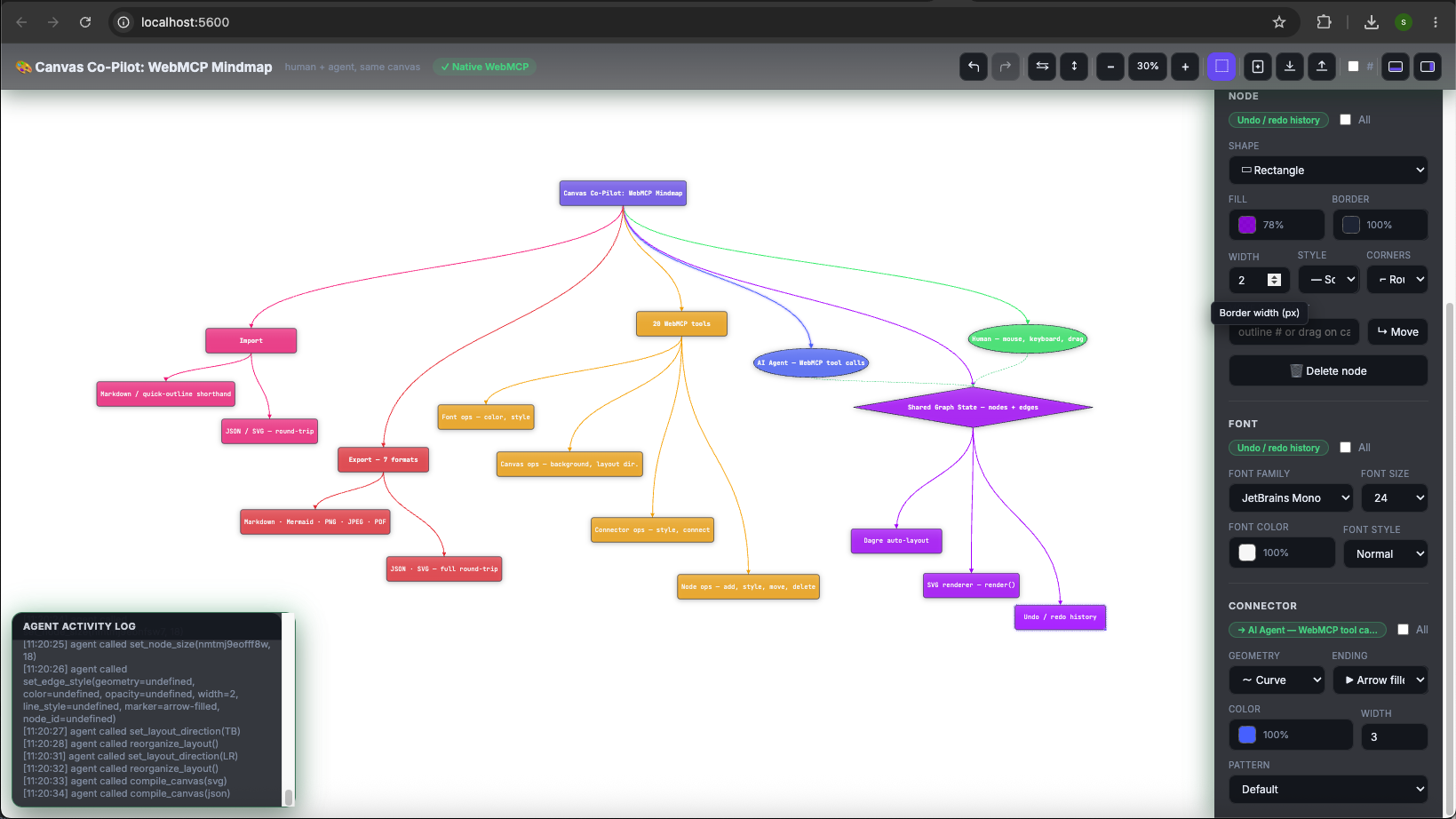
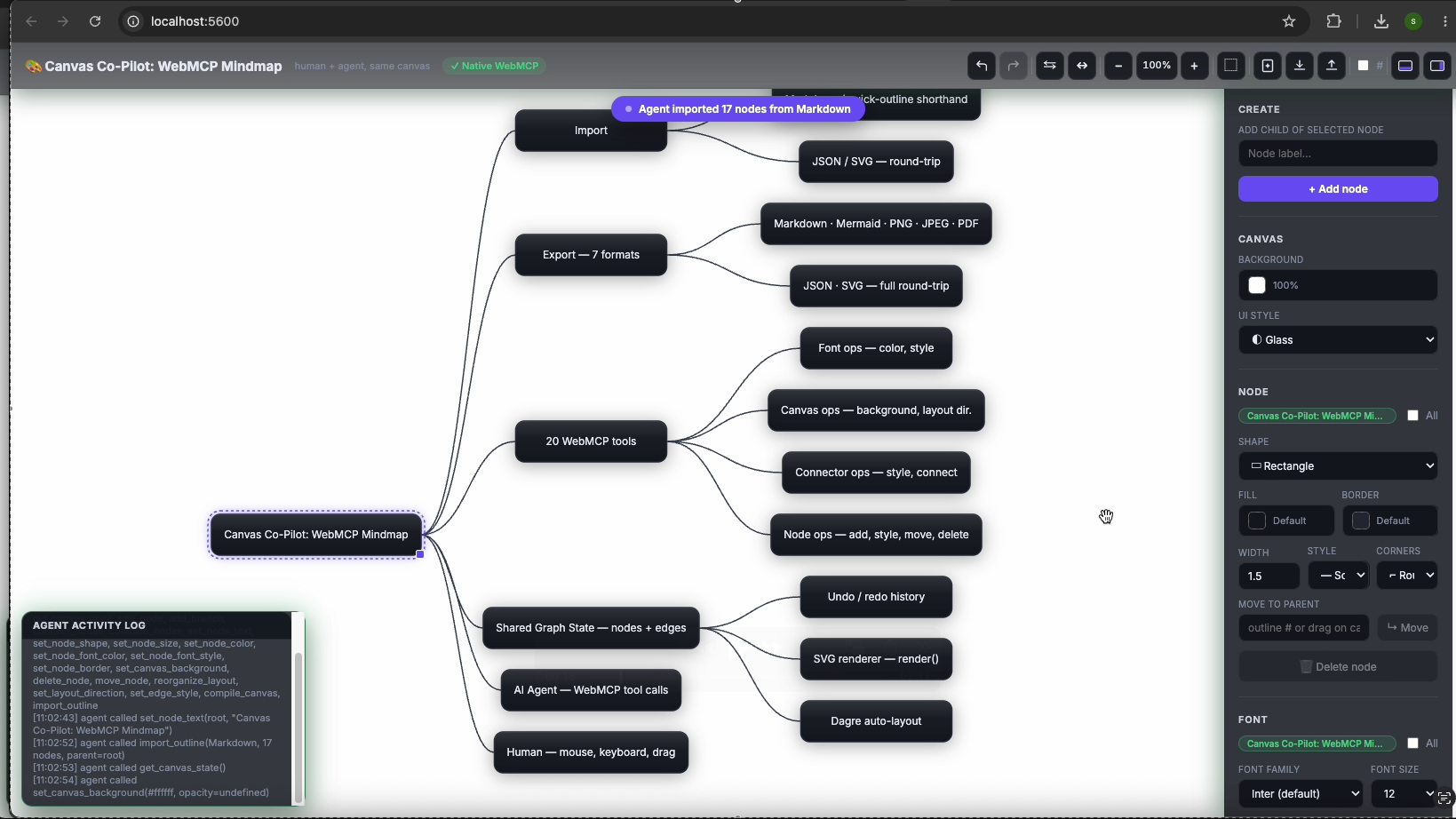
Vertical Structure of Architecture Diagram
-
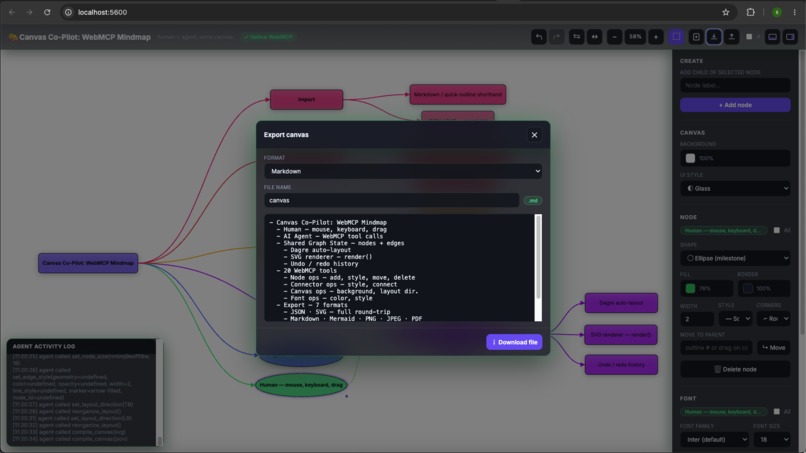
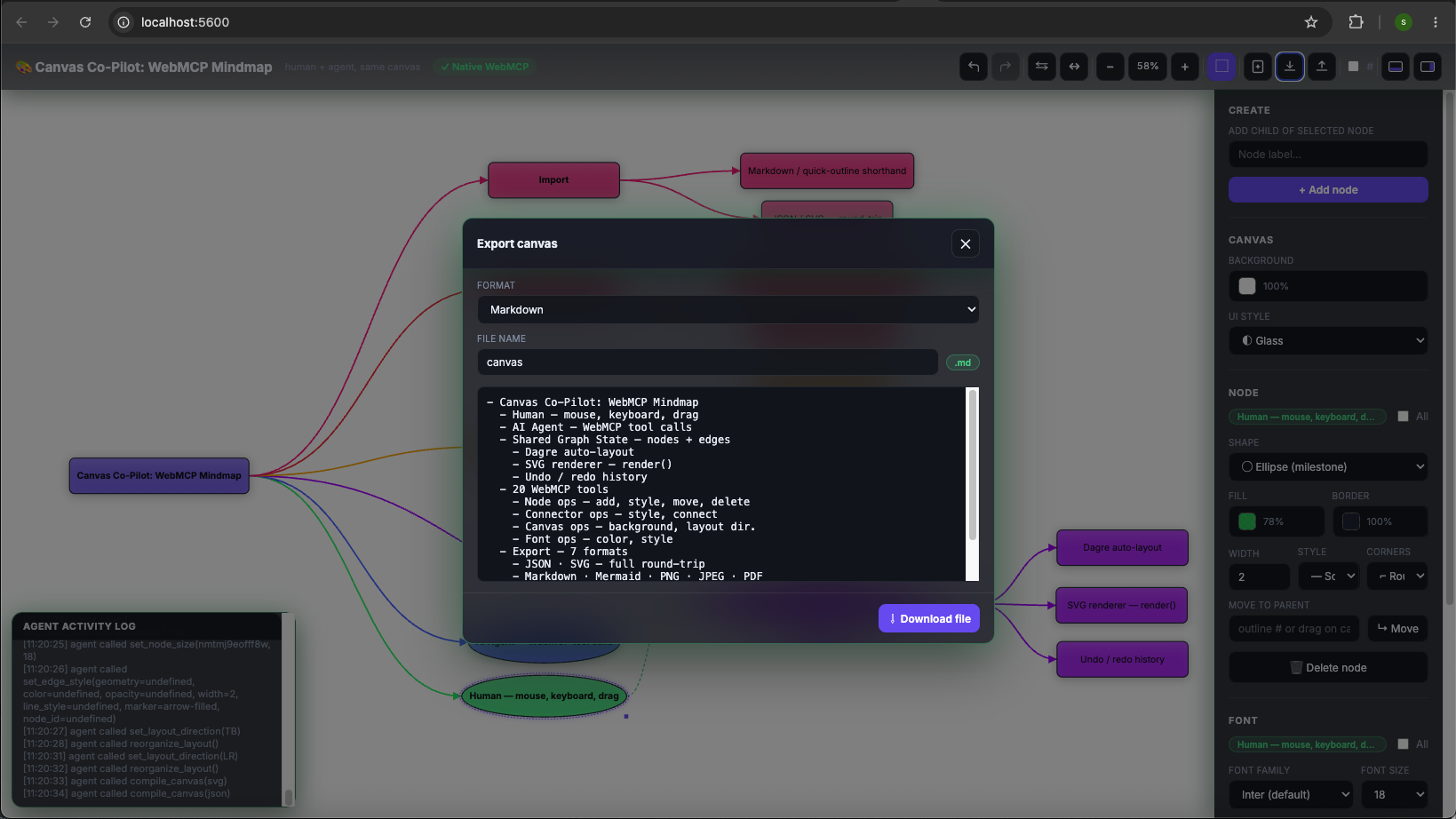
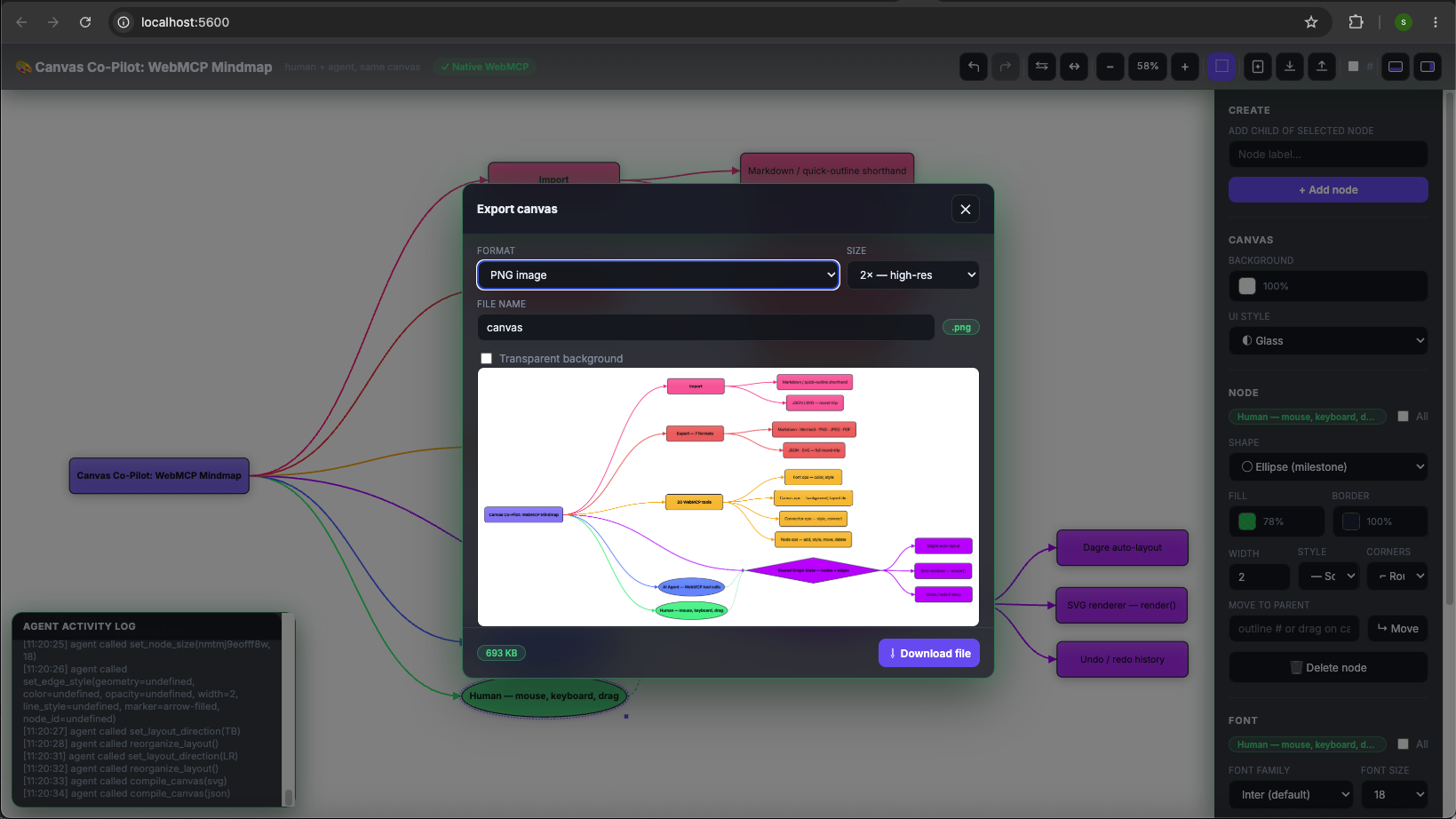
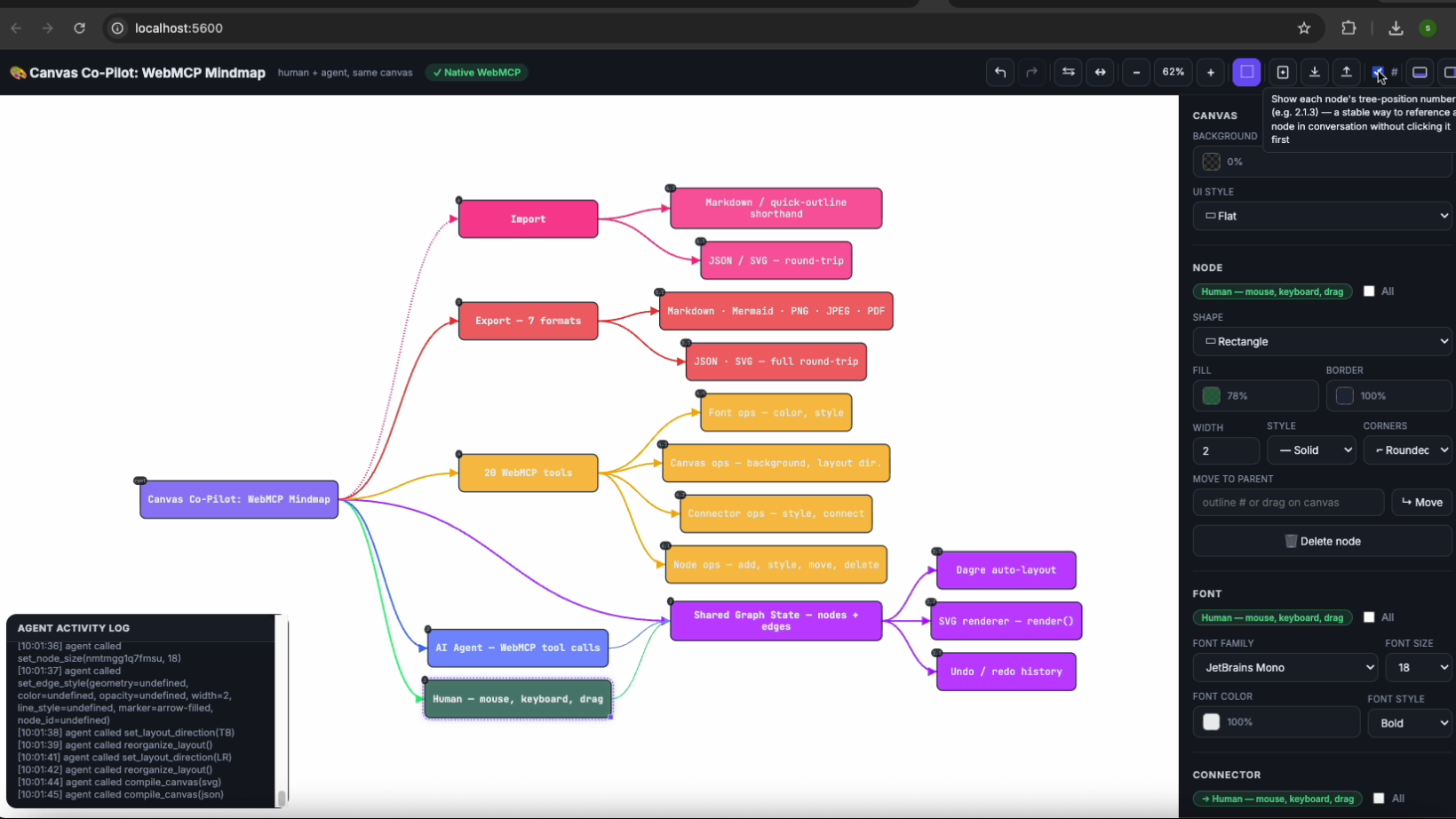
Export (JSON, SVG, MARKDOWN, PNG, JPEG, PDF)
-
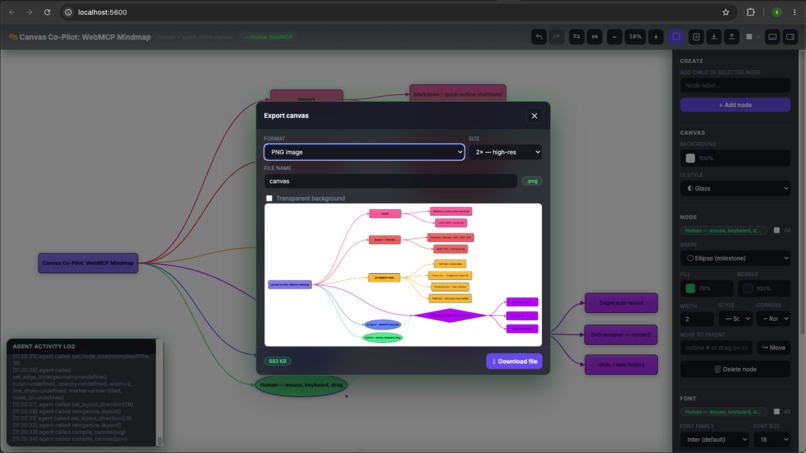
Export as PNG
-
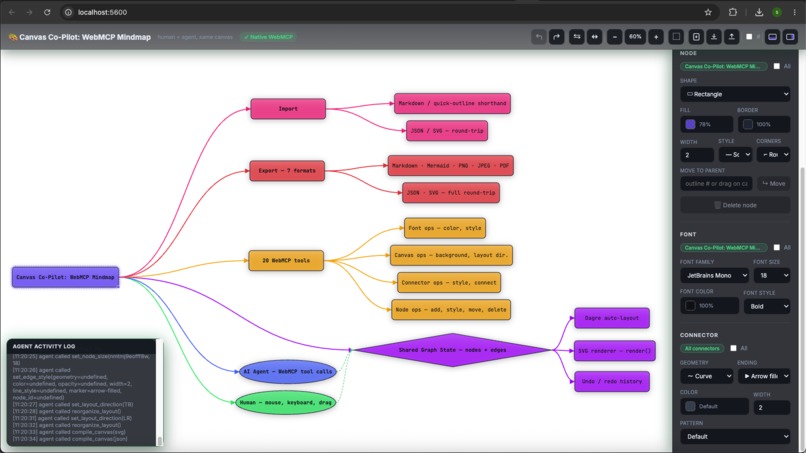
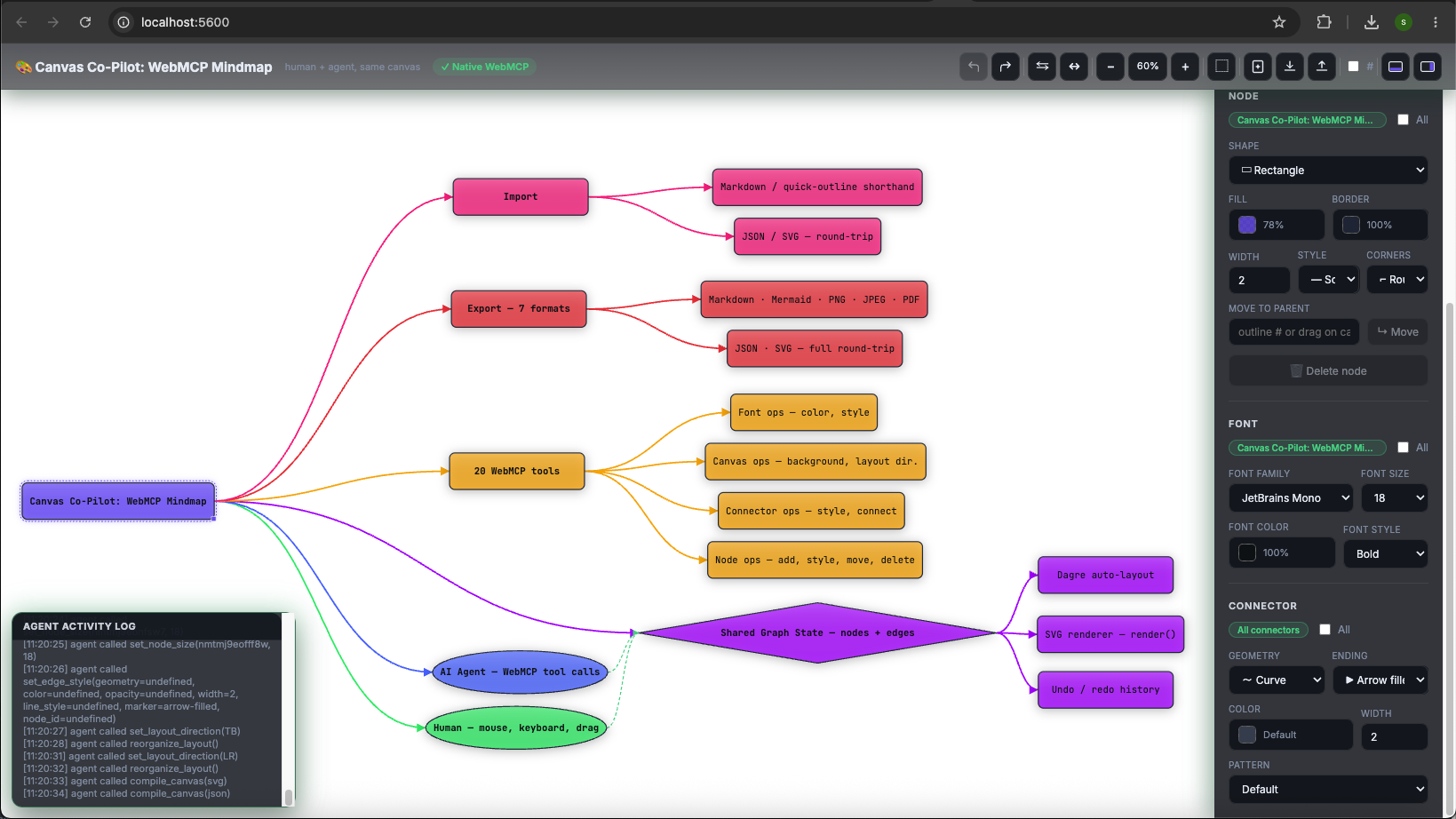
Agent has completed colouring the components via script
-
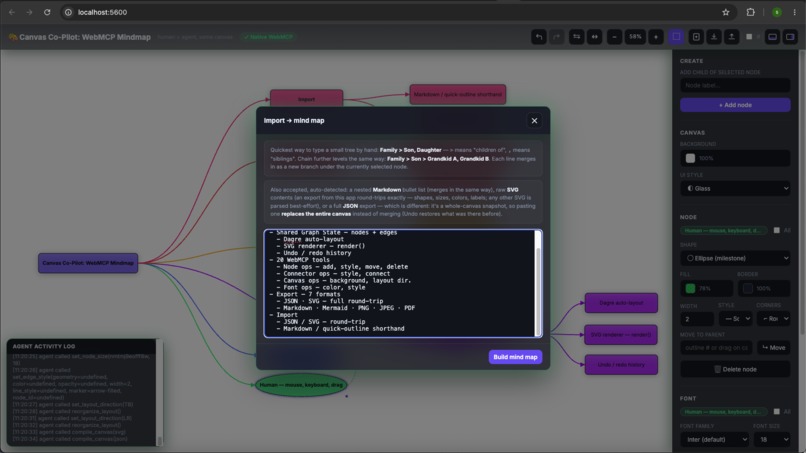
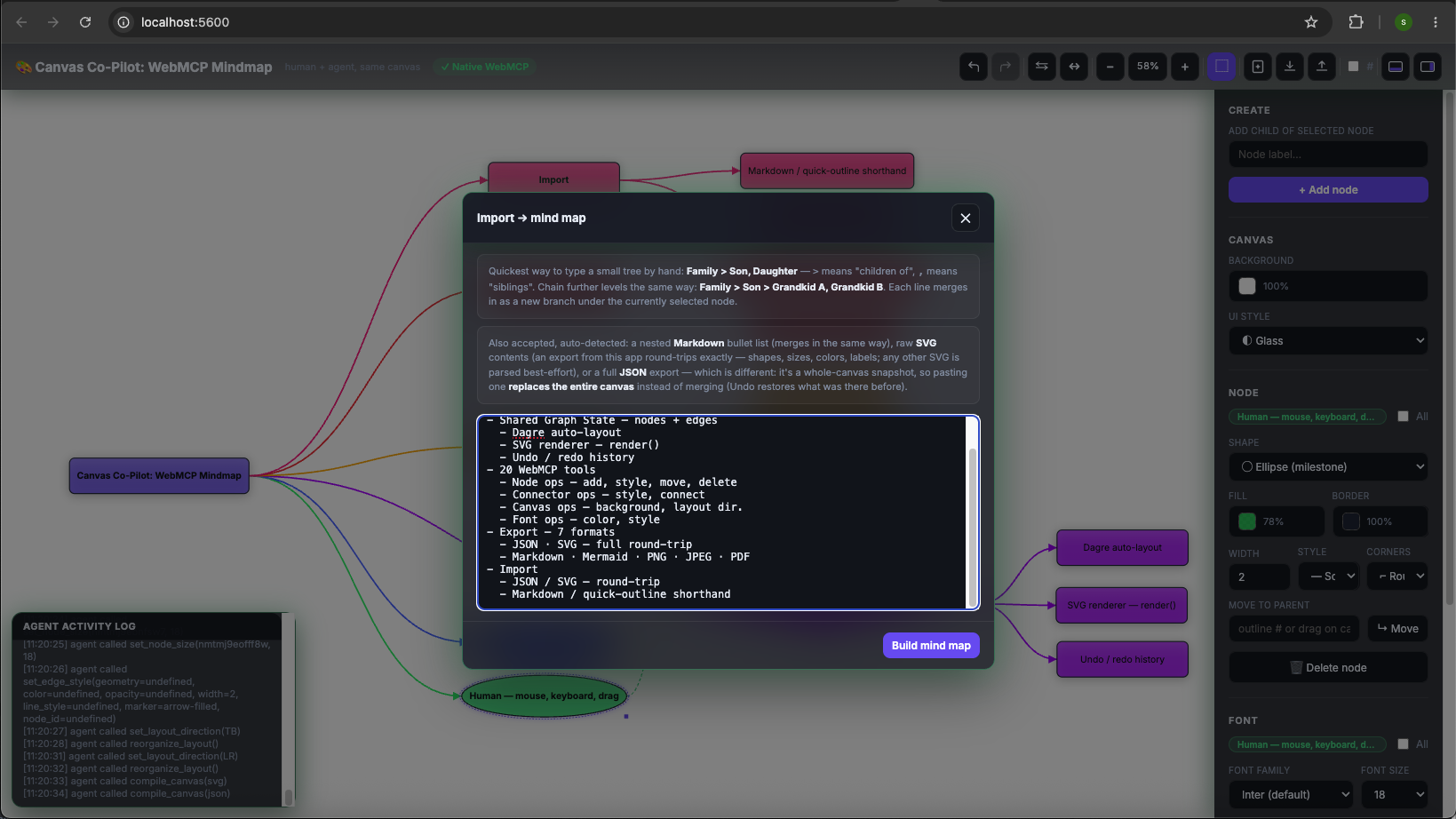
Import (JSON, SVG, Markdown)
-
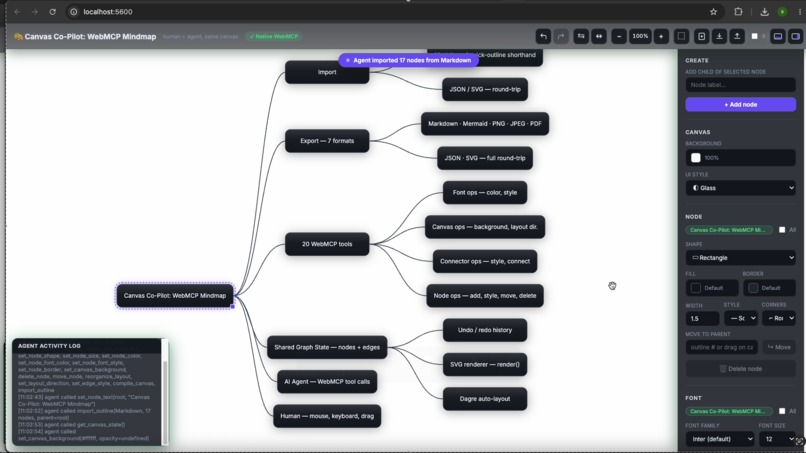
Agent has completed the import and drafted on the canvas via script
-
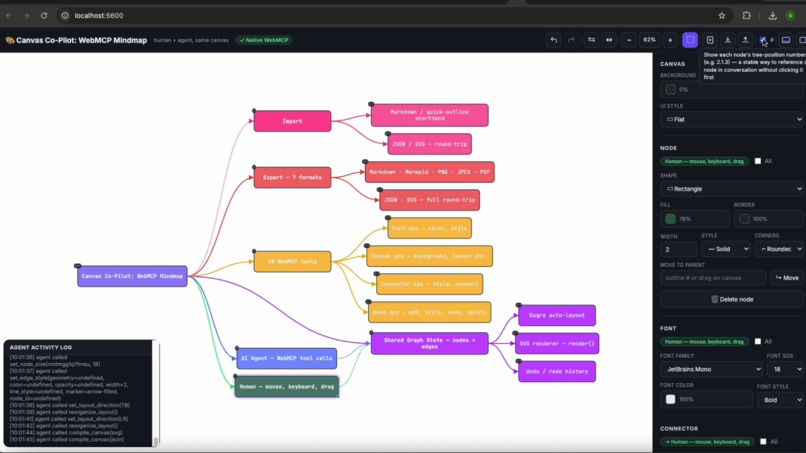
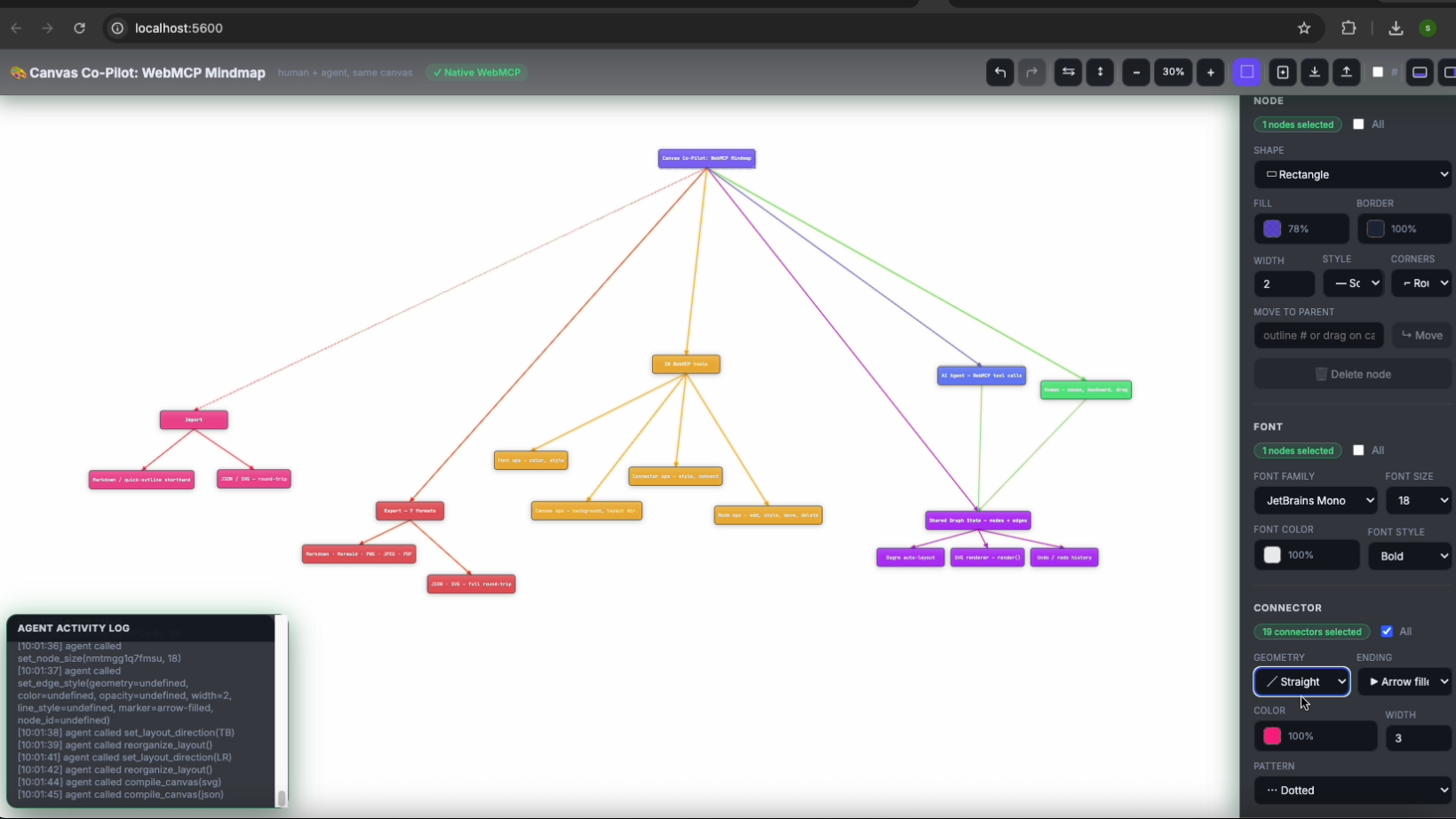
Select all tool
-
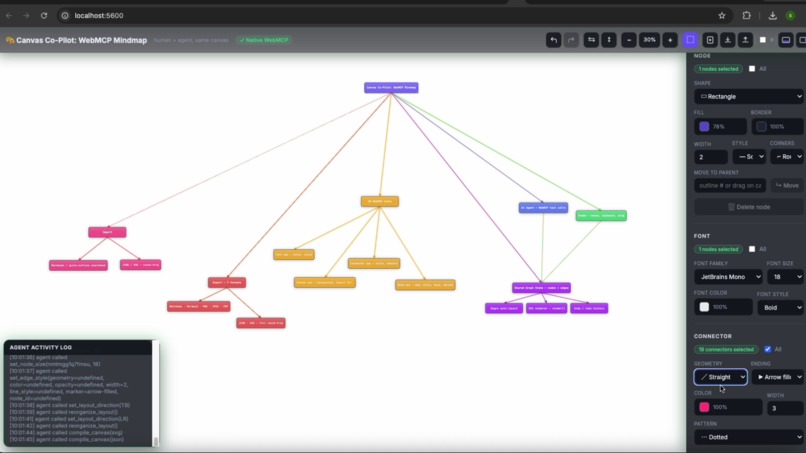
Vetical Architecture using the straight line connector
Canvas Co-Pilot: WebMCP Mindmap
Inspiration
Every AI tool I'd used fell into one of two buckets: either the agent takes over completely and you just watch it work (and hope it doesn't do something you didn't want), or it's a chatbot bolted onto the side of an app, completely disconnected from what's actually on screen — you describe what you want in a text box, and the app has no idea an agent is even involved.
Neither felt right for something as personal as a mind map. A mind map is your thinking laid out — I didn't want an agent replacing that, I wanted one that could sit down next to me and actually draw on the same page. When I found WebMCP — a way for a web page to expose its own real functions as tools an agent can call directly, in the browser, no backend required — that was the whole idea in one API. So I built the thing I actually wanted: one canvas, one undo history, a human and an agent both reaching for the same nodes.
What it does
Canvas Co-Pilot is a mind-mapping canvas that a person and an AI agent can edit at the same time, live, in the same browser tab. Add nodes, branch out ideas, drag things around, color-code by hand — and an agent can do all of that too, through 20 real tools registered via document.modelContext (add a branch, restyle a node, connect two ideas, reorganize the whole layout, export to SVG/PNG/Markdown/Mermaid, import any of those back in). Every change either of us makes lands in one shared undo history, so nothing an agent does is ever outside a person's ability to take back.
How we built it
Plain HTML, CSS, and JavaScript — no framework, on purpose, so the whole render/state pipeline stays easy to reason about. Dagre handles auto-layout, the canvas itself is hand-rolled SVG with full round-trip fidelity (export a diagram, re-import it, get back exactly what you started with, including every color and shape override). For WebMCP itself, the app checks for native document.modelContext support first and only falls back to the @mcp-b/webmcp-polyfill when it's not there — the header badge tells you honestly which mode you're in, native or polyfilled, rather than pretending it's always native. It's deployed on both Netlify and Vercel.
Challenges we ran into
Most of the real work wasn't the happy path — it was the bugs that only show up once you actually try to break the thing.
- A user pasted a Mermaid-style edge list (
root --> human) into Import, and it silently created 39 broken, half-named nodes instead of failing loudly. The importer's "is this quick-outline shorthand" check was matching on any>character — which also matches an arrow. Fixed with a negative-lookbehind regex that tells an arrow apart from actual shorthand syntax, and now a bad paste tells you it didn't understand instead of quietly corrupting your canvas. - "Select all connectors" would silently reset back to nothing the moment you clicked anywhere on the empty canvas — even just panning to look at something. If every connector already had its own color (which they do once you've styled a diagram), the next color change would then land on the invisible graph-wide default instead, and visibly do nothing at all. Took real reproduction work to catch, since it only shows up with an incidental click in between two actions that each look correct on their own.
- I tried making multiple connectors landing on the same node spread out instead of converging on one point — and it technically worked, with proper diamond/ellipse-aware geometry and everything. But it just looked wrong. "Multiple octopus hands" was the exact feedback, and it was right — I reverted the whole thing. Good reminder that a fix being technically correct doesn't mean it's the right call.
- Two of the 20 tools had names close enough to trip up an agent, not a human:
combine_nodesandconnect_nodessound almost identical but do very different things (one creates a brand-new node, the other just links two that already exist). Caught it by checking the tool descriptions against Chrome's own published guidance for testing WebMCP tools — and fixed it with one clarifying sentence in each description.
Accomplishments that we're proud of
Getting a second AI vendor to prove the point without any custom integration work: I handed ChatGPT nothing but the live tool schema and a canvas snapshot, and it wrote genuinely correct document.modelContext calling code — right API shape, right pattern — with only two small gaps (a missing await, a guessed return shape) that came from never having seen a live response, not from misunderstanding the standard. That's the whole promise of WebMCP working, not just Claude working.
I'm also proud of how much of this session was bug-hunting rather than feature-building. Reproducing the connector-selection bug took building the exact failure chain step by step before I even knew what was wrong — not just patching the first thing that looked broken.
What we learned
The most validating thing I found wasn't something I built — it was rereading WebMCP's own spec and seeing my own instincts already written into its stated goals: "enable human-in-the-loop workflows," explicitly not "fully autonomous agents operating without human oversight." I hadn't copied that language, I'd just built toward the same idea independently, which is a nice signal I was pointed the right way from the start.
I also learned that small stuff in a tool's description matters far more than it looks like it should. Two similar-sounding tool names, or three tools that could all plausibly answer "make it red" — those are exactly the kind of ambiguity that trips up a model even when every individual tool works perfectly in isolation.
What's next for Canvas Co-Pilot: WebMCP Mindmap
- Native support: Chrome 149 and Edge 150 both have live Origin Trials for real (non-polyfilled)
document.modelContext— worth registering for so the badge can honestly say "Native" for more visitors, not just the polyfill. - Dynamic tools: right now all 20 tools are registered once at load. The spec supports tools that appear only when relevant (e.g. a
delete_nodetool that only shows up once something's actually selected) — that's a more honest surface for an agent to reason about than one static list. - Multiplayer: right now it's one human, one agent. Extending the same shared-state model to multiple people on the same canvas is the natural next step.


Log in or sign up for Devpost to join the conversation.