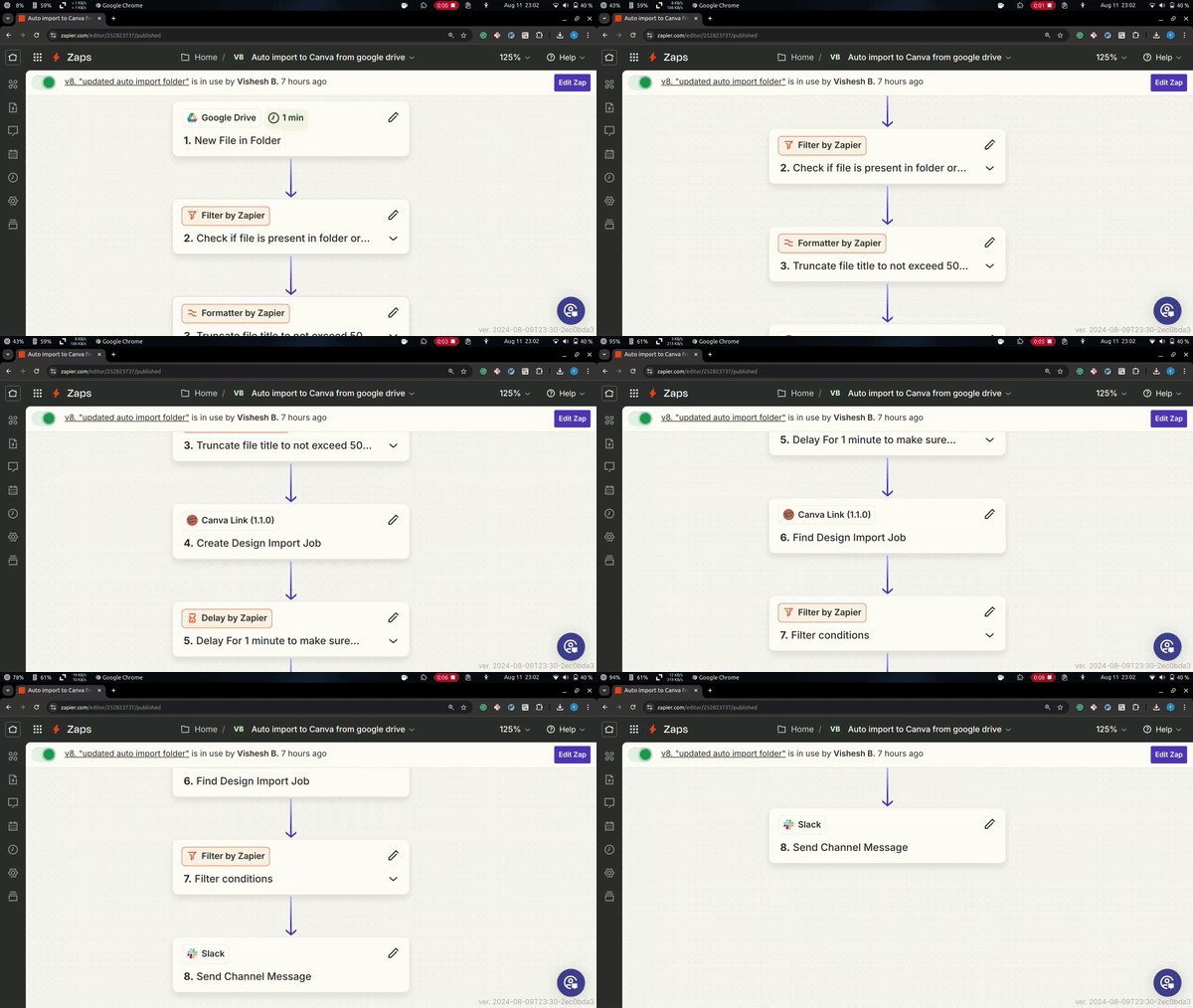
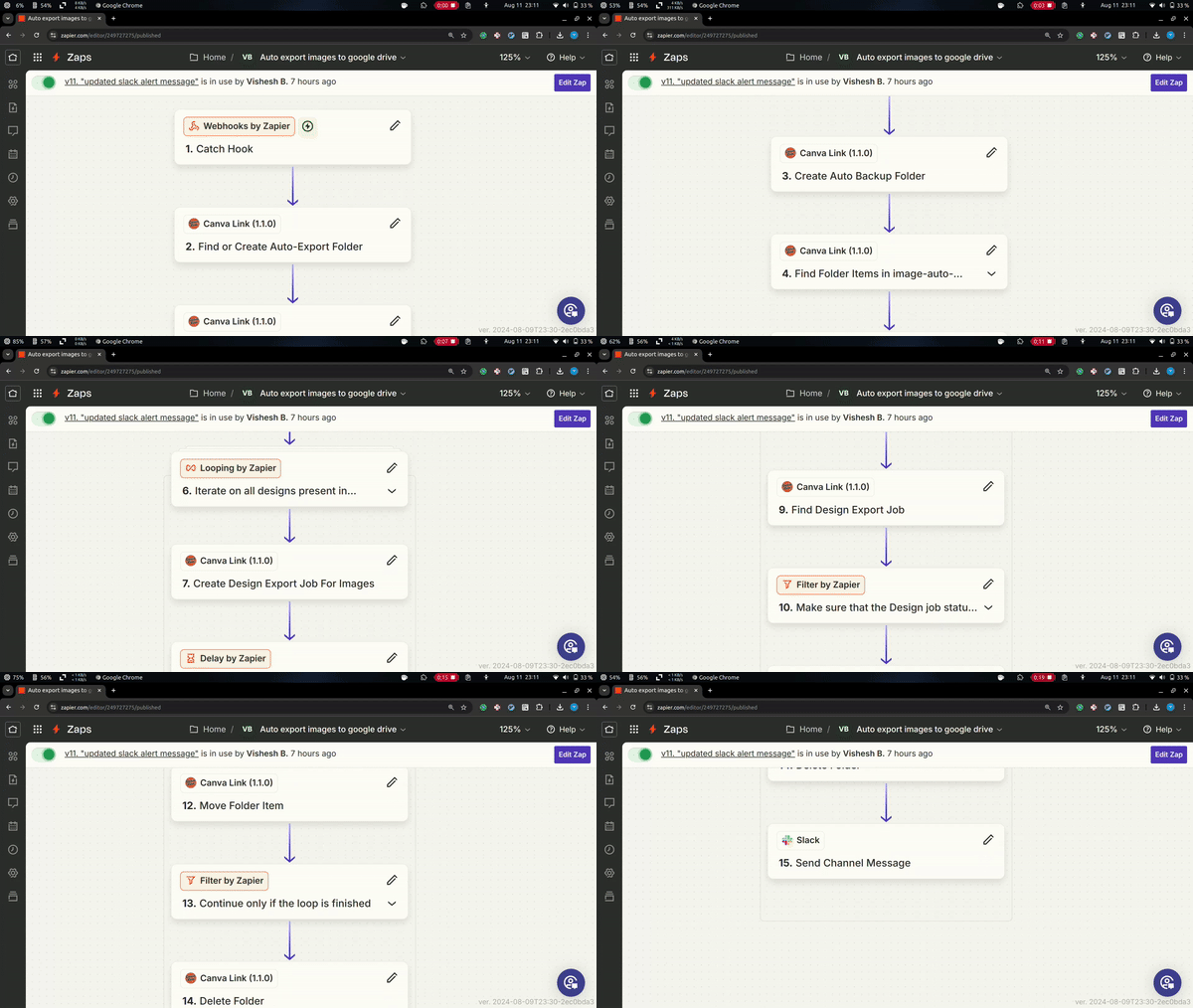
Missed Points in the Demo
- Slack vs. Scheduled Triggers: In the demo, I used the Slack app to trigger the auto-export feature for the Canva Link workflow. However, you can also use Zapier's built-in scheduled triggers to automate exports at a specific time each day.
- Auto-Export Folder: I forgot to show the empty auto-export folder at the beginning of the demo. At the end, you can check the
Modified Time(around 05:00 PM) of the files in theauto-exportfolder, which should match the current time(around 05:00 PM) displayed on my machine.
Inspiration
I've been using Canva for over four years to create designs, despite having no formal design background. Canva's intuitive interface has allowed me to produce professional-looking designs with ease. When I heard about Canva's hackathon, I immediately wanted to create something that could boost my productivity. Given Zapier's reputation as the best in the industry for automation, I decided to connect two of my favorite apps: Canva and Zapier. This project was a perfect opportunity to explore how Zapier works internally and build something that could be helpful to others as well.
What Canva Link Does
- Canva Link enables the creation of automated workflows between Canva and other apps in the Zapier directory.
- It provides various triggers and actions within Zapier, allowing users to build custom automation logic.
Triggers Provided by Canva Link
- Find all folders present in your Canva project.
Actions Provided by Canva Link
- Create folder
- Find all folders
- Find folder details
- Find folder items
- Move folder items
- Delete folder
- Create design export job for images
- Create design export job for videos
- Find a design export job
- Create a design import job
- Find a design import job
You can start building your workflow automations using different apps on Zapier with this public invite.
How I Built It
- I used the Zapier CLI to develop this integration, which allowed me to leverage many features provided by the Zapier platform.
- For authentication, I implemented the OAuth2 flow required by Canva, which the Zapier CLI supports out of the box.
- Most of the actions and triggers use the Canva Connect API behind the scenes to transfer data between Canva and other apps, or to allow Canva to receive data from Zapier.
- You can learn more about the Zapier CLI from the official documentation and about the Canva Connect APIs here.
Challenges I Ran Into
- The biggest challenge was building the design import job. Since I'm not accustomed to working with streams and buffers, it took me some time to grasp the underlying concepts of data streaming. Fortunately, I managed to complete it within the time limit.
- It took about a week to develop a working version of the design import API.
What I Learned
- I gained valuable insights into building public APIs that are both easy to use and robust enough to enable other developers to create their own tools. The Canva Connect API team has done a commendable job creating a lean interface that integrates smoothly with other apps.
- I also learned a lot about how Zapier operates internally, particularly how it breaks down API calls into tasks that fit seamlessly within workflows connecting APIs with different interfaces.
What's Next for Canva Link
- There are still many APIs that Canva Link doesn't expose yet. The Canva Connect API offers a wide range of tasks that can be automated.
- Upcoming actions for Canva Link will include creating and managing asset upload jobs and autofill jobs.
Built With
- canva-connect-api
- javascript
- zapier-cli


Log in or sign up for Devpost to join the conversation.