-
-
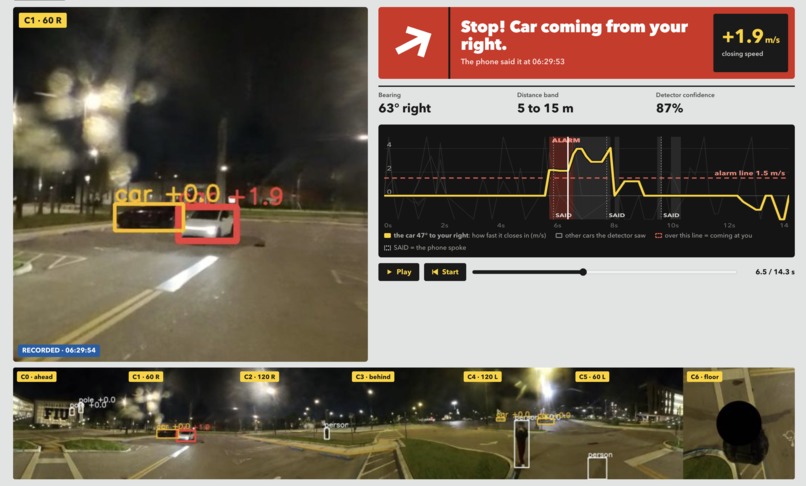
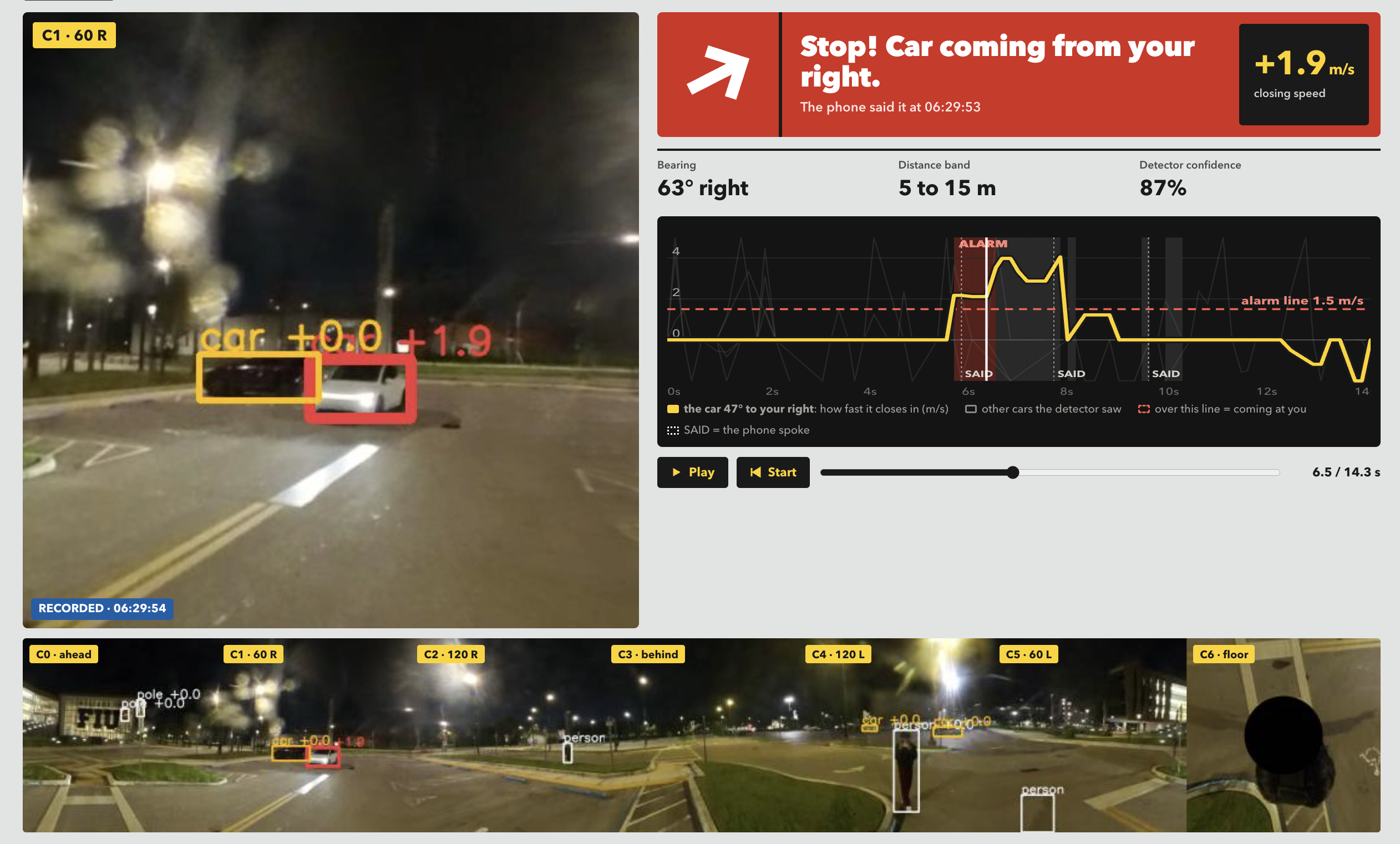
Car Detection
-
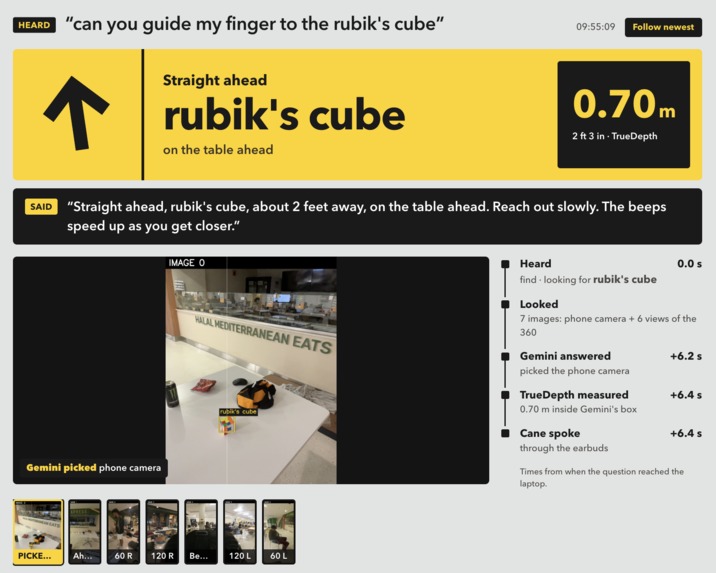
Analytics Dashboard
-
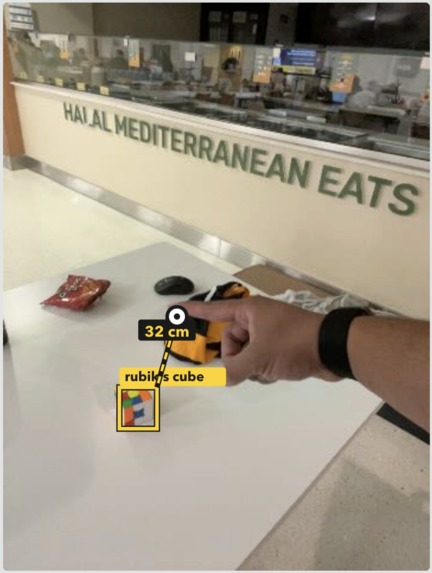
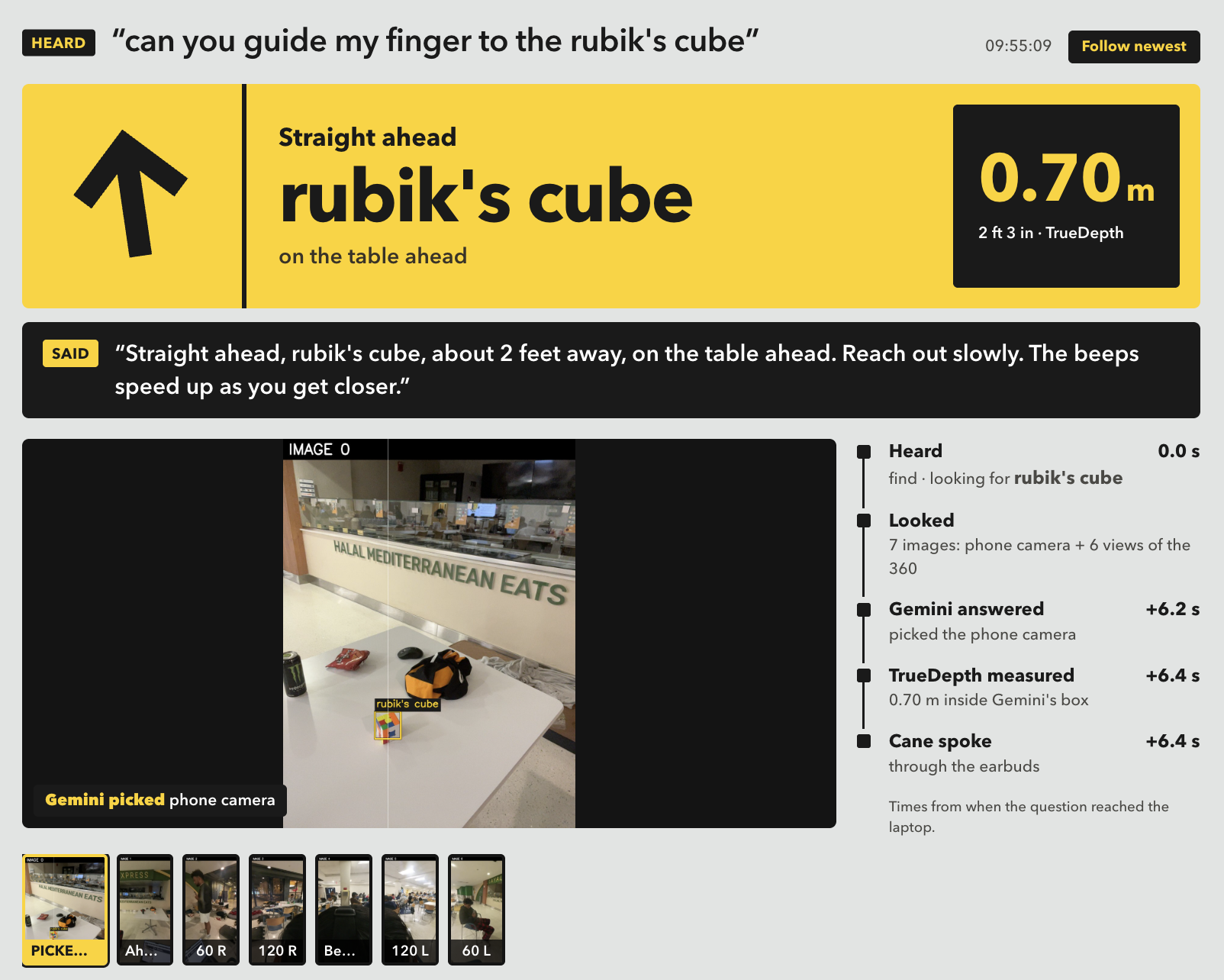
Object Depth Guidance
-
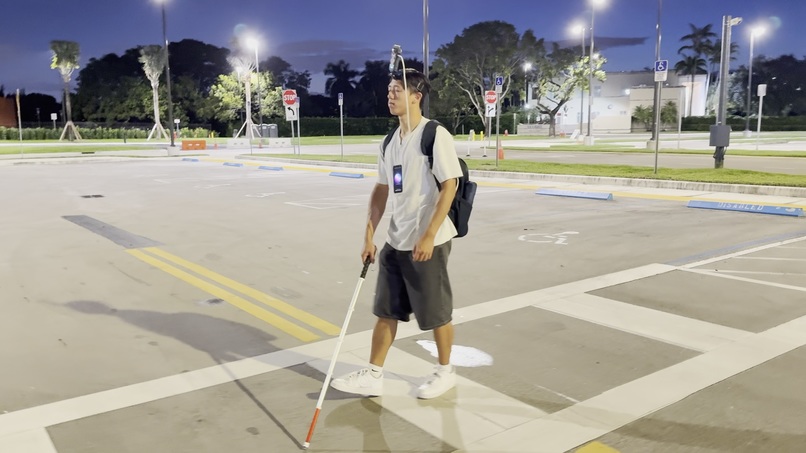
Cane Physical Harness
-
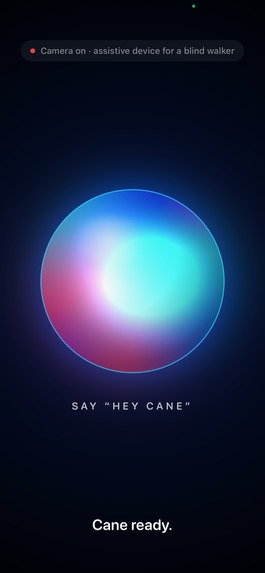
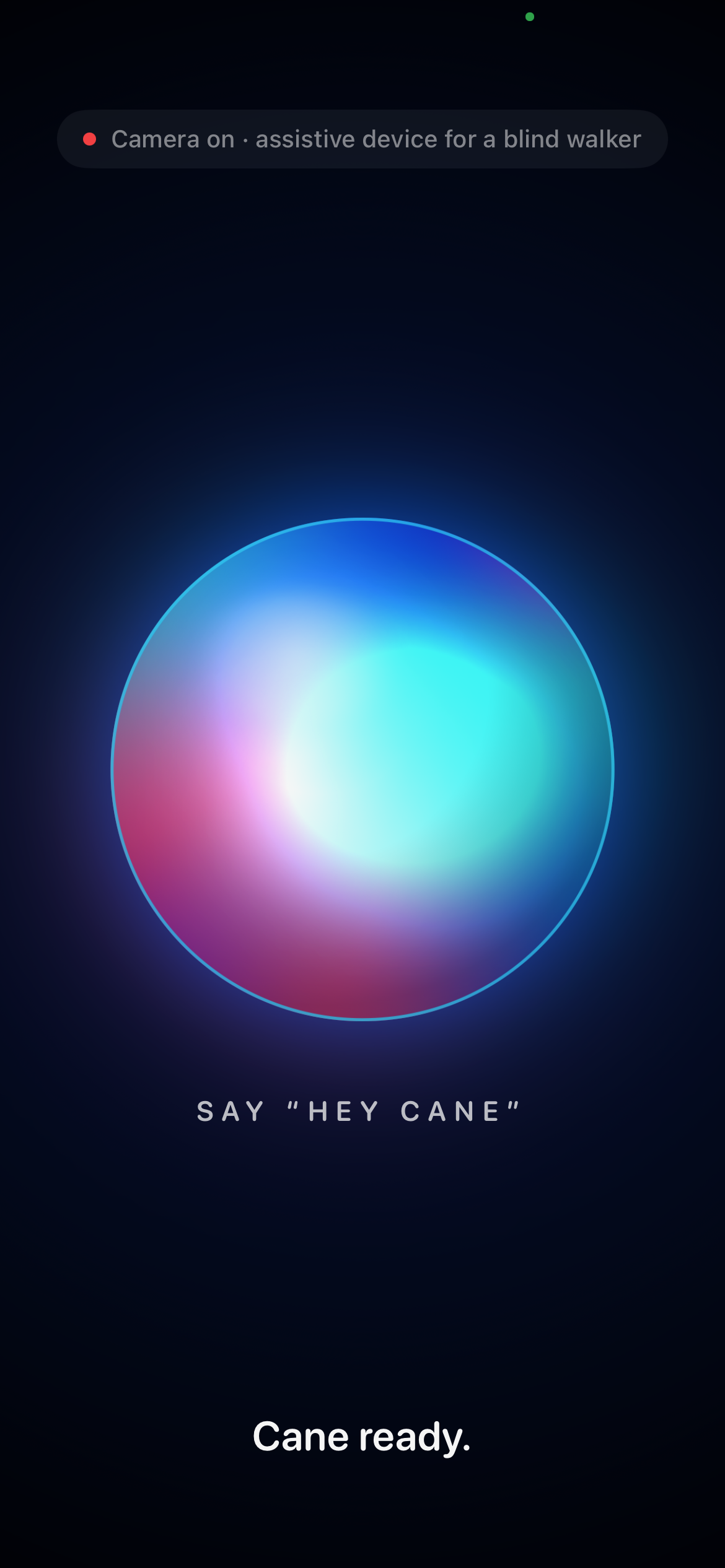
Cane Mobile Interface
Inspiration
The white cane is one of the most successful assistive devices ever made. It has one blind spot: it only knows about the metre of ground in front of you. It can't tell you a car is turning into the crosswalk you're about to enter, or where the bathroom is, or whether that thing on the desk is your keys.
Most "smart canes" try to replace the cane with a sensor that is worse at the one job the cane already does perfectly. We wanted to do the opposite: keep the cane, and give its owner everything else.
What it does
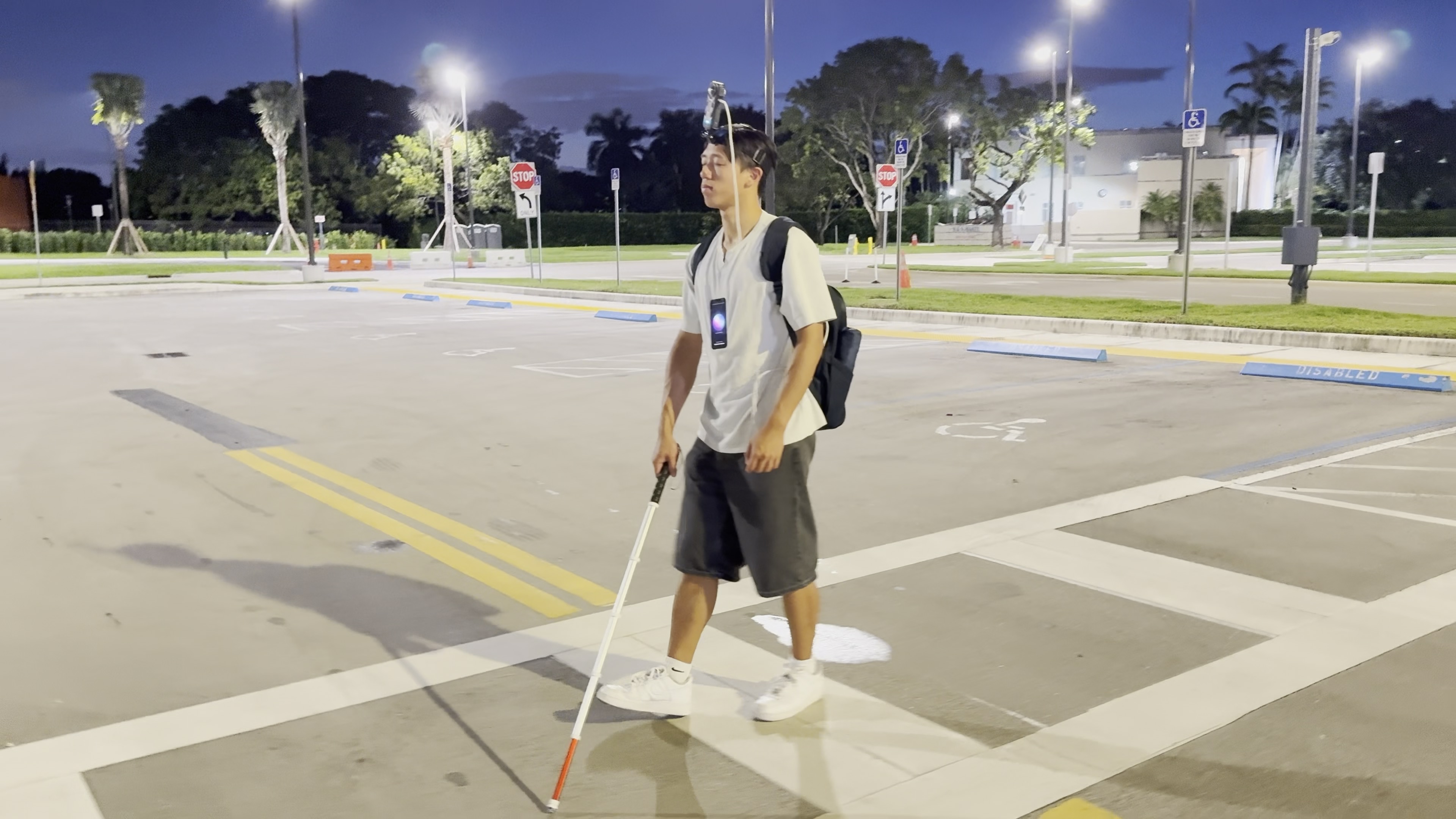
Cane is a wearable assistant for blind and low-vision walkers. You wear an iPhone on your chest and a 360° camera on your head, and you talk to it.
- Ask about your surroundings. "Hey Cane, is there a bathroom around?" Cane looks in every direction at once and answers direction first: "To your right, restroom sign, past the elevators."
- Measure distance. The iPhone's Face ID camera measures real distance, so Cane can say "Rubik's cube, about 2 feet away, on the table."
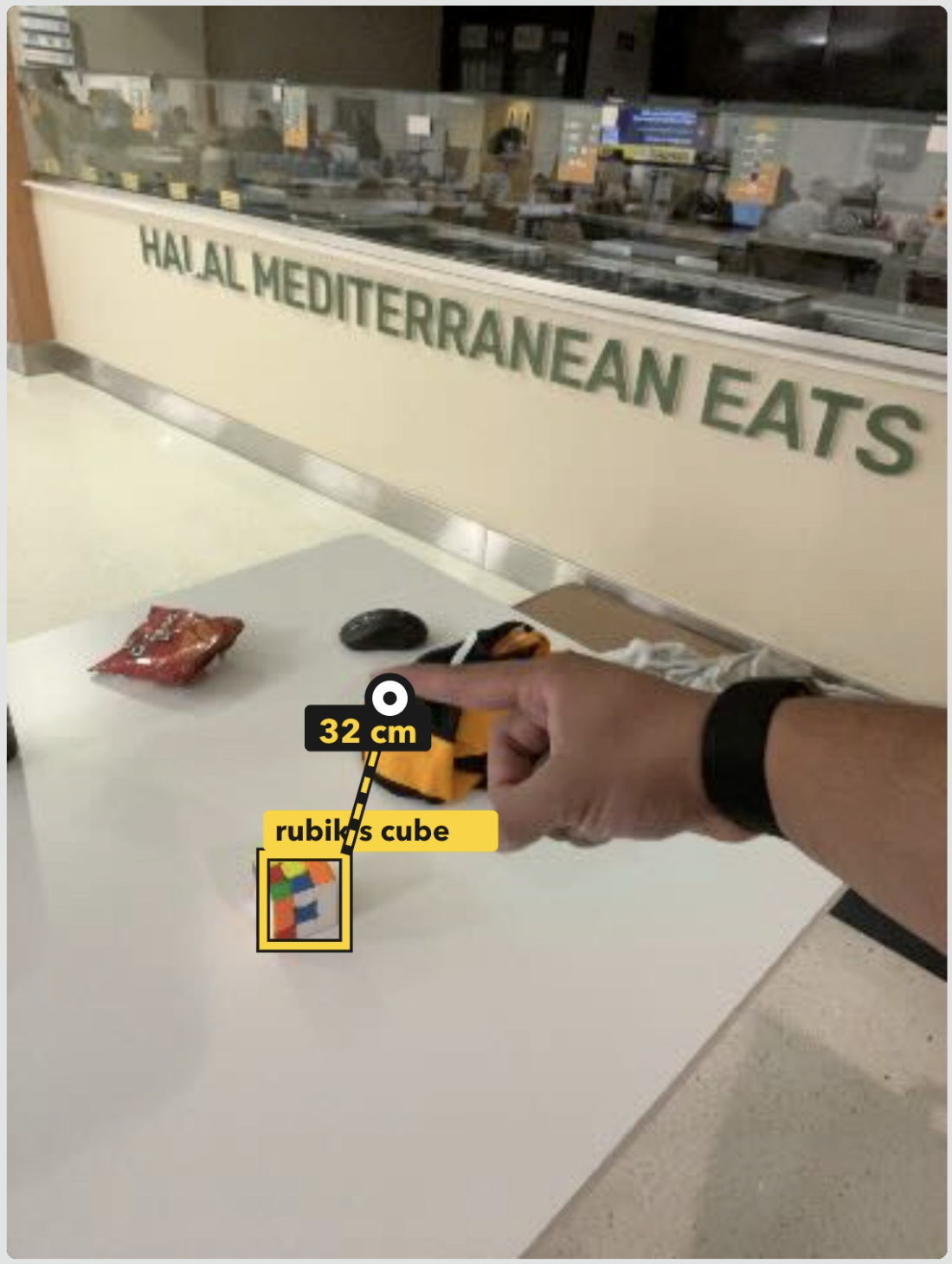
- Guide your hand. "Guide my finger to it." The phone tracks the object and your fingertip live. It beeps and buzzes faster as you get closer, says "Left." or "Forward.", and tells you "You've got it." when you touch it.
- Warn about cars. If a car or bus is coming at you, Cane says "Stop! Car coming from your right." with a matching vibration.
- Walk you somewhere. "Navigate me to the Green Library" gives spoken, step-by-step walking directions.
How we built it
Hardware. An iPhone in a chest mount with the screen facing out, so the selfie camera looks where you look. An Insta360 X4 on a headband sees the full 360°. A laptop in a backpack does the heavy lifting.
Voice. "Hey Cane" and your question are recognized on the phone. A fast command parser routes it, and anything open-ended goes to Gemini. Answers are spoken in a natural ElevenLabs voice, with the phone's own voice as a backup.
Seeing everything. The laptop turns each X4 frame into six 60° views around you, plus one of the floor. It sends them to Gemini together with the phone's photo. Gemini says which picture the object is in and draws a box around it. We turn that into a real direction ourselves, and we never trust the model's own "left" or "right".
Real distance. The iPhone's TrueDepth sensor, the Face ID camera, projects infrared dots and measures depth in metres. Cane measures inside Gemini's box, so the table behind the object doesn't count. If the reading isn't trustworthy, Cane says so instead of guessing.
Hand guidance. After Gemini finds the object once, Apple's built-in Vision framework takes over on the phone. Its object tracker follows the item every frame, and its hand-pose model finds your fingertips. TrueDepth turns both into 3D positions, and the phone turns the gap into beeps, vibrations and directions. If the tracker loses the object, Cane quietly asks Gemini again.
Car alarm. The same seven views run through YOLO11s and ByteTrack, either on the laptop's GPU or on an NVIDIA L4 with TensorRT. We estimate each car's distance from its size and track how fast it's closing. A car or bus within about 15 m, closing at 1.5 m/s or faster, triggers the alarm.
Navigation. Google Places finds the destination and the Google Routes API plans a walking route. The phone follows it with GPS and compass and gives turn cues before each corner.
One vocabulary. Every direction is sorted into five sectors: ahead, ahead-left or right, left or right, behind-left or right, and behind. Vibrations and spoken words come from that same place, so they can never disagree.
Live view. A web page on the laptop shows judges what Cane sees. It shows the phone camera with the tracking drawn on it, the 360 views, Gemini's picks, and a replay of a real recorded car alarm.
Challenges we ran into
- The compass pointed backwards. An upright iPhone's compass reports where its back faces, which on a chest mount is you. Cane kept saying "turn left" to people walking the right way. We now learn the offset automatically from GPS while you walk.
- Speech ends too early. The recognizer treats a short pause as the end of a sentence, so "I'm bored… is there anything fun on the table?" was cut in half. Cane now waits briefly for the rest of the question.
- Trackers lose things. A small object on a table is hard to follow from a moving chest. Tracking on every frame with a margin around the object helped, and automatic re-finding with Gemini covers the rest.
- False detections. The detector sees "cars" in shadows and parked vehicles. We only alarm on cars that are close and actually approaching, and the replay follows the one car that mattered.
- Depth models lie about scale. Depth Anything rescales every frame, so an empty hallway looks as close as a wall. We fit the ground plane to recover real distances.
Accomplishments that we're proud of
- Hand guidance that runs entirely on the phone. It uses Apple's built-in Vision plus the Face ID depth sensor, with no extra model and no internet while tracking.
- Honest numbers. Cane only speaks a distance when the sensor trusts it, and it only gives directions it calculated itself.
- 72 ms round trip to a cloud GPU from the venue, with zero failures. We had budgeted 175–300 ms.
- A real car alarm, recorded on a real street and replayed for judges: the car crosses the alarm line and the phone warns "Stop! Car coming from your right."
What we learned
- Mounting is a design decision. Putting the phone on the chest and the X4 on the head removed head tracking, calibration gestures and a pile of sync problems.
- Let AI find, let sensors measure. Gemini is great at "what and where". Apple Vision and TrueDepth are fast and exact at "how far" and "which way now". Using each for what it's good at made both better.
- Test with real voices, real streets and real logs. Most of our best fixes came from reading what the phone actually heard and said.
What's next for Cane
- Running hazard detection directly on the phone, so warnings keep working without the laptop.
- Reading signs and text aloud with Vision's text recognition.
- Indoor wayfinding that remembers a building's signs.
- Taps on an Apple Watch to guide your hand without sound.


Log in or sign up for Devpost to join the conversation.