-
-
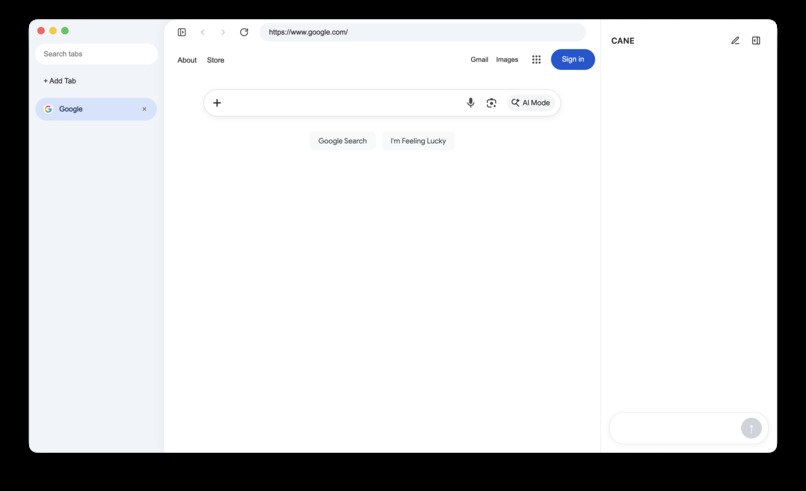
cane ui
-
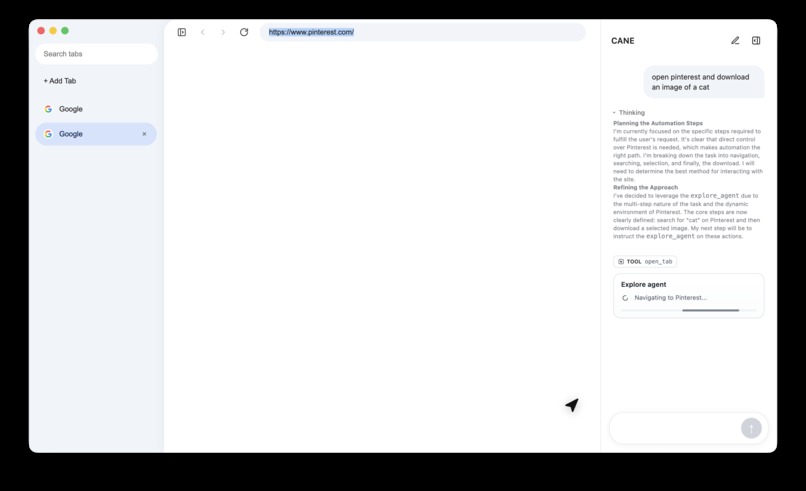
caht ux
-
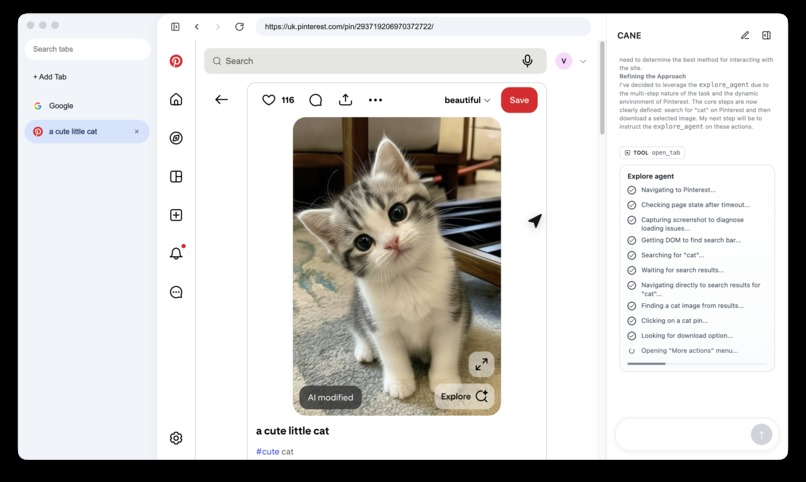
live agent
-
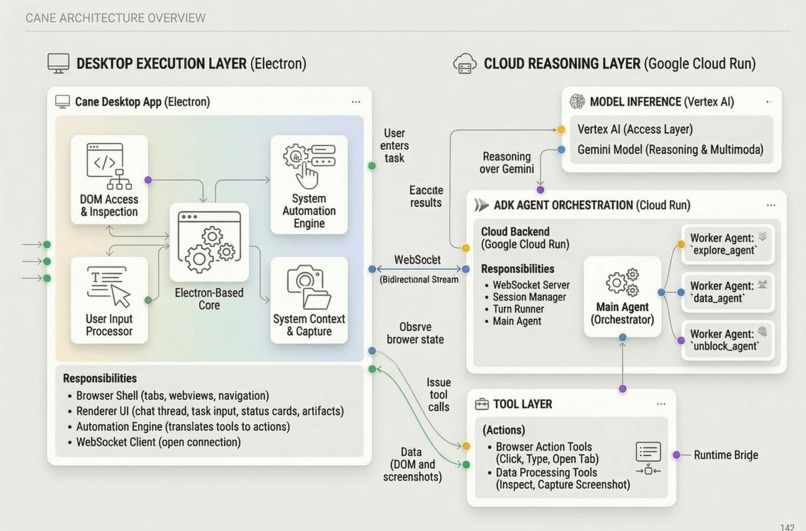
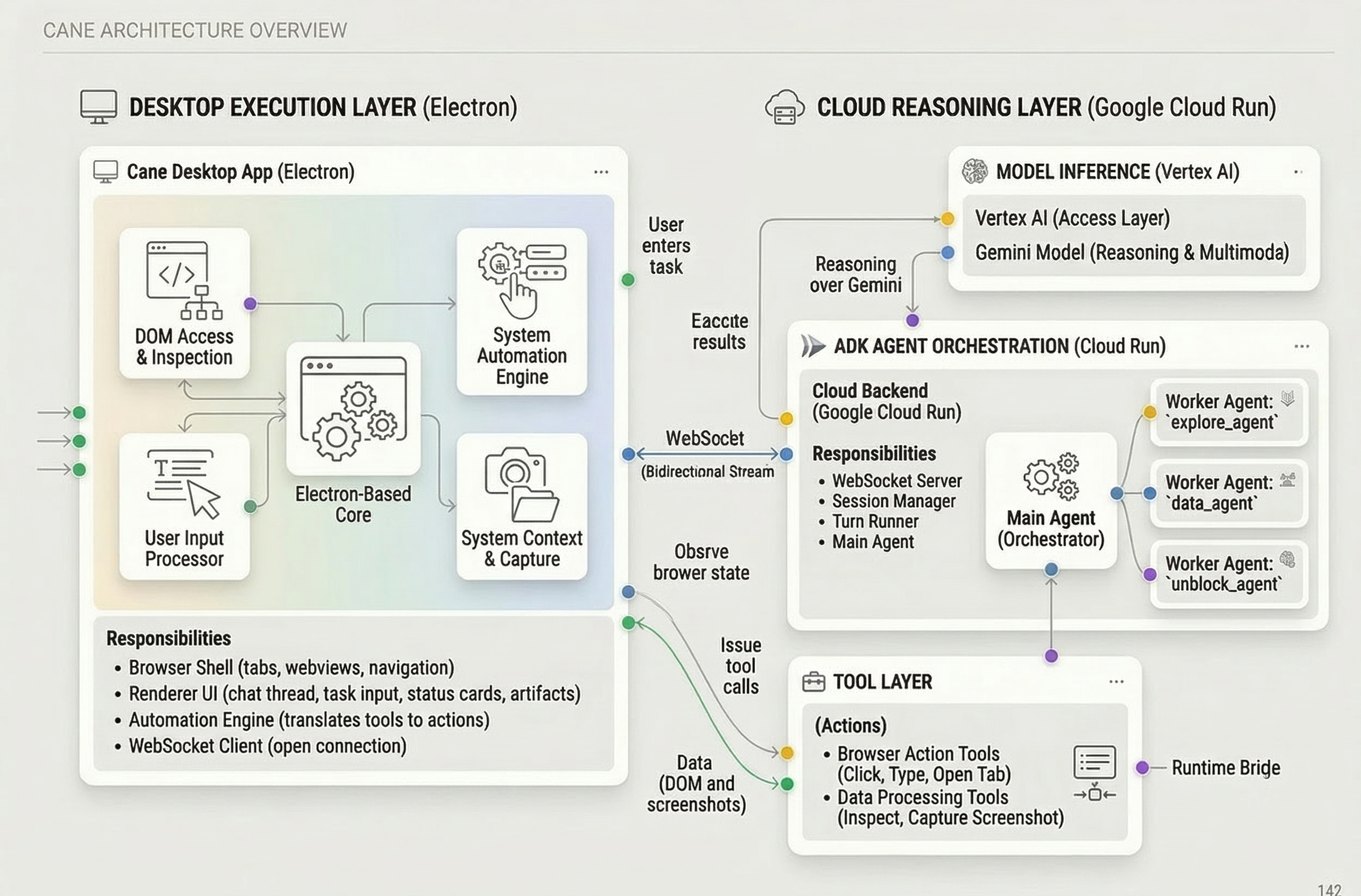
cane system architecture
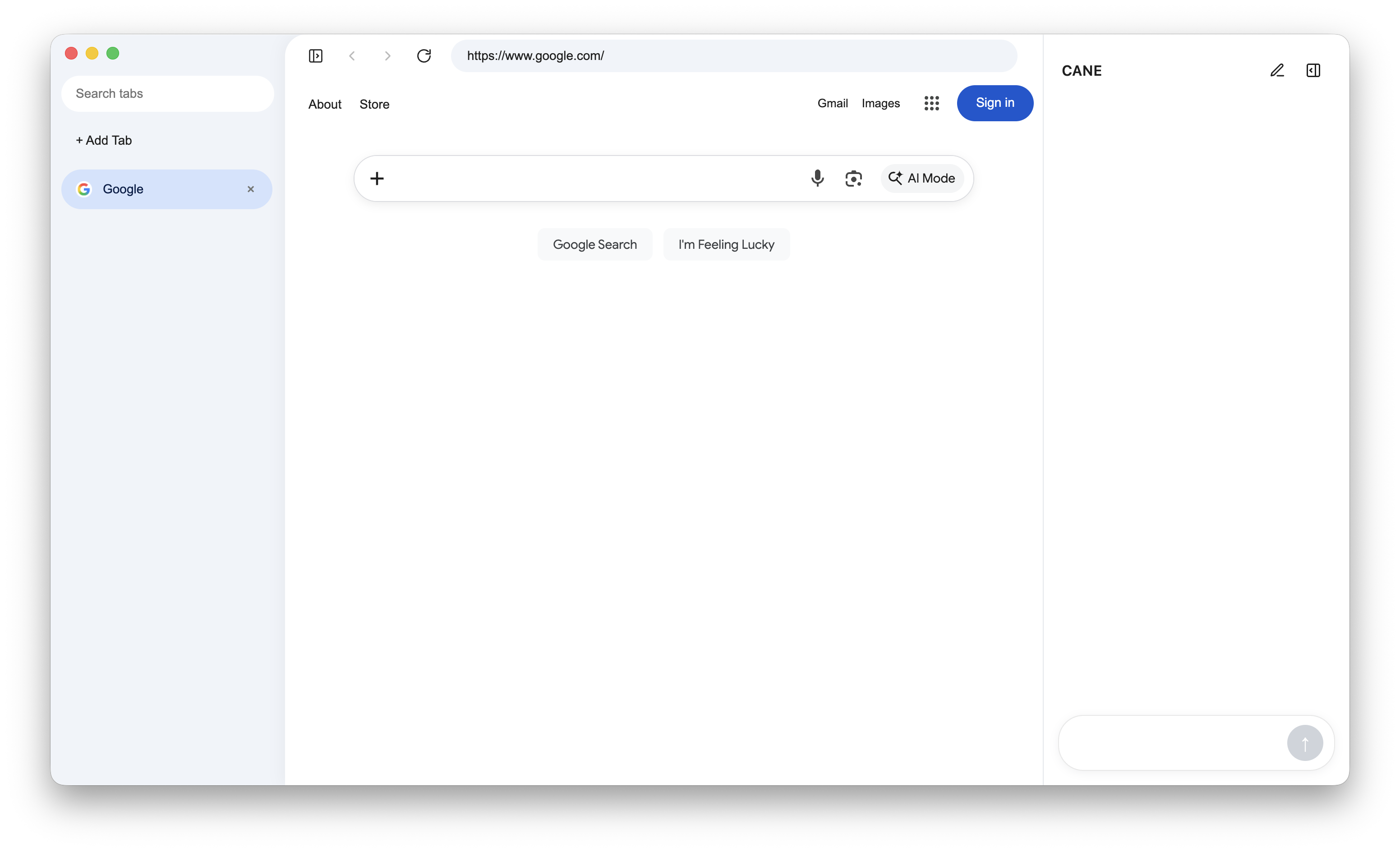
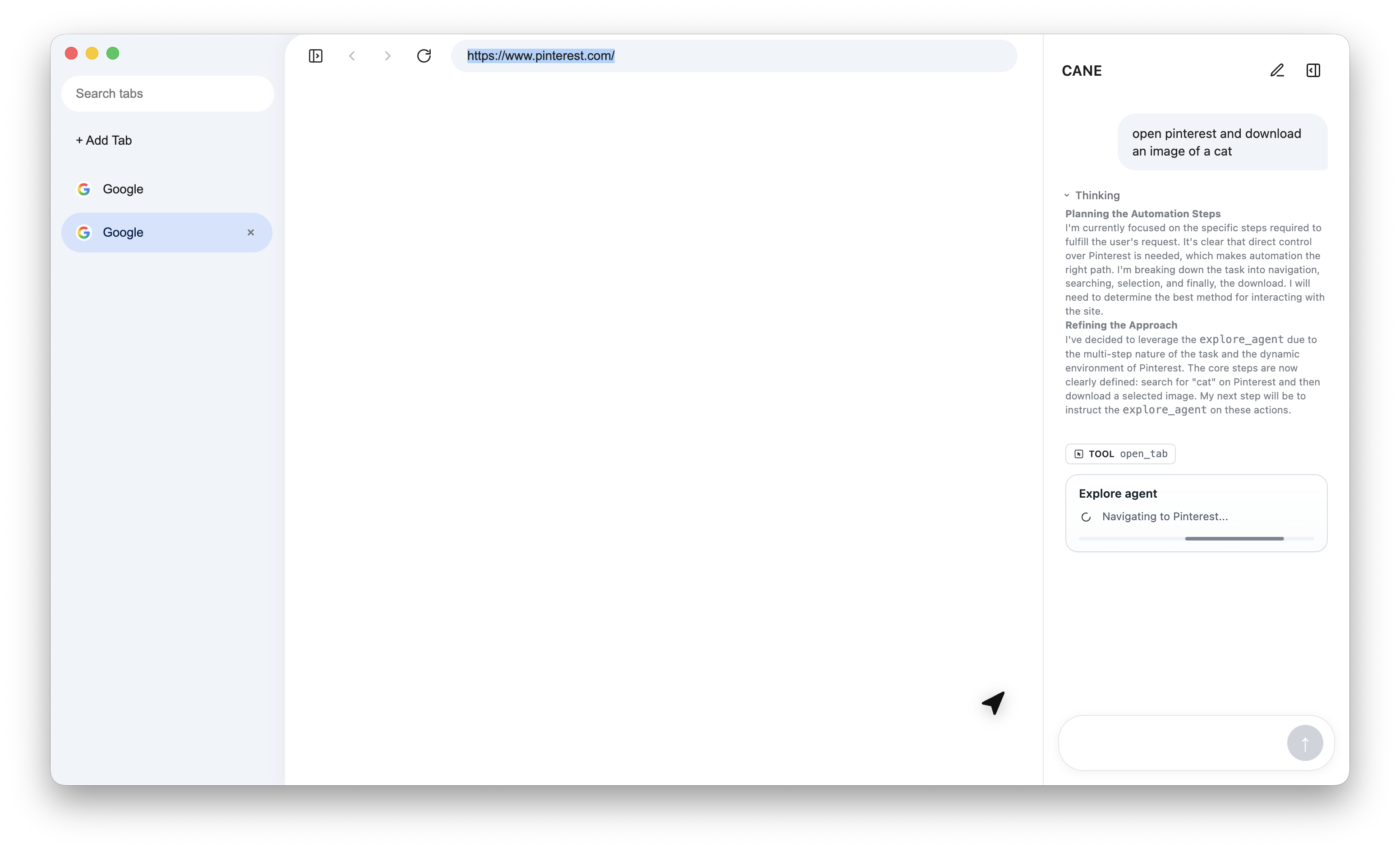
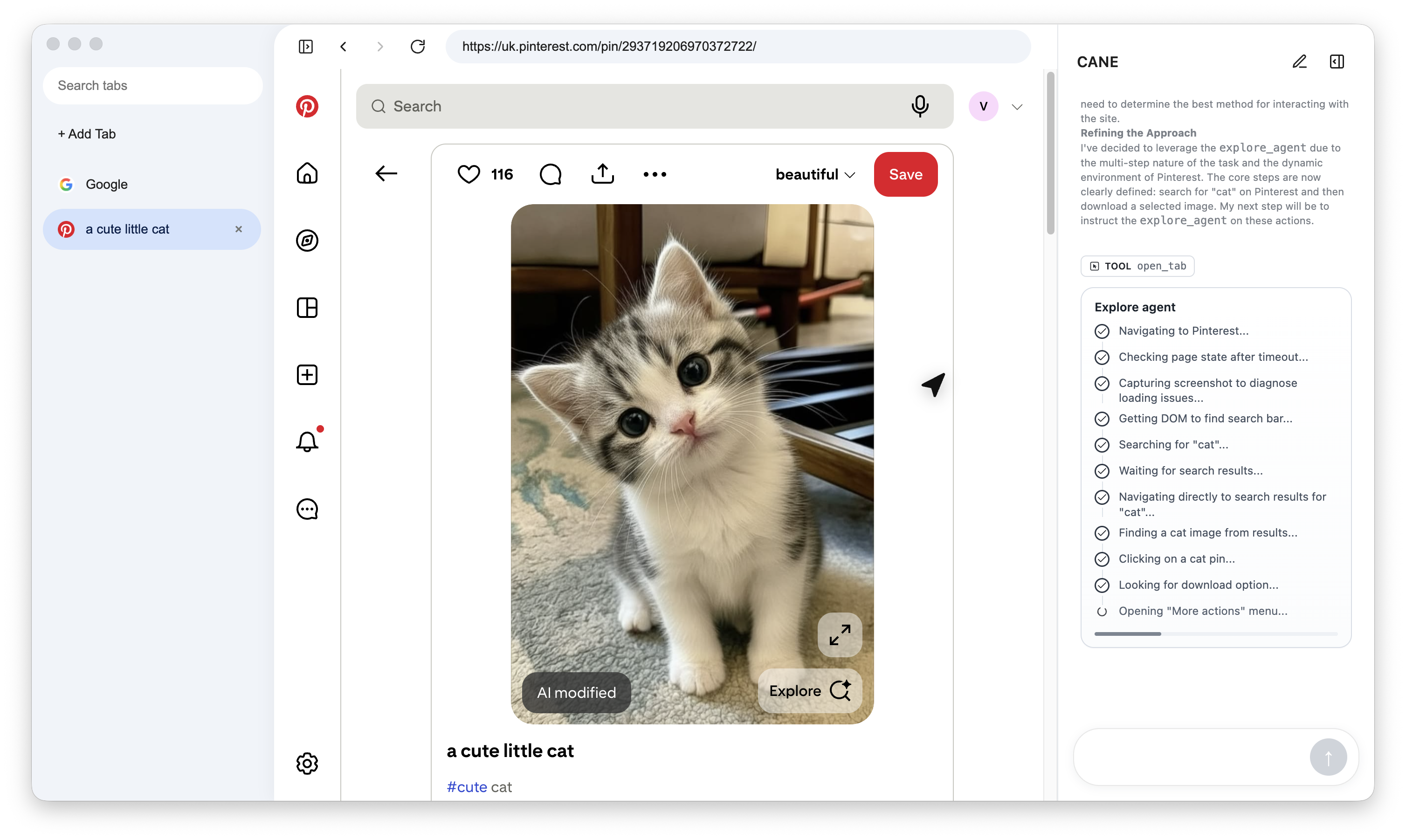
CANE
Browsers gave us access to the web, but not help doing the work inside it.
Most digital work now happens in the browser: research, operations, applications, onboarding, purchasing, support, data entry, and countless repetitive workflows. But even with modern AI, the browser still expects the user to do everything manually: open tabs, click through interfaces, copy information around, fill forms, dismiss blockers, and keep track of progress step by step.
That friction is a productivity problem for everyone, and an even bigger accessibility problem for people with motor limitations, fatigue, repetitive strain, or anyone who finds heavy typing and clicking difficult or exhausting.
CANE was built to extend the browser from a passive window into an active side-pilot.
Inspiration
We kept seeing the same pattern: AI assistants are good at answering questions, but when real work moves into the browser, they stop short. They tell you what to do, but you still have to do all the clicking, typing, tab-switching, and navigation yourself.
For a lot of modern workflows, that is the real bottleneck.
We wanted to build something that felt more useful than a chatbot and more adaptive than a rigid macro tool: an agent that can understand what is happening in a live browser, reason about the current page, and actually help complete the task.
For the Gemini Live Agent Challenge, that made CANE a natural fit for the UI Navigator category. The goal was to turn Gemini into an agent that can interpret a browser visually and structurally, then act on the user’s behalf in real time.
What it does
CANE is a browser agent that works alongside the user in a live browser session.
It can:
| Capability | What CANE does |
|---|---|
| Understand intent | Takes a plain-language objective and turns it into actionable browser steps |
| Observe the page | Reads the DOM first and falls back to screenshots when the page structure is incomplete or misleading |
| Navigate interfaces | Moves through websites, web apps, multi-step flows, and tab-based workflows |
| Take real actions | Clicks, types, fills forms, opens tabs, downloads files, and verifies outcomes |
| Work in parallel | Acts like a browser side-pilot, helping in one tab while the user stays focused in another |
| Improve accessibility | Reduces repetitive clicking and typing, making browser workflows less manual and less exhausting |
Core value
Instead of saying, "Click here, then type this, then open that page," CANE can do those steps directly in the browser.
How we built it
We split CANE into two major systems: a local desktop execution layer and a cloud reasoning layer.
System overview
| Layer | Responsibility | Tech |
|---|---|---|
| Desktop app | Hosts the live browser, UI, tabs, downloads, screenshots, and action execution | Electron, TypeScript |
| Agent backend | Runs the agent loop, orchestration, tool routing, and session management | Node.js, TypeScript |
| Agent framework | Defines the main agent plus specialist workers | Google ADK |
| Model layer | Provides reasoning and multimodal interpretation | Gemini via Vertex AI |
| Cloud hosting | Serves the backend and model-connected runtime | Google Cloud Run |
| Shared protocol | Keeps desktop and backend in sync over structured messages | WebSocket protocol package |
Architecture flow
- The user gives CANE a task in the desktop app.
- The Electron client sends the task and browser context to the backend over WebSocket.
- The backend runs a Google ADK-based
main_agent. - Gemini reasons about the next best step.
- The agent either uses tools directly or delegates to specialist workers like:
explore_agentdata_agentunblock_agent
- Tool calls are sent back to the Electron app, where the live browser actually exists.
- The desktop app executes the action, captures the result, and returns updated state.
- The backend feeds that state back into Gemini and continues until the objective is complete.
Why Google mattered here
Google’s stack is central to how CANE works:
| Google technology | Role in CANE |
|---|---|
| Gemini | Multimodal reasoning for understanding browser state and deciding actions |
| Vertex AI | Model access and deployment-friendly runtime path |
| Google ADK | Agent orchestration, tool calling, and worker-agent composition |
| Google Cloud Run | Backend hosting and scalable deployment target |
Challenges we ran into
Building a browser agent is very different from building a chatbot.
| Challenge | Why it was hard | How we approached it |
|---|---|---|
| Unreliable page structure | Real websites are messy, dynamic, and inconsistent | We used a DOM-first strategy with screenshot-based recovery |
| Grounding actions | The agent needs to act on what is true now, not what used to be on screen | We kept the loop tightly tied to current browser state |
| Multi-step workflows | A lot of browser tasks depend on intermediate results | We used a main orchestrator plus worker agents for bounded tasks |
| Safe automation | Some actions are easy, others are risky | We added confirmation gates and verification-oriented execution |
| Desktop-cloud coordination | The browser lives locally but reasoning happens in the cloud | We designed a protocol layer to bridge both sides cleanly |
Accomplishments that we're proud of
We are proud that CANE feels like an actual agent, not just a wrapper around a model.
- Built a working desktop browser agent with a real live browser session
- Connected an Electron execution layer to a Google Cloud-hosted agent backend
- Used Gemini through Vertex AI as the reasoning engine
- Structured the backend around ADK with a main agent and specialist worker agents
- Created a browser control loop that can inspect, act, verify, and continue
- Framed the product around real browser work and accessibility, not just novelty
Highlights at a glance
| Area | Outcome |
|---|---|
| Product | A browser side-pilot that helps complete real web tasks |
| Technical architecture | Desktop execution + cloud reasoning working together in real time |
| Hackathon fit | Strong alignment with the UI Navigator track |
| Accessibility | Reduced manual typing, clicking, and repetitive interaction load |
What we learned
The biggest lesson was that browser agents need much stronger grounding than ordinary chat systems.
- A browser agent has to constantly re-check state
- DOM-only automation is not enough for modern interfaces
- Multimodal reasoning becomes much more valuable when paired with real execution
- Good orchestration matters as much as model quality
- Accessibility is not a side benefit here; it is one of the clearest reasons this product should exist
We also learned that separating the system into a cloud "brain" and desktop "hands" creates a strong pattern for reliable agentic software.
What's next for CANE
We see CANE growing from a browser automation prototype into a true assistive web co-pilot.
| Next step | Why it matters |
|---|---|
| Voice-first interaction | Make CANE feel more natural and reduce dependence on typing |
| Stronger multimodal input | Expand beyond screenshots into richer live visual/browser context |
| Better accessibility workflows | Support users with mobility, fatigue, and assistive browsing needs more directly |
| More robust task memory | Let CANE resume and manage longer-running workflows |
| Safer automation controls | Improve review, permission, and user-approval boundaries |
| Broader workflow coverage | Handle more real-world browser tasks across research, operations, and admin work |
Summary
CANE tackles a simple but important problem:
the browser is where work happens, but users are still expected to do all of it by hand.
By combining an Electron desktop browser, Google ADK orchestration, Gemini on Vertex AI, and a backend deployed on Google Cloud Run, we built a system that can understand live web interfaces and act on them in real time.
The result is a browser agent designed to make the web more usable, more assistive, and far less manual.

Log in or sign up for Devpost to join the conversation.