Code Repository: https://github.com/jadewu82/research-matching-tool
Inspiration
The worst part of writing a report is research articles to explain your work! Research can take many hours to read through, understand it, accumulate data, and find comparisons between sources. Current AI tools like Gemini and ChatGPT, are terrible at finding relevant research articles and often hallucinate information and citations. CandleLit is a faster way to find articles related to your research by finding real literature based on your keywords.
What it does
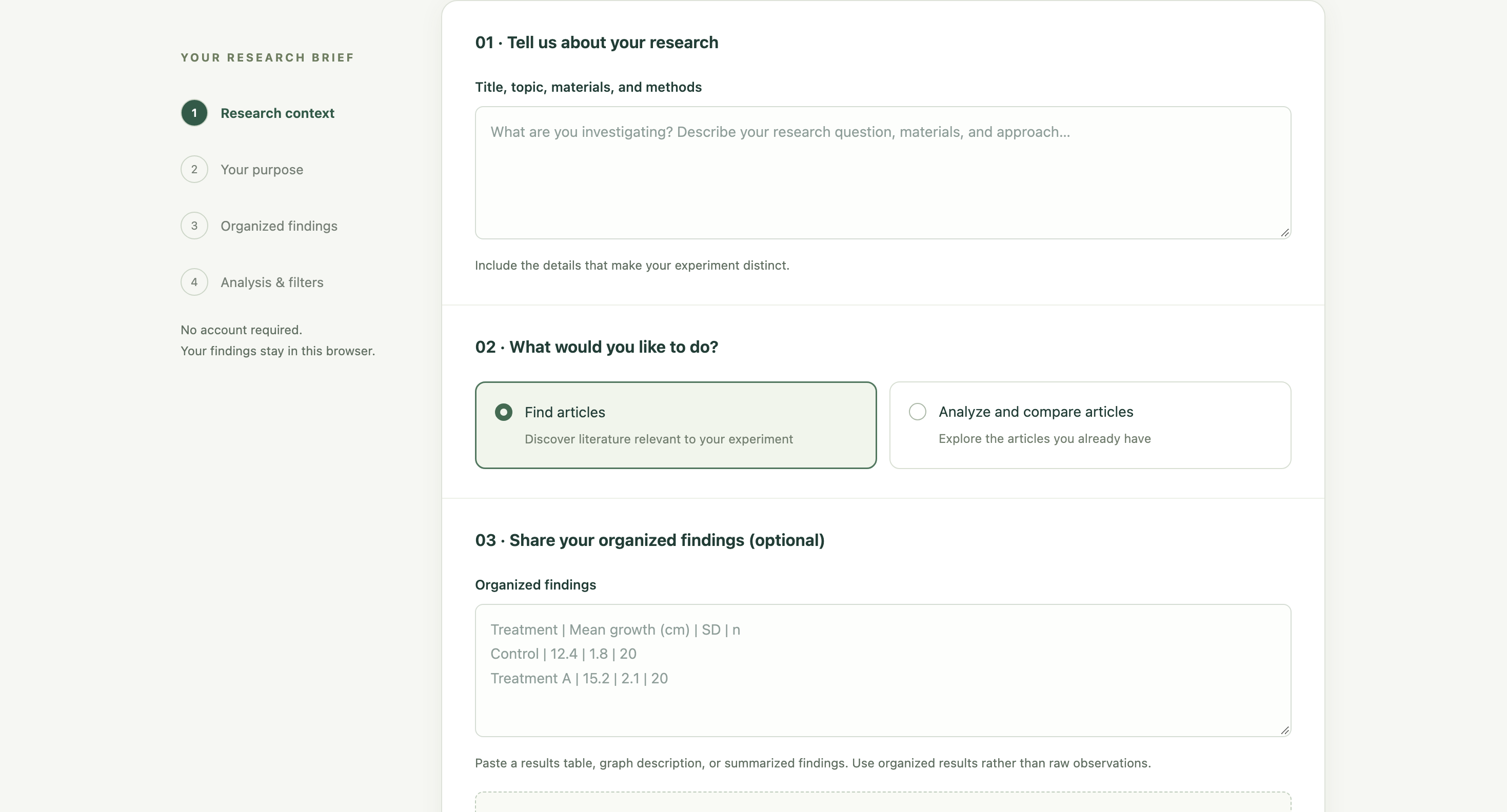
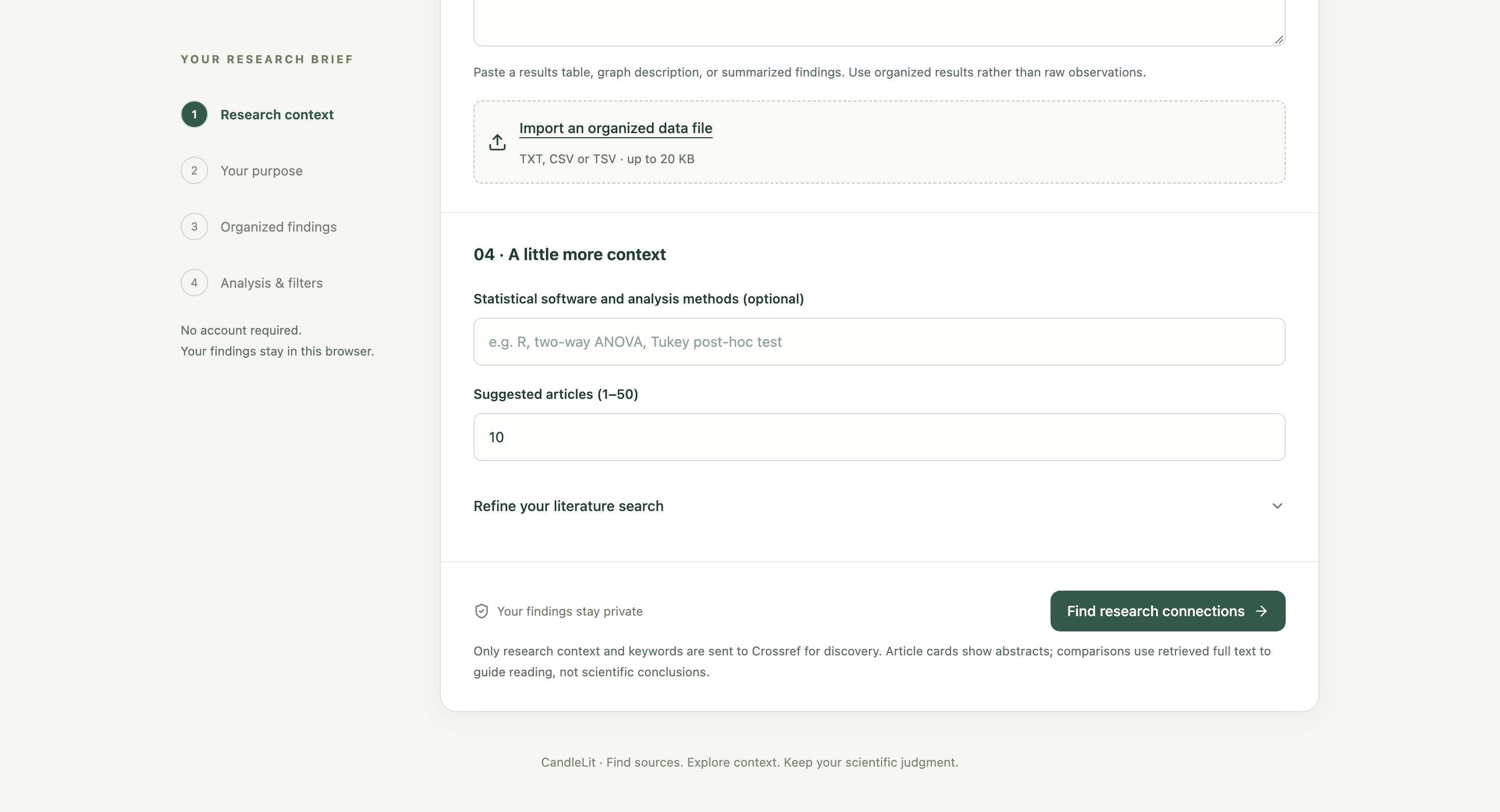
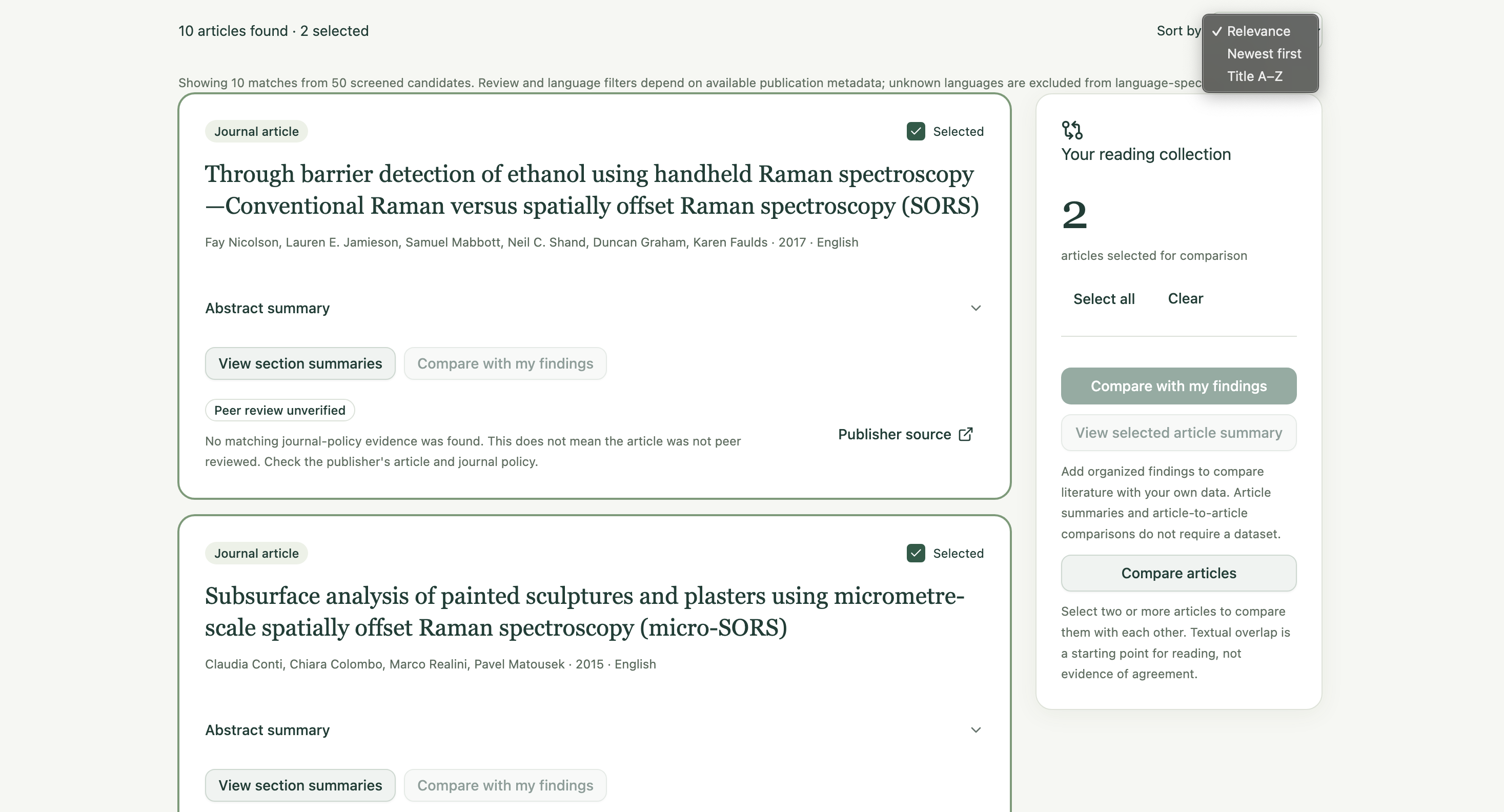
Fill out a form that summarizes the main points of your research (Title, topic, materials, and methods) and add any questions you need to answer or the hypothesis you are testing. CandleLit has two main functions, find suggested articles, or compare articles you already found but still need to look into by putting the DOI or URL. You can compare multiple sources to each other, or compare sources to your own data by inserting your experimental data. Result search can be filtered by how many sources you want populated, the resource type (article, review article, books, etc.), publishing year range, and language. Most importantly, add your keywords to find the most important topics you want to be searched. The results will populate literature with breakdown summaries of each section, link to the source, and comparisons between sources and to your own data.
How we built it
First, I designed the website on paper and jotted down all details and ideas. I used Codex to help code everything and prompted it instructions. CandleLit is a React web app with a Node.js backend, stored on GitHub and configured to run in GitHub Codespaces.
- Frontend: React and Vite, styled with Tailwind CSS and shadcn/ui. Adobe React Aria Components provide accessible controls and dialogs.
- Backend: A Node.js HTTP server searches for papers, retrieves metadata and accessible full text, and serves the website.
- Research sources: Crossref supplies article metadata; Europe PMC supplies additional metadata and open-access full text. Maximum Academic Press articles can be retrieved directly. DOAJ provides journal-level peer-review policy information.
- Summaries and comparisons: The app identifies sections in full text and selects relevant sentences for research focus, methods, findings, measurements, and limitations. These are extractive summaries—not AI-generated interpretations. Comparisons display those summaries alongside articles or your findings.
- Privacy: Experimental findings and imported files stay in browser memory. There is no database or account system, so refreshing clears the workspace.
- Development: Changes were built on feature branches, checked with automated tests, and merged into main. Testing uses Node’s test runner, Vitest, React Testing Library, and Playwright. GitHub Actions runs the checks. Codespaces builds the app, starts its server on port 3000, and provides the private browser preview. ## Challenges we ran into We ran into five main challenges:
- Cloud previews: Codex could run the app but couldn’t provide a browser preview, so we moved to GitHub Codespaces.
- Startup and 502 errors: The server wasn’t always running or reachable on port 3000. We improved automatic startup, health checks, and HTTP forwarding.
- Incomplete article metadata: Peer-review status, review classification, and language weren’t consistently available. We added supporting sources and explicit “unverified” labels.
- Full-text access: Some articles weren’t in Europe PMC or were access-restricted. We added direct Maximum Academic Press retrieval and local full-text imports.
- Summary quality and updates: Abstract-only comparisons were insufficient, and nested headings caused misclassification. We switched to full-text section summaries and fixed parsing. We also had to merge feature branches into main and rebuild Codespaces so changes appeared. ## Accomplishments that we're proud of I have never coded before! Everything I did here was my first time using an AI agent and Github. I also ran a 5k this morning before coming here so I was pretty tired. ## What we learned I learned how to prompt an AI agent, what apps to use, and how to use Github to host the code. ## What's next for CandleLit
- I want to improve the data section so it looks more organized.
- Connect the user's institutional account to CandleLit's platform to bypass journal paywall.
- Have the AI respond in real time with how the sources are related to each other, rather than displaying the summaries side-by-side.
Built With
- chatgpt
- codex
- github

Log in or sign up for Devpost to join the conversation.