-
-
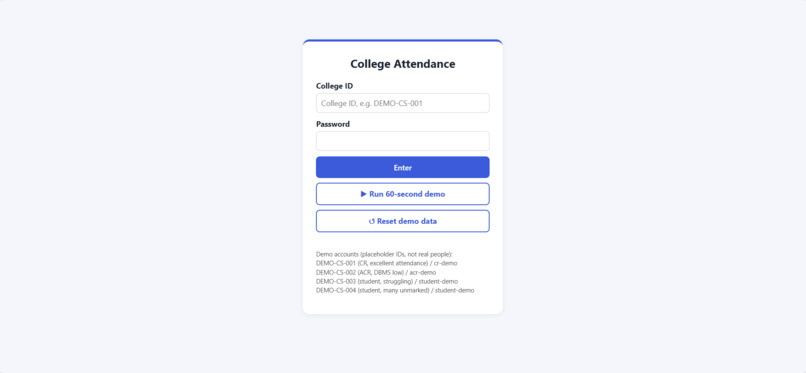
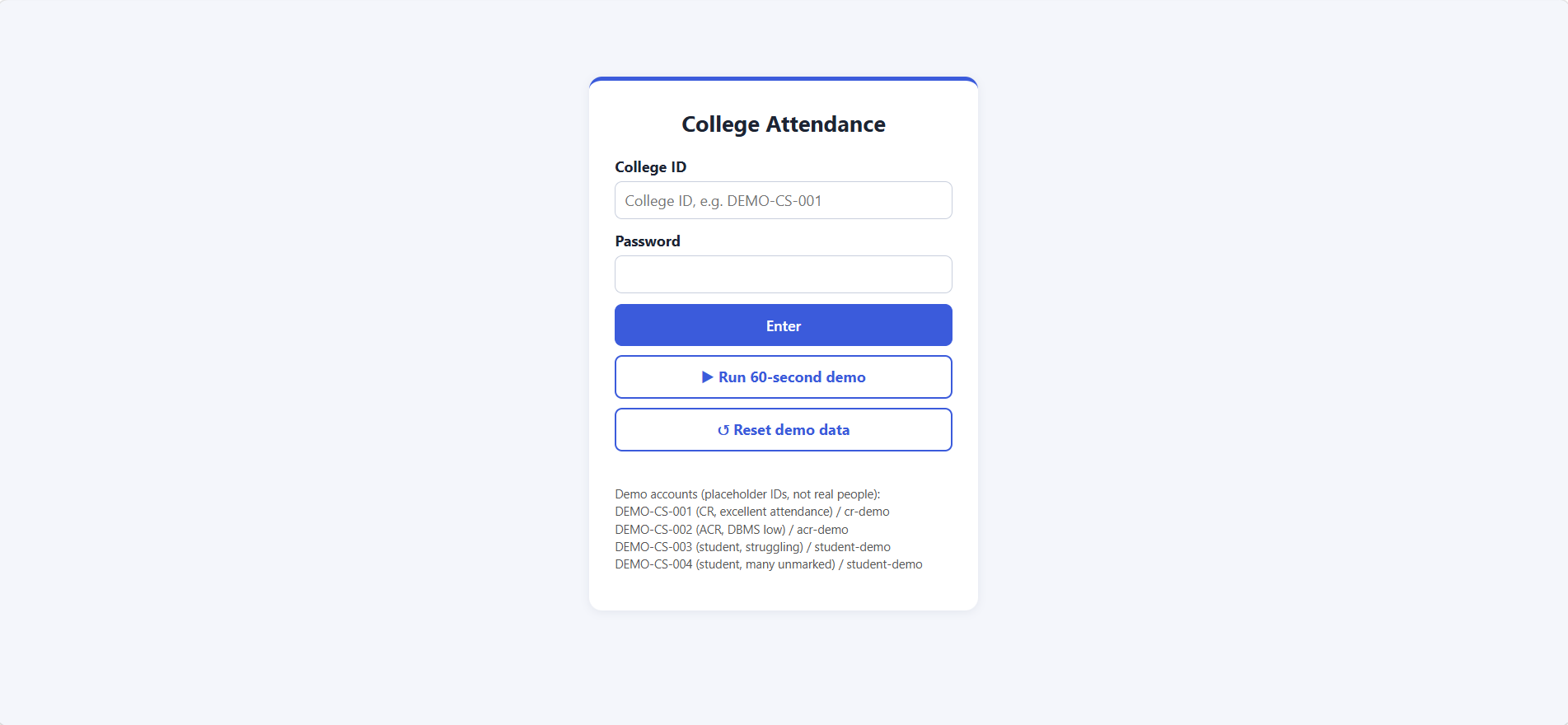
College-ID login with role-based access. Demo accounts use placeholder IDs, and the passwords are for demo only.
-
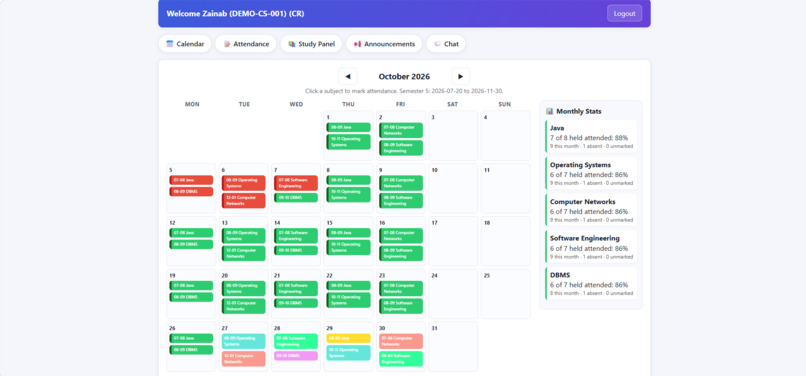
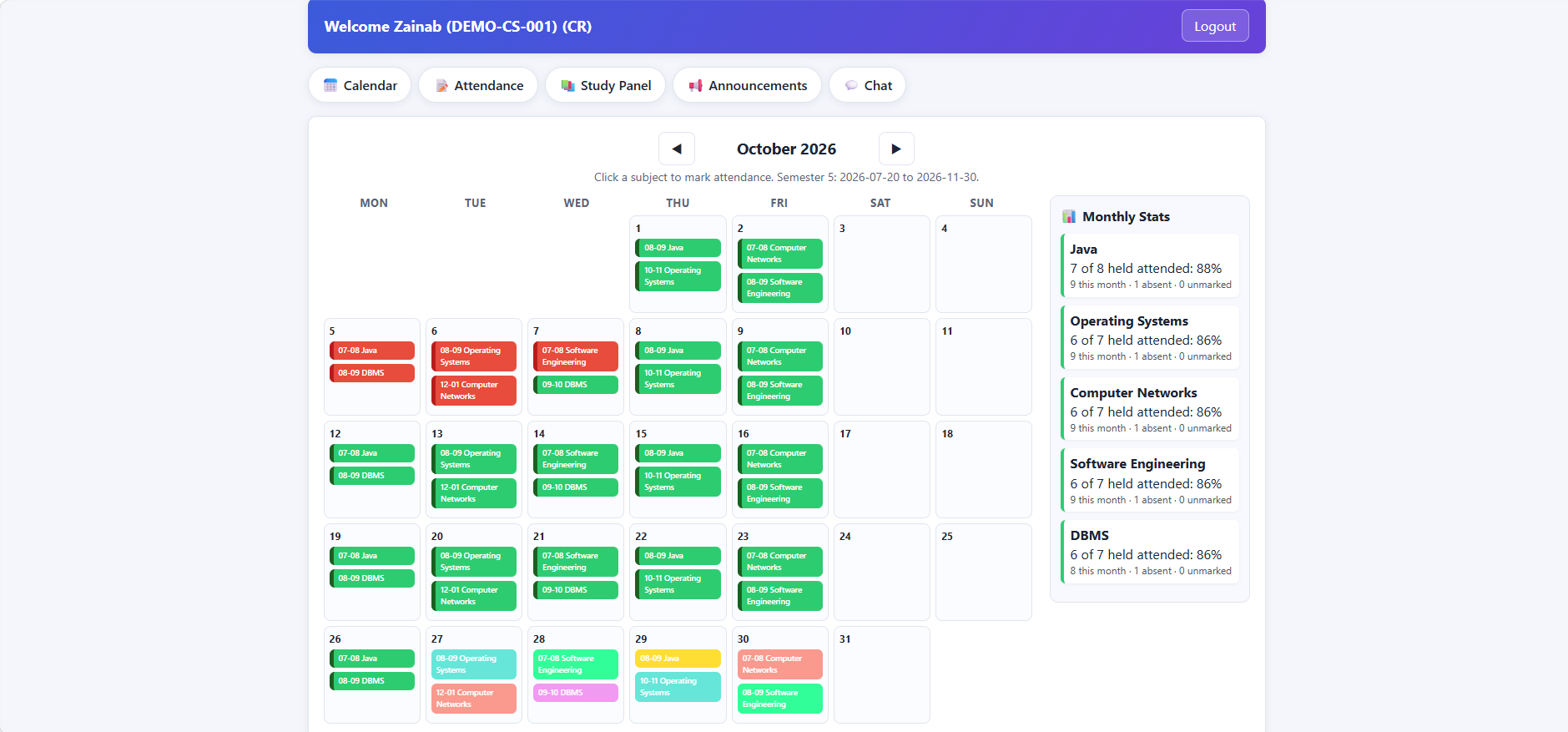
Monthly calendar: attended lectures turn green, missed ones red, with per-subject stats. Demo data from a placeholder semester.
-
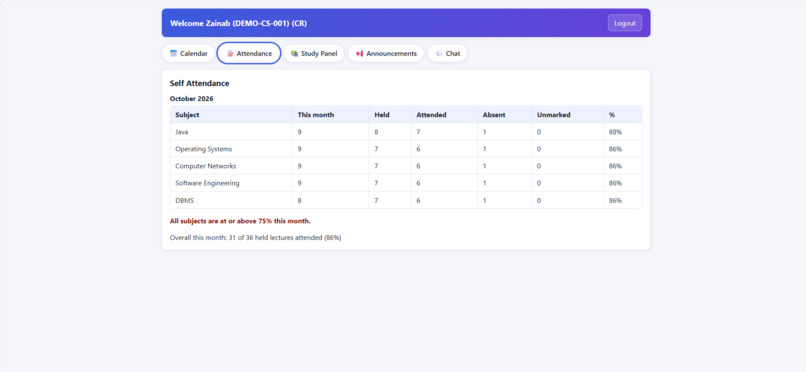
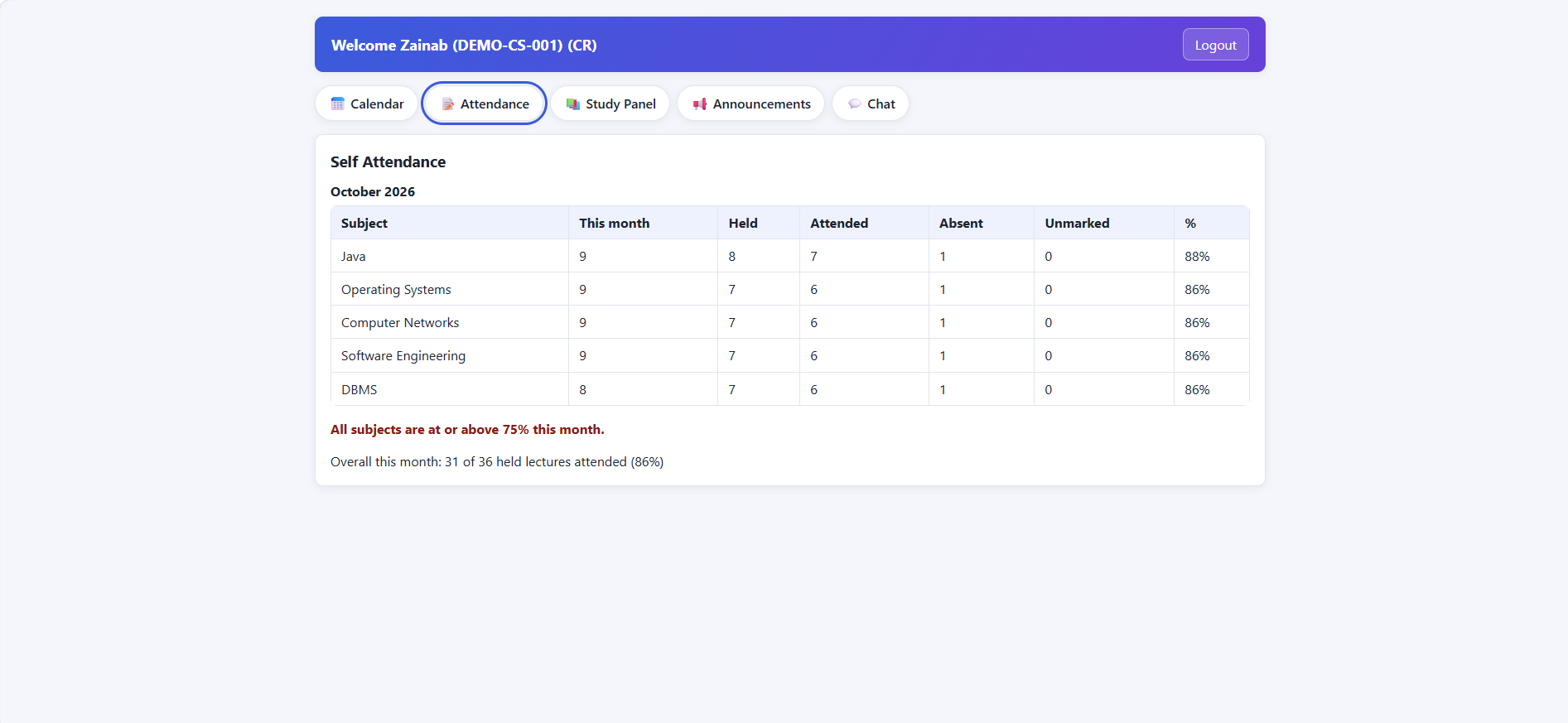
Attendance report: lectures held, attended, absent and unmarked per subject, with percentages and a 75% warning check.
-
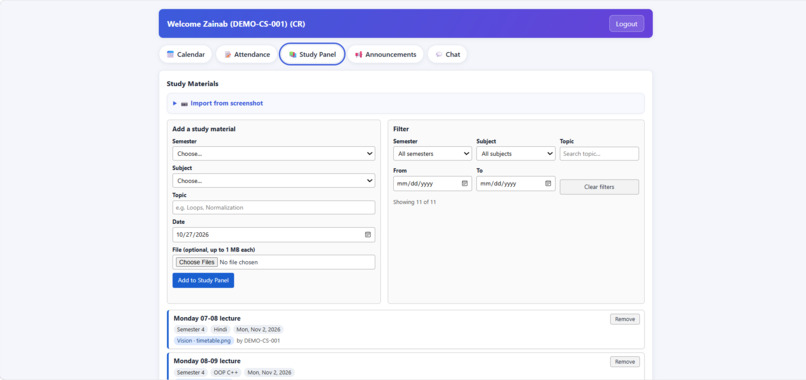
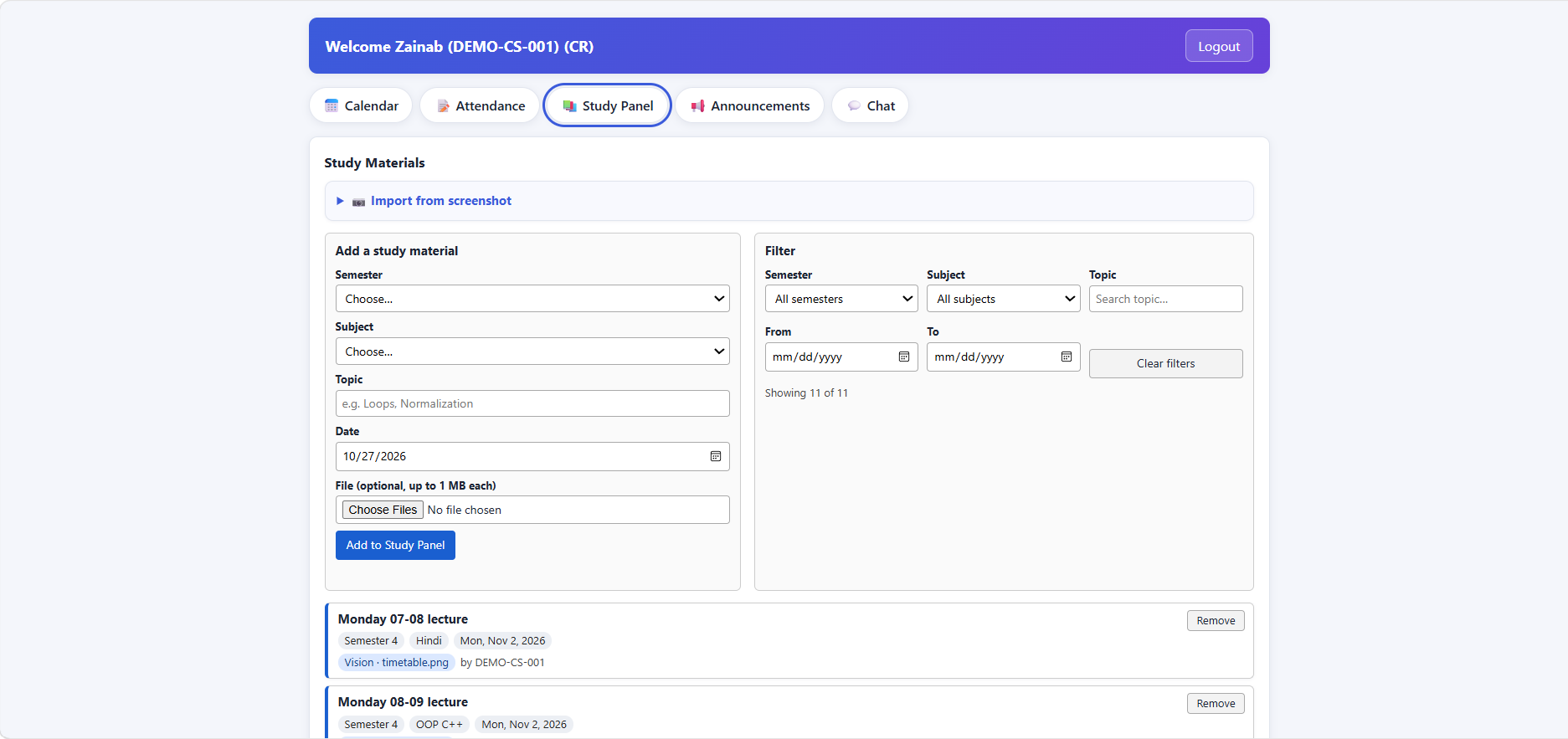
Study Panel: tag materials by semester, subject, topic and date, filter them, and import entries from a screenshot via Vision.
-
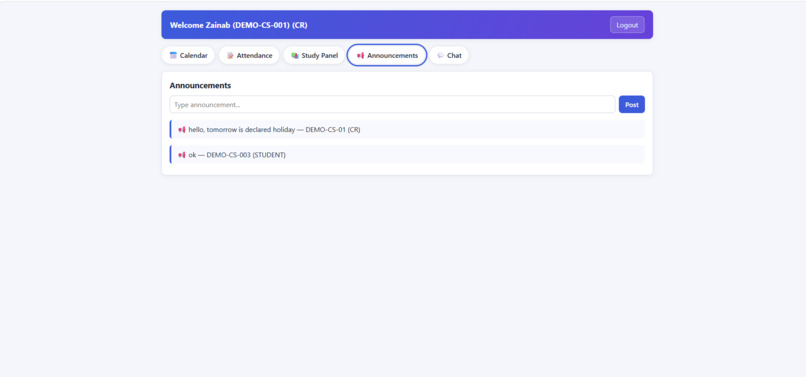
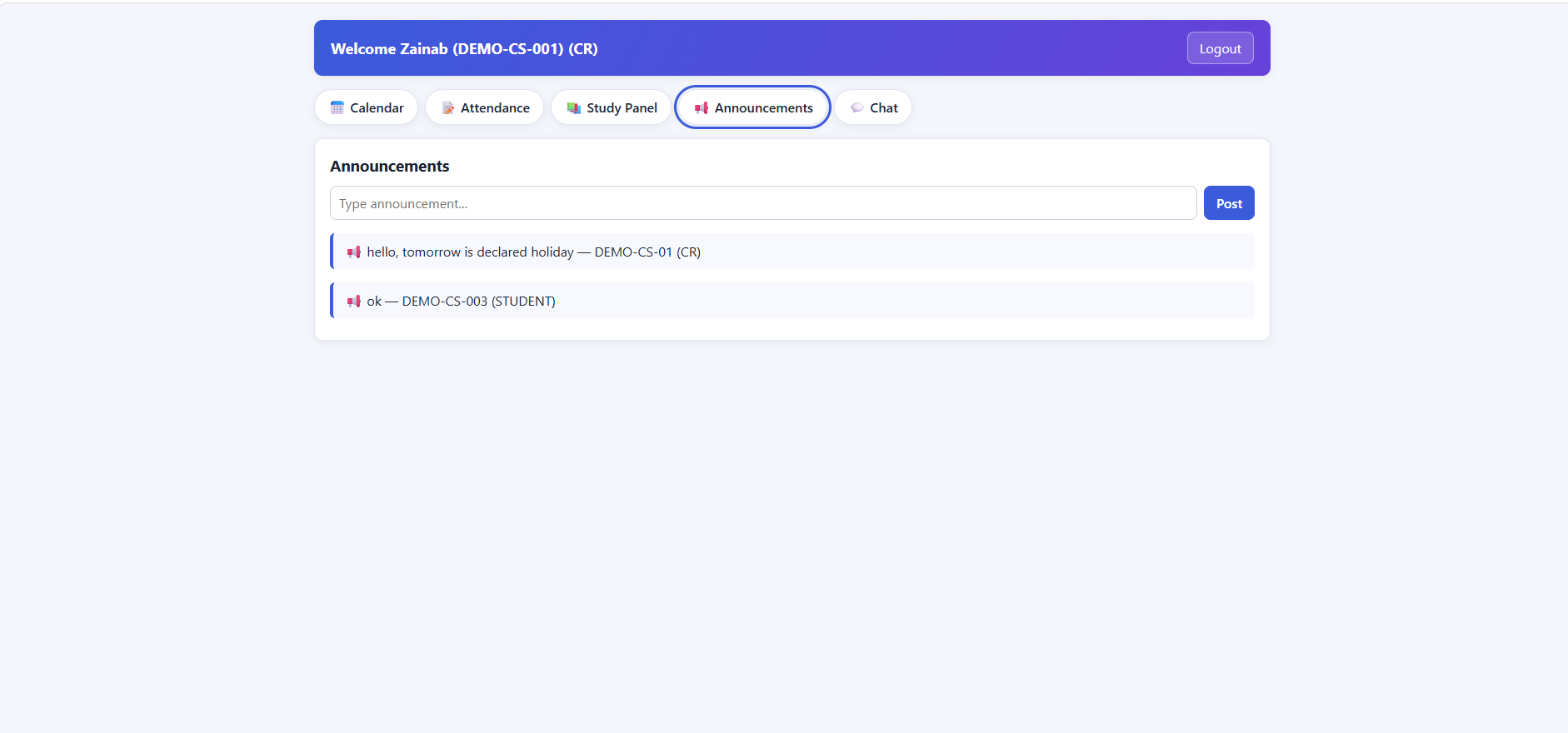
Announcements feed with each post showing the author's college ID and role. Vision can post extracted notice tasks here.
-
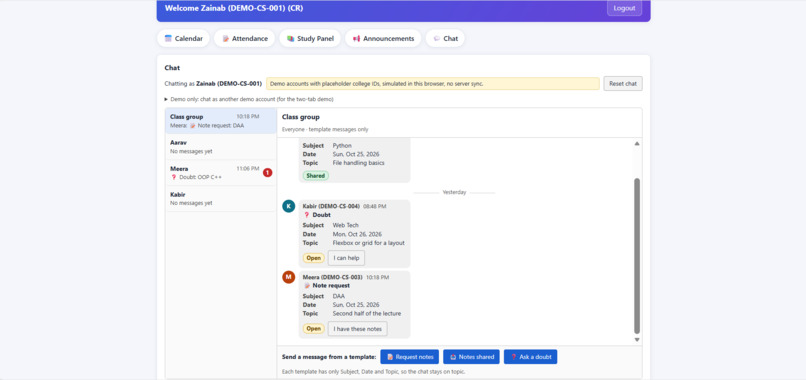
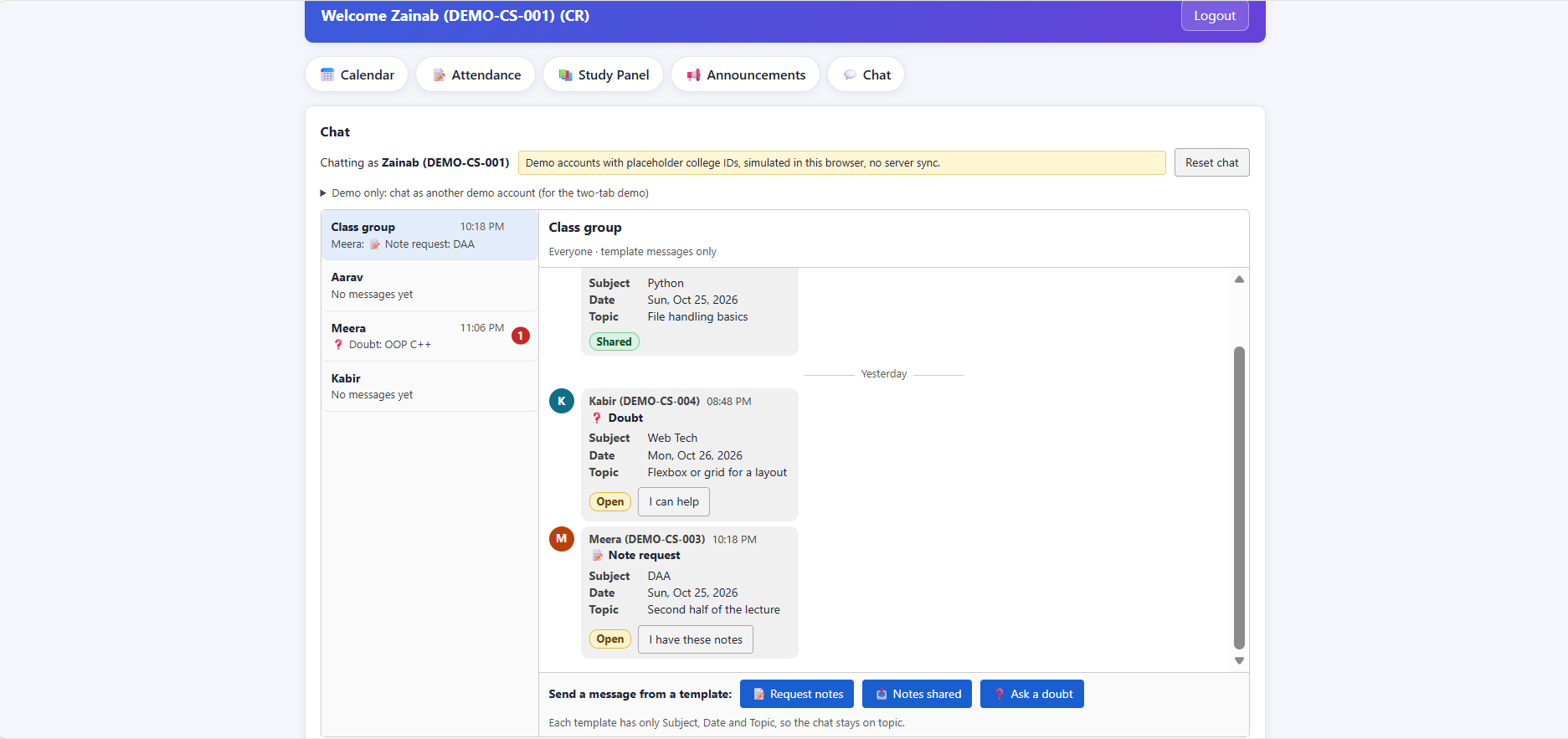
Template-only class chat: group and one-to-one, with note requests, notes shared and doubts by Subject, Date, Topic. Simulated users.
Inspiration
What it does
How we built it
Challenges we ran into
Accomplishments that we're proud of
What we learned
What's next for CampusSync
Inspiration
I'm a second-year CS student, and every semester starts the same way: a timetable arrives as a screenshot in the class WhatsApp group, a notice arrives as a PDF, and everyone re-types the same lectures and deadlines into their own calendar, attendance sheet and notes. My project, CampusSync, already had attendance, announcements and a tagged Study Panel, but every entry was typed by hand. I wanted the camera and the screenshot to do that typing.
What it does
CampusSync Vision reads a timetable screenshot or a PDF notice and turns it into organised entries:
- Upload an image or PDF.
- OpenCV straightens it and finds the table grid, drawing a box around every cell.
- OCR reads the text in each cell.
- Rules extract subject, day, time, teacher, room, date, topic and task.
- Entries are auto-tagged Course → Semester → Subject → Topic → Date and land in the CampusSync app: the attendance calendar, announcements and the Study Panel.
The page shows each stage as it runs, with the detected boxes drawn over the image, so you can see what the vision pipeline is doing. Entries the system is unsure about (OCR confidence below 0.80) are flagged "check this", and the user can edit them before anything is saved.
How I built it
- Table finding (OpenCV): the image is deskewed, then horizontal and vertical lines are extracted with morphological filters. The gaps between them become cell rectangles. Cells that contain other cells are dropped, and columns are assigned by position.
- Text reading: RapidOCR runs on the page. It installs with pip alone, so there is no separate OCR install on Windows. PDFs are rendered to images first, so scanned and text PDFs follow the same path. Phone photos are corrected with EXIF orientation.
- Extraction: regular expressions pull out dates, times, room numbers and teacher names. Subjects are fuzzy-matched against the subjects of the semester the user selected, so a misread "OOP C+" still becomes "OOP C++". A match counts only above a similarity threshold, which I set to $s \ge 0.85$ for a subject and $s \ge 0.90$ before the catalog is allowed to fill in a missing teacher or room. A value copied from the catalog is shown with a dashed outline, so it is never confused with something actually read from the image.
- Backend and front end: FastAPI serves the pipeline, the app and a simple upload page with the box overlay. Data is stored in the browser.
- The rest of CampusSync: monthly attendance (attended lectures turn green, missed ones red, with per-subject percentages and a 75% warning), semester-aware timetables, announcements with roles, college-ID login, and a template-based class chat that only lets people request notes by Subject, Date and Topic.
I built this solo in a short time, using an AI coding assistant for much of the implementation and test writing. I made the design decisions, supplied the product requirements, and reviewed the results.
Challenges
- OCR confidently reading the wrong thing. The OCR's orientation check flipped a time slot, so
08-09was read as60-80with 99.9% confidence. It broke one of my timetable layouts. I turned that check off and instead fix orientation from EXIF data, which is what phone photos actually carry. - A page-sized false "cell." A timetable placed on an A4 PDF page produced one huge fake cell that shifted a column, so one lecture landed on the wrong day. Dropping cells that contain other cells fixed it.
- Wrong catalog fills. "Placeholder Seminar" matched "Placeholder Chemistry" and copied its teacher and room. That is why the thresholds above exist.
- Keeping the claims honest. I audited every statement in my README against the code and the test output, and removed or softened the ones I couldn't back.
What I learned
- Classical computer vision still does most of the work on structured documents. Lines and geometry beat a heavy model when the table has visible borders.
- Confidence matters more than accuracy in a tool people rely on. Showing "check this" and letting users correct an entry is more useful than pretending to be perfect.
- Tests written by the same person who wrote the code only catch regressions. They don't tell you how the system does on someone else's timetable.
Honest limits
- The measured results (all 90 entries correct on 11 test images) come from synthetic images I generated. They are regression tests, not evidence of accuracy on real timetables. Real-image accuracy has not been measured yet.
- Tables without visible lines, handwriting, and images rotated without EXIF data are not supported.
- I did not use SAM; plain OpenCV was enough for tables with borders. It is the next step for borderless layouts and handwriting.
- Extraction is rules plus fuzzy matching, not an LLM.
- Chat uses simulated users in one browser, with no server sync. Demo accounts, passwords, seeded attendance and most semester data are placeholders.
What's next
Measure accuracy on real screenshots from several colleges, add SAM-based segmentation and a handwriting model for notes, support borderless tables, and move chat and storage to a real backend with real accounts.


Log in or sign up for Devpost to join the conversation.