Inspiration
What it does
How we built it
Challenges we ran into
Accomplishments that we're proud of
What we learned
What's next for DevFix AI – Smart Code Debugging Assistant
Inspiration
Debugging is one of the most common challenges faced by programming students and developers. Beginners often struggle to understand compiler errors, locate mistakes in their code, and find the correct solution. We wanted to build a tool that makes debugging easier, faster, and more educational.
This inspired us to create DevFix AI, an AI-powered code debugging assistant that helps users understand programming errors instead of simply showing them an error message.
What it does
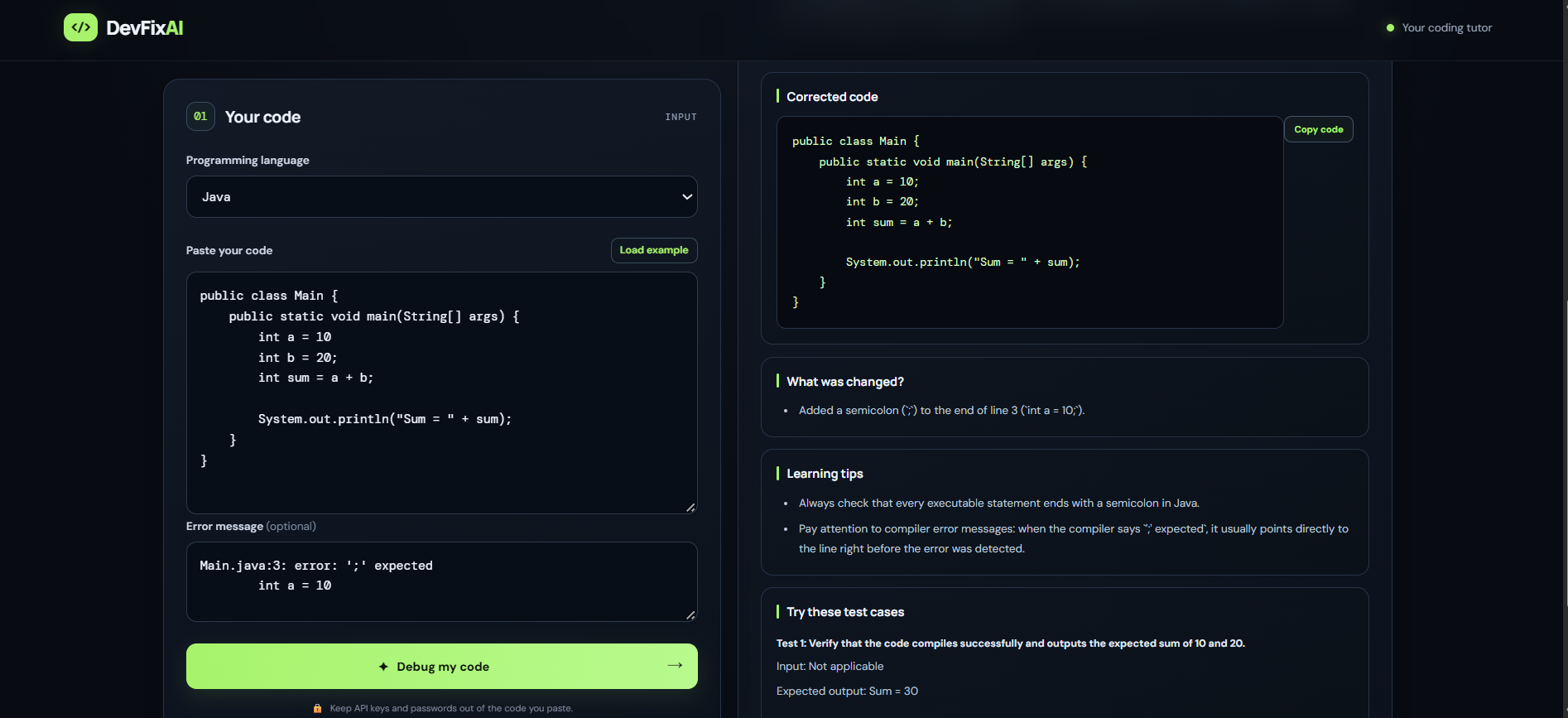
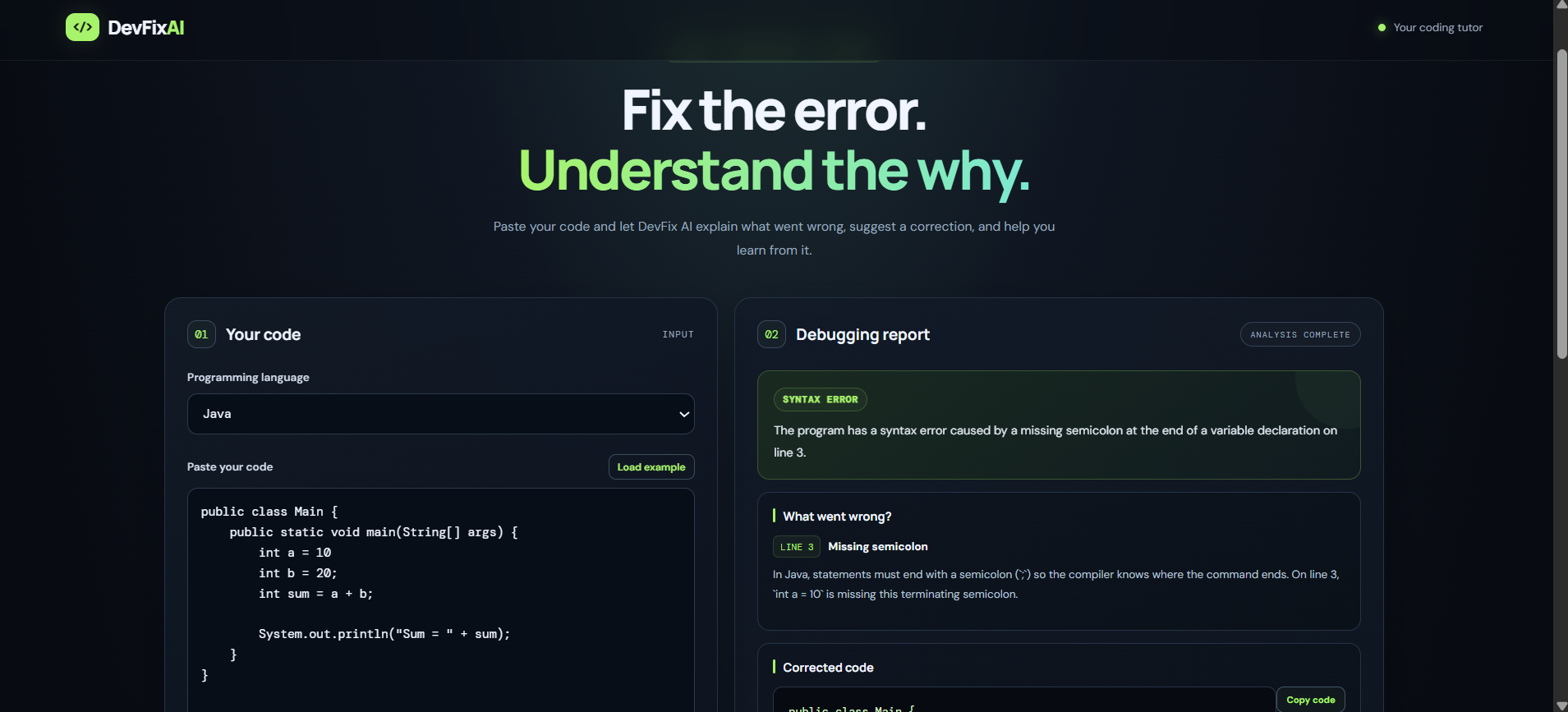
DevFix AI is a web application that allows users to submit code, select a programming language, and provide an error message or unexpected output. The application uses a generative AI model to analyze the submitted information and produce a debugging report.
Key features include:
- Error analysis: Identifies potential issues in submitted code.
- Root-cause explanations: Explains why an error may occur.
- Suggested corrections: Generates corrected code and possible fixes.
- Debugging recommendations: Provides guidance to help users avoid similar mistakes.
- Simple web interface: Makes AI-assisted debugging accessible to students and developers.
The suggestions are AI-generated and should be tested before being used in production.
How we built it
We built DevFix AI as a web application using HTML, CSS, and JavaScript for the frontend and Node.js with Express.js for the backend. The backend receives the submitted code and debugging information, communicates with the Gemini API, and returns the AI-generated analysis to the frontend.
The application is organized into two main parts:
- Frontend: Collects the programming language, source code, and error details and displays the debugging report.
- Backend: Handles API requests, communicates with the AI model, and returns the generated response.
We also improved the user interface to make the debugging workflow clearer and easier to use.
Challenges we faced
One of our main challenges was integrating a generative AI API with the backend and handling API errors. We also had to manage API credentials securely, connect the frontend to the backend, and ensure that the debugging response was presented clearly.
During development, we worked through configuration issues and improved the application so that it could return useful debugging explanations and suggested code corrections.
What we learned
Building DevFix AI helped us gain practical experience with full-stack web development, REST APIs, environment variables, AI integration, asynchronous JavaScript, and error handling. We also learned the importance of protecting API keys and validating AI-generated output.
What's next
We plan to expand DevFix AI with support for more programming languages, improved error categorization, code quality suggestions, test-case generation, and additional debugging tools.
Our goal is to make programming less frustrating and help learners become more confident, independent problem-solvers.
Built With
- agents
- ai
- amazon
- artificial
- css
- express.js
- html
- intelligence
- javascript
- mcp
- node.js
- react

Log in or sign up for Devpost to join the conversation.