-
-
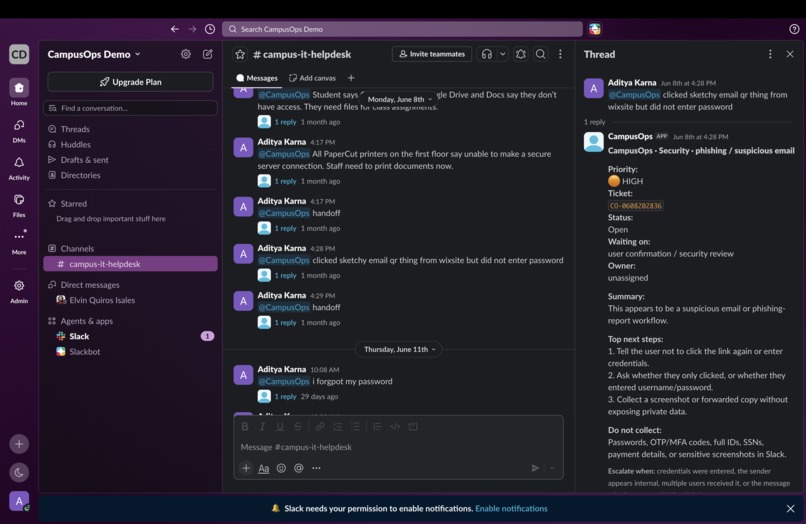
General slack campusops overview
-
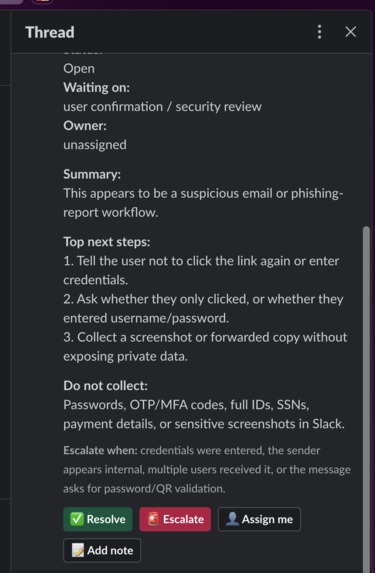
Ticket creation and impressive (convinient option)
-
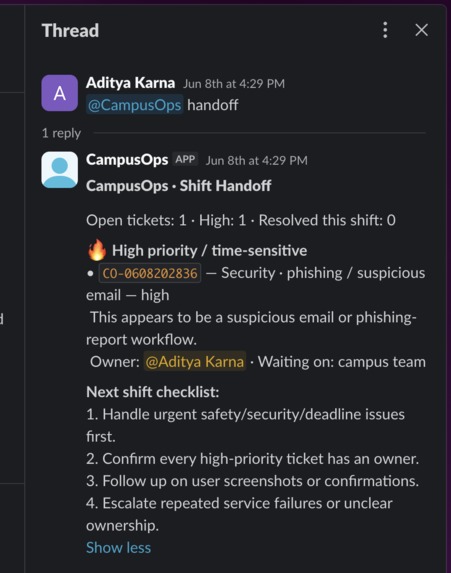
Handoff function
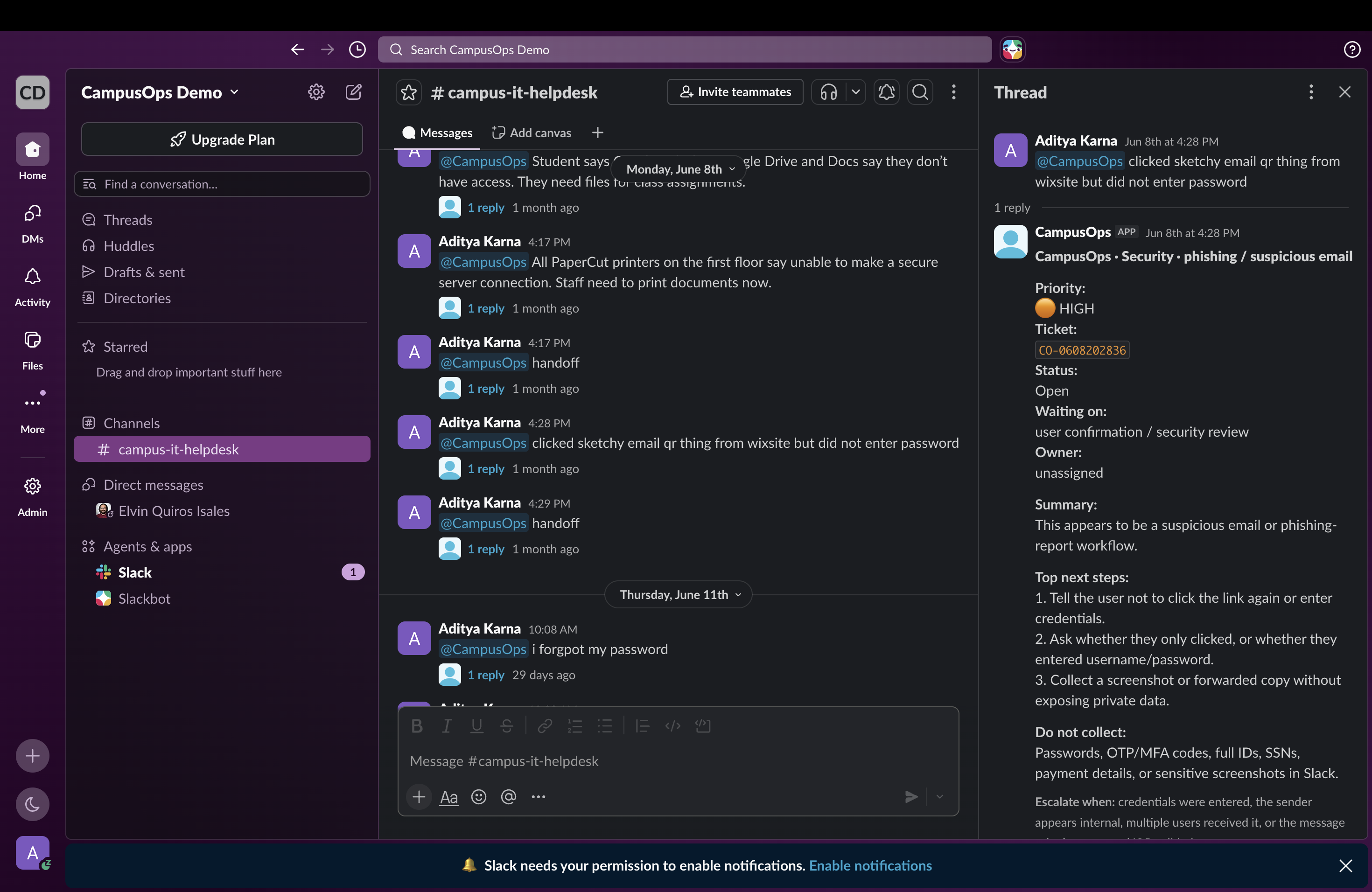
Inspiration
Campus support teams live in chaos: student portal issues, phishing reports, printer outages, Wi-Fi problems, room/facilities issues, and shift handoffs all happening in Slack.
I built CampusOps because campus workers do not need another chatbot. They need a lightweight shift console that turns messy messages into action.
What it does
CampusOps is a Slack agent for campus support teams.
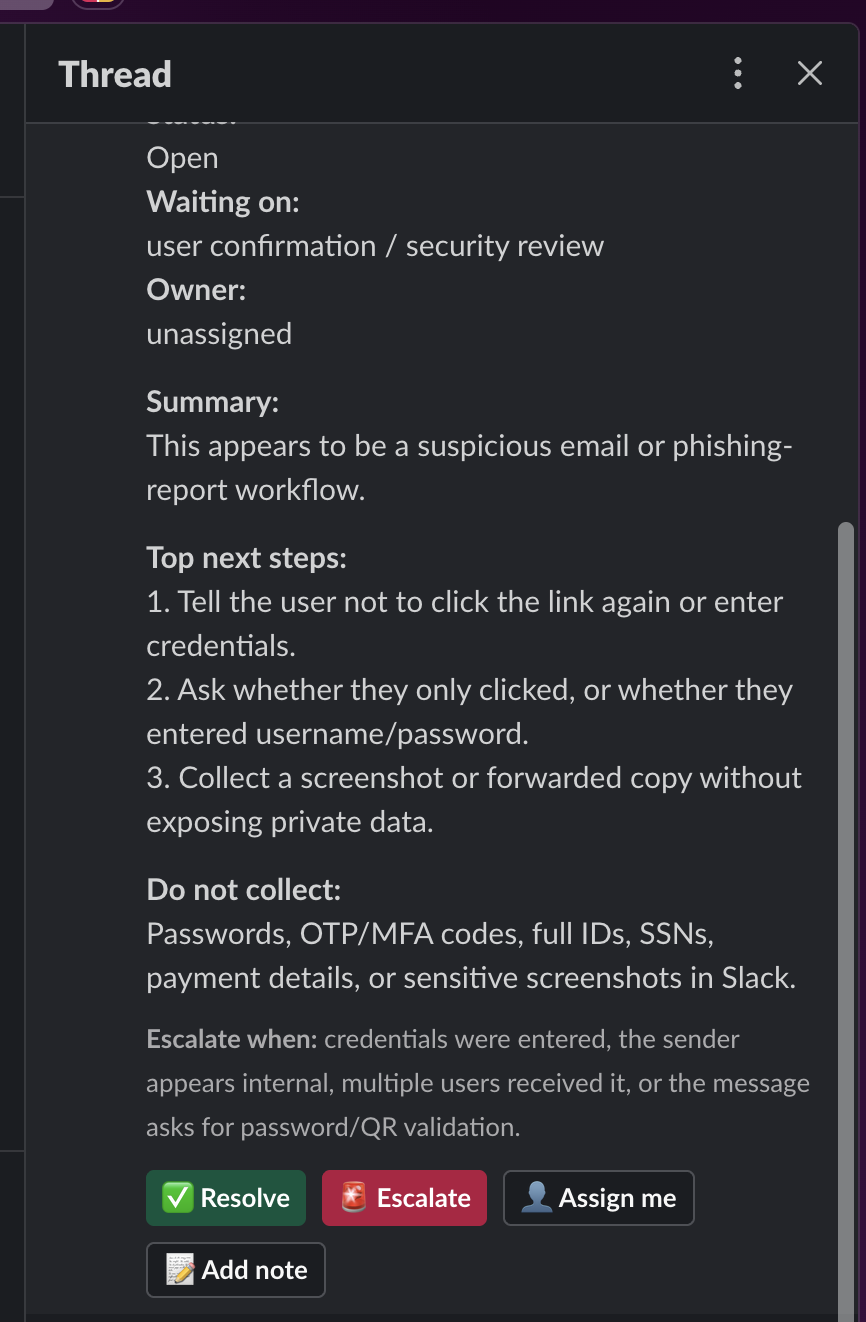
When someone mentions @CampusOps, it turns a messy support message into a structured ticket card with:
- category
- priority
- ticket ID
- status
- owner
- waiting-on state
- safe next steps
- escalation rules
- privacy warnings
- action buttons
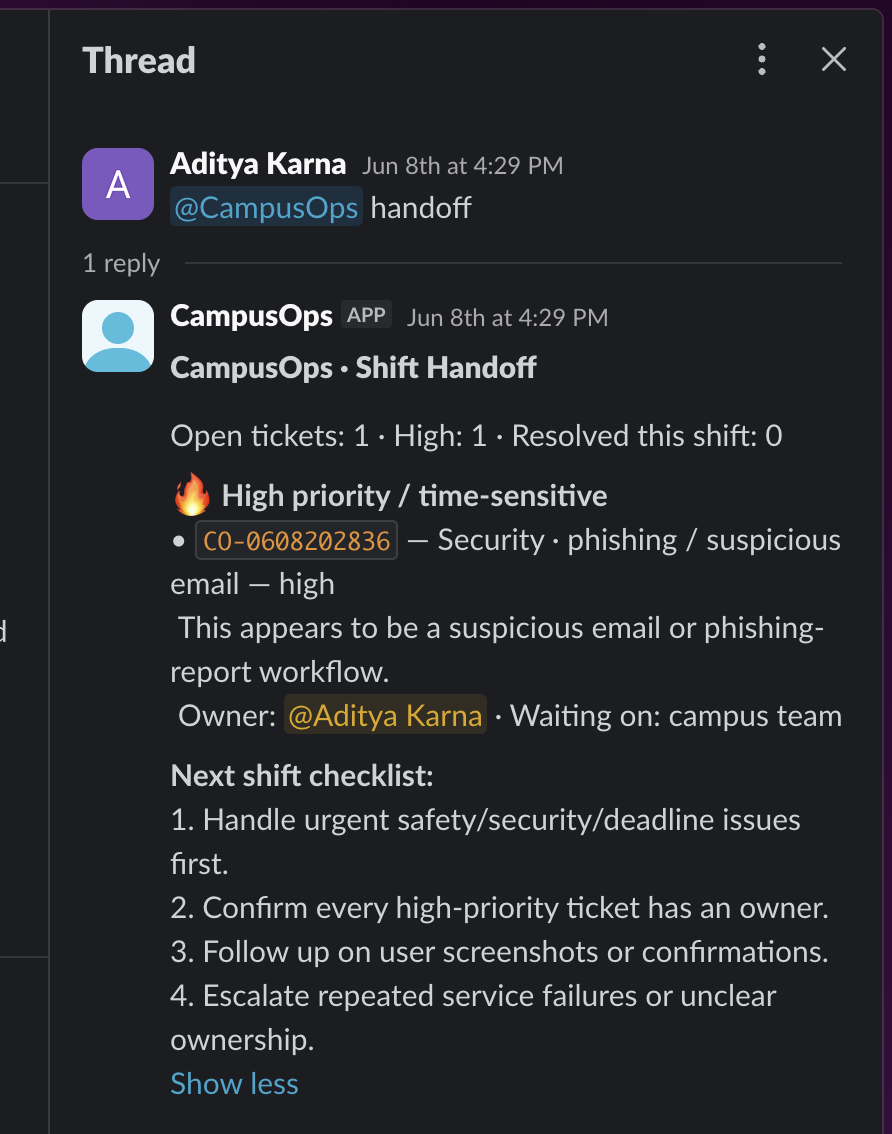
It also generates shift handoffs with @CampusOps handoff, so the next worker knows what is urgent, what is waiting, and what needs escalation.
Required Slack technology used
CampusOps includes an AI-assisted triage workflow inside Slack. The app takes messy Slack messages and converts them into structured operational outputs: ticket summaries, safe next steps, escalation guidance, privacy reminders, and handoff-ready notes.
The project includes an OpenAI-powered refinement path when OPENAI_API_KEY is configured and quota is available, plus a deterministic rule/safety fallback so the Slack workflow remains stable during demos and live testing.
Slack Block Kit then turns the triage result into an operational ticket card with status, ownership, escalation, and workflow actions.
Why it matters
Student workers, RAs, IT desks, facilities teams, and event staff often work across shifts. Things get lost when issues stay as random Slack messages.
CampusOps makes the “first mile” of support safer and clearer.
It understands messy messages like:
- “housing thing says no profile”
- “clicked sketchy email qr thing”
- “wifi dead dorm 3rd floor”
- “printer access denied library”
- “resident says room freezing”
How I built it
I built CampusOps solo using:
- Python
- Slack Bolt
- Slack Socket Mode
- Slack Block Kit
- AI-assisted triage
- OpenAI API integration path
- deterministic safety fallback
- YAML campus knowledge base
- local JSONL ticket storage for the demo
The Slack app listens for mentions, runs the campus support issue through the triage layer, and replies with a Slack-native ticket card. The card includes priority, owner, waiting-on state, privacy warnings, escalation rules, and action buttons: Resolve, Escalate, Assign me, and Add note.
The deterministic fallback keeps the demo reliable if an external AI API is unavailable, while the OpenAI integration path shows how the agent can refine messy messages into safer operational notes.
Privacy and safety
CampusOps reminds workers not to collect passwords, OTP/MFA codes, full student IDs, SSNs, payment details, medical details, or sensitive screenshots in Slack.
It does not autonomously reset accounts or modify systems. It prepares safe ticket notes and routes issues for human review.
What’s next
Next steps are ticket-system integrations, Slack App Home queue dashboard, campus knowledge base connectors, Real-Time Search, MCP connectors, audit logs, and per-campus configuration.
CampusOps is designed to be configurable for any school, not tied to one campus.
Built With
- ai-assisted-triage
- jsonl
- python
- slack-agent-builder
- slack-ai-capabilities
- slack-api
- slack-block-kit
- slack-bolt
- slack-socket-mode
- yaml

Log in or sign up for Devpost to join the conversation.