-
-
page1
-
page2
-
page3
CampusMate – AI Student Helpdesk
Tagline: One Platform, Every Answer, Smarter Student Support!
- Project Overview
CampusMate is an AI-powered Student Helpdesk designed to make college-related information easily accessible to students.
It uses Artificial Intelligence and conversational AI to answer student questions about admissions, scholarships, examinations, fee payments and hostel facilities.
Our main aim is to create a single platform where students can ask questions and receive quick and helpful responses.
- Inspiration
We were inspired by the difficulties students face when searching for college-related information.
Students often need to visit different departments or contact multiple people to get answers about scholarships, admissions, examinations and fee payments.
This process takes time and creates confusion.
Therefore, we developed CampusMate, an intelligent virtual assistant that makes student support simple, fast and accessible.
- Problem Statement
Students commonly face the following problems:
- Difficulty finding accurate college information.
- Delays in getting responses from college departments.
- Lack of proper scholarship and admission guidance.
- Repeated visits to administrative offices.
- Limited availability of student support.
CampusMate aims to solve these problems using Artificial Intelligence.
- Our Solution
CampusMate provides an intelligent chatbot that understands student questions and provides relevant information.
Our solution includes:
- Instant answers to common student questions.
- Scholarship and admission guidance.
- Examination and fee-payment information.
- Step-by-step assistance.
- Human support escalation when required.
- Key Features
- AI Chatbot: Answers student questions through conversational interaction.
- Smart Knowledge Base: Organizes college-related information.
- Admission Assistance: Provides admission procedures and eligibility information.
- Scholarship Guidance: Helps students understand scholarship applications.
- Examination Support: Provides examination-related information.
- Fee Payment Assistance: Guides students about fee-payment procedures.
- Human Support: Directs students to the appropriate department.
- 24/7 Accessibility: Makes common information available anytime.
How It Works
The student opens the CampusMate chatbot.
The student enters a question.
The AI understands the student's query.
The system searches the available knowledge base.
The chatbot generates a relevant response.
The student receives the required information.
If additional assistance is needed, the student can contact the appropriate department.
Technologies Used
- Platform: eGain AI Agent
- Artificial Intelligence: Generative AI
- Natural Language Processing: Understanding student queries
- Knowledge Management: Knowledge Base
- Workflow: Automated Process Workflows
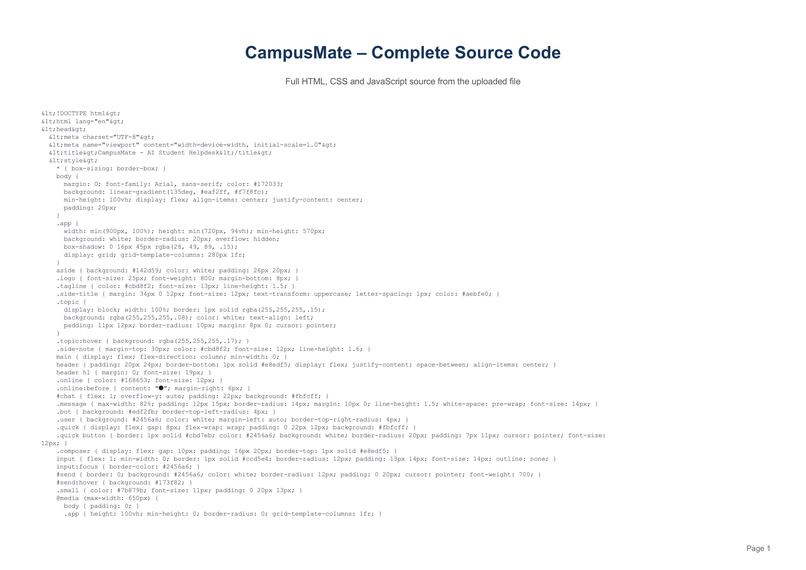
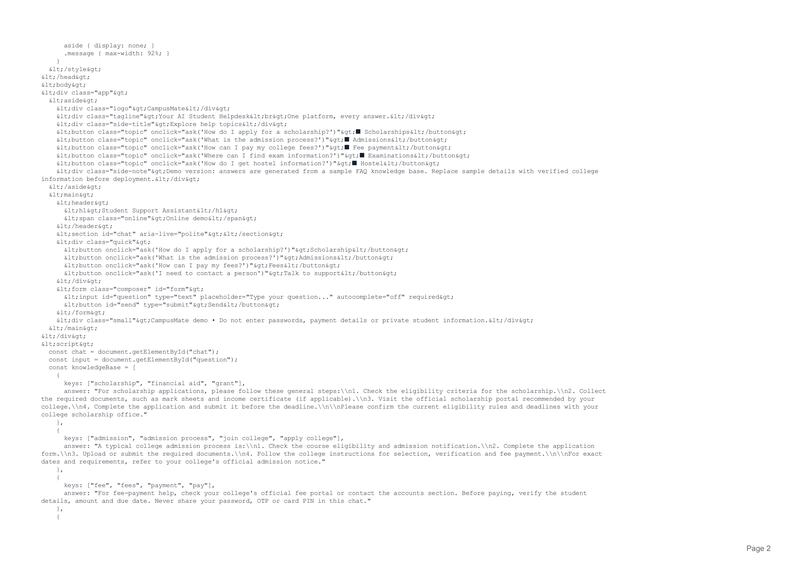
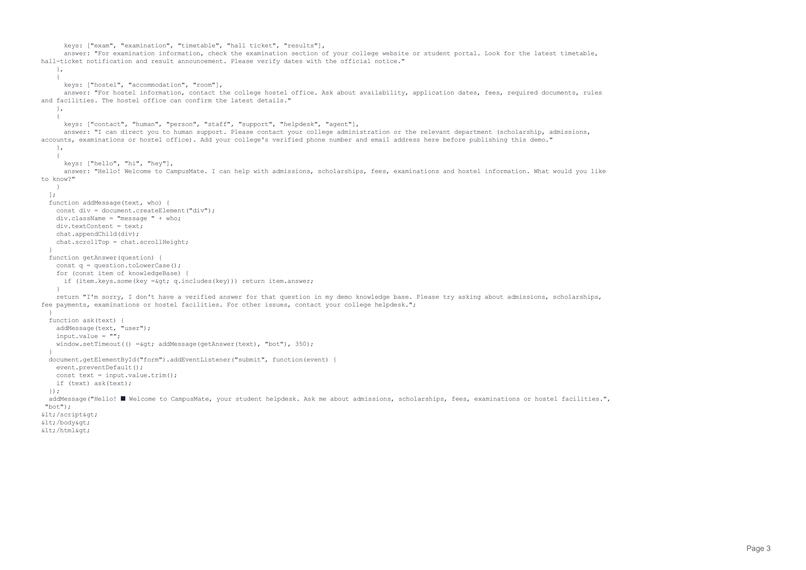
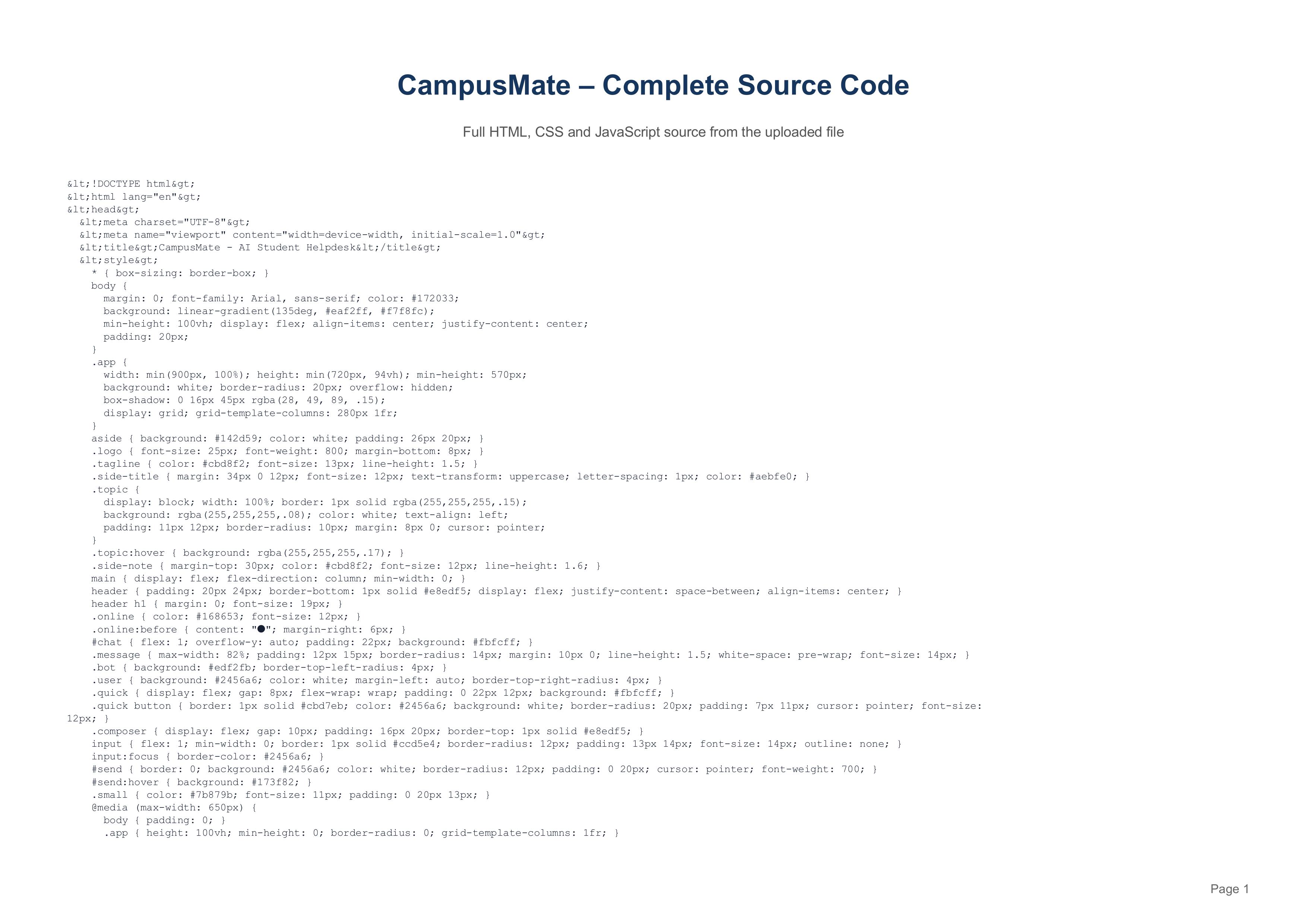
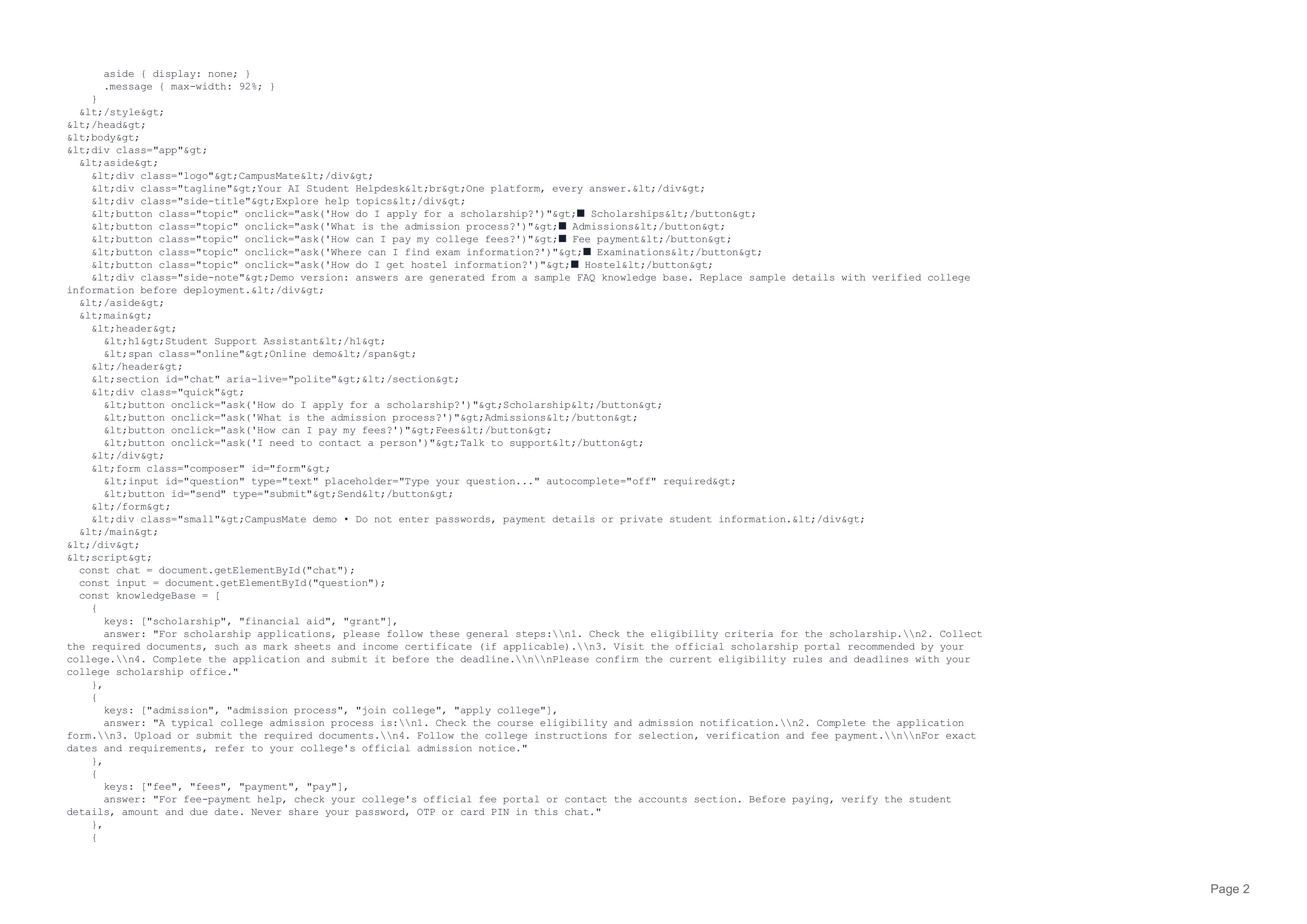
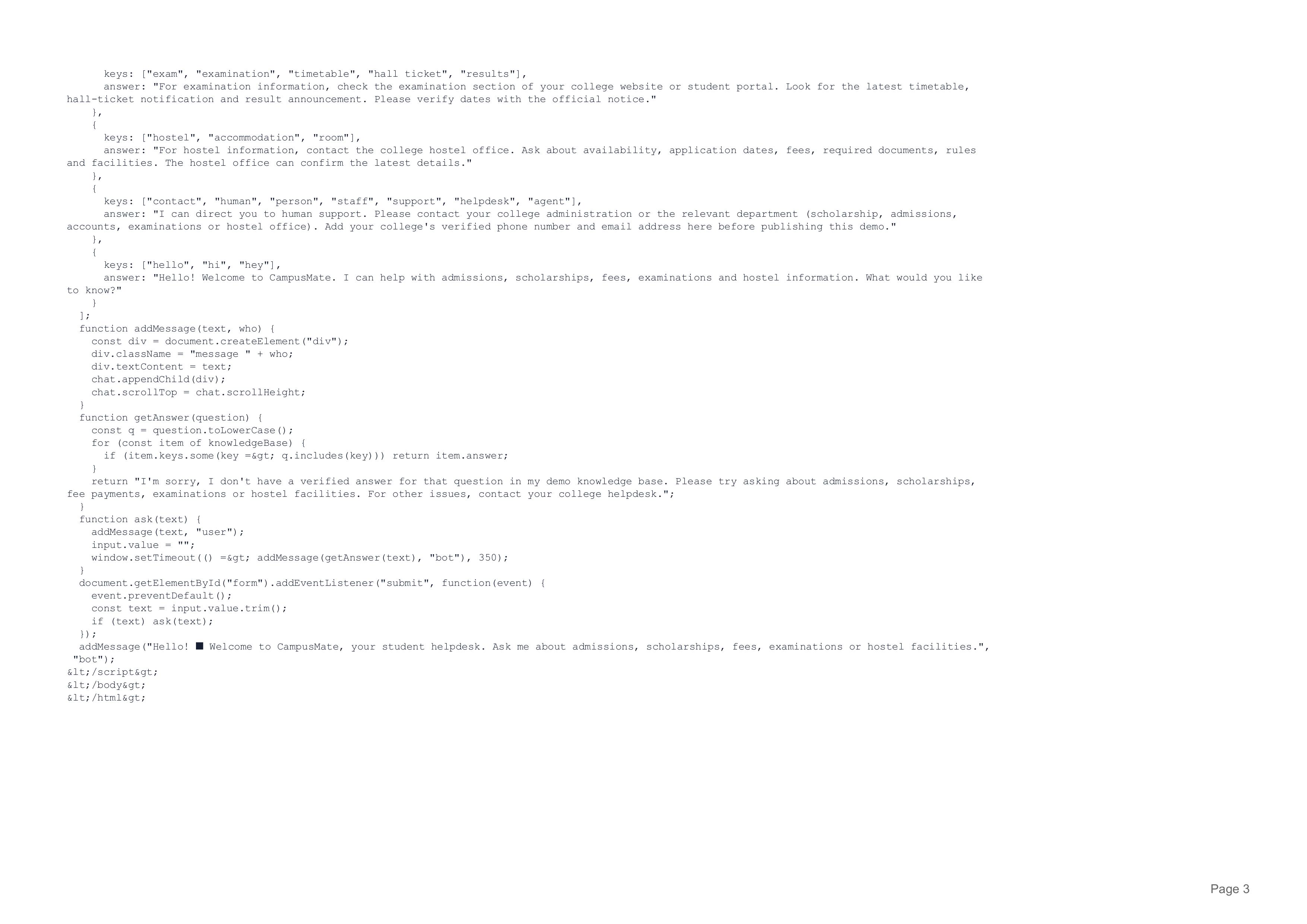
- Frontend Demo: HTML, CSS and JavaScript
- Code Block Example
The following code demonstrates the basic query-handling logic of CampusMate.
def campusmate(question): question = question.lower()
if "scholarship" in question:
    return "Scholarship application guidance."

elif "admission" in question:
    return "Admission process information."

elif "fees" in question:
    return "Fee payment assistance."

elif "exam" in question:
    return "Examination information."

elif "hostel" in question:
    return "Hostel information."

else:
    return "Please contact student support."
question = "How can I apply for a scholarship?"
print("Student:", question) print("CampusMate:", campusmate(question))
Sample Output:
Student: How can I apply for a scholarship? CampusMate: Scholarship application guidance.
- Example Interaction
Student: Hello! I need information about scholarships.
CampusMate: Hello! Welcome to CampusMate. How can I help you?
Student: How can I apply for a scholarship?
CampusMate: You can check the eligibility criteria, collect the required documents and submit your application through the official scholarship portal.
Student: I need more assistance.
CampusMate: I can guide you further or direct you to the scholarship department.
- Challenges We Faced
During development, we faced several challenges:
- Understanding the AI platform as beginners.
- Preparing and organizing knowledge documents.
- Designing effective chatbot responses.
- Creating workflows for different student queries.
- Testing the chatbot to improve response accuracy.
We addressed these challenges by learning the platform step by step and testing different student questions.
- What We Learned
Through this project, we learned:
- How Artificial Intelligence improves student services.
- How conversational AI works.
- How to organize and manage a knowledge base.
- How to design automated workflows.
- How to solve real-world problems using technology.
- The importance of teamwork and problem-solving.
- Future Scope
In the future, we plan to enhance CampusMate with:
- Multilingual Support: Kannada, English and other languages.
- Voice Assistant: Voice-based student interaction.
- Personalized Guidance: Assistance based on student requirements.
- Mobile Application: Smartphone accessibility.
- College Integration: Integration with college management systems.
- Smart Notifications: Important academic reminders.
- Social Impact
CampusMate can help educational institutions by:
- Saving students' valuable time.
- Reducing repetitive work for college staff.
- Improving communication between students and administration.
- Making academic information easier to access.
- Providing centralized student support.
- Conclusion
CampusMate is an intelligent student-support solution designed to simplify college services using Artificial Intelligence.
Our vision is to create a smarter educational environment where every student can access the information they need quickly and easily.
CampusMate – Your College, Your Questions, One Intelligent Solution!
Built With
- agent
- ai
- chrome
- css
- egain
- html
- javascript
