Here is your submission text. It only claims what your project actually does today, so update the Accomplishments section after you deploy and add the tests.
Inspiration
Every semester, juniors spend thousands of rupees on new textbooks, drafters, lab coats and calculators. Meanwhile, seniors from the previous batch have the same items sitting unused in their hostel cupboards. The only way the two sides find each other is through scattered WhatsApp groups, where nothing is searchable, nobody knows the condition of an item, and no one tracks who borrowed what. We wanted to turn that waste into a trusted, organized campus exchange that saves money and promotes reuse across batches.
What it does
CampusGear is a branch- and semester-filtered peer-to-peer academic resource exchange for a college campus.
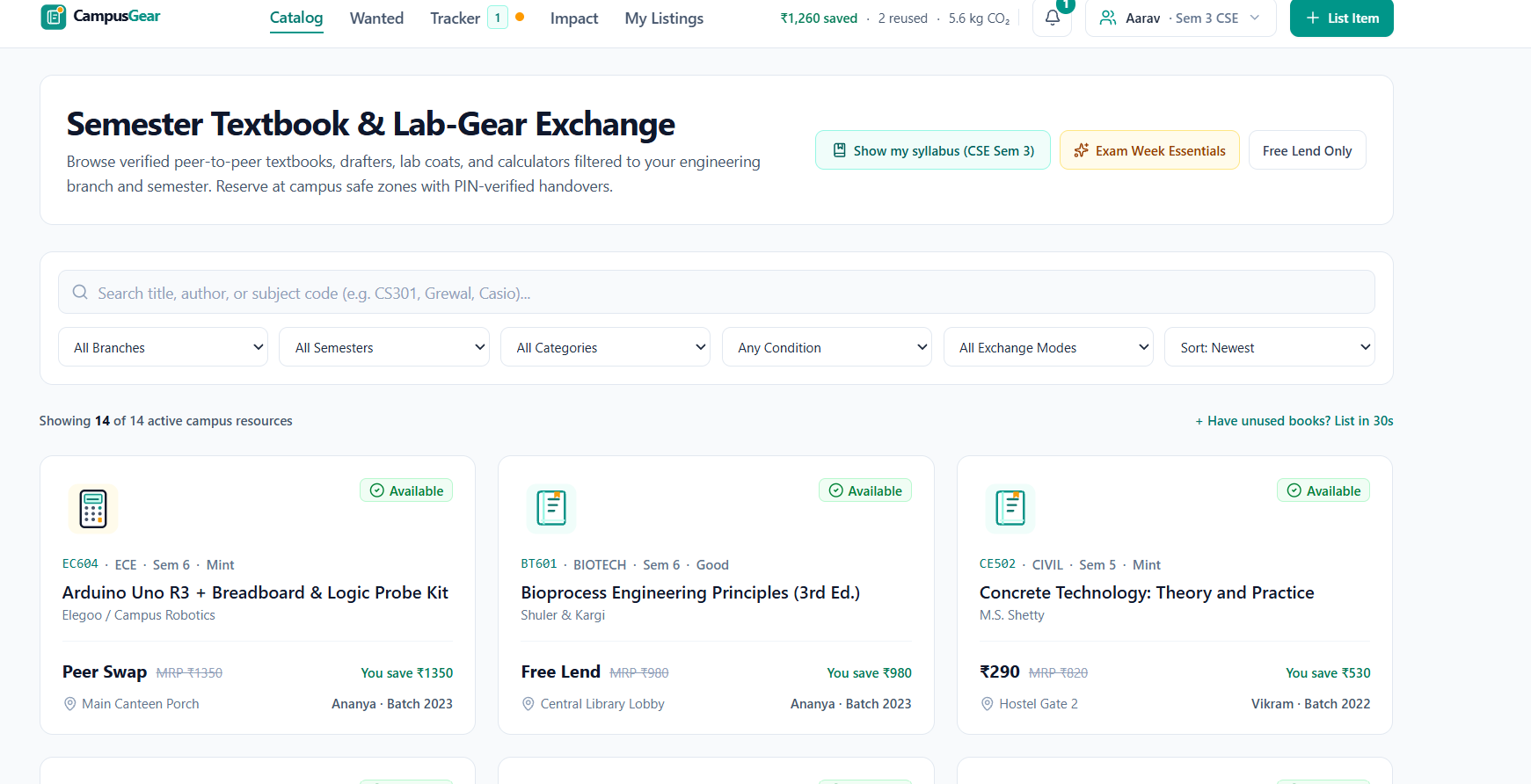
- Smart discovery: search and filter by branch, semester, category, condition and listing type (lend, sell or swap). One click on "Show my syllabus" applies your own branch and semester.
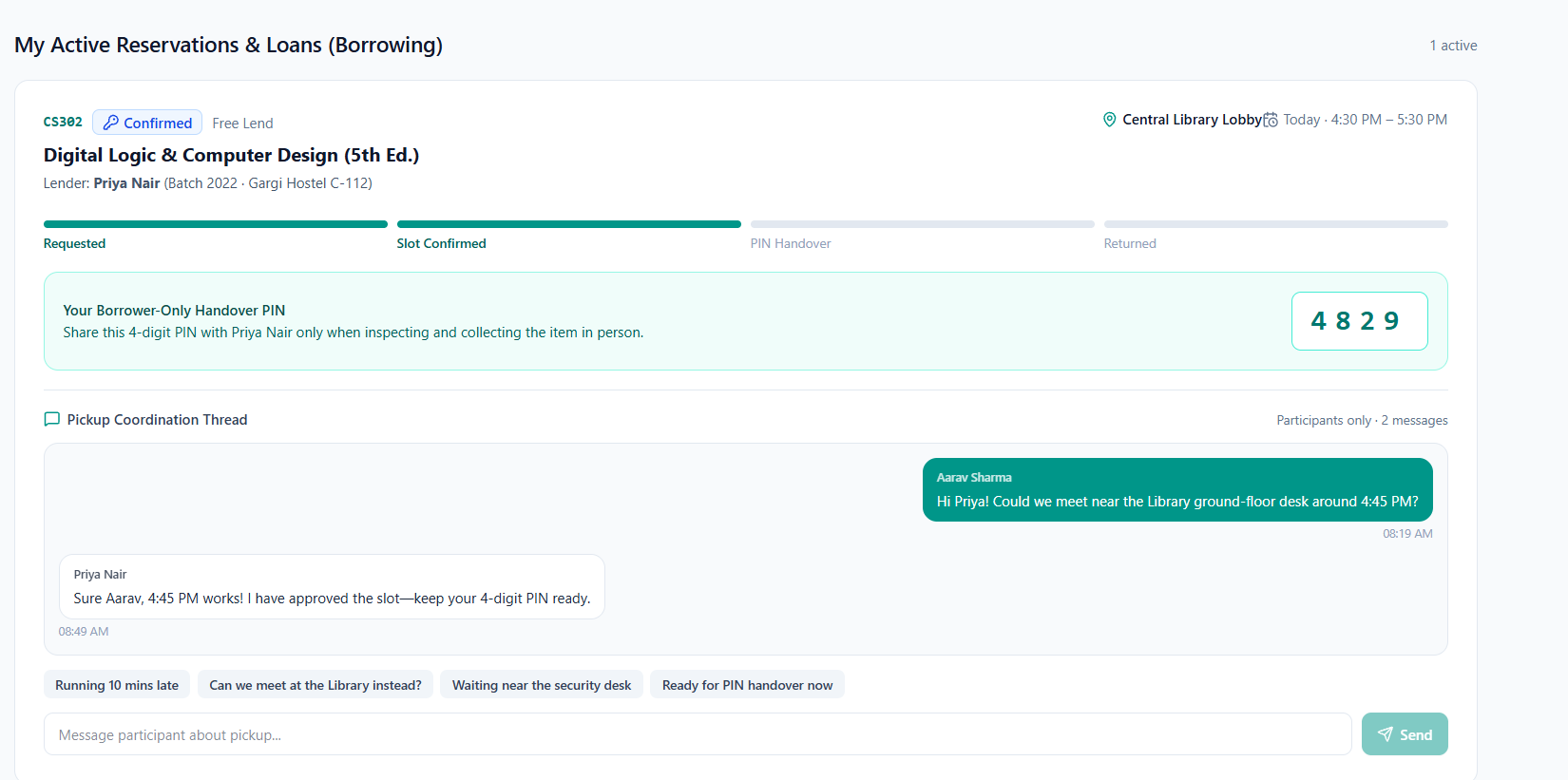
- Safe-zone reservation: the borrower picks a verified campus landmark (such as the Central Library Lobby or Main Canteen Porch) and a time slot. The item locks as reserved, so it can't be double-booked.
- 4-digit PIN handover: the lender approves the request and the borrower receives a PIN. At the meeting, the lender enters it to confirm the handover. Five wrong attempts trigger a lockout.
- Return ledger: borrowed gear has a semester return countdown. Confirming the return makes it available to the next batch.
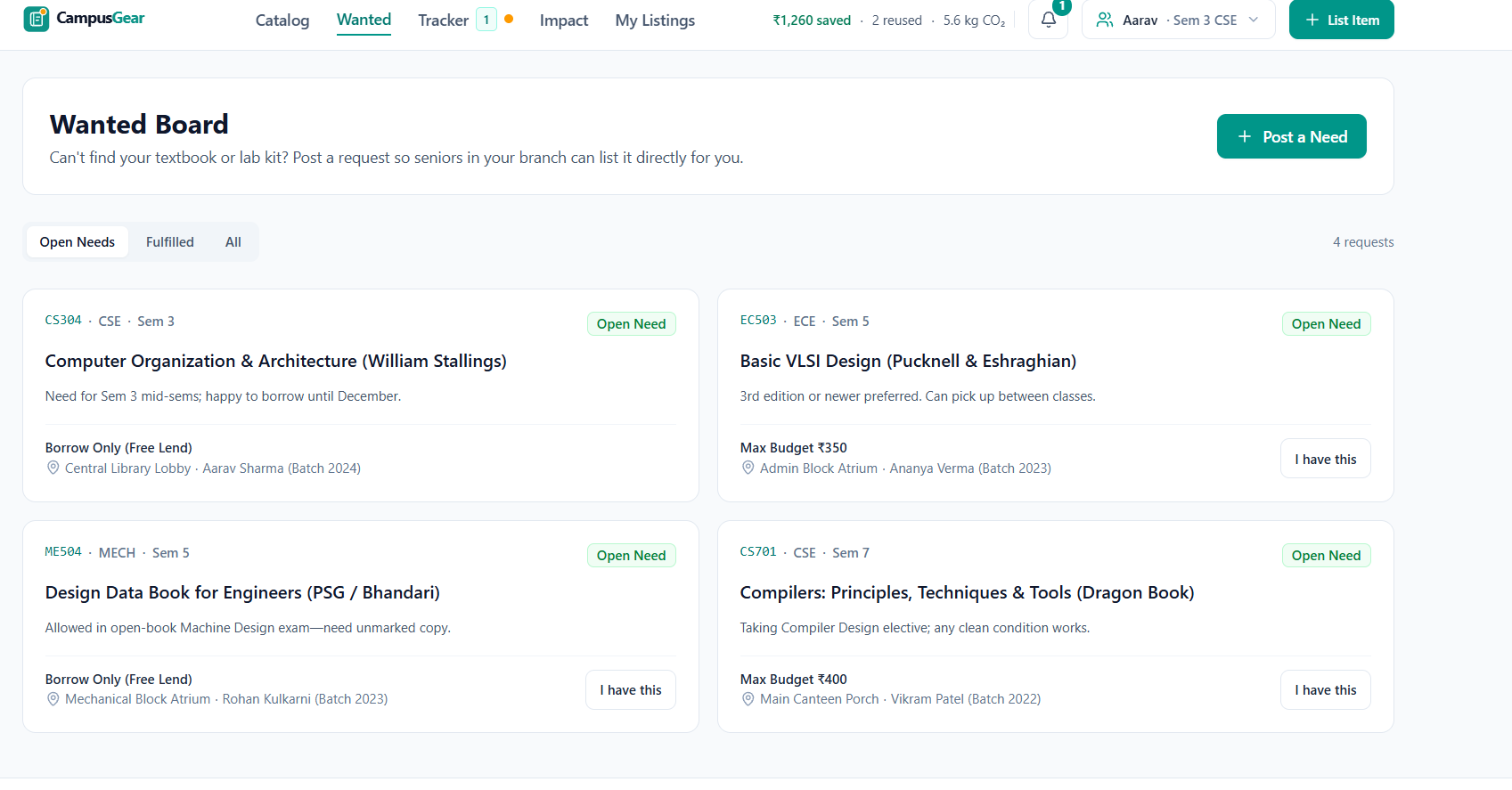
- Pickup chat and Wanted Board: lenders and borrowers coordinate in a private thread, and juniors can post what they need so seniors can reply with "I have this."
- Green Impact: live counters for rupees saved and CO2 avoided, plus sustainability scores, badges and a leaderboard.
How we built it
- Frontend: React 18, Vite, Tailwind CSS and Lucide icons, with a custom design system and inline SVG category illustrations.
- Backend: Supabase, with PostgreSQL, Auth and Realtime.
- Workflow engine: a five-stage state machine for item custody (available, reserved, confirmed, active loan or completed, returned). The same rules are enforced in the browser and in the database through SQL functions.
- Security: Row-Level Security on every table, the PIN stored in a separate table that only the borrower can read, server-side PIN checking with lockout, and an audit log of every exchange step.
- Resilience: a data layer that switches between Supabase and a localStorage demo mode, so the app still works if the network fails.
- Process: we built it in Google Antigravity using ten progressive prompts, from the design system up to the backend, authentication and realtime sync.
Challenges we ran into
- Preventing double-booking: two students could reserve the same item at the same moment. We solved it with a single atomic database update that only succeeds if the item is still available.
- Keeping the PIN secret: a PIN stored on the reservation row could leak to the lender. We moved it into its own table with its own access rules, and tested that the lender cannot read it.
- Realtime across two users: making the lender's approval show the borrower's PIN instantly, without a refresh, meant adding the right tables to the realtime publication and handling both user sessions.
- Tooling friction: we ran into a Supabase command-line tool that defaulted to a local database instead of our cloud project, plus environment and path issues on Windows, and had to work through each of them.
- Keeping the demo reliable: hackathon wifi is unpredictable, so we built the offline fallback and one-click demo logins for two personas.
Accomplishments that we're proud of
- A complete exchange loop that works end to end: discover, reserve, approve, PIN handover and return.
- Security designed in from the start: access rules on every table and a PIN that the lender cannot read from the database.
- Live updates between two browser windows without refreshing.
- A fallback mode that keeps the demo working without internet.
- An impact dashboard that turns every exchange into rupees saved and CO2 avoided.
- A Wanted Board that makes the exchange work in both directions, so juniors can ask for what they need as well as browse what's listed.
What we learned
- Putting the rules in the database, not only in the interface, is what makes an exchange system trustworthy.
- Row-Level Security takes careful planning, but it protects every part of the app at once.
- Breaking a big build into ten ordered prompts, with a working app after each one, made debugging far easier.
- Designing for failure (offline mode, lockouts, conflict messages) makes a project feel finished.
What's next for CampusGear
- College email verification, so only real students can join
- Push notifications for approvals and return reminders
- Photo uploads and condition verification for listings
- Ratings and a reputation system based on completed exchanges
- Handling semester rollover automatically, including reminders for return dates
- Piloting with one department, then rolling it out across multiple campuses
Two things to do before you submit:
- Fill in the Built with field with: React, Vite, Tailwind CSS, Supabase, PostgreSQL, JavaScript and Vercel (add Vercel only once you've deployed).
- Replace "Untitled" with CampusGear, and add your live URL and GitHub link.
I can shorten this to a character limit, or write a one-line tagline and a 30-second video script if you need them.
