Inspiration
A recent Microsoft outage took down services that most of us never think about until they break. At UMass Amherst, logging in to Canvas goes through your NetID and Microsoft's two-step verification, so when Microsoft went down, several of our friends couldn't get into Canvas or Gradescope. They couldn't open lecture materials, check what was due, or submit their work, and nobody knew whether the deadline would still count.
Outages are rare, but when one hits at 11:50 PM on a deadline night, it's all that matters. We wanted to build something the UMass Amherst student community could rely on when the systems they depend on fail without warning.
What it does
CampusFallback is a Chrome extension with a small backend that keeps students working through outages.
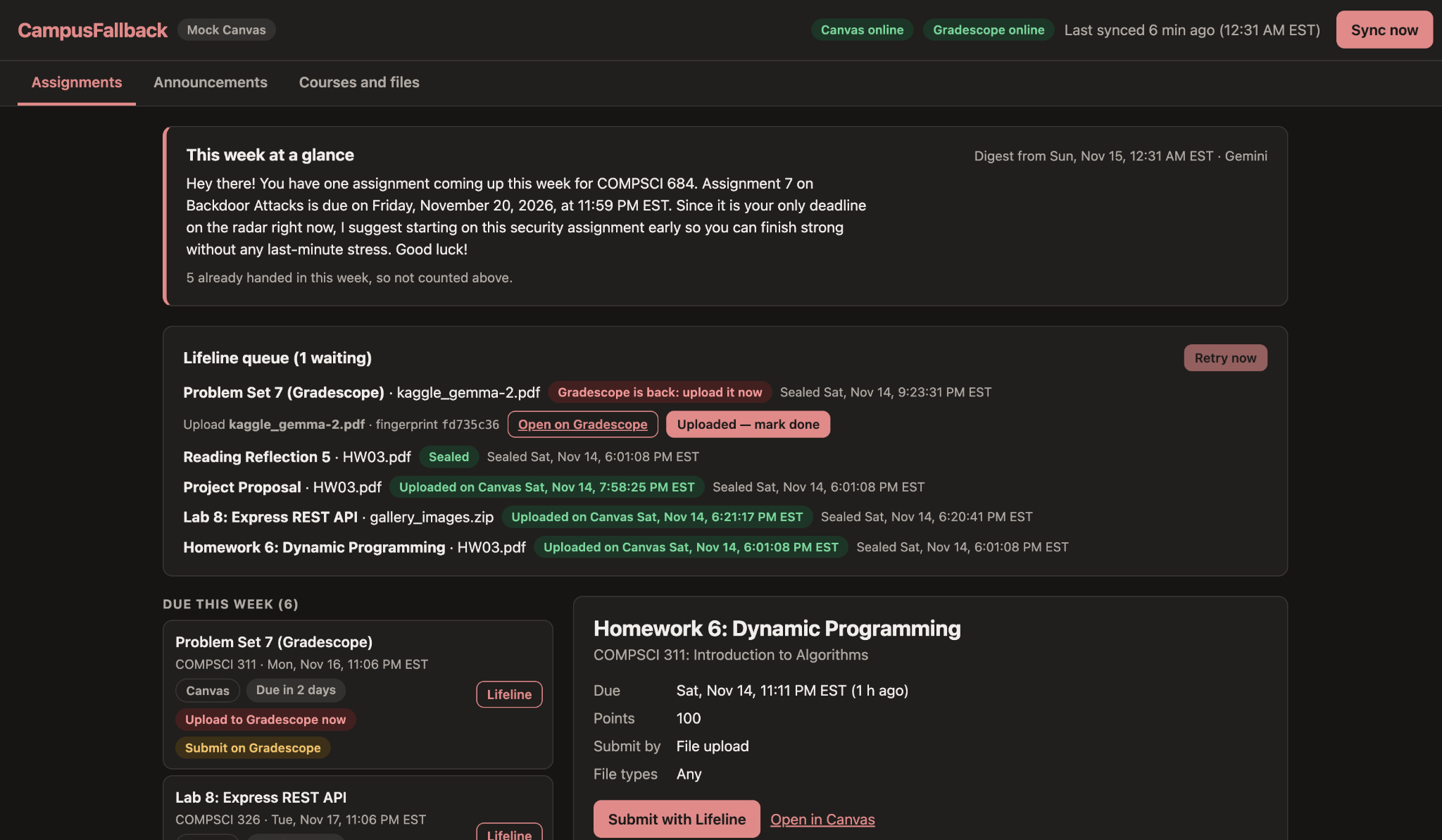
- Offline copy of your courses. Every 30 minutes it syncs your Canvas courses into your browser: upcoming assignments, due dates, announcements, syllabi and files. The dashboard works with no internet at all.
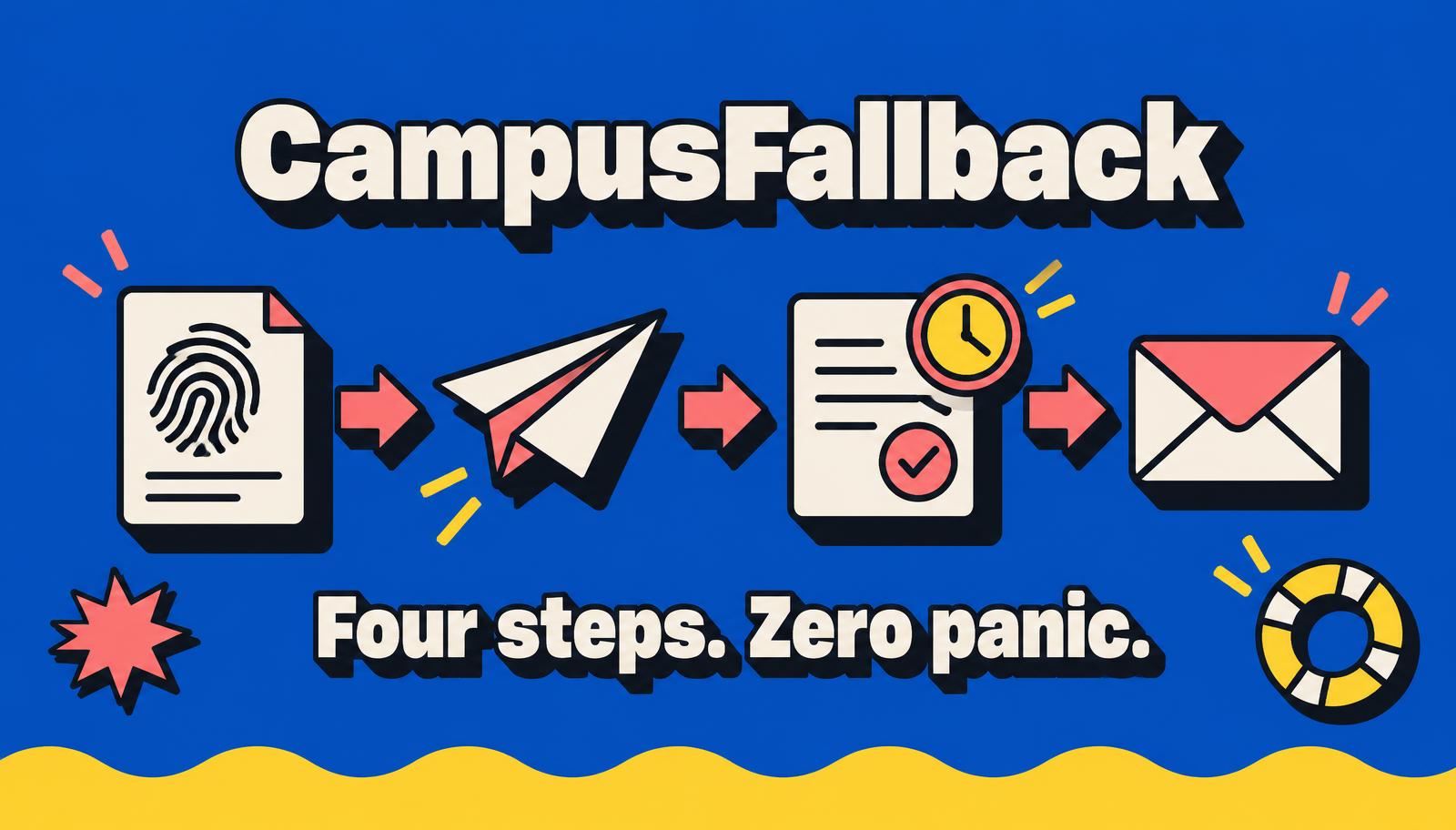
- Deadline lifeline. Pick an assignment and your file. CampusFallback computes a SHA-256 fingerprint of the file on your laptop and tries to submit it normally. If Canvas is down, it:
- gets the fingerprint timestamped by FreeTSA, a trusted timestamping service, as proof your work existed before the deadline;
- uses Gemini to draft a short note to your professor, and opens it in Gmail with a verify link. You attach the file and hit send;
- queues the file and submits it automatically the moment Canvas is back.
- Gradescope, too. Gradescope asks students to tag their own pages, so CampusFallback never submits there automatically. It seals the file, drafts the email, and notifies you the second Gradescope is reachable again, with a direct link to the assignment.
- Verify page. A professor drops the file onto the verify page. It's fingerprinted in their browser, never uploaded, and checked against the sealed receipt.
How we built it
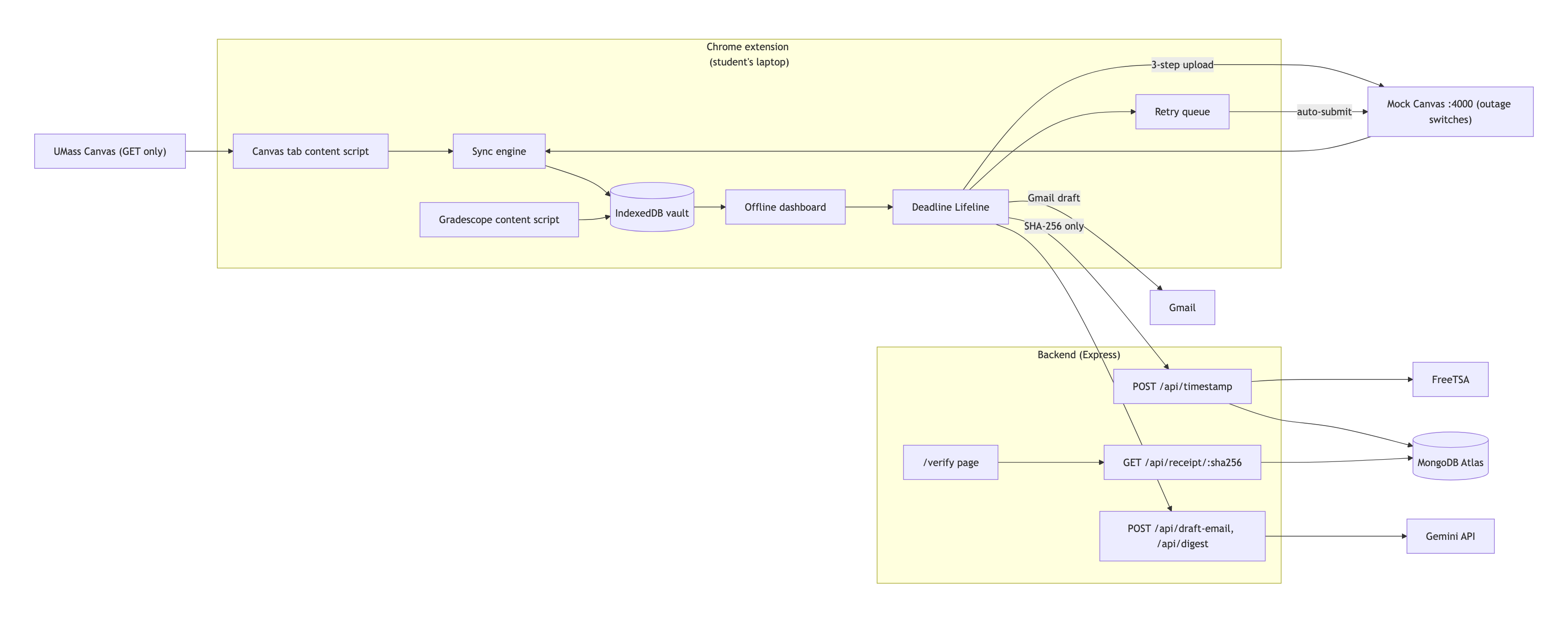
- Chrome extension (Manifest V3, plain JavaScript):
- Canvas data is stored in IndexedDB through Dexie.
- Fingerprints are computed with WebCrypto.
- Background syncs and retries run on
chrome.alarms.
- While you have Canvas open, the extension reads your courses using your existing login, the same way the Canvas website does. Everything it reads is saved only on your laptop.
- Practice Canvas server (Node + Express): a pretend version of Canvas that we can switch "off" to fake an outage. It let us test submitting work safely, without sending anything to a real class.
- Backend (Node + Express on Vultr): it runs on a Vultr server, requests RFC 3161 timestamps from FreeTSA with
openssl, stores receipts in MongoDB Atlas keyed by fingerprint, keeps the Gemini API key server-side, and serves the verify page. - Gemini API: it drafts the professor email and a "what's due this week" digest on the CampusFallback dashboard. It only sees assignment titles and due dates, not the actual files.
Challenges we ran into
- Testing submissions safely. We couldn't test against real classes, because every test would be a real submission instructors would see. Building a mock Canvas with an outage switch solved this, and it also made the live demo reliable.
- Gradescope has no official way for apps to submit work. Gradescope also asks students to mark which pages answer which question, so we don't submit for them. Instead, we save proof the work was done on time, draft the email to the professor, and remind the student to upload the moment Gradescope is back.
- Proof that can't be faked. Anyone can change their laptop's clock, and a time from our own server would mean trusting us. So we get the time from FreeTSA, an independent timestamping service, and anyone can check its receipt.
- Gmail drafts can't include attachments. So we added a verify link to every email. The student attaches the file, and the professor can click the link to confirm that exact file was finished before the deadline, instead of just taking the student's word for it.
- Chrome can pause extensions at any time to save memory. So we sync one course at a time, which lets the sync pick up where it left off if it gets interrupted. Uploads run from the dashboard page, which stays open, so they don't get cut off halfway.
- Limited time. With about 30 hours, we had to drop many features and focus on making one complete flow work well.
Accomplishments that we're proud of
- The full outage flow works end to end: Canvas goes down, the file is sealed with a trusted timestamp, and a note to the professor is drafted with a verify link.
- Privacy comes first: course materials never leave the student's laptop. Our server only sees a file's fingerprint, never the file itself.
What we learned
- How trusted timestamping (RFC 3161) works, and why "proof that doesn't require trusting us" is a stronger promise than encryption alone.
- Local-first design. The most private data is data your server never receives.
- Designing for failure: every step needed a fallback, and every fallback needed an honest limit.
What's next for CampusFallback
- A dashboard for professors that shows all sealed submissions for their course in one place, instead of checking emails one by one.
- Downloading all course materials in one click, saved on your laptop so every lecture slide and reading is available offline.
Built With
- caddy
- canvas-lms-api
- chrome
- css3
- dexie
- express.js
- freetsa
- gemini-api
- gmail
- html5
- indexeddb
- javascript
- manifest-v3
- mongodb-atlas
- node.js
- openssl
- pm2
- vultr
- webcrypto

