-
-
Campus Companion
-
Beautiful Modern GUI for CampusCompanion
CampusCompanion
Inspiration
We were inspired by the tedious processes and apps that bog down the days of a student. As high schoolers ourselves, we understand the annoyance of using a separate app to check grades (Schoology/Infinite Campus), a separate one to check upcoming assignments (Schoology/Infinite Campus), one to take notes (Google Docs), and one to create a to-do list (Notes IOS). We wanted to solve this issue and streamline these processes by combining all these features in one app.
What it does
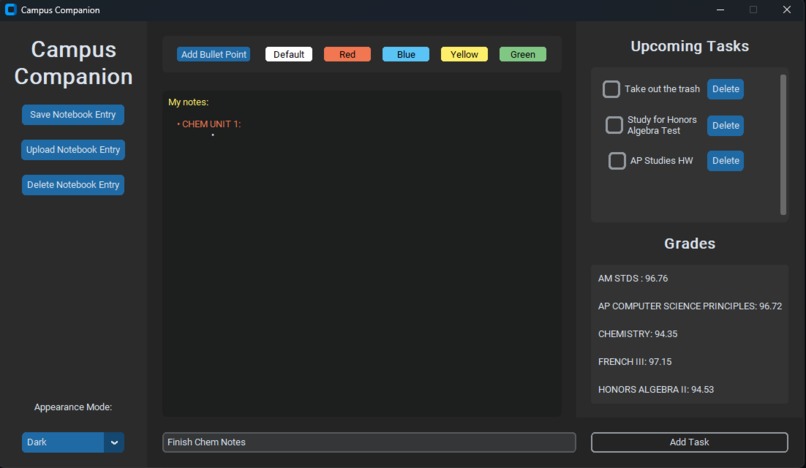
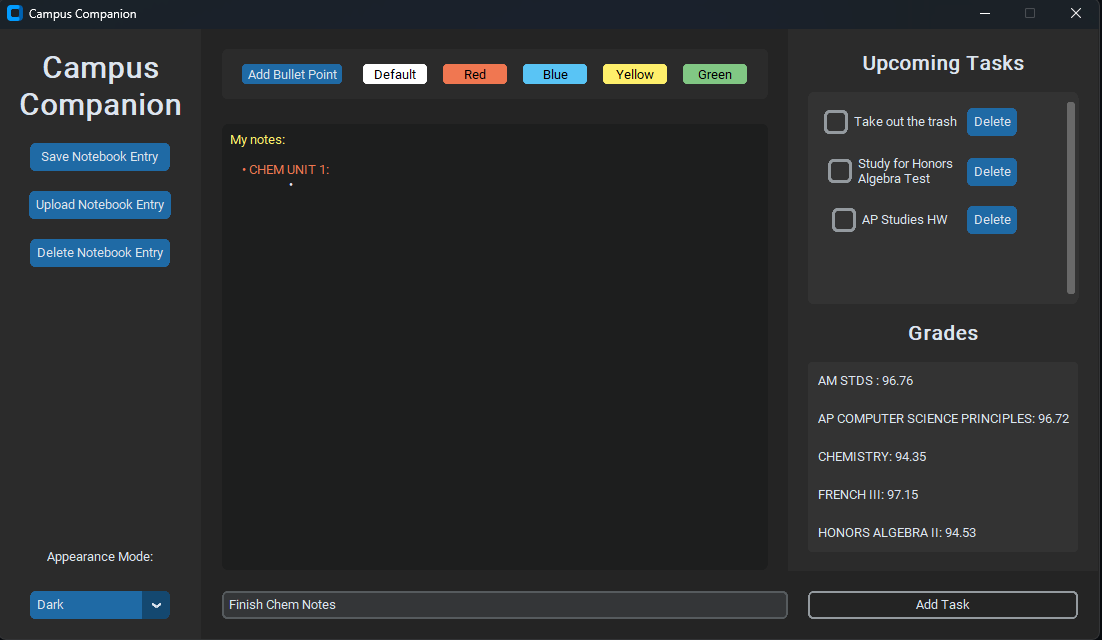
Our program is a convenient UI that allows users to take color-coded and organized notes in a digital notebook, save these notes to the computer, delete notes, and upload notes from files. We also offer a to-do list in which users can add tasks, check them off, and even delete them. Lastly, we offer a grade display, which fetches the data for grades from the Schoology API and displays the grades in the UI.
How we built it
Our application was made using Python. We used the CustomTkinter library to create a beautiful graphical interface. We also used the requests library to interact with the Schoology API and OAuth1 to ensure secure authentication with the API. The use of these libraries allows us to easily fetch the user's grades and courses. We stored the user's tasks and journals using text files, which was difficult at first but eventually worked perfectly. We used the pickle library to store data efficiently.
Challenges we ran into
We tried to use a model-view-controller design pattern but were unable to use it without issues within the time constraint. The time constraint was a significant issue, and collaboration and communication were as well, due to the hackathon being virtual. We also faced many challenges in working with the Schoology API but persisted and managed to figure it out.
Accomplishments that we're proud of
Some accomplishments that we are proud of include succeeding in working with the Schoology API to fetch user grades data, as it was one of our first times working with APIs. We are also proud of the functions that can be applied to the text in the notebook, like bullet points and various colors, as we sought to match the key note-taking aspects of Google Docs (organization and color-coding).
What we learned
We learned a lot about tkinter, custom tkinter, and using APIs. We learned how to create frames, buttons, and objects, but also learned more about key programming concepts like static methods. We also learned how to use text files to save data and utilize it to print and work with.
What's next for CampusCompanion
Next, we plan on adding compatibility for all grade-related apps. As of now, the grade display is only compatible with Schoology. We plan to expand that to other apps like Infinite Campus and ProgressBook. We also plan to add an algorithm to auto-sort the tasks inputted by the user by deadline, difficulty, and completion time. We also plan to use the Schoology API to fetch data for upcoming events and auto-importing it to the task manager hub.
Note: Mohamed and Vijay both attended the Pitch Workshop.

Log in or sign up for Devpost to join the conversation.