-
-
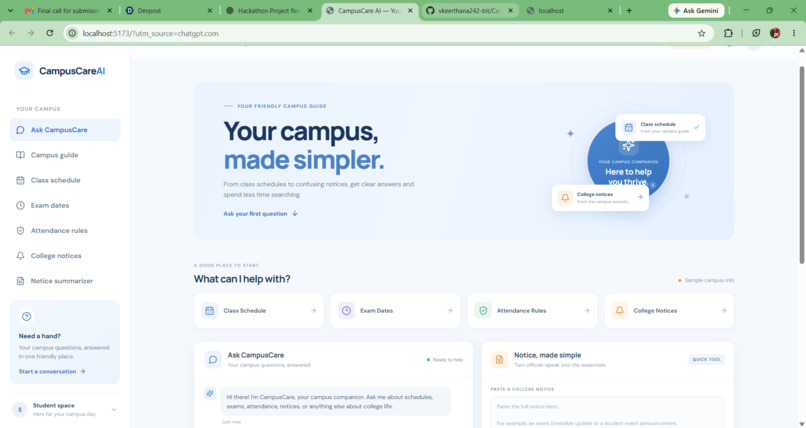
Main dashboard
-
Inspiration# About CampusCare AI
Inspiration 💡
College students often need to search through different sources to find campus information, such as class schedules, exam dates, attendance rules, and college notices. Finding the right information quickly can be confusing and time-consuming.
This inspired us to build CampusCare AI — Smarter Campuses. Simpler Student Life. Our goal is to create a friendly, AI-powered campus assistant that helps students access important information in one convenient place.
What It Does 🚀
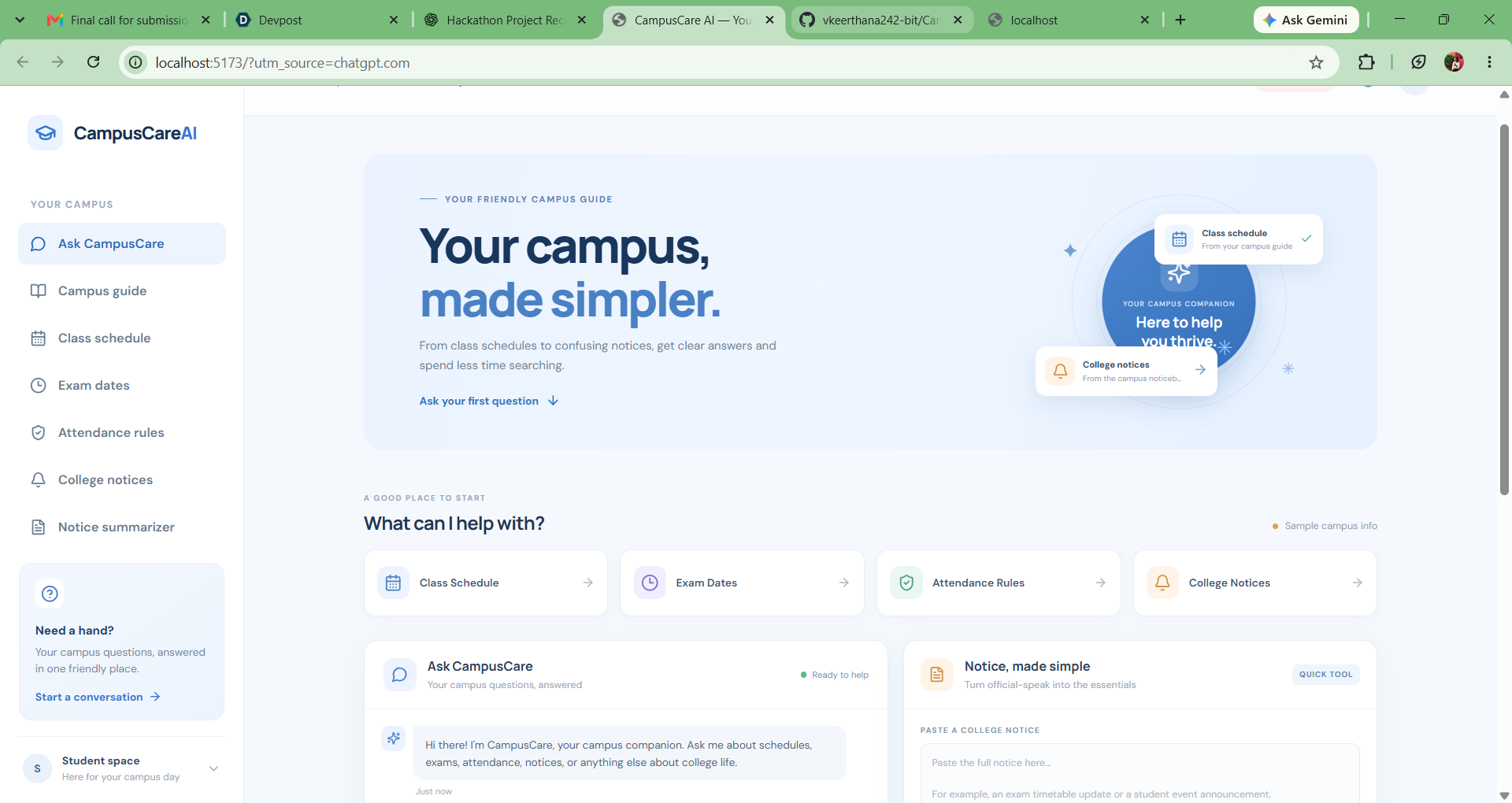
CampusCare AI is a web-based smart campus assistant designed to simplify everyday student life. It includes:
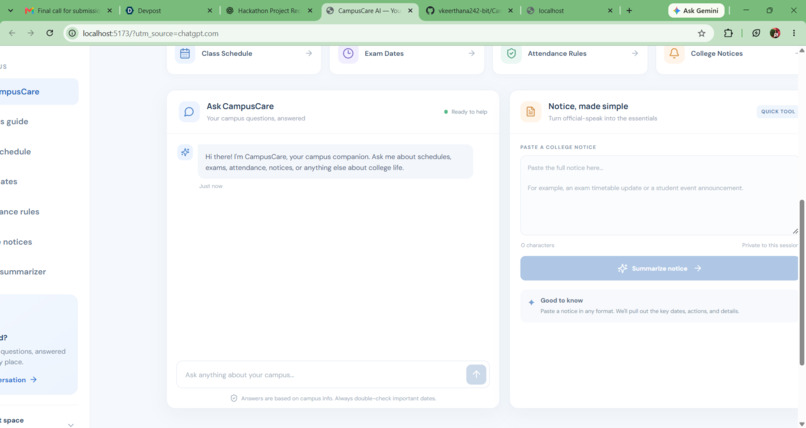
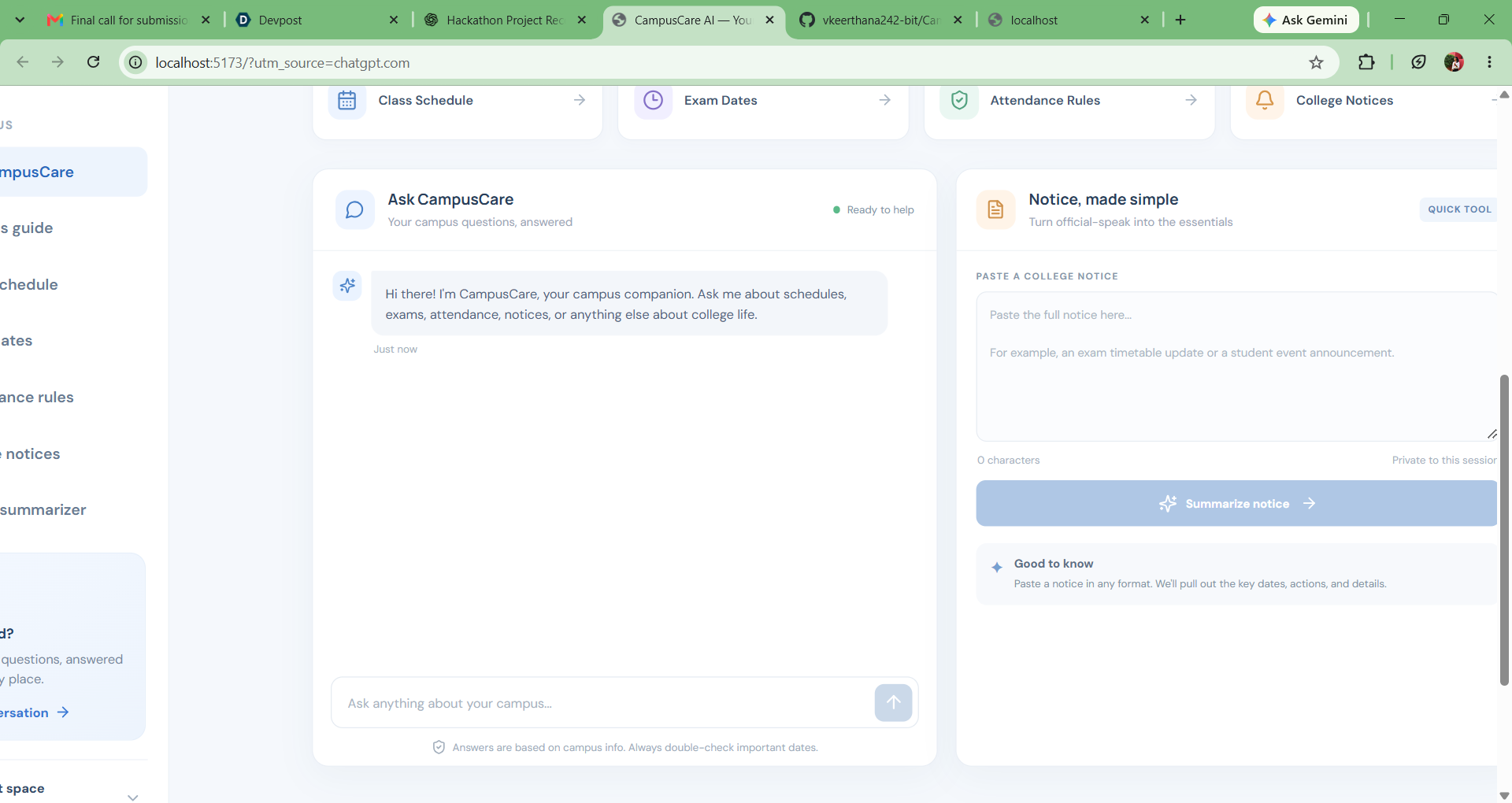
- AI Campus Chat: Ask campus-related questions through a conversational interface.
- Quick Questions: Access information about class schedules, exam dates, attendance rules, and college notices.
- Campus Guide: Find campus-related information through a simple interface.
- Notice Summarizer: Turn long college notices into shorter, easier-to-understand summaries.
- Responsive Interface: Navigate the features through a clean and user-friendly website.
The project uses sample campus information in Demo Mode. Real campus information and AI responses depend on the configured backend and AI service.
How We Built It 🛠️
We developed CampusCare AI as a web application with a React and Vite frontend and a Python FastAPI backend. The frontend provides the interface for students to interact with the assistant, while the backend handles API requests and campus-related functionality.
We also prepared the application for Amazon Bedrock integration, allowing the backend to use an AI model when the required AWS configuration is available. Demo Mode allows us to test the main interface and features without requiring an active AI connection.
We used Git and GitHub for version control and to make our project code available for review.
Challenges We Faced 🧩
One of our main challenges was making sure the frontend and backend worked together correctly. We encountered issues with the development environment, API communication, and React effects that caused errors in the interface.
We worked through these issues by checking browser console messages, reviewing backend logs, correcting asynchronous request handling, and testing the application again. We also worked on making the individual campus options functional rather than relying only on the chat feature.
Another important challenge was separating demo functionality from real AI integration so that the application clearly communicates when it is using sample information.
What We Learned 📚
Building CampusCare AI helped us improve our understanding of frontend and backend development, REST API integration, debugging, and GitHub version control. We also learned how to structure a project for potential integration with cloud-based AI services.
Most importantly, we learned that building a useful AI application requires more than an attractive interface. Every feature needs a working implementation, clear feedback, and reliable handling of errors and unavailable information.
What's Next 🔮
Our next goals are to connect the application to verified campus data, complete and test the Amazon Bedrock integration, and deploy the application so students and reviewers can access it online.
CampusCare AI aims to make campus information easier to access, understand, and use — helping students spend less time searching and more time learning.
What it does
How we built it
Challenges we ran into
Accomplishments that we're proud of
What we learned
What's next for CampusCare AI
Built With
- css
- fastapi
- html
- javascript
- python
- react
- rest-api
- vite


Log in or sign up for Devpost to join the conversation.