-
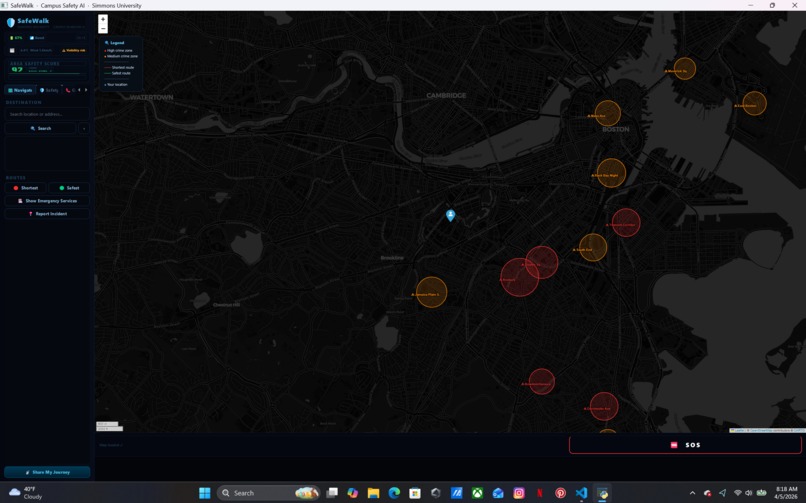
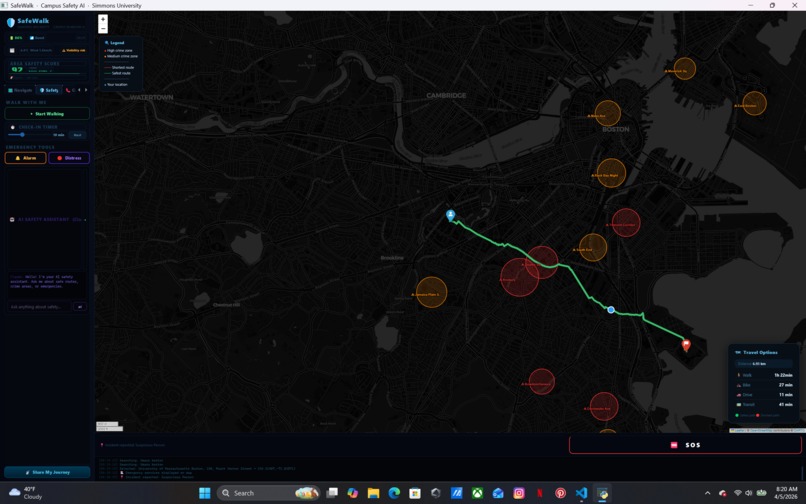
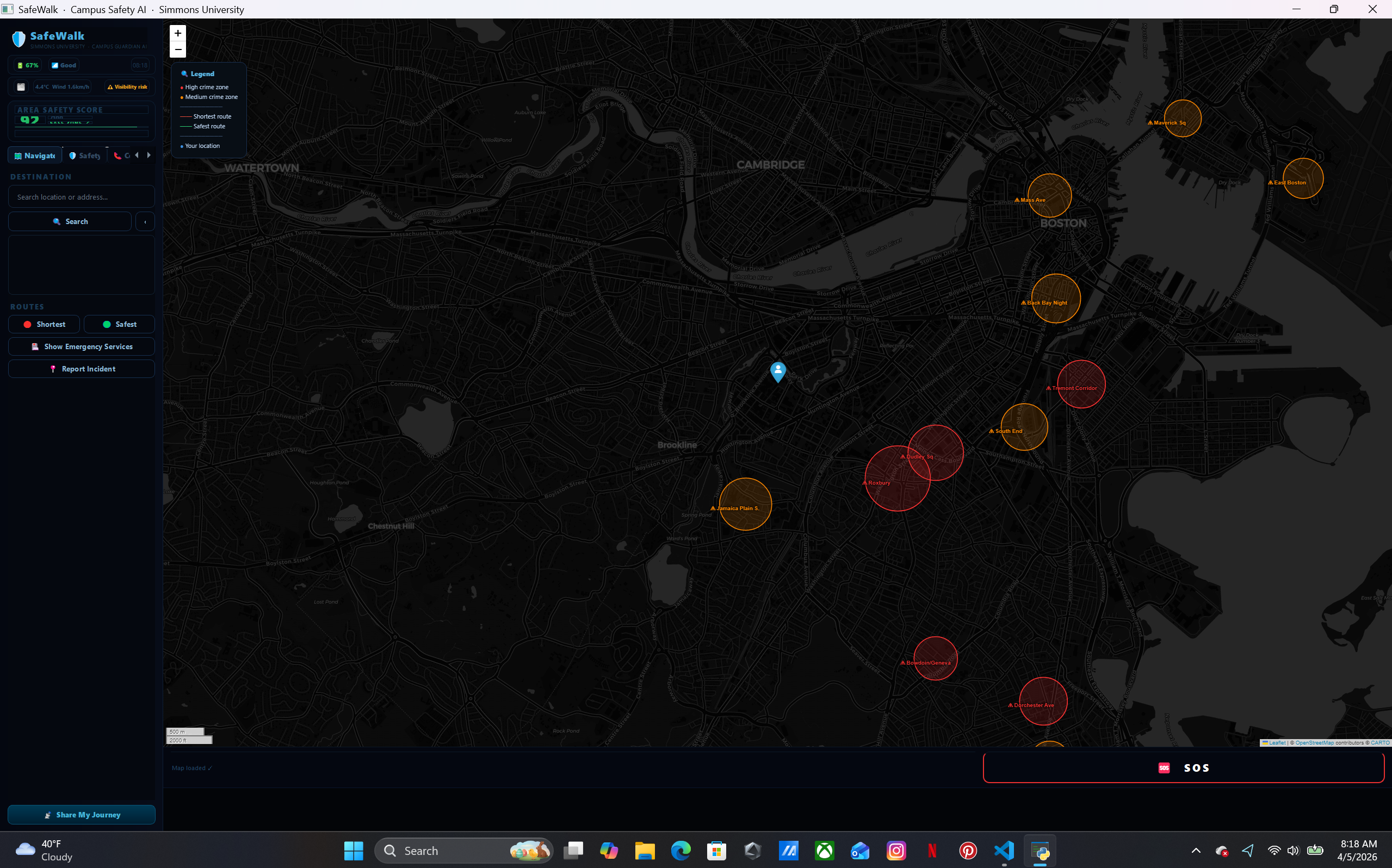
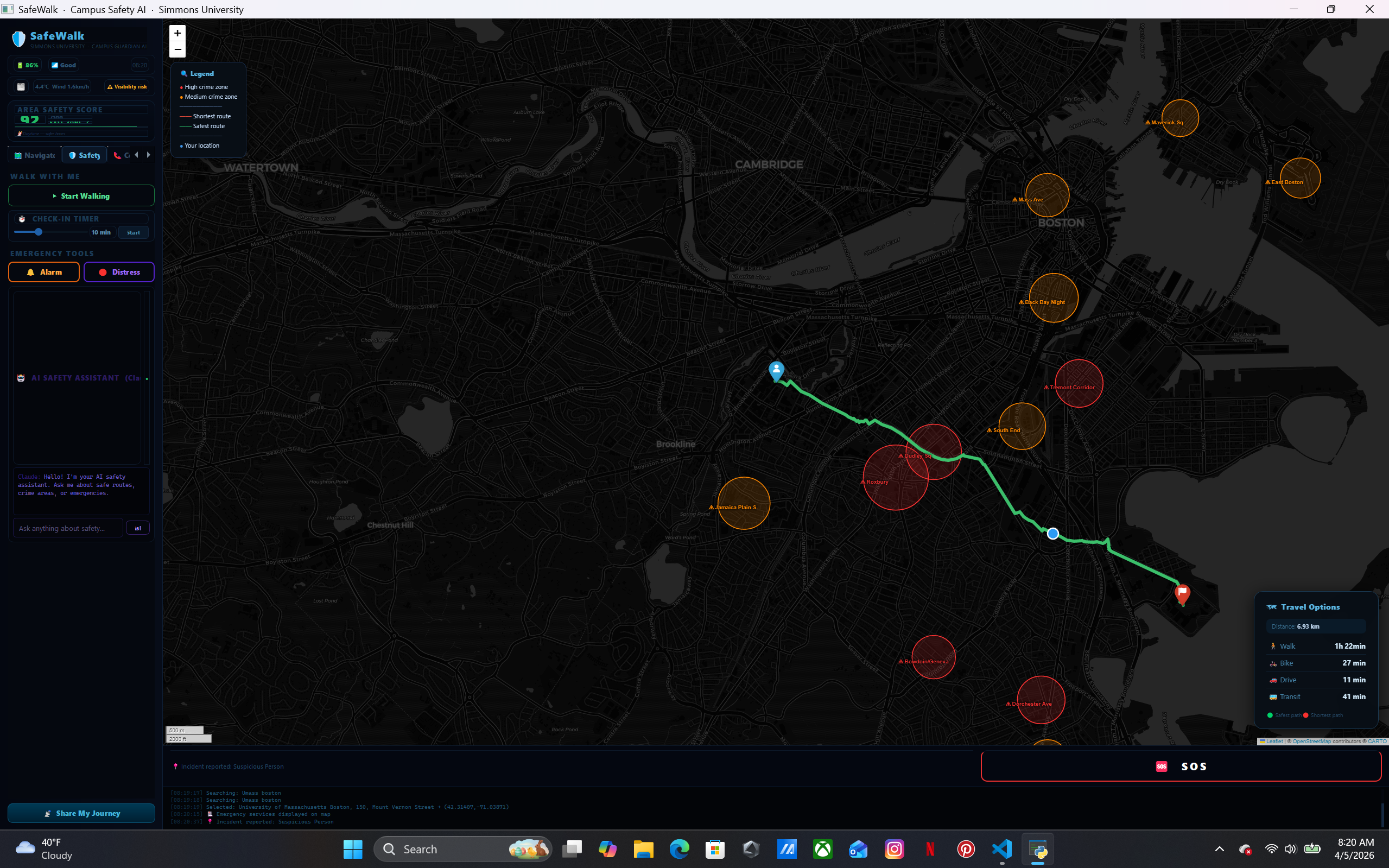
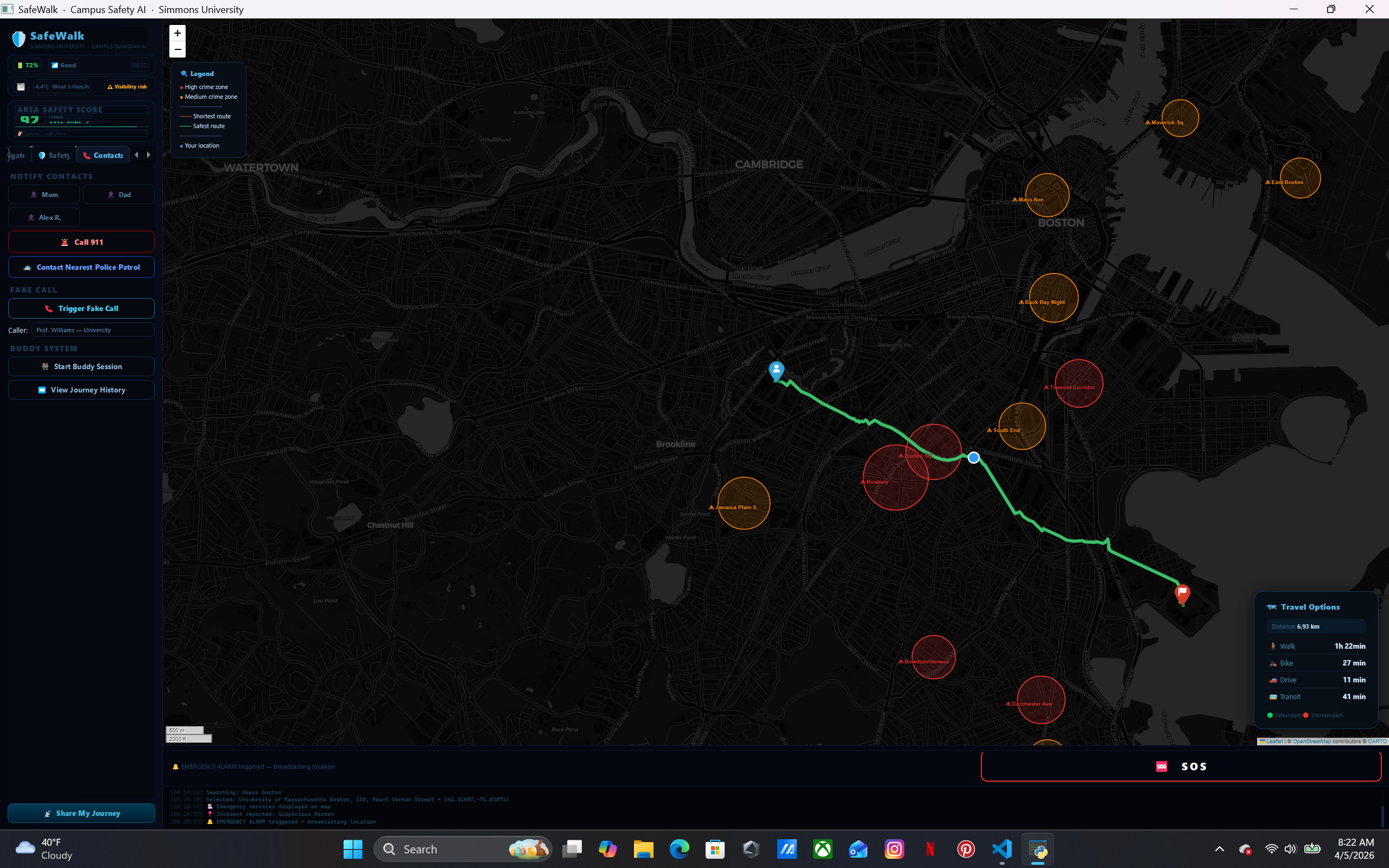
red zone for high risk crime prone zone
-
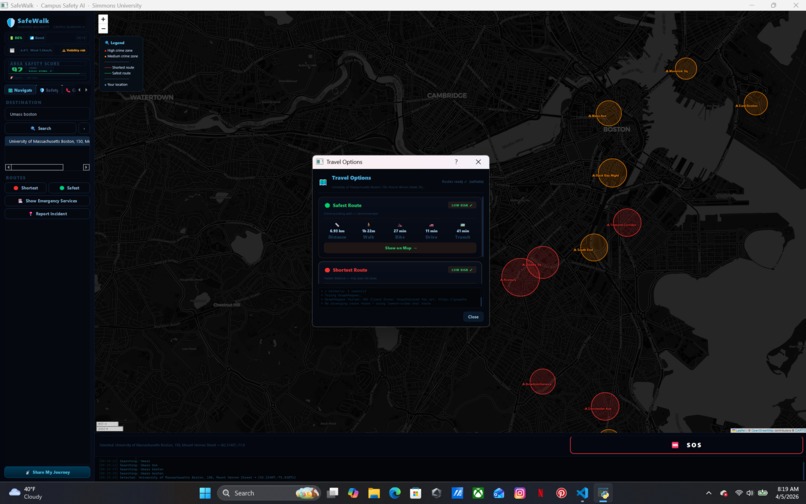
yellow zone for medium risk crime prone zone
-
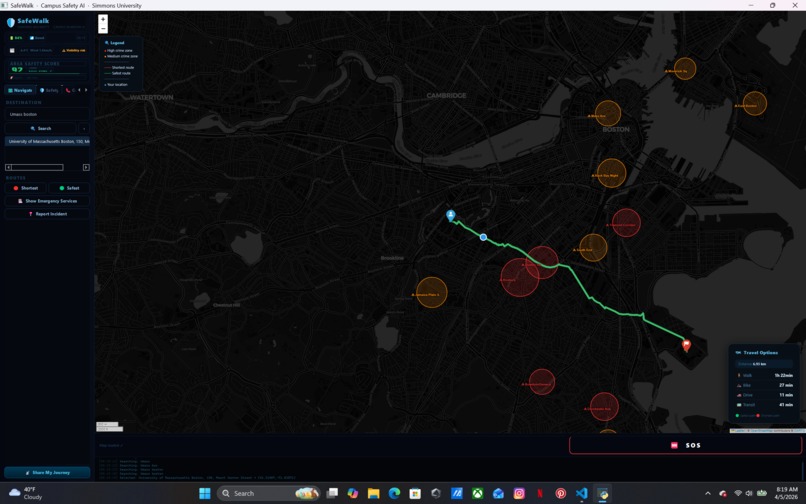
green zone for low risk crime prone zone
-
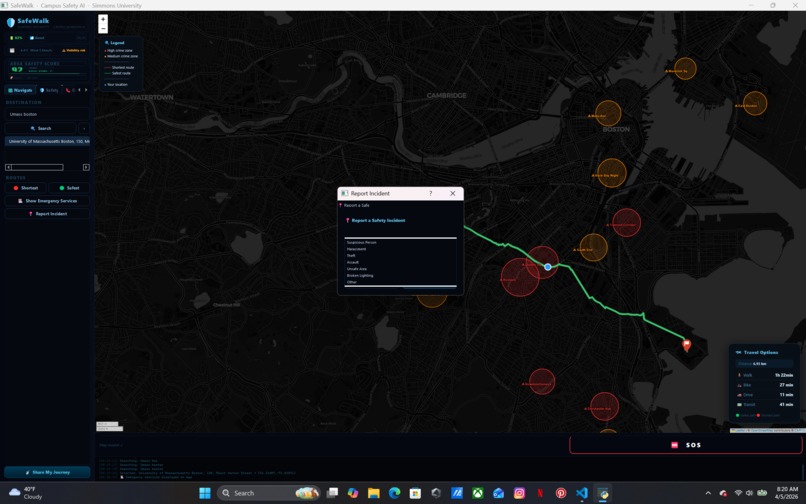
-
-
-
-
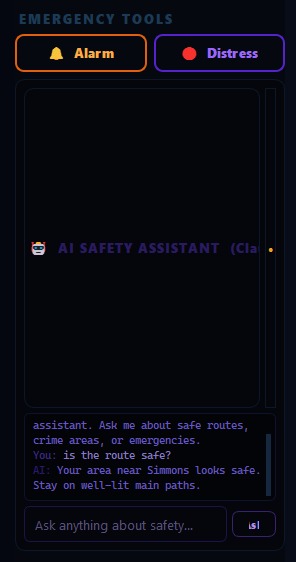
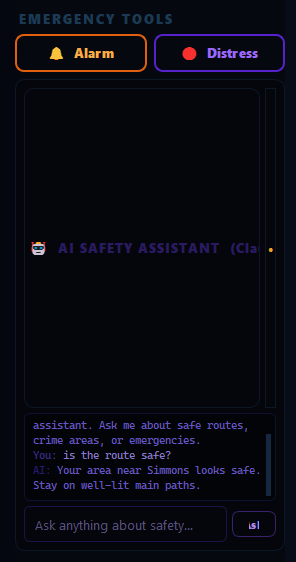
Personalized AI chat for real time info
-
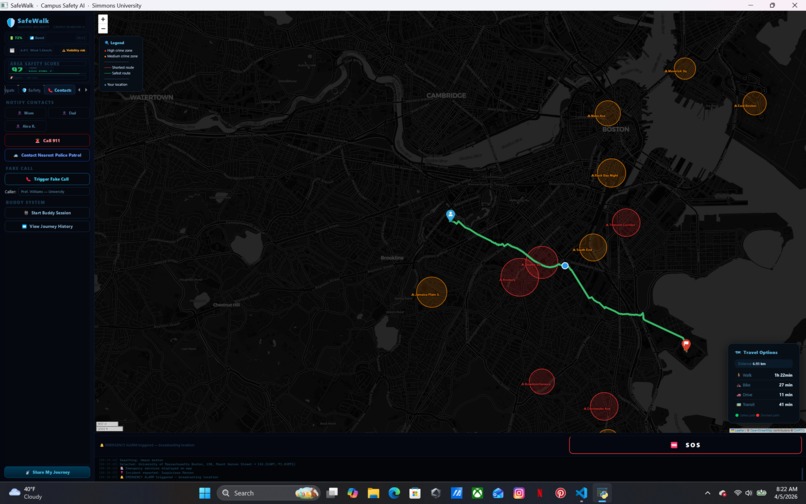
-
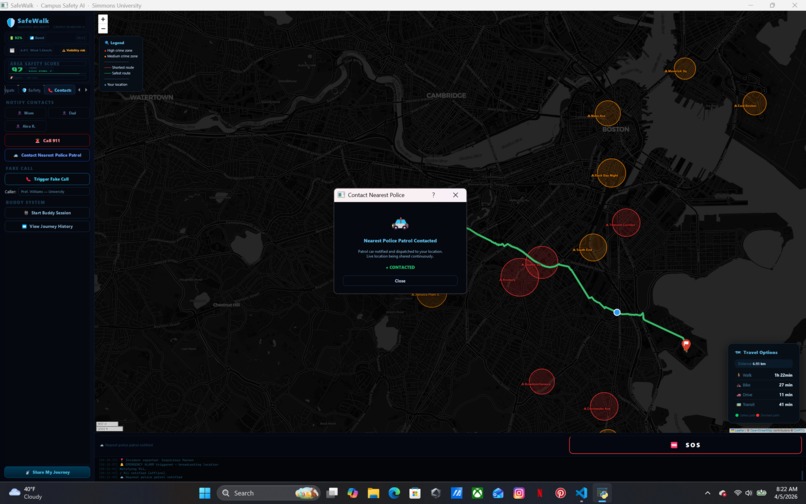
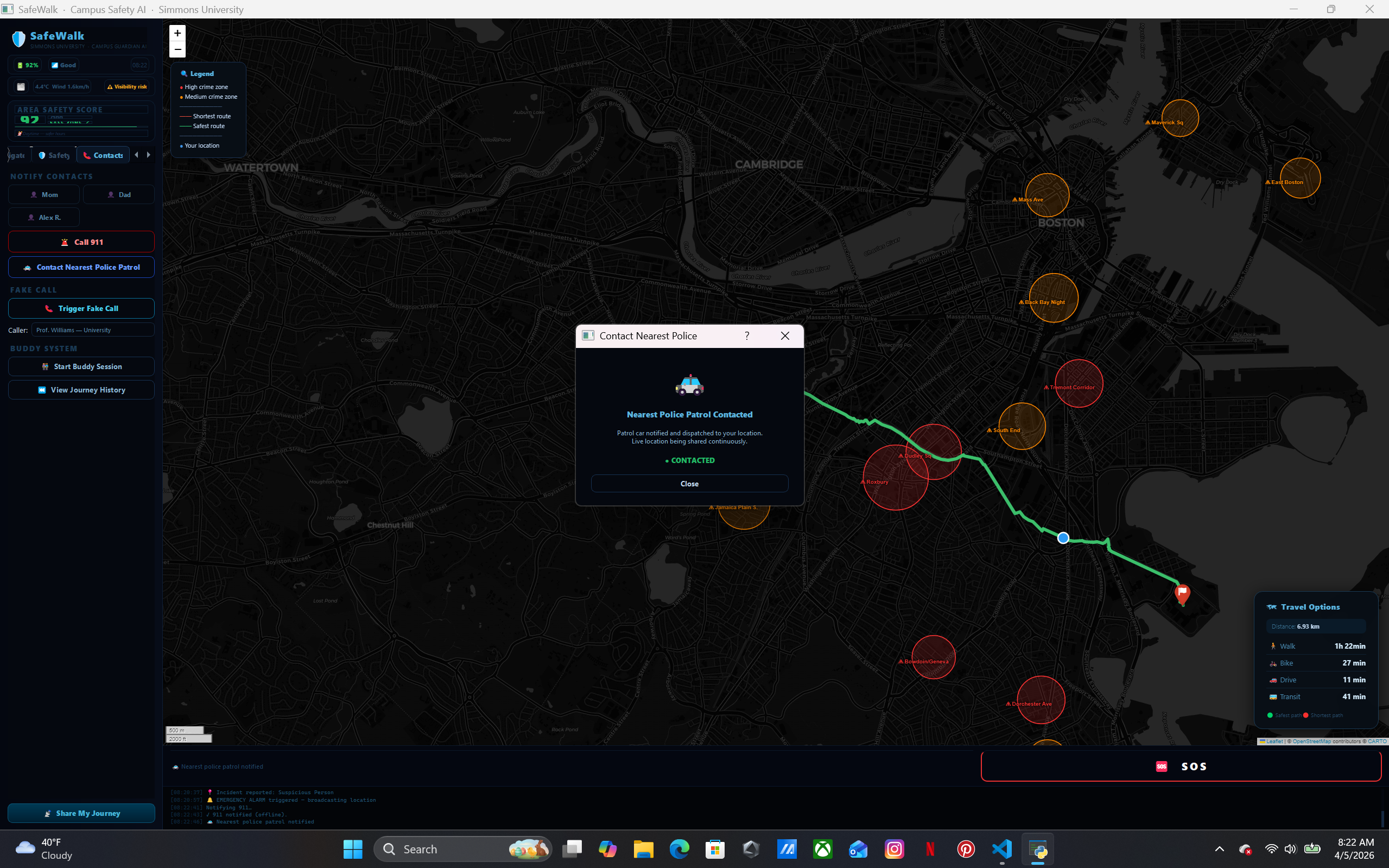
it shows contacted then on route and updates when arrives
-
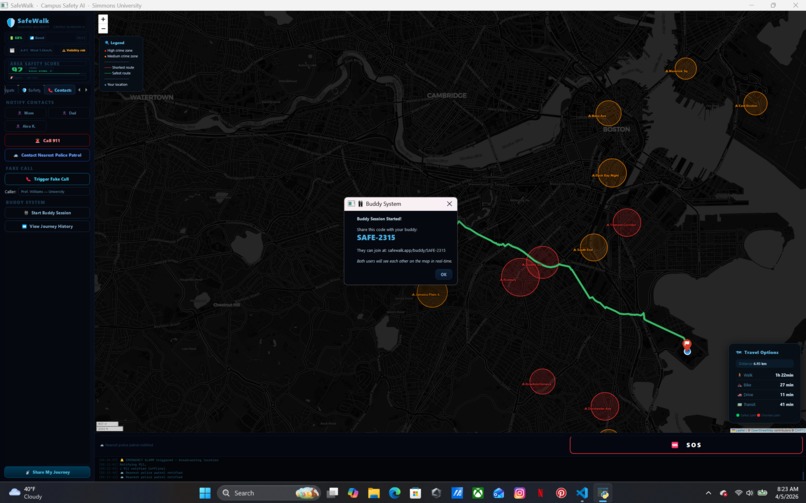
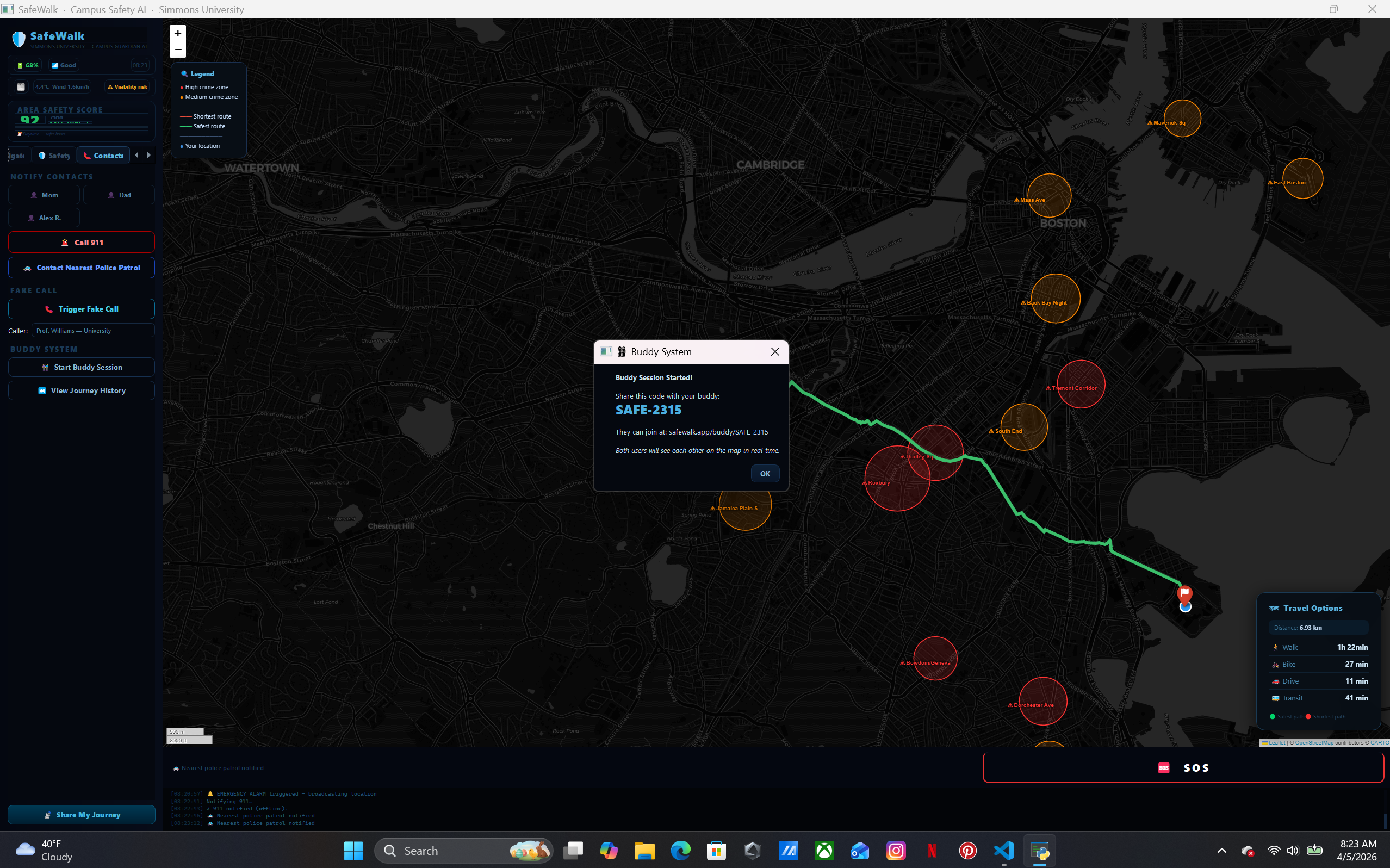
cool feature using our API key anyone with the link can see the current location of ours when using this program
-
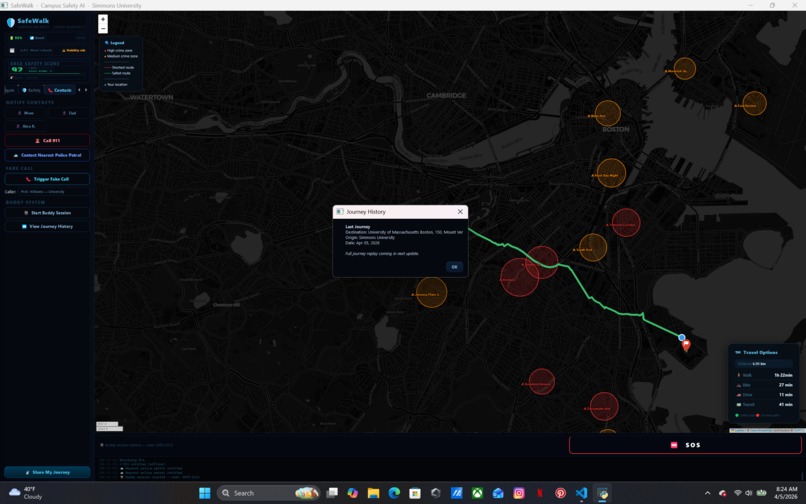
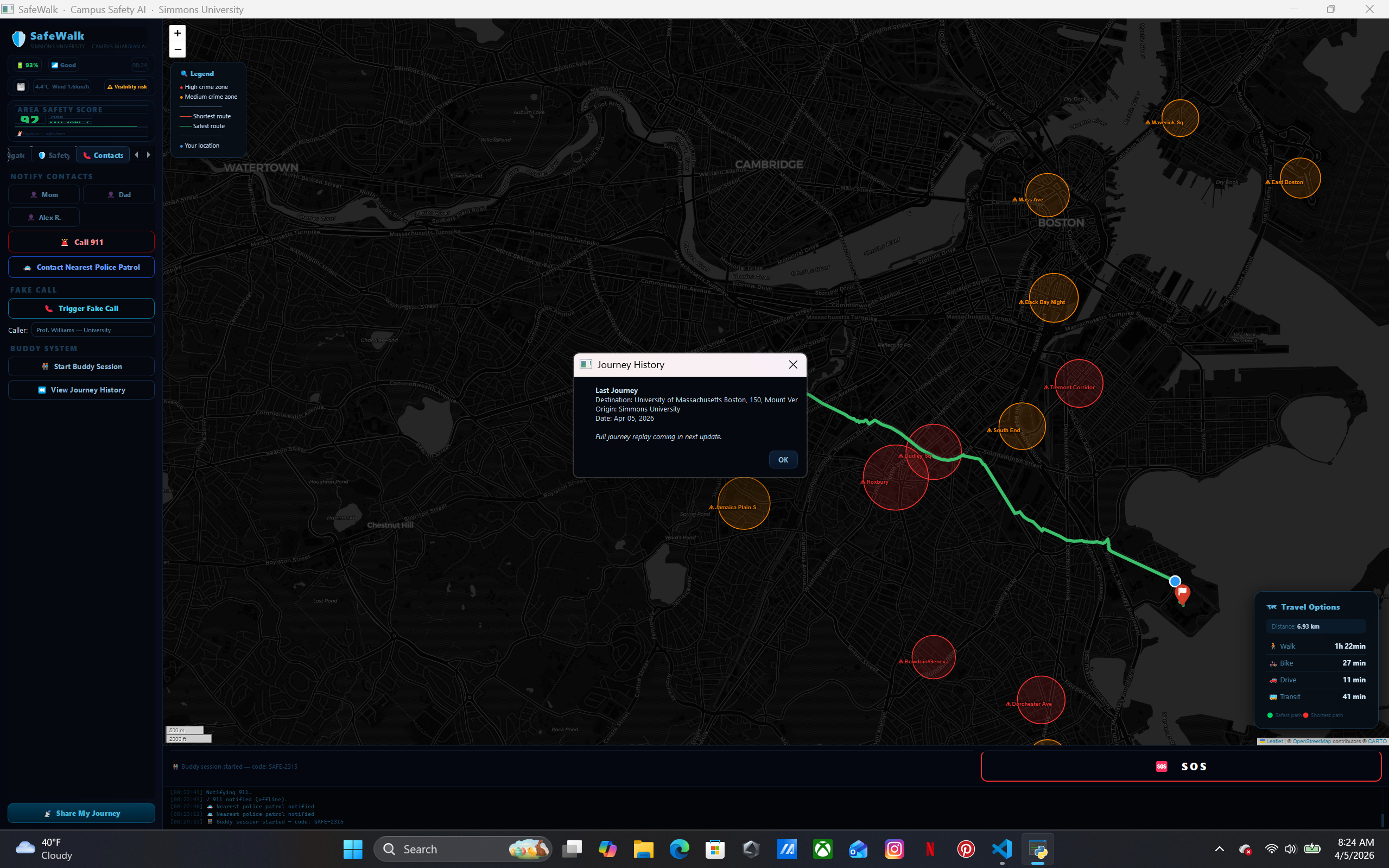
shows trip history
Inspiration
Walking back to Simmons University late at night, we realized there was no tool that combined real-time crime awareness with smart routing and emergency response in one place. Students shouldn't have to choose between the fastest route and the safest one — so we built SafeWalk to make that choice for them automatically.
What It Does
SafeWalk is an AI-powered campus safety companion built for Simmons University students. It combines:
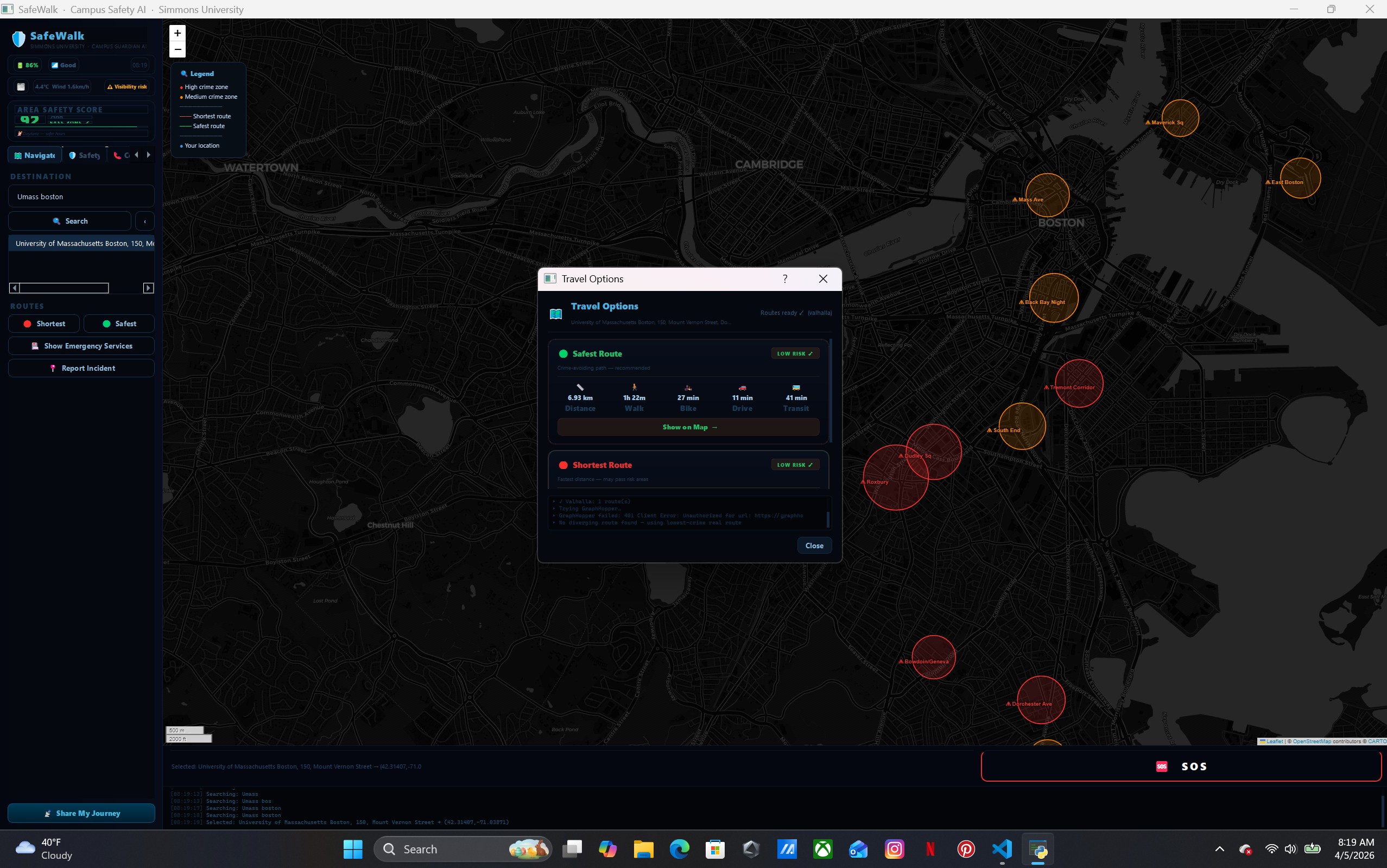
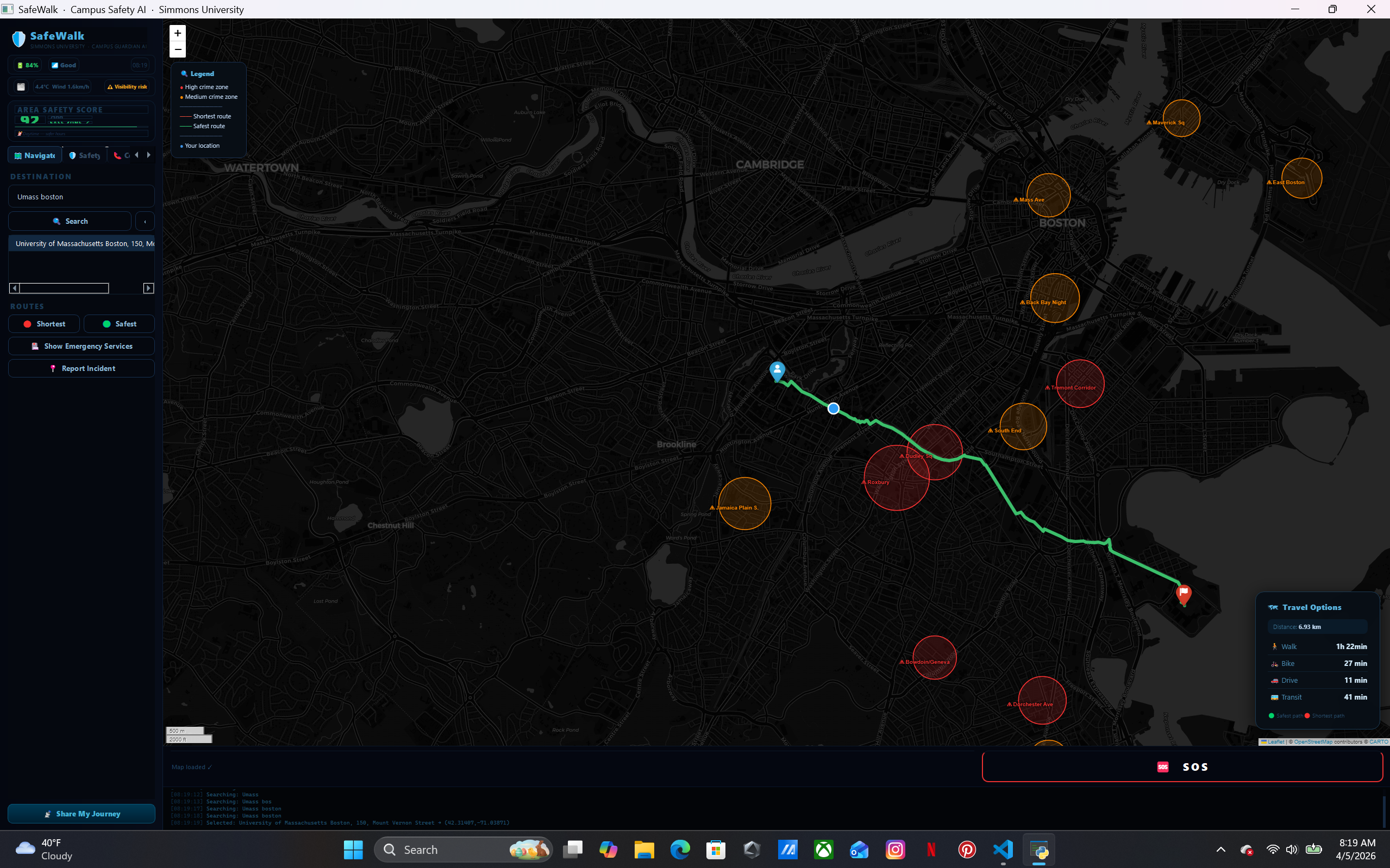
- Smart dual routing — shows both the shortest path and a crime-avoiding safest path using real Boston crime data overlaid on live map
- Walk With Me — AI monitors your pace, detects stops, and alerts contacts if something seems wrong
- SOS Panic Button — one tap notifies 911 and Campus Security with your live GPS location
- Fake Call — simulates an incoming call so you can escape an uncomfortable situation
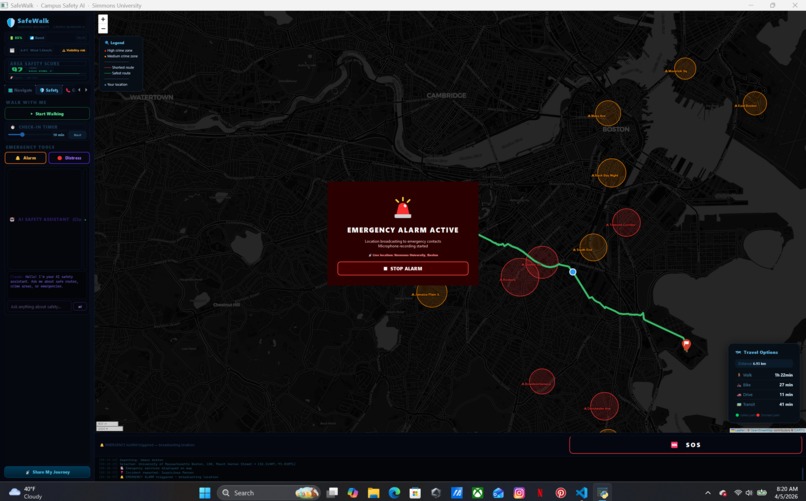
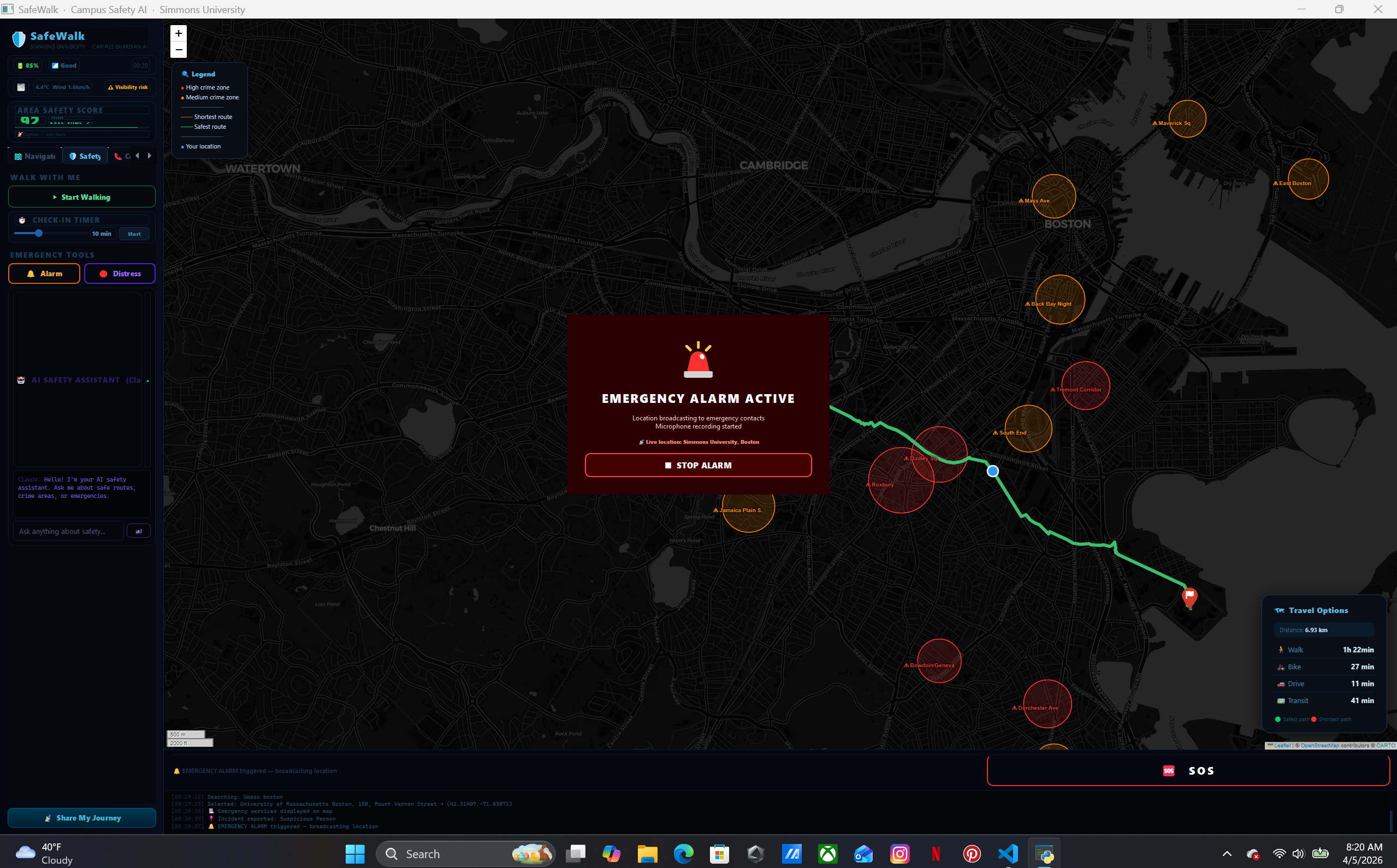
- Emergency Alarm — triggers a loud siren and flashing screen to draw attention
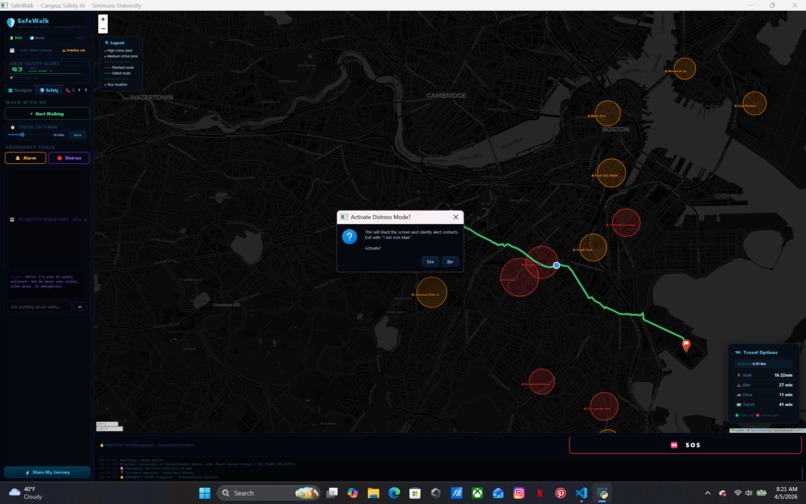
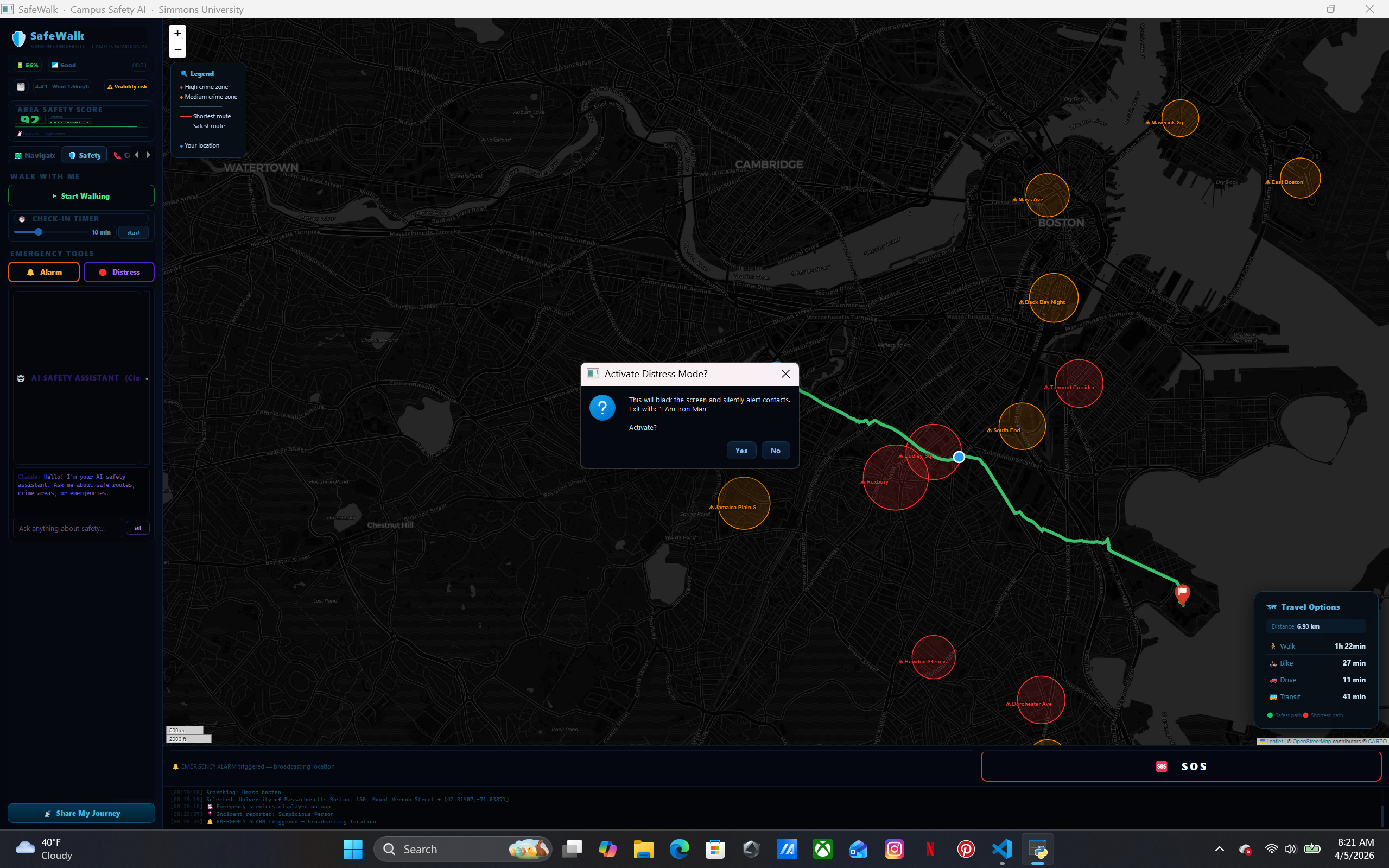
- Distress Mode — blacks your screen silently while alerting contacts; exit by saying "I am Iron Man" (voice-activated)
- Buddy System — share a session code with a friend and see each other's live location on the map
- AI Safety Chat — powered by Claude (Anthropic), gives real-time safety advice about Boston neighborhoods
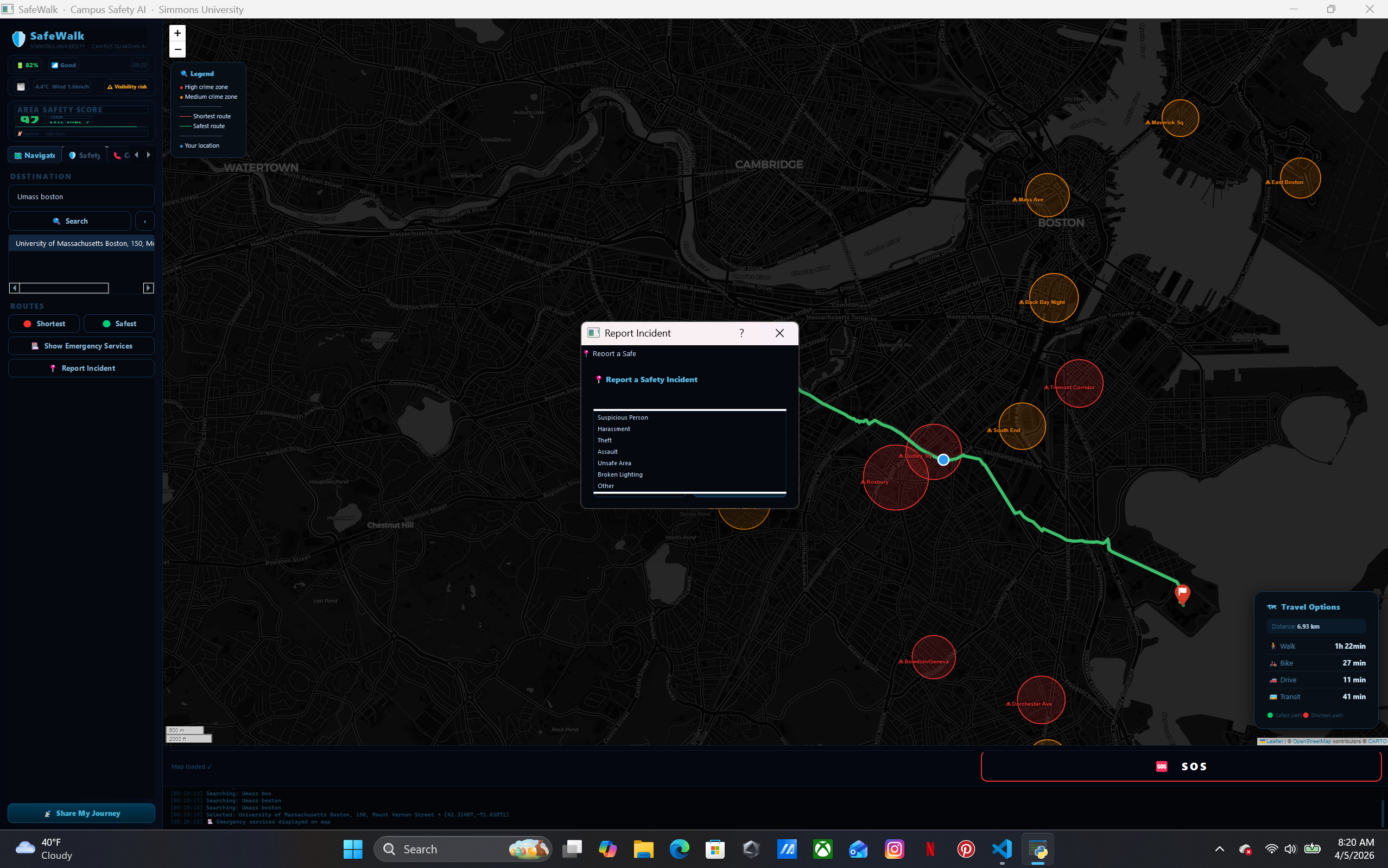
- Emergency Services Map — shows nearest hospitals, police stations, and fire stations with one click
- Check-In Timer — auto-alerts contacts if you don't check in within your set time
How We Built It
We built SafeWalk entirely in Python using PyQt5 for the desktop GUI and PyQtWebEngine to embed interactive Folium maps. Routing uses a multi-provider chain — OSRM → Valhalla → GraphHopper → Overpass API → local fallback — so it always returns a real road path even offline. Crime zones are scored using a custom weighted proximity algorithm across 35+ Boston neighborhoods. The AI chat is powered by the Claude API (claude-haiku) with an offline fallback. A local Flask server handles notifications, buddy sessions, and SOS logging. Voice detection for Distress Mode uses the SpeechRecognition library with Google's speech API.
Challenges We Faced
The hardest problem was making the shortest and safest routes look visually distinct. Routing APIs often return the same path or only minor variations. We solved this by building a crime-aware detour engine that calculates a perpendicular push vector at the route midpoint, bending the safest path away from high-crime zones through a waypoint — guaranteeing both routes are always different real curved paths, never straight lines.
Getting the Emergency Services button to render icons on the map was also tricky — FontAwesome icons failed to load in the embedded browser, so we switched to emoji-based DivIcons which render natively without any external dependencies.
The buddy system originally pointed to a non-existent domain. We rebuilt it as a real local Flask server with live position polling, messaging, and SOS — accessible via any browser on the same network.
What We Learned
- Routing APIs are inconsistent — building a resilient fallback chain is essential for any real-world navigation app
- PyQt5's embedded browser has strict sandboxing that breaks many standard web map features
- Voice recognition for safety-critical applications needs fuzzy matching, not exact strings, since speech-to-text makes frequent errors
- Campus safety is deeply personal — small UX details like a fake call or a distress safe word matter enormously
What's Next
- Real GPS integration via phone companion app
- Push notifications via Twilio SMS
- Expanding crime data to all Massachusetts campuses
- Integration with Simmons University's official emergency alert system
- Night-mode walk scheduling with automatic buddy pairing
Built With
- blackbox
- chat-gpt
- claud
- co-pilot
- gemeni

Log in or sign up for Devpost to join the conversation.